
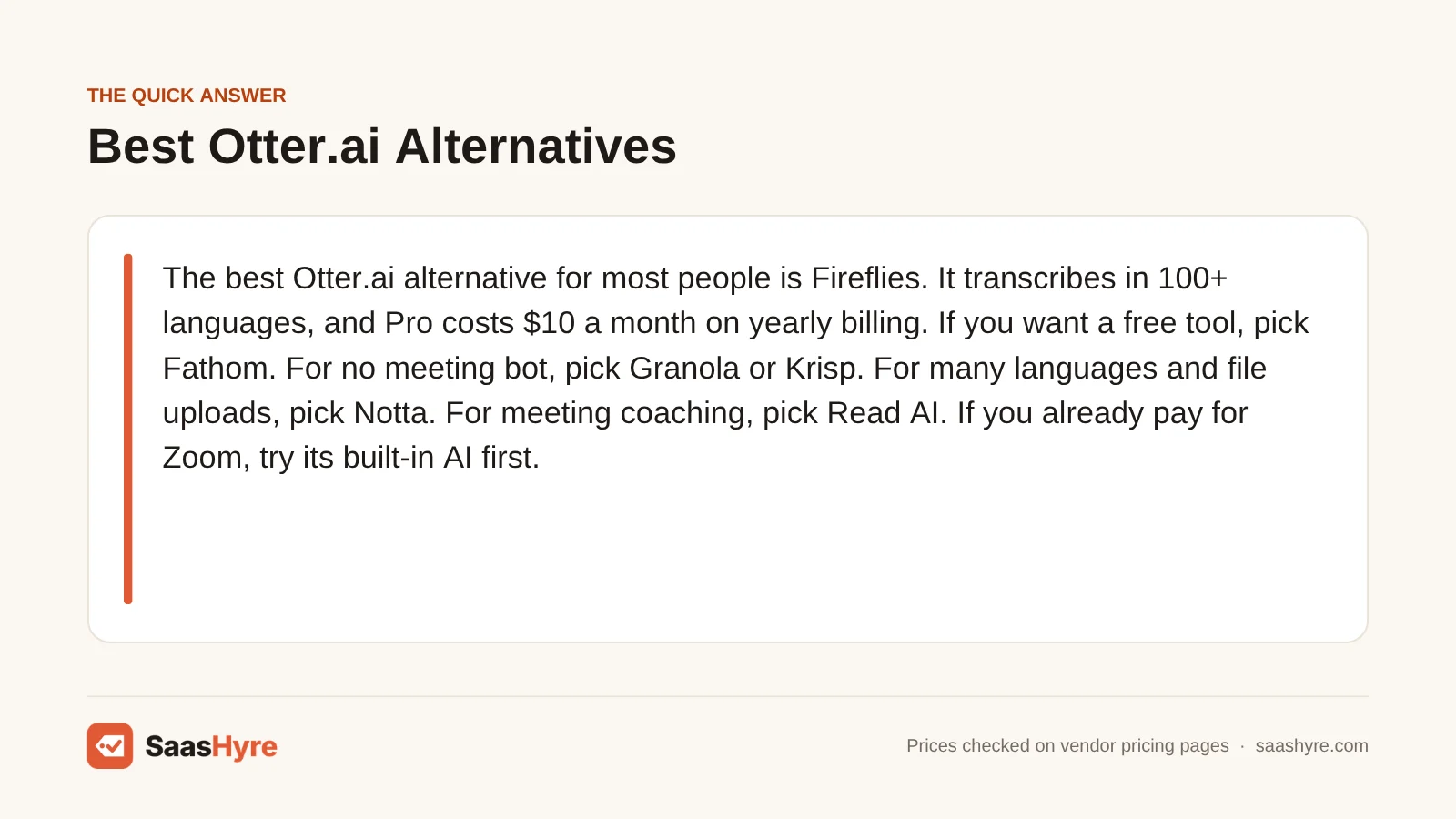
The best Otter.ai alternative for most people is Fireflies. It transcribes in 100+ languages, and Pro costs $10 a month on yearly billing. If you want a free tool, pick Fathom. For no meeting bot, pick Granola or Krisp. For many languages and file uploads, pick Notta. For meeting coaching, pick Read AI. If you already pay for Zoom, try its built-in AI first.
Here is why so many people shop around. Otter’s free plan stops at 300 minutes a month and 30 minutes per conversation. Pro costs $16.99 a month if you pay monthly. Some of the tools below give you more for free, and some don’t need a bot in your call at all. Each one is good at a different job, so the right pick depends on how you meet.
I pulled every price below from each company’s own pricing page in October 2026. Prices can change, and some tools show local currency or taxes at checkout, so check the final price before you pay.
This guide is one part of our best AI tools roundup, which compares picks for every job.
Quick Comparison: 8 Otter.ai Alternatives at a Glance
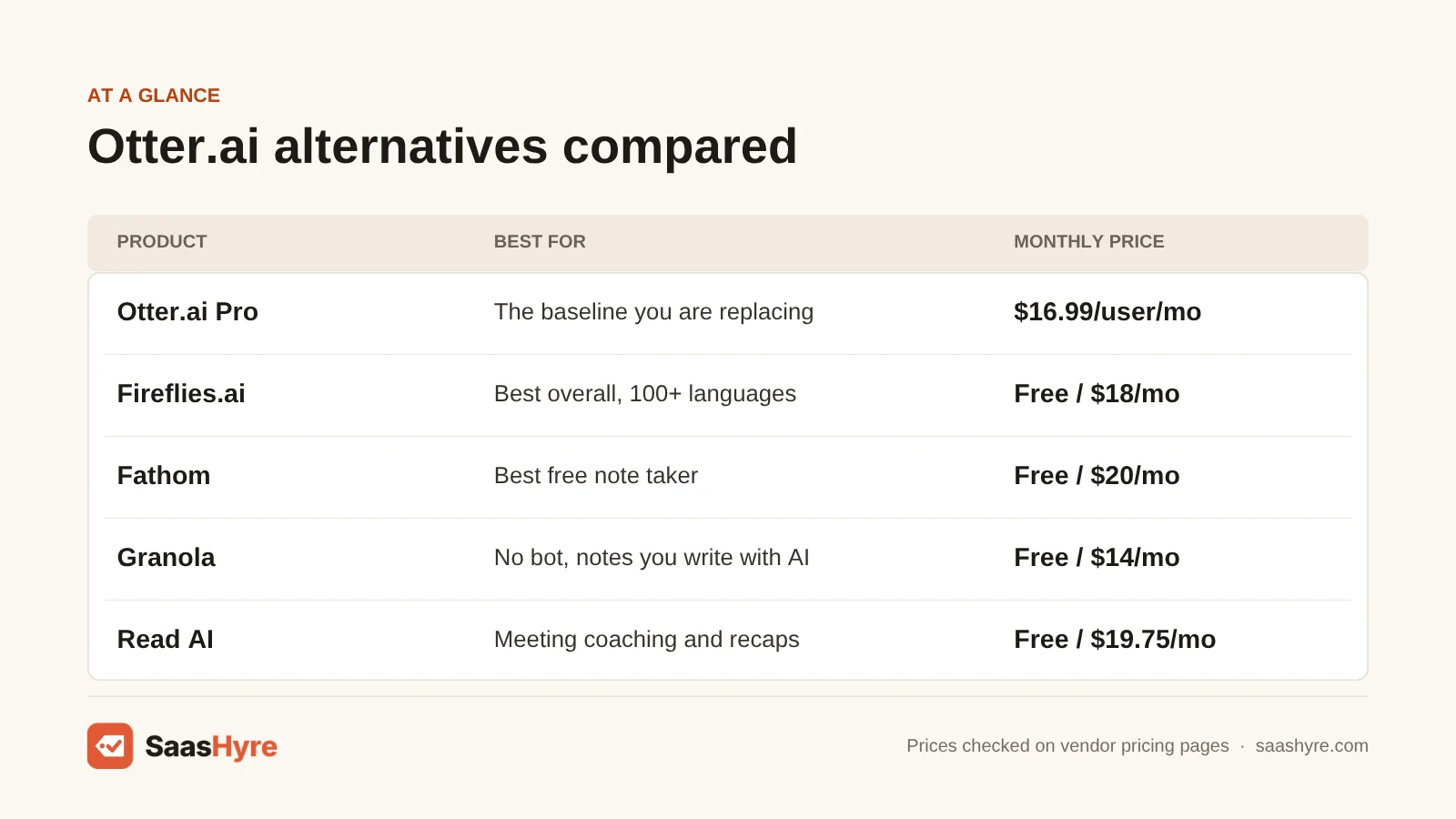
| Tool | Best for | Monthly billing | Yearly billing | Free plan or trial |
|---|---|---|---|---|
| Otter.ai Pro (baseline) | What you are replacing | $16.99/user/mo | $8.33/user/mo | Free plan, 300 min a month |
| Fireflies.ai | Best overall, 100+ languages | $18/seat/mo | $10/seat/mo | Free plan, 400 min of storage |
| Fathom | Best free note taker | $20/user/mo | $16/user/mo | Free plan, unlimited recordings |
| tl;dv | Free plan with multi-meeting reports | $29/seat/mo | $18/seat/mo | Free plan, 10 meetings with AI notes |
| Granola | No bot, notes you write with AI | $14/user/mo | No yearly price listed | Free plan, 30 days of history |
| Krisp | No bot, plus noise cancellation | $16/user/mo | $8/user/mo | 7-day free trial |
| Notta | Many languages and file uploads | Not shown on pricing page | $97.99/yr ($8.17/mo) | Free plan, 120 min a month |
| Read AI | Meeting coaching and recaps | $19.75/user/mo | $15/user/mo | Free plan, 5 meetings a month |
| Zoom Workplace Pro | People who already pay for Zoom | $16.99/user/mo | $14.16/user/mo | Free Basic plan, 3 AI summaries a month |
Why People Look for an Otter.ai Alternative
Most people switch because of limits, price or privacy. Otter’s free plan caps you at 300 minutes a month, 30 minutes per conversation and 3 file imports for life. Pro is $16.99 a month on monthly billing. Some people also want a tool that does not send a bot into every call, or one that handles more languages.
Otter is still a strong tool. It works in Zoom, Google Meet and Microsoft Teams. It has apps for Mac, Windows, iPhone and Android, plus AI chat across your meetings. Pro costs $8.33 a month per user if you pay yearly, with 1,200 minutes a month and up to 90 minutes per meeting. Business is $30 a month, or $19.99 a month billed yearly, with unlimited meetings. Otter’s pricing page does not list a free trial or refund terms. See Otter pricing.
Privacy is the other reason. In August 2025, a class action lawsuit claimed that Otter recorded meeting guests without their consent and used the audio to train its AI. Otter says users give permission and that audio is de-identified first (NPR).
What Makes the Best Otter.ai Alternative?
The best Otter.ai alternative records the meetings you actually have, gives you useful notes, and costs less for the minutes you need. Check five things. Does it work in your meeting app? How much does the free plan allow? What does it cost monthly and yearly? Does it need a bot in the call? And what happens to your recordings?
We compared each tool on those five points using the vendor’s own pricing pages and feature pages. We also read the top-ranking lists of Otter alternatives. Most were written by a vendor that puts its own tool first. For the wider market, see our best AI meeting assistants guide.
Best Overall Otter.ai Alternative
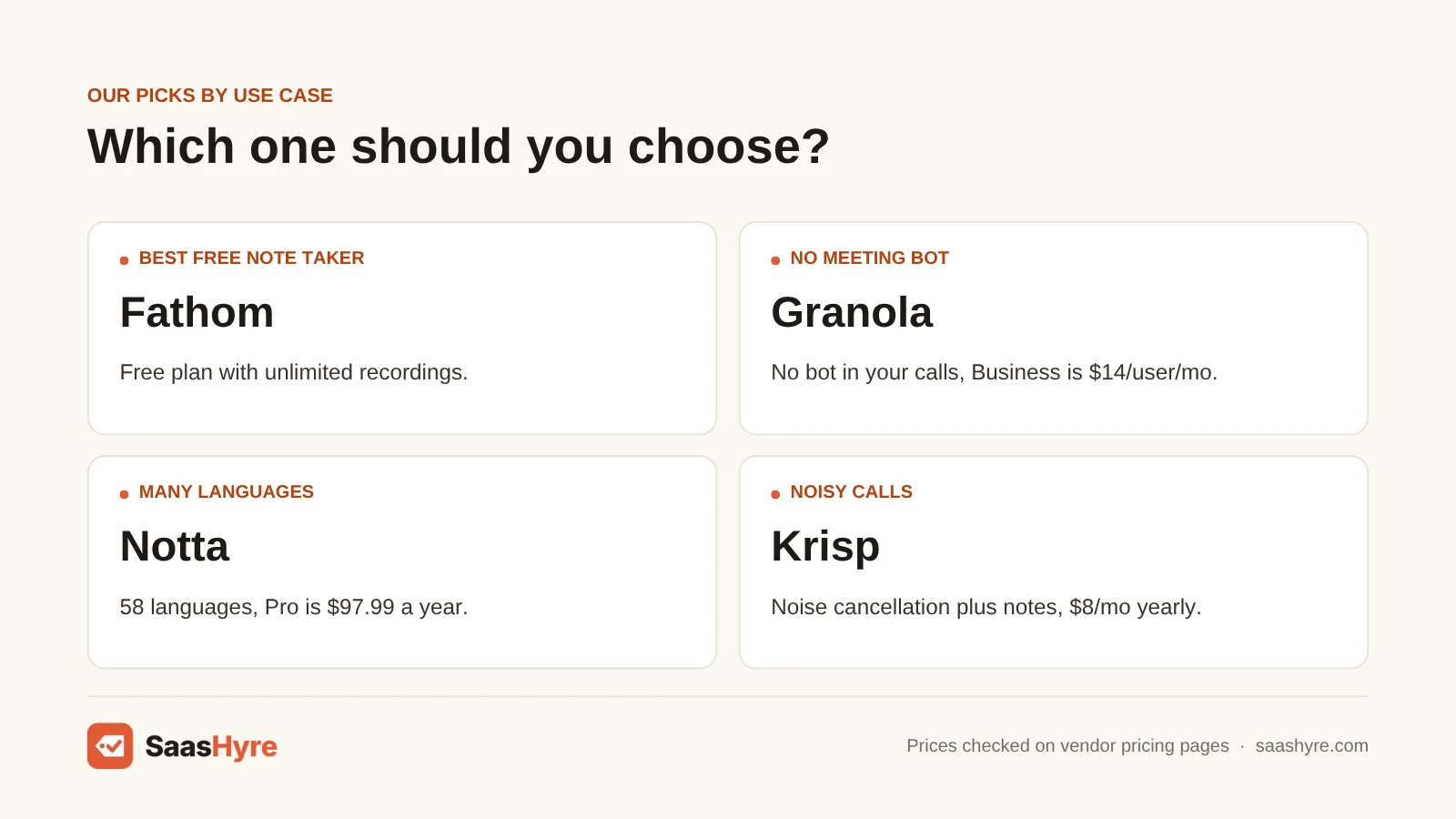
Fireflies.ai is the best overall Otter.ai alternative. It transcribes in more than 100 languages, joins Zoom, Meet and Teams calls, and connects to CRMs and project tools. Pro costs $10 a seat per month on yearly billing, and the free plan includes unlimited transcription with 400 minutes of storage.
1 Fireflies.ai: Best for most teams
If you want one tool that does almost everything Otter does, plus more languages, start here.
What it does well. Fireflies joins your calls through your calendar, records them and writes a summary with action items. You can ask its assistant, AskFred, questions about past meetings.
Key features:
- Transcription in 100+ languages
- AskFred AI assistant for your meetings
- CRM links for Salesforce and HubSpot
- Apps for iPhone, Android and desktop
- Conversation intelligence on Business
Pricing. The free plan gives you unlimited transcription, 400 minutes of storage per team, 20 AI credits and limited AI summaries. Pro is $18 a seat per month, or $10 a month billed yearly, with 8,000 minutes of storage per seat and unlimited summaries. Business is $29 a seat per month, or $19 billed yearly, with unlimited storage. Enterprise is $39 a seat per month, billed yearly only, and adds SSO and HIPAA support. We found no trial or refund terms on the pricing page. See Fireflies pricing.
Best for: You, if your team meets a lot, uses a CRM and wants searchable notes in many languages.
Limitations. The free plan’s 400 minutes of storage fill up fast, so older meetings drop off. AI credits are limited on every plan. And like Otter, it sends a bot into your calls, which some guests don’t like.
Best Free Otter.ai Alternatives
Fathom is the best free Otter.ai alternative. Its free plan gives you unlimited recordings, transcripts and instant AI summaries in Zoom, Meet and Teams. tl;dv is a close second. Its free plan covers 10 meetings with AI notes, and paid plans pull insights from many calls at once.
2 Fathom: Best free AI note taker
If Otter’s 300-minute cap keeps running out, Fathom’s free plan is the easiest fix.
What it does well. Fathom records, transcribes and sums up your Zoom, Google Meet and Microsoft Teams calls. The summary shows up right after the call ends. You can search past calls and ask Fathom questions about them.
Key features:
- Unlimited free recordings and transcripts
- Instant AI call summaries
- Ask Fathom across past calls
- Salesforce, HubSpot, Slack and Notion links
- SOC 2 Type II and HIPAA, per Fathom
Pricing. The free plan includes unlimited recordings, transcripts and instant summaries. Premium is $20 a month, or $16 a month billed yearly, and adds action items and custom summaries. Team is $19 per user per month, or $15 billed yearly, for 2 or more users. Business is $34 per user per month, or $25 billed yearly, and adds CRM field sync. Every plan has a 90-day money-back guarantee. See Fathom pricing.
Best for: You, if you mostly need good notes from video calls and don’t want to pay yet.
Limitations. It only covers Zoom, Meet and Teams calls, so it is not the tool for uploading old audio files. Team features like global search and shared playlists need a paid team plan.
3 tl;dv: Best free plan for multi-meeting insights
If you want to spot trends across many calls, like feature requests from customers, tl;dv does that well.
What it does well. tl;dv records Google Meet, Zoom and Microsoft Teams calls and writes AI notes in over 30 languages. On paid plans, it can send you reports that pull themes from many meetings at once.
Key features:
- Transcription in 30+ languages
- AI reports across many meetings
- Custom note templates on Pro
- HubSpot, Slack and Notion links
Pricing. The free plan gives you 10 meetings with AI notes, 10 Ask AI questions, 5 uploads and up to 3 months of storage. No card is needed. Pro is $29 a seat per month, or $18 a month billed yearly. Business is $39 a seat per month, or $29 billed yearly. Enterprise is priced by quote. tl;dv’s pricing page would not load for our reader, so these numbers come from a pricing post on tl;dv’s own site dated August 2026. See tl;dv pricing details.
Best for: You, if you run sales or customer calls and want to see patterns across them.
Limitations. The free plan’s AI notes stop after 10 meetings. Monthly billing costs a lot more than yearly. Check the final price at checkout, since we could not read the live pricing page.
Best Otter.ai Alternatives Without a Meeting Bot
Granola and Krisp are the best picks if you don’t want a bot joining your calls. Both record audio right from your computer, so guests see no extra attendee. Granola has a free plan and costs $14 a user per month for Business. Krisp adds noise cancellation and costs $8 a month on yearly billing.
4 Granola: Best bot-free AI notepad
If you like taking your own notes and want AI to fill in the rest, Granola feels natural.
What it does well. Granola uses your computer’s audio, so it works with Zoom, Google Meet, Teams and any other meeting app without a bot. You jot quick notes during the call. When it ends, Granola turns them into full notes using what was said. It can also draft follow-up emails.
Key features:
- No bot in your calls
- Apps for Mac, Windows, iPhone and Android
- Custom note templates
- Granola Chat across your meetings
- Audio deleted after transcription
Pricing. The Basic plan is free, but you can only see your last 30 days of meetings. Business is $14 per user per month, with unlimited history, integrations like Notion and HubSpot, and API access. Enterprise is $35 per user per month and adds SSO and HIPAA support. The pricing page shows no yearly price, trial or refund terms. See Granola pricing.
Best for: You, if you have back-to-back meetings and hate sending a bot to talk to clients.
Limitations. It keeps no audio, so you can’t replay the call later. The free plan’s 30-day history is short. Since there is no bot, you still need to tell guests you are taking AI notes.
5 Krisp: Best for noise cancellation plus notes
If you take calls from noisy places, Krisp clears up your sound and takes notes in one app.
What it does well. Krisp works at the audio level on your device, so it needs no bot. It removes background noise, voices and echo on both sides of the call. It then writes a summary and action items. It works with Zoom, Teams, Google Meet and Slack Huddles.
Key features:
- Noise cancellation on every call
- On-device English transcription
- 15 more languages transcribed on its servers
- Transcript-only mode with no audio saved
- Accent conversion on Advanced
Pricing. You can try all premium features free for 7 days, with no card needed. Core is $16 per user per month, or $8 a month billed yearly, with unlimited transcription and AI notes. Advanced is $30 per user per month, or $15 billed yearly, and adds accent conversion and 60 GB of storage. Enterprise is priced by quote. We found no free plan or refund terms on the pricing page. See Krisp pricing.
Best for: You, if you work from home, a cafe or a shared office and want clear calls plus notes.
Limitations. There is no free plan after the trial. On-device transcription is English only. Its meeting search and team tools are lighter than Fireflies or Otter.
Best Otter.ai Alternative for Many Languages
Notta is the best pick if you work in more than one language or upload a lot of recordings. It transcribes 58 languages, handles audio, video and YouTube links, and can translate transcripts. Pro costs $97.99 a year, and the free plan gives you 120 minutes a month.
6 Notta: Best for languages and file transcription
If your meetings switch between languages, or you transcribe files as often as calls, look at Notta.
What it does well. Notta transcribes live meetings in Zoom, Google Meet, Teams and Webex. It also transcribes files you upload and YouTube links. It can do bilingual transcripts and translate them.
Key features:
- 58 transcription languages
- Bilingual transcription and translation
- Upload files and YouTube links
- Web, desktop, mobile and Chrome apps
- Salesforce, HubSpot and Zapier links
Pricing. The free plan gives you 120 minutes a month, but each recording stops at 3 minutes. Pro is $97.99 a year ($8.17 a month), with 1,800 minutes a month and 5-hour recordings. Business is $199.99 a year ($16.67 a month), with unlimited minutes and video recording. Enterprise needs at least 51 seats and is priced by quote. You can get a 7-day Business trial. The page has a monthly billing option, but we could not read a monthly price, so check it at checkout. See Notta pricing.
Best for: You, if you meet in several languages or need to transcribe interviews and recordings.
Limitations. The 3-minute cap makes the free plan a demo, not a daily tool. Translation is a paid add-on. We did not find refund terms on the pricing page.
Best Otter.ai Alternative for Meeting Coaching
Read AI is the best pick if you want feedback on how your meetings go, not just notes. Its Speaker Coach scores how you talk, and it can answer questions across your meetings, email and messages. Pro costs $15 a user per month on yearly billing, and the free plan covers 5 meetings a month.
7 Read AI: Best for coaching and cross-app recaps
If you want to get better at meetings, Read AI gives you feedback as well as notes.
What it does well. Read AI writes notes, recaps and action items for Zoom, Google Meet and Teams calls. Its Speaker Coach gives you feedback on how you run meetings. You can also ask what was decided and who owns it, with sources, across your meetings, emails and messages.
Key features:
- Speaker Coach feedback
- Search across meetings, email and messages
- Apps for iPhone, Android, Mac and Windows
- 20+ integrations, including Salesforce and Slack
Pricing. The free plan covers 5 meeting transcripts a month. Pro is $19.75 per user per month, or $15 billed yearly, with unlimited transcripts. Enterprise is $29.75 per user per month, or $22.50 billed yearly, and adds video playback. Enterprise+ is $39.75 per user per month, or $29.75 billed yearly, for 5 or more users, and adds HIPAA support. You can cancel any time, but Read AI does not give refunds. See Read AI pricing.
Best for: You, if you lead a lot of meetings and want both notes and coaching.
Limitations. Five free meetings a month is tight. Video playback needs the Enterprise plan or higher. And there are no refunds, so test the free plan well first.
Best Otter.ai Alternative If You Already Pay for Zoom
Zoom’s built-in AI is the best pick if you already pay for Zoom Workplace and most of your calls happen in Zoom. Paid plans include unlimited meeting summaries and AI note-taking at no extra cost. Pro is $14.16 a user per month on yearly billing. The free Basic plan gives you only 3 AI summaries a month.
8 Zoom Workplace: Best for Zoom-first teams
If you already pay for Zoom, check what you have before you buy another note taker.
What it does well. Paid Zoom Workplace plans include meeting summaries, questions during meetings and AI note-taking. Zoom’s note-taking also works in other meeting apps. Zoom now calls its AI assistant ZoomMate on its own site. You don’t need to add a bot or install anything new.
Key features:
- Unlimited meeting summaries on paid plans
- AI note-taking for Zoom and other apps
- Ask questions during a meeting
- No extra bot in the call
Pricing. The Basic plan is free, with 40-minute meetings. It includes summaries for 3 hosted meetings a month, 20 AI questions and 3 AI note-taking uses a month. Pro is $16.99 per user per month, or $14.16 billed yearly. Business is $21.99 per user per month, or $18.33 billed yearly. Both paid plans include unlimited summaries and note-taking. See Zoom pricing.
Best for: You, if you already pay for Zoom and hold most of your meetings there.
Limitations. It is not worth buying Zoom just for the AI notes. It won’t transcribe files you upload the way Otter or Notta can.
Tools We Left Out, and Why
You will see these on other lists. Here is why we skipped them.
- Descript. It is a video and podcast editor. It transcribes well, but it does not join your meetings and take notes like Otter.
- Rev. Rev is best known for transcription, including human transcripts. It fits one-off files better than daily meeting notes.
- Plaud and other recorder devices. They are hardware you buy. They help with in-person talks, but they are a different kind of purchase than a meeting app.
What 5 Users Pay in a Year
For a team of five on yearly billing, Otter Pro costs $499.80 a year and Otter Business costs $1,199.40. Krisp Core costs $480, Fireflies Pro costs $600, and Granola Business costs $840. Fathom Team and Read AI Pro each cost $900. tl;dv Pro costs $1,080.
This math takes each tool’s yearly-billing monthly price, times 12 months, times five people. It leaves out taxes, discounts and promo prices. Granola shows no yearly price, so we used its $14 monthly price.
| Tool | Price per user per month | 5 users for a year |
|---|---|---|
| Otter Pro | $8.33 (billed yearly) | $499.80 |
| Otter Business | $19.99 (billed yearly) | $1,199.40 |
| Krisp Core | $8 (billed yearly) | $480 |
| Fireflies Pro | $10 (billed yearly) | $600 |
| Granola Business | $14 | $840 |
| Zoom Workplace Pro | $14.16 (billed yearly) | $849.60 |
| Fathom Team | $15 (billed yearly) | $900 |
| Read AI Pro | $15 (billed yearly) | $900 |
| tl;dv Pro | $18 (billed yearly) | $1,080 |
If you pay monthly instead, the gap grows. Five people on Otter Pro at $16.99 a month pay $1,019.40 a year. Otter Pro also caps you at 1,200 minutes a month.
How to Choose an Otter.ai Alternative
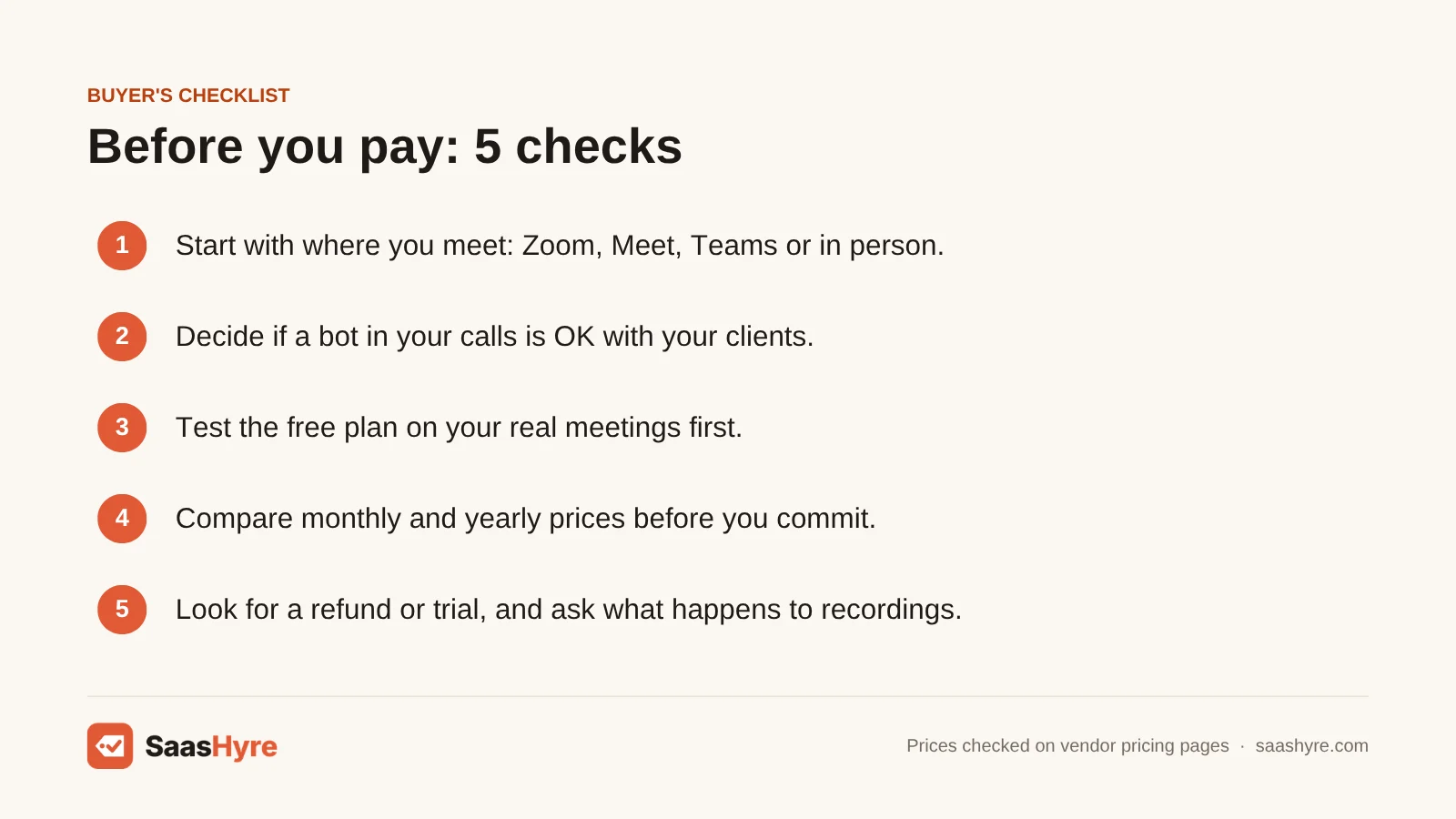
- Start with where you meet. Most tools cover Zoom, Meet and Teams. If you meet in person or upload files, look at Notta or a bot-free app like Granola.
- Decide if a bot is OK. Bots are easy to set up, but some clients find them odd. Granola, Krisp and Zoom’s own AI skip the bot.
- Test the free plan first. Free limits range from 5 meetings a month on Read AI to unlimited recordings on Fathom. Try your real meetings before you pay.
- Compare monthly and yearly prices. Yearly billing can cut the price nearly in half. Only pay yearly once you know you like the tool.
- Look for a refund or trial. Fathom gives you 90 days to get your money back. Read AI gives no refunds, and Krisp gives a 7-day trial.
- Ask what happens to your recordings. Check storage limits, who can see your notes, and whether audio is kept. Granola deletes audio after transcription.
How We Evaluated These Tools
We compared each tool using its own pricing page, feature pages and help docs, checked in October 2026. We also read the top-ranking reviews of Otter.ai alternatives to find what they got wrong or left out. We looked at price on monthly and yearly billing, free plan limits, meeting apps supported, bot-free recording and privacy options. We did not run our own transcription accuracy tests, and feature claims come from the vendors. No vendor pays to be listed. Read our editorial policy to learn more.
Keep comparing: AI tool guides · Best AI Meeting Assistants · Best AI Medical Scribes
The Bottom Line
If you want one tool to replace Otter, get Fireflies. It covers more languages and costs about the same on yearly billing. If you want free, use Fathom, or tl;dv if you want insights across many calls. Pick Granola or Krisp if you don’t want a bot in your meetings. Use Notta for many languages and file uploads, and Read AI for meeting coaching. And if you already pay for Zoom, try its built-in AI notes before you buy anything.
Frequently Asked Questions
What is the best free alternative to Otter.ai?
Fathom is the best free alternative. Its free plan gives you unlimited recordings, transcripts and instant AI summaries for Zoom, Google Meet and Teams calls. tl;dv is a good second choice, with 10 meetings of AI notes on its free plan. Fireflies also has a free plan with unlimited transcription.
Is Fireflies better than Otter?
For many teams, yes. Fireflies transcribes in over 100 languages and has deeper CRM links and call analytics. Its Pro plan costs $10 a seat per month on yearly billing, close to Otter Pro’s $8.33. Otter is still simpler if you mostly record and read back your own meetings.
How much does Otter.ai cost?
Otter’s Basic plan is free, with 300 minutes a month and 30 minutes per conversation. Pro costs $16.99 per user per month, or $8.33 a month billed yearly. Business costs $30 a month, or $19.99 a month billed yearly. Enterprise is priced by quote.
Is there an AI note taker that doesn’t join the meeting as a bot?
Yes. Granola and Krisp both record audio from your own computer, so no bot joins the call. Zoom’s built-in AI notes also work without an extra attendee. You should still tell people that you are using AI to take notes, since recording laws vary by place.
Why are people leaving Otter.ai?
The main reasons are the free plan’s 300-minute and 30-minute limits, the $16.99 monthly price for Pro, and privacy worries. In August 2025, a class action lawsuit claimed Otter recorded meeting guests without consent. Otter disputes the claims. If you meet with clients, a bot-free tool may feel safer.
Which Otter alternative is best for many languages?
Notta transcribes 58 languages and can translate transcripts, so it is the best pick for multilingual meetings. Fireflies is also strong, with transcription in more than 100 languages. tl;dv covers over 30 languages. Whichever you pick, check that your languages are on its list before you commit.
Is there a HIPAA compliant alternative to Otter?
Some tools offer HIPAA support on top plans. Fireflies Enterprise, Read AI Enterprise+, Granola Enterprise and Krisp Enterprise list it. Fathom also says it is HIPAA compliant. For clinical notes, a dedicated medical scribe tool is often a better fit than a general note taker.
Can I use Zoom AI instead of Otter?
Yes, if most of your meetings are on Zoom and you pay for a Zoom Workplace plan. Pro costs $16.99 a month, or $14.16 billed yearly, and includes unlimited meeting summaries. The free Basic plan only gives you summaries for 3 hosted meetings a month.