
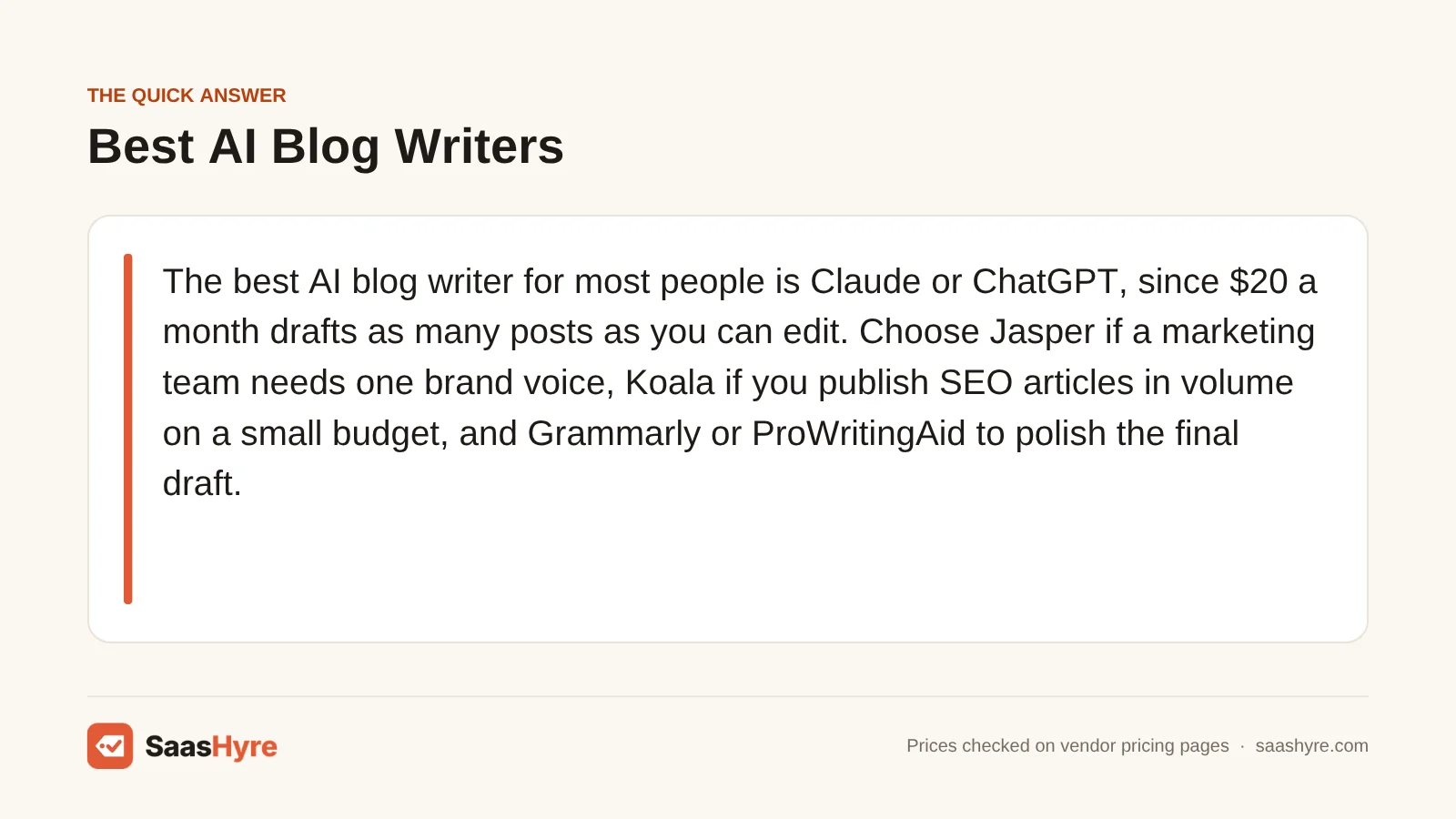
For most people, the best AI blog writer is Claude or ChatGPT. For $20 a month, they draft more posts than you can edit. Choose Jasper if a marketing team needs one brand voice. Choose Koala if you publish lots of SEO articles on a small budget. Use Grammarly or ProWritingAid to polish the final draft.
Here is my advice before you compare anything. Don’t pick a tool for how pretty its paragraphs are. Look at how the plan limits your work. Some tools cap words, some cap articles and some cap messages in a time window that keeps rolling. Some cap nothing at all. So a tool that looks cheap can cost more per finished post than one that looks pricey. It depends on how many posts you publish.
I took every price below from each vendor’s own pricing page or help center in September 2026. Plans for these tools change often. So check the price when you pay.
For picks across every other job, see our main guide to the best AI tools.
AI Blog Writing Tools Compared at a Glance
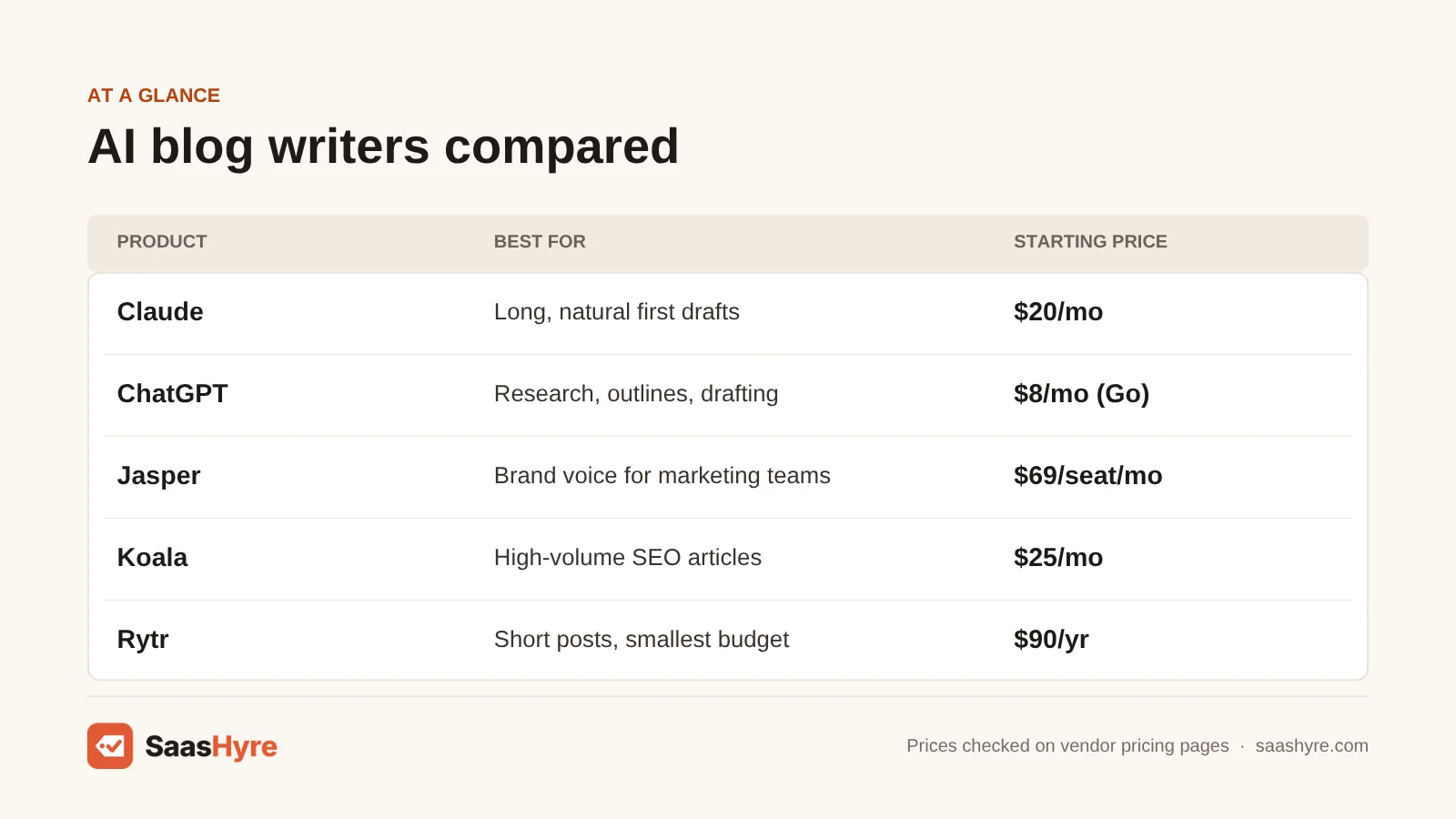
| Tool | Best for | Starting paid price | What the plan caps | Free plan or trial |
|---|---|---|---|---|
| Claude | Long, natural first drafts | $20/mo, or $17/mo billed yearly (Pro) | Usage per rolling 5-hour session, plus weekly caps | Free plan |
| ChatGPT | Research, outlines and flexible drafting | $8/mo (Go); $20/mo (Plus) | Messages and uploads by plan | Free plan |
| Jasper | Marketing teams that need brand voice | $69/seat/mo, or $59 billed yearly (Pro) | Seats, Brand Voices and knowledge assets | 7-day trial |
| Koala | High-volume SEO articles | $25/mo (Starter) | 45,000 words and 500 credits per month | 5,000 free words, no card |
| Writesonic | Teams that also track AI search visibility | $79/mo billed yearly (Starter) | 15 AI articles per month | Free trial, no card |
| Rytr | Short posts on the smallest budget | $90/yr, about $7.50/mo (Unlimited) | No character cap on paid plans | Free plan (10K characters/mo) |
| Copy.ai | Small teams sharing one chat workspace | $29/mo, or $24/mo billed yearly (Chat) | 5 seats; unlimited chat words | No free plan listed |
| Grammarly | Editing and polishing drafts | $30/mo, or $12/mo billed yearly (Pro) | 2,000 AI prompts per member per month | Free plan (100 prompts/mo) |
| ProWritingAid | Deep style editing for long posts | $30/mo, or $10/mo billed yearly (Premium) | Critiques and Sparks per day | Free plan |
What an AI Blog Writer Actually Does for You
An AI blog writer is software that uses a large language model to turn a topic, keyword or outline into a draft. It saves you the hour of staring at a blank page. It can’t give you your own experience, examples or fact-checking. Those are what make a post worth reading and worth ranking.
The tools fall into three groups. General AI assistants (Claude, ChatGPT) draft anything you describe, but they need a good prompt. Blog writing tools (Jasper, Koala, Writesonic, Rytr) wrap a model in templates, brand settings and SEO features. Editing tools (Grammarly, ProWritingAid) come last and fix clarity, tone and grammar. Most working bloggers end up with one tool for drafts and one for editing. Need keyword research and content scoring instead of drafts? That is a different kind of tool, covered in our AI tools hub.
What One 2,000-Word Post Really Costs on Each Plan
Divide the monthly price by the number of posts you actually publish. At four 2,000-word posts a month, a $20 assistant costs $5 per post. Jasper Pro costs about $17. At twelve posts, the gap gets smaller. Plans that cap articles, like Writesonic, only pay off if you use most of the articles you get each month.
Here is the math at two common volumes. One is a solo blogger who posts once a week. The other is a small site that posts three times a week. We use each plan’s monthly price, unless the vendor only shows a yearly price.
| Tool and plan | Monthly cost | Cap that limits blog posts | Cost per post at 4/mo | Cost per post at 12/mo |
|---|---|---|---|---|
| Rytr Unlimited | $7.50 (billed yearly) | None on characters | $1.88 | $0.63 |
| ChatGPT Plus | $20 | Message limits, not words | $5.00 | $1.67 |
| Claude Pro | $20 ($17 yearly) | 5-hour session and weekly limits | $5.00 | $1.67 |
| Koala Starter | $25 | 45,000 words (about 22 posts of 2,000 words, fewer if you regenerate) | $6.25 | $2.08 |
| Copy.ai Chat | $29 | Unlimited chat words | $7.25 | $2.42 |
| Grammarly Pro (editing only) | $30 ($12 yearly) | 2,000 AI prompts per month | $7.50 | $2.50 |
| Jasper Pro | $69 ($59 yearly) | Chat and Canvas not credit-metered on Pro | $17.25 | $5.75 |
| Writesonic Starter | $79 (billed yearly) | 15 AI articles per month | $19.75 | $6.58 |
At blog volumes, you will rarely hit a word cap. But rewriting sections uses up words too. So cut Koala’s estimate in half if you rewrite a lot. Your editing time is the bigger cost. Say a cheap tool’s draft takes 90 minutes to fix and a better one takes 40. Then the price gap between them matters less.
A realistic editing workflow for a 2,000-word post
- Write the brief yourself. Say who the reader is and the one question the post answers. Add your own examples and numbers. If you leave gaps, AI fills them with confident guesses.
- Get an outline, then fix it. Cut the generic sections. Add the one section only you could write.
- Draft two or three sections per prompt. If you ask for 2,000 words at once, the draft wanders and repeats itself.
- Fact-check every number. If there is no source, cut the claim.
- Add what AI cannot. Think screenshots, your own results, a mistake you made and a clear opinion.
- Run an editing pass in Grammarly or ProWritingAid. Then read it out loud once.
What Google says about AI-written blog posts
Google does not punish content just because AI helped write it. Here is what its Search Central guidance says. “Appropriate use of AI or automation is not against our guidelines” (Google Search Central). Google focuses “on the quality of content, rather than how content is produced,” it adds. Where it draws the line is mass output with no value. Here is one kind of scaled content abuse in its spam policies. “Using generative AI tools or other similar tools to generate many pages without adding value for users” (Google spam policies). Put simply, one well-edited post written with AI help is fine. A hundred unedited ones is the risk.
What Makes the Best AI Blog Writer?
The best AI blog writer gives you drafts you can edit into your own voice, at a fair cost per post. Check five things. How good are its drafts for long posts? What does the plan cap count: words, articles, credits or message windows? Do credits expire? How long must you commit? And what is the real price for your whole team, since some tools charge per seat?
Start by counting your posts. If you publish four a month, any $20 assistant is enough. Only move to tools that cap articles or charge per seat once you know your volume. Pay yearly only after a month of real use. And always plan to edit every draft before it goes live.
Best General AI Assistants for Blog Drafting
For most bloggers, a $20 general assistant beats a blog writing tool on cost per post. Claude writes longer, more natural first drafts and works well with long source files. ChatGPT is the stronger all-rounder, with research, outlines and images in one place. Try both free plans with the same brief before you pay.
1 Claude: Best for long, natural first drafts
Claude is a general AI assistant that writes long first drafts that sound natural.
What it does well. Its drafts usually need less rewriting to fix the tone. It works well with long source files, so you can paste in notes, transcripts or research. With Projects, you can save a style guide and sample posts. Then every draft starts in your voice.
Key features:
- Long, natural first drafts
- Works well with long notes, transcripts and research
- Projects to save a style guide and sample posts
- Team seats for 2 to 150 people
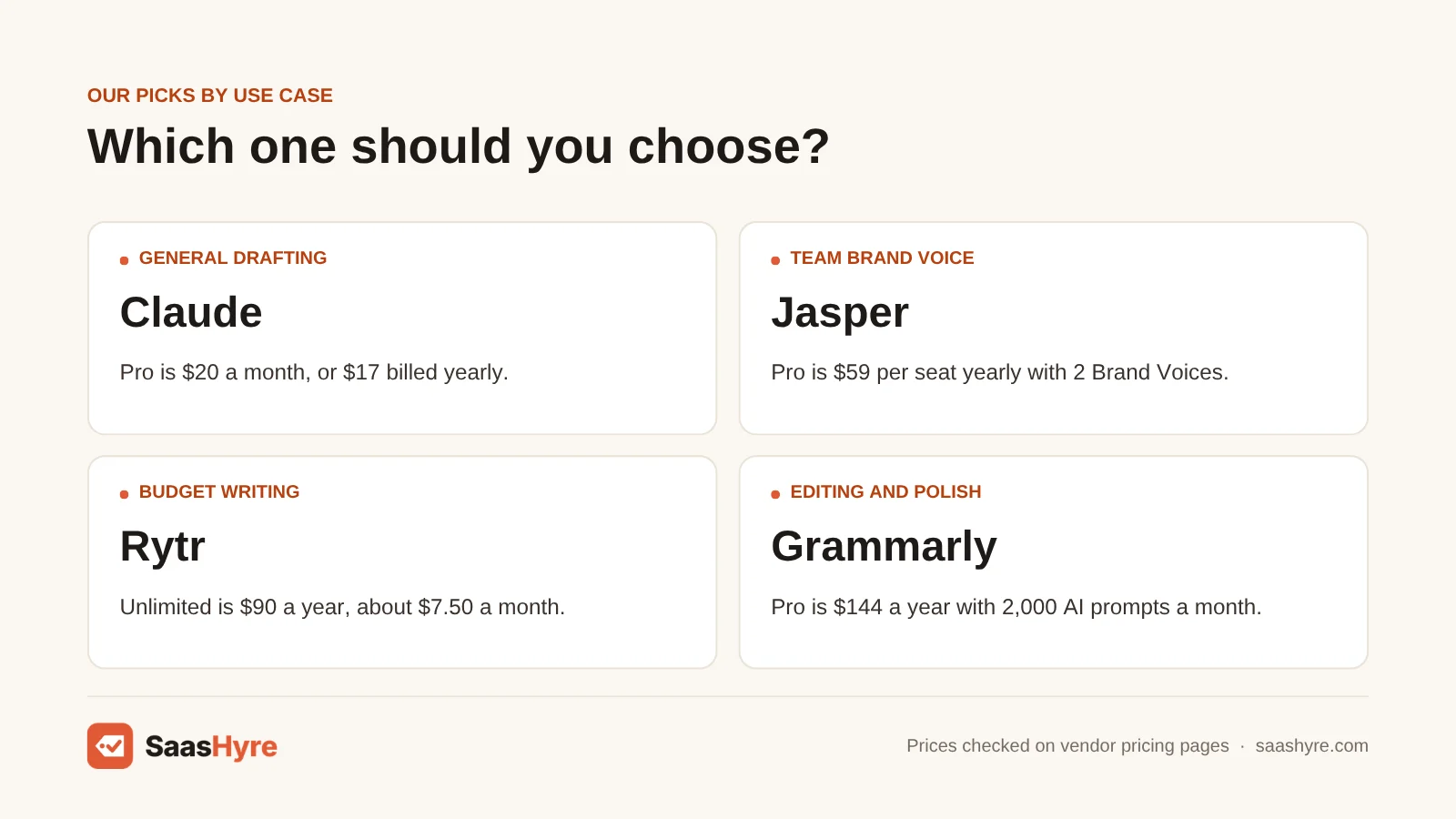
Pricing. The Free plan covers light use. Pro costs $20 a month, or $17 a month when you pay $200 up front for the year. Anthropic says Pro gives at least 5x the usage per 5-hour session compared with Free. Max starts at $100 a month. Team seats are $25 monthly or $20 yearly per standard seat, for 2 to 150 people (Claude pricing).
Best for: You, if you want drafts that need less tone editing and you often work from long notes, transcripts or research.
Limitations. Limits reset on a rolling five-hour window, with weekly caps on top. So a long editing session can hit the limit. There is no built-in SEO scoring or one-click publishing to WordPress. You bring those yourself.
2 ChatGPT: Best for research, outlines and flexible drafting
ChatGPT is an all-round assistant for research, outlines, drafts and images in one place.
What it does well. You can research, outline, draft and make a featured image without switching apps. Plus adds advanced reasoning models, more messages and uploads, and better images.
Key features:
- Research, outlines and drafts in one chat
- Built-in image tool for featured images
- Advanced reasoning models on Plus
- Per-user Business plans
Pricing. Its pricing page lists a Free plan, Go at $8 a month, Plus at $20 a month and Pro from $100 a month. Business plans are priced per user (ChatGPT pricing).
Best for: You, if you want one subscription for research, drafts and images.
Limitations. People can spot its default voice. Give it a strong style sample, or expect to cut stock phrases. Do you publish in a regulated field and need a team approval process? Then a marketing platform suits you better.
Best Dedicated AI Blog Writers for Teams and SEO Volume
Pay for a blog writing tool when you need something a chat window can’t give you. Jasper keeps one brand voice across writers. Koala makes lots of SEO articles with outlines and internal links built in. Writesonic bundles article writing with AI search tracking. If you don’t need any of those, a general assistant is cheaper.
3 Jasper: Best for marketing teams that need brand voice
Jasper is a marketing platform built around one shared brand voice for teams of writers.
What it does well. It keeps brand guidelines the same across several writers. Jasper says normal content creation in Chat and Canvas does not use credits. Credits only apply to its agents and GEO features.
Key features:
- 2 Brand Voices on Pro
- 5 knowledge assets and 3 audiences on Pro
- API access, SSO and unlimited customization on Business
- 7-day free trial
Pricing. Pro costs $69 per seat monthly or $59 per seat billed yearly. There is a 7-day free trial. Yearly plans lock you in for 12 months. Business is custom priced, with a 12-month minimum (Jasper pricing).
Best for: You, if you run a marketing team with brand guidelines and several writers.
Limitations. If you write alone, you pay $59 to $69 a month for features you won’t use. Yearly plans lock you in for 12 months.
4 Koala: Best for high-volume SEO articles
Koala turns a keyword into an SEO-ready article with a set structure, fast.
What it does well. It makes SEO articles in bulk, with outlines and internal links built in. That suits affiliate and niche sites that publish lots of keyword posts.
Key features:
- Turns a keyword into an article
- Outlines and internal links built in
- Plans based on words, from 45,000 words a month
- 5,000 free words to start, no card needed
Pricing. Koala charges by words. Starter is $25 a month for 45,000 words and 500 credits. Professional is $49 for 100,000 words. Boost is $99 for 250,000 words, and there are bigger tiers above that. Yearly billing saves 20%. New accounts get 5,000 free words and 25 credits, with no card needed (Koala pricing).
Best for: You, if your site publishes lots of keyword articles and you will edit each one.
Limitations. On monthly plans, credits expire after a month. Yearly subscribers keep them for the year. Rewriting a section uses up words. It is also the tool most likely to tempt you into publishing lots of unedited posts. That is the pattern Google’s spam policy describes. It is a poor fit for posts built on opinion, original research or a personal voice.
5 Writesonic: Best for teams that also track AI search visibility
Writesonic now sells itself as an AI search visibility platform that also drafts articles.
What it does well. It puts article drafts and AI visibility tracking on one bill. Trials need no card.
Key features:
- AI search visibility tracking
- 15 to 50 AI articles a month, based on plan
- 1 to 3 users, based on plan
- Free trial with no card
Pricing. Starter is $79 a month billed yearly, for 1 user and 15 AI articles per month. Basic is $199 for 2 users and 25 articles. Growth is $399 for 3 users and 50 articles. The page says paying yearly on Starter saves $240 a year. There is no free plan (Writesonic pricing).
Best for: You, if your team wants article drafts and AI visibility tracking on one bill.
Limitations. If you only need blog drafts, a $20 assistant does that for a quarter of the price. There is no free plan.
Best Budget AI Writers
Rytr is the cheapest paid AI writer here, at $90 a year for unlimited characters. It is fine for short posts, intros and product blurbs. Copy.ai’s $29 Chat plan is only a good deal if several people share it, since it includes five seats. Neither is the best pick for long, well-researched articles.
6 Rytr: Best for short posts on the smallest budget
Rytr is the cheapest paid AI writer in this guide.
What it does well. It works fine for short posts, intros and product blurbs. Paid plans have no limit on characters.
Key features:
- Unlimited characters on paid plans
- Tone matching
- 50 to 100 plagiarism checks a month, based on plan
- 35+ languages on Premium
Pricing. The Free plan gives you 10,000 characters a month. Unlimited is $90 a year (about $7.50 a month). It comes with unlimited characters, 1 tone match and 50 plagiarism checks a month. Premium is about $290 a year (about $24.16 a month). It adds more tone matches, 100 plagiarism checks and 35+ languages (Rytr pricing).
Best for: You, if you write short posts and want to spend less than $10 a month.
Limitations. It is not the best pick for long, researched guides where structure and depth matter.
7 Copy.ai: Best for small teams sharing one chat workspace
Copy.ai is no longer mainly a blog writer. It now focuses on a shared chat workspace and sales tasks.
What it does well. The Chat plan includes 5 seats, which changes the cost math for small teams. It gives you OpenAI, Anthropic and Gemini models with unlimited chat words.
Key features:
- 5 seats on the Chat plan
- Unlimited chat words
- OpenAI, Anthropic and Gemini models
- Higher plans made for sales teams
Pricing. The Chat plan costs $29 a month, or $24 billed yearly. Higher plans start at $1,000 a month and are made for sales teams. No free plan is listed (Copy.ai pricing).
Best for: You, if you run a small team that wants one shared chat space with several models.
Limitations. On October 15, 2025, Fullcast announced it was buying Copy.ai to build a revenue operations platform (PR Newswire). It has no blog templates, and its product plans are not focused on content. It is only a good deal if several people share it.
Best AI Editing Tools for Finishing Posts
Grammarly is the better everyday editor. It works inside your browser, Google Docs and WordPress with little setup. ProWritingAid is the better deep editor for long posts. It gives detailed style reports and costs less on yearly billing. Use one of them after you draft, not in place of drafting.
8 Grammarly: Best for editing and polishing drafts
For finishing posts after you draft, Grammarly is the better everyday editor.
What it does well. It works inside your browser, Google Docs and WordPress with little setup. It fixes problems as you type in many apps.
Key features:
- Works in the browser, Google Docs and WordPress
- 2,000 AI prompts per member a month on Pro
- Checks for plagiarism
- Checks for AI-written text
Pricing. Grammarly Free includes 100 AI prompts a month. Pro costs $30 per member monthly, $60 every three months or $144 a year ($12 a month). Enterprise is custom priced (Grammarly plans, Grammarly support).
Best for: You, if you edit in many apps and want fixes as you type.
Limitations. Monthly billing is steep for grammar checks. It is $30 a month, compared with $12 on yearly billing. It charges per seat. The parent company now goes by the name Superhuman, but Grammarly keeps its product name.
9 ProWritingAid: Best for deep style editing for long posts
For long posts, ProWritingAid is the better deep editor.
What it does well. It gives detailed reports on repeated words, sentence length and readability. On yearly billing, it costs less than Grammarly Pro ($120 compared with $144). It is the only tool here you can buy for life.
Key features:
- Detailed style reports
- Checks for repeated words, sentence length and readability
- A lifetime license option
- Story Credits add-on for manuscript tools
Pricing. Premium costs $30 a month, $120 a year ($10 a month) or $399 once for lifetime access. Premium Pro is $36 monthly, $144 a year or $699 for life. The Free plan lets you run 2 line-editing reports and 3 Sparks a day (ProWritingAid pricing).
Best for: You, if you want detailed reports on long posts.
Limitations. It is not built for quick fixes in every app. Its manuscript tools are sold as add-on Story Credits. Those matter more to fiction writers than to bloggers.
How to Choose Without Overpaying
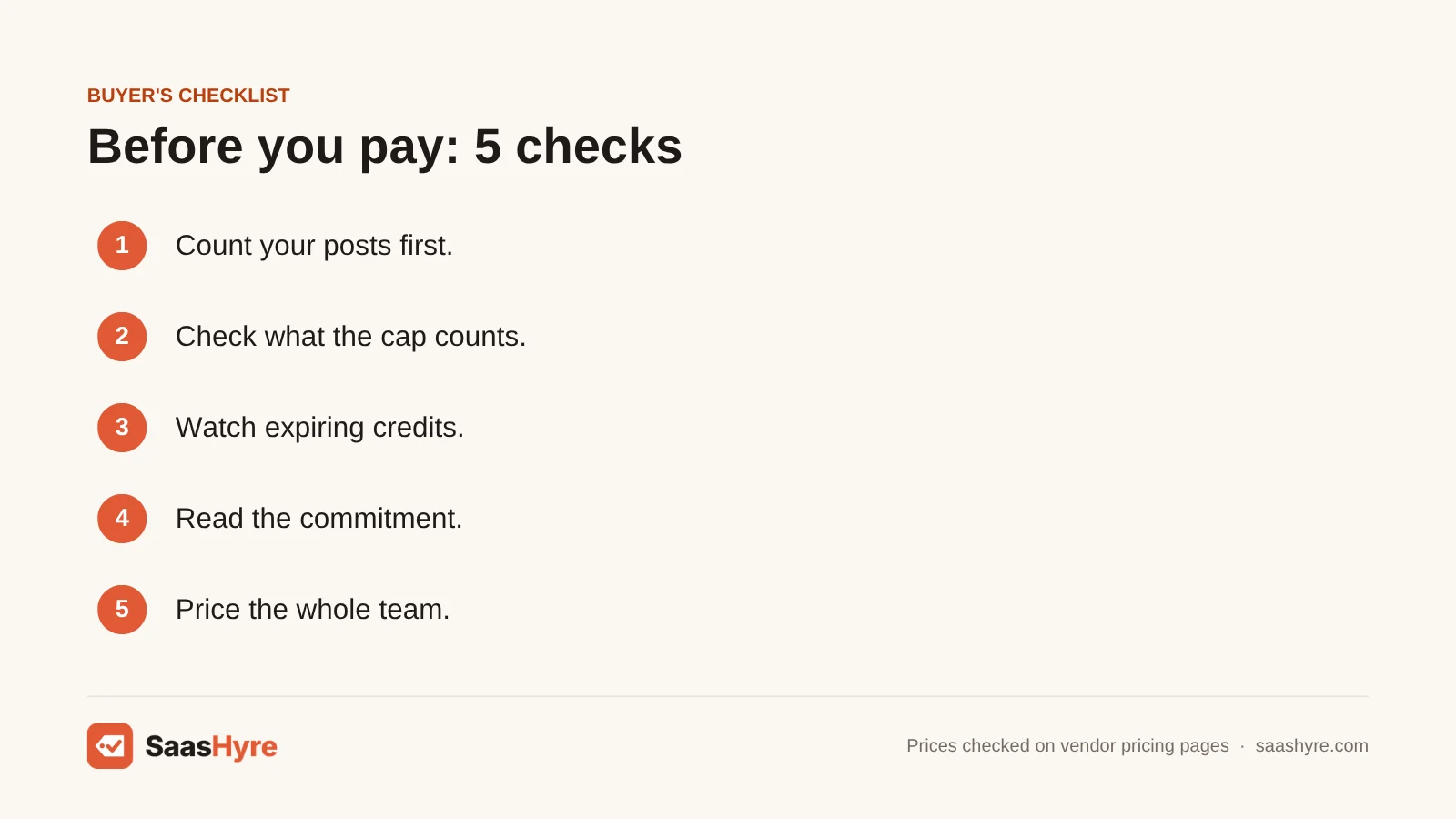
- Count your posts first. Do you publish four a month? Then any $20 assistant is enough. Only move to tools that cap articles or charge per seat once you know your volume.
- Check what the cap counts. Words, articles, credits and message windows all work differently. On Koala, rewriting a section uses up words. On Claude, a long editing session can hit the 5-hour limit.
- Watch expiring credits. Koala’s monthly credits expire after a month. Buy the smaller plan until your use is steady.
- Read the commitment. Jasper’s yearly plans lock you in for 12 months. Grammarly’s monthly price is 2.5 times its yearly rate. Only pay yearly after a month of real use.
- Price the whole team. Jasper and Grammarly charge per seat. Copy.ai’s Chat plan includes 5 seats, which changes the math for small teams.
How We Evaluated These Tools
We built this list from each vendor’s own pricing pages, help docs and official news, checked in September 2026. We also read the top-ranking guides on this topic to see what they leave out. We did not run our own tests of the writing, so we don’t publish quality scores. When a limit or claim comes from a vendor, we say so. No vendor pays to be listed. Read our editorial policy to see how we handle affiliate links.
The Bottom Line
Start with Claude or ChatGPT at $20 a month. For most bloggers, that is the lowest cost per finished post. Add Grammarly or ProWritingAid on yearly billing for editing. Only move to Jasper when a team needs one brand voice. Only move to Koala when you publish lots of keyword articles and will still edit each one. Whatever you pick, the draft is the cheap part. Google and your readers reward your editing, examples and fact-checking. If you also want a grammar checker that costs less than Grammarly, see our list of Grammarly alternatives.
Frequently Asked Questions
What is the best AI blog writer?
For most bloggers, Claude or ChatGPT is the best AI blog writer. For $20 a month, you get more drafts than you can really edit. Claude tends to write more natural long posts. ChatGPT puts research, drafts and images together. Tools like Jasper or Koala are only better for a team brand voice or lots of SEO articles.
Is it OK to use AI for blog writing?
Yes. Google’s Search Central guidance says using AI the right way is not against its rules. It says it rewards quality no matter how content is made. The risk is publishing lots of pages that add no value. Google’s spam policies call that scaled content abuse. So edit every draft, check your facts and add your own experience.
Can I use AI to write a blog post for free?
Yes. Claude and ChatGPT both have free plans that can draft a full post, but with usage limits. Rytr’s free plan gives you 10,000 characters a month. That is enough for a short post. Koala gives new accounts 5,000 free words. Grammarly Free adds 100 AI prompts a month for editing.
Is ProWritingAid better than Grammarly?
ProWritingAid is better for deep style checks on long posts. It also costs less on yearly billing ($120 a year, compared with $144 for Grammarly Pro). Grammarly is better for quick fixes in your browser, docs and CMS. Its Pro plan includes plagiarism checks. Bloggers who write long guides often like ProWritingAid. Everyday writers like Grammarly.
How much does an AI blog writing tool cost per post?
At four 2,000-word posts a month, a $20 plan like ChatGPT Plus or Claude Pro comes to $5 per post. Jasper Pro at $69 is about $17 per post. Writesonic Starter at $79 is about $20. At twelve posts a month, those drop to roughly $1.67, $5.75 and $6.58.