
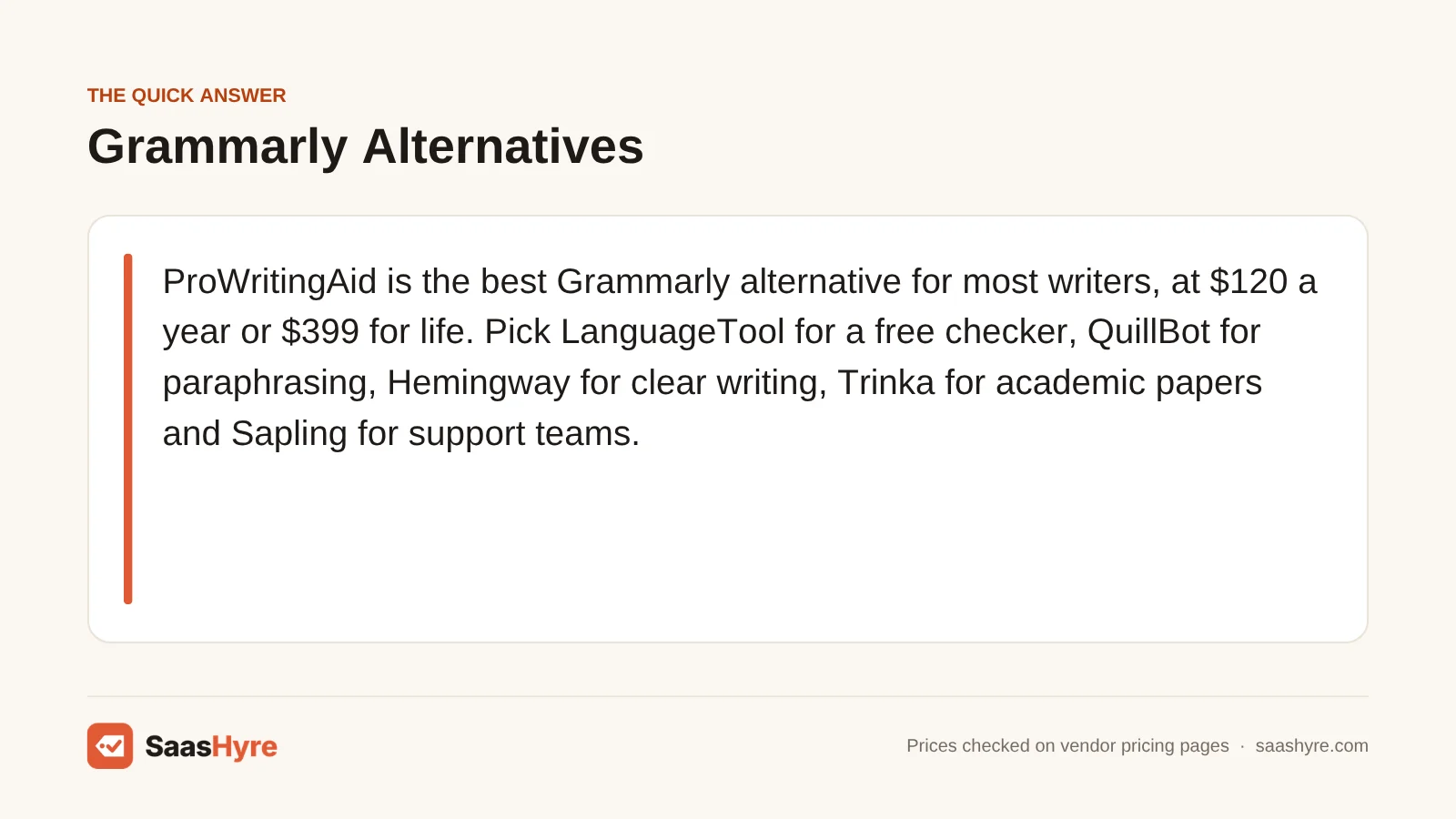
The best Grammarly alternative for most writers is ProWritingAid, because it checks style as well as grammar and costs $120 a year, or $399 once for life. If you want a free tool, pick LanguageTool. For paraphrasing, pick QuillBot. For simple, clear writing, pick Hemingway. For academic papers, pick Trinka. For support teams, pick Sapling.
Here is why so many people shop around. Grammarly Pro costs $30 a month if you pay monthly, or $144 a year. Most of the tools below cost less, and some give you more for free. But each one is good at a different job, so the right pick depends on what you write.
I pulled every price below from each company’s own pricing page in September 2026. Prices can change, and some tools show local currency at checkout, so check the final price before you pay.
This guide is one part of our best AI tools roundup, which compares picks for every job.
Quick Comparison: 8 Grammarly Alternatives at a Glance
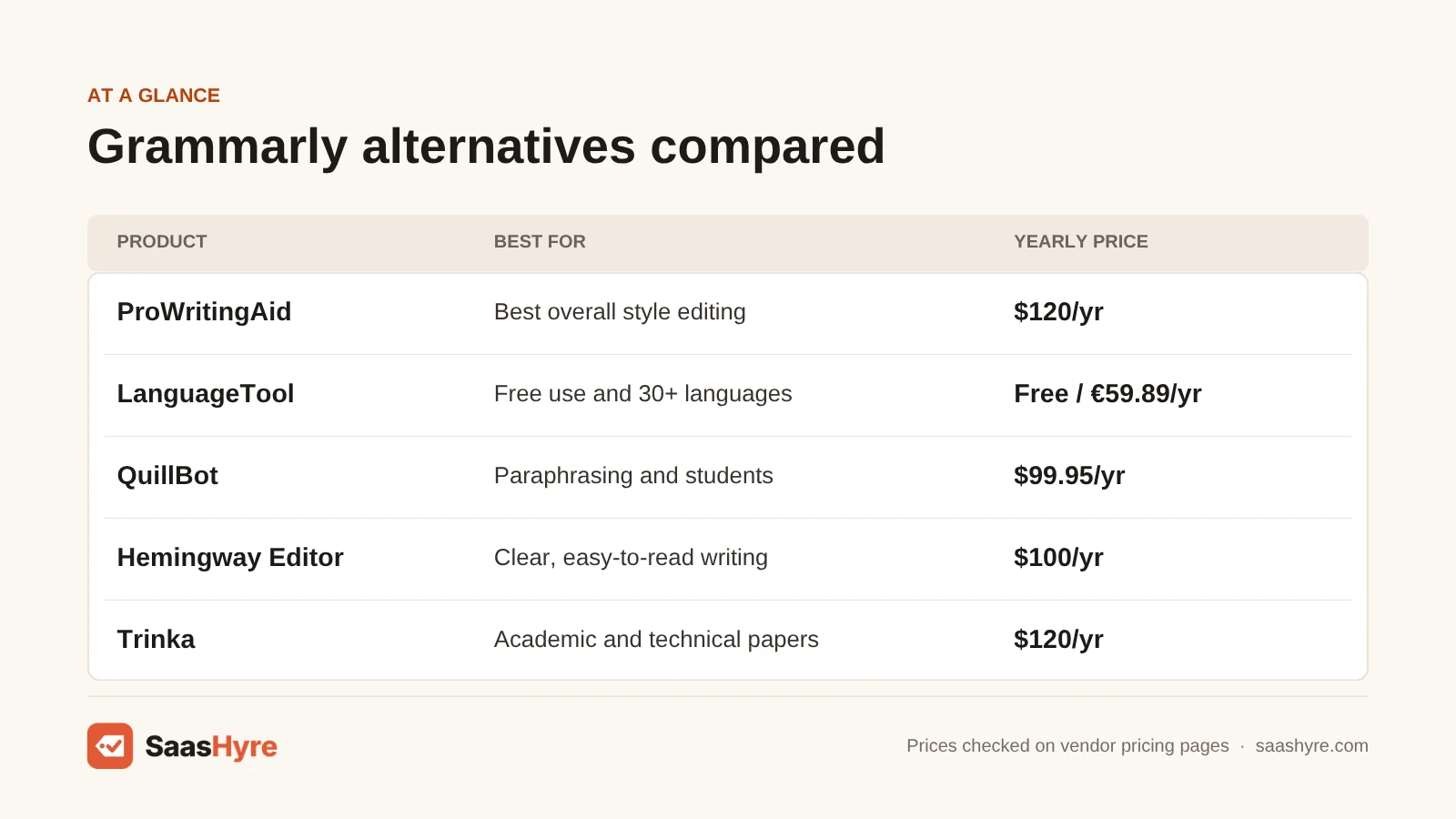
| Tool | Best for | Monthly billing | Yearly billing | Free plan |
|---|---|---|---|---|
| Grammarly Pro (baseline) | What you are replacing | $30/mo | $144/yr ($12/mo) | Yes, 100 AI prompts |
| ProWritingAid | Best overall, style editing | $30/mo | $120/yr, or $399 lifetime | Yes, 500 words at a time |
| LanguageTool | Free use and 30+ languages | €19.90/mo | €59.89/yr | Yes, on its website (extension is Premium-only) |
| QuillBot | Paraphrasing and students | $19.95/mo | $99.95/yr | Yes, 100-word paraphrases |
| Wordtune | Cheap sentence rewrites | $6.99/mo | $4.89/mo, billed yearly | Yes, 10 rewrites a day |
| Hemingway Editor | Clear, easy-to-read writing | $10/mo | $100/yr | Yes, web editor |
| Trinka | Academic and technical papers | Not listed | $120/yr | Yes, 5,000 words a month |
| Sapling | Support and sales teams | $25/mo | $12/mo, billed yearly | Yes, basic checks |
| Microsoft Editor | People who already pay for Microsoft 365 | $9.99/mo (Microsoft 365 Personal) | $99.99/yr | Basic checks in Word and Outlook |
Why People Look for a Grammarly Alternative
Most people switch because of price or fit. Grammarly Pro is $30 a month on monthly billing, and its free plan now caps AI help at 100 prompts. If you mostly need style advice, paraphrasing, another language or a tool for your support team, a cheaper specialist often does that one job better.
Grammarly is still a strong tool. Pro adds full-sentence rewrites, tone changes, a plagiarism and AI-text checker, and 2,000 AI prompts per member each month. It has a 7-day free trial. If you pay yearly, it works out to $12 a month.
The company behind Grammarly also changed its name to Superhuman in October 2025, and Grammarly is now one product in a bigger AI suite (source). Some people would rather have a tool that only does writing checks. That is where the tools below come in.
What Makes the Best Grammarly Alternative?
The best Grammarly alternative catches real mistakes, works where you write, and costs less for the features you use. Check five things. Does it work in your browser, Word and Google Docs? How much does the free plan allow? What does it cost on monthly and yearly billing? Does it do the one job you need most? And what happens to your text?
We compared each tool on those five points using the vendor’s own pricing pages and help docs. We also looked at what the top-ranking reviews missed. Many still list Microsoft Editor as a browser extension, but Microsoft retired those extensions in October 2025. We call out gaps like that below so you don’t buy the wrong thing.
Best Overall Grammarly Alternative
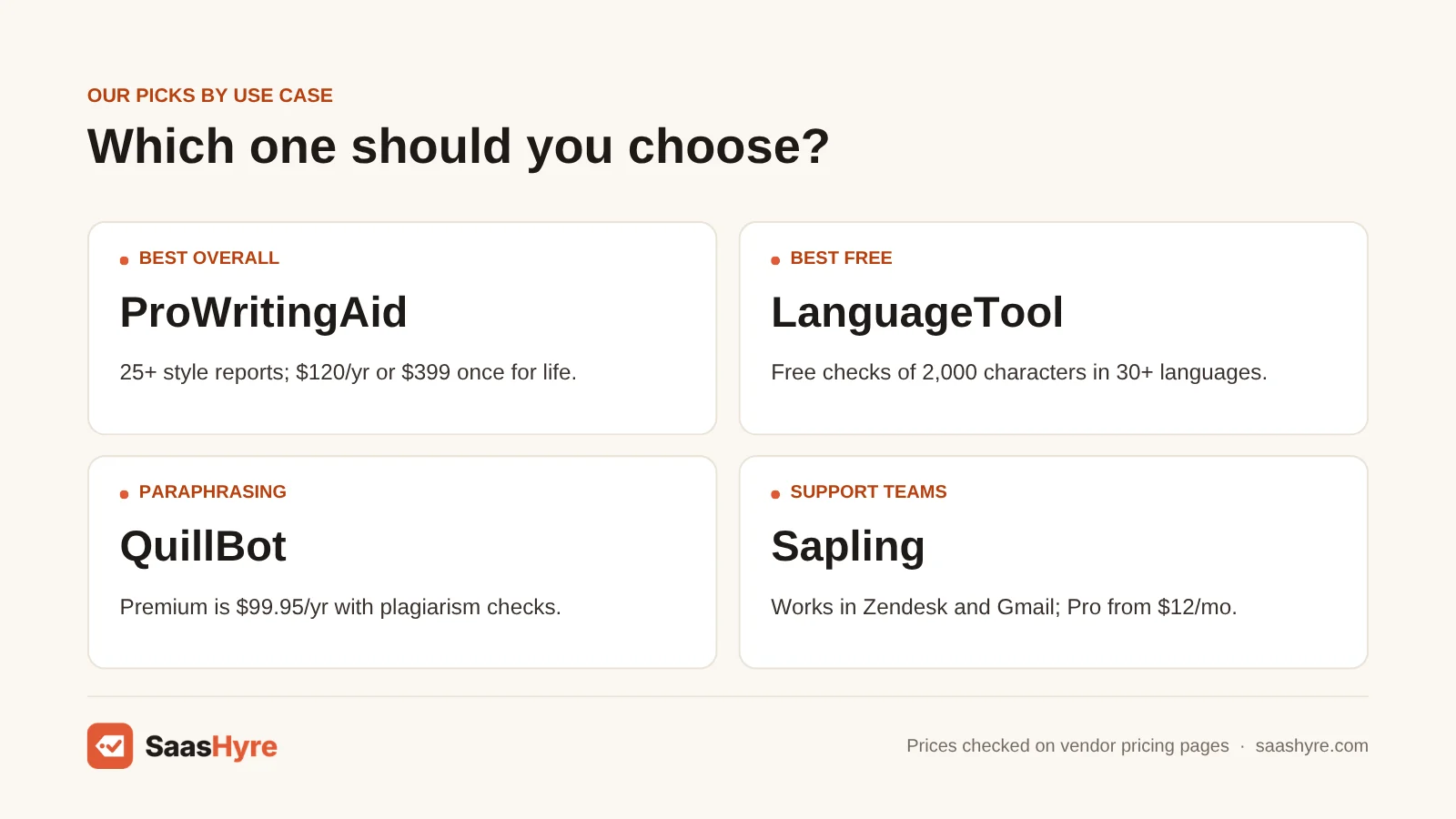
ProWritingAid is the best overall Grammarly alternative. It checks grammar, style, pacing and repeated words in over 25 reports. It costs $120 a year, less than Grammarly Pro’s $144, and it is one of the few writing tools you can buy once for life.
1 ProWritingAid: Best for deep style editing
If you write long pieces and want help with style, not just typos, start here.
What it does well. ProWritingAid gives you more than 25 reports on your writing. They flag things like overused words, long sentences and pacing. You can set up your own style guide. It is built with fiction writers in mind, and it also works for blogs and reports.
Key features:
- 25+ writing reports
- Custom style guides
- Chapter Critique for long drafts
- Works in Word, Google Docs, Scrivener and your browser
- Lifetime plan option
Pricing. The free plan checks up to 500 words at a time, with daily limits. Premium is $30 a month, or $120 a year ($10 a month). Premium Pro is $36 a month, or $144 a year. You can also pay once: $399 for lifetime Premium or $699 for lifetime Premium Pro. Refunds are only offered within 3 days, and only on yearly or lifetime plans. See ProWritingAid pricing.
Best for: You, if you write books, long blog posts or reports and want a tool that helps you edit, not just proofread.
Limitations. The free plan’s 500-word limit is tight. We found no mobile app among its listed integrations. And since it leans toward storytellers, it is more than you need for quick emails.
Best Free Grammarly Alternative
LanguageTool is the best free Grammarly alternative. The free plan checks up to 2,000 characters at a time in over 30 languages on LanguageTool’s website. Since March 2026, its browser extension needs Premium. If you upgrade, Premium costs €59.89 a year, far less than Grammarly Pro.
2 LanguageTool: Best for free use and many languages
If you want a solid free checker, or you write in more than one language, LanguageTool is your pick.
What it does well. It checks more than 30 languages and dialects, including 6 kinds of English. With Premium, it works almost anywhere you type. The core is open source, and LanguageTool says its browser add-on does not store your text.
Key features:
- 30+ languages and dialects
- Extensions for Chrome, Firefox, Edge, Safari and Opera
- Add-ons for Word, Google Docs and LibreOffice
- Apps for Mac and Windows
- Team dictionary and style guide
Pricing. The free plan checks up to 2,000 characters per text box and gives you 3 AI paraphrases a day. The free plan now works on LanguageTool’s website only, because the browser extension became Premium-only in March 2026 (source). Premium is €19.90 a month, €39.90 a quarter, €59.89 a year, or €99.90 for two years. Premium checks up to 150,000 characters at once. The Team plan is €56.90 per user per year, for up to 20 users. Students and teachers can get up to 20% off. Every Premium plan has a 14-day money-back guarantee. Prices are listed in euros, and your checkout may show your local currency. See LanguageTool pricing.
Best for: You, if you want a free everyday checker or you write in more than one language.
Limitations. It has no plagiarism checker. Its style tips for English are lighter than ProWritingAid’s. And the 2,000-character free limit means you check long pieces in chunks.
Best Grammarly Alternatives for Rewriting and Paraphrasing
QuillBot is the best pick if you need to paraphrase, summarize or check for plagiarism, with Premium at $99.95 a year. Wordtune is the cheapest way to get good sentence rewrites, starting at $4.89 a month on yearly billing.
3 QuillBot: Best for paraphrasing and students
If you rewrite a lot of text, or you are a student with papers to finish, QuillBot does many jobs in one place.
What it does well. QuillBot started as a paraphraser, and that is still its best tool. It also has a grammar checker, summarizer, translator, citation maker and plagiarism checker. You can use it almost anywhere.
Key features:
- Paraphraser with 9 modes on Premium
- Summarizer and citation generator
- Plagiarism and AI checkers
- Chrome, Edge and Safari extensions plus a Word add-in
- Apps for iPhone, Android, Mac and Windows
Pricing. The free plan lets you paraphrase 100 words at a time in 2 modes and summarize up to 1,200 words. Premium is $19.95 a month, or $99.95 a year ($8.33 a month). Premium gives you unlimited paraphrasing in 9 modes, 6,000-word summaries and 25,000 words of plagiarism checks each month. See QuillBot pricing.
Best for: You, if you paraphrase, summarize or cite sources often, like most students.
Limitations. Its grammar checker is not as deep as Grammarly’s on style and tone. The 100-word free paraphrase limit is small. If you are a student, check your school’s rules before you paraphrase for assignments.
4 Wordtune: Best for cheap sentence rewrites
If you mostly want help saying things better, Wordtune gives you rewrites for a low price.
What it does well. You highlight a sentence, and Wordtune gives you new ways to say it. You can make it more casual or more formal, shorter or longer. It can also sum up documents, web pages and YouTube videos.
Key features:
- Rewrites with casual or formal tone
- Summaries of docs, web pages and videos
- Free spelling and grammar checks
- Chrome and Edge extensions plus an iPhone app
Pricing. The free plan gives you 10 rewrites a day and 3 summaries a month, with unlimited spelling and grammar checks. Advanced is $6.99 a month, or $4.89 a month billed yearly, with 30 rewrites a day. Unlimited is $9.99 a month, or $6.99 a month billed yearly. Paid plans have a 3-day free trial. Students with a .edu email and nonprofits get 30% off. See Wordtune pricing.
Best for: You, if you want better-sounding sentences for emails and posts without paying Grammarly prices.
Limitations. It is a rewriter more than a full proofreader. It has no plagiarism checker and no team plan on its pricing page. The daily rewrite caps can run out fast on the free and Advanced plans.
Best Grammarly Alternative for Clear, Simple Writing
Hemingway Editor is the best pick if you want your writing to be short and easy to read. The free web editor shows hard sentences, passive voice and your reading grade. Hemingway Editor Plus adds AI fixes for $100 a year, with a 2-week free trial.
5 Hemingway Editor: Best for readability
If your writing tends to get long and hard to follow, Hemingway shows you exactly where.
What it does well. Hemingway colors your text so you can spot problems fast. It marks hard sentences, passive voice and extra adverbs, and it gives you a reading grade. The Plus plan adds grammar fixes and AI rewrites.
Key features:
- Reading grade score
- Highlights for hard sentences and passive voice
- Unlimited advanced grammar fixes on Plus
- AI rewrites on Plus
Pricing. The web editor is free. Plus Individual costs $100 a year ($8.33 a month) or $10 a month, with 5,000 AI sentences a month. A 10,000-sentence plan costs $150 a year. The Team plan is $150 per user per year, for up to 50 users. You get a 2-week free trial with no card needed. See Hemingway Editor pricing.
Best for: You, if you write blogs, web pages or reports and want them easier to read.
Limitations. The free version is paste-in only, so it won’t check as you type across the web. AI rewrites are capped by how many sentences your plan allows. Following every tip can also flatten your personal style.
Best Grammarly Alternative for Academic Writing
Trinka is the best pick for research papers and technical writing. It knows academic style guides like APA and IEEE, checks citations and can proofread LaTeX files. The free plan covers 5,000 words a month, and Premium costs $120 a year.
6 Trinka: Best for academic and technical papers
If you write for journals, school or technical readers, Trinka checks things other tools miss.
What it does well. Trinka is made for academic and technical English. It checks your writing against style guides like APA, IEEE, ACS and AGU. It also checks consistency and citations, and it can proofread LaTeX. For private work, its Confidential Data plan promises no data storage and no AI training on your text.
Key features:
- APA, IEEE, ACS and AGU style guides
- LaTeX proofreader and citation checker
- Journal finder
- Word add-in and Chrome, Firefox and Edge extensions
- Confidential Data plan
Pricing. The Basic plan is free forever, with 5,000 words a month and 5 AI writing requests. Premium is $120 a year ($10 a month on yearly billing). Premium Plus and the Confidential Data plan are listed at $300 a year. Enterprise is priced by quote. See Trinka pricing.
Best for: You, if you are a student, researcher or technical writer who needs to meet a style guide.
Limitations. It is less useful for marketing or casual writing. Its pricing page was hard to read when we checked, and we could not confirm a monthly price, so check the final price before you pay.
Best Grammarly Alternative for Support and Sales Teams
Sapling is the best pick for customer support and sales teams. It checks grammar inside tools like Zendesk, Salesforce and Gmail, and it adds reply snippets and autocomplete. Pro is $12 a month on yearly billing, with a 1-month free trial.
7 Sapling: Best for customer-facing teams
If your team answers customers all day, Sapling helps them reply faster and with fewer mistakes.
What it does well. Sapling works inside the tools support and sales teams already use. It checks grammar, suggests how to finish your sentence and lets you save reply snippets. For companies with strict rules, it offers SSO, data redaction and a self-hosted option.
Key features:
- Works in Zendesk, Salesforce, ServiceNow, Gmail and LinkedIn
- Autocomplete and snippets
- AI text detector
- SSO, redaction and self-hosting options
Pricing. There is a free plan with basic writing help. Pro is $25 a month, or $12 a month billed yearly, and new sign-ups get a 1-month free trial. Enterprise starts at 10 seats for $15 per seat per month. See Sapling pricing.
Best for: You, if you run a support or sales team that writes to customers all day.
Limitations. It is not built for long-form writing like books or reports. Its claim to catch more errors than other tools comes from Sapling itself, so test it on your own messages.
Best Grammarly Alternative If You Already Pay for Microsoft 365
Microsoft Editor is the best pick if you already pay for Microsoft 365 and write mostly in Word and Outlook. It is built in, so you pay nothing extra. But its Chrome and Edge extensions were retired in October 2025, so it will not check Gmail or Google Docs.
8 Microsoft Editor: Best for Word and Outlook users
If you live in Word and Outlook, you may already own a good checker.
What it does well. Editor is part of Word, Outlook and Edge’s built-in proofing. Microsoft 365 plans also include a similarity checker in Word and Copilot AI. You don’t need to install anything else.
Key features:
- Built into Word and Outlook
- Similarity (plagiarism) checker in Word
- Copilot in consumer Microsoft 365 plans
- No extra app to install
Pricing. Editor comes with Microsoft 365. Personal is $9.99 a month or $99.99 a year for one person. Family is $12.99 a month or $129.99 a year for up to 6 people. Each plan has a 1-month free trial. See Microsoft 365 pricing.
Best for: You, if you already pay for Microsoft 365 and do most of your writing in Word or Outlook.
Limitations. Microsoft retired the Editor browser extensions on October 31, 2025. So it won’t help you in Google Docs or Gmail. It is not worth buying Microsoft 365 just for Editor.
Tools We Left Out, and Why
You will see these on other lists. Here is why they are not in our top 8.
- Ginger. We could not read a price on Ginger’s own website. Review sites list Premium at $13.99 a month, but we only list prices we can confirm with the vendor.
- Writer. Writer’s homepage now sells an AI agent platform for big companies, not a grammar checker. It does not publish prices, so it is not a real swap for Grammarly if you are one person.
- ChatGPT and other chatbots. They can fix grammar when you paste text in. But they don’t check your writing as you type in Gmail, Docs or Word, which is the main thing Grammarly does.
What 5 Writers Pay in a Year
For a team of five on yearly billing, Grammarly Pro costs $720 a year. LanguageTool Team costs €284.50, QuillBot Premium costs $499.75, and ProWritingAid Premium costs $600. Sapling Pro matches Grammarly at $720, and Hemingway Team costs $750.
This math uses each tool’s yearly price times five people. It leaves out taxes, discounts and any promo prices.
| Tool | Yearly price per person | 5 people for a year |
|---|---|---|
| Grammarly Pro | $144 | $720 |
| LanguageTool Team | €56.90 | €284.50 |
| QuillBot Premium | $99.95 | $499.75 |
| ProWritingAid Premium | $120 | $600 |
| Sapling Pro | $144 ($12/mo) | $720 |
| Hemingway Team | $150 | $750 |
If you pay monthly instead, the gap gets bigger. Five people on Grammarly Pro at $30 a month pay $1,800 a year.
How to Choose a Grammarly Alternative
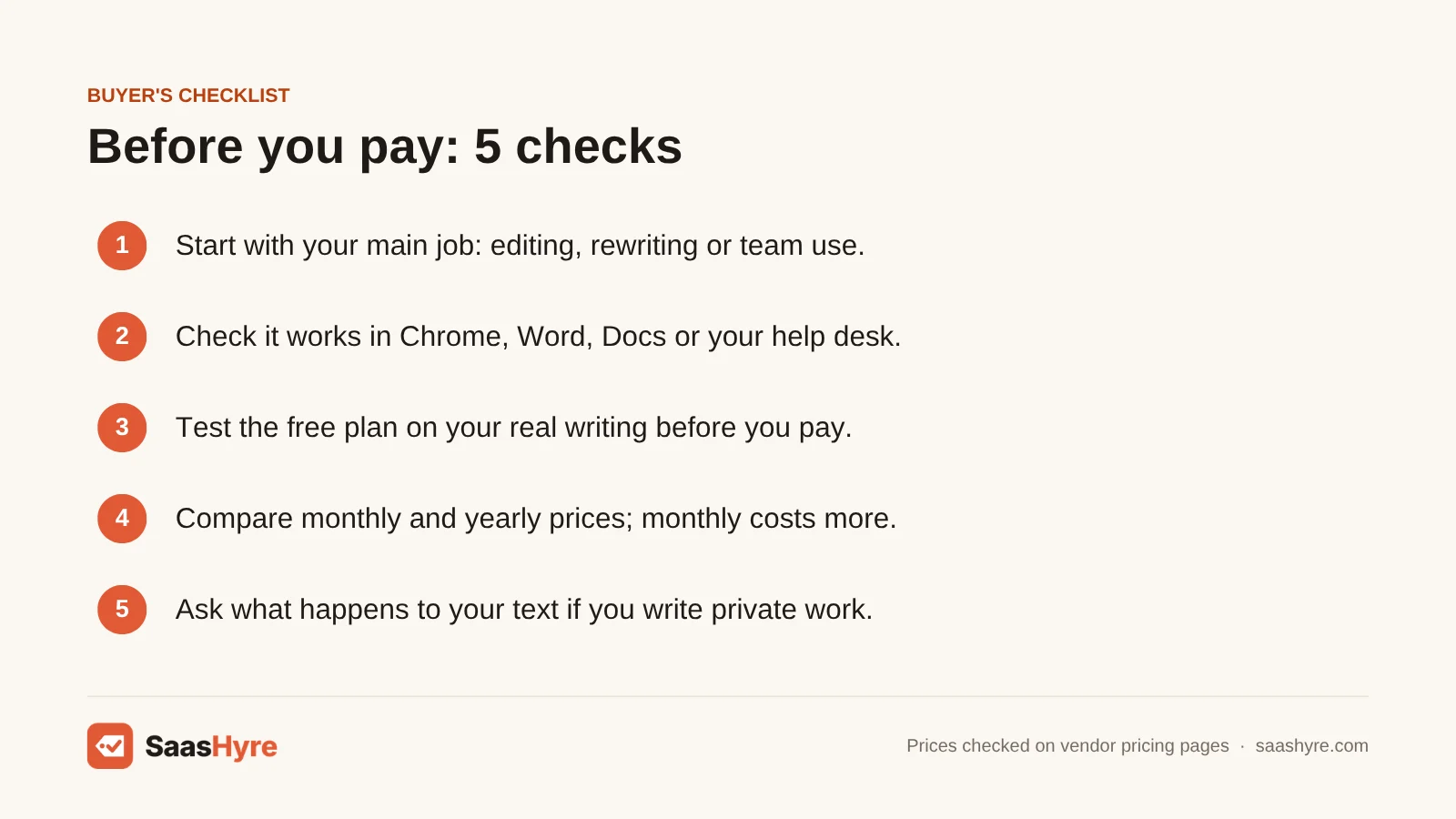
- Start with your main job. Pick a style editor, a paraphraser, a readability tool or a team tool. One tool rarely does all four well.
- Check where it works. Make sure it runs in the places you write, like Chrome, Word, Google Docs or your help desk.
- Test the free plan first. Free limits range from 500 words at a time to 5,000 words a month. Try your real writing before you pay.
- Compare monthly and yearly prices. Monthly billing can cost a lot more. Only pay yearly once you know you like the tool.
- Look for a refund or trial. LanguageTool gives 14 days to get your money back. ProWritingAid only gives 3 days, and only on yearly and lifetime plans.
- Ask what happens to your text. If you write private or client work, look for promises like Trinka’s no-storage plan or Sapling’s self-hosted option.
How We Evaluated These Tools
We compared each tool using its own pricing page, feature pages and help docs, checked in September 2026. We also read the top-ranking reviews of Grammarly alternatives to find what they got wrong or left out. We looked at price on monthly and yearly billing, free plan limits, where each tool works, and extras like plagiarism checks and privacy options. We did not run our own accuracy tests, and feature claims come from the vendors. No vendor pays to be listed. Read our editorial policy to learn more.
Keep comparing: AI tool guides · Best AI SEO Tools · Best AI Meeting Assistants
The Bottom Line
If you want one tool to replace Grammarly, get ProWritingAid. It costs less per year and does more style editing, and you can buy it once for life. If you want free, use LanguageTool. If you paraphrase a lot, use QuillBot, or Wordtune if you just want cheap rewrites. Use Hemingway to make your writing easier to read, and Trinka for academic papers. Pick Sapling for a support team. And if you already pay for Microsoft 365, try Editor in Word before you buy anything.
Frequently Asked Questions
What is the best free alternative to Grammarly?
LanguageTool is the best free alternative. It checks up to 2,000 characters at a time in over 30 languages on its website. Since March 2026, the browser extension needs Premium, which costs €59.89 a year. Hemingway’s free web editor is a good second choice if you mainly want clearer, simpler sentences.
Is ProWritingAid better than Grammarly?
It can be, if you write long pieces. ProWritingAid has over 25 style reports and costs $120 a year, compared with $144 for Grammarly Pro. It also has a $399 lifetime plan. Grammarly Pro is handier for quick emails and has built-in tone changes.
Is QuillBot better than Grammarly?
QuillBot is better for paraphrasing and summarizing. Grammarly is better as an all-day grammar and tone checker. QuillBot Premium costs $99.95 a year and includes plagiarism checks of 25,000 words a month.
How much does Grammarly Pro cost?
Grammarly Pro costs $30 a month on monthly billing, $60 a quarter, or $144 a year, which works out to $12 a month. There is a free plan with 100 AI prompts and a 7-day free trial of Pro.
Is Microsoft Editor still a good Grammarly alternative?
Only if you write mostly in Word and Outlook. Microsoft retired the Editor extensions for Chrome and Edge on October 31, 2025. So it no longer checks Gmail or Google Docs. It comes with Microsoft 365, which starts at $9.99 a month.
Which Grammarly alternative is best for academic writing?
Trinka is the best pick for academic writing. It checks against style guides like APA and IEEE, checks citations and can proofread LaTeX. The free plan covers 5,000 words a month, and Premium costs $120 a year.
Is there a Grammarly alternative with a lifetime plan?
Yes. ProWritingAid sells lifetime Premium for $399 and lifetime Premium Pro for $699, paid once. It is one of the few writing checkers that still offers this.
Can I use ChatGPT instead of Grammarly?
You can paste text into ChatGPT and ask it to fix grammar. But it won’t check your writing as you type in Gmail, Google Docs or Word. For everyday writing, a real-time checker like ProWritingAid or LanguageTool Premium is easier.