
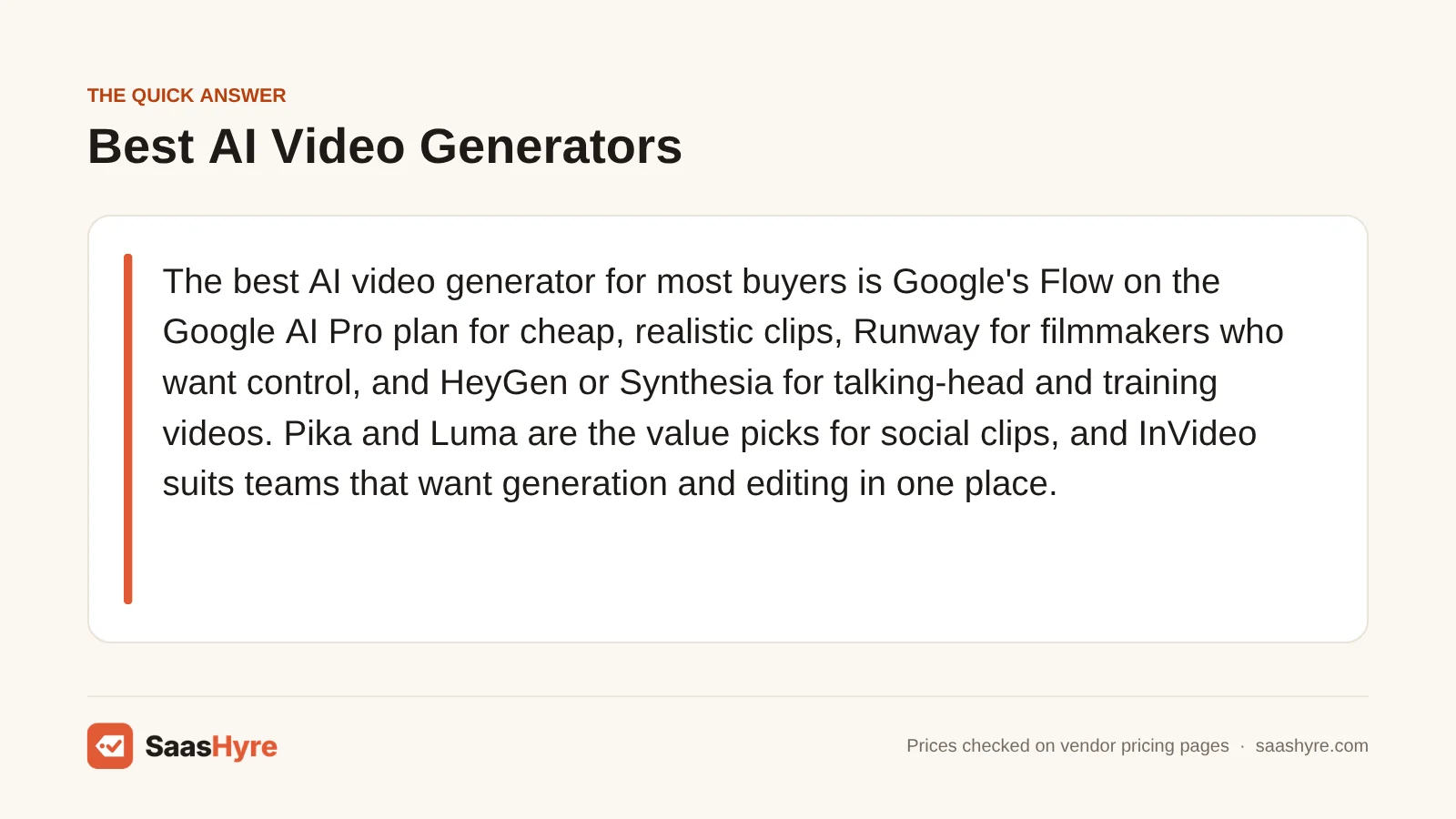
For most people, the best AI video generator is Google’s Flow on the Google AI Pro plan for cheap, realistic clips. Pick Runway if you’re a filmmaker who wants control. Pick HeyGen or Synthesia for talking-head and training videos. Pika and Luma are the value picks for social clips. InVideo suits teams that want to create and edit in one place.
Here is my tip before you compare plans. Don’t judge a tool by its monthly fee. Look at how many seconds of usable footage your credits buy. Plans with similar prices can differ nearly tenfold on cost per finished minute. And failed attempts use up credits too.
I pulled every price below from each vendor’s own pricing page or help center in September 2026. Rates change often, so check the price when you check out.
This guide is one part of our best AI tools roundup, which compares picks for every job.
Quick Comparison: AI Video Generators at a Glance
| Tool | Best for | Starting paid price | Billing model | Free option |
|---|---|---|---|---|
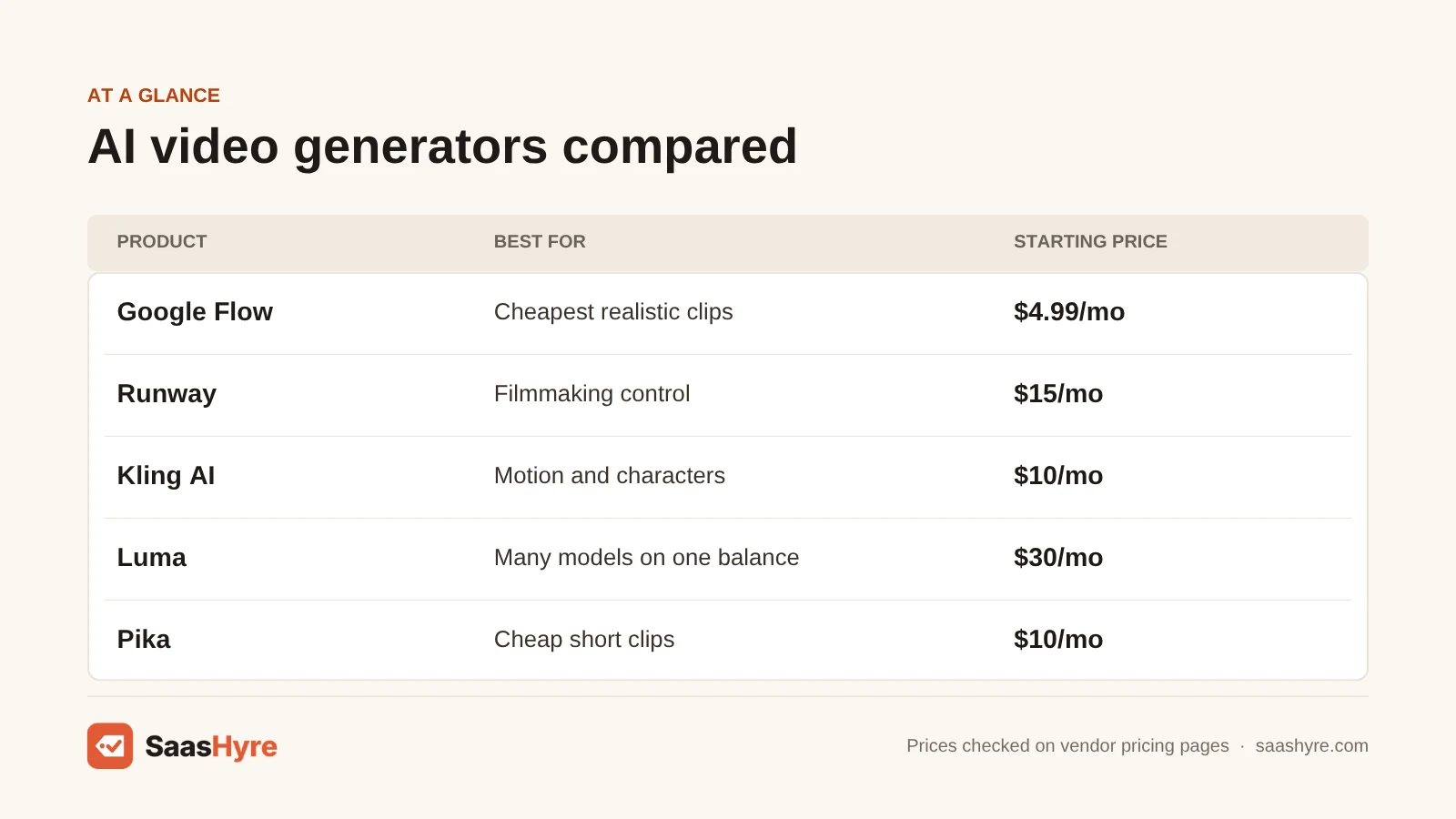
| Google Flow (Google AI plans) | Cheapest realistic clips | $4.99/mo (AI Plus); $19.99/mo (AI Pro) | Monthly Flow credits per clip | 50 Flow credits per day |
| Runway | Filmmaking control | $15/mo, or $12/mo yearly | Credits per second of video | 125 one-time credits |
| Kling AI | Motion and characters | $10/mo list (first-month promo lower) | Credits, cost shown at generation | No monthly credits |
| Luma | Many models on one balance | $30/mo, or $300/yr | Credits per second, published per model | No free individual plan listed |
| Pika | Cheap short clips | $10/mo (no commercial license); $35/mo with it | Credits per clip | Free account, credit packs only |
| InVideo | Generation plus timeline editing | $20/seat/mo | Credits per seat | Not listed on pricing page |
| HeyGen | Avatars and translation | $29/mo, or $24/mo yearly | Credits per minute of output | 3 videos/mo, up to 1 min |
| Synthesia | Corporate training | $19/mo, or $14/mo yearly | Minutes of video per month | 10 min/mo, downloads locked |
What You’re Actually Buying With an AI Video Generator
An AI video generator turns a text prompt, an image or a script into video footage. You are buying a monthly pool of credits or minutes. Each model, resolution and clip length drains that pool at a different rate. The price sets the size of the pool. The burn rate decides how much video you get.
Two different kinds of product share this label. Generative tools like Flow, Runway, Kling, Luma and Pika create footage a few seconds at a time. Avatar tools like HeyGen and Synthesia turn a script into a presenter video many minutes long. Compare each group on its own terms. For more AI software guides, see our AI tools hub.
Reading older reviews? Note that OpenAI shut down the Sora web and app on April 26, 2026. It shut down the Sora API on September 24, 2026, according to OpenAI’s help center. Guides that still list Sora with ChatGPT pricing are out of date.
What One Minute of Video Really Costs on Each Plan
We checked the starter plans. One minute of footage costs about $1.50 for a HeyGen avatar video. It costs about $18 for premium generative models on Runway or InVideo. Google Flow’s Omni Flash model is the cheapest generative option. It costs roughly $1.80 per minute on AI Pro.
We took each vendor’s published burn rate for a common model. Then we applied it to the plan’s monthly price and credits. These figures assume every clip works on the first try. So treat them as the lowest you will pay.
| Plan and model | Monthly price | Credits | Published burn rate | Video per month | Cost per minute |
|---|---|---|---|---|---|
| Google AI Pro, Omni Flash 720p | $19.99 | 1,000 | 15 credits per 10s clip | About 11 min | About $1.80 |
| Google AI Pro, Veo 3.1 Fast | $19.99 | 1,000 | 20 credits per clip up to 8s | About 6.7 min | About $3.00 |
| Google AI Pro, Veo 3.1 Quality | $19.99 | 1,000 | 100 credits per 8s clip | About 80s | About $15.00 |
| Runway Standard, Gen-4.5 | $15 ($12 yearly) | 625 | 12 credits per second | 52s | About $17.30 ($13.80 yearly) |
| Luma Plus, Ray3.2 720p | $30 | 10,000 | 100 credits per 5s | About 8.3 min | About $3.60 |
| Luma Plus, Kling 3.0 720p with audio | $30 | 10,000 | 40 credits per second | About 4.2 min | About $7.20 |
| Pika Creator, Wan 3.0 720p | $35 | 3,150 | 33 credits per 5s | About 8 min | About $4.40 |
| Pika Creator, Seedance 2.5 720p | $35 | 3,150 | 122 credits per 5s | About 2.2 min | About $16.30 |
| InVideo Starter, Seedance 2.0 Fast 720p | $20 | 400 | About 30 credits per 5s | About 66s | About $18.00 |
| HeyGen Creator, Avatar IV video look | $29 ($24 yearly) | 600 | 31 credits per minute | About 19 min | About $1.50 |
| Synthesia Starter | $19 ($14 yearly) | 10 min | Counted in seconds | 10 min | $1.90 ($1.40 yearly) |
| Kling Standard | $10 list | 660 | Not published on the pricing page | Shown in app | Not calculable |
Now add retries. Say you build a 60-second ad from twelve 5-second shots. You need three tries per shot. That is 180 seconds of generation. On Runway’s Gen-4.5, it costs 2,160 credits. That almost empties the 2,250-credit Pro plan for the month. The same job on Flow’s Omni Flash, using 6-second clips at 720p, costs 360 credits. That is about a third of what AI Pro gives you.
Watermarks and commercial rights are the second thing that catches people out. Pika’s $10 Starter plan has no watermark, but it also has no commercial license. That starts at $35 on Creator. Synthesia’s free plan lets you build videos, but downloads and logo removal start on Starter. HeyGen removes its watermark from Creator up. Kling says watermark removal and commercial use are only for paid subscribers. For client or ad work, budget from the first plan that gives you commercial use.
What Makes the Best AI Video Generator?
The best AI video generator gives you usable footage at a cost you can predict. Judge it on five things. How many seconds do your credits really buy at your model and resolution? Does your exact plan include commercial rights? Do credits roll over? How far apart are the promo and renewal prices? And do teams pay per seat?
Turn credits into seconds before you buy. A plan that looks generous can buy less than a minute. For generative footage, multiply your target runtime by two or three. Clips you throw away still cost credits. A plan without a watermark can still ban commercial use. So check the license, not just the logo.
Best AI Video Generators for Text-to-Video and Cinematic Clips
For generative footage, Google Flow gives the most seconds per dollar. Runway gives you the most production control. Kling is the specialist for human motion. Luma is the pick if you want to test several models from one credit balance, with per-second rates published up front.
1 Google Flow (Veo and Omni Flash): Best for the cheapest realistic clips
Google sells video generation inside its Google AI plans. Flow gives you the most seconds per dollar in this guide.
What it does well. It makes realistic clips at the lowest cost per minute. Everyone gets free daily credits. Ultra subscribers pay half for Veo 3.1 Fast and Lite.
Key features:
- Veo 3.1 and Omni Flash models
- 50 free Flow credits every day
- Veo 3.1 Fast and Lite at half price on Ultra
- Comes with other Google AI plan perks
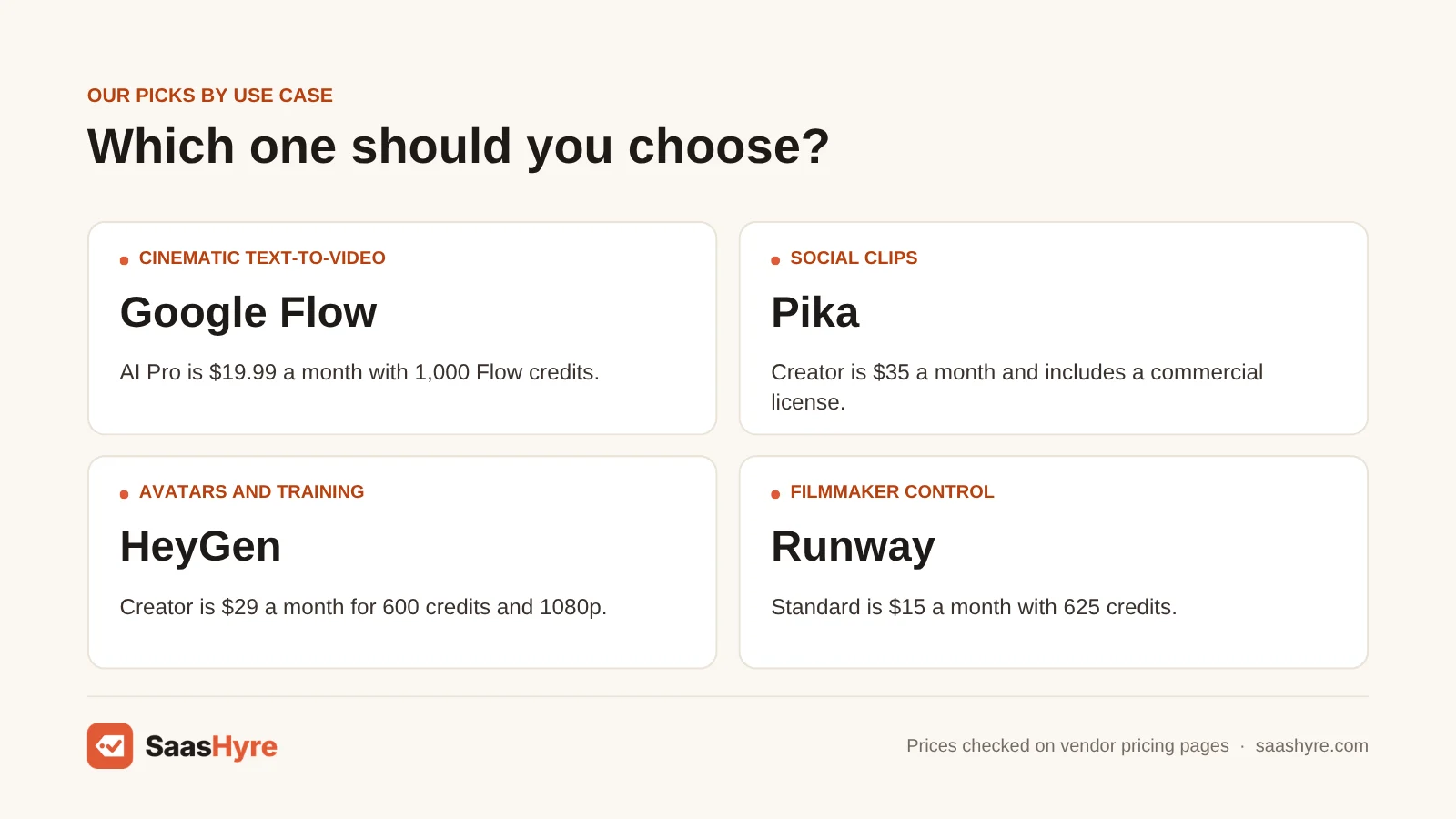
Pricing. AI Plus costs $4.99 a month with 200 Flow credits. AI Pro costs $19.99 a month (or $199.99 a year) with 1,000 credits. AI Ultra costs $99.99 or $199.99 a month with 10,000 or 25,000 credits. Everyone also gets 50 free Flow credits a day, and they don’t roll over. Per second, Veo 3.1 Quality costs over eight times as much as Omni Flash at 720p. That is 100 credits per 8-second clip versus 15 per 10-second clip.
Best for: You, if you want realistic clips for cheap and already use Google services.
Limitations. Google’s help center says non-subscribers may not be able to make video during peak hours, roughly 2 PM to 5 PM UTC. There is no timeline editor, no avatars and no team seats. Google AI plans are subscriptions for personal accounts.
2 Runway: Best for filmmaking control
Want the most control over your footage? Runway gives you more than any other generator here.
What it does well. It puts generation, upscaling and audio in one tool. Paid plans also include models from other companies, like Kling 3.0. They use the same credit balance.
Key features:
- Gen-4.5 video model
- Models from other companies, like Kling 3.0, on paid plans
- Upscaling and audio tools
- Extra credits that never expire
Pricing. The free plan gives you 125 credits one time. Standard costs $15 a month ($12 yearly) with 625 credits. Pro costs $35 ($28 yearly) with 2,250 credits. Max costs $95 ($76 yearly) with 9,500 credits. Gen-4.5 uses 12 credits per second. So Standard buys 52 seconds a month. Extra credits come in blocks of at least 1,000 and never expire (Runway pricing).
Best for: You, if you edit footage for a living.
Limitations. Standard and Pro credits reset on each billing date. Max rolls over for one month. On a small budget, Standard’s 52 seconds of Gen-4.5 can be gone in one afternoon of testing.
3 Kling AI: Best for motion and characters
If your clips show people moving, look at Kling. It is the specialist for human motion.
What it does well. It handles clips with people moving. It has the lowest starting price that includes commercial use. Higher tiers cut the price per 100 credits from $1.06 to $0.49.
Key features:
- Strong human motion and characters
- Commercial use included
- Four credit tiers
- Lower cost per credit on higher tiers
Pricing. Kling’s membership page lists Standard at $10 a month with 660 credits and Pro at $37 with 3,000. Premier is $92 with 8,000, and Ultra is $180 with 26,000. When we checked, the first month of Standard showed $6.99, then $8.80 a month. The offer was marked valid until December 31, 2026. On every tier, the first-month price differs from the renewal price.
Best for: You, if your clips feature people moving.
Limitations. Budgeting is hard. Kling does not publish credit costs per clip on its pricing page. For reference, Luma charges 40 credits per second for Kling 3.0 at 720p with audio. There are no free monthly credits. If you need to predict your spending closely, it is not ideal.
4 Luma: Best for many models on one balance
Want to test several models from one credit balance? Luma lets you do that, and it publishes rates per second.
What it does well. It publishes rates per second for every model it hosts. So you see the cost before you generate. That also shows you how expensive premium models are.
Key features:
- Many hosted models on one balance
- Published per-second rates for each model
- Its own Ray3.2 model
- Commercial use from Plus
Pricing. Plus costs $30 a month ($300 a year) with 10,000 credits and commercial use. Pro costs $90 with 40,000, and Ultra costs $300 with 150,000. Ray3.2 costs 100 credits per 5 seconds at 720p, but 400 at 1080p. So resolution alone makes it cost four times as much. Veo 3.1 with audio costs 280 credits per second. That is about $50 per minute on Plus (Luma pricing).
Best for: You, if you want to compare several top models from one balance.
Limitations. No free plan for individuals shows up on the page. If you only need one model, a single-model plan is cheaper.
Best AI Video Generators for Social Clips and Quick Edits
For short social content, Pika is the cheapest way to make lots of clips once you pay for the commercial license. InVideo is the better fit when your team needs to make footage and edit it into a finished video in the same workspace.
5 Pika: Best for cheap short clips
Want to make lots of short clips for cheap? Pika is your best bet, once you pay for the commercial license.
What it does well. No plan adds a watermark. Pika now runs outside models too, like Wan 3.0 and Seedance 2.5.
Key features:
- No watermark on any plan
- Outside models like Wan 3.0 and Seedance 2.5
- Commercial license on Creator and Fancy
- Credit packs for free accounts
Pricing. Pika rebuilt its plans. Free accounts get no monthly credits and can only buy packs. Starter costs $10 a month ($8 yearly) for 900 credits. Creator costs $35 ($28 yearly) for 3,150 credits. Fancy starts at $95 ($76 yearly) for 8,550. A 5-second Wan 3.0 clip at 720p costs 33 credits. Seedance 2.5 costs 122 (Pika pricing).
Best for: You, if you post lots of short clips and are fine with budget models.
Limitations. Only Creator and Fancy include a commercial license. So don’t publish Starter-plan videos for a business. Plan credits don’t roll over. Top-ups expire after 365 days, and you can’t get refunds.
6 InVideo: Best for generation plus timeline editing
InVideo lets your team make footage and edit it into a finished video in the same workspace.
What it does well. Every plan includes the timeline editor. InVideo says editing does not use credits. Plus and Max give you all Seedance models.
Key features:
- Timeline editor on every plan
- Editing does not use credits
- Seedance models
- Per-seat pricing for teams
Pricing. InVideo now charges per seat. Starter costs $20 per seat a month with 400 credits, and only Seedance 2.0 Fast and Mini. Plus costs $60 monthly or $50 yearly with 2,000 credits and all Seedance models. Max costs $150 monthly or $100 yearly with 5,000 credits. Older reviews that quote a $25 Plus plan are out of date (InVideo pricing).
Best for: You, if you have a small team and want one tool to make, edit and export marketing videos.
Limitations. Starter’s 400 credits buy only about a minute of footage. Credits don’t roll over. The pricing page says InVideo can change credit costs without notice. Since you pay per seat, a three-person team pays three times the base price. The pricing page lists no free option.
Best AI Video Generators for Avatars, Training and Talking Heads
For presenter videos, HeyGen is the better buy for marketing, translation and flexible credit use. Synthesia is easier to budget for corporate training because it sells plain minutes. Both cost under $2 per finished minute on their starter plans.
7 HeyGen: Best for avatars and translation
For marketing videos, translation and flexible credit use, I’d go with HeyGen.
What it does well. It handles avatars, lip-synced translation and AI B-roll in the same tool. On monthly plans, credits roll over for one extra month. On yearly plans, they roll over until renewal.
Key features:
- Avatar IV and Avatar V presenters
- Lip-synced translation
- Video Agent for AI B-roll
- Up to 4K on Pro
Pricing. Free gives you 3 videos a month, up to 1 minute each, with a watermark. Creator costs $29 a month ($24 yearly) for 600 credits, 1080p and videos up to 30 minutes. Pro starts at $49 for 1,000 credits and 4K. Business costs $149 plus $20 for each extra seat. HeyGen’s help center lists Avatar IV at 31 credits per minute with a video look. Avatar V is 48, and Video Agent in Seedance mode is 120 per minute (HeyGen pricing).
Best for: You, if you work in marketing or sales, or need lip-synced translation.
Limitations. The credit gap matters. Creator buys about 19 minutes of Avatar IV but only 5 minutes of Seedance-mode Video Agent. You can’t buy top-ups on Creator. It is hard to know how many minutes you’ll get without checking credit rates.
8 Synthesia: Best for corporate training
Making corporate training videos? Synthesia is easier to budget because it sells plain minutes.
What it does well. Minutes are counted in seconds, and edits only charge for the new seconds. Creator adds API access and 5 personal avatars.
Key features:
- Minutes-based billing
- Edits only charge for new seconds
- API access on Creator
- 5 personal avatars on Creator
Pricing. Basic is free with 10 minutes a month. Starter costs $19 a month or $14 yearly for 10 minutes a month (120 a year). Creator costs $89, or $59 yearly, for 30 minutes a month. Enterprise is by quote only. A Studio Express-1 avatar is a $1,000-a-year add-on. The FAQ on the same page still says Starter is $29 a month. Trust the checkout price (Synthesia pricing).
Best for: You, if your team makes training or internal videos and wants a predictable bill based on minutes.
Limitations. Downloading videos and removing the Synthesia logo start on Starter. Unused minutes don’t roll over. If you go over, you are capped until renewal. If you need more than 10 minutes a month, the jump from Starter to Creator is big.
How to Choose an AI Video Generator Without Overpaying
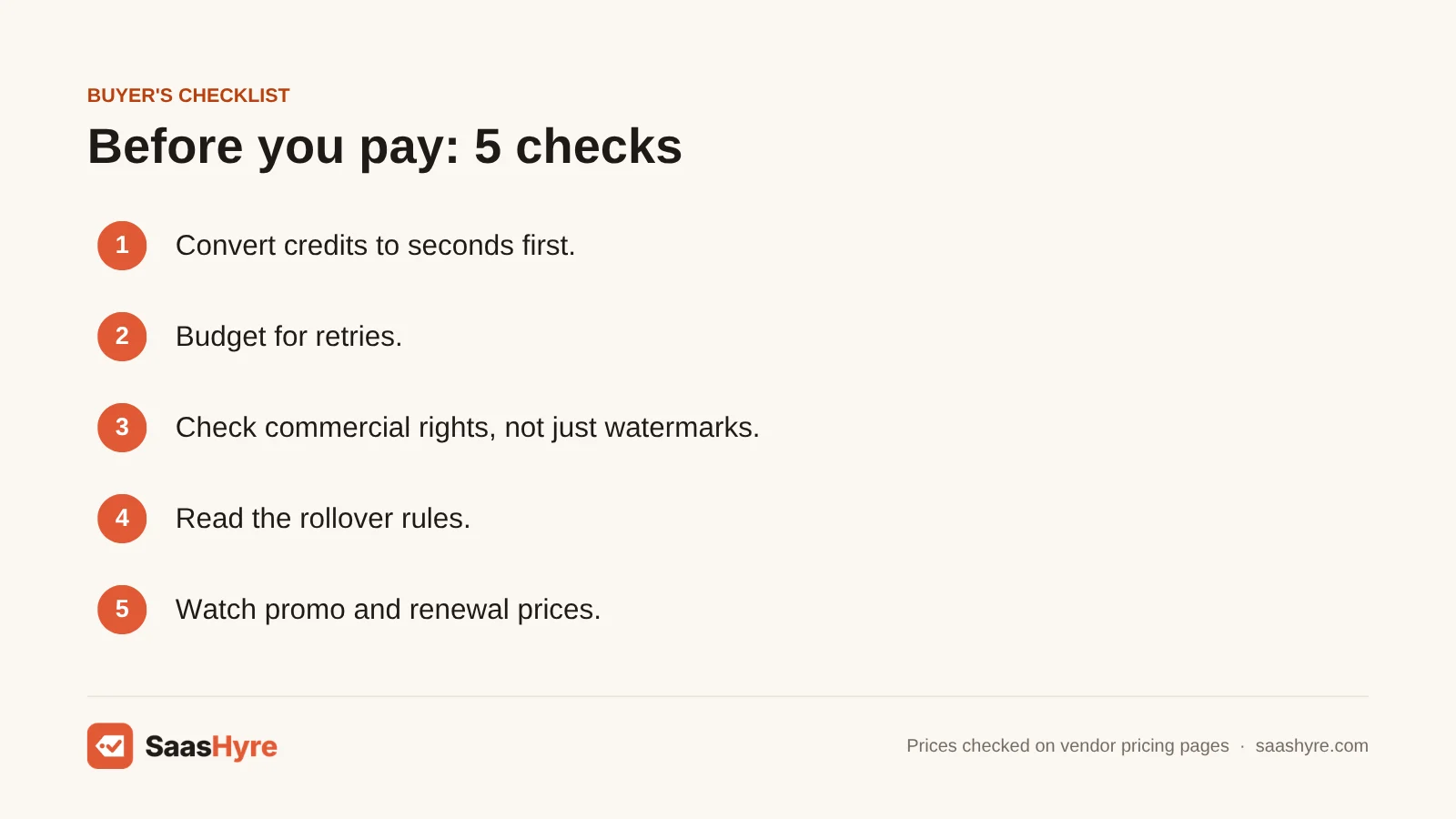
- Turn credits into seconds first. Find the burn rate for the model and resolution you will really use. Then divide. A plan that looks generous can buy less than a minute.
- Budget for retries. For generative footage, multiply your target runtime by two or three. You pay credits for each generation, so clips you throw away still cost money.
- Check commercial rights, not just watermarks. Pika shows that a plan with no watermark can still ban commercial use.
- Read the rollover rules. Runway Standard and Pro, Synthesia, Pika, InVideo and Google’s monthly Flow credits all reset. HeyGen and Runway Max roll over for a limited time.
- Watch promo and renewal prices. On every Kling tier, the first-month price differs from the renewal price.
- Count seats. InVideo and HeyGen Business charge per seat. So a three-person team pays three times the base price.
How We Evaluated These Tools
We used each vendor’s public pricing pages and help-center docs, checked in September 2026. We worked out cost per minute from published credit rates. We did not run our own tests of output quality. So quality notes come from documented features, not our tests. No vendor pays for placement. Read our editorial policy to see how we choose and update products.
The Bottom Line
Want realistic generated clips at the lowest cost? Start with Google AI Pro and Flow’s Omni Flash model. Save Veo 3.1 Quality for final shots. If you’re a filmmaker who wants control, pick Runway and budget for Pro, not Standard. Kling and Luma suit you if you work with human motion or want to compare several models. For talking-head video, pick HeyGen for marketing and translation. Pick Synthesia for predictable training budgets.
Frequently Asked Questions
What is the best AI video generator right now?
For generated footage, Google Flow on the $19.99 Google AI Pro plan has the lowest cost per minute we found. That is about $1.80 with Omni Flash at 720p. Runway suits you if you edit for a living and want control. For presenter videos, HeyGen and Synthesia both cost under $2 per finished minute on their starter plans.
Is there a free AI video generator without a watermark?
Yes, but with limits. Pika’s free account has no watermark. But it has no monthly credits and no commercial license, so you must buy credit packs. Google gives everyone 50 Flow credits a day. HeyGen’s free plan adds a watermark. Synthesia’s free plan does not allow downloads. For business use, plan on a paid tier.
How much does Kling AI cost?
Kling lists Standard at $10 a month for 660 credits and Pro at $37 for 3,000. Premier is $92 for 8,000, and Ultra is $180 for 26,000. When we checked, Standard’s first month was $6.99, then it renewed at $8.80. Kling does not publish credit costs per clip on its pricing page. You see them when you generate.
How much does InVideo AI cost?
InVideo now charges per seat. Starter costs $20 a month for 400 credits and a few models. Plus costs $60 monthly, or $50 a month billed yearly, for 2,000 credits and all Seedance models. Max costs $150 monthly or $100 yearly for 5,000 credits. Credits don’t roll over. Every plan includes the timeline editor.
Can I still use Sora to make videos?
No. OpenAI shut down the Sora web and app on April 26, 2026. It shut the Sora API on September 24, 2026. Guides that still recommend Sora through ChatGPT Plus are out of date. For similar realistic text-to-video, Google’s Veo models in Flow are the closest option we cover.
Can I use AI-generated videos commercially?
Usually only on paid plans, and not always the cheapest ones. Pika includes a commercial license from the $35 Creator plan, not the $10 Starter plan. Kling lists commercial use as a perk for paid subscribers. Luma includes it from Plus. Read each vendor’s terms before you use videos in ads or client work.