
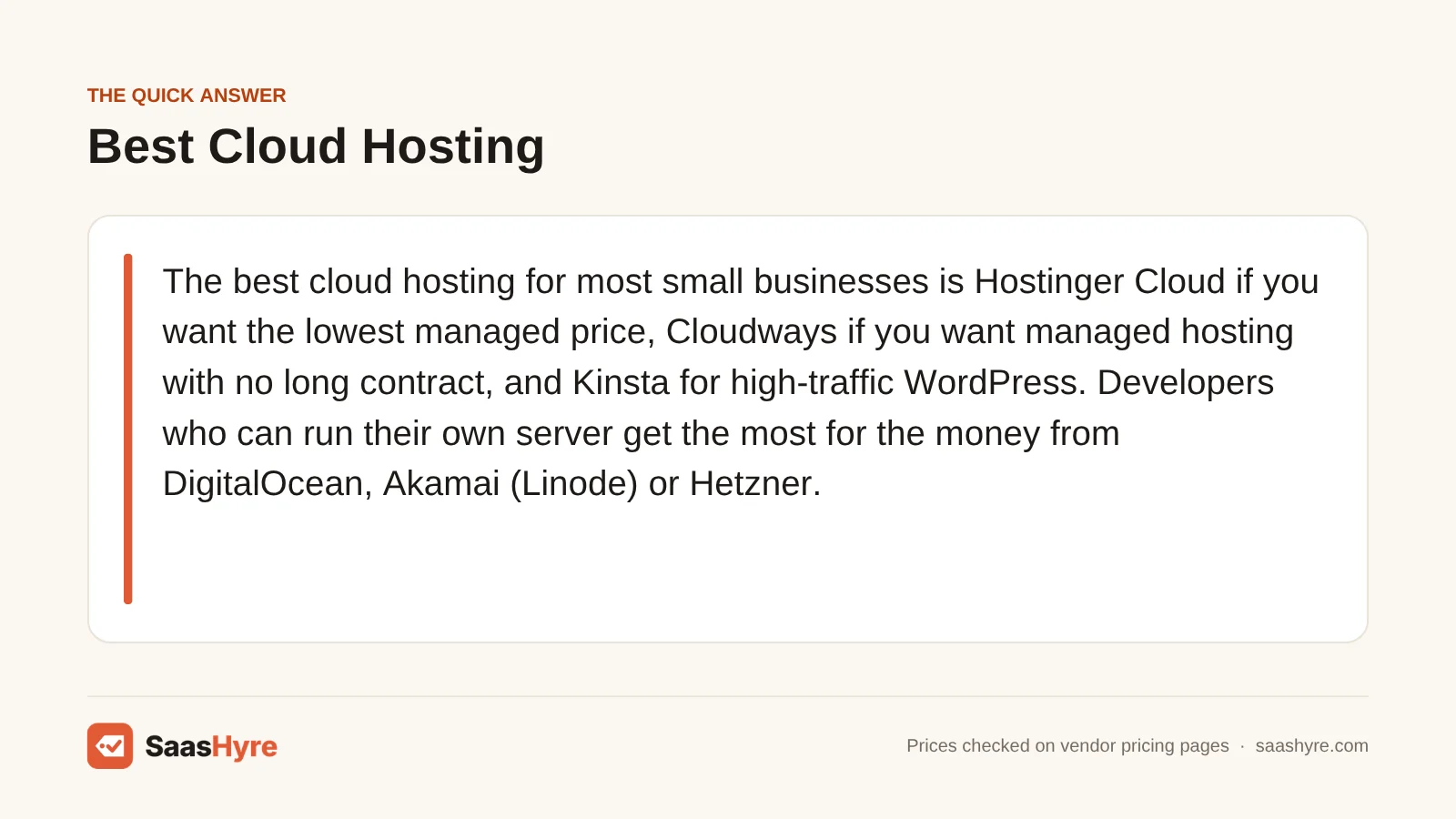
For most small businesses, we’d pick Hostinger Cloud if price is what matters, Cloudways if you want someone else to run the server without signing a long contract, and Kinsta if your WordPress site gets serious traffic. If you’re comfortable managing a server yourself, DigitalOcean, Akamai (Linode) and Hetzner give you more for your money.
Don’t shop on the headline price. What you pay from month 13 onward matters more, and so do the extras the big number skips: backups, bandwidth and extra visits. One plan advertised at $7.99 renews at more than three times that. A $6 server, on the other hand, comes to $7.20 with backups and stays there for years.
We pulled every price from the provider’s own pricing page or docs in September 2026. They don’t include tax, and hosts change them often, so check again before you pay.
Not sure which type of hosting you need? Our best web hosting guide compares every type on intro and renewal prices.
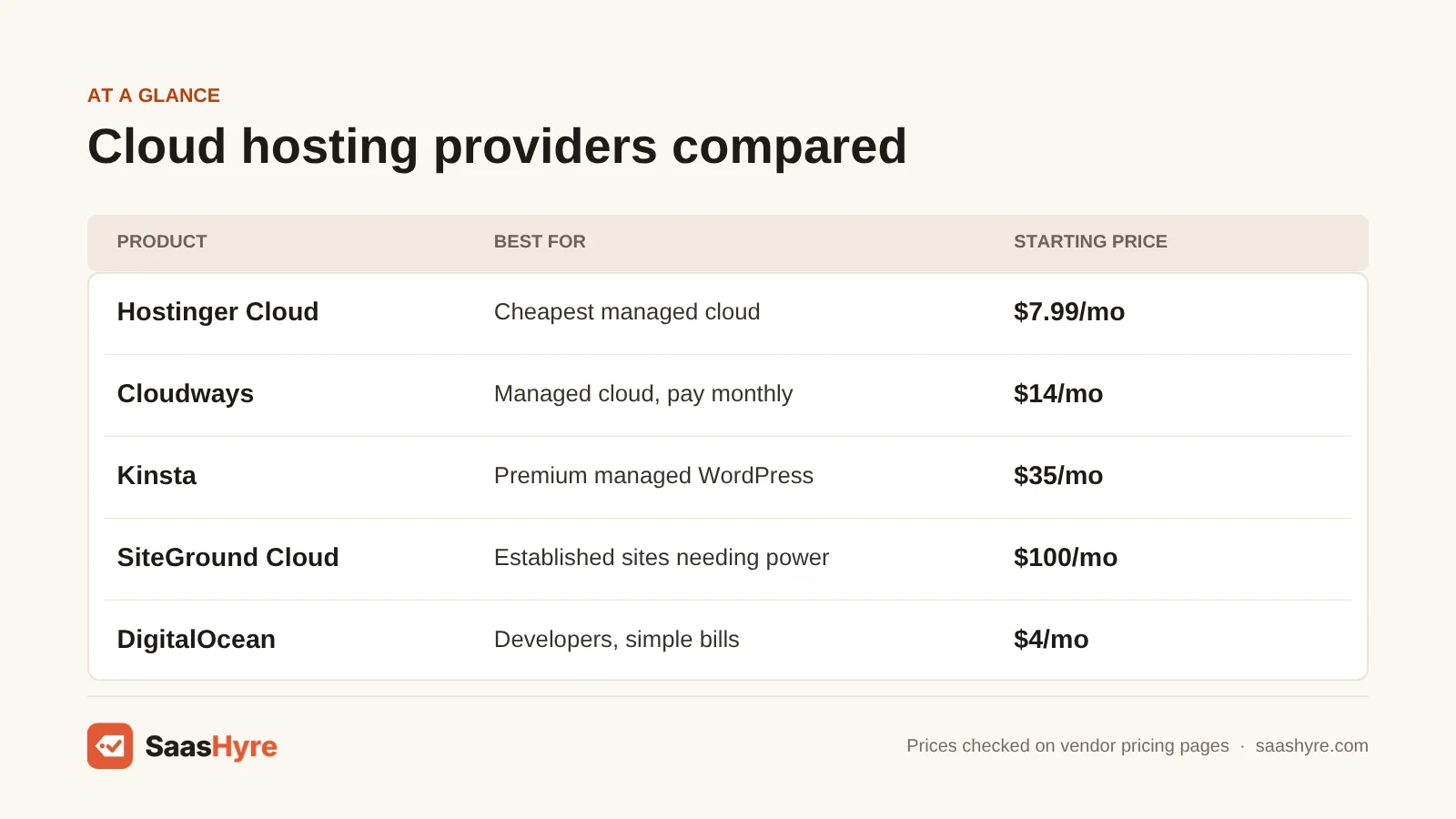
Quick Comparison: Cloud Hosting Providers at a Glance
| Provider | Best for | Starting price | Billing model | Trial or refund |
|---|---|---|---|---|
| Hostinger Cloud | Cheapest managed cloud | $7.99/mo on a 48-month term (renews at $25.99/mo) | Prepaid term | 30-day money-back guarantee |
| Cloudways | Managed cloud, pay monthly | $14/mo (DigitalOcean, 1 GB RAM) | Hourly, billed monthly in arrears | 3-day free trial, no card |
| Kinsta | Premium managed WordPress | $35/mo monthly, or $30/mo billed yearly | Monthly or annual, visit or bandwidth caps | First month free on entry plans; 30-day money-back |
| SiteGround Cloud | Established sites needing dedicated resources | $100/mo (4 CPU, 8 GB RAM) | Monthly | Not listed on the cloud pricing page |
| DigitalOcean | Developers, simple bills | $4/mo (512 MiB); $6/mo for 1 GB | Per-second, monthly cap | No contract |
| Vultr | Many data center locations | $5/mo for 1 GB (a $2.50 tier is also listed) | Hourly, monthly cap | No contract |
| Akamai (Linode) | Cheap egress, predictable Linux servers | $5/mo (Nanode 1 GB) | Hourly, monthly cap | No contract |
| Hetzner | Most RAM per dollar in Europe | €5.49/mo or $6.49/mo (CX23, 4 GB RAM) | Hourly, monthly cap | No contract |
What Cloud Hosting Is, and What You’re Actually Buying
Cloud hosting puts your site on a virtual server cut from a big pool of hardware. You get CPU and RAM reserved for you, and you can resize it without moving to a new machine. The catch is that “cloud” gets sold as two very different things, and confusing them is how most people overpay or get stuck.
Managed cloud (Hostinger Cloud, Cloudways, Kinsta, SiteGround) means the host patches the server, runs backups and caching, and helps when WordPress breaks. Unmanaged cloud (DigitalOcean, Vultr, Akamai, Hetzner) gives you a blank Linux server. You get far more for each dollar. But if an update breaks PHP at 2 a.m., that’s your problem. If nobody on your team has used SSH, buy managed. For other kinds of hosting, see our hosting hub.
What Cloud Hosting Really Costs: Intro Price vs Renewal vs Monthly Bill
For a typical small business site, managed cloud runs about $8 to $35 a month in the first year, and a few plans jump hard at renewal. Unmanaged servers start around $6 to $7 a month including backups, and that price doesn’t go up after year one.
To make the numbers comparable, we priced two sites. The small site is a WordPress brochure site or blog with about 20,000 visits a month, which needs roughly 1 GB of RAM. The growing site is a WooCommerce store or busy content site with around 100,000 visits a month, which needs about 4 GB. For each host we used the published plan that fits, and added backups where they cost extra.
| Provider and plan | Small site, per month | Growing site, per month | What changes after year one |
|---|---|---|---|
| Hostinger Cloud Startup (4 GB RAM, covers both) | $7.99 (48 months prepaid, about $384 upfront) | $7.99 | Renews at $25.99/mo |
| Cloudways on DigitalOcean | $14 (1 GB) | $54 (4 GB) | No renewal jump; offsite backup storage adds $0.033/GB |
| Kinsta, annual billing | $30 (Launch, 75k visits) | $50 (Launch Plus, 125k visits) | No renewal jump; visit overages $0.50 per 1,000 |
| SiteGround Cloud Jump Start | $100 (more than a small site needs) | $100 | Monthly price as listed |
| DigitalOcean + backups | $7.20 ($6 Droplet + 20% weekly backups) | $31.20 ($24 Droplet + 30% daily backups) | No change |
| Akamai (Linode) + backups | $7 ($5 Nanode + $2 backups) | $29 ($24 plan + $5 backups) | No change |
| Hetzner CX23 (4 GB, covers both) | €5.49 / $6.49 before backups | €5.49 / $6.49 before backups | Prices rose on 15 June 2026; more changes possible |
A few things stand out. Hostinger is only the cheapest managed option during the intro term. At $25.99 on renewal, it costs more than twice what Cloudways charges for its entry server. Kinsta’s visit caps are softer than they look: 100,000 visits on the $30 Launch plan works out to about $12.50 in overage, which beats upgrading for a one-off spike. And the unmanaged prices leave out your time and any control panel. Those can easily cost more than the server itself.
What Makes the Best Cloud Hosting?
Good cloud hosting gives you the resources you need at a price that still makes sense after month 13. We look at five things: who manages the server, the renewal price next to the promo, what backups cost, overage fees per GB or per visit, and whether email is included. Check those and you’ll dodge almost every billing surprise.
Pay-as-you-go hosts don’t run promos, so the price you start on is the price you keep, unless they raise list prices. A host that throws in daily backups can end up cheaper than one with a lower sticker price. And if you go unmanaged, count your hours. A $6 server that eats three hours of your month isn’t cheaper than a $14 managed one.
Best Cheap Managed Cloud Hosting for Small Business
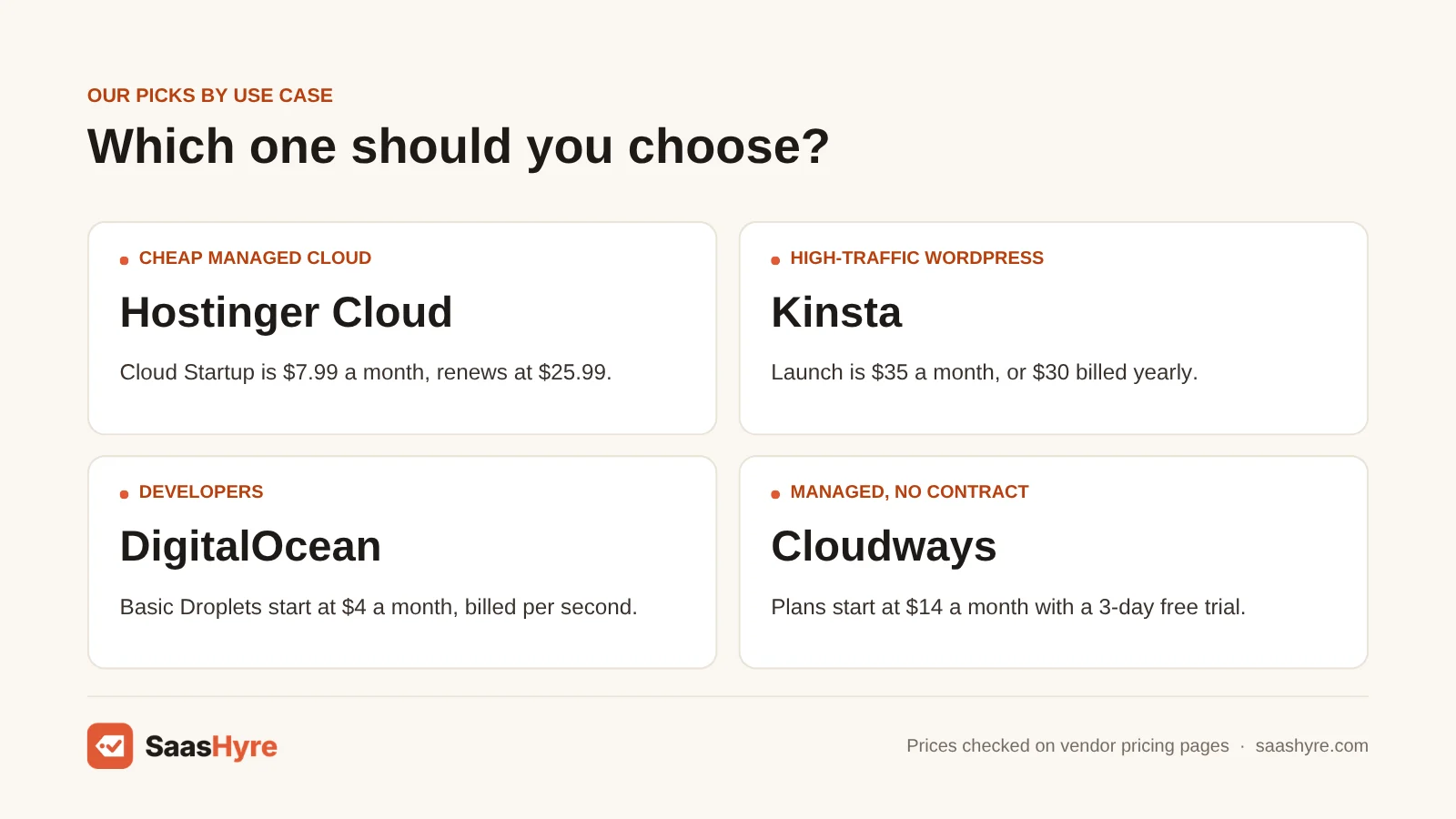
Hostinger Cloud gets you the most resources for the least money on a managed plan, as long as you’re happy to prepay four years. Cloudways costs more at the start, but it bills monthly with no contract and no renewal jump. For most small businesses, that makes it the safer bet over the long run.
1 Hostinger Cloud: Best for the cheapest managed cloud
Willing to pay four years up front? Hostinger Cloud gives you the most power for the lowest managed price.
What it does well. Cloud Startup packs 4 GB RAM, 4 CPU cores and 100 PHP workers into a low starting price. It runs unlimited websites with a simple panel. It also includes a free domain and mailboxes for the first year.
Key features:
- Cloud Startup gives you 100 GB NVMe storage, 4 GB RAM and 4 CPU cores
- 100 PHP workers and unlimited websites
- Dedicated IP and CDN
- Free domain and mailboxes for the first year
- 30-day money-back guarantee
Pricing. Cloud Startup is $7.99/mo on a 48-month term, and it renews at $25.99/mo. To get that price, you pay all 48 months up front. That comes to roughly $384. Cloud Professional is $15.99/mo and Cloud Enterprise is $29.99/mo on the same 48-month term. Their renewal prices were not shown on the page we checked (Hostinger cloud plans).
Best for: You, if you own one or several small WordPress or WooCommerce sites and are happy to commit for years.
Limitations. Paying years ahead is great if you stay. It is poor value if you leave in year two. The price jumps when you renew. And the free mailboxes last only the first year.
2 Cloudways: Best for managed cloud you pay for monthly
Want managed hosting on top of big-name servers? Cloudways (now part of DigitalOcean) runs on servers from DigitalOcean, Vultr, Linode, AWS and Google Cloud.
What it does well. It bills monthly with no contract and no price jump at renewal. That makes it the safer long-term choice for most small businesses. You are billed by the hour, so you can resize or leave any time. Every plan allows unlimited sites and unlimited visits. Only your server size limits you.
Key features:
- Pick DigitalOcean, Vultr, Linode, AWS or Google Cloud servers
- Unlimited sites and visits
- Billed by the hour, charged monthly after use
- 3-day free trial with no card
- Autonomous, a product that scales WordPress up and down for you
Pricing. On DigitalOcean, Flexible plans are $14/mo (1 GB RAM, 1 vCPU, 25 GB NVMe, 1 TB transfer) and $28/mo (2 GB). Then come $54/mo (4 GB, 2 vCPU, 80 GB) and $99/mo (8 GB, 4 vCPU). Offsite backup storage is $0.033/GB. Cloudflare Enterprise starts at $4.99 per domain per month. Email costs extra (Rackspace from $1.50 per mailbox). Autonomous starts at $99/mo for one WordPress site (Cloudways pricing).
Best for: You, if you want managed hosting without contracts, or you host several client sites on one server.
Limitations. There is no email hosting built in. Its smallest plan costs more, and it is not the lowest first-year price. Watch the add-ons, since they add up.
Best Premium Managed Cloud for High-Traffic Sites
Kinsta is the best pick for a business WordPress site where good support and speed matter more than price. Plans start at $30/mo on yearly billing. SiteGround Cloud fits an established site that has clearly outgrown shared plans. It gives you dedicated power at a flat monthly rate.
3 Kinsta: Best for premium managed WordPress
Care more about support and speed than price? Kinsta hosts only WordPress, on Google Cloud.
What it does well. It fits a business WordPress site that makes money, where downtime or slow support would hurt. Your site stays online if you go over your limits. You choose between plans based on visits or on bandwidth.
Key features:
- WordPress-only hosting on Google Cloud
- Plans based on visits or on bandwidth
- Your site stays online if you go over limits
- First month free on starter plans
- 30-day money-back guarantee
Pricing. The visit-based Launch plan is $35/mo monthly or $30/mo billed yearly ($350/yr). It covers 1 site, 75,000 visits, 15 GB storage and 125 GB CDN bandwidth. Launch Plus is $59/mo (125,000 visits). Build is $69/mo (2 sites, 200,000 visits). Expand is $99/mo (5 sites, 350,000 visits). Bandwidth-based Single plans start at the same $35/mo with 10 GB storage and 125 GB CDN. Going over costs $0.50 per 1,000 extra visits, $0.05/GB of CDN bandwidth and $2 per GB of disk per month. An extra site is $30/mo. Redis caching is $100/mo per site (Kinsta pricing).
Best for: You, if your business WordPress site makes money.
Limitations. It doesn’t run apps that aren’t WordPress. It gets costly for many small sites. Bot traffic counts as visits, so check your analytics before you pick a visit-based plan. Add-ons add up fast.
4 SiteGround Cloud: Best for established sites needing dedicated resources
Outgrown shared hosting? SiteGround’s cloud plans are a step up from its well-known shared plans.
What it does well. It gives an established site dedicated power at a flat monthly rate, with management included. All plans list automatic scaling. You can also build a custom setup.
Key features:
- Dedicated CPU and RAM from 4 cores and 8 GB
- Automatic scaling on all plans
- Custom setups
- Monthly billing with management included
Pricing. Jump Start is $100/mo for 4 CPU cores, 8 GB RAM, 40 GB SSD and 5 TB transfer. Business is $200/mo (8 cores, 12 GB). Business Plus is $300/mo (12 cores, 16 GB). Super Power is $400/mo (16 cores, 20 GB) (SiteGround cloud plans).
Best for: You, if your site has outgrown shared hosting and needs 8 GB of RAM or more.
Limitations. If you need less than 4 GB of RAM, Cloudways or Hostinger do the job for a small part of the price. The cloud pricing page did not list a trial or refund.
Best Unmanaged Cloud Servers for Developers
If you can run Linux, here is how to choose. DigitalOcean is the easiest unmanaged cloud to start on. Akamai (Linode) charges the least for extra bandwidth. Vultr has the most locations. Hetzner gives the most RAM per dollar in Europe, even after its June 2026 price rise.
5 DigitalOcean: Best for developers who want simple bills
Can you run Linux? DigitalOcean is the easiest unmanaged cloud to start on.
What it does well. It has a simple dashboard and good docs. You can add managed databases or Kubernetes later. Since January 2026, it bills by the second, with a 60-second minimum.
Key features:
- Basic Droplets from 512 MiB RAM
- Billed by the second, with a monthly cap
- Shared transfer allowance across your servers
- Managed databases and Kubernetes available
- No contract
Pricing. Basic Droplets start at $4/mo (512 MiB RAM, 10 GB SSD, 500 GB transfer). Next is $6/mo (1 GB, 25 GB, 1 TB), then $12/mo (2 GB). After that come $24/mo (4 GB, 2 vCPU, 80 GB, 4 TB) and $48/mo (8 GB, 4 vCPU). Weekly backups cost 20% of the Droplet price, and daily backups cost 30%. Transfer beyond your shared allowance is $0.01 per GiB (DigitalOcean Droplet pricing).
Best for: You, if you are a developer who wants a simple dashboard and room to grow into managed services.
Limitations. You manage the server yourself. If you don’t want that, Cloudways gives you DigitalOcean with management on top. Backups add 20 to 30% to the bill.
6 Akamai (Linode): Best for cheap egress and predictable Linux servers
Serve a lot of data? Linode is now Akamai Cloud, and it charges the least for extra bandwidth in this group.
What it does well. Extra outgoing bandwidth costs only $0.005 per GB. That is half DigitalOcean’s rate. Backups are a flat add-on, so you can predict your bill.
Key features:
- Nanode 1 GB starter plan
- Extra outgoing bandwidth at $0.005 per GB
- Flat-price backup add-on
- Billed by the hour, with a monthly cap
- No contract
Pricing. In North America, the Nanode is $5/mo (1 GB RAM, 25 GB, 1 TB transfer). Next is $12/mo (2 GB). Then come $24/mo (4 GB, 2 CPU, 80 GB, 4 TB) and $48/mo (8 GB). Backups are $2/mo on the 1 GB plan and $5/mo on 4 GB (Akamai Cloud pricing).
Best for: You, if your site serves lots of downloads or media.
Limitations. If you are new to servers and want the best tutorials, it is not the friendliest choice.
7 Vultr: Best for many data center locations
Need a server in a certain city? Vultr has the most locations of the unmanaged clouds here.
What it does well. You can put a server in a specific city. It gives you more transfer at the same price as DigitalOcean. High Performance plans run on dedicated AMD or Intel CPUs.
Key features:
- Lots of data center cities to pick from
- Regular Cloud Compute from 0.5 GB RAM
- High Performance plans on dedicated AMD or Intel CPUs
- Billed by the hour, with a monthly cap
- No contract
Pricing. Regular Cloud Compute starts at $2.50/mo (0.5 GB RAM). A more useful starting point is $5/mo (1 GB, 25 GB, 1 TB). Next is $10/mo (2 GB, 55 GB). High Performance plans are $6/mo (1 GB, 2 TB transfer) and $12/mo (2 GB). Then comes $24/mo (4 GB, 2 vCPU, 100 GB, 5 TB) (Vultr pricing).
Best for: You, if you are a developer who needs a server in a specific city.
Limitations. The main pricing page did not show backup prices or extra charges. Check them before you commit.
8 Hetzner: Best for the most RAM per dollar in Europe
On a tight budget? Hetzner is the favorite in developer communities.
What it does well. It gives the most RAM per dollar in Europe, even after its June 2026 price rise. Four GB of RAM for about $6.50 is hard to beat. The CX23 includes 20 TB of traffic.
Key features:
- CX23 with 2 vCPU, 4 GB RAM, 40 GB NVMe and 20 TB traffic
- Regions in Germany, Finland, the US and Singapore
- Billed by the hour, with a monthly cap
- No contract
Pricing. Hetzner changed prices on June 15, 2026. The CX23 now costs €5.49/mo or $6.49/mo, up from €3.99. The CX33 (4 vCPU, 8 GB) is €8.49/mo or $9.99/mo. Some CPX plans sold only in the US more than doubled. The CPX11 went from $6.99 to $20.49/mo (Hetzner Cloud).
Best for: You, if you are a developer with a European audience and are happy running your own server setup.
Limitations. There are only four regions. CX plans only run in European data centers. No server management is included. Check the price for your chosen location closely. It is a weaker fit if most visitors are in the US or Asia, or if you can’t handle more price changes.
How to Choose Cloud Hosting: A Buyer’s Checklist
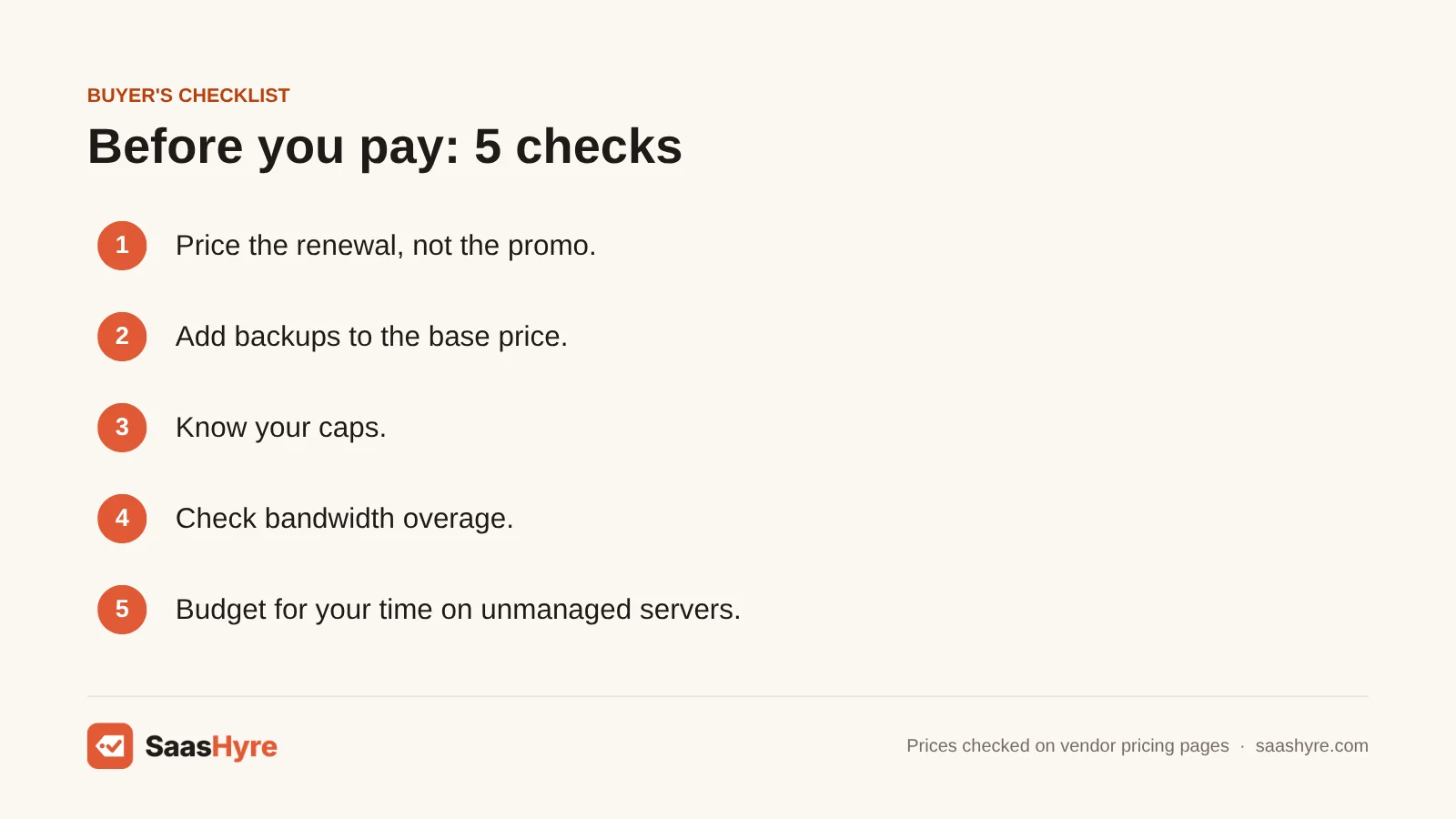
Before you pay, check three things. Who manages the server? What is the price in month 13? Which extras are billed per GB or per visit? Those three checks stop almost every surprise on your hosting bill.
- Price the renewal, not the promo. Hostinger’s $7.99 needs a 48-month prepay and renews at $25.99. Pay-as-you-go hosts (Cloudways, DigitalOcean, Akamai, Vultr, Hetzner) have no promo. So the price you see is the price you keep paying. The exception is when the provider raises list prices, as Hetzner did in June 2026.
- Add backups to the base price. DigitalOcean adds 20 to 30%. Akamai adds $2 to $5. Cloudways charges for offsite storage. A host that includes daily backups can be cheaper than one with a lower sticker price.
- Know your limits. Kinsta bills $0.50 per 1,000 visits over your plan. Bot traffic can push you over. So check your analytics before you pick a visit-based plan.
- Check what extra bandwidth costs. Rates go from $0.005/GB (Akamai) and $0.01/GiB (DigitalOcean) up to $0.12/GB for AWS servers on Cloudways.
- Count your time on unmanaged servers. A $6 server that eats three hours a month of your time is not cheaper than a $14 managed one.
- Don’t forget email. Cloudways and the unmanaged clouds don’t include mailboxes. Hostinger includes them free for the first year only.
How We Evaluated These Cloud Hosts
We compared each provider’s published plans, limits and add-on prices. We used its own pricing pages and docs, checked in September 2026. From those numbers, we worked out the cost of two typical sites (a small 1 GB site and a growing 4 GB site). We did not run our own speed or uptime tests. So we make no speed claims beyond what vendors state. No provider paid for placement or reviewed this article. Read our editorial policy for more on how we work.
The Bottom Line
Want someone else to run the server? For most small businesses, Cloudways is the safest long-term value because its price doesn’t jump. Hostinger Cloud is cheapest if you will pay four years up front. Kinsta is worth the higher price for WordPress sites that make real money. SiteGround Cloud fits sites that need 8 GB of RAM or more with management included. If you can run Linux yourself, here is my tip. Start on DigitalOcean for ease, Akamai for cheap bandwidth or Hetzner for the most RAM per dollar in Europe.
Frequently Asked Questions
What is the best cloud hosting for a small business?
If your small business has no developer, Cloudways and Hostinger Cloud are the strongest picks. Cloudways starts at $11/mo on DigitalOcean. It bills monthly and the price doesn’t go up at renewal. Hostinger Cloud Startup is $7.99/mo if you pay 48 months up front. But it renews at $25.99/mo. Pick Cloudways if you want flexibility. Pick Hostinger if you’re sure you’ll stay for four years.
How much does cloud hosting cost per month?
Unmanaged cloud servers start at $4 to $6 a month for 512 MB to 1 GB of RAM at DigitalOcean, Vultr and Akamai. Managed cloud hosting usually costs $14 to $35 a month for a small site. Premium plans like SiteGround Cloud start at $100. Some unmanaged hosts add 20 to 30% for backups. And check renewal prices on prepaid plans.
Is cloud hosting better than shared hosting?
Cloud hosting gives you CPU and RAM that other customers can’t use. You can also resize it without moving your site. Shared hosting is cheaper. But a busy neighbor on the same server can slow your site down. If your site makes money, runs a store or gets traffic spikes, cloud hosting is usually worth the extra cost.
What is the difference between managed and unmanaged cloud hosting?
With managed cloud hosting, the provider handles server setup, security patches, backups, caching and support. Cloudways, Kinsta and Hostinger work this way. With unmanaged hosting from DigitalOcean, Vultr, Akamai or Hetzner, you get a blank server. You do all of that yourself. Unmanaged costs less per gigabyte of RAM. But it costs you time and carries more risk.
Is cloud hosting the same as a VPS?
They overlap. A cloud server, like a DigitalOcean Droplet, is basically a VPS running on a big pool of hardware. So you can resize it, snapshot it and replace failed hardware fast. Older-style VPS plans often run on a single physical machine. For you as a buyer, the real difference is billing flexibility and how easily you can scale up or down.
Can cloud hosting costs increase after I sign up?
Yes, in two ways. First, prepaid plans like Hostinger’s renew at a higher rate after the intro term. Second, pay-as-you-go providers can raise list prices. Hetzner raised several cloud server prices on June 15, 2026. Usage charges can also push a bill above the plan price. Think bandwidth, extra visits on Kinsta and backup storage.