

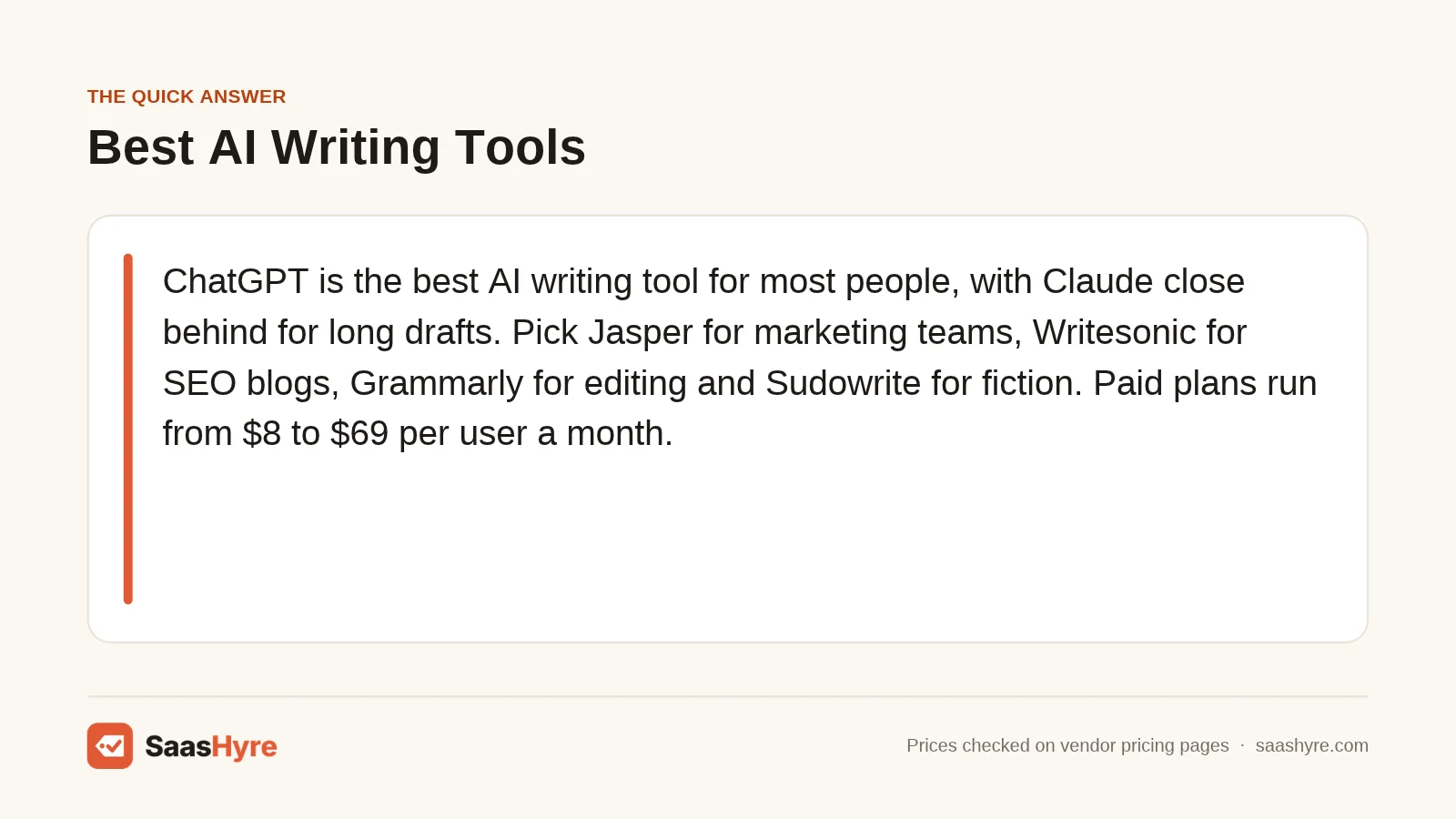
TL;DR: ChatGPT is the best AI writing tool for most people, with Claude close behind for long drafts. Pick Jasper for marketing teams, Writesonic for SEO blogs, Grammarly for editing, and Sudowrite for fiction. Paid plans run from $8 to $69 per user each month. Before you pay, check the pricing unit. Some tools bill per seat, some cap words, and some sell credits that run out.
Every AI writing tool says it writes faster. Very few say how they charge you for it.
One tool bills per seat. Another caps your words. A third sells credits that burn at different rates. Two tools with the same $20 sticker can cost very different amounts by the end of the month.
You are not alone in shopping for one. About half of U.S. adults (49%) now use AI chatbots, up from 33% in 2024, according to a February 2026 Pew Research Center survey. In the same Pew report on Americans and AI, 38% of employed adults said they use chatbots for tasks at work.
So I compared 10 AI writing tools across six jobs: general drafting, long-form writing, marketing copy, SEO blogs, editing, and fiction. I pulled every price from the vendor’s own pricing page on November 1, 2026. I also show what each costs at real volumes.
This guide sits inside my larger roundup of the best AI tools for work and business, which covers AI beyond writing.
What Is the Best AI Writing Tool?
The best AI writing tool for most people is ChatGPT, because its $20 Plus plan handles drafting, research, and rewrites in one place. Claude is the stronger pick for long, structured drafts. Teams that need brand voice should look at Jasper. Writers who only need cleaner prose will get more from Grammarly.
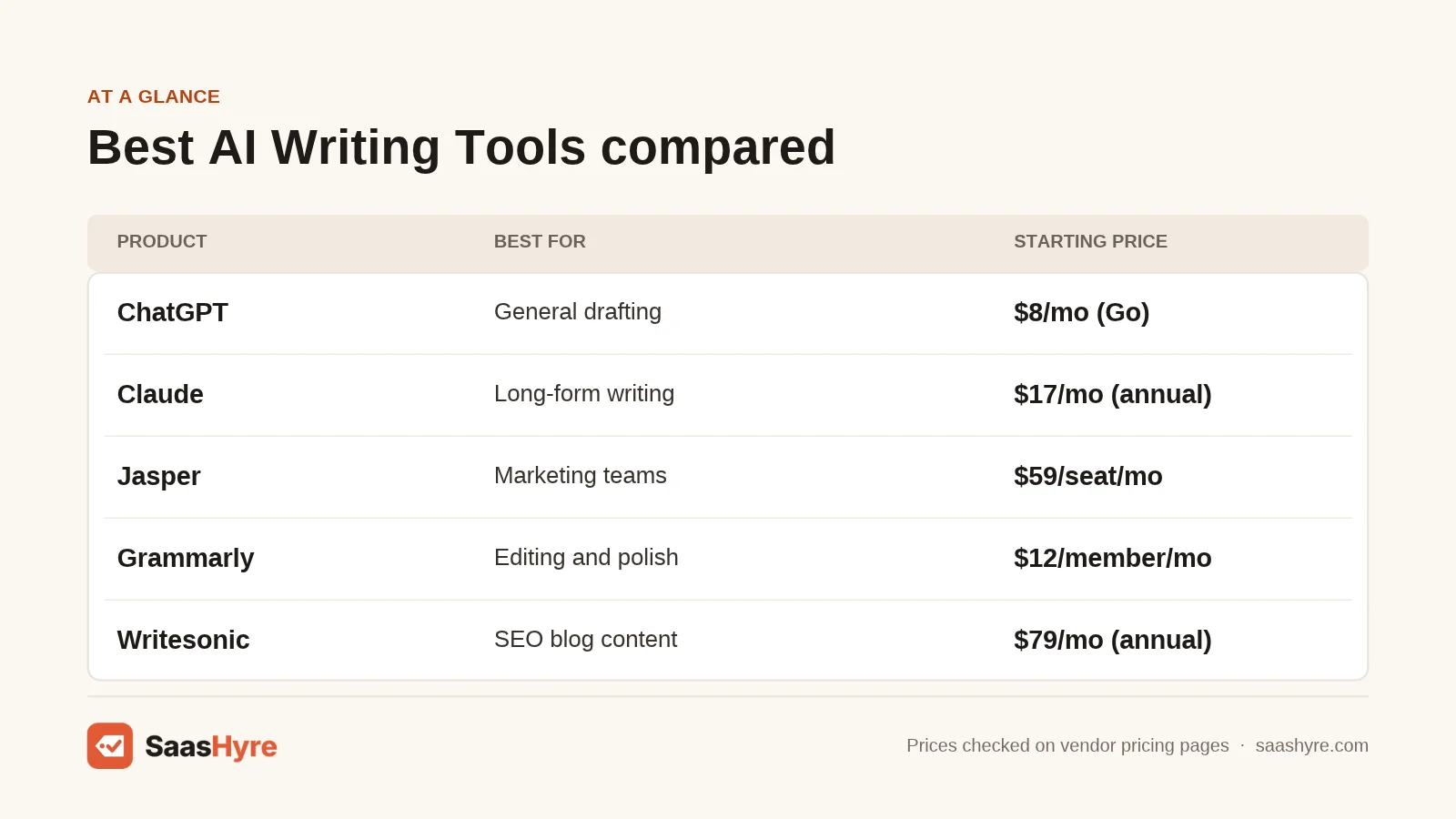
| Tool | Best for | Starting price | Free plan or trial | Note |
|---|---|---|---|---|
| ChatGPT | General drafting | $8/mo (Go) | Free plan | Plus is $20/mo |
| Claude | Long-form writing | $17/mo (Pro, annual) | Free plan | Usage resets every 5 hours |
| Jasper | Marketing teams | $59/seat/mo (annual) | 7-day trial | Per-seat pricing |
| Grammarly | Editing and polish | $12/member/mo (annual) | Free plan | $30/mo if billed monthly |
| Writesonic | SEO blog content | $79/mo (annual) | Free trial | 15 AI articles/mo on Starter |
| Gemini | Google users | $4.99/mo (AI Plus) | Free plan | Plans bundle Google storage |
| Sudowrite | Fiction | $10/mo | Free trial, no card | Billed in credits |
| QuillBot | Paraphrasing on a budget | $8.33/mo (annual) | Free plan | Free tier: 100-word paraphrases |
| Copy.ai | Small teams sharing chat | $24/mo (annual) | No free plan listed | Chat plan includes 5 seats |
| Rytr | Budget template writing | $9/mo | Free plan | Free tier: 10,000 characters |
How Much Do AI Writing Tools Cost?
Most AI writing tools cost between $8 and $30 per user per month for an individual plan, and $59 to $79 per month for marketing and SEO platforms. Annual billing usually cuts the price by 15% to 60%. Team, business, and enterprise plans often move to per-seat pricing or custom quotes.
| Tool | Plan | Price | Billing | Main limit |
|---|---|---|---|---|
| ChatGPT | Free / Go / Plus / Pro | $0 / $8 / $20 / from $100 | Monthly, per user | Limits rise by tier; Go may show ads |
| Claude | Pro | $20 monthly or $17/mo annual ($200 up front) | Per user | Usage limits every 5 hours and every week |
| Claude | Max / Ultra | $100 / $200 | Monthly | 5x and 10x Pro usage |
| Claude | Team, Standard seat | $25 monthly or $20 annual | Per seat, 2 to 150 seats | More usage than Pro |
| Jasper | Pro | $69 monthly or $59 annual | Per seat | 2 Brand Voices, 5 Knowledge assets, 3 Audiences |
| Jasper | Business | Quote only | 12-month minimum | Unlimited Brand Voices |
| Grammarly | Pro | $30 monthly or $12/mo annual | Per member, 1 to 149 seats | 2,000 AI prompts per member per month |
| Writesonic | Starter / Basic / Growth | $79 / $199 / $399 | Per month, billed annually | 15 / 25 / 50 AI articles per month |
| Gemini | AI Plus / AI Pro / AI Ultra | $4.99 / $19.99 / from $99.99 | Monthly | Usage limits scale by tier; storage bundled |
| Sudowrite | Hobby & Student / Professional / Max | $10 / $22 / $44 | Monthly (yearly up to 50% off) | 225,000 / see note / 2,000,000 credits |
| QuillBot | Premium | $8.33/mo | Billed annually | Summaries up to 6,000 words; plagiarism checks 25,000 words/mo |
| Copy.ai | Chat | $29 monthly or $24/mo annual ($288/yr) | Flat, 5 seats | Unlimited words in Chat |
| Rytr | Lite / Personal / Pro | $9 / $19 / $49 | Monthly (yearly saves 20%) | Unlimited characters on all paid plans |
Watch for these pricing traps before you enter a card:
- The annual price is the headline. Grammarly Pro is $12 a month only on annual billing; monthly it is $30.
- Paid plans still have caps. ChatGPT and Claude both say limits apply on paid tiers.
- SEO tools cap articles. Writesonic Starter includes 15 a month. Growth sells 20 more for $100.
- Credits may not roll over. Sudowrite states a 12-month rollover only on Max.
- Seats add up. Three Jasper Pro seats on monthly billing cost $207 a month.
What Do AI Writing Tools Charge For: Seats, Words, or Credits?
AI writing tools charge for one of four things: a user seat, a usage window, a word or character cap, or a credit balance. Seat pricing is easy to predict. Usage windows and credits are harder, because heavy weeks can hit a ceiling. Match the unit to how much and how often you write.
| Tool | What you pay for | What runs out |
|---|---|---|
| ChatGPT | One user per plan | Messages and uploads |
| Claude | One user, or one seat on Team | Usage per 5-hour window and per week |
| Gemini | One Google account | Usage limits per tier (Pro is 4x Free) |
| Jasper | Each seat | Brand Voices and assets |
| Writesonic | A plan with set users | AI articles and audits |
| Grammarly | Each member | AI prompts (100 free, 2,000 on Pro) |
| QuillBot | One user | Word caps on Free |
| Sudowrite | A monthly credit balance | Credits |
| Copy.ai | A 5-seat bundle | Workflow credits on higher plans |
| Rytr | One user | Characters on Free (10,000 per month) |
Here is what that looks like in real budgets. These are my estimates based on listed prices, not quotes.
| Scenario | Setup | Math | Estimated monthly cost |
|---|---|---|---|
| Solo freelance writer | ChatGPT Plus + Grammarly Pro (annual) | $20 + $12 | $32 |
| 3-person marketing team | Jasper Pro, 3 seats (annual) | 3 x $59 | $177 |
| 3-person marketing team | Claude Team Standard, 3 seats (annual) | 3 x $20 | $60 |
| Up to 5 people sharing chat | Copy.ai Chat (annual) | $24 flat | $24 (about $4.80 per seat) |
| Niche blog, 15 posts a month | Writesonic Starter (annual) | $79 / 15 articles | $79 (about $5.27 per article) |
| Content site, 70 posts a month | Writesonic Growth + 20-article add-on | $399 + $100 = $499 / 70 | $499 (about $7.13 per article) |
| Hobby novelist | Sudowrite Hobby & Student | $10 flat | $10 |
A general chatbot plus an editor is the cheapest serious setup. Per-seat marketing platforms pay off only when you need shared brand voice.
The 10 Best AI Writing Tools, Reviewed
1 ChatGPT: Best for General Drafting
ChatGPT is OpenAI’s AI assistant, and it is the most flexible writing tool on this list.
What it does well. ChatGPT covers the full writing loop in one window. You can research a topic, build an outline, draft, and rewrite without switching apps. The $8 Go plan raises limits for daily writers. Plus adds advanced reasoning models for complex briefs.
Key features:
- Projects, scheduled tasks, and custom GPTs on Plus, so you can save a style guide and reuse it
- Deep research for sourced background on a topic
- Extensions for Word, Excel, PowerPoint, and Google Sheets (limited on Free and Go)
Pricing. Free is $0. Go is $8 per month and may include ads. Plus is $20 per month. Pro starts at $100 per month, with three usage tiers. Business is billed per user, annually, starting at 2 users. See ChatGPT pricing.
Best for: You, if you want one tool for many kinds of writing and do not need a brand voice system.
Limitations. ChatGPT has no built-in SEO scoring or brand kit. OpenAI says “limits apply” to Plus, so very heavy days can still hit a cap.
2 Claude: Best for Long-Form Writing
Claude is Anthropic’s AI assistant, and it is a strong choice for reports, essays, and long blog drafts.
What it does well. Claude and ChatGPT cover the same ground, but many writers reach for Claude when a draft runs long or needs careful structure. Its Team plan is also cheap per seat.
Key features:
- Free plan with usage that resets every 5 hours and every week
- Max and Ultra tiers for very heavy users (5x and 10x Pro usage)
- Team plan for 2 to 150 seats, with Premium seats that get 5x Standard usage
Pricing. Pro is $20 billed monthly, or $17 a month billed annually ($200 up front). Max is $100 a month. Ultra is $200 a month. Team Standard seats are $25 monthly or $20 annually. Team Premium seats are $125 monthly or $100 annually. See Claude pricing.
Best for: You, if you write long, structured pieces and want a clean drafting partner.
Limitations. The 5-hour usage window can cut a long Pro session short. Claude has no SEO tools, templates library, or brand voice manager.
3 Jasper: Best for Marketing Teams
Jasper is an AI content platform built for marketing teams that need on-brand copy at volume.
What it does well. It stores your Brand Voices, Knowledge, and Audiences, so every draft starts from your rules. Agents handle core marketing workflows, so nobody pastes the same brief into a chatbot daily.
Key features:
- Canvas workspace for creating and organizing content
- Brand Voices, Knowledge assets, and Audiences (2, 5, and 3 on Pro)
- Agents for marketing workflows, with GEO, translation, and deep research agents on Business
Pricing. Pro is $69 per seat per month billed monthly, or $59 per seat per month billed yearly. There is a 7-day free trial. Business is quote only, with a 12-month minimum. See Jasper pricing.
Best for: You, if you run a marketing team and brand consistency matters more than the lowest price.
Limitations. Jasper is the most expensive per-seat tool here. Pro caps Brand Voices at two, which is tight for agencies. Business agents run on credits, and Jasper does not list the credit allowance on its pricing page. If cost is a blocker, my list of Jasper alternatives covers cheaper options.
4 Grammarly: Best for Editing and Polish
Grammarly is an AI writing assistant that checks and improves text wherever you type.
What it does well. Grammarly fixes what the other tools create. It catches errors, flags tone, and rewrites clunky sentences inside your email, docs, and browser. It pairs well with ChatGPT or Claude: one drafts, the other edits.
Key features:
- Full-sentence rewrites and tone adjustment on Pro
- 2,000 AI prompts per member per month on Pro (100 on Free)
- Plagiarism and AI text detection
Pricing. Free is $0 with 100 AI prompts a month. Pro is $12 per member per month billed annually, or $30 billed monthly, for 1 to 149 seats. Enterprise is quote only, with unlimited prompts. See Grammarly pricing.
Best for: You, if your drafts are fine but you want them cleaner and more consistent.
Limitations. Grammarly is not built to write a full article from scratch. For other editing options, see my guide to Grammarly alternatives.
5 Writesonic: Best for SEO Blog Content
Writesonic is an SEO and AI search visibility platform with a built-in AI article writer.
What it does well. Writesonic pairs an AI article writer with site audits and tracking for how your brand shows up in ChatGPT, Gemini, and Google AI Overviews. It also connects to WordPress and Google Search Console.
Key features:
- AI article writer (15, 25, or 50 articles a month by plan)
- Site audits with automatic AI fixes
- AI search tracking across ChatGPT, Gemini, and Google AI Overviews
Pricing. Billed annually, Starter is $79 a month (1 user, 15 articles), Basic is $199 (2 users, 25 articles), and Growth is $399 (3 users, 50 articles). Extra users on Basic and Growth are $50 each per month. Growth can add 20 articles for $100 a month. Writesonic’s page says self-serve plans start from $99 a month on monthly billing. Enterprise is quote only. See Writesonic pricing.
Best for: You, if you publish blog posts to rank and want SEO and AI visibility data next to the writer.
Limitations. Writesonic is now priced like an SEO platform, not a cheap writer. Starter allows one user only. If you mainly want rankings data, compare it with my picks for the best AI SEO tools.
6 Gemini: Best for Google Users
Gemini is Google’s AI assistant, and its paid plans bundle extra Google storage.
What it does well. Gemini is a natural fit if your work already lives in Gmail and Google Drive. The $4.99 AI Plus plan is the cheapest paid tier from a major AI lab here. AI Pro adds a 1 million token context window for very long source files.
Key features:
- Canvas for drafting and editing documents
- Deep Research and Gems (saved custom assistants)
- Usage limits about double Free on AI Plus and four times Free on AI Pro
Pricing. Free is $0. Google AI Plus is $4.99 a month. Google AI Pro is $19.99 a month. Google AI Ultra starts at $99.99 a month. For teams, Gemini Enterprise Business starts at $21 per seat per month. See Gemini pricing.
Best for: You, if you live in Google’s apps and want AI writing plus storage in one bill.
Limitations. Google’s plan page is less clear than its rivals about which model each tier gets. It also lacks brand voice and SEO features.
7 Sudowrite: Best for Fiction
Sudowrite is an AI writing app made for novelists, screenwriters, and other fiction writers.
What it does well. General chatbots can write a story, but Sudowrite is built around one. It tracks your characters and world so drafts stay consistent across a series. It runs its own fiction models, Muse and Ballad. Sudowrite says it does not use your writing to train its models.
Key features:
- Write, Rewrite, Describe, and Expand tools with story intelligence
- Style matching and series continuity
- Developmental edits, line edits, and beta reads on Professional and Max
Pricing. Hobby & Student is $10 a month for 225,000 credits. Professional is $22 a month. Max is $44 a month for 2,000,000 credits. Yearly billing is advertised at up to 50% off. The free trial needs no credit card. See Sudowrite pricing.
Best for: You, if you write fiction and want an AI partner that remembers your story.
Limitations. Credits are hard to translate into words before you try it. On the day I checked, the Professional plan showed two credit figures (450,000 and 1,000,000), so confirm the allowance at checkout.
8 QuillBot: Best for Paraphrasing on a Budget
QuillBot is a low-cost writing toolkit known for its paraphraser, plus grammar, summary, and citation tools.
What it does well. QuillBot is the cheapest full toolkit on this list. One plan covers paraphrasing, grammar, a summarizer, an AI detector, a humanizer, and a plagiarism checker. It works in Chrome, Edge, Word, and on mobile.
Key features:
- Paraphraser with 9 built-in modes and unlimited custom modes on Premium
- Summaries up to 6,000 words on Premium (1,200 on Free)
- Plagiarism checks up to 25,000 words a month on Premium
Pricing. Free is $0, with paraphrasing up to 100 words at a time. Premium is $8.33 a month billed annually. QuillBot does not show the monthly price on its main plan page. Team pricing is quote only, with volume discounts at 5 or more members. See QuillBot pricing.
Best for: You, if you mostly rework and clean up existing text on a tight budget.
Limitations. QuillBot is better at reworking text than writing new long-form drafts. See my list of QuillBot alternatives if you need a stronger drafting tool.
9 Copy.ai: Best for Small Teams Sharing Chat
Copy.ai is a go-to-market AI platform with a low-cost chat plan that includes five seats.
What it does well. Copy.ai’s Chat plan is the best per-seat value here for a small team. Five people share one plan with unlimited words in Chat.
Key features:
- Unlimited words and unlimited Chat Projects on the Chat plan
- Access to OpenAI, Anthropic, and Gemini models
- Workflow credits on Growth (20K), Expansion (45K), and Scale (75K)
Pricing. Chat is $29 a month billed monthly, or $24 a month billed annually ($288 a year), for 5 seats. Growth is $1,000 a month billed annually for 75 seats. Expansion is $2,000 and Scale is $3,000 a month, billed annually. Enterprise is quote only. See Copy.ai pricing.
Best for: You, if a small team needs shared AI chat without paying per seat.
Limitations. The jump from $24 to $1,000 a month is steep, with nothing in between. Copy.ai does not list a free plan on its pricing page. Workflow credit value depends on task complexity.
10 Rytr: Best for Budget Template Writing
Rytr is a budget AI writer with 40+ writing use cases, now expanding into relationship and communication tools.
What it does well. Rytr keeps short-form writing simple and cheap. Pick a use case, such as an email, and it drafts it. The free plan gives you 10,000 characters a month, and every paid plan removes the cap.
Key features:
- 40+ writing use cases in 30+ languages
- Unlimited characters on all paid plans
- Connected sources, daily briefings, and “Engage” actions on Personal and Pro
Pricing. Free is $0 with 10,000 characters a month. Lite is $9 a month. Personal is $19 a month. Pro is $49 a month. Yearly billing saves 20%. See Rytr pricing.
Best for: You, if you write short pieces and want the lowest fixed price for unlimited output.
Limitations. Rytr’s higher plans now focus on relationship tracking, not writing. For long-form work, ChatGPT Go costs $1 less and does more.
Which AI Writing Tool Should You Pick?
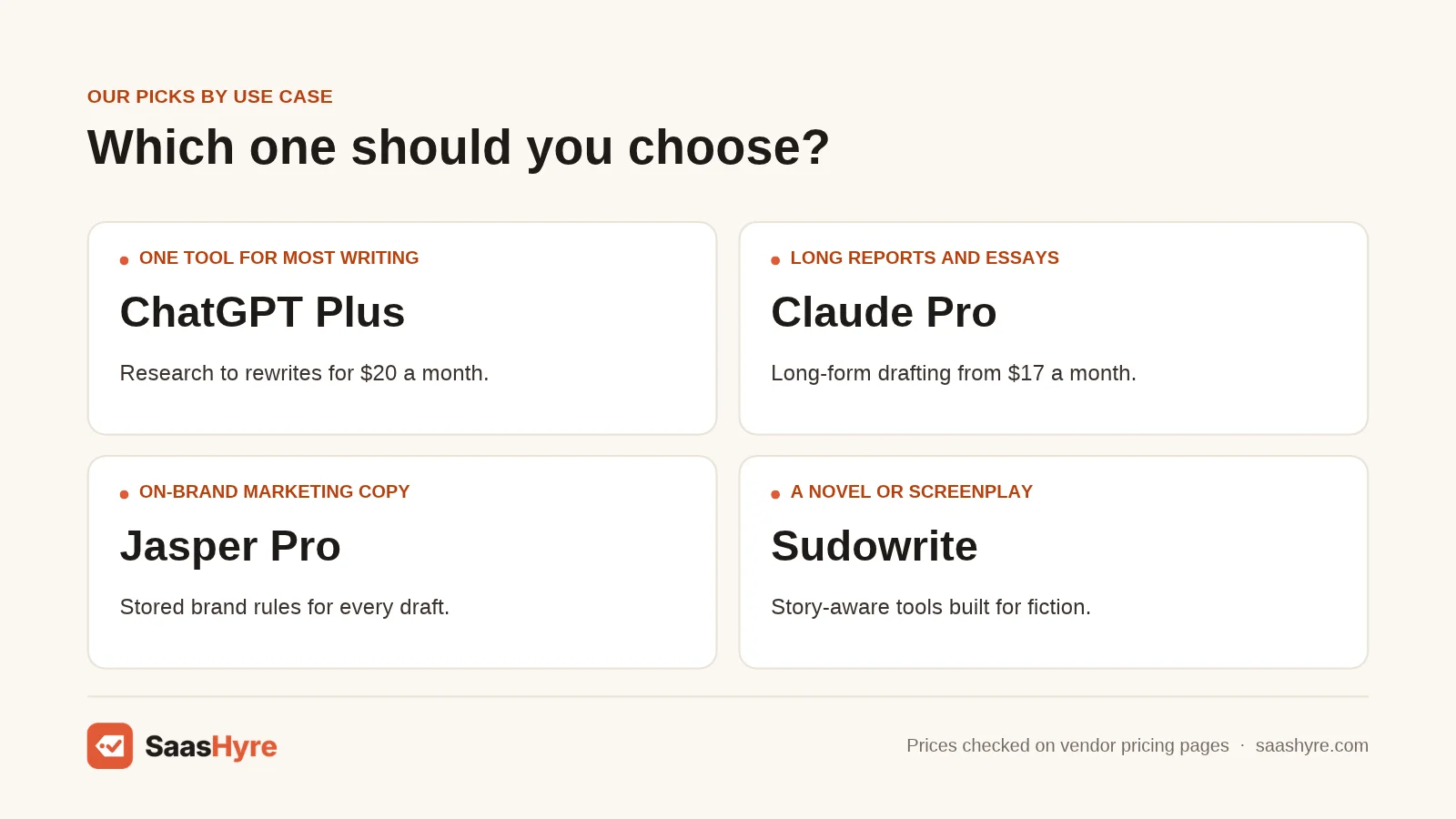
Pick the tool that matches your main writing job, not the one with the longest feature list. Most solo writers do best with ChatGPT or Claude plus Grammarly. Marketing teams should choose Jasper. Bloggers chasing rankings should choose Writesonic. Novelists should choose Sudowrite, and tight budgets point to QuillBot or ChatGPT Go.
| If you need… | Pick | Why |
|---|---|---|
| One tool for most writing | ChatGPT Plus | Covers research to rewrites for $20 |
| Long reports and essays | Claude Pro | Long-form drafting from $17 |
| On-brand marketing copy | Jasper Pro | Stored brand rules |
| SEO blog posts | Writesonic | Writer plus audits and AI tracking |
| Cleaner, error-free prose | Grammarly Pro | Edits inside your apps |
| Writing inside Google apps | Gemini | Fits Gmail and Drive |
| A novel or screenplay | Sudowrite | Story-aware fiction tools |
| Paraphrasing for school | QuillBot Premium | Full toolkit for $8.33 |
| Shared chat for up to 5 people | Copy.ai Chat | Five seats for $24 |
| Short copy at the lowest price | Rytr Lite | Unlimited characters for $9 |
How Do You Choose an AI Writing Tool?
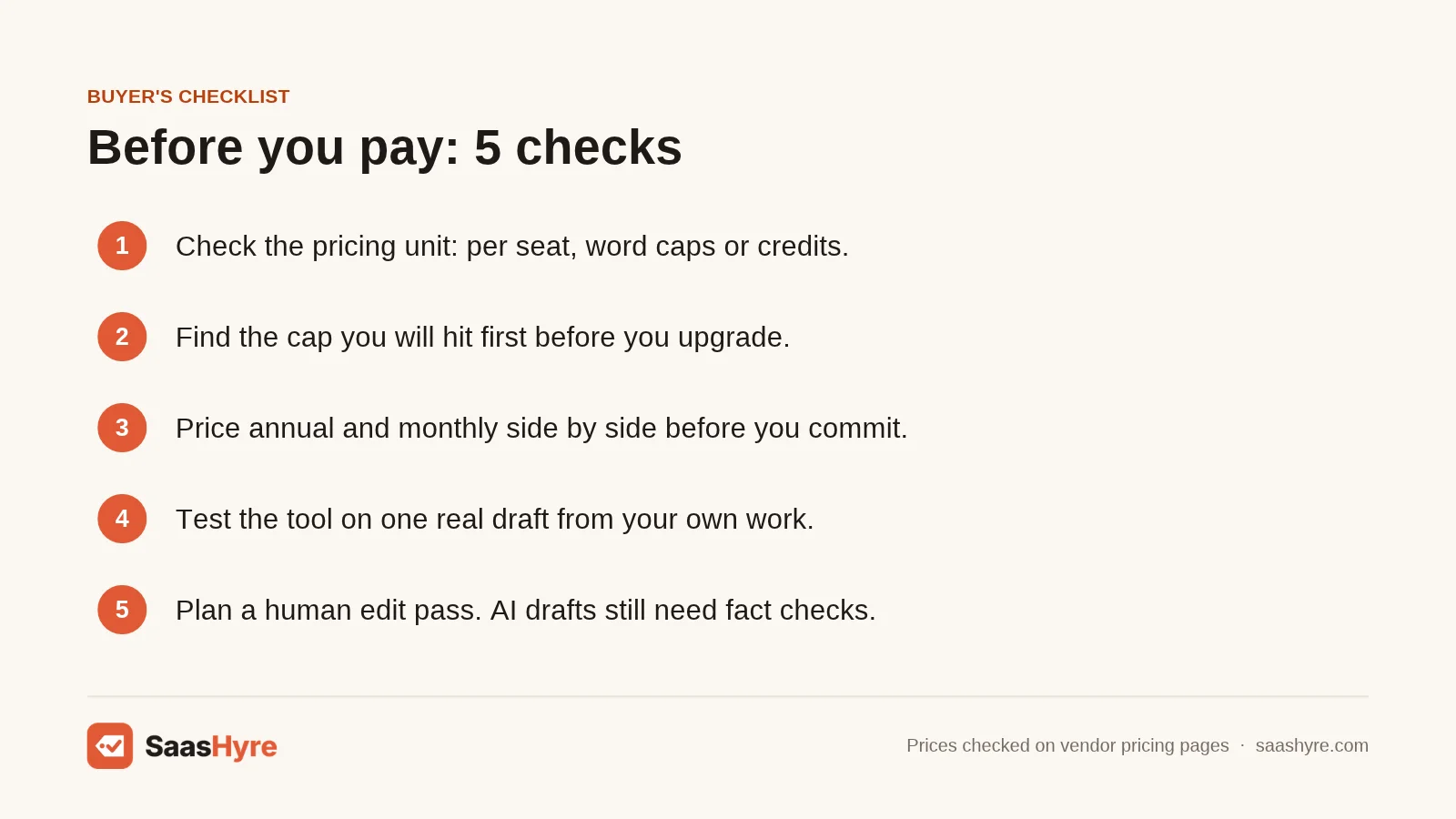
Choose an AI writing tool by matching five things to your work: the writing job, the pricing unit, your monthly volume, team needs, and where you write. Then test one real assignment on a free plan and price it at your true volume.
- Name the main job. For example, Sudowrite tracks characters across chapters, while Writesonic tracks rankings. If blogging is your focus, my guide to the best AI tools for blog writing goes deeper.
- Check the pricing unit. For example, Copy.ai’s $24 Chat plan covers five people, while Jasper’s $59 price covers one.
- Estimate your monthly volume. For example, 15 blog posts a month fits Writesonic Starter. At 60 posts, you would need Growth plus an add-on.
- Decide if you need shared brand rules. For example, Jasper Pro stores Brand Voices, so new writers start on-brand. A solo writer can use a saved ChatGPT prompt.
- Look at where you write. For example, Grammarly and QuillBot work in your browser and Word. Gemini fits people who already work in Google’s apps.
- Plan for human review. In Ahrefs’ 2026 survey of 301 marketers, 93% said they use AI to create content, but 66% trust it only after a human reviews it.
How We Researched This Guide
On November 1, 2026, I visited the official pricing page for all 10 tools and recorded plan names, prices, billing periods, seat counts, and usage limits. Missing prices are marked quote only or not published.
I also reviewed six of the top-ranking guides for this topic. Most listed starting prices only and skipped pricing units and real-volume costs. That gap shaped this guide. I ranked tools by fit for six writing jobs, price clarity, and the strength of each plan’s limits. I used independent sources from Pew Research Center, Ahrefs, and Google Search Central for adoption data and search guidance.
Some details could not be confirmed. ChatGPT’s Business price per user was not visible on the page I captured. QuillBot does not show its monthly Premium price on its main plan page. Sudowrite’s Professional plan showed two credit figures. Jasper does not publish its Business credit allowance.
We did not test these tools ourselves. No vendor pays to be listed or ranked. Read our editorial policy to learn how we pick and review tools.
Prices last checked: November 1, 2026.
The Bottom Line
For most people, ChatGPT is the best AI writing tool to start with. Claude is the better pick for long, structured drafts. Pair either one with Grammarly and you have a strong writing setup for about $30 a month.
Teams that need a shared brand voice should trial Jasper. Bloggers who want rankings and AI search data in one place should look at Writesonic. Fiction writers should try Sudowrite, and students on a budget should start with QuillBot.
Your next step is simple. Pick the one job you most need help with. Start the free plan or trial for the matching tool. Run a real assignment through it this week, then check the cost at your true volume before you upgrade. If you want AI help beyond writing, browse my full list of the best AI tools for business.
Frequently Asked Questions
What is the best AI tool for writing?
ChatGPT is the best AI tool for writing for most people. Its $20 Plus plan covers research, outlines, drafts, and rewrites. Claude is a close second for long-form work and costs $17 a month on annual billing. If you need brand voice for a team, Jasper is the stronger pick. If you only need editing, choose Grammarly.
Is there a free AI writing tool?
Yes. ChatGPT, Claude, Gemini, Grammarly, QuillBot, and Rytr all offer free plans. Each one has limits. Grammarly Free includes 100 AI prompts a month, QuillBot Free paraphrases up to 100 words at a time, and Rytr Free allows 10,000 characters a month. Jasper and Sudowrite offer free trials instead of free plans.
Does Google penalize AI-written content?
No, not by default. In its February 2023 guidance on AI-generated content, Google said appropriate use of AI or automation is not against its guidelines. Content made mainly to manipulate rankings breaks its spam policies. Focus on helpful, accurate, edited content, whatever tool you use to draft it.
Which AI writing tool is best for SEO blogs?
Writesonic is the best AI writing tool for SEO blogs on this list. It combines an AI article writer with site audits and tracking across ChatGPT, Gemini, and Google AI Overviews. Starter costs $79 a month billed annually for 15 articles. Budget writers can draft with ChatGPT or Claude and use a separate SEO tool.
What is the best AI for writing a book?
Sudowrite is the best AI for writing a book, especially fiction. It tracks characters and story details, matches your style, and keeps a series consistent. Plans start at $10 a month for 225,000 credits. Nonfiction authors may prefer Claude, which handles long, structured drafts well and costs $17 a month on annual billing.