
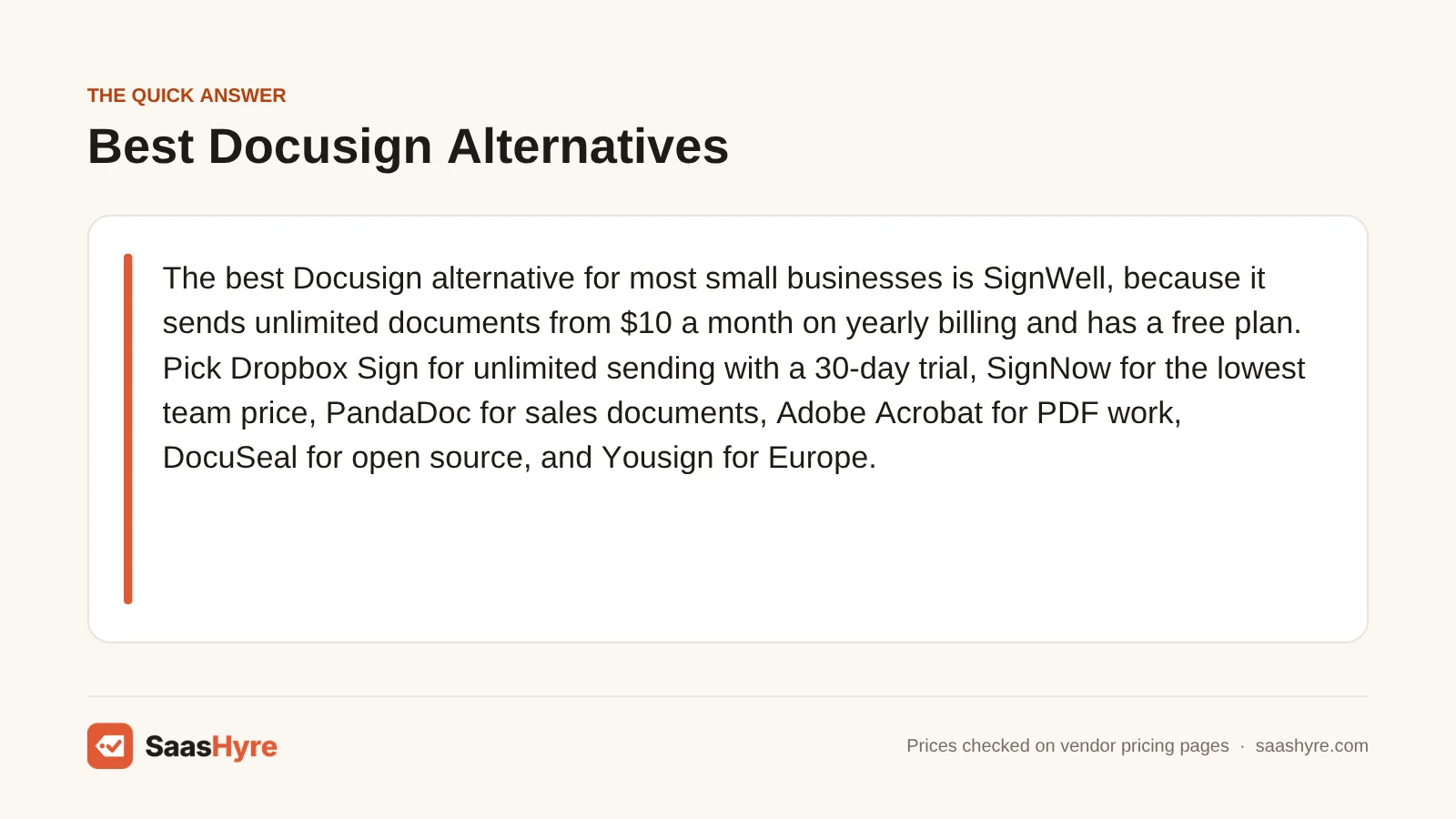
The best Docusign alternative for most small businesses is SignWell, because it sends unlimited documents from $10 a month on yearly billing and has a free plan. Pick Dropbox Sign for unlimited sending with a 30-day trial, SignNow for the lowest team price, PandaDoc for sales documents, Adobe Acrobat for PDF work, DocuSeal for open source, and Yousign for Europe.
Here is why so many people shop around. Docusign eSignature Standard costs $30 per user a month on a yearly plan. That plan lets each user send 100 envelopes a year. Several tools below cost less and let you send as many documents as you want. But each one fits a different kind of team, so the right pick depends on how you work.
I pulled every price below from each company’s own pricing page in October 2026. Prices change often, and some tools show local currency or tax at checkout. Check the final price before you pay.
Building a full stack? Our small business software guide shows the best pick for every job and what it costs.
Quick Comparison: 7 Docusign Alternatives at a Glance
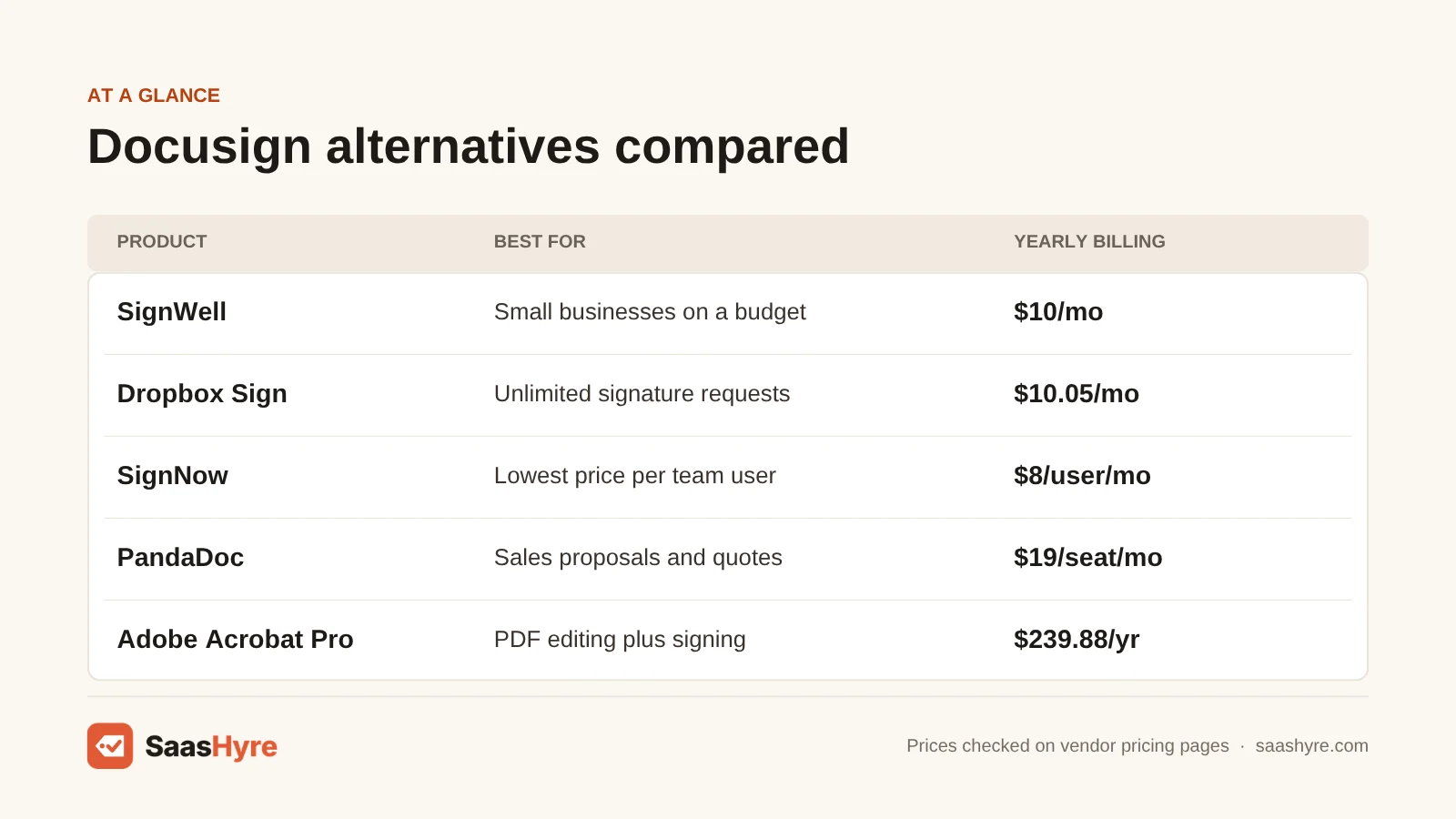
| Tool | Best for | Monthly billing | Yearly billing | Free plan or trial |
|---|---|---|---|---|
| Docusign eSignature Standard (baseline) | What you are replacing | Not shown in page text | $30/user/mo ($360/yr), 100 envelopes per user a year | Free trial, no card needed |
| SignWell | Best overall for small businesses | $12/mo | $10/mo ($120/yr) | Free plan, 3 documents a month |
| Dropbox Sign | Unlimited sending for one person | $15/mo | $10.05/mo ($120.60/yr) | 30-day free trial |
| SignNow | Lowest price per team user | $20/user/mo | $8/user/mo | 7-day free trial |
| PandaDoc | Sales proposals and quotes | $35/seat/mo | $19/seat/mo | Free plan, 5 documents a month, plus 14-day trial |
| Adobe Acrobat Pro | PDF editing plus signing | $29.99/mo | $239.88/yr prepaid | 7-day free trial |
| DocuSeal | Free open-source self-hosting | $20/user/mo (Pro) | No yearly plan listed | Free cloud plan, 10 request emails a month |
| Yousign (now Youtrust) | European businesses | Not clear on page | €108/yr (One), €276/user/yr (Plus) | Free plan, 2 requests a month, plus 14-day trial |
Why People Look for a Docusign Alternative
Most people switch because of price and envelope limits. Docusign Standard costs $30 per user a month on a yearly plan, and each user gets 100 envelopes a year. Personal is $11 a month but only sends 5 envelopes a month. Many rivals charge less and let you send as many documents as you want.
Docusign is still the best-known name in e-signatures. Its plans include reusable templates, more than 1,000 integrations and an AI summary of your agreements. Business Pro, at $45 per user a month on a yearly plan, adds web forms and payment collection. Docusign also offers a 30-day refund on yearly plans you buy on its website.
The catch is the envelope count. An envelope is one package of documents you send out for signing. If you send more than your plan allows, you have to move up a plan or talk to sales. If you only need to sign things other people send you, Docusign’s free account covers that. You only pay when you want to send.
What Makes the Best Docusign Alternative?
The best Docusign alternative gives you legally binding signatures, a full audit trail and enough sends for your volume at a fair price. Check five things. How many documents can you send? What does it cost on monthly and yearly billing? How many users are included? Does it work with your other apps? And can you try it free first?
We compared each tool on those five points using the vendor’s own pricing pages and help docs. We also read the top-ranking reviews to see what they missed. Many lists skip send limits. For example, few mention that SignNow also caps invites at 100 per user a year. We call out gaps like that below so you are not surprised later.
Best Overall Docusign Alternative
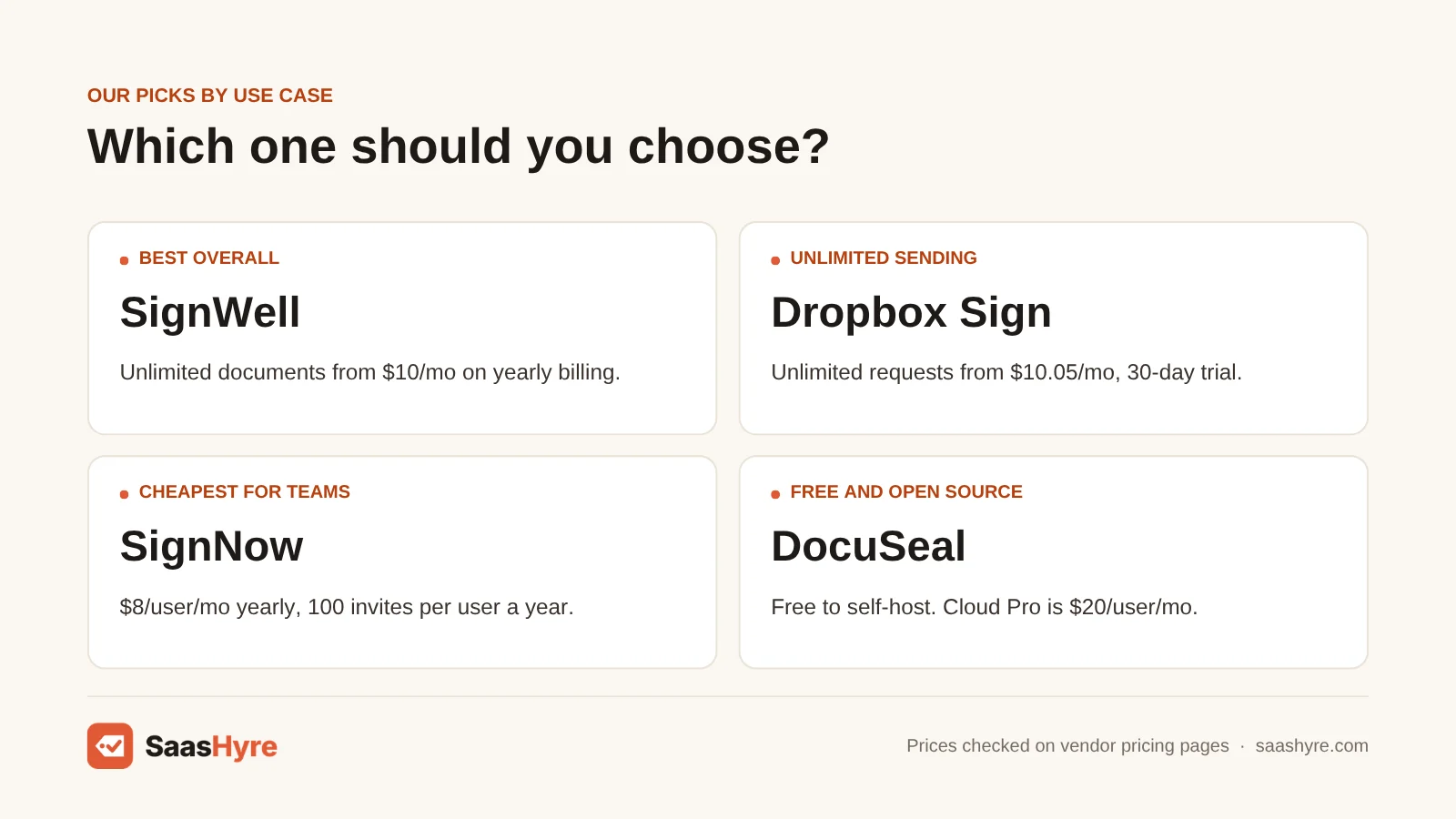
SignWell is the best overall Docusign alternative for small businesses. Its Light plan sends unlimited documents for $10 a month on yearly billing, or $12 a month billed monthly. The free plan sends 3 documents a month, and every plan includes an audit trail and API access.
1 SignWell: Best for small businesses on a budget
If you want simple, low-cost signing without an envelope count, start here.
What it does well. SignWell keeps things simple. You upload a document, add fields and send it. Paid plans have no cap on documents. The free plan already includes an audit trail, tamper-proof documents, template links and bulk send, which is a lot for $0.
Key features:
- Unlimited documents on paid plans
- Audit trail and tamper-proof documents
- API included on every plan
- Bulk send and template links
- Conditional fields and data checks on Business
Pricing. The free plan gives one sender 3 documents a month. Light costs $10 a month on yearly billing or $12 a month billed monthly. It covers 1 sender and 5 templates per sender. Extra senders cost $10 a month yearly or $12 monthly. Business costs $30 a month yearly or $36 monthly, with 3 senders and unlimited templates. Extra Business senders cost $12 a month yearly or $15 monthly. Enterprise has custom pricing for teams of 50 or more. SignWell says you save 20% on a yearly plan. See SignWell pricing.
Best for: You, if you run a small business or work alone and want unlimited sends for a low, flat price.
Limitations. Light only allows 5 templates per sender. The free plan’s 3 documents a month runs out fast. We found no free trial or refund terms on the pricing page, so use the free plan to test it.
Best Docusign Alternative for Unlimited Sending
Dropbox Sign is the best pick if you want unlimited signature requests from a big brand. Essentials costs $10.05 a month on yearly billing, or $15 billed monthly, for one user. Standard for teams costs $17.50 per user a month yearly. Both come with a 30-day free trial.
2 Dropbox Sign: Best for unlimited signature requests
If you want to send as much as you like and never count envelopes, Dropbox Sign makes that easy.
What it does well. Every paid plan includes unlimited signature requests. Signed files get a digital seal so nobody can change them later. Each document also gets an audit trail with time stamps. The people you send to never pay anything.
Key features:
- Unlimited signature requests
- Tamper-proof documents and audit trails
- Reusable templates
- Works with Google Drive, Microsoft Word and HubSpot
- Branding, bulk send and reports on Standard
Pricing. Essentials is for one user. It costs $15 a month billed monthly or $10.05 a month billed yearly ($120.60 a year), with 5 templates. Standard is for 2 or more users. It costs $25 per user a month billed monthly or $17.50 per user a month billed yearly. Yearly plans start at $420, and you get 15 templates. For 5 or more users, Dropbox asks you to contact sales. Premium is priced by quote. Both self-serve plans have a 30-day free trial. A free plan exists for basic signing, but its limits are not listed on the pricing page. See Dropbox Sign pricing.
Best for: You, if you send a lot of contracts and want a known brand with no send limits.
Limitations. Salesforce and other bigger integrations need Standard or higher. Essentials only allows 5 templates. Plans renew on their own, and we found no refund promise on the pricing page.
Best Cheap Docusign Alternative for Teams
SignNow is the cheapest team option here. Business costs $8 per user a month on yearly billing, or $20 billed monthly. But like Docusign, it caps each user at 100 signature invites a year, so it fits teams with steady, modest volume. You get a 7-day free trial with no card.
3 SignNow: Best for low cost per user
If you need to put a whole team on e-signatures for the lowest seat price, SignNow is hard to beat.
What it does well. SignNow gives you team sharing, templates, custom branding and mobile apps at a low per-user price. The free trial opens up Enterprise features for 7 days, and anything you build during the trial is saved.
Key features:
- Templates and team document sharing
- Custom branding and advanced fields
- iOS and Android apps
- PDF editing
- Pay-per-invite Site License option
Pricing. Business is $8 per user a month billed yearly or $20 billed monthly. Business Premium is $15 yearly or $30 monthly. Enterprise is $30 yearly or $50 monthly. Each plan includes 100 signature invites per user a year, or a monthly allowance of 10 per user. Unused invites do not roll over. Extra invites cost $0.96 on Business, $1.80 on Business Premium and $3.60 on Enterprise. The Site License charges $1.50 per invite. The trial lasts 7 days with no credit card. See SignNow pricing.
Best for: You, if you want the lowest price per user and each person sends fewer than 100 documents a year.
Limitations. The invite cap is the same as Docusign Standard’s envelope cap. Monthly billing costs more than twice the yearly price. Its full price table did not load in plain text for us, so we used SignNow’s own plans page and help center.
Best Docusign Alternative for Sales Documents
PandaDoc is the best pick if you send proposals, quotes and sales contracts, not just PDFs to sign. Starter costs $19 per seat a month on yearly billing, or $35 billed monthly, with unlimited documents. A free plan sends 5 documents a month, and the trial lasts 14 days with no card.
4 PandaDoc: Best for proposals and quotes
If your team builds the document and then gets it signed, PandaDoc does both in one place.
What it does well. PandaDoc has a drag-and-drop editor for rich documents. You can add pricing tables, video and images, then track when someone opens the file. Business adds custom quotes, CRM integrations, a content library, deal rooms and approval steps.
Key features:
- Drag-and-drop document editor
- Real-time tracking and alerts
- CRM integrations on Business
- Approval workflows and deal rooms
- 24/7 email and chat support
Pricing. The free plan allows 5 documents a month. Starter costs $19 per seat a month billed yearly, or $35 billed monthly, with unlimited uploads and signatures. Business costs $49 per seat a month yearly, or $65 monthly. Enterprise has custom pricing. PandaDoc says you save up to 46% on yearly billing. The 14-day trial needs no credit card. See PandaDoc pricing.
Best for: You, if you run a sales team that writes proposals and quotes and wants them signed fast.
Limitations. Starter only includes up to 5 templates, per PandaDoc’s help center. CRM links need Business at $49 a seat. If you only need to sign ready-made PDFs, it is more tool than you need.
Best Docusign Alternative for PDF-Heavy Work
Adobe Acrobat Pro is the best pick if you already edit PDFs all day and also need to collect signatures. Pro costs $19.99 a month on a yearly plan, $239.88 prepaid, or $29.99 month to month. You get a 7-day free trial and 14 more days to cancel for a full refund.
5 Adobe Acrobat Pro: Best for PDF editing plus signing
If PDFs are a big part of your job, one Acrobat plan can replace both your PDF editor and Docusign.
What it does well. Acrobat is the standard PDF tool. You can edit, convert, fill and sign PDFs, and send them to others for signing from the same app. Teams plans let admins manage licenses.
Key features:
- Full PDF editing and conversion
- Send documents for e-signature
- Standard and Pro plans
- Teams plans with license management
Pricing. For one person, Acrobat Standard is $14.99 a month on a yearly plan billed monthly, $179.88 prepaid, or $24.99 month to month. Acrobat Pro is $19.99 a month yearly, $239.88 prepaid, or $29.99 month to month. For teams, Standard is $16.99 per license a month ($203.88 a year) and Pro is $23.99 per license a month ($287.88 a year). Pro has a 7-day free trial, and Adobe gives you 14 more days to cancel for a full refund. See Adobe Acrobat pricing.
Best for: You, if you already pay for or need a full PDF editor and send a moderate number of contracts.
Limitations. If you cancel a yearly plan after 14 days, Adobe charges a fee of up to half of what is left. The pricing page does not say how many signature requests you can send. Check Adobe’s limits before you rely on it for high volume.
Best Free and Open-Source Docusign Alternative
DocuSeal is the best pick if you want free, open-source e-signatures you can host yourself. The self-hosted version is free. The free cloud plan sends 10 request emails a month. Pro costs $20 per user a month for unlimited requests, branding and payments.
6 DocuSeal: Best for self-hosting and developers
If you want full control of your data or plan to build signing into your own app, look at DocuSeal.
What it does well. DocuSeal’s core is open source. You can run it on your own server for free and keep every document in-house. The cloud version gives you legally binding signatures, user management, multiple signers and long-term document storage.
Key features:
- Free open-source self-hosted version
- Unlimited signature requests on Pro
- Your logo and your own email address on Pro
- Payment collection and automated reminders
- Signing API at $0.20 per completion
Pricing. The open-source version is free. The cloud Basic plan is $0 with 10 request emails a month. Pro is $20 per user a month in the cloud or on your own server, and the on-premises Pro adds white-labeling. The API and embedded signing cost $0.20 per completion. ID checks cost $2 each, and EU qualified signatures cost $2 to $4 each. We saw no yearly plan, trial or refund terms on the pricing page. See DocuSeal pricing.
Best for: You, if you have tech skills and want to self-host, or you build software that needs signing.
Limitations. Self-hosting means you handle updates, backups and email setup. The free cloud plan’s 10 emails a month is small. Pro at $20 a user costs more than SignWell or SignNow on yearly billing.
Best Docusign Alternative for European Businesses
Yousign, now sold under the Youtrust name, is the best pick for European teams. The One plan costs €108 a year for 10 requests a month. Plus costs €276 per user a year for unlimited signatures and SMS checks. There is a free plan with 2 requests a month and a 14-day trial.
7 Yousign: Best for European businesses
If your business is in Europe and you pay in euros, Yousign is worth a look.
What it does well. Yousign is an e-signature tool whose pricing page now appears under the new Youtrust brand. Plans are priced in euros, and Plus adds SMS checks to confirm who is signing. Pro adds bulk signatures and automated forms.
Key features:
- Unlimited signatures on Plus and Pro
- SMS signer checks
- Templates and workspaces
- Zapier integration
- Bulk signatures and forms on Pro
Pricing. The free plan gives 1 user 2 signature requests a month, and signing your own files is unlimited. On yearly billing, One costs €108 a year for 10 requests a month. Plus costs €276 per user a year. Pro costs €456 per user a year. The page lists the full yearly prices before discount as €132, €360 and €576. All prices exclude VAT. The monthly-billing price was not clear on the page, so check it at checkout. There is a 14-day free trial. See Yousign pricing.
Best for: You, if you run a European business and want euro pricing with unlimited signatures.
Limitations. Prices are in euros and exclude VAT, so US buyers pay in a foreign currency. The One plan’s 10 requests a month is tight. The switch to the Youtrust name may cause some confusion while it settles.
Tools We Left Out, and Why
You will see these on other lists. Here is why they are not in our top 7.
- Zoho Sign. Its free plan sends 5 envelopes a month and it has a 14-day trial. But its paid prices load by script, and we could not read the dollar amounts on Zoho’s own page. We only list prices we can confirm.
- BoldSign. We could not read its price table on the official pricing page, so we left it out for now.
- Juro. Juro is a full contract management platform with custom pricing, not a plain signing tool. If you need that, see our guide to AI contract management software.
What 5 Users Pay in a Year
For a team of five on yearly billing, Docusign Standard costs $1,800 a year with 500 envelopes in total. SignNow Business costs $480 with the same 500-invite limit. SignWell Business costs $648 and Dropbox Sign Standard costs $1,050, both with unlimited sending. PandaDoc Starter costs $1,140.
This math uses each tool’s yearly price for five users. It leaves out taxes, discounts and promo prices. SignWell Business includes 3 senders, so we added 2 extra senders at $12 a month each.
| Tool and plan | Yearly price per user | 5 users for a year | Send limit |
|---|---|---|---|
| Docusign Standard | $360 | $1,800 | 100 envelopes per user a year |
| SignNow Business | $96 ($8/mo) | $480 | 100 invites per user a year |
| SignWell Business | $360 for 3 senders, $144 per extra sender | $648 | Unlimited |
| Dropbox Sign Standard | $210 ($17.50/mo) | $1,050 | Unlimited |
| PandaDoc Starter | $228 ($19/mo) | $1,140 | Unlimited |
| DocuSeal Pro (monthly only) | $240 ($20/mo) | $1,200 | Unlimited |
| Adobe Acrobat Pro for teams | $287.88 | $1,439.40 | Not stated on pricing page |
Monthly billing makes the gap bigger. Five SignNow Business users on monthly billing pay $1,200 a year. Five PandaDoc Starter seats on monthly billing pay $2,100. Dropbox Sign Standard asks teams of 5 or more to contact sales, so your quote may differ.
How to Choose a Docusign Alternative
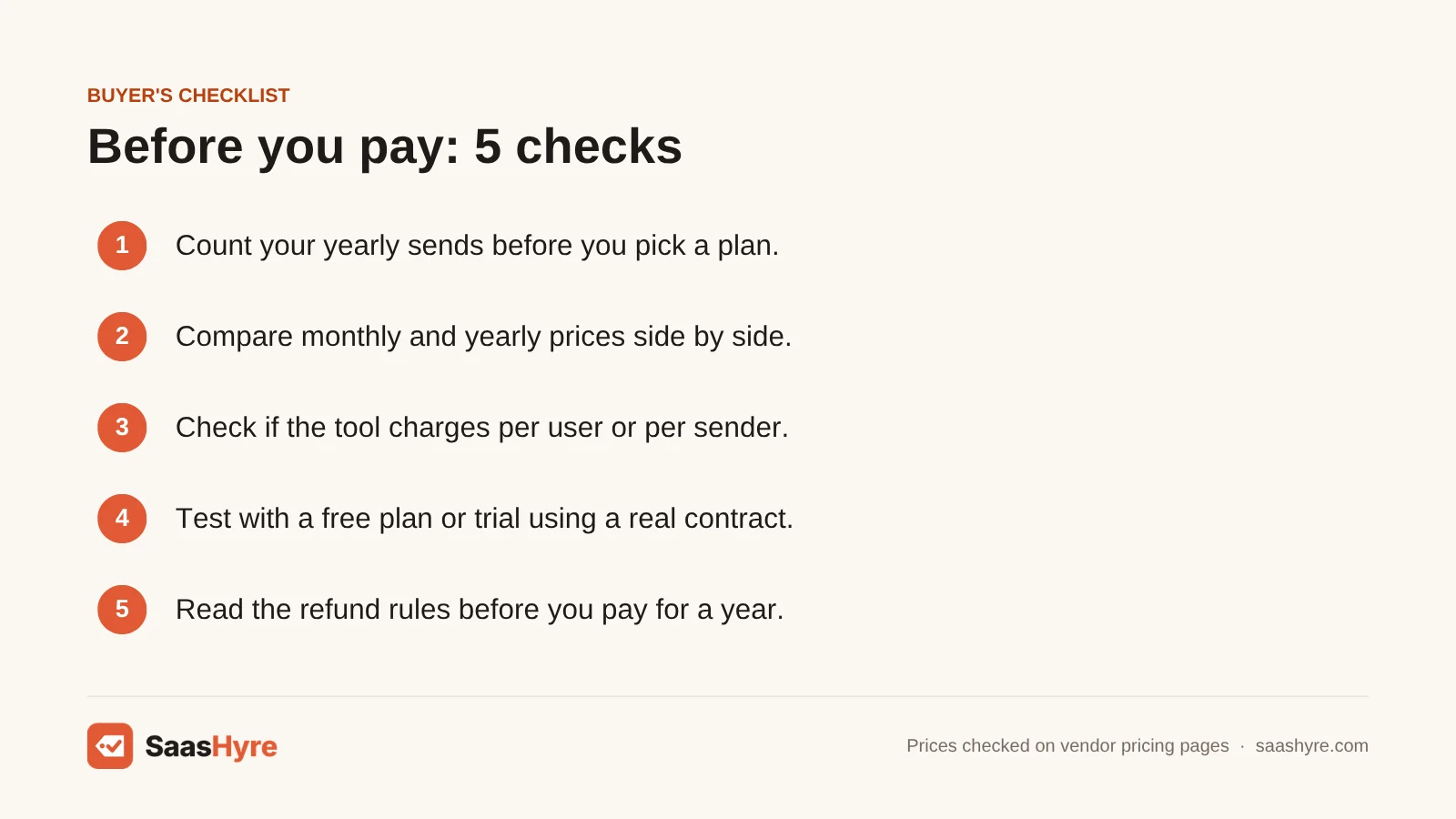
- Count your sends first. Add up how many documents you send in a year. If each person sends more than 100, skip plans with caps like Docusign Standard or SignNow.
- Compare monthly and yearly prices. Yearly billing saves a lot. SignNow Business is $8 a month yearly but $20 monthly. Only pay yearly once you know the tool fits.
- Check how users are counted. Some tools charge per user, some per sender and some include a few seats. SignWell Business includes 3 senders before extra seats kick in.
- Test with a free plan or trial. Trials range from 7 days at SignNow to 30 days at Dropbox Sign. Send a real contract before you commit.
- Look at refund rules. Docusign offers 30 days on yearly plans. Adobe gives 14 days, then charges a fee on yearly plans.
- Match your other tools. Pick PandaDoc if you need a CRM link, Acrobat if you edit PDFs, and DocuSeal if you want an API or self-hosting.
How We Evaluated These Tools
We compared each tool using its own pricing page, feature pages and help docs, checked in October 2026. We also read the top-ranking reviews of Docusign alternatives to find stale prices and missing details. We looked at monthly and yearly prices, send limits, user counts, free plans, trials and refund terms. We did not run our own signing tests, and feature claims come from the vendors. No vendor pays to be listed. Read our editorial policy to learn more.
Keep comparing: SaaS guides · AI Contract Management Software · Best AI CRM Software
The Bottom Line
If you want one simple swap for Docusign, get SignWell. It sends unlimited documents from $10 a month on yearly billing and has a free plan to test. If you want a big brand with no send limits, pick Dropbox Sign. For the lowest team price, pick SignNow, but watch its 100-invite cap. Use PandaDoc for sales proposals and Acrobat Pro if you work in PDFs all day. Pick DocuSeal if you want open source, and Yousign if you work in Europe.
Frequently Asked Questions
What is the best free alternative to Docusign?
For most people, SignWell’s free plan is the best start. It sends 3 documents a month and includes an audit trail and bulk send. PandaDoc’s free plan sends 5 documents a month. If you can host software yourself, DocuSeal’s open-source version is free with no send cap.
Is there anything cheaper than Docusign?
Yes. SignNow Business costs $8 per user a month on yearly billing, compared with $30 for Docusign Standard. SignWell Light costs $10 a month yearly, and Dropbox Sign Essentials costs $10.05 a month yearly. Both of those let you send unlimited documents.
How much does Docusign cost per month?
On yearly plans, Docusign eSignature Personal costs $11 a month ($132 a year). Standard costs $30 per user a month ($360 a year). Business Pro costs $45 per user a month ($540 a year). Docusign says yearly billing saves up to 33% compared with monthly billing.
How many envelopes can I send with Docusign?
Docusign Personal lets you send 5 envelopes a month. Standard and Business Pro each allow 100 envelopes per user a year. Enhanced plans have custom limits. An envelope is one package of documents you send out for signing.
Are e-signatures from Docusign alternatives legally binding?
The tools on this list sell legally binding e-signatures and keep an audit trail of who signed and when. That record is what backs up a signature if someone questions it. Rules differ by country and document type, so check with a lawyer for wills, court papers or other special cases.
Is Dropbox Sign cheaper than Docusign?
Yes, for most users. Dropbox Sign Essentials costs $10.05 a month on yearly billing, and Standard costs $17.50 per user a month. Both include unlimited signature requests. Docusign Standard costs $30 per user a month and caps sends at 100 envelopes per user a year.
Can I sign a document on Docusign for free?
Yes. Docusign’s free account lets you upload and sign a document and send it back. Signing documents someone sends you is always free. You need a paid plan or the free trial if you want to send documents to others for signature.
Does Google have an alternative to Docusign?
Yes, in part. Google has a built-in eSignature feature in Docs and Drive for some Google Workspace plans. It covers basic signing. Want templates, bulk send and a full audit trail? Dropbox Sign works with Google Drive and gives you more.