
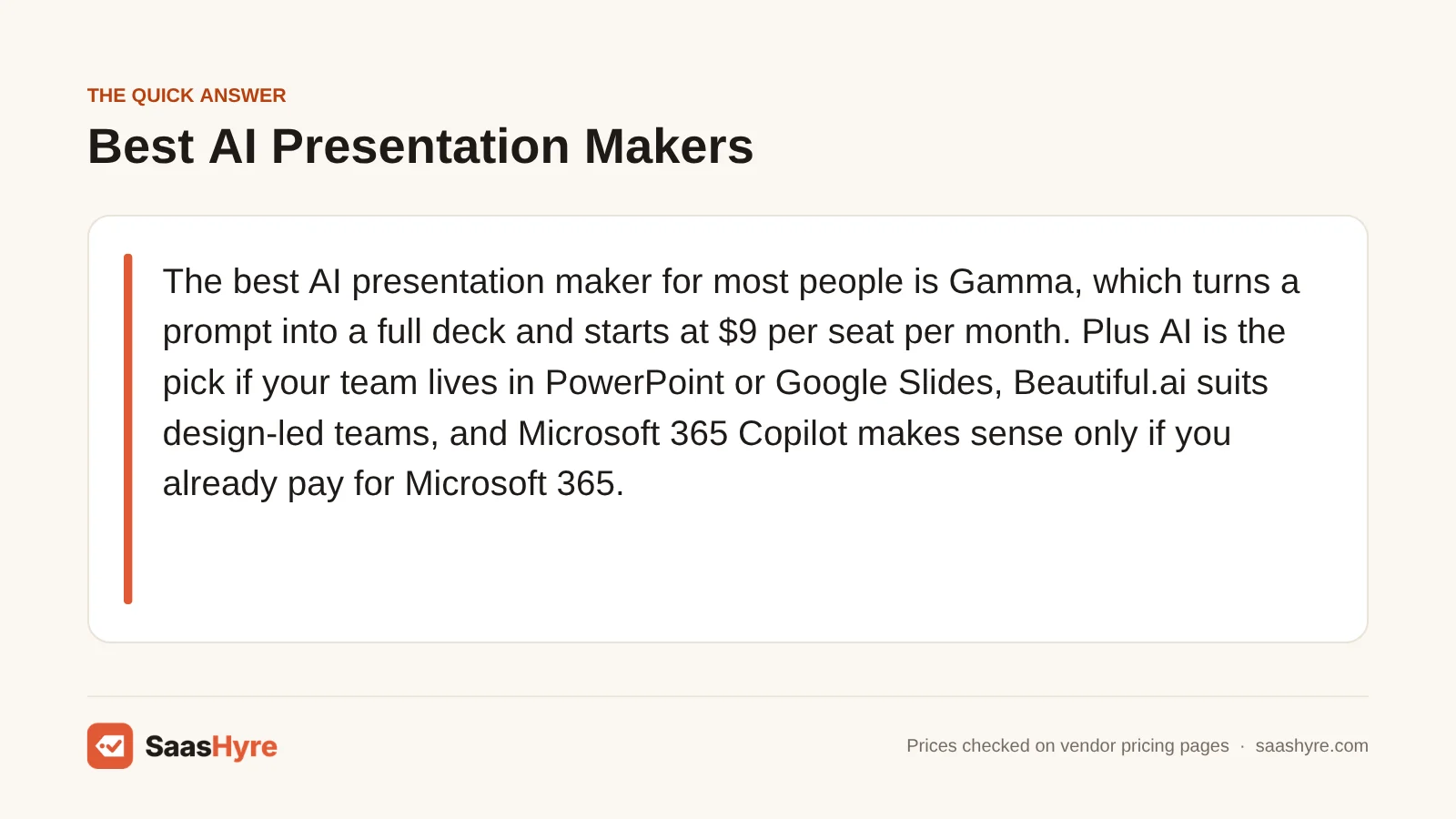
For most people, Gamma is the best AI presentation maker. It turns a prompt into a full deck and starts at $9 per seat per month. Pick Plus AI if your team works all day in PowerPoint or Google Slides. Beautiful.ai suits design-led teams. Microsoft 365 Copilot only makes sense if you already pay for Microsoft 365.
Here is my advice. The sticker price is rarely what hurts. The real cost shows up in three places. Can the free plan export an editable PowerPoint file? Do your exports carry the vendor’s branding? And how many AI credits does one deck use up? A tool that looks cheap can stop working halfway through month one when the credits run out.
I took every price below from each vendor’s own pricing page in September 2026. Prices change often with these tools, so check at checkout before you commit.
Want the full map first? Our guide to the best AI tools covers every category with real prices.
Quick Comparison: AI Presentation Makers at a Glance
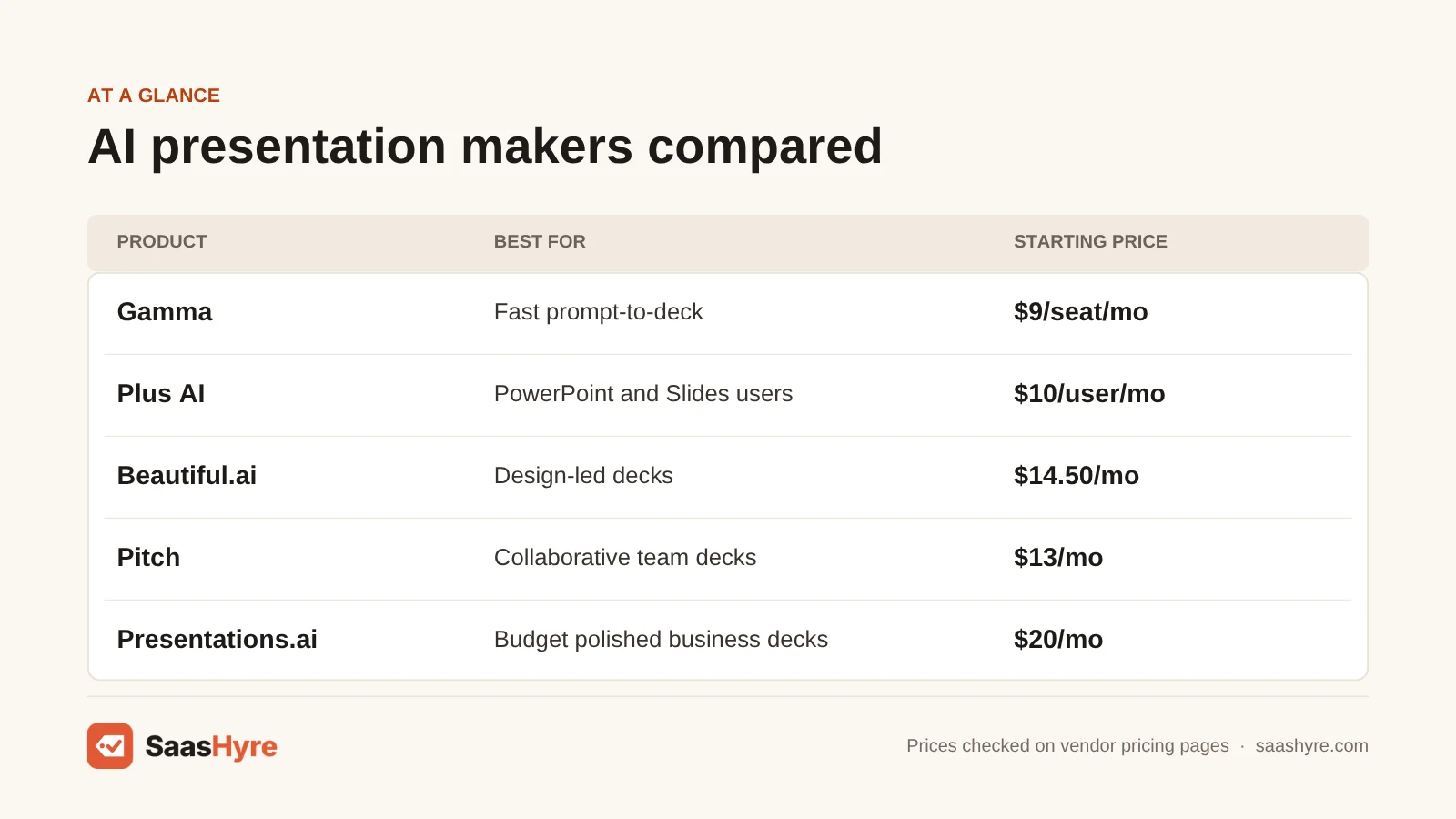
| Tool | Best for | Starting price | Billing model | Free option |
|---|---|---|---|---|
| Gamma | Fast prompt-to-deck | $9/seat/mo (Plus, annual) | Per seat, monthly credits | Free plan, 400 one-time credits |
| Plus AI | PowerPoint and Google Slides users | $10/user/mo (Basic, annual) | Per user, monthly credits | 7-day trial, card required |
| Beautiful.ai | Design-led decks | $14.50/mo (Pro, annual) | Per user, unlimited AI | 14-day trial, card required |
| Pitch | Collaborative team decks | $13/mo (Plus, annual) | Per seat, shared credits | Free plan, 100 one-time credits |
| Presentations.ai | Polished business decks on a budget | $20/mo (Pro, billed $240/yr) | Annual credit pool | Free plan, 100 credits |
| Canva | Slides plus other design work | US$144/yr (Pro, one person) | Per person, monthly AI allowance | Free plan, up to 20 AI uses |
| Microsoft 365 Copilot | Teams already on Microsoft 365 | $18/user/mo add-on (promo, annual) | Per user, needs base license | Free Copilot Chat only |
| Gemini in Google Slides | Teams already on Google Workspace | $14/user/mo (Business Standard) | Per user, bundled | 14-day Workspace trial |
What You’re Actually Buying With an AI Slide Generator
An AI presentation maker writes an outline from your prompt or document. It fills slides with text and images and applies a layout and theme. So you edit a draft instead of a blank file. You pay for how much it can generate, the design engine and the right to take the file elsewhere.
That last part matters most. Gamma, Pitch, Beautiful.ai and Presentations.ai build decks in their own editors. Then they convert to PowerPoint when you export. Plus AI, Copilot and Gemini work inside PowerPoint or Google Slides, so there is no conversion step. Does someone expect an editable .pptx file from you? Then that difference decides your shortlist. For more tools we cover, see our AI tools hub.
You also want a vendor that will stick around. Tome shut down its presentation product in April 2025 (Deckary). Gamma, on the other hand, reported passing $100 million in annual recurring revenue and 70 million users in November 2025 (Business Wire).
What a Team Making 10 Decks a Month Really Pays
If you are a three-person team making about 10 decks a month, you will pay roughly $27 to $120 a month on annual billing. It depends on the tool. The cheapest paid seats (Gamma Plus, Plus AI Basic) cover that much work. Pricier plans get you teamwork features, brand controls or unlimited AI, not more decks.
Here is the setup. Three people each make three or four decks a month. Some decks go to clients as editable PowerPoint files. All numbers use annual billing. With every vendor here that offers both options, yearly billing saves at least 16%.
| Tool and plan | 3 seats per month | Per year | AI allowance | Exports and branding |
|---|---|---|---|---|
| Gamma Plus | $27 | $324 | 1,000 credits per seat per month, roll over up to 2x | PDF, PPTX, Google Slides; Gamma branding removed |
| Plus AI Basic | $30 | $360 | 1,500 credits per user per month; vendor says tasks use 40 to 170 credits | Native PowerPoint and Google Slides files |
| Google Workspace Business Standard (Gemini) | $42 | $504 | Bundled with Workspace | Native Google Slides; includes Gmail, Drive and Docs |
| Gamma Pro | $54 | $648 | 4,000 credits per seat per month | Adds custom branding, analytics and API |
| Pitch Team | $57 | $684 | 500 credits per month, shared across the team | Unbranded PDF and PowerPoint exports |
| Canva Business | $62.50 | $750 | Up to 400 Premium AI uses per person per month (vendor estimate) | Pro-level exports plus team brand kits |
| Microsoft 365 Copilot Business add-on | $54 (promo) / $63 | $648 / $756 | Copilot across Office apps | Native PowerPoint; base Microsoft 365 license billed separately |
| Beautiful.ai Team | $40 to $120 | $480 to $1,440 | Unlimited AI generation | Editable PowerPoint and PDF export |
Three things stand out. First, 10 decks a month is light use. Plus AI says a task uses 40 to 170 credits. So even the Basic plan’s 1,500 monthly credits per user covers several full decks plus edits. Second, Pitch’s Team plan shares just 500 credits across everyone. A busy team can use them up. Third, Beautiful.ai’s pricing page contradicts itself. The Team card says $40 a month includes three users. The FAQ on the same page says $40 per user. For a three-person team, that is a $960 a year gap. So get the number in writing before you pay.
Gamma, Pitch and Presentations.ai don’t publish a fixed credit cost per deck. So make a typical deck during the free tier and watch the counter.
What Makes the Best AI Presentation Software?
The best AI presentation software gives you a deck you can really use, at a price that holds after the trial. Judge five things. How well does it export to PowerPoint and Google Slides? Do AI credits refill? What are the trial terms and auto-charges? What do seats cost for your real team? Do free plans stamp branding on your slides?
We compared plan prices, AI credit limits, export formats, branding rules and trial terms. Then we priced a three-person team making about 10 decks a month. My tip: make one real deck on the free tier. Open the export in PowerPoint and Google Slides. Price the renewal, not the promotion. And multiply every per-seat price by your real headcount.
Best AI Presentation Makers for Fast Standalone Decks
Want a finished-looking deck from a one-line prompt, and don’t mind learning a new editor? Gamma and Presentations.ai are your strongest picks. Gamma has the better free plan and export options. Presentations.ai costs more per seat, but it bundles a large yearly pool of credits.
1 Gamma: Best for fast prompt-to-deck
Gamma is the fastest way to go from a one-line idea to a deck you can share.
What it does well. The free plan is very generous on exports. PDF, PPTX, PNG and Google Slides are all included. On paid plans, unused credits roll over up to twice the monthly amount. It works best when you present from a link.
Key features:
- Up to 100 slides per prompt on Plus
- Exports to PDF, PPTX, PNG and Google Slides on every plan
- Custom branding, analytics and API access on the Pro plan
- Unused credits roll over on paid plans
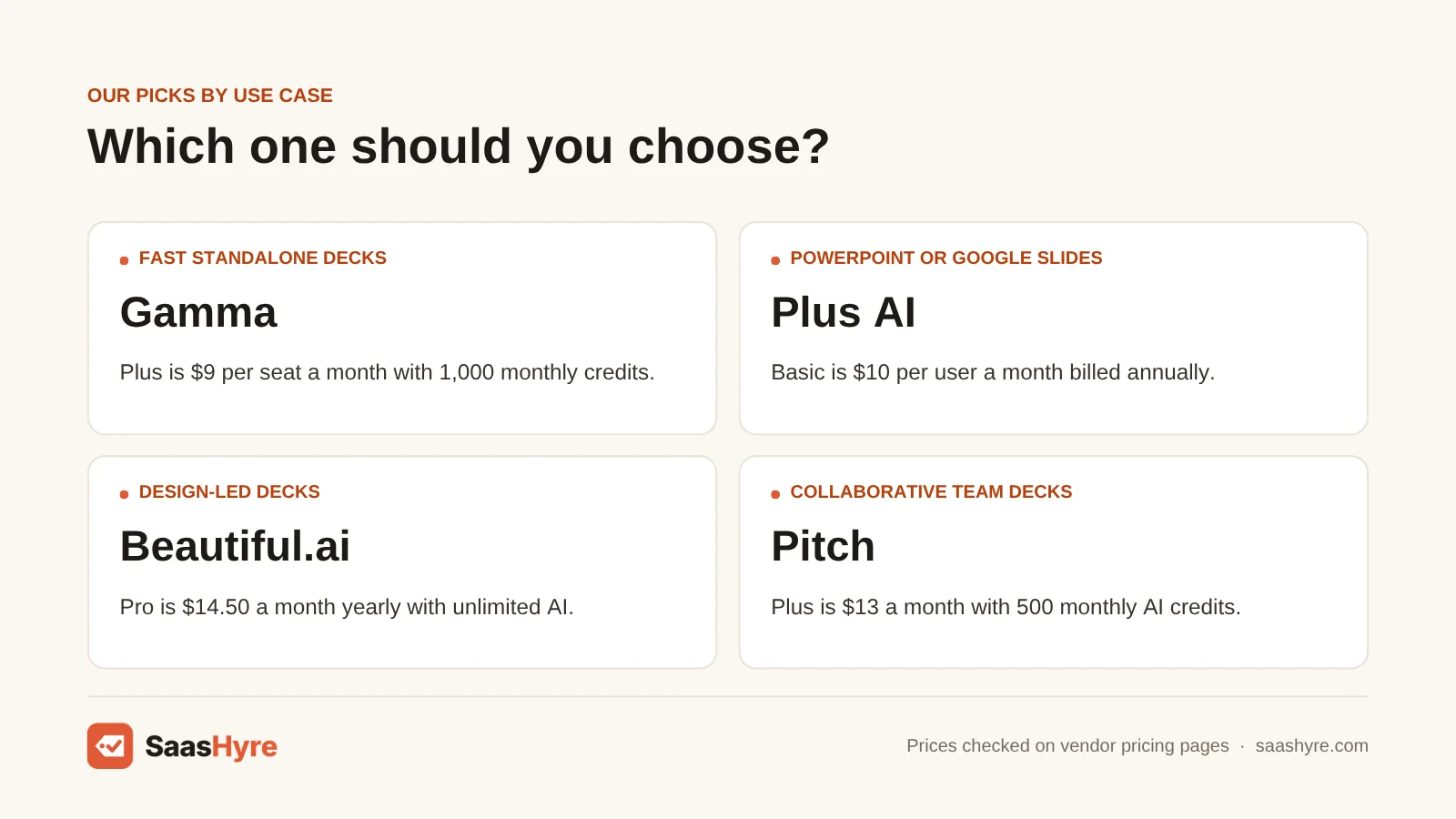
Pricing. Free gives you 400 credits at signup. They never refill, and each prompt is capped at 10 slides. Plus costs $9 per seat per month ($108 a year). It gives you 1,000 monthly credits and removes Gamma branding. Pro is $18 ($216 a year) with 4,000 credits. Ultra is $90 ($1,080 a year) with 20,000 credits. See Gamma pricing.
Best for: You, if you want the fastest way from idea to shareable deck and you mostly present from a link.
Limitations. The “Made with Gamma” badge only goes away on Plus. Gamma’s help center warns that exports match Present Mode, not the editor. Google Slides swaps in its own fonts when you upload a Gamma PPTX. So plan time to fix up exported files. Skip it if every deck must be a pixel-perfect, fully editable PowerPoint file.
2 Presentations.ai: Best for polished business decks on a budget
Presentations.ai turns prompts into polished business layouts. It comes with a large yearly pool of credits.
What it does well. Its comparison table shows PowerPoint and PDF export and unbranded public links on every plan. That includes the free Starter plan. Pro adds brand customization and what it calls high-quality PowerPoint export.
Key features:
- PowerPoint and PDF export on every plan
- Unbranded public links on every plan
- Brand customization on Pro
- Frontier AI models on Gold
Pricing. The free Starter plan has 100 credits and decks of up to 20 slides. Pro is $20 a month billed annually ($240), with 5,000 credits per billing cycle. Gold is $50 a month billed annually ($600), with 25,000 credits. The credits are one yearly pool, not a monthly refill. See Presentations.ai pricing.
Best for: You, if you are a solo consultant or founder who wants polished business layouts and a big yearly allowance.
Limitations. Plans are sold per person. The page lists guest limits, not team seats. So it is a weak fit if you need a team workspace. It costs more per seat than Gamma.
Best AI Tools If You Stay in PowerPoint or Google Slides
If your team must deliver native PowerPoint or Google Slides files, Plus AI is the best add-on. It starts at $10 per user per month. Microsoft 365 Copilot and Gemini only make sense if you already pay for that suite. Their value comes bundled with email, documents and storage.
3 Plus AI: Best for PowerPoint and Google Slides users
Plus AI is an add-on that builds slides right inside PowerPoint and Google Slides.
What it does well. It works inside PowerPoint and Google Slides. So there is no export step to break your formatting. The vendor says tasks usually use 40 to 170 credits.
Key features:
- Works inside PowerPoint and Google Slides
- Document uploads and AI images on the Pro plan
- Custom branding on Team
- Unlimited credits on Max
Pricing. Basic is $10 per user per month billed annually ($15 monthly), with 1,500 credits. Pro is $20 ($25 monthly) with 3,000 credits. Team is $30 ($40 monthly) with 6,000 credits. Max is $200 ($240 monthly). See Plus AI pricing.
Best for: You, if your clients or company require editable .pptx or Google Slides files.
Limitations. The trial lasts 7 days and gives you 1,000 credits. It needs a card, and you are charged on your own when the trial ends. If you used the old free plan, you can’t start a new trial. It won’t make your decks look different from standard slide templates.
4 Microsoft 365 Copilot: Best for teams already on Microsoft 365
Copilot adds AI inside PowerPoint. It is for companies that already run Microsoft 365.
What it does well. Copilot works inside PowerPoint itself. So your templates and fonts stay put, and there is no export step. It also brings AI to Word, Excel and Outlook.
Key features:
- Works inside PowerPoint
- Keeps your templates and fonts
- AI across Word, Excel and Outlook
- Comes bundled with Business Standard and Business Premium
Pricing. The Copilot Business add-on is $18 per user per month, paid yearly. That is down from $21, as a promotion from July 1 to December 31, 2026. You also need a qualifying Microsoft 365 license. Business Standard with Copilot is $23.50 per user per month. Business Premium with Copilot is $32. Both are paid yearly. Monthly billing adds about 20%. Only the free Copilot Chat comes at no cost. See Copilot pricing.
Best for: You, if your company already runs on Microsoft 365 and you want AI in Word, Excel and Outlook too.
Limitations. If slides are the only thing you need AI for, a $10 add-on does that job. And plan for the regular price once the $18 promotion ends.
5 Gemini in Google Slides: Best for teams already on Google Workspace
Gemini in Slides is a bundled extra for Google Workspace customers.
What it does well. Google mainly sells Gemini in Slides for AI images. It is not really for making full decks from a prompt. Think of it as a handy extra, not a reason to switch suites.
Key features:
- AI images in Google Slides
- Comes with Workspace Business Standard and higher plans
- 14-day Workspace trial
Pricing. Gemini in Slides comes with Business Standard and higher. It is not on Business Starter. Business Standard lists at $14 per user per month on a yearly commitment. Business Plus is $22. In September 2026, Google showed intro discounts for the first three months. After that, you pay list price. See Google Workspace pricing.
Best for: You, if you already pay for Workspace Business Standard or higher.
Limitations. On Business Starter, you would have to upgrade every seat just for slides. It is not built to make full decks from a prompt.
Best AI Presentation Tools for Design-Led and Team Decks
Do you care most about steady, well-designed slides and want unlimited AI? Pick Beautiful.ai. If you run a startup or sales team that builds decks together, pick Pitch. Canva makes sense if slides are only one part of the design work your team does each week.
6 Beautiful.ai: Best for design-led decks
Beautiful.ai gives your team steady, well-designed slides with unlimited AI.
What it does well. Slides format themselves as you type. Every plan includes unlimited AI generation plus PowerPoint and PDF export.
Key features:
- Slides that auto-format as you type
- Unlimited AI generation on every single plan
- PowerPoint and PDF export
- Team plan for 2 to 20 seats
Pricing. Pro is $14.50 per month billed annually for one user. Or it is $45 on a monthly plan meant for one-off projects. Team covers 2 to 20 seats at $40 billed annually or $50 monthly. The pricing page contradicts itself. The Team card says $40 a month includes three users. The FAQ says $40 per user. For a three-person team, that is a $960 a year gap. So get the number in writing. See Beautiful.ai pricing.
Best for: You, if your team sends decks to clients every week.
Limitations. There is no free plan. The 14-day trial needs a card. It bills you in full if you don’t cancel in time. Monthly plans get no refunds. Annual plans can get a partial refund only within 24 hours of buying or renewing. The $45 monthly rate is steep if you only need it now and then.
7 Pitch: Best for collaborative team decks
Pitch is built for startups and sales teams that edit the same decks together.
What it does well. Several people can work on one deck at once. It offers link analytics and pitch rooms. The free plan includes unlimited presentations.
Key features:
- Team members edit together in real time
- Link analytics and pitch rooms
- PowerPoint exports with no branding on the Plus plan
- Shared team credit pools
Pricing. In the US, Plus is $13 a month, Team is $19 and Business is $25. All are paid yearly and priced by the number of seats you pick. Free includes 100 one-time AI credits and branded PDF exports. Plus adds 500 monthly credits. Team and Business share 500 and 750 credits across the whole team. See Pitch pricing.
Best for: You, if several people edit the same decks and you want link analytics and pitch rooms.
Limitations. The free plan has no PowerPoint export, and its PDFs are branded. The shared credit pool is small. Heavy AI users will use it up.
8 Canva: Best for slides plus other design work
Canva makes sense when slides are just one part of your weekly design work.
What it does well. One plan covers slides, social posts, documents and videos. Free AI uses reset every month.
Key features:
- Slides, social posts, documents and videos, all in one tool
- Monthly AI allowance on every plan
- Free plan with up to 20 AI uses a month
Pricing. Pro is US$144 a year for one person. Business is US$250 a year per person. Free gives you up to 20 Standard or Premium AI uses a month. Canva estimates Pro at up to 200 Premium AI uses or 20 Ultra uses a month. It estimates Business at up to 400 or 40. See Canva pricing.
Best for: You, if your team also makes social posts, documents and videos and wants one plan for all of it.
Limitations. Canva Teams is closed to new sign-ups. Pro is for one person only. So teams now start at Business. Decks don’t act like native PowerPoint files. And the capped AI allowance limits how many decks you can make each month.
How to Choose: A Buyer’s Checklist
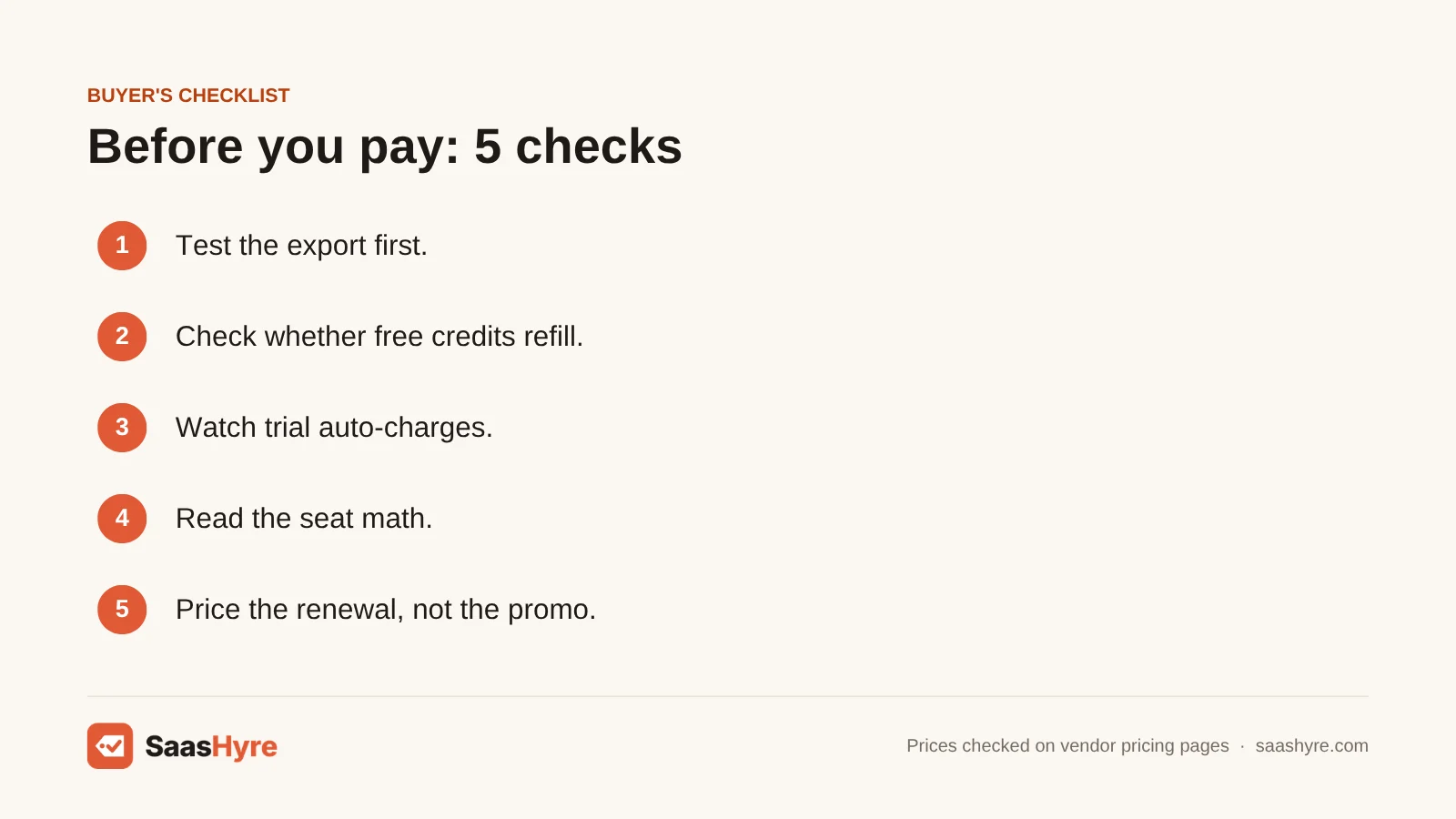
- Test the export first. Make one real deck on the free tier or trial. Export it to PPTX. Open it in PowerPoint and Google Slides. Check fonts, charts and text that spills over.
- Check whether free credits refill. Gamma’s 400 and Pitch’s 100 free credits are one-time. Canva’s free AI uses reset each month.
- Watch trial auto-charges. Beautiful.ai and Plus AI both need a card. They charge you on their own when the trial ends. Set a calendar reminder.
- Read the seat math. Canva Pro is for one person only. Pitch prices by seat count. Beautiful.ai states its Team price two ways. Multiply by your real headcount.
- Price the renewal, not the promo. Copilot Business’s $18 rate ends December 31, 2026. Google Workspace discounts last three months.
- Check where the branding goes. Gamma’s free badge and Pitch’s branded free PDFs look unprofessional in client work.
How We Evaluated These Tools
We built this guide from each vendor’s public pricing pages, plan comparison tables and help docs. We checked them in September 2026. We compared plan prices, AI credit limits, export formats, branding rules and trial terms. Then we priced a three-person team making about 10 decks a month. We did not run our own output benchmarks for this guide. We show credit costs per deck only where the vendor publishes them. No vendor pays for placement. Read our editorial policy to see how we handle affiliate links and updates.
The Bottom Line
For most people and small teams, Gamma is the best AI presentation maker. It has a strong free plan, and paid seats start at $9 a month. Does your work have to end up as native PowerPoint or Google Slides files? Then Plus AI at $10 per user is the safer buy. Beautiful.ai is worth its higher price if your team presents to clients every week. Pitch fits startups that build decks together. Only pay for Copilot or Gemini if you already use that suite. Their slide features alone aren’t worth switching for.
Frequently Asked Questions
What is the best AI presentation maker?
For most people, Gamma is the best AI presentation maker. It builds full decks from one prompt. And its free plan exports to PDF, PPTX and Google Slides. Plus AI is better if you need native PowerPoint or Google Slides files. Beautiful.ai is better if your team cares more about steady design than speed.
Is there a free AI presentation maker without a watermark?
Presentations.ai lists unbranded public links and PowerPoint and PDF export on its free Starter plan. That plan gives you 100 credits and decks of up to 20 slides. Gamma’s free plan exports too, but it adds a “Made with Gamma” badge. Pitch’s free PDFs are branded. Canva Free includes PDF export and up to 20 AI uses a month.
How much does Beautiful.ai cost?
Beautiful.ai Pro costs $14.50 per month billed annually, or $45 on a monthly plan. The Team plan is $40 billed annually or $50 monthly for 2 to 20 seats. But the pricing page describes it both as per user and as including three users. There is no free plan. You only get a 14-day trial, and it needs a card.
What are the best Gamma alternatives?
If you need editable PowerPoint or Google Slides files, Plus AI is the best Gamma alternative. It works inside those apps. Want stronger design control with unlimited AI? Pick Beautiful.ai. Pitch suits teams that work together. Presentations.ai gives you a large yearly credit pool for $20 a month billed annually.
Can an AI PowerPoint generator create editable PPTX files?
Yes, but quality varies. Plus AI and Microsoft 365 Copilot make slides right in PowerPoint, so the file is native. Gamma, Beautiful.ai, Pitch and Presentations.ai export to PPTX from their own editors. That can shift fonts and layouts. Pitch’s free plan has no PowerPoint export at all.
How many decks can I make with AI credits?
It depends on the tool and how long the deck is. Plus AI says tasks use 40 to 170 credits. So its 1,500 monthly Basic credits cover several decks plus edits. Gamma, Pitch and Presentations.ai don’t publish a fixed cost per deck. So make a typical deck during the free tier and see how many credits it used.