
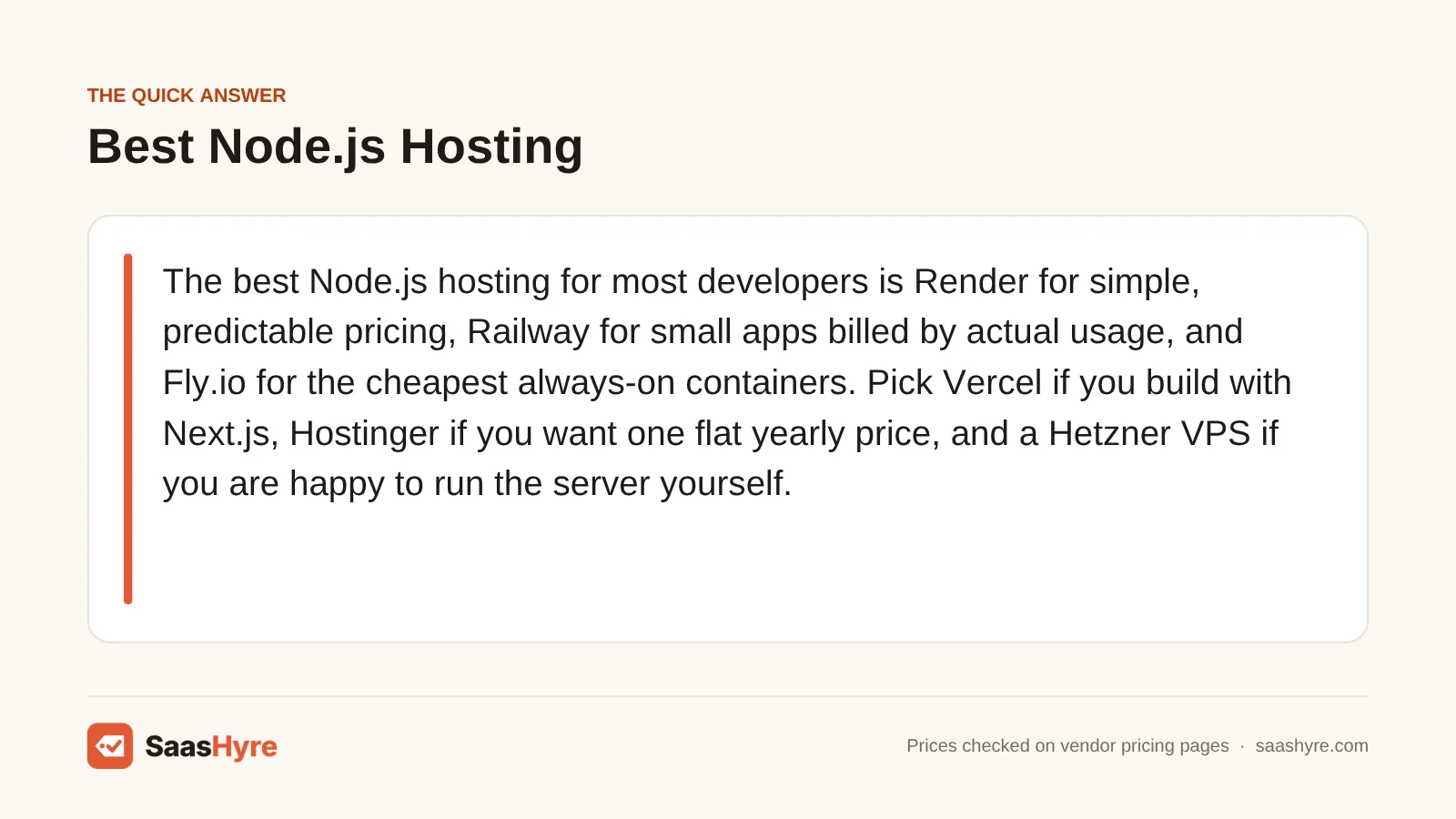
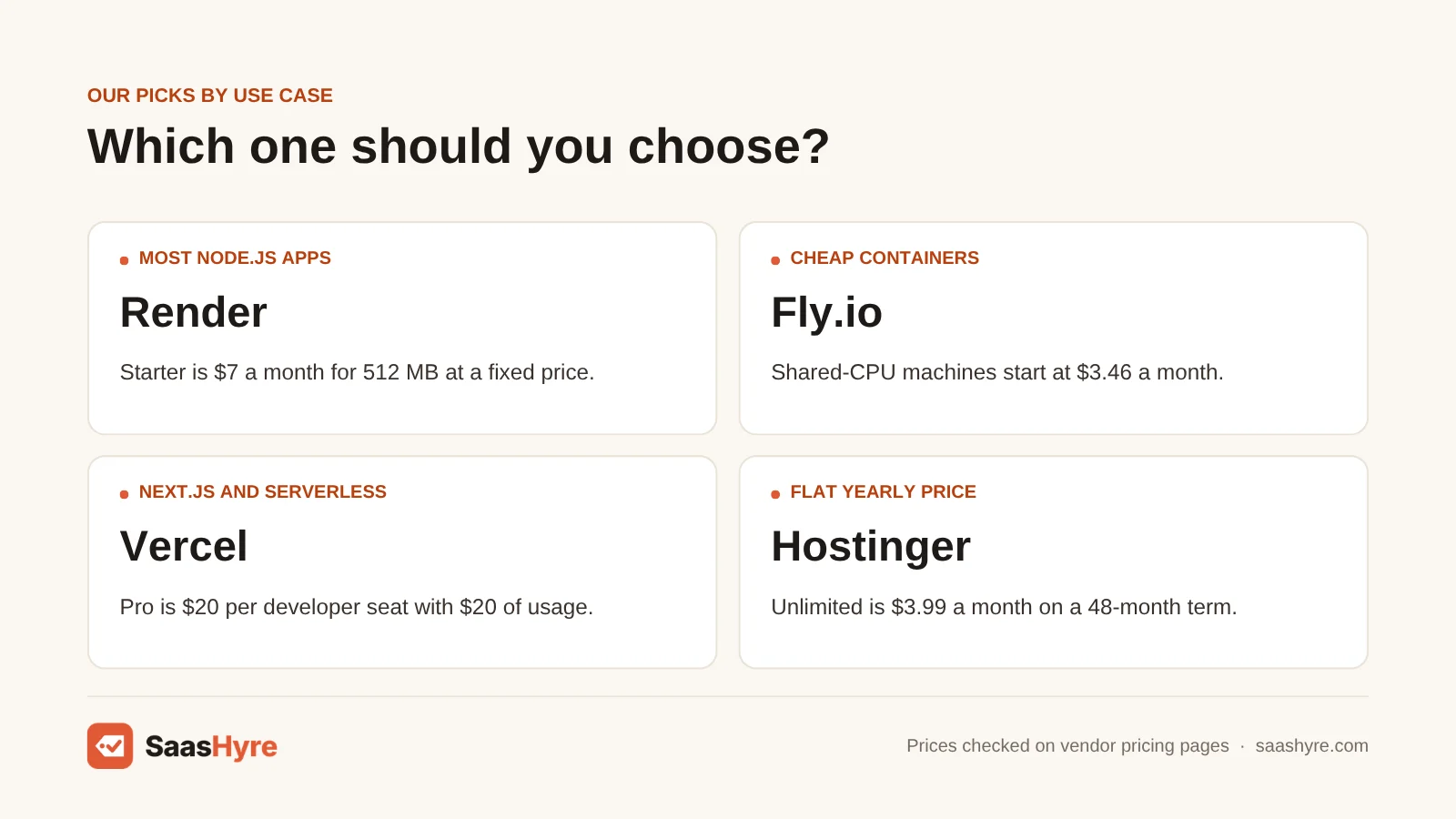
For most developers, Render is the best Node.js hosting for simple, predictable prices. Railway suits small apps billed by what you really use. Fly.io is cheapest for always-on containers. Pick Vercel if you build with Next.js. Pick Hostinger if you want one flat yearly price. Pick a Hetzner VPS if you are happy to run the server yourself.
Here is my advice. Don’t judge a host by the price of the app server alone. Look at the bill once you add a database, more memory and real traffic. A $5 app can turn into a $45 bill with the wrong Postgres plan. So we price the whole setup.
I took every price from each provider’s own pricing page or docs in September 2026. Check the vendor page before you commit.
This guide is part of our best web hosting series, which covers every hosting type side by side.
Quick Comparison: Node.js Hosts at a Glance
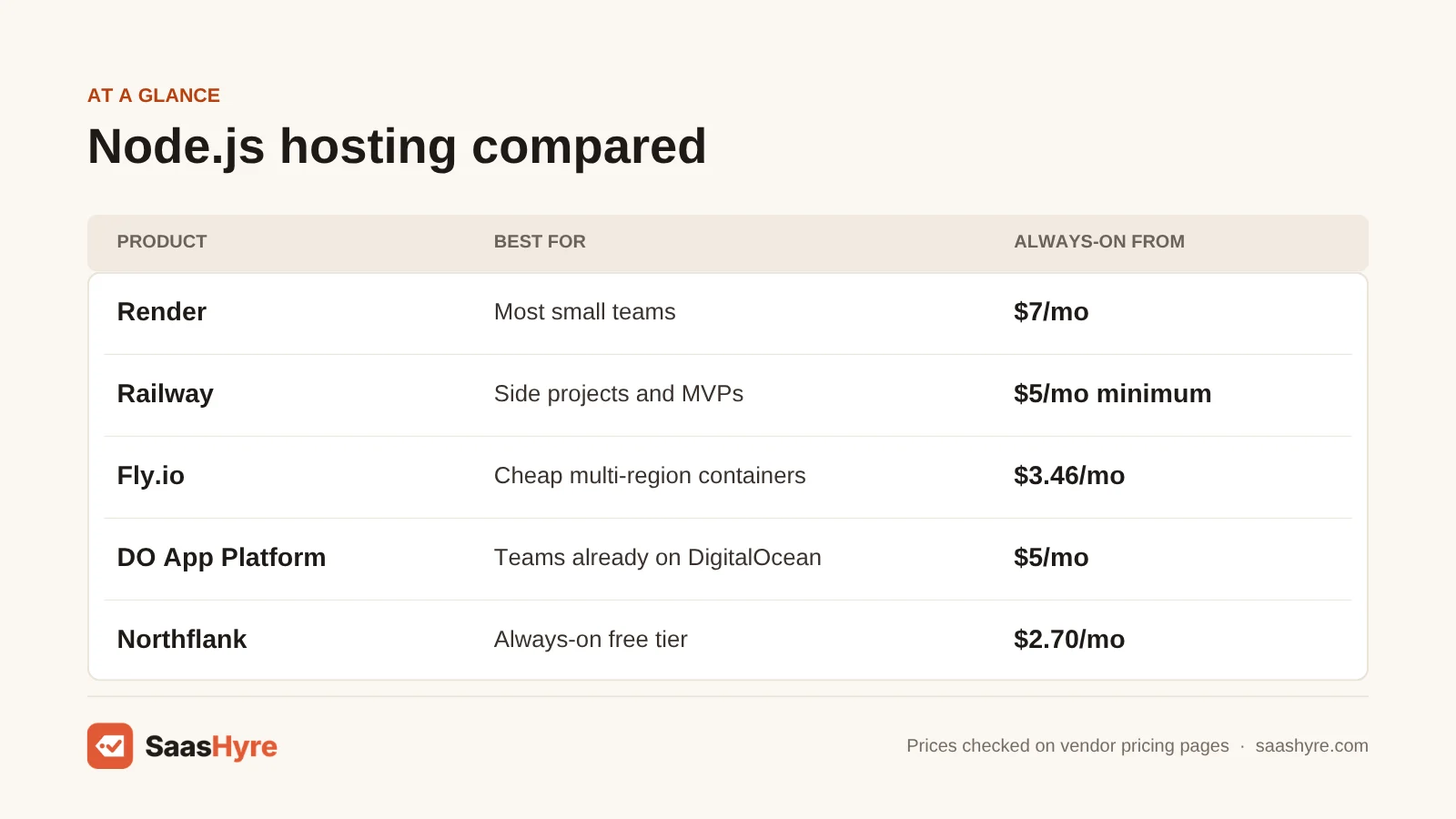
| Provider | Best for | Cheapest always-on Node.js app | Billing model | Free option |
|---|---|---|---|---|
| Render | Most small teams | $7/mo (Starter, 512 MB) | Fixed per instance | Free instance that sleeps after 15 min |
| Railway | Side projects and MVPs | $5/mo minimum, includes $5 of usage | Per-second usage | 30-day trial with $5 credit |
| Fly.io | Cheap containers, multi-region | $3.46/mo (shared CPU, 512 MB) | Per-second usage | No free plan listed |
| DigitalOcean App Platform | Teams already on DigitalOcean | $5/mo (512 MiB, 50 GiB transfer) | Fixed per container | Static sites only |
| Northflank | Always-on free tier | $2.70/mo (0.1 vCPU, 256 MB) | Per-second usage, no seat fees | Sandbox: 2 services, 1 database |
| Heroku | Existing Heroku apps | $7/mo (Basic, 512 MB) | Fixed per dyno | None ($5 Eco dynos sleep) |
| Vercel | Next.js and serverless APIs | $20/mo per developer seat (Pro) | Seat plus usage | Hobby, personal use only |
| Hostinger | One flat price, beginners | $3.99/mo on a 48-month term (renews $16.99) | Prepaid term | 30-day money-back |
| Hetzner Cloud | DIY on a VPS | $6.49/mo (CX23, Germany/Finland) | Hourly, monthly cap | None |
What Node.js Hosting Is, and What You’re Actually Buying
Node.js hosting is any service that keeps a Node.js process running, sends web traffic to it and restarts it when it crashes. That rules out most classic PHP shared hosting. Those plans serve files per request instead of running a server that stays on. You pay for memory, CPU, bandwidth and usually a database.
You can buy it in four ways:
- Platform as a service (PaaS): Render, Railway, Heroku, DigitalOcean App Platform and Northflank build and run your app from GitHub. It is the least work for you, but the highest cost per GB of RAM.
- Containers: Fly.io runs small virtual machines close to your users. It is cheap, but takes more setup.
- Serverless: Vercel runs your code as functions only when needed. It is great for Next.js, but poor for WebSockets and long jobs.
- Servers you manage: a VPS or a hosting plan with Node.js turned on. You get the lowest price per GB, but the upkeep is on you.
Node.js is the most used web technology in the 2025 Stack Overflow Developer Survey (48.7% of respondents). So nearly every host now says it supports it. For the bigger picture, see our guide to the best cloud hosting.
What a Small Node.js App Really Costs Per Month
For one always-on Node.js API with 512 MB of RAM and a small managed Postgres database, expect to pay about $10 to $15 a month. That holds on Render, Heroku, Railway or DigitalOcean. Fly.io’s app server is the cheapest. But its managed Postgres starts at $38, which makes it the priciest small setup.
We used the same workload on every host. That is one Node.js service running 24/7 at 512 MB and at 2 GB. We added each provider’s cheapest managed Postgres.
| Provider | App, 512 MB | App, 2 GB | Cheapest managed Postgres | Small app + database |
|---|---|---|---|---|
| Render | $7 | $25 (1 CPU) | $6 (256 MB) | $13 |
| Railway (Hobby) | About $5 in RAM plus CPU used | About $20 in RAM plus CPU used | Runs as a usage-billed service | About $9 to $12 (our estimate) |
| Fly.io | $3.46 | $13.83 | $38 (Basic, 1 GB) | $41.46 |
| DigitalOcean App Platform | $5 | $25 (1 vCPU) | $7 dev database; $15.15 managed | $12 (dev DB) or $20.15 |
| Heroku | $7 (Basic) | No 2 GB dyno; 1 GB is $50, 2.5 GB is $250 | $5 (Essential-0, 1 GB disk) | $12 |
| Northflank | $5.40 (0.2 vCPU) | About $24 at list hourly rates (1 vCPU) | 1 free in Sandbox; paid is billed on resources | $5.40 on Sandbox database |
| Hetzner CX23 | $6.49 for 2 vCPU and 4 GB, app and database on one server you manage | You install it | $6.49 plus IPv4 and VAT | |
Three things stand out. First, Heroku gets expensive past 512 MB. There is nothing between the $50 and $250 dynos. Second, Fly.io is only cheap if you bring your own database. Third, Render’s Hobby workspace includes just 5 GB of bandwidth. After that you pay $0.15 per GB. So an API serving 100 GB a month adds about $14. DigitalOcean’s $5 container includes 50 GiB. We worked out Railway’s numbers from its per-second rates. Your real bill depends on how busy your app is.
What Makes the Best Node.js Hosting?
The best Node.js hosting gives you a total cost you can predict once you add a managed database, bandwidth and seats. It keeps your app awake when it needs to be. It charges for usage in a way you can cap with spend alerts. And its renewal price should not jump far above the intro rate.
We priced one always-on Node.js service at 512 MB and 2 GB, plus the cheapest managed Postgres. Then we compared bandwidth, free tiers, seat fees and renewals. The database often costs more than the app server. And on platforms that charge per use, a runaway loop is billed by the second.
Best Managed Platforms for Most Node.js Apps
Want to push code and forget about servers? Render is your safest default. Its prices are fixed per instance and easy to predict. Railway is cheaper for small or idle apps, because it only bills for what runs. DigitalOcean App Platform wins when you need bandwidth included.
1 Render: Best for most small teams
Render is the safest default for Node.js. Its prices are fixed per instance and easy to predict.
What it does well. You push code and forget about servers. Fixed monthly prices give you a clear path to upgrade. The free web service gets 750 instance hours a month.
Key features:
- Fixed price per instance
- A free Hobby workspace
- Managed Postgres
- A Pro workspace for team features
Pricing. You pay per instance. Starter is $7 a month for 512 MB. Standard is $25 for 1 CPU and 2 GB. Pro is $85 for 2 CPUs and 4 GB. Postgres starts at $6 a month. Team features need the $25 a month Pro workspace on top of compute. Extra bandwidth on the Hobby workspace is $0.15 per GB. See Render pricing.
Best for: You, if your team wants fixed monthly prices and a clear path to upgrade.
Limitations. The free web service shuts down after 15 minutes with no traffic. It takes about a minute to wake up. Free Postgres databases expire 30 days after you create them. That catches people who build a demo and come back six weeks later. Heavy bandwidth on Hobby gets expensive.
2 Railway: Best for side projects and MVPs
Railway bills per second for what runs. That makes it cheaper for small or idle apps.
What it does well. For an Express API that is idle most of the time, it is hard to beat. You pay close to what you really use. It suits several small services running side by side.
Key features:
- Per-second usage billing
- You only pay for the CPU you really use
- Hobby and Pro plans that include some usage
- 30-day trial
Pricing. Hobby has a $5 monthly minimum that includes $5 of usage. After that, you pay about $10 per GB of RAM per month. CPU costs about $20 per vCPU per month for what you use. Egress is $0.05 per GB. Pro has a $20 minimum with $20 of usage included. New accounts get a 30-day trial with $5 of credit. See Railway pricing.
Best for: You, if you run side projects, MVPs or several small services.
Limitations. A memory leak shows up right on your bill. It is a poor fit if you need the exact same bill every month.
3 DigitalOcean App Platform: Best for teams already on DigitalOcean
DigitalOcean App Platform wins when you need bandwidth included.
What it does well. It includes more transfer than any other PaaS here. So it suits apps that serve a lot of data. It also fits teams that already use DigitalOcean for droplets and databases.
Key features:
- Fixed shared containers that include transfer
- Autoscaling containers
- Managed Postgres
- A low price for extra bandwidth
Pricing. Fixed shared containers cost $5 a month for 1 vCPU and 512 MiB with 50 GiB of transfer. Or pay $10 for 1 GiB with 100 GiB of transfer. Autoscaling containers are $12 for 1 GiB and $25 for 2 GiB. Extra bandwidth is $0.02 per GiB. Managed Postgres starts at $15.15. A $7 dev database works for testing. See App Platform pricing.
Best for: You, if your app serves a lot of data or your team already uses DigitalOcean.
Limitations. The $5 and $10 containers are a fixed size. So the cheapest tier has no autoscaling. The free option only covers static sites.
4 Heroku: Best for existing Heroku apps
Heroku still has clear prices. It suits small, stable apps that already run there.
What it does well. Its pricing is simple and easy to read. Customers who pay by card keep current pricing. No shutdown date has been set.
Key features:
- Eco, Basic, Standard and Performance dynos
- Heroku Postgres
- A fixed price per dyno
- Security and stability fixes still ship
Pricing. Eco is $5 a month for a shared pool of 1,000 hours. Basic is $7 for 512 MB. Standard-2X is $50 for 1 GB. Performance-M is $250 for 2.5 GB. Heroku Postgres Essential-0 is $5 a month with 1 GB of storage and 20 connections. See Heroku pricing.
Best for: You, if you already run small, stable apps on Heroku.
Limitations. Eco dynos sleep after 30 idle minutes. There is no free plan. In February 2026, Salesforce moved Heroku into a sustaining engineering model, as reported by DeployHQ. That means security and stability fixes, but no new features and no new Enterprise contracts. Skip it if you are starting fresh or need more than 512 MB.
Best Low-Cost Container Hosting for Node.js
Fly.io and Northflank give you the lowest compute prices for an always-on Node.js service. They start around $3 a month. Fly.io suits apps that should run in several regions near users. Northflank suits you if you want a free tier that never sleeps and no per-seat charges.
5 Fly.io: Best for cheap containers, multi-region
Fly.io has some of the lowest compute prices for an always-on Node.js service. It also makes it easy to deploy in many regions.
What it does well. It bills machines by the second. It suits apps that should run near users in several regions. Shared IPv4 is free. It works well if you already use a hosted database somewhere else.
Key features:
- Per-second machine billing
- Deploy to many regions at once
- Free shared IPv4
- An option for managed Postgres
Pricing. In its Ashburn, Virginia region, a shared-CPU machine costs $3.46 a month with 512 MB. It costs $6.91 with 1 GB and $13.83 with 2 GB. A dedicated IPv4 is $2 a month. Egress in North America and Europe is $0.02 per GB. Managed Postgres Basic is $38 a month for 1 GB of RAM, plus $0.28 per GB of storage. See Fly.io pricing.
Best for: You, if you want cheap compute or deploys in many regions, or you already use a hosted database elsewhere.
Limitations. Managed Postgres costs more than ten times the app server. So it is not a cheap all-in-one bundle. No free plan is listed.
6 Northflank: Best for an always-on free tier
Northflank has a free tier that never sleeps. It charges no per-seat fees.
What it does well. The free Developer Sandbox includes 2 always-on services, 1 database and 2 cron jobs, with no sleeping. Teammates cost nothing extra. That helps a growing team.
Key features:
- A free Developer Sandbox that never goes to sleep
- Per-second usage billing
- No seat fees
- Cron jobs and databases
Pricing. Paid compute starts at $2.70 a month for 0.1 vCPU and 256 MB. It is $5.40 for 0.2 vCPU and 512 MB. Egress is $0.06 per GB. See Northflank pricing.
Best for: You, if you want a free Node.js backend that stays awake, or your team should not pay per seat.
Limitations. If this is your first deploy, Render and Railway are simpler.
Best Node.js Hosting for Next.js and Serverless
Vercel is the best fit for Next.js apps and short API routes. It runs them as serverless functions, so you have no server to size. It is the wrong choice for WebSocket servers, queues or long background jobs. Those belong on Render, Railway or Fly.io.
7 Vercel: Best for Next.js and serverless APIs
Vercel runs Next.js apps and short API routes as serverless functions. You have no server to size.
What it does well. It is the natural home for Next.js front ends with API routes. Pro includes usage credit, function invocations, active CPU and fast data transfer. Functions run up to 300 seconds by default, and 800 on Pro.
Key features:
- Serverless functions
- Built for Next.js
- Usage credit included on the Pro plan
- Per-second billing
Pricing. Hobby is free, but only for non-commercial use. Pro costs $20 a month per developer seat. It includes $20 of usage credit, 1 million function invocations, 4 hours of active CPU and 100 GB of fast data transfer. Past that, you pay from $0.60 per million invocations and $0.128 per active CPU hour. Three developers pay $60 a month in seats before any usage. See Vercel pricing.
Best for: You, if your Node.js work is mostly Next.js front ends with API routes.
Limitations. It is the wrong choice for WebSocket servers, queues, long background jobs or Express or Socket.IO servers that stay on. A commercial project can’t stay on the free plan.
Best Flat-Price and Self-Managed Node.js Hosting
Would you rather pay one known price than watch usage charges? Hostinger bundles Node.js apps into regular hosting plans. A Hetzner VPS gives you 4 GB of RAM for about the price of a 512 MB PaaS instance. The catch is that you manage the server yourself.
8 Hostinger: Best for one flat price for beginners
Hostinger bundles Node.js apps into regular hosting plans. You pay one flat price up front.
What it does well. Hostinger added Node.js apps to its Business and cloud plans in late 2025. You get Node.js and a normal website on one bill, with support. It supports Node.js 18 to 24.
Key features:
- 5 Node.js websites, 3 GB RAM and 2 CPU cores on the Unlimited plan
- 10 web apps, 4 CPU cores and 4 GB RAM on the Cloud Startup plan
- MySQL databases
- Node.js 18 to 24
Pricing. The plan now sold as Unlimited (Business on some pages) is $3.99 a month on a 48-month term. It renews at $16.99. Cloud Startup is $7.99 a month on the same term and renews at $25.99. There is a 30-day money-back guarantee. Our guide to web hosting for small businesses compares the wider plans. See Hostinger web app hosting.
Best for: You, if you are a beginner who wants Node.js and a website on one flat bill. It is good value for a business site with a small API.
Limitations. The low price assumes you prepay for four years. Renewal is roughly four times higher. It is less suited to a SaaS product. Skip it if you need Postgres, monthly billing or an easy way to leave before the term ends.
9 Hetzner Cloud: Best for DIY on a VPS
A Hetzner VPS gives you 4 GB of RAM for about the price of a 512 MB PaaS instance. You just have to manage it yourself.
What it does well. The CX23 has 2 vCPUs and 4 GB of RAM. That is enough to run a Node.js app, Postgres and Nginx on one box. Billing is hourly, with a monthly cap.
Key features:
- 2 vCPUs and 4 GB RAM on the CX23
- Room for your app, Postgres and Nginx on one server
- Hourly billing with a monthly cap
- Germany, Finland and US locations
Pricing. Hetzner changed its prices on 15 June 2026. The CX23 now costs $6.49 a month in Germany and Finland, not counting VAT and IPv4. US locations cost far more. The cheapest one there, the CPX11, is $20.49. See Hetzner Cloud pricing.
Best for: You, if you are at home on the Linux command line and your users are mostly in Europe.
Limitations. You handle setup, patching and backups. So skip it if nobody wants to be on call for a server. Hetzner’s page showed CX23 as out of stock for now when we checked. Want managed options? See our comparison of the best VPS hosting providers.
How to Choose Node.js Hosting Without Getting Burned on Price
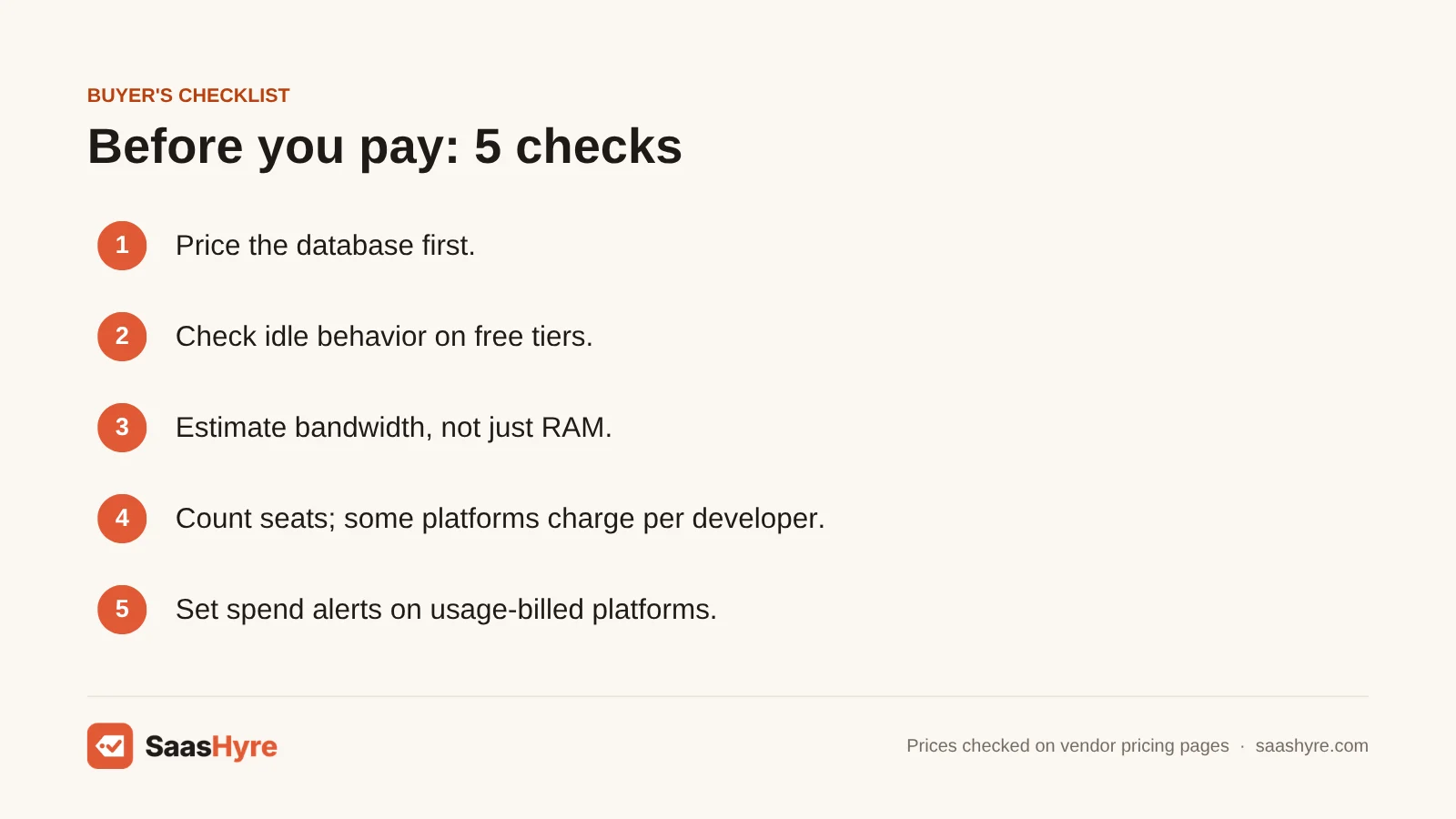
- Price the database first. The cheapest managed Postgres ranges from $5 on Heroku to $38 on Fly.io.
- Check what happens when your app is idle. Render’s free tier sleeps after 15 minutes. Heroku Eco sleeps after 30. And Render deletes its free Postgres after 30 days.
- Estimate bandwidth, not just RAM. Extra bandwidth costs from $0.02 to $0.15 per GB.
- Count seats. Vercel Pro is $20 per developer. Render’s Pro workspace is $25 a month. Northflank charges no seat fees.
- Read the renewal line. Hostinger’s $3.99 becomes $16.99 at renewal. And you only get $3.99 with a 48-month prepay.
- Set spend alerts where you pay per use. On Railway, Fly.io and Vercel, a runaway loop is billed by the second.
How We Evaluated These Node.js Hosts
We compared plans using each provider’s own pricing pages and docs, checked in September 2026. We priced one always-on Node.js service at 512 MB and 2 GB, plus the cheapest managed Postgres. Then we compared bandwidth, free tiers, seat fees and renewals. For hosts that charge per use, the numbers are our own math from published rates. We label them as estimates.
We did not run our own performance benchmarks. We don’t report uptime or speed claims we could not check. No provider pays for placement in this guide. Read more in our editorial policy.
The Bottom Line
For most new Node.js projects, I’d start on Render for predictable pricing. Or pick Railway if your app is small and you only want to pay for use. Pick Fly.io for cheap compute in many regions, but bring your own database. Use Vercel for Next.js. Use DigitalOcean App Platform when bandwidth matters. Use Northflank for a free backend that never sleeps. Hostinger and Hetzner are your flat-price options.
Frequently Asked Questions
What is the best Node.js hosting for beginners?
Render is the easiest place to start. You connect a GitHub repo, and it builds and runs your app. The free instance lets you test before you pay. When you go live, the $7 Starter instance with 512 MB is enough for most small APIs. Railway is a close second if you prefer to pay for usage, with a $5 monthly minimum.
Is there free Node.js hosting that does not sleep?
Northflank’s Developer Sandbox includes 2 always-on services and 1 database, and they don’t sleep. Render’s free web service shuts down after 15 minutes with no traffic. It takes about a minute to wake. Heroku no longer has a free plan. Vercel Hobby is free and doesn’t sleep. But it runs serverless functions and is only for non-commercial use.
How much does Node.js hosting cost per month?
A small always-on Node.js app with 512 MB of RAM costs about $3.50 to $7 a month on PaaS platforms. That covers Fly.io, DigitalOcean, Render and Heroku. Add a managed Postgres database, and the total is usually $10 to $15. At 2 GB of RAM, expect roughly $14 to $25 a month, or far more on Heroku.
Can I host Node.js on shared hosting?
Only on plans built for it. Traditional PHP shared hosting doesn’t keep a Node.js process running. Hostinger now supports Node.js apps on its Business (Unlimited) and cloud plans. It runs Node.js 18 to 24 and deploys from GitHub. If you need Postgres, WebSockets or background workers, a PaaS or VPS is the better choice.
Is Heroku still good for Node.js?
Heroku still runs Node.js apps reliably, and card pricing has not changed. But since February 2026, it has been in sustaining engineering mode. That means no new features and no new Enterprise contracts. It is fine for small apps you already have there. For new projects, Render offers a very similar workflow. It also costs less once you need more than 512 MB.
Should I use a VPS or a PaaS for Node.js?
Use a PaaS if you want deploys, TLS, restarts and scaling handled for you, and your app fits in 512 MB to 2 GB. Use a VPS if you want the most RAM per dollar and can manage Linux yourself. A $6.49 Hetzner CX23 gives you 4 GB. On Render, 2 GB costs $25.