
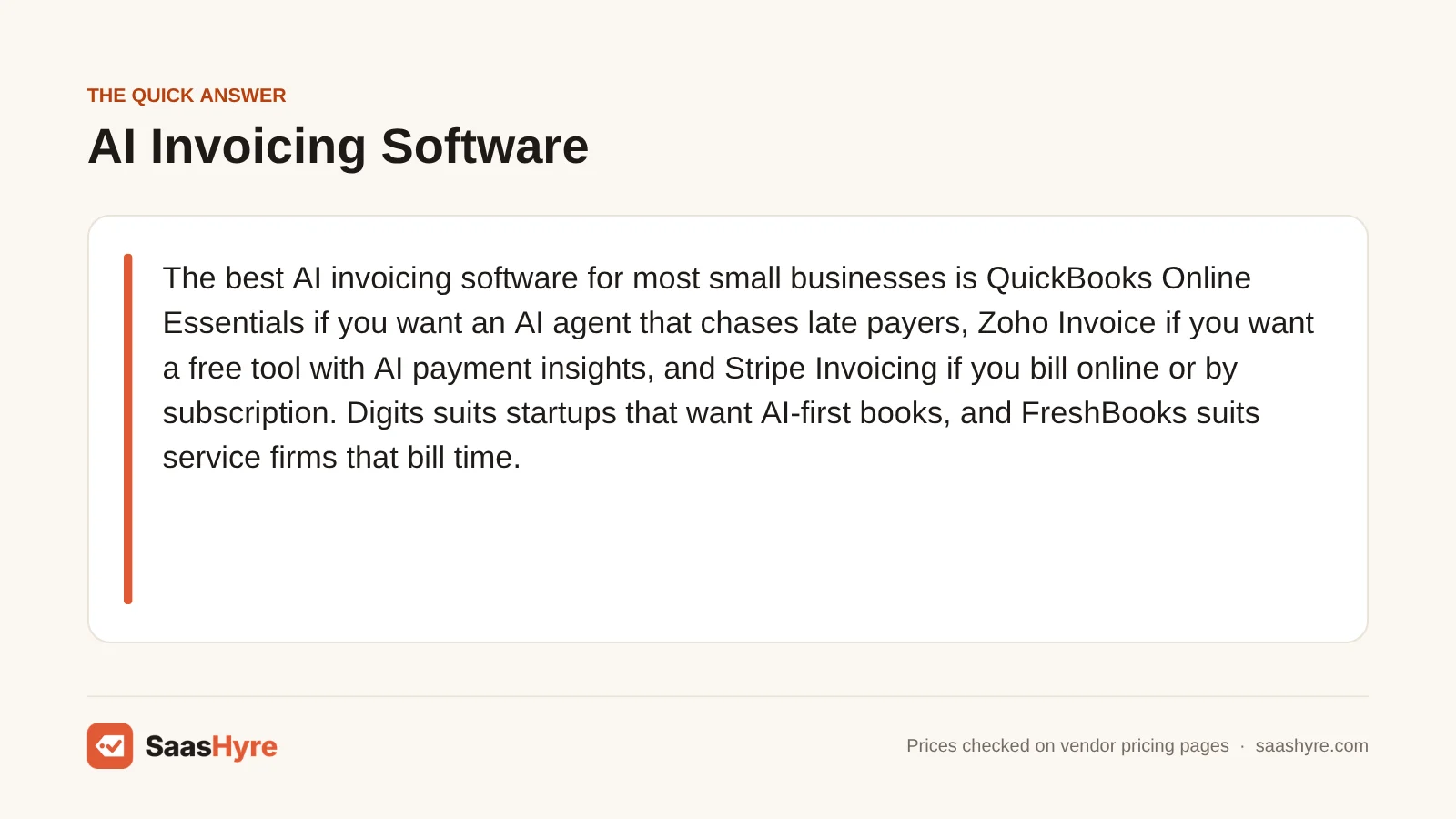
For most small businesses, the best AI invoicing software depends on your need. Pick QuickBooks Online Essentials if you want an AI agent that chases late payers. Pick Zoho Invoice if you want a free tool with AI payment insights. Pick Stripe Invoicing if you bill online or by subscription. Digits suits startups that want AI-first books. FreshBooks suits service firms that bill time.
Here is my advice before you compare AI features. Look at the payment processing fee first. Say clients pay $10,000 of invoices by card. Every tool here takes about $290 to $330 in fees. The software itself often costs just $27 to $85. So getting clients to pay by bank transfer saves you more than any AI feature on this list.
We took every price below from each vendor’s own pricing page in September 2026. Some vendors call a feature “AI” when their own pages only describe basic automation. When that happens, we tell you.
For the rest of your tools, start with our guide to the best business software for small business.
Quick Comparison: AI Invoicing Tools at a Glance
| Tool | Best for | Starting price | Billing model | Free plan or trial |
|---|---|---|---|---|
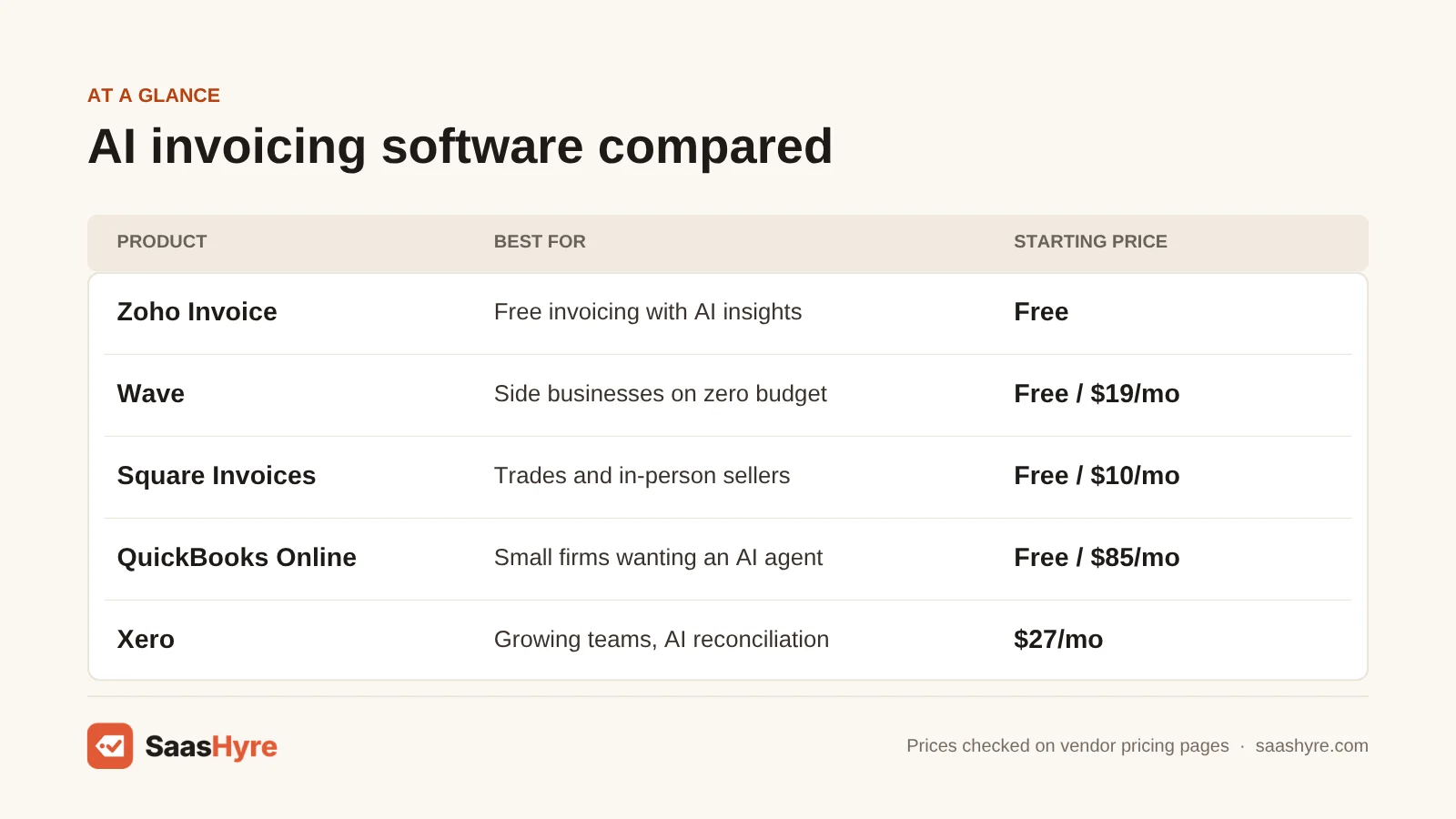
| Zoho Invoice | Freelancers who want free invoicing with AI insights | $0 (up to 500 invoices a year) | Free software; gateway fees apply | Free plan |
| Wave | Side businesses on a zero budget | $0 Starter; Pro $19/mo | Free or flat monthly, plus card fees | Free plan |
| Square Invoices | Trades and in-person sellers | $0; Plus $10/mo | Per-payment fees, lower on Plus | Free plan |
| QuickBooks Online | Small businesses that want an AI payments agent | $0 Free plan; Payments AI from $85/mo (Essentials) | Flat monthly plan plus payment fees | Free plan (2 invoices a month without Payments) |
| Xero | Growing teams that want AI reconciliation | $27/mo (Early, 20 invoices a month) | Flat monthly plan plus payment fees | Promo: 80% off first 3 months for new customers |
| FreshBooks | Service firms billing hours and retainers | $23/mo (Lite, 5 billable clients) | Flat monthly plan, $11 per extra team member, plus payment fees | Promo pricing |
| Digits | Startups that want AI-native accounting | $65/mo (Essentials) | Flat monthly plan | 30-day free trial |
| Stripe Invoicing | Online, SaaS and recurring billing | 0.4% per paid invoice (Starter) | Per-invoice fee plus Stripe payment fees | No monthly fee |
What AI Invoicing Software Actually Does
AI invoicing software creates invoices and sends them to your customers. Then it uses AI to decide when and how to remind late payers. It predicts who will pay late, suggests late fees and matches incoming payments to open invoices. It handles money coming in. Tools that read the supplier bills you receive are a different kind of software.
Search results mix these two up. “AI invoice processing software” usually means reading, coding and paying supplier invoices. For that, see our guide to AI accounts payable software. This guide is about helping you get paid.
Right now, the AI in invoicing tools does four jobs:
- Drafting: it turns an email, a quote or project data into an invoice or estimate.
- Chasing: it writes reminders and times them based on how each customer has paid before.
- Flagging: it spots customers who often pay late or pay less than they owe.
- Reconciling: it matches bank deposits to invoices, so you don’t have to match them by hand.
Still picking an accounting system? Start with our AI accounting software comparison. Invoicing works best in the same place as your books.
What AI Invoicing Really Costs at $10,000 and $50,000 a Month
Say your small business invoices $10,000 a month. The real monthly cost of AI invoicing software runs from about $50 to $385. It depends on the tool and how customers pay. Card payments can cost up to six times more than bank transfers. So how customers pay drives your bill far more than the subscription does.
We used regular plan prices, not promo prices, plus published processing fees. Scenario A is 10 invoices of $1,000. Scenario B is 20 invoices of $2,500. Zoho Invoice and Xero don’t process payments themselves. So we assumed a Stripe connection at Stripe’s standard rates.
| Tool and plan | Plan fee | A: $10k, all card | A: $10k, all ACH | B: $50k, all ACH |
|---|---|---|---|---|
| Zoho Invoice (free) + Stripe | $0 | $293 | $50 | $100 |
| Wave Pro | $19 | $309 | Bank fee not itemized | Bank fee not itemized |
| Square Invoices Plus | $10 | $303 | $110 | $210 |
| QuickBooks Essentials (Payments AI) | $85 | $384 | $185 | $585 |
| Xero Growing + Stripe | $59 | $352 | $109 | $159 |
| FreshBooks Plus | $43 | $336 | $143 | $543 |
| Stripe Invoicing Starter | $0 | $333 | $90 | $300 |
| Digits Essentials | $65 | Fees not listed | Fees not listed | Fees not listed |
Here is what stands out:
- Capped ACH fees win on bigger invoices. Stripe caps ACH at $5 per payment, and Square caps it at $10. QuickBooks and FreshBooks list a flat 1% with no cap shown. So one $25,000 invoice paid by ACH costs you $250 there, but $5 on Stripe.
- Stripe Invoicing’s 0.4% adds up. There is no monthly fee. But on $50,000 a month, it adds $200 on top of payment fees.
- The AI agent costs extra. QuickBooks’ Payments AI needs the Essentials plan at $85 a month. The $38 Simple Start plan doesn’t include it.
What Makes the Best AI Invoicing Software?
The best AI invoicing software keeps payment fees low for your mix of cards and ACH. It puts its AI on a plan you can afford. Its invoice and client limits should be above your real volume. Its price should still work after the promo ends. And its AI should be live today, not just announced.
We compared the real monthly cost at two invoice volumes. We checked which plan includes the AI, whether that AI is live or only announced, and each plan’s limits. Fees often matter more than the plan price. At $10,000 a month, card fees alone run about $300. A capped ACH fee can save you far more than a cheaper plan.
Best Free and Low-Cost AI Invoicing Software
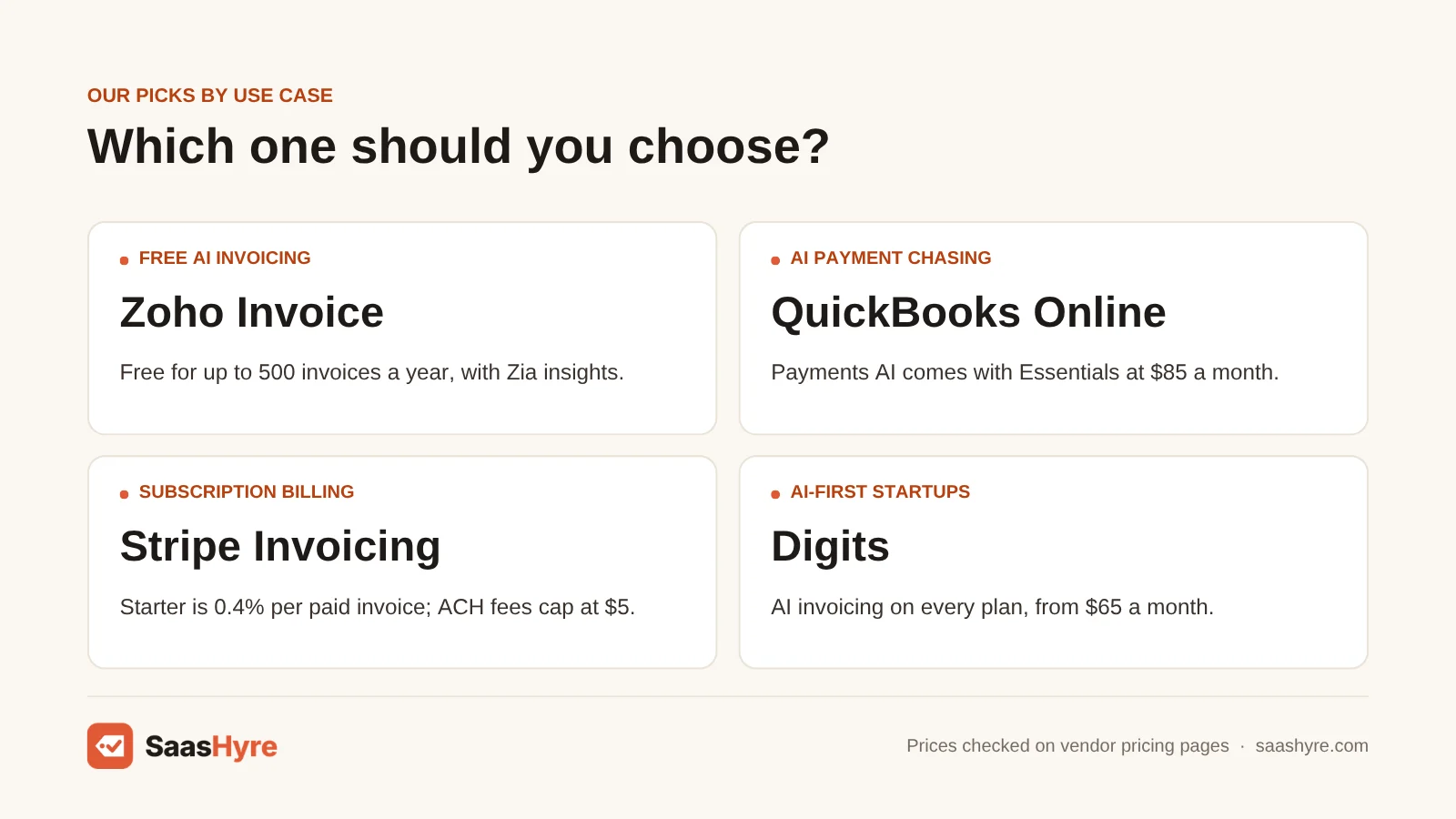
The best free AI invoicing software is Zoho Invoice. It costs nothing for up to 500 invoices a year, and its Zia AI insights flag slow payers. Wave is free, but its useful automation needs the $19 Pro plan. Square Invoices is free to send, but its card fees are higher unless you pay $10 a month.
1 Zoho Invoice: Best for freelancers who want free invoicing with AI insights
Want free invoicing with real AI hints? Zoho Invoice is free, and its Zia AI insights flag slow payers.
What it does well. Zia Invoice Insights shows up on your invoice list. It flags overdue balances. It flags customers who paid less than 70% of what they were billed over the past six months. It also flags invoices running past your usual late-payment window. Zia can draft reminder email templates from a prompt. You pick the AI provider and model in settings.
Key features:
- Recurring invoices and quotes
- Automated reminders
- Customer portal
- Zia Invoice Insights and AI-drafted reminders
Pricing. It is free, and its pricing page lists no paid plan. Gateway fees still apply. The free plan allows up to 500 invoices a year, up to 3 projects and two extra users. If you outgrow it, Zoho Books’ free plan allows 1,000 invoices a year if your revenue is under $50,000.
Best for: You, if you are a freelancer sending fewer than about 40 invoices a month and want real AI hints for free.
Limitations. Your invoices show “Powered by Zoho Invoice” branding. You don’t get full bookkeeping in the same app.
2 Wave: Best for side businesses on a zero budget
If you have just a few clients, Wave gives you free, simple invoices. The automation comes on its paid plan.
What it does well. The Starter plan gives you unlimited invoices for free. Pro adds recurring invoices, automatic late-payment reminders and your own branding. Wave also sorts transactions for you and offers OCR receipt capture.
Key features:
- Unlimited invoices on the free Starter plan
- Recurring invoices and late-payment reminders on the Pro plan
- Custom branding on Pro
- OCR receipt capture as a paid add-on
Pricing. Starter is free. Pro is $19 a month or $190 a year. Card fees on Starter are 2.9% plus $0.60 (3.4% plus $0.60 for Amex). Pro drops the $0.60 on your first 10 card payments each month. OCR receipt capture is an add-on for $8 a month.
Best for: You, if you run a side business and just need free invoices for a few clients.
Limitations. Starter leaves out recurring invoices, automatic reminders and your own branding. Wave’s pricing page talks about automation, not AI. It is a cheap invoicing tool, not an AI one.
3 Square Invoices: Best for trades and in-person sellers
If you already take in-person payments with Square, Square Invoices is free to send and fits right in.
What it does well. The free plan includes recurring invoices, deposits and automatic reminders. Square Plus adds milestone payment plans and custom templates. Plus also lowers card fees, and that is the bigger reason to pay for it.
Key features:
- Recurring invoices and deposits on the free plan
- Automatic reminders
- Milestone payment schedules on Plus
- Custom templates on Plus
Pricing. It is free to use. Square Plus costs $10 a month. Online card payments on invoices cost 3.3% plus 30 cents on Free. On Plus they cost 2.9% plus 30 cents. ACH is 1%, with a $1 minimum and a $10 cap. Charging a card on file costs 3.5% plus 15 cents. On $10,000 a month of card payments, Plus saves you about $30 after its own fee.
Best for: You, if you are a contractor or retailer already using Square for in-person payments.
Limitations. Square’s AI features are a business chat assistant and AI contract clauses. Neither is built for invoicing. It has no AI collections and no deeper accounting.
Best AI Invoicing Inside Accounting Software
Want invoicing and books in one place? QuickBooks Online has the most complete AI invoicing agent today. Xero has strong AI reconciliation, and it has announced AI payment follow-ups. FreshBooks has the best flow from time to invoice, but its own pages list no AI features. Digits is built around AI from the ground up.
4 QuickBooks Online: Best for small businesses that want an AI payments agent
QuickBooks Online has the most complete AI invoicing agent today, and it comes inside full accounting software.
What it does well. Payments AI drafts reminders ahead of time based on how each customer behaves. It suggests late fees from each customer’s history. It works with Customer AI to turn customer emails into estimates you can review. Intuit claims users get paid 4 days faster on average when they send reminders through it. That is a vendor claim.
Key features:
- Payments AI on Essentials and above
- Reminders sent ahead of time, based on how each customer behaves
- Late fee suggestions
- Customer AI turns customer emails into estimates
Pricing. Plans are Free ($0), Simple Start ($38), Essentials ($85), Plus ($140) and Advanced ($340) a month. Paid plans are 50% off for three months. Payment fees are 2.99% for cards and wallets, 1% for ACH ($1 minimum) and 1.75% for instant deposits.
Best for: You, if late payers are your main problem and your accountant already works in QuickBooks.
Limitations. The Free plan limits you to 2 invoices a month unless you turn on QuickBooks Payments. The 1% ACH fee has no cap, so it gets expensive on large invoices. It is more than you need if you only want invoices.
5 Xero: Best for growing teams that want AI reconciliation
If you want unlimited invoices with AI bank matching at a mid-range price, look at Xero.
What it does well. Smart document capture comes on every plan. AI auto-reconciliation starts on Growing. That matters if you want AI to match payments to invoices. At Xerocon in August 2026, Xero announced JAX payment follow-ups. They tailor collection messages to each customer. Xero said they are coming in the next few months, with no set date.
Key features:
- Smart document capture on every plan
- AI auto-reconciliation starting on the Growing plan
- Unlimited invoices on Growing and Established
- JAX payment follow-ups (announced)
Pricing. US plans are Early at $27 a month, Growing at $59 and Established at $97. Early allows 20 invoices and 5 bills a month. New US customers get 80% off for the first three months. That makes Early $5.40, Growing $11.80 and Established $19.40 a month for that time. In October 2026 we rechecked Xero’s prices. Payment fees are extra.
Best for: You, if your team is growing and you want unlimited invoices with AI bank matching.
Limitations. AI made just for invoicing is still on the way. If you send more than 20 invoices a month, you can’t stay on the $27 plan.
6 FreshBooks: Best for service firms billing hours and retainers
If you run a service firm, FreshBooks has the smoothest path from tracked hours to invoices.
What it does well. It is great at turning tracked hours into invoices. It also handles retainers and deposits. Every plan includes recurring invoices, automatic reminders and late fees. FreshBooks also offers a connector for Claude. For now it is read-only. It can answer questions about your invoices, but it can’t create them yet.
Key features:
- Time tracking to invoice
- Retainers and deposits
- Recurring invoices, reminders and late fees
- Read-only Claude connector
Pricing. Lite is $23 a month for 5 billable clients. Plus is $43 for 50 clients. Premium is $70 for unlimited clients. Each extra team member costs $11 a month. Card payments cost 2.9% plus 30 cents, and ACH is 1%.
Best for: You, if you bill by the hour or by the project.
Limitations. FreshBooks’ own invoicing and pricing pages talk about automation, not AI. No AI agent chases payments for you. Lite limits you to 5 billable clients.
7 Digits: Best for startups that want AI-native accounting
Digits is accounting built on AI from the start, with AI invoicing on every plan.
What it does well. Digits says its AI Invoicing fills in customer details, pricing and terms for you. It tracks when invoices are viewed and paid. It also sends reminders that get firmer on unpaid invoices.
Key features:
- AI Invoicing on every plan
- Customer details, pricing and terms filled in for you
- View and payment tracking
- Reminders that get firmer over time
Pricing. Essentials is $65 a month, Core is $100 and Pro is $250. Pro is listed as coming soon. There is a 30-day free trial. Digits doesn’t list payment processing fees on its pricing page, so ask before you sign up.
Best for: You, if you run a startup and want AI to run your ledger, invoicing and reports from day one.
Limitations. Skip it if your accountant insists on QuickBooks or Xero, or if you only need invoicing.
Best AI Invoicing for Online and Subscription Billing
If you run an online business or SaaS, or bill customers who pay online, Stripe Invoicing is the best pick. It has no monthly fee and charges 0.4% per paid invoice on Starter. It retries failed payments for you. It also matches ACH and wire payments to invoices, so you don’t match them by hand.
8 Stripe Invoicing: Best for online, SaaS and recurring billing
If you run an online business or SaaS, or your customers pay online, go with Stripe Invoicing.
What it does well. It has no monthly fee. Smart Retries tries failed payments again for you. It matches ACH and wire payments to invoices without any manual work. The capped ACH fee is the big win. A $20,000 invoice paid by ACH costs $5 in processing plus $80 in Invoicing fees.
Key features:
- Hosted invoice pages and customer portal
- Automatic payment collection with Smart Retries
- ACH and wire payments matched to invoices for you
- Quotes on Plus
Pricing. Starter costs 0.4% per paid invoice, and Plus costs 0.5%. On top of that you pay Stripe’s standard fees. Those are 2.9% plus 30 cents for US cards and an extra 1.5% for international cards. ACH Direct Debit is 0.8%, capped at $5.
Best for: You, if you run an online or subscription business, or send large invoices you can steer toward ACH.
Limitations. Invoicing and books are not on one screen. Most businesses sync it to Xero or QuickBooks for bookkeeping.
How to Choose AI Invoicing Software: Six Checks
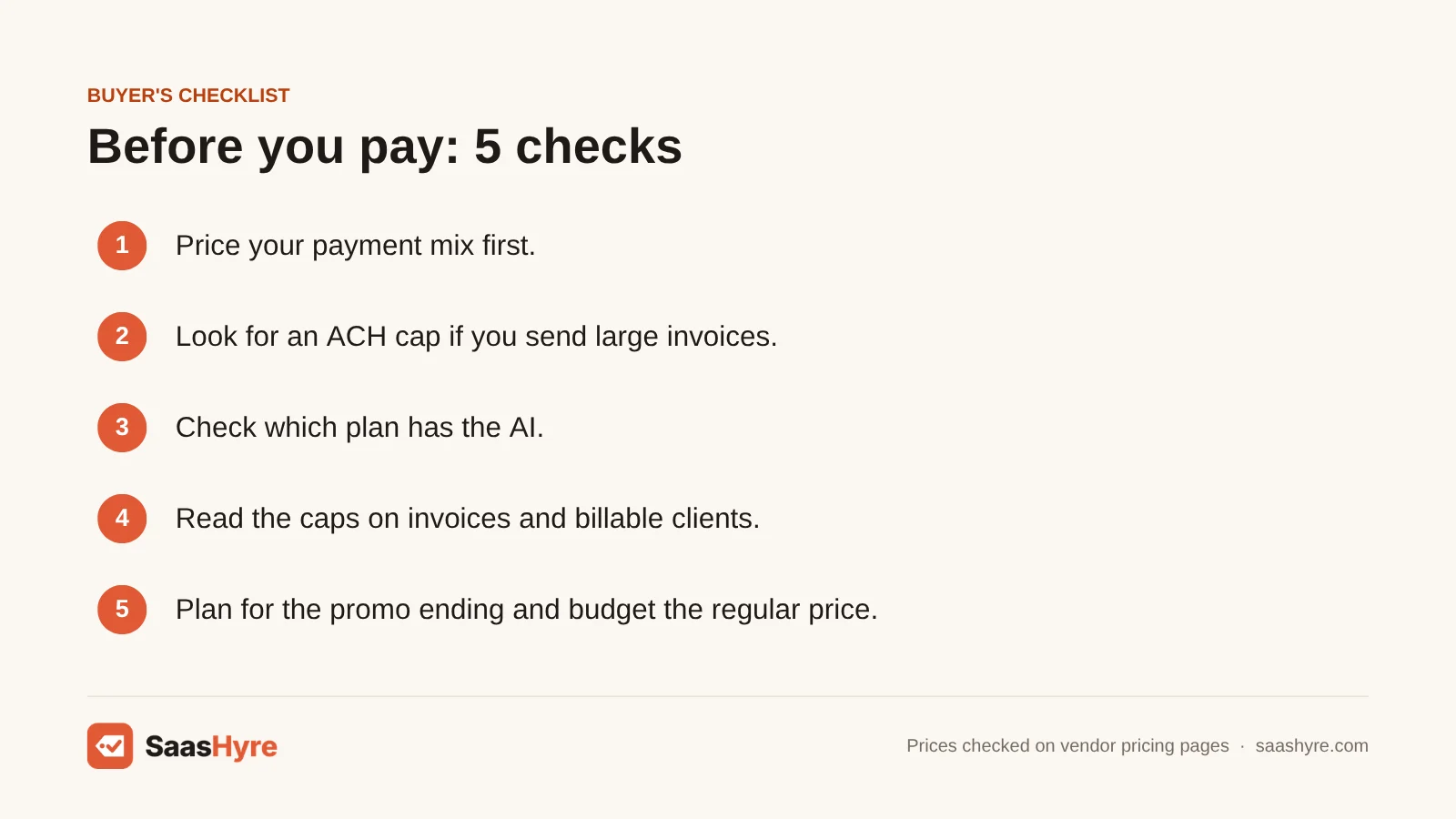
- Price your payment mix first. At $10,000 a month, card fees alone come to about $300.
- Look for an ACH cap. If you send invoices over $1,000, a capped ACH fee saves you far more than a cheaper plan. Stripe caps it at $5 and Square at $10.
- Check which plan has the AI. QuickBooks’ Payments AI starts at Essentials. Xero’s AI reconciliation starts at Growing. The cheapest plan often has none of it.
- Read the limits. Zoho Invoice stops at 500 invoices a year. Xero Early stops at 20 a month. FreshBooks Lite allows 5 billable clients. QuickBooks Free allows 2 invoices a month without Payments.
- Plan for the promo ending. QuickBooks’ 50% discount lasts three months. Xero’s 80% discount lasts three months too. Budget for the regular price.
- Know where invoicing ends. If you chase hundreds of B2B accounts, you have outgrown invoicing apps. You need AI accounts receivable software with collections workflows and credit tools. And once cash timing matters, pair invoicing with AI cash flow forecasting software.
How We Evaluated
We used each vendor’s own pricing pages, fee lists, help docs and product pages in September 2026. We also used Xero’s announcements as reported by Accounting Today. We compared the real monthly cost at two invoice volumes. We checked which plan includes the AI, whether the AI is live or only announced, and each plan’s limits. We did not run our own benchmarks. Performance numbers are vendor claims. No vendor pays for placement. Read our editorial policy for details.
The Bottom Line
If late payers are your problem, go with QuickBooks Online Essentials. It has the most complete AI collections help today. If you want free, Zoho Invoice is the only no-cost option here with real AI features. If you run an online or subscription business, use Stripe Invoicing, especially for large invoices paid by ACH. If you bill hours, you will be happiest in FreshBooks. If you are a startup that wants AI running your books, try Digits. Whatever you pick, getting customers to pay by bank transfer saves more than the software costs.
Frequently Asked Questions
What is the best AI invoicing software for small businesses?
For most small businesses, I’d pick QuickBooks Online Essentials at $85 a month. Its Payments AI drafts reminders and suggests late fees from each customer’s history. On a tight budget, go with Zoho Invoice. It is free for up to 500 invoices a year and includes Zia AI insights. If you run an online business, look at Stripe Invoicing.
Is there free AI invoicing software?
Yes. Zoho Invoice is free for up to 500 invoices a year. It includes Zia AI, which flags customers who pay late or pay short and drafts reminder emails. Wave and Square Invoices are also free to use. But their own pages describe automation, not AI. Every free tool still charges payment processing fees when customers pay online.
What is the difference between AI invoice processing and AI invoicing?
AI invoicing software creates and sends invoices to your customers and helps you collect payment. AI invoice processing software reads the invoices your suppliers send you. It pulls out the data, codes it and sends it for approval and payment. The first handles money coming in. The second handles money going out. They are usually different products.
How much does AI invoicing software cost?
Some software is free, like Zoho Invoice, Wave Starter and Square. Accounting suites with AI cost about $27 to $100 a month. For example, Xero Growing is $59 and Digits Essentials is $65. Payment fees usually cost you more. Expect about $290 to $330 on $10,000 of invoices paid by card.
Can AI automatically reconcile invoice payments?
Yes, several tools do this now. Stripe Invoicing matches ACH and wire payments to open invoices on both plans. Xero offers AI auto-reconciliation of bank transactions on Growing ($59 a month) and up. QuickBooks matches payments taken through QuickBooks Payments. Always review the exceptions. Partial and combined payments still need a person to check them.
Does AI invoicing software actually get you paid faster?
It can help, but most of the proof is vendor data. Intuit claims QuickBooks users get paid 4 days faster on average when they send reminders through Payments AI. Late payment is a real problem. In a QuickBooks survey of 2,487 US small businesses, 56% said customers owed them money on unpaid invoices. The average was $17,500 each.