
For most US small businesses, QuickBooks Online is the best AI accounting software. It has the most built-in AI features. Pick Xero if several people need access, since it has no per-user fees. Zoho Books is the cheapest full platform. FreshBooks suits freelancers who send lots of invoices. Sage Intacct or NetSuite fit finance teams with several entities.
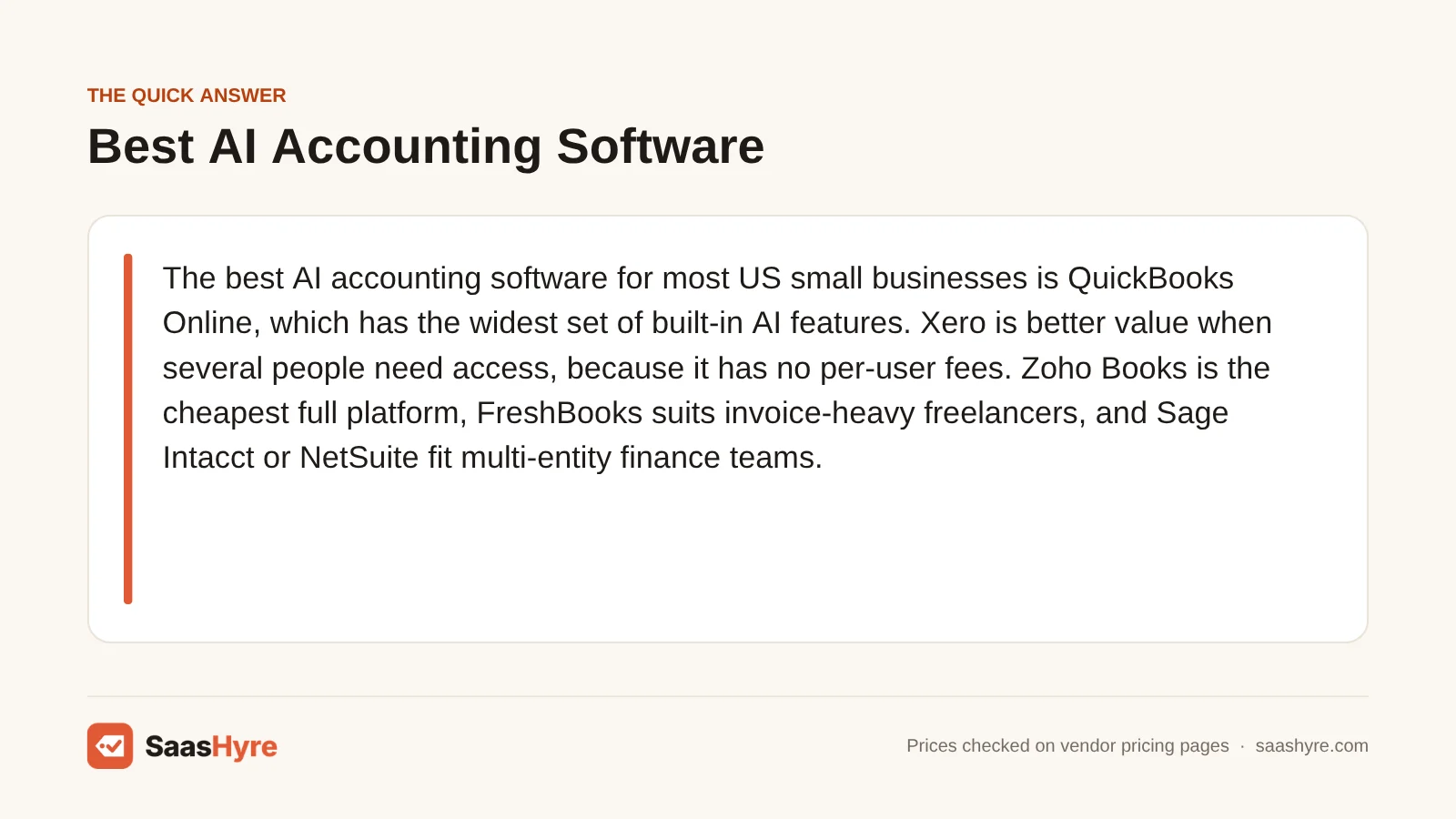
Here is my advice before you compare. Don’t choose based on which AI assistant looks flashiest. Look at what you will pay in year two. By then the intro discount is gone, and you have added payroll, extra users and card processing. Those three costs often add more to your bill than the plan itself.
Every price below comes from the vendor’s own pricing page. We checked them in September 2026. Confirm them when you check out.
Building a full stack? Our small business software guide shows the best pick for every job and what it costs.
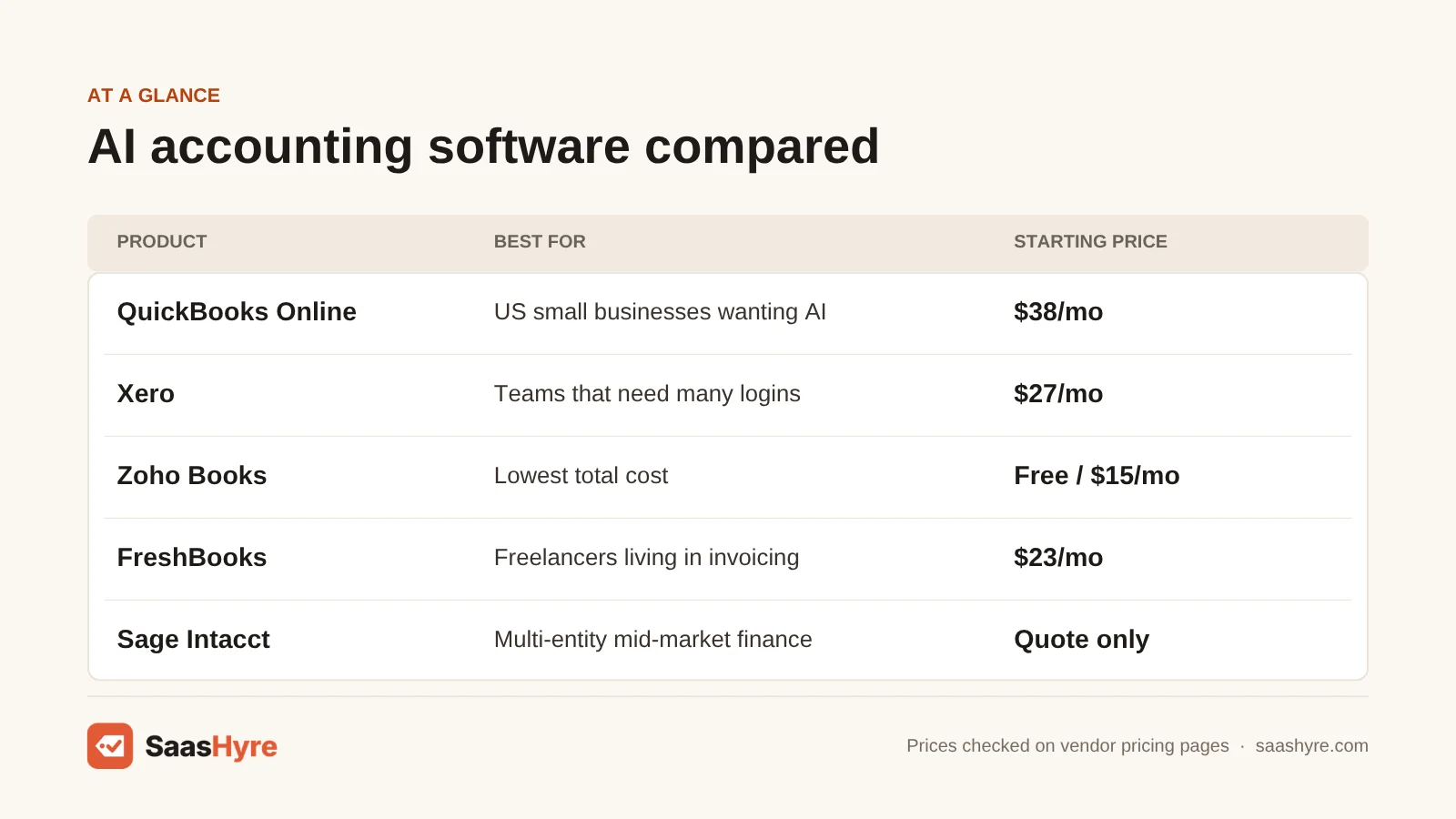
Quick Comparison: AI Accounting Platforms at a Glance
| Platform | Best for | Regular starting price | Billing model | Free trial or free plan |
|---|---|---|---|---|
| QuickBooks Online | US small businesses that want the most AI | $38/mo (Simple Start, 1 user) | Per plan, user caps by tier | 30-day trial, or 50% off for 3 months |
| Xero | Teams that need many logins | $27/mo (Early) | Per plan, no per-user fees | No trial listed; 80% off first 3 months for new customers |
| Zoho Books | Lowest total cost | $0 (Free); paid from $15/mo billed yearly | Per plan plus $2.50 to $3 per extra user | Free plan and 14-day trial |
| FreshBooks | Freelancers who live in invoicing | $23/mo (Lite, 5 billable clients) | Per plan plus $11 per team member | 30-day trial; Lite at $1/mo for a year |
| Sage Intacct | Multi-entity mid-market finance teams | Quote only | Annual subscription by modules | Demo only |
| Oracle NetSuite | Companies outgrowing small-business tools | Quote only | Base license plus per-user licenses | Demo only |
What AI Accounting Software Actually Does
AI accounting software is a full general ledger with invoicing, bills, bank feeds and reports. It uses machine learning and generative AI to sort transactions, match bank lines and read receipts and bills. It also flags odd numbers and answers plain-English questions about your money. You still own the books and approve what the AI does.
That last point matters. It is what makes this different from AI bookkeeping services. With a service, the vendor’s team closes your books for a monthly fee. Here you are buying software. The AI cuts out typing and matching. But someone on your side still checks categories, fixes problems and signs off on the month.
The AI features do four main jobs. They sort bank transactions, reconcile accounts, capture documents like receipts and bills, and run a chat assistant that answers questions or drafts invoices. A 2024 Gartner survey of 121 finance leaders found 58% of finance teams were using AI. And 39% used it to spot errors and odd numbers. For more buying guides, see our SaaS hub.
A word of warning. Vendors call many AI features beta or a future vision. Buy for what the pricing page lists today.
What AI Accounting Software Really Costs per Year
Your first-year bill and your second-year bill can be very different. QuickBooks takes 50% off for three months. Xero takes 80% off for three months. FreshBooks Lite is $1 a month for a year. After that, full prices kick in. Payroll also adds a base fee plus a charge per employee every month.
To show the real cost, we priced two common buyers using each vendor’s posted plans:
- Freelancer: one user, no employees, sends invoices every month.
- 10-person business: 10 employees on payroll in one state, and three people who need logins.
| Scenario and setup | First year (with September 2026 promo) | Year two (list price) | Catch |
|---|---|---|---|
| Freelancer: QuickBooks Simple Start | $399 | $456 | 1 user only |
| Freelancer: Xero Early | $259.20 | $324 | 20 invoices and 5 bills per month |
| Freelancer: Zoho Books Free | $0 | $0 | 1,000 invoices a year, 1 user plus accountant |
| Freelancer: FreshBooks Lite | $12 | $276 | 5 billable clients |
| 10 people: QuickBooks Essentials + Workforce Payroll | $2,092.50 | $2,280 | $6.50 per employee per month |
| 10 people: Xero Growing + Xero Payroll (Gusto) | $1,718.40 | $1,860 | $36/mo + $6 per employee |
| 10 people: Zoho Books Standard + Zoho Payroll Standard | $1,128 | $1,128 | Annual prepay; single-state payroll |
| 10 people: FreshBooks Plus + 2 team members + payroll | $1,876.80 | $1,980 | $11 per extra user, $40/mo + $6 per payroll user |
Here is how we got the numbers. QuickBooks bundles Essentials with payroll at $125 a month ($62.50 for the first three months), plus $6.50 per employee. Xero Growing is $59 a month after 80% off for three months. We rechecked Xero’s prices in October 2026. Xero Payroll adds $36 a month plus $6 per employee. Zoho Books Standard is $15 a month billed yearly. Zoho Payroll Standard is $29 a month plus $5 per employee, billed yearly. FreshBooks Plus is $43 a month after 80% off for three months.
Most guides skip one cost: payment processing. Say you are a freelancer who collects $80,000 a year by card through invoices. QuickBooks Payments at 2.99% costs about $2,392. FreshBooks at 2.9% plus $0.30 costs about $2,344 across 80 invoices. That is five times the software fee. Now push clients to bank transfer instead. It costs 1% on both platforms, with a $1 minimum on QuickBooks. The same $80,000 then costs about $800 to collect.
What Makes the Best AI Accounting Software?
The best AI accounting software is the one you can afford in year two, not just month one. Check which plan really includes the AI you want, like reconciliation. Compare user and invoice limits to your size 12 months from now. Add payroll costs per employee. Last, make sure your accountant already works in the system.
We compared plans, user limits, add-on fees and AI features from each vendor’s own pricing and feature pages. We checked them in September 2026. Intro discounts fade fast, so we priced the full list price over 12 months. The AI you see in an ad is often on a higher plan than the cheapest one. Card fees near 3% can also cost more than the software. So bank transfer (ACH) support matters.
Best AI Accounting Software for Small Businesses
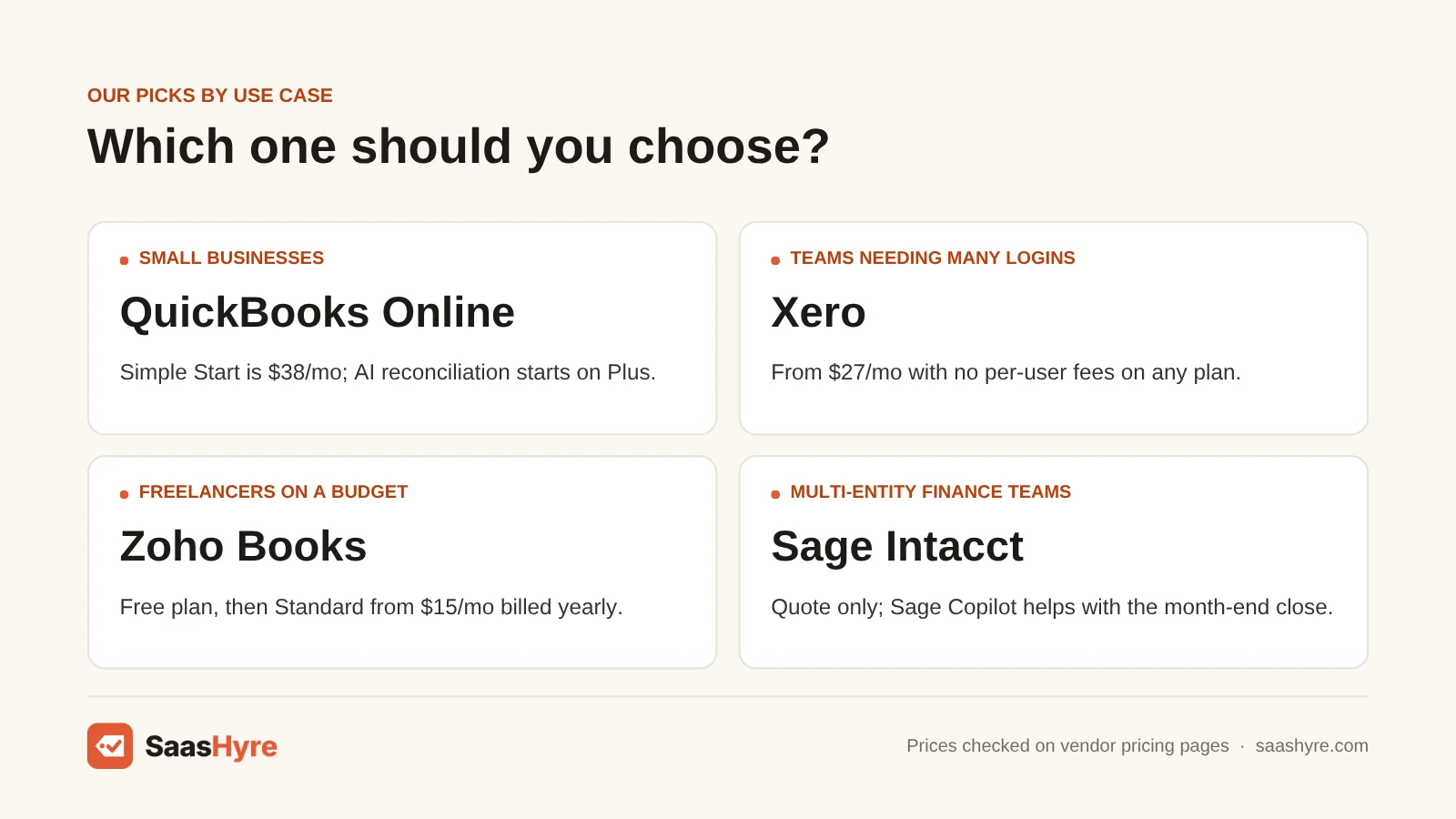
If you have a bookkeeper or outside accountant, QuickBooks Online and Xero are the two safe picks. QuickBooks packs more AI into its plans, from auto-sorting up to AI reconciliation. Xero gets cheaper as your team grows, because every plan allows unlimited users. QuickBooks limits logins to 1, 3, 5 or 25 users.
1 QuickBooks Online: Best for US small businesses that want the most AI
QuickBooks Online has the most AI of any small-business ledger. Its AI is now called Intuit Intelligence.
What it does well. Every paid plan sorts your expenses for you. You also get a tax deduction finder and an AI chat for questions. The stronger AI tools are on higher plans. AI-powered reconciliation, auto-sorting with checks and anomaly detection start on Plus.
Key features:
- Sorts expenses for you on every paid plan
- Tax deduction finder
- AI chat for questions (beta)
- AI reconciliation and anomaly detection from Plus
- Ongoing books quality checks and Finance AI on Advanced
Pricing. The QuickBooks pricing page lists Simple Start at $38 a month (1 user) and Essentials at $85 (3 users). Plus is $140 (5 users), and Advanced is $340 (25 users). New customers pick either 50% off for three months or a 30-day free trial. Every plan includes two accountant seats, or three on Advanced. Buying for AI reconciliation? Then budget for Plus at $140 a month, not Simple Start.
Best for: You, if you are a US business, your accountant already uses QuickBooks, and you want payroll, payments and AI in one login.
Limitations. The AI chat is marked beta with “limited capacity.” Logins are capped at 1, 3, 5 or 25 users, depending on the plan. Moving from Essentials to Plus costs $55 more a month just to add two seats. So it is a poor fit if you need more than three users on a budget.
2 Xero: Best for teams that need many logins
Xero gets cheaper as your team grows, because no plan charges per user.
What it does well. The AI you get today is real and useful. Smart Document Capture comes on every plan. Auto-reconciliation of bank transactions starts on Growing. Established adds multi-currency, projects and expense claims.
Key features:
- Unlimited users on every plan
- Smart Document Capture on every plan
- Auto bank reconciliation from Growing
- JAX AI agent, plus the XeroForce agent builder in early access
- Payroll through Gusto inside the ledger
Pricing. Per the Xero US pricing page, Early costs $27 a month, Growing $59 and Established $97. No plan charges per-user license fees. New US customers get 80% off for the first three months. For those three months, Early is $5.40, Growing is $11.80 and Established is $19.40 a month. The discount does not cover add-ons like payroll.
Best for: You, if several people need logins, you bill in more than one currency, or you want Gusto payroll inside your books.
Limitations. Early is tight. You get 20 invoices and 5 bills a month. Invoices made by connected apps count toward that limit too. If you send more than 20 invoices a month, you will have to move to Growing at $59. Xero’s August 2026 announcement lists auto bank reconciliation and document capture as available. But several JAX actions are still rolling out. Xero’s own JAX vision page says future features “may differ.” So treat the roadmap as a bonus, not a reason to buy.
Best AI Accounting Software for Freelancers and Tight Budgets
If you are a freelancer or a very small team, Zoho Books gives you the most accounting for the least money. It even has a free plan. FreshBooks gives you the best invoicing and client billing. But FreshBooks has less AI than the others. So choose it for how it helps you work, not for automation.
3 Zoho Books: Best for the lowest total cost
Zoho Books gives you the most accounting for the least money. It even has a free plan.
What it does well. Zia, Zoho’s assistant, answers plain-English questions. It gives you links to act on the answer. Machine learning flags sudden spikes or drops in your report data. Zoho Books also supports MCP connections. That lets outside AI agents create invoices or pull reports.
Key features:
- Free plan for 1 user plus an accountant
- Zia assistant for plain-English questions
- Anomaly flags in report data
- MCP connections for outside AI agents
Pricing. The Zoho Books pricing page lists a Free plan (1 user plus an accountant, 1,000 invoices a year). Standard is $15 a month billed yearly or $20 monthly (3 users). Professional is $40 or $50 (5 users). Premium is $60 or $70 (10 users). Elite is $120 or $150, and Ultimate is $240 or $275. Extra users cost $2.50 to $3 a month. Document autoscans come in packs of 50 for $8 to $10 a month. BillPay costs $59 to $69 a month.
Best for: You, if you want the lowest total cost as a freelancer or small team. It also fits if you use other Zoho apps or need 10 users for $60 a month.
Limitations. Watch the add-ons for autoscans and BillPay. The features page doesn’t say which plans include each Zia feature. So confirm it during the trial before you commit. If your accountant only works in QuickBooks or Xero, switching will cost you time.
4 FreshBooks: Best for freelancers who live in invoicing
FreshBooks gives you the best invoicing and client billing. But its AI is lighter than the others.
What it does well. Billing clients is where it shines. Time tracking, repeat invoices, online payments and receipt scanning in the mobile app all work well together. Pick it for how you work, not for automation.
Key features:
- Time tracking
- Recurring invoices
- Online payments
- Receipt scanning in the mobile app
Pricing. The FreshBooks pricing page lists Lite at $23 a month (5 billable clients), Plus at $43 (50 clients) and Premium at $70 (unlimited clients). Select has custom pricing. In September 2026, Lite was $1 a month for the first year. Plus and Premium were 80% off for three months. Each extra team member costs $11 a month. Payroll is $40 a month plus $6 per person. Advanced Payments is $20 a month.
Best for: You, if you bill clients by the hour or project and want the smoothest invoicing.
Limitations. FreshBooks talks about AI on its blog. But its pricing page does not list any named AI features. Watch the client limit closely. Six clients means you have outgrown Lite. Skip it if AI sorting and reconciliation are why you are shopping. Also skip it if you plan to add several team members.
Best AI Accounting Software for Multi-Entity Finance Teams
Once you run several entities, need consolidations or have more than a few people in finance, small-business tools start to struggle. Sage Intacct and Oracle NetSuite both sell AI inside a bigger financial system. Both only give prices by quote. Setup projects can take months and cost more than the first year of licenses.
5 Sage Intacct: Best for multi-entity mid-market finance teams
Sage Intacct sells AI help for the month-end close. It comes inside a bigger financial system for teams with several entities.
What it does well. Sage Copilot is its generative AI assistant. It tracks month-end close tasks. It compares the general ledger with sub-ledgers to flag mismatches. It also answers questions about your data.
Key features:
- Sage Copilot generative AI assistant
- Month-end close task tracking
- Checks for mismatches between the general ledger and sub-ledgers
- Q&A on your financial data
Pricing. Sage does not publish Intacct prices. Its Sage Intacct page says pricing depends on your size and modules. It is sold as a yearly subscription. Sage’s Copilot page says customers can “access or add on” Copilot. It does not say whether that costs extra. So ask for it as its own line in the quote.
Best for: You, if you manage several entities or locations and want AI help with the month-end close.
Limitations. Setup usually takes three to six months. You get a quote and a demo, not a trial. Is yours a single business under a few million in revenue? Then you will pay far less with QuickBooks Advanced or Xero Established.
6 Oracle NetSuite: Best for companies outgrowing small-business tools
NetSuite is a full ERP. Accounting is just one part of a bigger system.
What it does well. The NetSuite AI page lists invoice capture with OCR and exception tools that flag odd items. It also lists AI-written narrative reports and an AI assistant. In October 2025, Oracle announced NetSuite Next. It builds chat-style AI and agent workflows across the whole suite.
Key features:
- Invoice capture using OCR
- Exception management that flags anomalies
- AI-generated narrative reporting
- AI assistant
- Inventory, orders and consolidation all in one system
Pricing. Oracle does not publish list prices. Independent partners estimate the base license at around $999 a month. Full user licenses run $129 to $199 a month. Small setups start at $25,000. These are negotiated numbers reported by clients, not Oracle list prices.
Best for: You, if you also need inventory, order management and consolidation in one system.
Limitations. You only get prices by quote. Setup projects can take months and cost more than the first year of licenses. If you just need a general ledger with good bank feeds, you would pay ERP prices for small-business needs.
How to Choose AI Accounting Software Without Overpaying
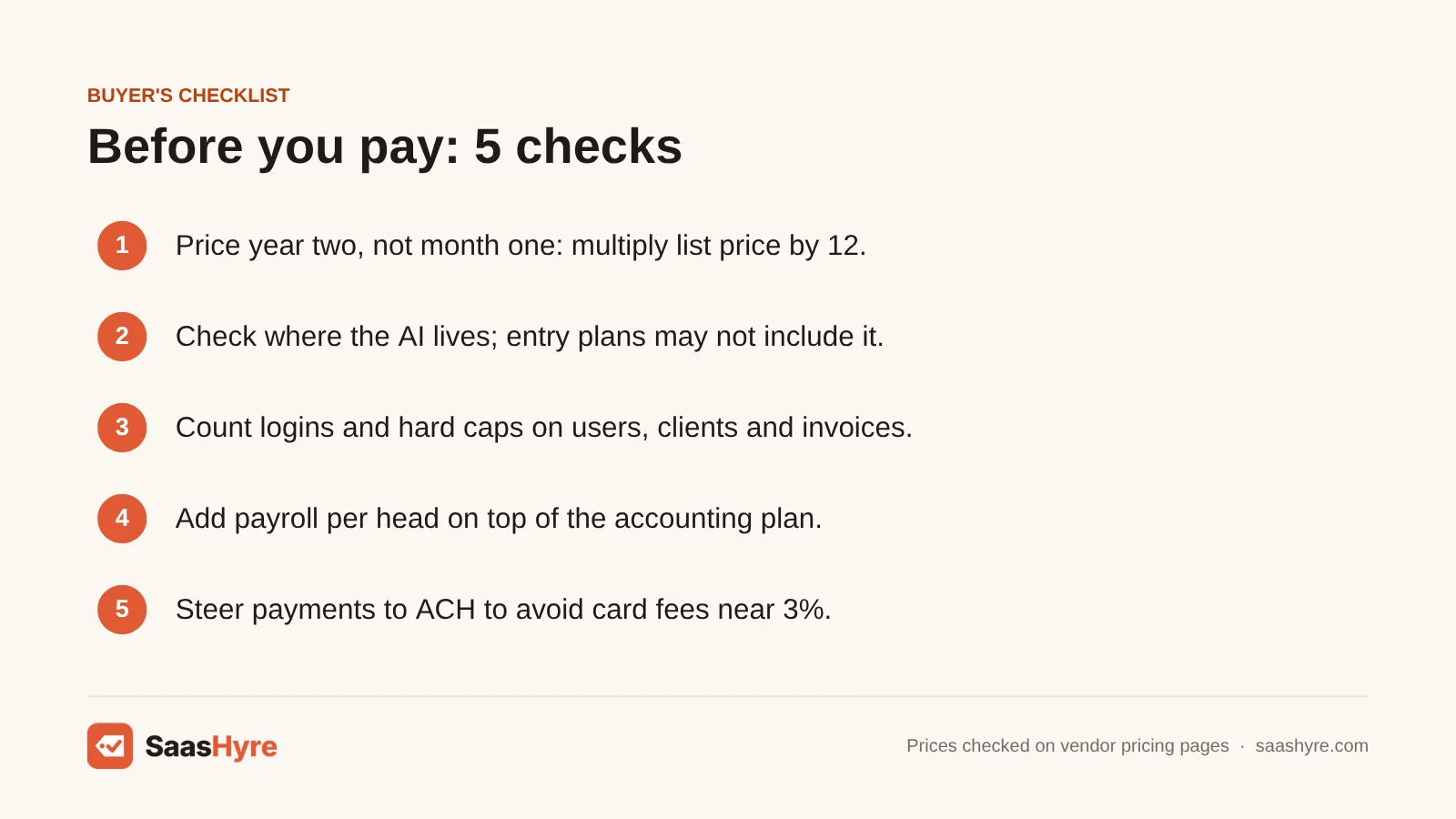
- Price year two, not month one. Every small-business vendor here gives a discount at the start. Multiply the list price by 12 and add payroll before you compare.
- Check where the AI actually lives. QuickBooks puts AI reconciliation on Plus and up. Xero puts auto-reconcile on Growing and up. The cheapest plan may not have the feature you saw in the ad.
- Count logins and hard caps. QuickBooks limits users per plan. FreshBooks charges $11 per extra team member and limits billable clients. Xero Early limits invoices and bills. Pick the plan that will fit you 12 months from now.
- Add payroll per head. Payroll costs $5 to $10 per employee per month, on top of a base fee. For 10 people, that is often more than the accounting plan.
- Steer payments to ACH. Card fees near 3% can cost more than the software. Make bank transfer the default way to pay your invoices.
- Ask your accountant first. The cheapest plan is no bargain if your accountant bills extra hours to learn a new system.
How We Evaluated
We compared plans, user limits, add-on fees and AI features. We used each vendor’s own pricing pages, feature pages and announcements, checked in September 2026. When a vendor does not publish prices, we say so. We label outside numbers as estimates. The yearly cost examples are math from posted prices, not quotes. We did not run our own accuracy tests on the AI features, and we do not claim hands-on testing. No vendor pays for placement or ranking. Read our editorial policy to see how we research and update guides.
The Bottom Line
For most US small businesses, I’d pick QuickBooks Online for the most AI. Just budget for Plus if you want AI reconciliation. Xero is the better deal once three or more people need access. Zoho Books is the lowest-cost full platform, thanks to its free plan and cheap payroll. FreshBooks is for freelancers who care more about billing than automation. Running several entities? Get quotes from Sage Intacct and NetSuite. Compare setup costs as closely as license fees.
Frequently Asked Questions
What is the best AI accounting software for small businesses?
QuickBooks Online fits most US small businesses best. Intuit Intelligence handles sorting, reconciliation and anomaly checks. Payroll and payments are in the same login. Xero is the better deal if many people need logins, since it has no per-user fees. Zoho Books is the cheapest, with a free plan and paid plans from $15 a month billed yearly.
Can AI accounting software replace my accountant or bookkeeper?
No. AI accounting software cuts data entry, matches bank lines and flags odd numbers. But someone still has to check categories, handle problems, close the month and file taxes. Most owners use the AI to cut bookkeeping hours. They keep an accountant for year-end, taxes and advice. If you want the books done for you, look at a bookkeeping service instead.
Is there free AI accounting software?
Zoho Books has a free plan for one user plus an accountant. It is capped at 1,000 invoices a year and includes bank feeds and reports. QuickBooks offers a 30-day free trial. Zoho Books has a 14-day trial on paid plans, and FreshBooks has a 30-day trial. Xero listed no trial in September 2026, only a discount for new customers.
How much does AI accounting software cost per year?
As a freelancer, you pay anywhere from $0 on Zoho Books Free to $456 a year for QuickBooks Simple Start at list price. A 10-person business with payroll pays about $1,100 to $2,300 a year across Zoho Books, Xero, FreshBooks and QuickBooks. Card fees near 3% of what you invoice can cost more than the software.
Is Xero JAX included in every Xero plan?
Xero’s pricing page lists Smart Document Capture on all plans. AI auto-reconciliation starts on the Growing plan at $59 a month. Xero’s August 2026 announcement calls JAX an agent platform. Some parts are available now, and others are in early access or coming soon. Xero does not list a separate JAX fee. So check the current feature list for your plan.
Is AI accounting software accurate enough to trust?
It is accurate enough to speed up routine work. But don’t let it run on its own. Vendors warn about this themselves. QuickBooks notes its assistant can make mistakes, and several features are labeled beta. Check auto-sorted transactions every week at first. Keep a person in charge of signing off on bank reconciliation. Loosen up only after the rules prove reliable on your own data.