

The best AI for financial analysis depends on where your numbers are kept. For quick analysis of spreadsheets and statements, Claude or ChatGPT at about $20 a month is the best value. If you run a small business or advise clients on QuickBooks or Xero, pick Fathom or Reach Reporting. Finance teams that need budgets and forecasts should look at Jirav, Datarails or Cube.

Here is the first question I’d ask. Can the tool see your real, connected data? Or are you pasting numbers into a chat window? A general AI assistant is great at reading a P&L you upload. But it forgets it by tomorrow. Connected tools cost more because they refresh from your ledger every month.
I pulled every price below from the vendor’s own pricing page or help center in September 2026. Two of the nine tools here hide their prices until you book a demo. We tell you that instead of guessing.
This guide is part of our best business software series, which maps the whole small business stack.
Quick Comparison: AI Financial Analysis Tools at a Glance
| Tool | Best for | Starting price | Billing model | Free option |
|---|---|---|---|---|
| Claude | Reading statements and Excel models | $17/mo billed annually ($20 monthly) | Per user; Team from 2 seats | Free plan (no Excel add-in) |
| ChatGPT | Quick data analysis on uploaded files | $20/mo (Plus) | Per user; Business from 2 seats | Free plan, capped uploads |
| Microsoft 365 Copilot | Teams already living in Excel and Microsoft 365 | $18/user/mo paid yearly (Business) | Add-on to a Microsoft 365 license | No |
| Shortcut | Heavy Excel modeling by one analyst | $100/mo billed annually (Pro) | Credits per message | 20 credits a week |
| Fathom | Small businesses and accountants on QuickBooks or Xero | $59/mo for 1 company | Per company, unlimited users | 14-day trial |
| Reach Reporting | Advisory firms reporting on many clients | $129/mo billed annually ($149 monthly) | Per connection, unlimited users | 30-day trial, no card |
| Jirav | Growing companies that need budgets and forecasts | $10,000/yr (Starter) | Annual contract | Demo only |
| Datarails | Excel-first FP&A teams | Quote only | Tiered by users and integrations | Demo only |
| Cube | Finance teams wanting AI agents inside Excel and Sheets | Quote only | Tiered plans | Demo only |

What AI Financial Analysis Software Actually Does
AI financial analysis software reads financial data, like a P&L, balance sheet, general ledger export or model. Then it explains what changed and why. The better tools also work out ratios, flag odd numbers and draft commentary. They answer plain-English questions like “why did gross margin drop in March?”
You are really choosing between three kinds of product:
- General AI assistants (Claude, ChatGPT, Copilot). They are cheap and flexible. They analyze whatever you upload or open in Excel. But they don’t stay connected to your books.
- Reporting and analysis tools (Fathom, Reach Reporting). They sync with your accounting system. They turn it into KPIs, trends and client-ready reports, with AI-written commentary on top.
- FP&A platforms (Jirav, Datarails, Cube). They handle budgeting, forecasting, variance analysis and board reporting, now with AI agents added. They are priced for companies with a finance team.
Financial analysis is one step above the books. If your ledger is still a mess, fix that first. Our AI accounting software guide can help. No model can analyze numbers that are wrong.
More finance teams use AI, but not evenly. A Gartner survey of 183 finance leaders found 59% of finance functions used AI in 2025. That was almost flat from the year before. Most said the impact so far was low to moderate.
What AI Financial Analysis Really Costs for Your Setup
If you run your business alone, useful AI financial analysis costs about $200 to $950 a year. An advisory firm reporting on ten clients pays roughly $2,400 to $3,800 a year. If your company is growing and wants real budgeting and forecasting, expect $10,000 a year or more before anyone opens a chat window.
None of the top-ranking guides we read put prices side by side. So here is what each common setup costs per year. We used list prices from each vendor’s pricing page.
| Your setup | Sensible stack | Approx. yearly cost |
|---|---|---|
| Owner who exports reports to Excel now and then | Claude Pro (annual) or ChatGPT Plus | $204 to $240 |
| Small business on QuickBooks or Xero wanting monthly KPIs | Fathom Starter plus Claude Pro | About $912 |
| Analyst building models in Excel most days | Shortcut Pro (annual) or Claude Max | About $1,200 |
| Advisory firm reporting on 10 clients | Reach Reporting 10 connections (annual) or Fathom Silver | $2,436 or $3,780 |
| Three-person finance team, budgets and forecasts | Jirav Starter plus ChatGPT Business, 3 seats | About $10,720 |
| Mid-market FP&A team, 10+ users | Datarails or Cube | Quote only |
The pattern is easy to see. The AI itself is cheap. You are paying for the link to accurate, current data and the reports on top. Do you only look at your numbers a few times a quarter? Then a $20 assistant plus an export from your accounting system is hard to beat.
What Makes the Best AI Financial Analysis Software?
The best AI financial analysis software works with your data where you already keep it, like Excel, QuickBooks or Xero. It keeps client data out of model training. It shows the full price, including seats, credits and licenses. It must also be accurate enough to trust, so you can check any number against the source before you act on it.
We compared each tool using its own pricing page, help center and product docs. Accuracy matters most. Wall Street Prep found leading tools making up historical data. Accurate books come first. If a tool charges per company or per connection, price it for your client count a year from now.
Best General AI for Financial Analysis
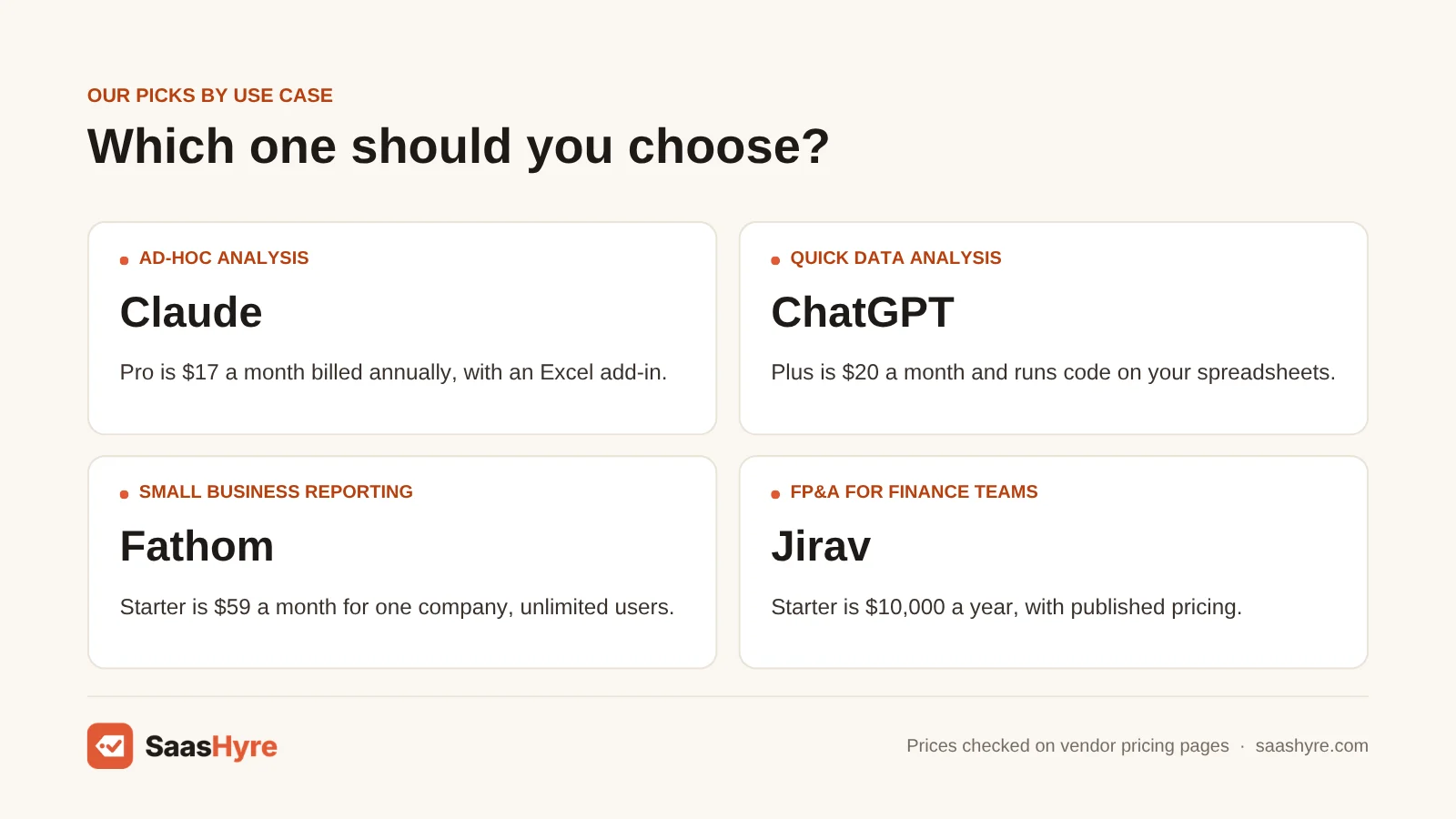
For most people asking “what is the best AI for financial analysis,” the answer is a general assistant you use on your own exports. Claude is the strongest pick for working inside Excel models. ChatGPT is a close second for fast file analysis. Microsoft 365 Copilot fits companies that already pay for Microsoft 365.
1 Claude: Best for reading statements and Excel models
If you work inside Excel models and long financial documents, I’d start with Claude. It is the strongest general assistant for that.
What it does well. It reads long documents well. That helps with annual reports, board packs and loan agreements. Its Excel add-in reads your sheet layout and formulas directly. You can ask why a cell changed instead of pasting screenshots.
Key features:
- An Excel add-in that reads formulas and sheet layout
- Long-document reading
- File analysis plus code execution
- Microsoft 365 integration on Pro
Pricing. Free costs $0. It includes file analysis and code execution, but with tighter usage limits and no Excel add-in. Pro costs $17/mo billed yearly or $20 monthly. Max starts at $100/mo for 5x or 20x Pro usage. Team costs $20/seat/mo yearly ($25 monthly), with at least 2 seats. Premium seats cost $100 yearly ($125 monthly).
Best for: You, if you work in Excel and want help tracing formulas, checking models and summing up long filings.
Limitations. Nothing stays synced. Each analysis starts from the file you give it. Wall Street Prep’s test of AI modeling tools caught Claude making up historical figures. So check every number it pulls against the source. It is not a dashboard that refreshes itself every month.
2 ChatGPT: Best for quick data analysis on uploaded files
Need fast analysis of files you upload? ChatGPT is a close second.
What it does well. It runs code on the spreadsheets you upload. In one chat, it can work out ratios, build charts and fix messy exports. Plus includes the Excel, Word, PowerPoint and Google Sheets extensions.
Key features:
- Runs code on spreadsheets you upload
- Ratios, charts and fixing messy data
- Excel, Word, PowerPoint and Google Sheets extensions on Plus
- No training on Business workspace data
Pricing. Plus costs $20/mo. Pro starts at $100/mo, with a higher $200 tier. Business costs $20/user/mo yearly or $25 monthly, with at least 2 seats. The free plan limits uploads.
Best for: You, if you want quick charts and math from CSV and Excel exports.
Limitations. On individual plans, OpenAI can use your content for training unless you opt out. OpenAI says it does not train on Business workspace data. If you upload client or payroll data, change that setting or use Business.
3 Microsoft 365 Copilot: Best for teams already living in Excel and Microsoft 365
Already on Microsoft 365? Microsoft 365 Copilot puts AI inside Excel, Outlook and Teams.
What it does well. It works in the apps your team already uses. A ready-made Analyst agent handles data work. Microsoft says it does not use prompts and responses to train its models.
Key features:
- AI inside Excel, Outlook and Teams
- A ready-made Analyst agent
- No training on prompts and responses
- One approved vendor for your IT team
Pricing. Copilot Business costs $18/user/mo paid yearly (listed as cut from $21) or $25.20 monthly. Microsoft 365 Copilot (enterprise) costs $30/user/mo paid yearly. Both are add-ons to a qualifying Microsoft 365 license.
Best for: You, if your company runs on Microsoft 365 and IT wants one approved AI vendor.
Limitations. You also need a Microsoft 365 license. So the real cost per person is higher than the listed price. There is no free option. It is a poor fit if you use Google Workspace or only analyze numbers now and then.
4 Shortcut: Best for heavy Excel modeling by one analyst
Shortcut is an AI Excel agent. It builds and edits whole workbooks for you.
What it does well. It works on the web, in Excel and in Google Sheets. It ranked first in Wall Street Prep’s modeling test.
Key features:
- Builds and edits whole workbooks for you
- Web, Excel and Google Sheets
- Shared credits on Teams
- Ranked first in Wall Street Prep’s modeling test
Pricing. Free gives you 20 credits a week. Pro costs $100/mo billed yearly for 1,000 credits a month. Teams costs $320/mo plus $100 per seat per month, billed yearly, with shared credits. Shortcut says a message usually uses 2 to 15 credits. So 1,000 credits could cover about 65 to 500 requests.
Best for: You, if you build three-statement models or large workbooks most days.
Limitations. The same Wall Street Prep test found it also made up historical data. It charges in credits, not messages. If you mostly need to read and explain numbers, a $20 assistant does the job.
Best AI Financial Analysis Software for Small Businesses and Advisors
Want analysis that updates itself from QuickBooks or Xero? Pick Fathom if you have a single company or a mixed set of clients. Pick Reach Reporting if you run an accounting firm and want polished, branded client reports. Reach also gives you unlimited users at a flat price per connection.
5 Fathom: Best for small businesses and accountants on QuickBooks or Xero
Fathom turns your QuickBooks or Xero data into KPIs and management reports that update themselves.
What it does well. It gives you KPIs, trend analysis, benchmarking and management reports. Its Commentary Writer drafts AI report notes and shows the numbers behind them. That saves time on monthly packs. The Access Group bought Fathom, per Accounting Today.
Key features:
- KPIs, trend analysis and benchmarking
- AI Commentary Writer
- Cash flow forecasts on every plan
- Unlimited users
Pricing. Starter costs $59/mo for 1 company, plus $59 for each extra company. Silver costs $315/mo for 10 companies, then $31 each. Gold costs $450/mo for 25 companies, then $17 each. Platinum costs $805/mo for 50 companies, then $13 each. There is no long-term contract, and you get a 14-day trial.
Best for: You, if you run a small business or work as an accountant and want monthly KPIs and board-style reports straight from QuickBooks or Xero.
Limitations. It is not a good fit for driver-based budgets with owners in each department. The price goes up with each company you connect. If forecasting is your main job, compare the tools in our cash flow forecasting software guide.
6 Reach Reporting: Best for advisory firms reporting on many clients
If your firm sends polished reports to clients, look at Reach Reporting. It is built for that.
What it does well. Every plan includes unlimited users, a three-way FP&A model and cash flow projections. You also get live dashboards and AI-powered data storytelling. At 10 clients, it comes to about $20 per client per month on yearly billing. That is less than Fathom Silver.
Key features:
- Unlimited users
- Three-way FP&A model
- Cash flow projections and live dashboards
- AI-powered data storytelling
Pricing. 1 connection costs $149/mo monthly or $1,548/yr. 10 connections cost $290/mo monthly or $2,436/yr. 25 connections cost $550/mo monthly or $4,620/yr. There is no contract. You get a 30-day free trial with no card. White labeling costs extra.
Best for: You, if you run an accounting or fractional CFO practice with 5 to 25 clients.
Limitations. For a single business, Fathom Starter costs less than half. The price goes up per connection, so price it for your client count a year from now.
Best AI FP&A Platforms for Finance Teams
When financial analysis means budgets, forecasts, variance reports and board decks for a whole company, you need an FP&A platform. Jirav is the only one of the three that publishes prices. Datarails suits teams that won’t leave Excel. Cube adds AI agents that also connect to Claude, ChatGPT and Copilot.
7 Jirav: Best for growing companies that need budgets and forecasts
Jirav is the only FP&A platform here that shows its prices.
What it does well. It covers budgeting, forecasting and budget-versus-actual reports. It includes linked balance sheet and cash flow projections. Accounting firms can buy through a separate, cheaper firm program.
Key features:
- Budgeting and forecasting
- Budget-versus-actual reporting
- Integrated balance sheet and cash flow projections
- Multi-year plans, scenarios and department budgets on Pro
Pricing. Starter costs $10,000/yr for company-level plans and reports. Pro costs $15,000/yr. Enterprise is by quote only. You sign a yearly contract.
Best for: You, if your company is growing and you want clear pricing and a full plan-versus-actual model.
Limitations. Its business pricing page does not list AI features by tier. So ask in the demo which AI forecasting features come with Starter. If your revenue is under a few million, $10,000 a year is hard to justify.
8 Datarails: Best for Excel-first FP&A teams
Does your finance team want to stay in Excel? Datarails lets you do that while it pulls your data together behind the scenes.
What it does well. Its AI includes Strategy, Reporting and Planning agents. Storyboards turn data into presentations, including board decks drafted by AI.
Key features:
- Stays inside Excel
- Strategy, Reporting and Planning agents
- AI Storyboards for board decks on Premium
- One extra product (cash, close or spend) on Expert
Pricing. Every tier is by quote only. Professional covers 2 users and 1 integration, with the AI Suite included. Premium covers 5 users and 2 integrations. Expert covers 15 users and 3 integrations.
Best for: You, if your team works in Excel all day and wants board decks drafted by AI.
Limitations. Watch the user and integration limits. Say you have an ERP, a CRM, payroll and a bank feed. You can outgrow the integration count fast. You need a sales call to get a price.
9 Cube: Best for finance teams wanting AI agents inside Excel and Sheets
Cube adds what it calls an agentic finance layer inside Excel and Google Sheets.
What it does well. It has agents for bringing in data, variance analysis, forecasting and executive presentations. Every tier includes a Cube MCP server. It connects your plan data to Claude, ChatGPT or Copilot. So your team can ask about governed numbers from the AI assistant they already use.
Key features:
- Works in Excel and Google Sheets
- Agents for bringing in data, variance analysis and forecasting
- A Cube MCP server on every tier
- Unlimited users and dimensions
Pricing. All three tiers are by quote only. Bronze includes unlimited users and dimensions and the full platform. Silver adds Slack and Teams, workflow automation and slide integration. Gold adds premium support and all integrations.
Best for: You, if your finance team wants governed numbers it can ask about from Claude, ChatGPT or Copilot.
Limitations. You need a finance team to own the model. There is no published price.
How to Choose AI Financial Analysis Software: 6 Checks Before You Pay

- Fix the data first. If reconciliations are late or categories are wrong, every AI answer will be wrong. Accurate books come before analysis. AI bookkeeping software is the cheaper place to start.
- Check where the data goes. Personal ChatGPT plans can train on your content unless you opt out. For client or payroll data, use a business plan where the vendor says it does not train on your data.
- Count the real price. Copilot needs a separate Microsoft 365 license. Claude and ChatGPT team plans need at least 2 seats. Shortcut charges in credits, not messages.
- Watch per-company and per-connection pricing. The price of Fathom and Reach goes up with each company you connect. Price your client count a year from now, not today.
- Test for made-up numbers. Give the tool a statement you know well and ask for 10 figures. Wall Street Prep found leading tools making up historical data. So check any number before you base a decision on it.
- Ask about contract length. Jirav is billed yearly, and the quote-only platforms usually are too. Get the renewal terms and any cap on price increases in writing.
How We Evaluated
We compared each tool using its own pricing page, help center and product docs, checked in September 2026. We also read the top-ranking guides on this topic. We did not run our own accuracy benchmarks. Where we mention made-up data results, they come from Wall Street Prep’s published test. AI and accuracy claims are the vendor’s own. No provider pays for placement or ranking. Read more in our editorial policy.
The Bottom Line
Only analyze statements and spreadsheets now and then? Start with Claude Pro or ChatGPT Plus at about $20 a month, and check every figure. Want monthly KPIs from QuickBooks or Xero without exporting anything? Fathom is the best pick for a single company. Reach Reporting is better value if your firm has many clients. If you build models all day, Shortcut or Claude Max can be worth it. If your finance team needs budgets and forecasts, price Jirav first. Then get quotes from Datarails and Cube.
Frequently Asked Questions
What is the best AI for financial analysis?
For most people and small businesses, Claude or ChatGPT on a paid plan of about $20 a month is the best value. Both analyze uploaded statements and spreadsheets well. Want analysis that updates from QuickBooks or Xero every month? Fathom is a better fit. If your finance team builds budgets and forecasts, look at FP&A platforms like Jirav, Datarails or Cube.
Can ChatGPT do financial analysis?
Yes. ChatGPT can read Excel and CSV files you upload. It can work out ratios, build charts and explain trends in a P&L. Plus costs $20 a month. It does not stay connected to your accounting system. So each analysis uses the file you upload. On personal plans, turn off training on your content before you upload client data. Or use ChatGPT Business.
Is Claude or ChatGPT better for financial analysis?
Claude is stronger for long documents and for working inside Excel. On paid plans, its add-in reads formulas and sheet layout. ChatGPT is quicker for charts and one-off math on uploaded files. Both cost about $20 a month for one person. Wall Street Prep’s own testing found AI tools, Claude included, can make up historical figures. So check the numbers either way.
What is AI financial planning software?
AI financial planning software is often called FP&A software. It helps a business build budgets, forecasts and scenarios. Then it compares them to actual results. The AI drafts variance notes, suggests forecast drivers and answers questions in plain English. Jirav is one example, starting at $10,000 a year. Datarails and Cube quote prices one customer at a time.
How much does AI financial analysis software cost?
General AI assistants cost about $17 to $25 per user per month. Reporting tools for QuickBooks and Xero users start at $59 a month for Fathom. Reach Reporting starts at $129 a month on yearly billing. FP&A platforms start around $10,000 a year for Jirav. Datarails and Cube are quote only. We checked prices in September 2026.
Can AI replace a financial analyst?
Not yet. AI is fast at pulling numbers, drafting notes and building first-draft models. But tests show it still makes up data and hides errors where people rarely look. Treat it like a fast junior analyst whose work you check. The judgment calls still need a person. That means which assumptions to trust and what to do next.