

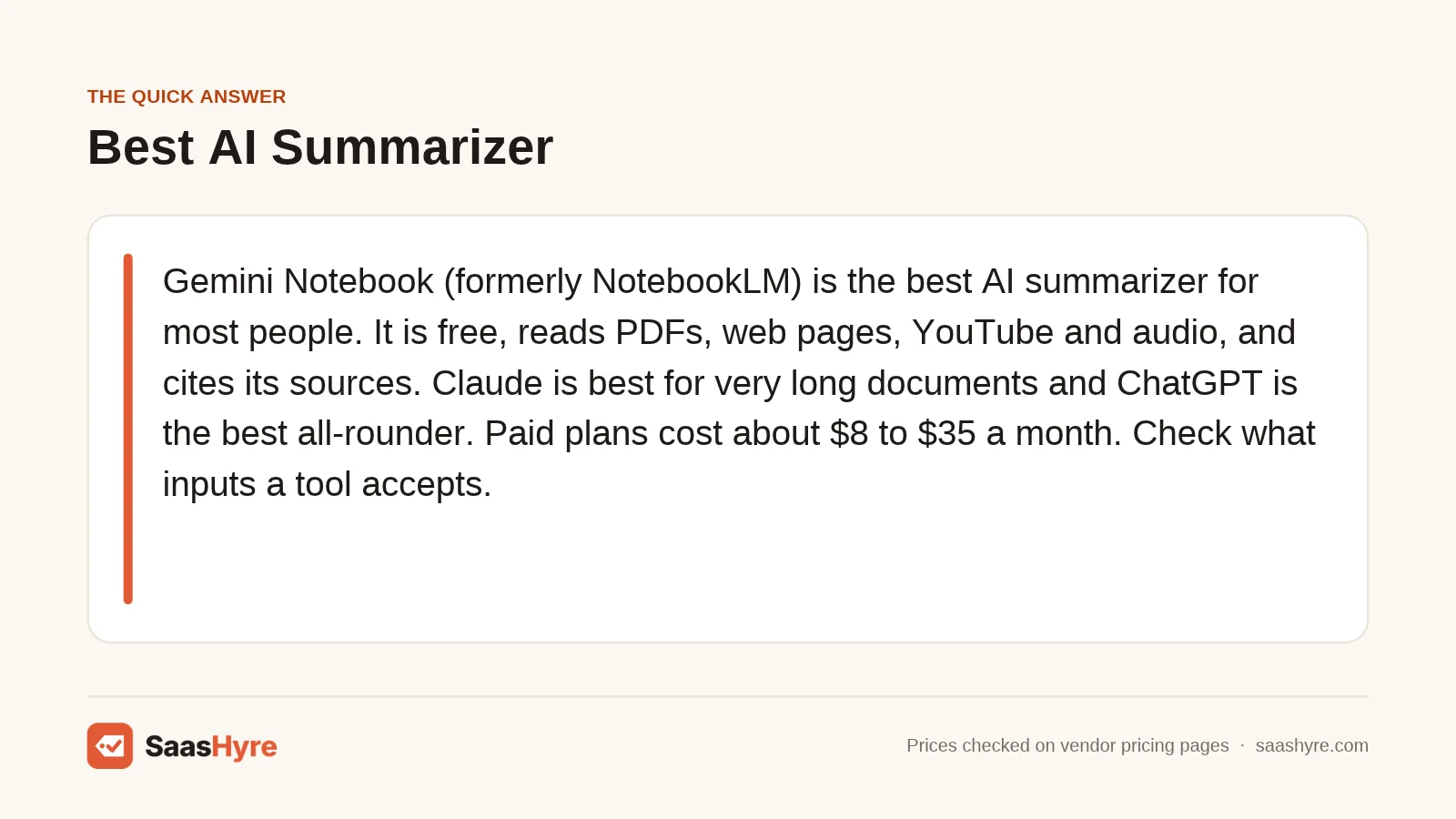
TL;DR: Gemini Notebook (formerly NotebookLM) is the best AI summarizer for most people. It is free, reads PDFs, web pages, YouTube and audio, and cites the passage behind each answer. Claude is best for very long documents. ChatGPT is the best all-rounder. Recall suits articles and podcasts, and QuillBot suits quick text. Paid plans cost about $8 to $35 a month. Before you pay, check what inputs the tool accepts.
An AI summary is only useful if it is true. The hard part is knowing which tool can read your file and show you where each claim came from.
That risk is real. On Vectara’s hallucination leaderboard (updated May 11, 2026), even the newest models slip. The latest GPT, Claude and Gemini models added unsupported facts to 3.1% to 13.6% of document summaries.
News summaries look worse. A study led by the BBC and the European Broadcasting Union (October 2025) checked over 3,000 AI answers about the news. It found 45% had at least one significant issue, and 31% had sourcing problems.
So I ranked nine tools on four things most guides skip. Which inputs each tool accepts. How much text each plan can take in. Whether it links claims back to the source. And what happens to your files. I checked every price and limit on the vendor’s own pages on November 1, 2026.
For AI tools beyond summarizing, start with our main guide to the best AI tools for work and productivity.
What Is the Best AI Summarizer?
Gemini Notebook, the tool Google called NotebookLM until July 2026, is the best AI summarizer for most people. It is free and takes up to 50 sources per notebook. It accepts PDFs, URLs, public YouTube videos and audio files. Its answers usually cite the exact source passage, so you can check them.
| Tool | Best for | Starting price | Free plan or trial | Note |
|---|---|---|---|---|
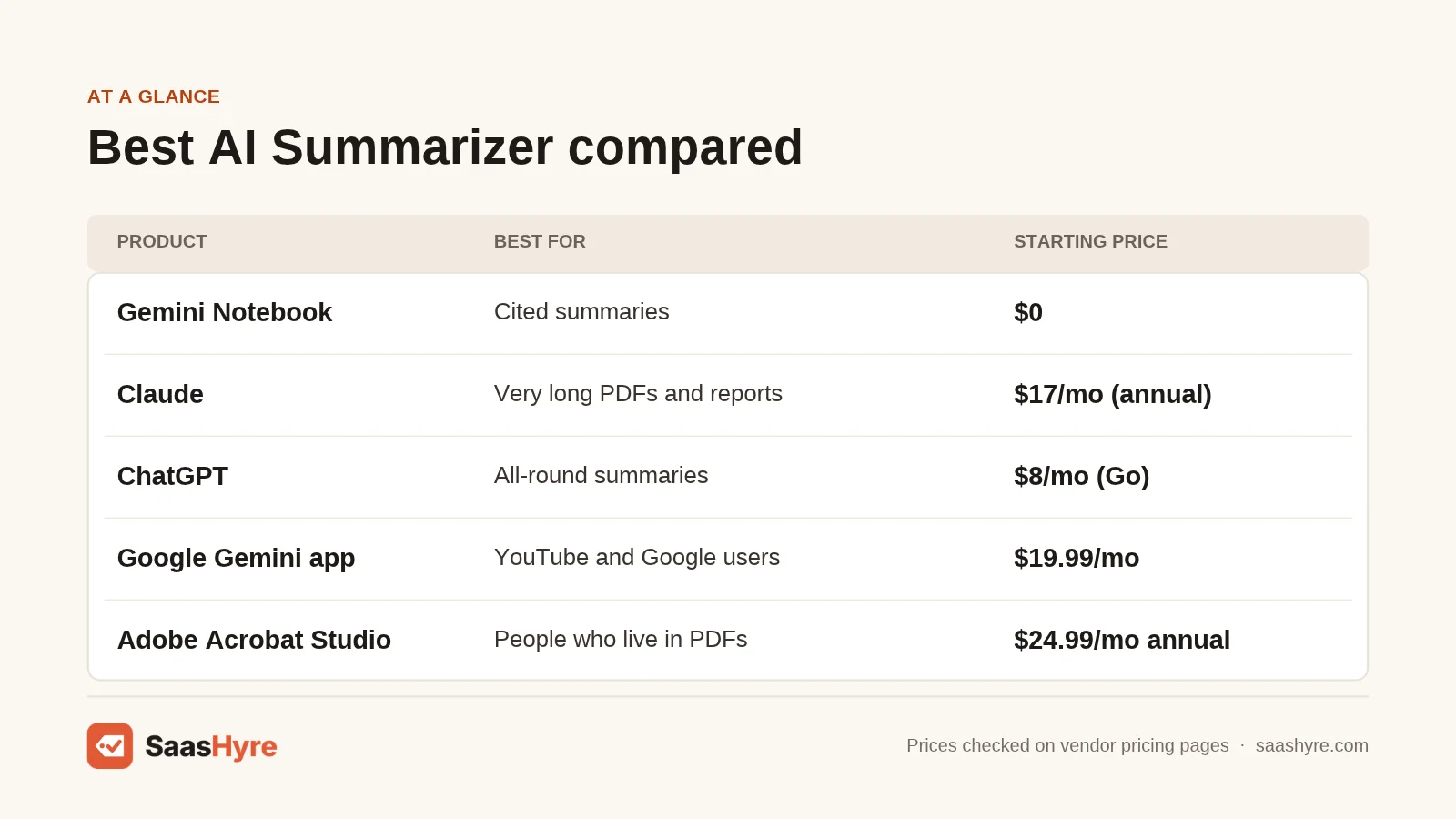
| Gemini Notebook (NotebookLM) | Cited summaries across many sources | $0; more limits with Google AI Plus at $4.99/month | Free plan, 50 sources per notebook | Accepts PDF, URL, YouTube and audio |
| Claude | Very long PDFs and reports | $17/month billed annually (Pro) | Free plan with usage limits | PDFs up to 1,000 pages |
| ChatGPT | All-round summaries and follow-up questions | $8/month (Go) | Free plan, 3 file uploads a day | Context window grows with each plan |
| Google Gemini app | YouTube videos and Google users | $19.99/month (AI Pro) | Free plan | 1M token context on AI Pro |
| Adobe Acrobat Studio | People who live in PDFs | $24.99/month on an annual plan | Not shown on pricing page | AI Assistant is not in Standard or Pro |
| Recall | Building a library of articles, videos and podcasts | $10/month billed yearly (Plus) | Free plan, 10 AI summaries a month | Says it does not train on your content |
| QuillBot Summarizer | Quick text summaries on a budget | $8.33/month billed annually | Free plan with word cap | 3-day money-back guarantee |
| Scholarcy | Research papers and references | Not shown on pricing page | Free article summarizer; 1-week trial | Paid plans add unlimited summaries |
| Glasp | Free YouTube summaries in your browser | Not shown on pricing page | Free plan with daily limit | Uses ChatGPT or Claude under the hood |
Here is the table most guides leave out. It shows which inputs each tool documents on its own help or product pages. “Not documented” means I could not find it on the vendor’s pages, not that it never works.
| Tool | Web URL | YouTube | Audio file | Links claims to source | |
|---|---|---|---|---|---|
| Gemini Notebook | Yes, up to 200MB or 500,000 words | Yes | Yes, public videos with captions | Yes (MP3, WAV, M4A and more) | Yes, inline citations |
| Claude | Yes, up to 1,000 pages and 500MB | Not documented | Not documented | Not listed | Not documented for uploads |
| ChatGPT | Yes, up to 512MB and 2M tokens | Not documented | Not documented | Not listed in file FAQ | Not documented for uploads |
| Gemini app | Yes (Google cites up to 1,500 pages) | Not documented | Yes, via YouTube app | Not documented | Not documented |
| Adobe Acrobat Studio | Yes | Not documented | Not documented | Not documented | Yes, answers with citations |
| Recall | Yes | Yes (articles) | Yes | Podcasts, yes | Not documented |
| QuillBot | Document upload (types not listed) | Not documented | Not documented | No | No |
| Scholarcy | Yes (reference extraction from PDFs) | Not documented | Not documented | No | Extracts the paper’s references |
| Glasp | Not confirmed | Not confirmed | Yes | No | Transcript highlights |
How Much Do AI Summarizers Cost?
Most AI summarizers cost $0 to $35 a month. Gemini Notebook, QuillBot, Recall, ChatGPT and Claude all have free plans. Paid plans start at $8 a month for ChatGPT Go and $8.33 a month for QuillBot billed annually. Adobe Acrobat Studio costs $24.99 a month on an annual plan or $34.99 month to month.
| Tool | Plan | Price | Billing | Key limit |
|---|---|---|---|---|
| Gemini Notebook | Free | $0 | n/a | 50 sources per notebook; 500,000 words or 200MB per source |
| Gemini Notebook / Gemini app | Google AI Plus | $4.99/month | Monthly | More Audio Overviews and notebooks (no numbers published) |
| Gemini Notebook / Gemini app | Google AI Pro | $19.99/month | Monthly | 1M token context window; 5x more notebooks and Audio Overviews |
| Gemini Notebook / Gemini app | Google AI Ultra | From $99.99/month | Monthly | Highest limits; a $199.99 tier is also listed |
| Claude | Free | $0 | n/a | Limited usage every 5 hours and every week |
| Claude | Pro | $17/month ($200 up front) or $20/month | Annual or monthly | More usage than Free; Research included |
| Claude | Max | $100/month | Monthly | 5x Pro usage |
| ChatGPT | Free | $0 | n/a | 27K context (Instant); 3 file uploads a day |
| ChatGPT | Go | $8/month | Monthly | 54K context (Instant), 256K (Reasoning); may show ads |
| ChatGPT | Plus | $20/month | Monthly | 54K (Instant), 256K (Reasoning); expanded deep research |
| ChatGPT | Pro | $100, $200 or $500/month | Monthly | 128K (Instant), 400K (Reasoning) |
| Adobe Acrobat Studio | Studio (includes AI Assistant) | $24.99/month, $299.88/year, or $34.99/month | Annual billed monthly, annual prepaid, or monthly | Cancel fee on annual billed monthly after 14 days |
| Recall | Free | $0 | n/a | 10 AI summaries a month |
| Recall | Plus | $10/month | Billed yearly | Unlimited summaries (fair use), AI chat |
| Recall | Max | $38/month | Billed yearly | Choice of AI model; bulk actions on 100 items |
| QuillBot | Free | $0 | n/a | 600 words per summary on the summarizer page; 1,200 on the plans page |
| QuillBot | Premium | $8.33/month | Billed annually | 6,000-word summaries |
| Scholarcy | Monthly or Plus (yearly) | Not shown on pricing page | Monthly, or yearly at a 25% discount | Free tier capped; paid is unlimited |
| Glasp | Paid plans | Not shown on pricing page | Annual option listed | Free plan has a daily limit |
Watch for these pricing traps:
- Monthly prices that are really yearly. Claude Pro’s $17 means $200 at checkout. Recall’s $10 and $38 rates are billed yearly, and its page shows no monthly price.
- Cancel fees. Adobe’s annual plan billed monthly charges up to half your remaining commitment if you cancel after 14 days.
- The AI is not in every plan. Adobe’s comparison table shows AI Assistant only in Acrobat Studio, not in Standard or Pro.
- Usage limits that move. 9to5Google reported that Gemini Notebook began switching to compute-based usage limits in September 2026. Heavy use can hit a cap that is not a fixed number.
- Ads on cheap plans. ChatGPT Go’s pricing page says the plan may include ads.
- Hidden checkout prices. Scholarcy and Glasp did not show plan prices when I checked. Confirm the total before you enter a card.
Here is what a year costs at the listed prices. These are my estimates, with the math shown.
| Scenario | Math | Estimated cost per year |
|---|---|---|
| Free stack: Gemini Notebook + QuillBot Free + Recall Free | $0 + $0 + $0 | $0 |
| Article and podcast reader: Recall Plus | $10 x 12 | $120 |
| Long reports: Claude Pro, annual vs monthly | $200 up front vs $20 x 12 | $200 vs $240 |
| Google user: Google AI Pro | $19.99 x 12 | $239.88 |
| PDF-heavy office worker: Acrobat Studio, annual billed monthly | $24.99 x 12 | $299.88 |
The 9 Best AI Summarizers, Reviewed
1 Gemini Notebook (NotebookLM): Best for Cited Summaries Across Many Sources
Gemini Notebook is Google’s research notebook. It summarizes only the sources you add, then points to the passage behind each answer.
What it does well. It takes the widest mix of inputs on this list. According to Google’s source guide, you can add PDFs, Word files, Google Docs, web URLs and ePub files. Public YouTube videos and audio files work too. Each source can hold up to 500,000 words or 200MB. Free users get up to 50 sources per notebook. Google’s Gemini Notebook FAQ says answers generally include citations. That is the single best defense against a made-up summary.
Key features:
- Inline citations that link to the source passage
- Audio Overviews that turn your sources into a spoken summary
- YouTube import from the transcript of any public video with captions
- Audio files transcribed on import, in many languages
- A built-in audio recorder on Android and iOS, added in October 2026
Pricing. The free plan costs $0. Google AI Plus costs $4.99 a month and raises notebook and Audio Overview limits. Google AI Pro costs $19.99 a month with 5x more Audio Overviews and notebooks. Google does not publish exact numbers for the paid limits. See Google AI plan pricing.
Best for: You, if you summarize a stack of mixed files and need to check every claim.
Limitations. YouTube videos need captions, and videos uploaded in the last 72 hours may not import. Videos without speech are not supported. On personal accounts, feedback you send can be read by trained reviewers, per Google’s feedback page. Workspace and Education accounts are excluded from human review and model training.
2 Claude: Best for Very Long PDFs and Reports
Claude is Anthropic’s AI assistant. It handles long documents well and lets you ask follow-up questions about them.
What it does well. Claude’s limits are the most generous here for a single long file. Its file upload guide allows up to 20 files per chat and 500MB per file. PDFs up to 100 pages get full visual analysis, including charts. PDFs from 101 to 1,000 pages are read as text only. The pricing page lists up to 1M tokens of context on every plan. The figure varies by model. That makes Claude a strong pick for annual reports, contracts and long research.
Key features:
- PDF, DOCX, CSV, TXT, HTML, EPUB, RTF and JSON uploads
- Chart and image reading in PDFs up to 100 pages
- Projects to group related documents (up to 5 on Free)
- Research mode on Pro and above
Pricing. Free costs $0 with limited usage every 5 hours and every week. Pro costs $17 a month billed annually ($200 up front) or $20 billed monthly. Max costs $100 a month for 5x Pro usage. Ultra costs $200 a month. See Claude pricing.
Best for: You, if your source is one very long document and you want to question it in depth.
Limitations. Claude’s upload guide does not list audio files or YouTube links. Visual analysis stops after 100 pages. On Free, Pro and Max, Anthropic’s consumer terms update (August 2025) lets you choose whether chats train its models. Opting in extends data retention to five years.
3 ChatGPT: Best All-Round AI Summarizer
ChatGPT is OpenAI’s assistant. It is the most familiar tool here and handles summaries, rewrites and follow-up questions in one place.
What it does well. ChatGPT is a safe default when you summarize many kinds of text. OpenAI’s file uploads FAQ allows files up to 512MB and caps text documents at 2M tokens per file. Paid users can upload up to 80 files every 3 hours. ChatGPT’s pricing page also spells out the context window for each plan. Few vendors do that.
Key features:
- Context windows listed per plan, from 27K on Free to 400K on Pro
- Deep research on every plan, with higher limits as you pay more
- Apps that connect to internal tools on Plus and above
- Training opt-out on every plan; Business and Enterprise do not train on your data
Pricing. Free costs $0. Go costs $8 a month, Plus costs $20 a month, and Pro costs $100, $200 or $500 a month. Those figures come from TechCrunch’s report on the new Pro tier and OpenAI’s Pro help article. The pricing page itself did not show dollar amounts when I checked. See ChatGPT pricing.
Best for: You, if you want one assistant for summaries plus everything else.
Limitations. The Free plan’s 27K context is small for long reports, and free users get 3 file uploads a day. The file FAQ does not list audio or video uploads. Go may include ads.
4 Google Gemini App: Best for YouTube Videos and Google Users
The Gemini app is Google’s general AI assistant. It is a separate product from Gemini Notebook, but both share the same Google AI plans.
What it does well. It is the easiest way to summarize YouTube. Google’s YouTube app help page shows you can ask Gemini to “Summarize the first video” after a search. On Google AI Pro, the subscriptions page lists a 1M token context window. Google’s marketing also cites file uploads of up to 1,500 pages, though it does not tie that figure to a plan.
Key features:
- YouTube video summaries from inside the chat
- 1M token context window on Google AI Pro
- Deep Research on the free plan and above
- Works with Gmail, Docs and Drive
Pricing. Free costs $0 with a Google Account. Google AI Plus costs $4.99 a month. Google AI Pro costs $19.99 a month. Google AI Ultra starts at $99.99 a month. All are billed monthly. See Gemini pricing.
Best for: You, if you watch a lot of YouTube or already work in Google apps.
Limitations. The YouTube feature needs Gemini Apps Activity turned on, so your chats are saved. Accuracy is a concern for news. In the BBC and EBU study, 76% of Gemini’s news answers had significant issues, more than double the other assistants tested. For anything you must cite, use Gemini Notebook instead.
5 Adobe Acrobat Studio: Best for People Who Live in PDFs
Acrobat Studio is Adobe’s top Acrobat plan. It adds AI Assistant on top of all the Acrobat Pro PDF tools.
What it does well. If you already edit, sign and convert PDFs, Studio puts summaries in the same app. Adobe’s AI Assistant help page says it answers questions “with citations in your PDF documents.” That keeps you close to the original page.
Key features:
- AI Assistant summaries and Q&A inside Acrobat
- Answers with citations to your PDF
- Ask AI to edit, convert and compress PDFs
- Everything in Acrobat Pro
Pricing. Studio costs $24.99 a month on an annual plan billed monthly, $299.88 a year prepaid, or $34.99 month to month. Students and teachers on Acrobat Pro can add AI Assistant for $1.99 a month or $19.99 a year. See Adobe Acrobat pricing.
Best for: You, if PDFs are your main input and you already pay for Acrobat.
Limitations. It is the most expensive pick for summaries alone. Acrobat Standard and Pro do not include AI Assistant. Adobe’s page on AI Assistant file limits would not load for me, so check it before you commit. Cancelling an annual plan after 14 days can cost a fee.
6 Recall: Best for Building a Library of Articles, Videos and Podcasts
Recall is a “read it later” app with AI summaries. It saves what you read, watch and hear, then links related ideas together.
What it does well. Recall covers the inputs you meet in a normal week. Its pricing page says it summarizes articles, YouTube videos, podcasts and PDFs. Plus adds AI chat over your saved library, the open web, or both. Recall also states plainly that it does not train AI models on your content.
Key features:
- Summaries of articles, YouTube, podcasts and PDFs
- AI chat across your saved library (Plus)
- Quizzes with spaced repetition to help you remember
- Bulk import of up to 1,000 bookmarks or 10,000 Markdown notes
- API and MCP access, even on Free
Pricing. Free costs $0 with 10 AI summaries a month. Plus costs $10 a month billed yearly. Max costs $38 a month billed yearly and lets you pick the AI model. A monthly toggle exists, but monthly prices were not shown. See Recall pricing.
Best for: You, if you want summaries to build a personal knowledge base, not vanish in a chat log.
Limitations. Ten free summaries a month runs out fast. “Unlimited” on paid plans falls under a fair use policy. Recall does not document passage-level citations like Gemini Notebook does.
7 QuillBot Summarizer: Best for Quick Text Summaries on a Budget
QuillBot is a writing toolkit best known for paraphrasing. Its Summarizer turns pasted text into a paragraph or bullet points.
What it does well. It is fast and simple. You paste text or upload a document, pick paragraph or bullet format, and set length with a 4-level slider. The Summarizer page says there is no daily cap on free summaries. Premium raises the cap to 6,000 words per summary and adds custom formats.
Key features:
- Paragraph and bullet point modes
- Length slider with 4 levels
- Custom summary format on Premium
- Bundled with paraphrasing, grammar and citation tools
Pricing. Free costs $0 with no credit card. Premium is listed at $8.33 a month billed annually. The plans page also showed a $5.00 rate, likely a promotion. A Team plan has no listed price. New Premium users get a 3-day money-back guarantee. See QuillBot pricing.
Best for: You, if you summarize short articles or essays and want the cheapest paid plan.
Limitations. QuillBot’s own pages disagree on the free cap. The Summarizer page says 600 words, and the plans page says 1,200. It does not take URLs, YouTube or audio, and it does not cite sources. If paraphrasing is your main need, compare our QuillBot alternatives.
8 Scholarcy: Best for Research Papers and References
Scholarcy is a summarizer built for academic papers. It breaks studies into readable summary cards.
What it does well. It is designed for the structure of a research paper. Scholarcy highlights key phrases, extracts data from tables and pulls out the reference list. Paid plans add one-click bibliographies, a Literature Matrix for comparing papers, and flashcard export of up to 100 cards at once. A Chrome extension summarizes papers as you browse.
Key features:
- Summary cards for papers, with key phrases highlighted
- Reference extraction and one-click bibliographies
- Literature Matrix to compare studies side by side
- Flashcards and a Chrome extension
Pricing. There is a free Article Summarizer. A monthly plan comes with a 1-week free trial, and Scholarcy Plus is billed yearly at a 25% discount. The pricing page did not show dollar amounts when I checked. See Scholarcy pricing.
Best for: You, if you read many academic papers a week. Students should also see our guide to the best AI writing tools for students.
Limitations. The free limit is unclear. The page says “Limit of 10 summaries” in one place and “up to 1 summary per day” in another. Accepted file types are not listed. It is a poor fit for videos or audio.
9 Glasp: Best Free YouTube Summaries in Your Browser
Glasp is a social web highlighter. Its YouTube Summary tool pulls a video’s transcript and summarizes it with ChatGPT or Claude.
What it does well. It puts a summary next to the video, so you never leave YouTube. Per Glasp’s own comparison page, the free plan includes multiple AI models and transcript highlighting. You can export notes to Notion and Obsidian. It works as a Chrome extension or a web tool with no install.
Key features:
- One-click YouTube summaries using ChatGPT or Claude
- Highlights on the video transcript
- Export to Notion and Obsidian
- Chrome extension plus a no-install web tool
Pricing. The free plan has a daily limit. Paid plans exist for unlimited use, with an annual option, but the pricing page did not show dollar amounts when I checked. See Glasp pricing.
Best for: You, if you mostly summarize YouTube and want it free.
Limitations. Summaries depend on the transcript, so poor captions mean poor summaries. I could not confirm PDF or article summaries on Glasp’s pages. Your transcript goes to a third-party AI model.
Which AI Summarizer Should You Pick?
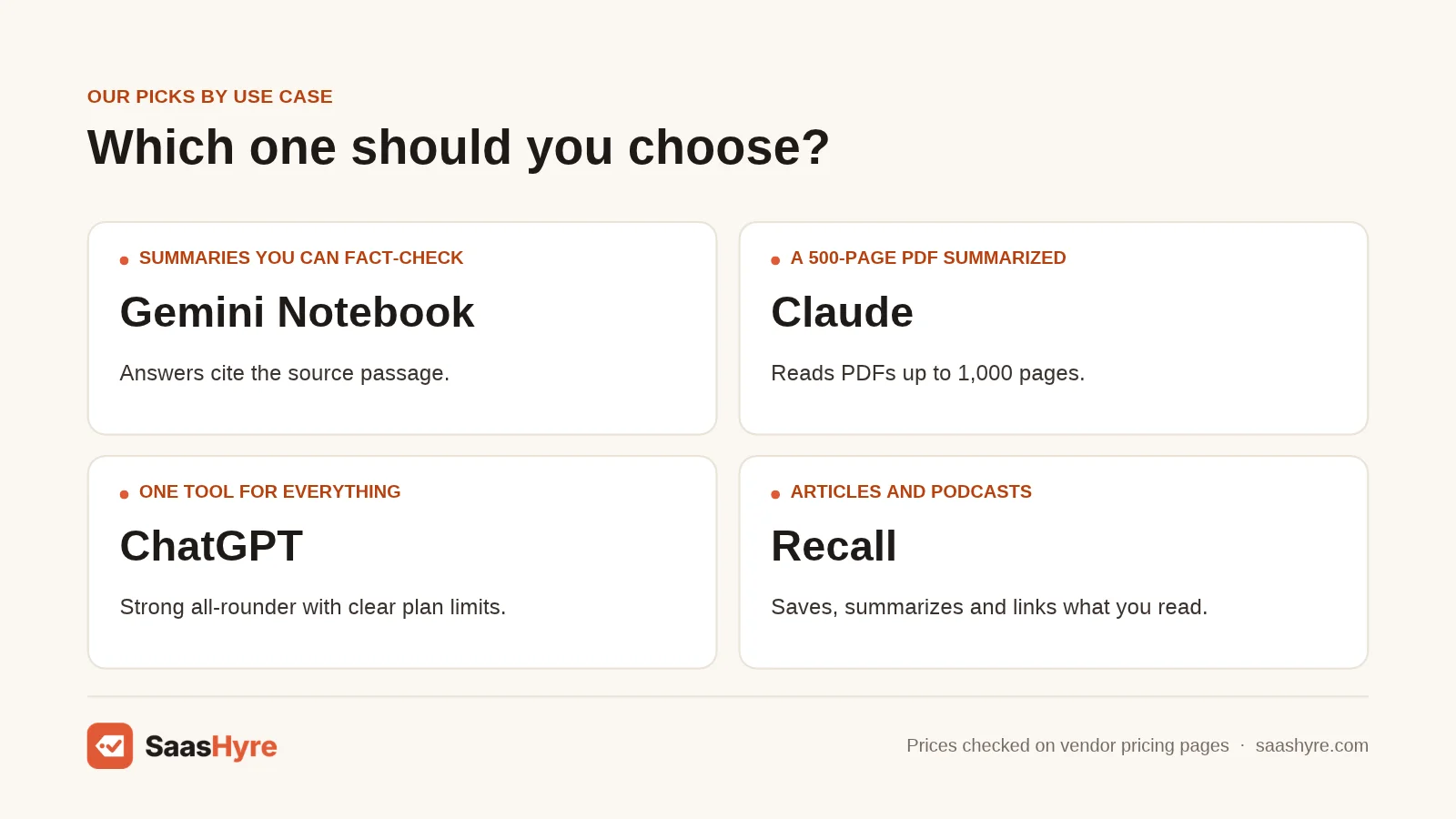
Pick by your main input. Gemini Notebook is best for mixed sources you must cite. Claude is best for one very long PDF. The Gemini app or Glasp is best for YouTube. Recall is best for articles and podcasts you want to keep. QuillBot is best for quick pasted text. Scholarcy is best for research papers.
| If you need… | Pick | Why |
|---|---|---|
| Summaries you can fact-check | Gemini Notebook | Answers cite the source passage |
| A 500-page PDF summarized | Claude | Reads PDFs up to 1,000 pages |
| One tool for everything | ChatGPT | Strong all-rounder with clear plan limits |
| YouTube videos, inside a chat | Google Gemini app | Summarizes videos via the YouTube app |
| YouTube videos, free, next to the player | Glasp | Free plan with a daily limit |
| Summaries inside your PDF editor | Adobe Acrobat Studio | AI Assistant with citations to your PDF |
| A library of articles and podcasts | Recall | Saves, summarizes and links what you read |
| Cheap quick text summaries | QuillBot | $8.33 a month billed annually |
| Research papers and references | Scholarcy | Built around paper structure and citations |
| Meeting recaps | A meeting assistant | See our best AI meeting assistants |
Audio is the gap most summarizers leave. Gemini Notebook and Recall accept recordings or podcasts. For calls, lectures and interviews, start with a transcript. Our guide to the best AI transcription software covers that step.
How Do You Choose an AI Summarizer?
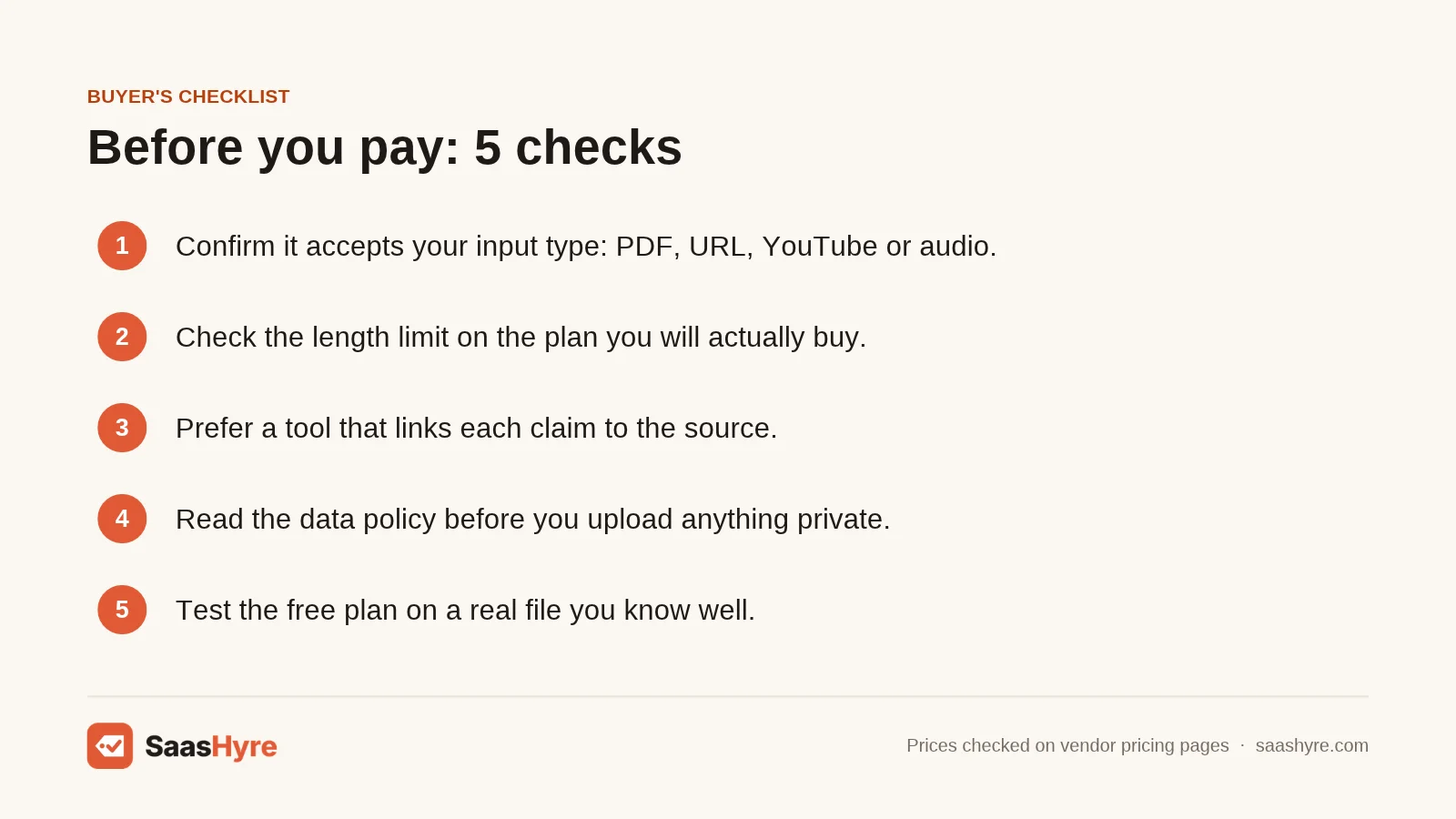
Choose an AI summarizer in this order. Confirm it accepts your input type. Check the length limit on the plan you will buy. Prefer a tool that links claims to the source. Then read its data policy before you upload anything private. Price matters last, because most tools here have a free plan.
- Match the input type first. A tool that cannot read your file is useless at any price. QuillBot takes pasted text but not YouTube. Gemini Notebook takes PDFs, URLs, YouTube and audio. Check the input table above before you sign up.
- Check the length limit per plan. Limits are measured in words, pages or tokens, so compare carefully. ChatGPT Free’s Instant model has a 27K context window. ChatGPT Pro’s Reasoning model has 400K. A long contract may fit one plan and not the other.
- Insist on source links. Citations let you check a claim in seconds. Gemini Notebook and Adobe Acrobat Studio both document citations to the source. With tools that do not, spot-check key numbers against the original.
- Read the privacy terms. Recall says it does not train on your content. ChatGPT offers a training opt-out, and Business plans do not train on your data. Claude consumer plans let you choose. Gemini Notebook keeps Workspace data out of training and human review.
- Test the free plan on a real file. Upload a document you know well. If the summary misses a key point or adds a fact, try the next tool. This takes ten minutes and can save a year of fees.
- Read the billing period. Claude Pro’s $17 is $200 up front. Adobe’s annual plan billed monthly has a cancel fee. Write down the renewal date the day you sign up.
If you also need AI to draft and edit after you summarize, see our list of the best AI writing tools.
How We Researched This Guide
On November 1, 2026, I visited each vendor’s own pricing, product and help pages to record plan names, prices, billing periods, input types and limits. I reviewed five top-ranking competitor guides for this keyword. Most listed tools without saying which inputs each one accepts. Few gave length limits per plan, and none compared data policies across tools.
I also used independent sources: Vectara’s hallucination leaderboard, the BBC and EBU news integrity study, and reporting from TechCrunch and 9to5Google.
Some details could not be confirmed. ChatGPT’s pricing page did not show dollar amounts, so I used OpenAI’s help center and TechCrunch. Scholarcy and Glasp did not show plan prices. Adobe’s page on AI Assistant file limits would not load. QuillBot lists two different free word caps. Google does not publish exact paid limits for Gemini Notebook. “Not documented” in the input table means the vendor’s pages did not mention it.
We did not test these tools ourselves. Read our editorial policy to learn how we pick and review tools.
Prices last checked: November 1, 2026.
The Bottom Line
The best AI summarizer is the one that can read your input and show its sources. For most people, that is Gemini Notebook. It is free, takes PDFs, URLs, YouTube and audio, and cites the passages it used. Claude is the pick for one very long document. ChatGPT is the safest all-rounder. Use the Gemini app or Glasp for YouTube, Recall for articles and podcasts, QuillBot for quick text, and Scholarcy for research papers. Adobe Acrobat Studio makes sense only if you already work in PDFs all day. Your next step is simple. Take one file you know well, run it through two free plans, and keep the tool that gets the facts right. For more tools across every job, browse our guide to the best AI tools.
Frequently Asked Questions
What is the best free AI summarizer?
Gemini Notebook is the best free AI summarizer for most people. Its free plan takes up to 50 sources per notebook, including PDFs, web pages, YouTube videos and audio files. Its answers usually cite the source passage, so you can check them. QuillBot Free suits short pasted text, and Recall Free gives you 10 AI summaries a month.
Can AI summarize a PDF?
Yes. Gemini Notebook, Claude, ChatGPT, Adobe Acrobat Studio, Recall and Scholarcy all summarize PDFs. Limits differ a lot. Claude reads PDFs up to 1,000 pages, with chart reading up to 100 pages. ChatGPT accepts files up to 512MB. Gemini Notebook takes up to 500,000 words or 200MB per source.
Can AI summarize a YouTube video?
Yes, if the video has a transcript. Gemini Notebook imports public YouTube videos with captions. The Gemini app can summarize videos through its YouTube app. Recall summarizes YouTube videos, and Glasp adds free summaries next to the player. Videos without speech, or uploaded in the last 72 hours, may not work in Gemini Notebook.
Are AI summaries accurate?
Mostly, but not always. Vectara’s leaderboard found recent GPT, Claude and Gemini models added unsupported facts to 3.1% to 13.6% of summaries. A BBC and EBU study found 45% of AI answers about the news had a significant issue. Use a tool that cites its sources, and check key facts against the original.
Is it safe to upload private documents to an AI summarizer?
It depends on the tool and plan. Recall says it does not train on your content. ChatGPT offers a training opt-out, and its Business plan does not train on your data. Claude consumer plans let you choose. Gemini Notebook excludes Workspace data from training and human review. Use a business plan for confidential files.