
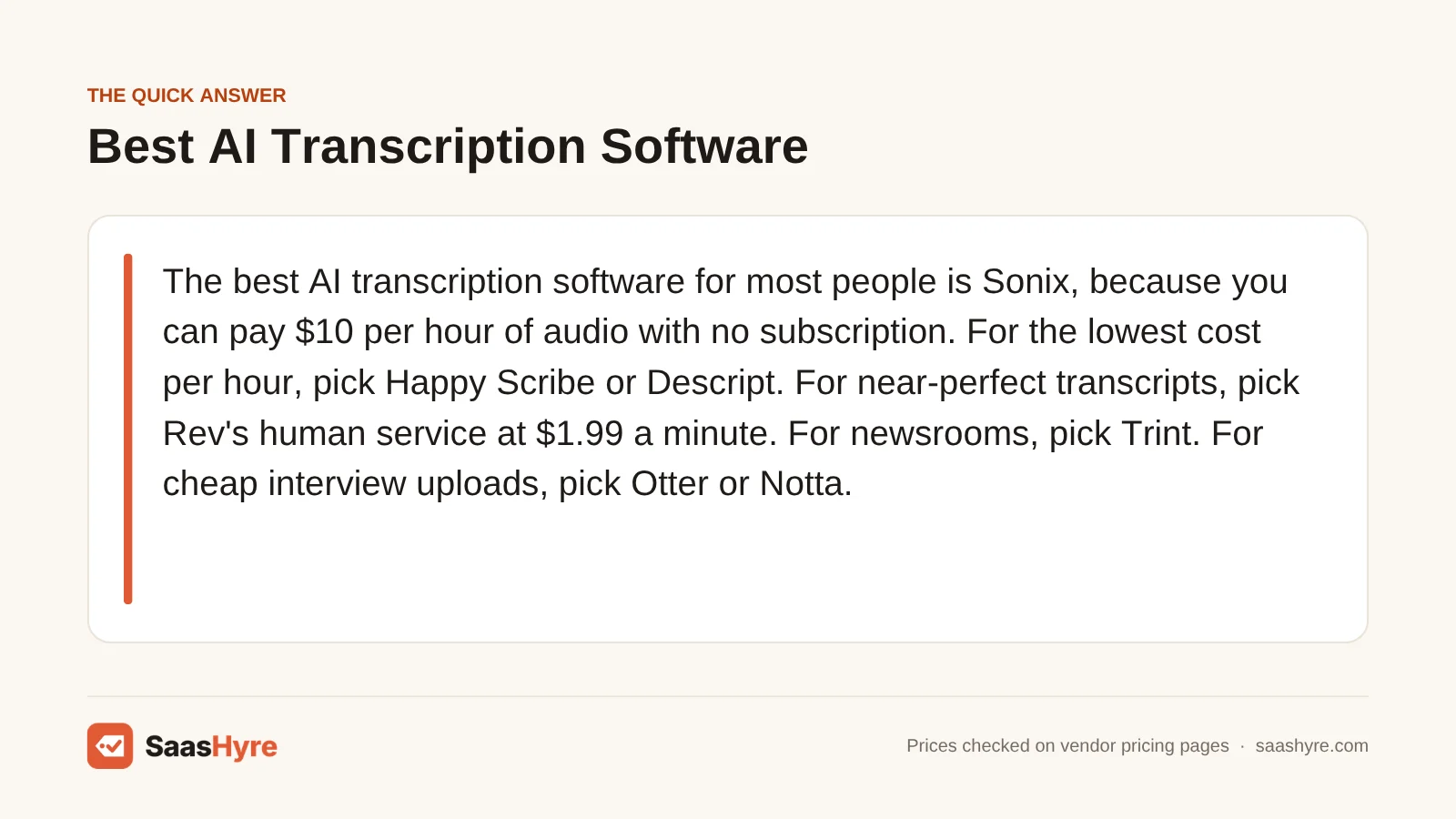
The best AI transcription software for most people is Sonix, because you can pay $10 per hour of audio with no subscription. For the lowest cost per hour, pick Happy Scribe or Descript. For near-perfect transcripts, pick Rev’s human service at $1.99 a minute. For newsrooms, pick Trint. For cheap interview uploads, pick Otter or Notta. If you also record meetings, pick Fireflies.
Here is my tip before you compare. You are really paying for hours of audio. So ask what one hour of recording costs you, not what the plan costs. A cheap plan with a small minute cap can cost more than a bigger one.
I pulled every price from each vendor’s own pricing page in October 2026. This guide covers audio and video files, like interviews, podcasts and lectures. If you mostly want a bot that joins your Zoom calls, see our guide to the best AI meeting assistants instead.
This guide is one part of our best AI tools roundup, which compares picks for every job.
Quick Comparison: 8 AI Transcription Tools and What They Cost
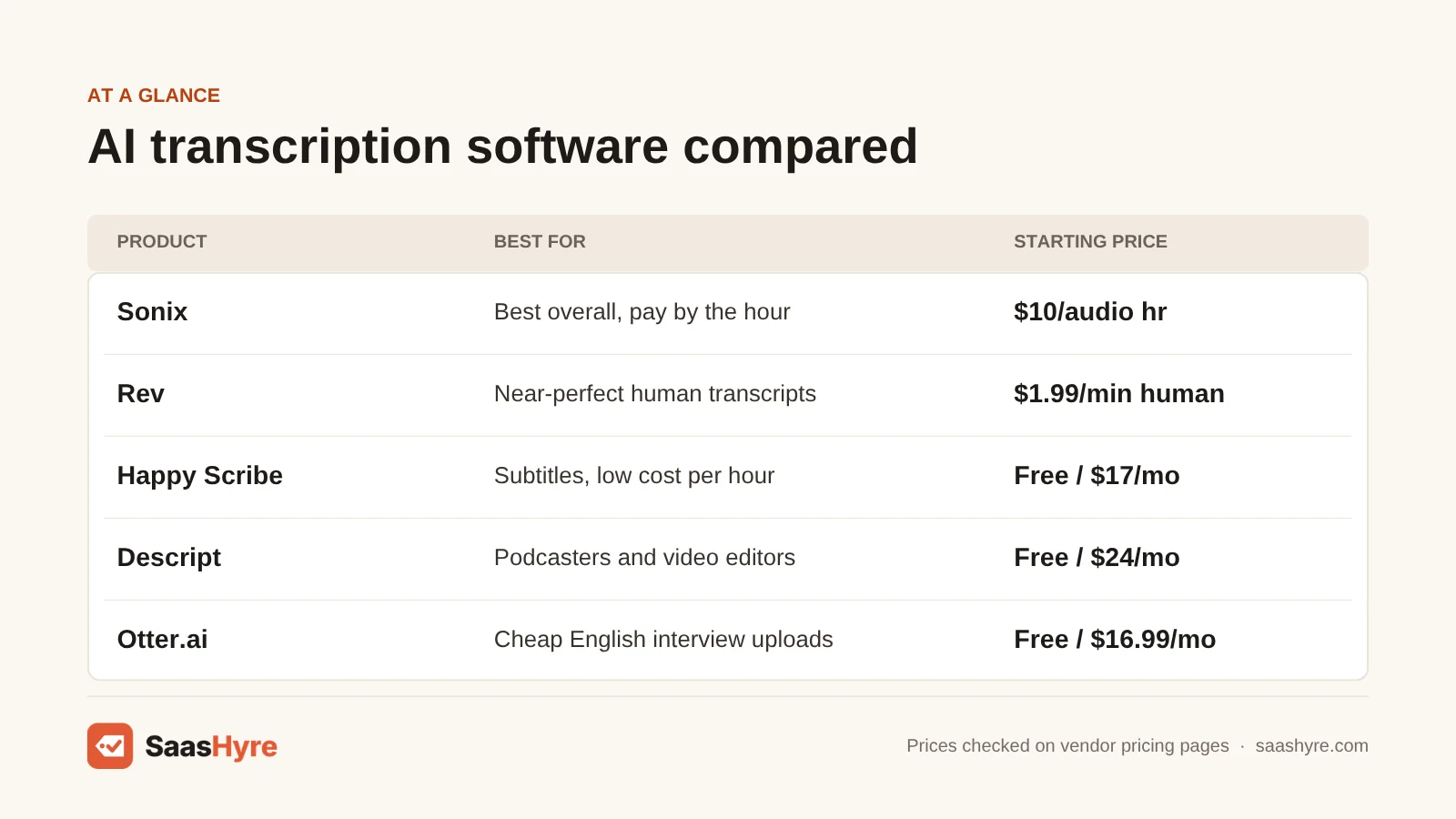
| Tool | Best for | Starting price | Billing model | Free plan or trial |
|---|---|---|---|---|
| Sonix | Best overall, pay by the hour | $10 per audio hour | Pay as you go, or plans from $25/mo | 30-minute free trial, no card |
| Rev | Near-perfect human transcripts | $1.99/min (human), AI plans from $25.49/mo | Per minute, or per seat monthly or yearly | Free plan, 45 AI minutes a month |
| Happy Scribe | Subtitles and low cost per hour | $8.50/mo billed yearly, $17 monthly | Monthly minutes, plus $0.20/min top-ups | Free plan with a 10-minute trial |
| Trint | Journalists and newsrooms | Not confirmed | Subscription | 7-day trial, 3 files, no card |
| Descript | Podcasters and video editors | $16/mo billed yearly, $24 monthly | Monthly media hours | Free plan, 60 minutes a month |
| Otter.ai | Cheap interview uploads in English | $8.33/mo billed yearly, $16.99 monthly | Monthly minutes and file imports | Free plan, 300 minutes a month |
| Notta | Long files on a small budget | $8.17/mo billed yearly ($97.99) | Monthly minutes and uploads | Free plan, plus 7-day Business trial |
| Fireflies.ai | Files plus meeting notes | $10/mo billed yearly, $18 monthly | Per seat, storage minutes | Free plan, 400 minutes of storage |
What You’re Actually Buying With AI Transcription Software
AI transcription software turns recorded speech into text you can search, edit and export. You upload an audio or video file, and speech recognition writes out what was said, often with speaker labels and timestamps. You pay by the hour of audio, by a monthly minute cap, or by the seat, and that choice drives your real cost.
Vendors charge in three ways. Some charge per hour or minute, like Sonix. Some sell a monthly minute cap, like Happy Scribe, Otter and Notta. Descript sells seats with media hours included. Match the model to how much audio you have.
AI transcripts come back in minutes and cost a few dollars an hour or less. Human transcripts cost about $120 an hour at Rev and Happy Scribe, but a person checks every line. Start with AI. Pay for a human only when the words must be exact.
What Makes the Best AI Transcription Software?
The best AI transcription software gives you accurate text, a good editor and a fair price per hour of audio. Check five things before you buy. What does one hour cost on your plan? How long can one file be? How many files can you upload a month? Which languages does it handle? And can you pay a person to check the transcript when it really matters?
Many top lists are written by transcription companies that rank themselves first. Some list old prices. We call out those gaps below.
Best Overall AI Transcription Software
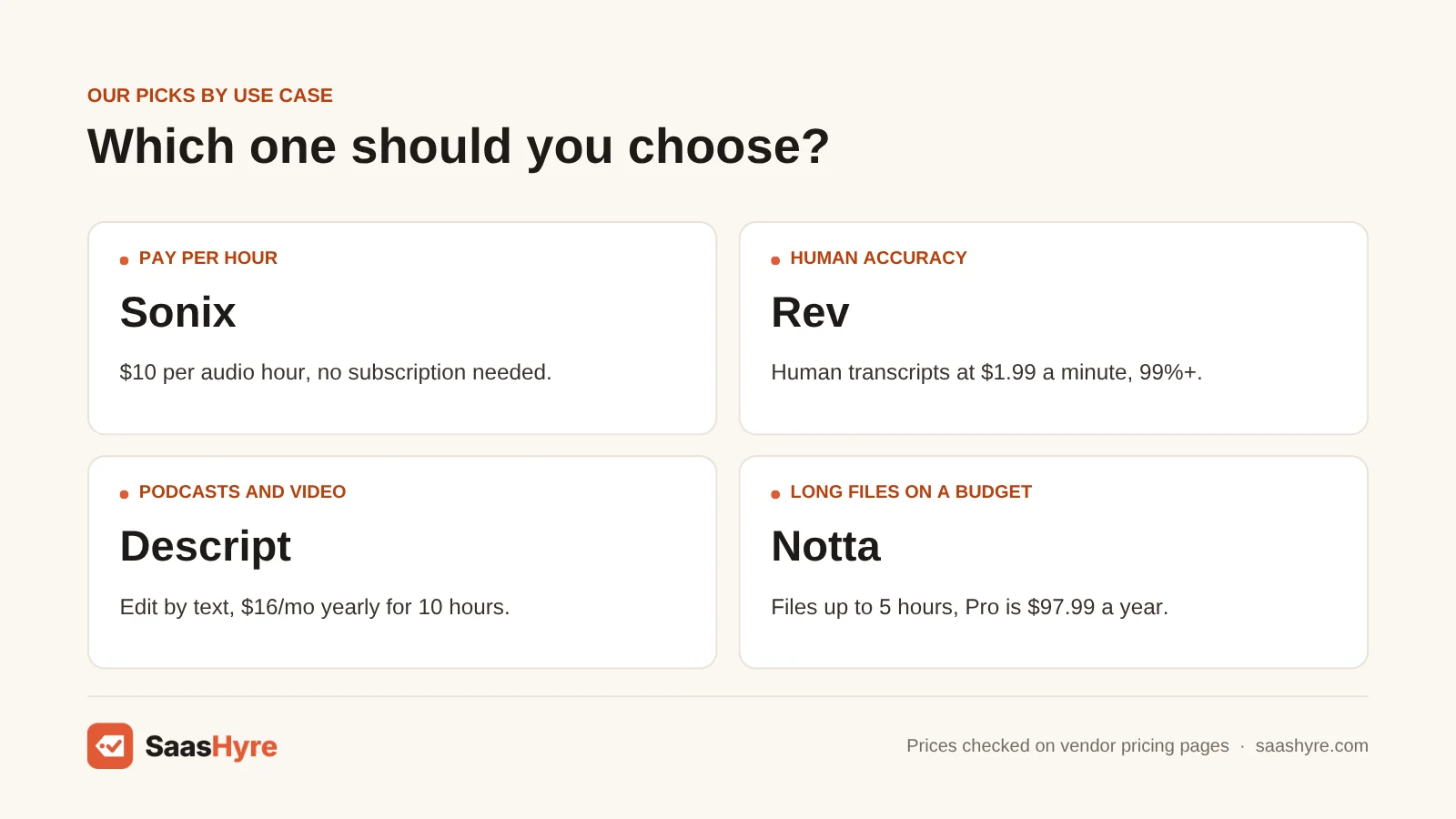
Sonix is the best overall AI transcription software for audio and video files. You can pay $10 per hour of audio with no subscription, and you get a 30-minute free trial with no card. It handles 54+ languages, labels speakers and lets you edit the audio by editing the text in your browser.
1 Sonix: Best for paying only for the hours you use
If your audio comes in bursts, Sonix lets you pay only when you upload.
What it does well. Sonix is built for files, not meetings. You upload a recording and get a timestamped transcript in minutes. Click any word in the editor to hear it. It labels who said what and can translate the transcript.
Key features:
- Pay as you go at $10 an hour
- 54+ languages
- Speaker labels and timestamps
- Translation and captions
- Zoom, Zapier and Adobe Premiere links
Pricing. Pay as you go costs $10 per hour of audio, with no subscription and 5 GB of storage. Core is $25 a month or $275 a year and includes 5 hours a month. Advanced is $50 a month or $550 a year and includes 20 hours a month. Pro is $80 a month or $880 a year and includes 40 hours a month. Extra hours on any plan cost $10 each. Extra seats cost $25 a month. The free trial gives you 30 minutes, no card needed. See Sonix pricing.
Best for: You, if you transcribe interviews, lectures or podcasts now and then and don’t want a monthly bill.
Limitations. Pay as you go gets pricey with lots of audio. Ten hours costs $100 that way, while Advanced covers 20 hours for $50. Each plan includes one user. We found no refund policy on the pricing page.
Best Transcription Software When Every Word Must Be Right
Rev is the best pick when your transcript must be close to perfect. Its human transcription costs $1.99 a minute and promises 99%+ accuracy in 12 hours or less. Its AI plans start at $25.49 per seat a month on yearly billing and include 5,000 AI minutes per user each month, plus a discount on human work.
2 Rev: Best for human-checked transcripts
If you need a transcript you can quote in print or use in court, start with Rev.
What it does well. Rev mixes fast AI transcripts with a paid human service. A vetted transcriptionist returns your file in 12 hours or less. Rev says its AI is 96%+ accurate. It lists SOC 2 Type II audits and HIPAA-compliant options.
Key features:
- Human transcription with a 99%+ accuracy promise
- AI transcripts in 37+ languages on Pro
- Legal transcripts priced per page
- Uploads from Dropbox, Box, Google Drive and OneDrive
- iPhone and Android apps
Pricing. The free plan gives you 45 AI minutes a month, for 1 user, in English only. Essentials is $29.99 per seat a month, or $25.49 a month on yearly billing ($305.90 a year). It includes 5,000 AI minutes per user a month and 10% off human work. Pro is $59.99 per seat a month, or $47.99 on yearly billing ($575.88 a year). It adds 37+ languages and 10,000 AI minutes. Human transcription is $1.99 a minute. Legal transcripts cost $2.25 or $2.50 a page. See Rev pricing.
Best for: You, if you need exact words fast, like a lawyer or reporter.
Limitations. Human transcripts add up fast. One hour at $1.99 a minute costs $119.40. The human service is English only. The AI plans cost more per seat than most tools here.
Best Transcription Software for Subtitles and Many Languages
Happy Scribe is the best pick if you need transcripts, subtitles and translations in one place. Pro costs $19 a month on yearly billing and includes 600 minutes, which works out to under $2 per hour of audio. You can also buy extra minutes at $0.20 each, or pay for human-made transcripts from $2.00 a minute.
3 Happy Scribe: Best for subtitles and value per hour
If you make videos in more than one language, Happy Scribe gives you text, subtitles and translation.
What it does well. Happy Scribe does transcripts, subtitles and translation from the same minute pool. It detects speakers on paid plans. For exact text, you can order a human transcript it says is 99% accurate.
Key features:
- Transcripts, subtitles and translation in one plan
- Human transcripts from $2.00 a minute
- Team seats on Pro and Business
- AI chat to ask questions about your files
- Top-ups without a subscription
Pricing. The free plan includes a 10-minute trial of AI transcription, a 45-minute limit per recording and AI chat on 3 files a month. Basic is $17 a month, or $8.50 a month on yearly billing, with 120 minutes a month and 1 seat. Pro is $29 a month, or $19 a month yearly, with 600 minutes and 3 seats. Business is $89 a month, or $59 a month yearly, with 6,000 minutes and 5 seats. Extra minutes cost $0.20 each. Human transcripts start at $2.00 a minute, or $1.90 on Business. We found no refund policy on the pricing page. See Happy Scribe pricing.
Best for: You, if you publish video and need subtitles or translations along with the transcript.
Limitations. Basic’s 120 minutes run out fast. Going over costs $0.20 a minute, which is $12 an hour. The free plan is really a short trial, not a tool you can use each month.
Best Transcription Software for Journalists and Newsrooms
Trint is the best pick for reporters and newsroom teams. It transcribes in 40+ languages, lets your team edit the same transcript together and helps you pull quotes and build stories from your files. It holds ISO 27001 security certification. You can try it free for 7 days with no card, but we could not confirm its prices.
4 Trint: Best for newsroom teams
If you share interviews with editors, Trint was made for that job.
What it does well. Trint turns interviews into text your whole team can edit at once. Its AI helper can summarize and find quotes. You can build rough cuts and captions. It offers EU or US data storage.
Key features:
- 40+ transcription languages
- Live team editing
- AI quote finder and summaries
- Captions and translation into 70+ languages
- ISO 27001 and EU or US data storage
Pricing. Trint’s plan prices load inside its web app, and we could not read them from its public site in October 2026. So we don’t list a price here. The 7-day free trial needs no card and gives you the Advanced plan. It covers up to 3 files, but only the first 5 minutes of each file get transcribed. See Trint pricing.
Best for: You, if you are part of a news or media team that shares and edits interviews together.
Limitations. You can’t compare its cost until you see its price page yourself. The trial only transcribes 5 minutes per file. It is more than one freelancer needs.
Best Transcription Software for Podcasters and Video Creators
Descript is the best pick if you edit podcasts or videos. It transcribes your recording, then lets you cut the audio or video by deleting words in the text. Hobbyist costs $16 a month on yearly billing, or $24 monthly, and includes 10 media hours a month. The free plan gives you 60 minutes a month.
5 Descript: Best for editing audio and video by text
If your transcript leads to a finished episode, Descript does both jobs.
What it does well. Descript treats the transcript as the editor. Delete a sentence in the text and it is gone from the recording. It can also remove filler words like “um.”
Key features:
- Edit audio and video by editing text
- Filler word removal
- Synced captions
- 25 transcription languages on paid plans
- Watermark-free exports on paid plans
Pricing. The free plan gives you 60 minutes of media a month and 100 AI credits one time. Hobbyist is $16 per person a month on yearly billing, or $24 monthly, with 10 media hours a month. Creator is $24 yearly or $35 monthly, with 30 media hours. Business is $50 yearly or $65 monthly, with 40 media hours. Enterprise is priced by quote. See Descript pricing.
Best for: You, if you run a podcast or YouTube channel and want the transcript and the edit in one place.
Limitations. If you only need text, you pay for video tools you won’t use. Some reviews list $24 as the yearly Hobbyist price. That is the monthly price.
Best Cheap Transcription Software for Interviews
Otter and Notta are the cheapest good picks for uploading interviews. Otter Pro costs $8.33 a month on yearly billing and includes 1,200 minutes and 10 file imports a month. Notta Pro costs $97.99 a year, or $8.17 a month, with 1,800 minutes and files up to 5 hours long.
6 Otter.ai: Best for cheap English interview uploads
If you record a few English interviews a month, Otter is hard to beat on price.
What it does well. Otter is known for meeting notes, but you can also import audio and video files. It recognizes speakers and writes summaries. The free plan gives you 300 minutes a month.
Key features:
- File imports on every plan
- Speaker labels and summaries
- AI chat across your transcripts
- 20% off Pro for students and teachers
Pricing. Basic is free, with 300 minutes a month, 30 minutes per conversation and 3 file imports for the life of your account. Pro is $16.99 per user a month, or $8.33 a month on yearly billing. It includes 1,200 minutes a month, 90 minutes per conversation and 10 file imports a month. Business is $30 a month, or $19.99 on yearly billing, with 4 hours per conversation and unlimited imports. See Otter.ai pricing.
Best for: You, if you transcribe up to 10 English interviews a month, each under 90 minutes.
Limitations. Import caps are the catch. Free gives you 3 imports ever, and Pro gives you 10 a month. If Otter is not a fit, compare these Otter.ai alternatives with their prices.
7 Notta: Best for long files on a small budget
If your recordings run long, like lectures, Notta takes files up to 5 hours.
What it does well. Notta handles live recordings and uploaded files. Business removes the minute cap. Your transcripts stay saved if you cancel.
Key features:
- Files up to 5 hours on paid plans
- 100 uploads a month on Pro
- Unlimited minutes on Business
- Transcripts kept if you cancel
- Education discount on Pro
Pricing. The free plan gives you 120 minutes a month, but only 3 minutes per conversation, with 50 uploads a month. Pro is $97.99 a year ($8.17 a month) with 1,800 minutes a month. Business is $199.99 a year ($16.67 a month) with unlimited minutes and 200 uploads. Enterprise starts at 51 seats and is priced by quote. You can try Business free for 7 days. The pricing page did not show a monthly-billing price when we checked. See Notta pricing.
Best for: You, if you have long recordings and want the lowest yearly price.
Limitations. The free plan’s 3-minute limit makes it a demo. We could not confirm a month-to-month price, so plan on paying for a full year.
Best Transcription Software If You Also Record Meetings
Fireflies.ai is the best pick if you want one tool for uploaded files and live meetings. Pro costs $10 per seat a month on yearly billing and stores 8,000 minutes per seat. It transcribes in 100+ languages, and you can upload audio or video files on every plan, including the free one.
8 Fireflies.ai: Best for files plus meeting notes
If half your audio is interviews and half is calls, Fireflies covers both.
What it does well. Fireflies joins your calls to take notes, but it also takes MP3, MP4, WAV and M4A uploads. Your interviews and meetings end up in one searchable library.
Key features:
- Audio and video uploads on all plans
- 100+ transcription languages
- Unlimited AI summaries on paid plans
- Search down to the sentence and timestamp
Pricing. The free plan stores 400 minutes per team, with limited summaries and 20 AI credits. Pro is $18 per seat a month, or $10 a month on yearly billing, with 8,000 minutes of storage per seat. Business is $29 a month, or $19 on yearly billing, with unlimited storage. Enterprise is $39 a month and billed yearly only. We found no trial or refund terms on the pricing page. See Fireflies.ai pricing.
Best for: You, if you want your interview files and meeting notes in the same place.
Limitations. Its best features are for meetings, so file-only users pay for extras. The pricing page lists no max file size.
Tools We Left Out, and Why
You will see these on other lists. Here is why they are not in our top 8.
- OpenAI Whisper. It is a free, open-source speech model you run yourself (source). You need to set it up with code.
- Temi. Temi’s pricing page did not load when we checked, so we could not confirm its per-minute price.
- Meeting-only bots like Fathom and Read AI. They are built for calls, not for uploading interviews.
What 10 Hours of Audio a Month Really Costs
For 10 hours of audio a month, Notta Pro and Otter Pro on yearly billing cost about 82 to 83 cents per hour. Descript Hobbyist costs $1.60 an hour and Happy Scribe Pro costs $1.90. Sonix pay as you go costs $10 an hour. Human transcripts from Rev cost $119.40 an hour, so save them for files that must be exact.
This math is for one person on yearly billing, without taxes. Trint is left out because we could not confirm its price.
| Tool and plan | Monthly cost for 10 hours | Cost per audio hour | Fits in the plan? |
|---|---|---|---|
| Notta Pro (yearly) | $8.17 | $0.82 | Yes, 1,800 min included |
| Otter.ai Pro (yearly) | $8.33 | $0.83 | Yes, if 10 files or fewer, each under 90 min |
| Fireflies.ai Pro (yearly) | $10 | $1.00 | Yes, 8,000 min storage |
| Descript Hobbyist (yearly) | $16 | $1.60 | Yes, 10 media hours |
| Happy Scribe Pro (yearly) | $19 | $1.90 | Yes, 600 min included |
| Rev Essentials (yearly) | $25.49 | $2.55 | Yes, 5,000 AI min included |
| Sonix Advanced (yearly) | $45.83 | $4.58 | Yes, 20 hours included |
| Sonix pay as you go | $100 | $10.00 | No plan, pay per hour |
| Rev human transcription | $1,194 | $119.40 | Per minute, 99%+ accuracy |
Watch small caps. On Happy Scribe Basic, 10 hours would cost $17 plus 480 extra minutes at $0.20, or $113 a month.
How to Choose AI Transcription Software Without Overpaying
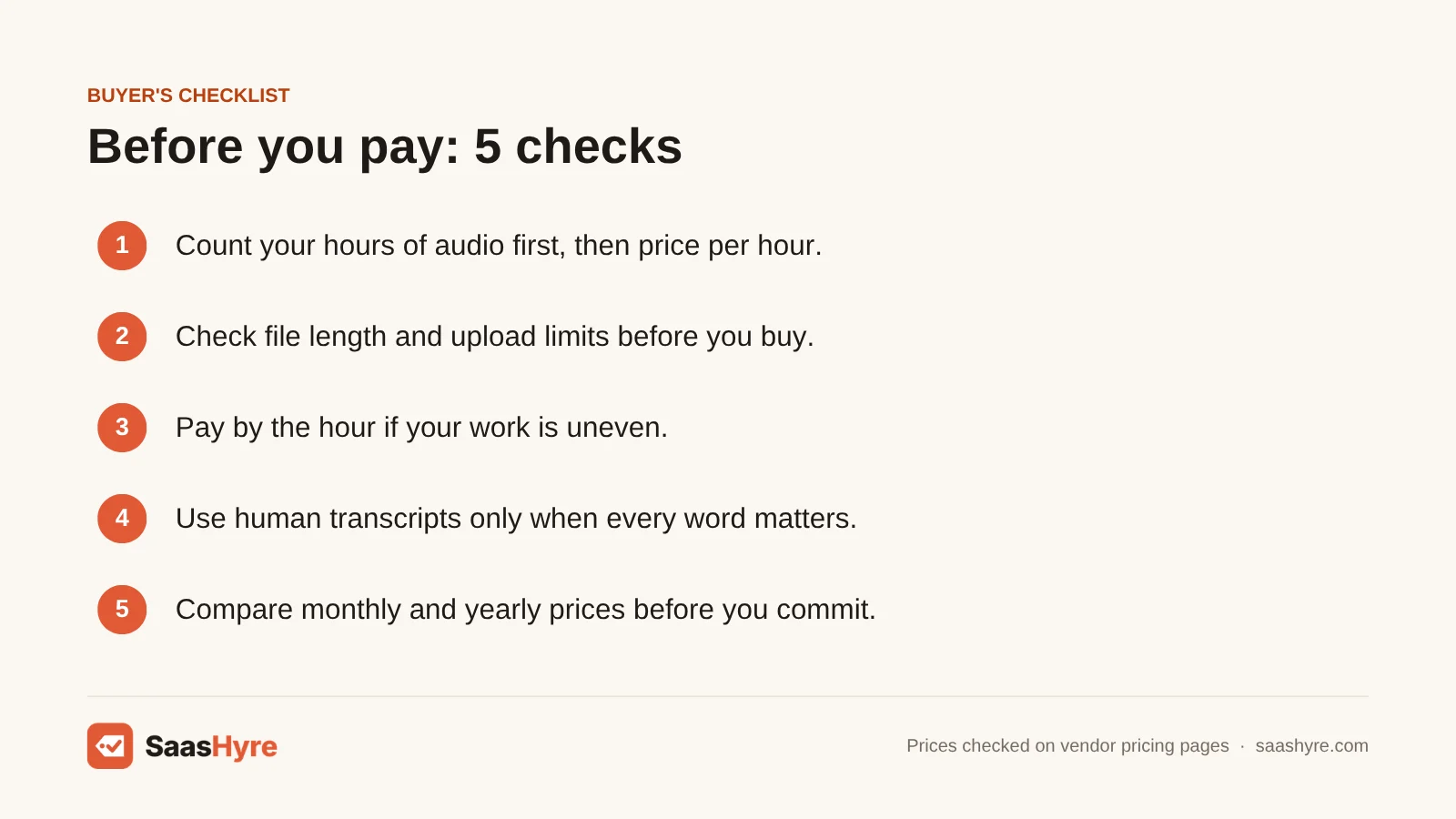
- Count your hours first. Add up how many hours of audio you have in a normal month. Then divide each plan’s price by those hours.
- Check the file limits. Look at the longest file you can upload and how many uploads you get. Otter Pro caps files at 90 minutes and 10 imports a month.
- Pay by the hour if your work is uneven. Sonix at $10 an hour beats a monthly plan you only use a few times a year.
- Use human transcripts only when needed. At about $120 an hour, save Rev or Happy Scribe human work for court, publishing or research quotes.
- Test your hardest audio. Try a noisy file with accents on the free plan first.
- Compare monthly and yearly prices. Otter Pro drops from $16.99 to $8.33 a month on yearly billing. Only lock in a year once you know you like the tool.
How We Evaluated These Tools
We compared each tool using its own pricing page, feature pages and help docs, checked in October 2026. We also read the top-ranking reviews to find what they got wrong. We looked at cost per hour, file limits, languages and human review options. We did not run our own accuracy tests, and accuracy claims come from the vendors. No vendor pays to be listed. Read our editorial policy to learn more.
Keep comparing: AI tool guides · Best AI Dubbing Software · Best AI Medical Scribes
The Bottom Line
If you want one tool that fits most jobs, start with Sonix at $10 an hour. Move to a plan when your hours grow. For the lowest cost per hour, Notta Pro and Otter Pro cost well under $1 an hour on yearly billing. Pick Happy Scribe for subtitles, Descript for podcasts and Trint for newsrooms. When every word matters, pay for Rev’s human service. And if your meetings need notes too, Fireflies handles files and calls in one place.
Frequently Asked Questions
What is the best AI transcription software?
Sonix is the best overall pick for audio and video files. You can pay $10 per hour of audio with no subscription, and it handles 54+ languages. For the lowest cost, Notta Pro and Otter Pro cost under $1 an hour on yearly billing at 10 hours a month.
Is there a free AI transcription tool?
Yes. Otter’s free plan gives you 300 minutes a month, but only 3 file imports for the life of your account. Descript’s free plan gives you 60 minutes a month. Fireflies has a free plan with 400 minutes of storage. OpenAI Whisper is free and open source, but you need to set it up yourself.
How much does it cost to transcribe one hour of audio?
It depends on the tool and plan. Sonix charges $10 an hour on pay as you go. Happy Scribe charges $0.20 a minute for extra minutes, which is $12 an hour. Human transcription costs $119.40 an hour at Rev and starts at $120 an hour at Happy Scribe. Subscription plans can cost under $1 an hour.
How accurate is AI transcription?
It depends on your audio. Clear speech with one speaker does best. Accents, noise and people talking over each other cause more errors. Rev says its AI is 96%+ accurate and its human service is 99%+ accurate. Sonix also claims 99% accuracy. We did not run our own tests, so try your own files first.
Is AI transcription better than human transcription?
AI is faster and much cheaper. You get a transcript in minutes for a few dollars an hour or less. Human transcription costs about $120 an hour but is checked line by line. Use AI for notes and drafts. Use a human service for court records, published quotes or research you will cite.
What is the best transcription software for interviews?
For a few English interviews a month, Otter Pro is a low-cost pick at $8.33 a month on yearly billing, with 10 file imports. For long interviews, Notta Pro allows files up to 5 hours. For journalists sharing work with editors, Trint is built for newsroom teams.
Can AI transcription software tell speakers apart?
Yes, most can. Sonix, Otter and Happy Scribe label speakers in the transcript. The labels are not always right when voices sound alike or people talk at once. You can fix names in the editor after the transcript is done.
Which transcription software is best for podcasts?
Descript is the best pick for podcasts. It transcribes your episode and lets you edit the audio by deleting words in the text. It can also remove filler words. Hobbyist costs $16 a month on yearly billing, with 10 media hours a month.