

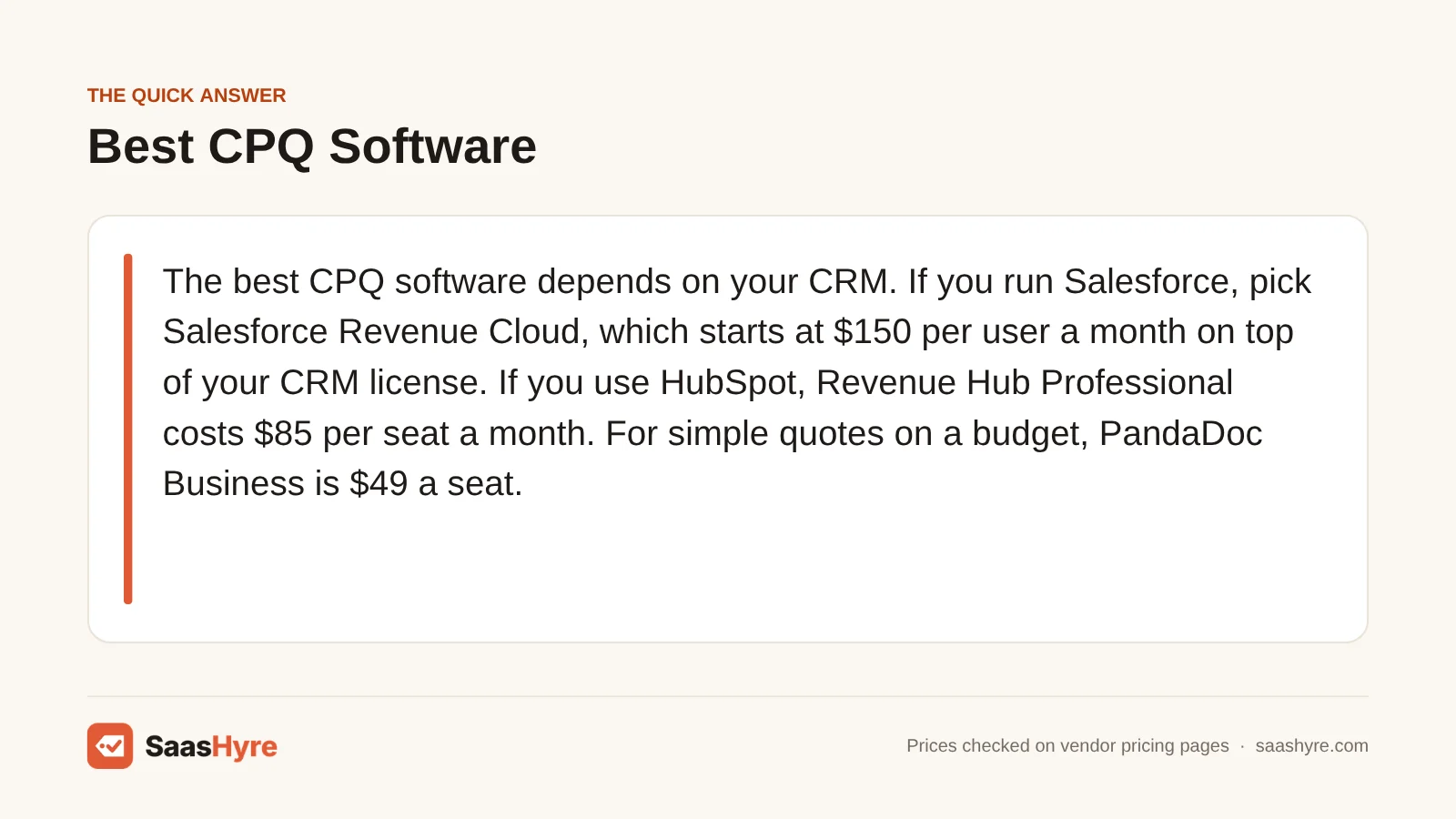
The best CPQ software depends on your CRM. If you run Salesforce, pick Salesforce Revenue Cloud, which starts at $150 per user a month on top of your CRM license. If you use HubSpot, Revenue Hub Professional costs $85 per seat a month. For simple quotes on a budget, PandaDoc Business is $49 a seat. For IT resellers, QuoteWerks Web starts at $45.83. DealHub, Conga and Zuora fit larger teams.
CPQ stands for configure, price, quote. It helps your reps build the right bundle, apply the right price and send a quote that doesn’t need three rounds of fixes. The hard part is buying it. Most CPQ vendors hide their prices behind a demo. And many tools on other lists are only sold as add-ons to a CRM you already pay for.
So I focused on what you will actually pay. I pulled every price from each vendor’s own pricing page in October 2026. When a vendor does not publish a price, I say so plainly instead of guessing. Prices can change, so check the final quote before you sign.
Building a full stack? Our small business software guide shows the best pick for every job and what it costs.
Quick Comparison: 8 Best CPQ Software Tools and Their Real Prices
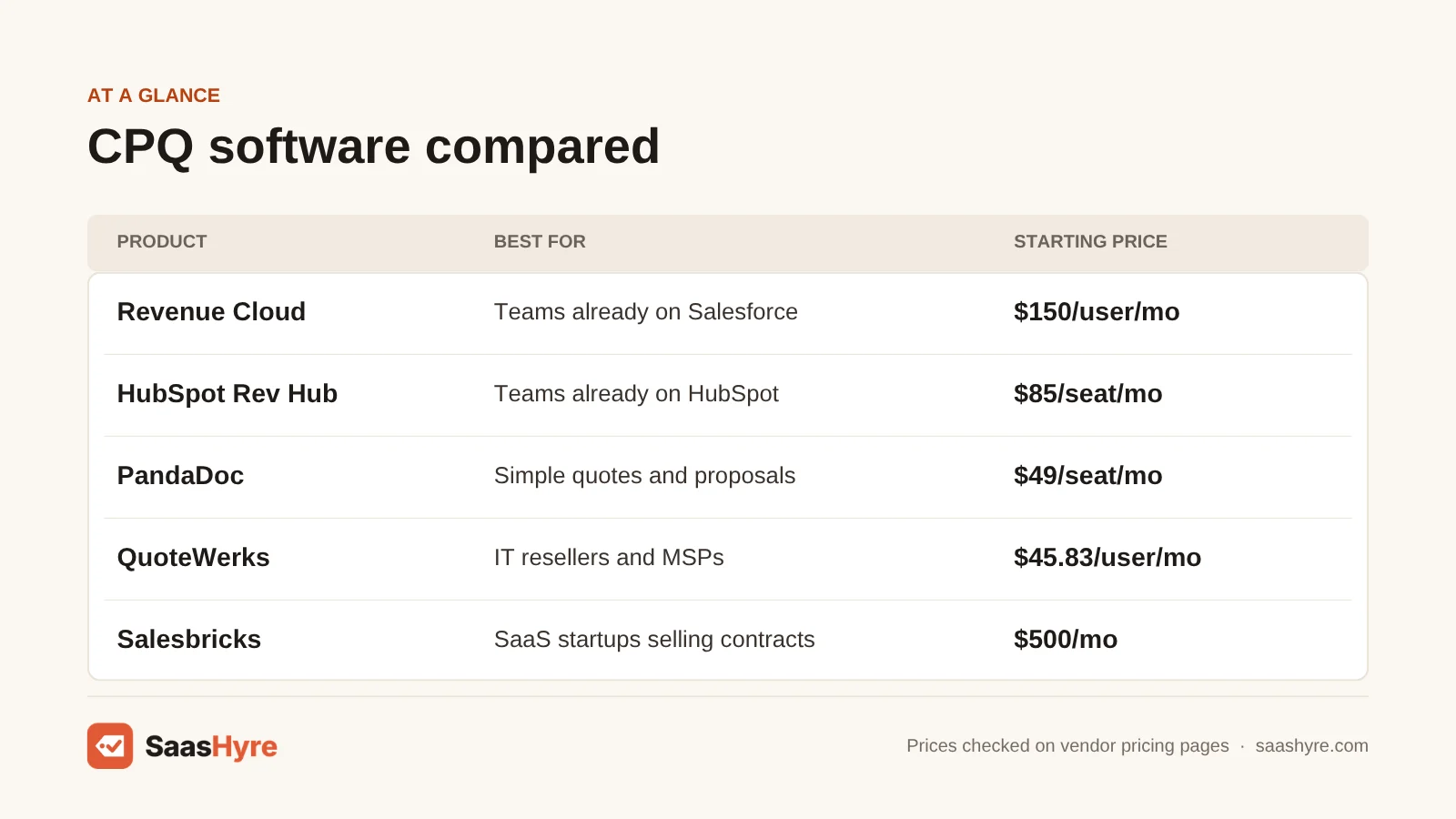
| Tool | Best for | Starting price | Billing model | Free plan or trial |
|---|---|---|---|---|
| Salesforce Revenue Cloud | Teams already on Salesforce | $150/user/mo | Per user, billed yearly, add-on to a CRM license | No free trial |
| Conga CPQ | Complex catalogs and approvals | Not published | Custom quote | Demo only |
| HubSpot Revenue Hub | Teams already on HubSpot | $85/seat/mo | Per seat, yearly or monthly | Free plan (no quotes), 14-day trial |
| PandaDoc | Simple quotes and proposals | $49/seat/mo (Business) | Per seat, CPQ add-on on Enterprise | Free plan, 14-day trial |
| QuoteWerks | IT resellers and MSPs | $45.83/mo per concurrent user | Per concurrent user, yearly or monthly | Trial offered |
| DealHub | CPQ plus contracts and billing in one | Not published | Custom quote | Demo only |
| Zuora CPQ | Subscription and usage pricing | Not published | Custom quote | Demo only |
| Salesbricks | SaaS startups selling contracts | $500/mo | Flat fee billed yearly, plus a % of invoices | No trial listed |
What Is CPQ Software?
CPQ software is a sales tool that helps reps pick the right products, price them correctly and send a quote fast. It uses rules to block combos that don’t work and applies price books and discounts. It sends big discounts for approval and turns the result into a quote your buyer can sign. Most CPQ tools connect to your CRM.
Not every business needs full CPQ. If you sell five products at fixed prices, the quote tool in your CRM or a proposal app is often enough. CPQ pays off when you have lots of products, options that depend on each other, tiered or usage pricing, or reps who give away too much discount.
What Makes the Best CPQ Software?
The best CPQ software works with the CRM you already use, handles the way you price, and has a cost you can predict. Check five things. Does it run inside your CRM or next to it? Can it handle subscriptions or usage pricing? Are approvals built in? Is the price published? And will you need a paid partner to set it up?
Many top-ranking lists still tell you to buy “Salesforce CPQ,” but Salesforce has stopped selling new licenses of it. Most also skip prices. The sections below fix both gaps.
Best CPQ Software for Salesforce Teams
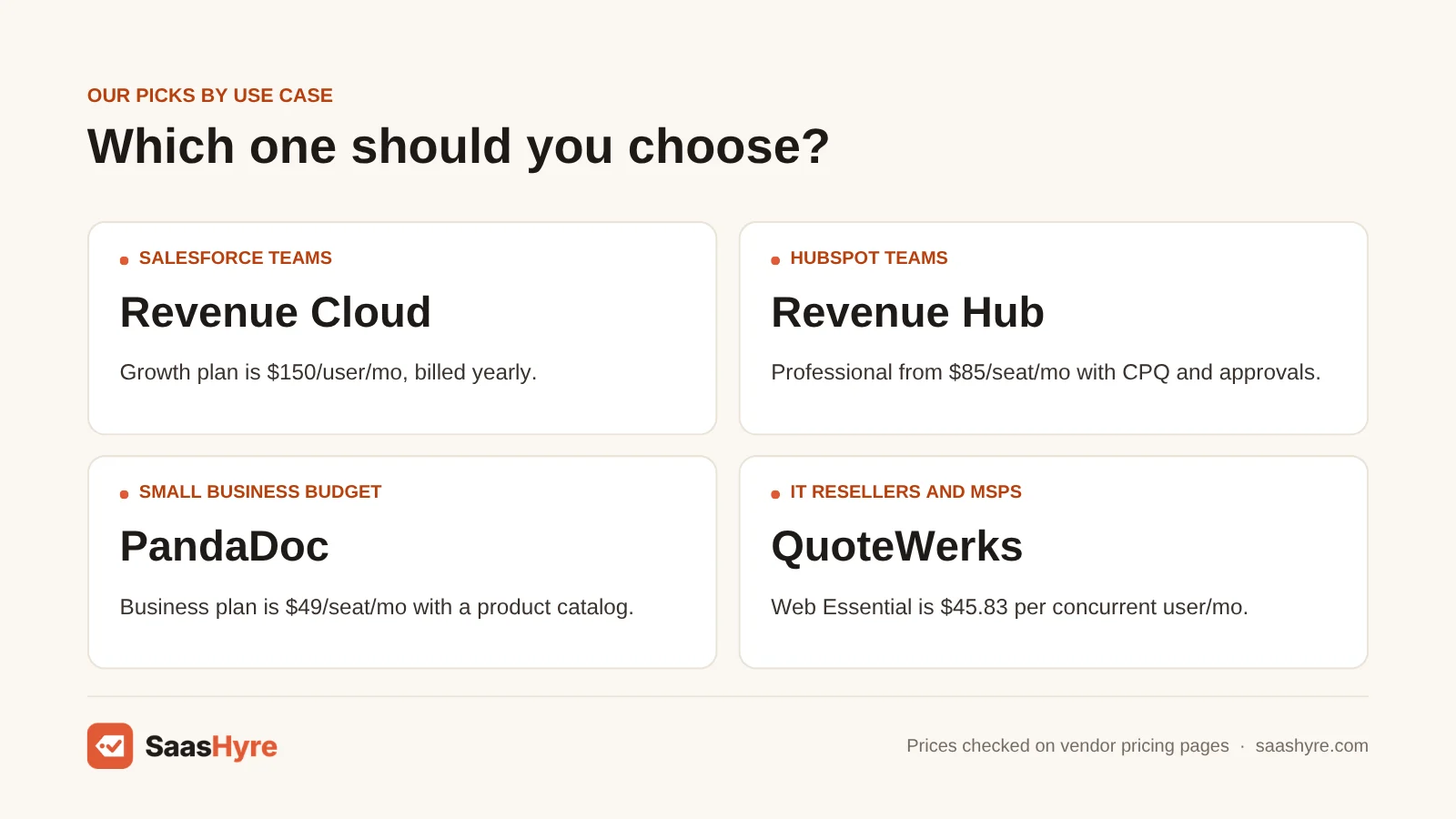
Salesforce Revenue Cloud is the best CPQ for teams already on Salesforce. Growth costs $150 per user a month and Advanced costs $200, both billed yearly. It is an add-on, so you also need a Sales Cloud, Service Cloud or other CRM license. Conga CPQ is the main option if you want a Salesforce-friendly tool from another vendor.
1 Salesforce Revenue Cloud: Best for teams on Salesforce
If your team works in Salesforce all day, start here.
What it does well. Revenue Cloud covers quoting, product setup, orders and subscriptions inside Salesforce. The Advanced plan adds contracts, usage-based invoicing and AI analytics. Salesforce names Revenue Cloud Advanced as the successor to Salesforce CPQ. Salesforce no longer sells that older CPQ to new customers, though existing users can still renew and get support. Salesforce also calls this product family Agentforce Revenue Management.
Key features:
- Quoting and product configurator
- Order capture and subscriptions
- Contracts, usage and invoicing on Advanced
- AI and analytics on Advanced
- Built on the Salesforce platform
Pricing. Revenue Cloud Growth is $150 per user a month, billed yearly. Revenue Cloud Advanced is $200 per user a month, billed yearly, and needs an annual contract. Salesforce says Revenue Cloud is a paid add-on and requires a Sales Cloud, Service Cloud or CRM license, which you pay for separately. There is no free trial of Revenue Cloud, though you can try Sales Cloud free for 30 days. See Salesforce Revenue Cloud pricing.
Best for: You, if your company runs on Salesforce and you want quotes, orders and renewals in the same system.
Limitations. It is the priciest per-user option with a public price, and that is before your CRM license. Most teams hire a Salesforce partner to set it up, which adds cost.
2 Conga CPQ: Best for complex catalogs and pricing rules
Selling goods and subscriptions on one quote? Look at Conga.
What it does well. Conga uses rule-based setup to keep quotes accurate. You can quote physical products, services, subscriptions and usage-based items together. It supports range pricing and controlled discount approvals, so reps can’t give away margin on their own. Conga says it works with leading CRMs and runs natively with Salesforce.
Key features:
- Rule-based product configuration
- Goods, services, subscriptions and usage on one quote
- Discrete, range and cumulative range pricing
- Pricing approvals to stop rogue discounts
- 500+ APIs for revenue data
Pricing. Conga does not publish prices. Its pricing page says it builds a custom plan for each business, so you have to request a quote. We found no free trial listed. See Conga pricing.
Best for: You, if you are a mid-size or large company with a big catalog and strict pricing rules.
Limitations. You can’t compare its cost to anything without a sales call. It is a lot of tool for a small team with simple pricing.
Best CPQ Software for HubSpot Users
HubSpot Revenue Hub is the best CPQ if you already use HubSpot CRM. Professional starts at $85 per seat a month on yearly billing, or $95 on monthly billing. It adds CPQ, a product library, price books, quote approvals and e-signatures. Enterprise starts at $140 per seat and adds a quote rules engine.
3 HubSpot Revenue Hub: Best for teams on HubSpot
If your deals are already in HubSpot, this is the easy choice.
What it does well. Revenue Hub is HubSpot’s quoting, billing and payments product. HubSpot renamed Commerce Hub to Revenue Hub. Professional gives you CPQ, a product library that holds up to 15 million products, price books, tiered pricing, quote templates and approvals. Enterprise adds multi-step approvals and a Quote Rules engine that controls which products go together and what quantities and prices are allowed.
Key features:
- AI-assisted quotes and quote templates
- Product library, price books and tiered pricing
- Quote approvals with up to 10 approvers
- Quote Rules engine on Enterprise
- Built-in e-signatures and payments
Pricing. The free plan covers billing and payment tools for up to 2 users, but not quotes. Professional starts at $85 per seat a month with yearly billing, or $95 per seat on monthly billing, and includes 3,000 HubSpot Credits. Enterprise starts at $140 per seat a month and includes 5,000 credits. E-signatures are capped at 25 a month on Professional and 50 on Enterprise. Both paid plans offer a 14-day trial. If you take payments, HubSpot Payments is free for the first year, then charges a 0.5% platform fee, plus 2.9% on cards. See HubSpot Revenue Hub pricing.
Best for: You, if your team already sells in HubSpot and you want quotes, approvals and payments in one place.
Limitations. It only makes sense if you run HubSpot CRM. The e-signature caps are low for busy teams. Payment fees add up if you collect a lot of money through it.
Best CPQ Software for Small Businesses on a Budget
PandaDoc is the best budget choice if you mainly need good-looking quotes with a product catalog. The Business plan costs $49 per seat a month on yearly billing and includes pricing tables, a product catalog and payments. True CPQ rules are a paid add-on on the Enterprise plan, which has no public price.
4 PandaDoc: Best for simple quotes and proposals
If you want quotes buyers can sign and pay, try PandaDoc.
What it does well. PandaDoc is a document tool first. You build quotes and proposals with live pricing tables, pull data from your CRM and collect a signature. Its CPQ add-on applies discounts and customer-specific pricing rules, suggests the right product parts, and sends big deals for approval when they cross a threshold.
Key features:
- Pricing tables and product catalog
- E-signatures and payment collection
- Two-way CRM sync
- Approval workflows
- CPQ add-on for Enterprise
Pricing. The free plan allows 5 documents a month. Starter is $19 a seat a month and Business is $49 a seat a month, both billed yearly. PandaDoc says yearly billing saves up to 46%, but I could not read the exact monthly-billing prices on its page. Extra documents cost $2 to $3.50 each, depending on plan. Enterprise is priced by quote, and CPQ is a paid add-on only on Enterprise. Starter has a 14-day free trial. See PandaDoc pricing.
Best for: You, if you are a small team that needs polished, signable quotes more than complex product rules.
Limitations. Business gives you quotes, not full CPQ. To get the rules engine, you need Enterprise plus the add-on, and neither price is published.
Best CPQ Software for IT Resellers and MSPs
QuoteWerks is the best CPQ for IT resellers, managed service providers and systems integrators. QuoteWerks Web starts at $45.83 per concurrent user a month on yearly billing. You pay for people logged in at the same time, not every employee, and every plan includes unlimited named users and CRM links.
5 QuoteWerks: Best for resellers who quote hardware and services
If you resell hardware and services, QuoteWerks fits your deals.
What it does well. QuoteWerks targets MSPs, IT solution providers, audio-visual and security integrators, and manufacturers’ reps. It handles bundles and a product configurator, links to CRM and PSA tools, and tracks orders after the quote. The Balanced plan lets buyers accept quotes online with an e-signature and pay by card or ACH. You can run it on the web, on your desktop or both.
Key features:
- Bundles and configurator
- All CRM and PSA integrations
- Online acceptance, e-signature and payments on Balanced
- Auto US sales tax and distributor content on Pinnacle
- Procurement tracking and online ordering
Pricing. QuoteWerks Web is priced per concurrent user. Essential is $50 a month, or $45.83 a month billed yearly. Balanced is $78 a month, or $71.50 billed yearly. Pinnacle is $102 a month, or $93.50 billed yearly. The QuickBooks Online link costs $20 a month per site, and VendorRFQ costs $20 a month per user. A trial is offered, but the page does not say how long it lasts. Desktop edition prices are not on this page. See QuoteWerks pricing.
Best for: You, if you are an MSP or reseller who builds quotes from distributor catalogs.
Limitations. It is built for product resellers, so it is a weaker fit for SaaS subscriptions. Some features you may want, like online acceptance, need the Balanced plan or higher.
Best CPQ Software for Subscription and Usage Pricing
Zuora CPQ is the best pick if you bill subscriptions and usage and already use Zuora for billing. DealHub is the best pick if you want CPQ, contracts and subscription billing in one tool that works with Salesforce, HubSpot or Microsoft Dynamics 365. Neither publishes prices, so plan for a sales call.
6 DealHub: Best for CPQ, contracts and billing in one
If you want quote, contract and invoice in one tool, try DealHub.
What it does well. DealHub combines CPQ, contract management, subscription billing and a shared buyer workspace it calls DealRoom. It connects to Salesforce, HubSpot, Microsoft Dynamics 365 and NetSuite.
Key features:
- CPQ with automated approvals
- Contract management
- Subscription billing
- DealRoom buyer workspace
- Salesforce, HubSpot, Dynamics 365 and NetSuite links
Pricing. DealHub does not publish prices. Its pricing page shows two tiers, Growth and Scale, and asks you to request pricing. Review sites list estimates, but DealHub does not confirm them. We found no free trial listed. See DealHub pricing.
Best for: You, if you are a growing B2B company that wants quotes, contracts and billing handled together.
Limitations. No public price makes budgeting hard. If you only need quotes, you may pay for contract and billing tools you won’t use.
7 Zuora CPQ: Best for teams already billing with Zuora
If you already bill with Zuora, its CPQ is the natural fit.
What it does well. Zuora CPQ lets you quote any mix of subscriptions, products and services across the whole customer lifecycle. That means new deals, upgrades, add-ons and renewals. Zuora’s docs describe it as Zuora CPQ for Salesforce, with amendment and renewal quotes built in. Quotes flow into Zuora billing, so finance doesn’t retype them.
Key features:
- Quotes for subscriptions, products and services
- Amendment and renewal quotes
- Multi-subscription quoting
- Links quotes to billing and revenue recognition
- Works with Salesforce
Pricing. Zuora does not publish prices on its pricing page or its CPQ page. You need to talk to sales. We found no free trial listed. See Zuora pricing.
Best for: You, if you already use Zuora for billing and sell subscriptions through Salesforce.
Limitations. Its value comes from the Zuora billing link, so it makes less sense on its own. No public price. It is aimed at mid-size and large subscription companies, not small teams.
Best CPQ Software for SaaS Startups
Salesbricks is the best pick for B2B SaaS startups that want quoting, contracts, checkout and billing in one simple tool. The Startup plan is $500 a month, billed yearly, for up to 5 users and $300,000 in transaction volume. It also charges a percentage fee on your invoices, and that rate is not published.
8 Salesbricks: Best for SaaS startups selling contracts
If you sell software on contracts, Salesbricks keeps it simple.
What it does well. Salesbricks covers the whole path from deal to payment. You configure the deal, send the contract for e-signature, let the buyer check out, and then bill and collect.
Key features:
- Deal configuration (CPQ)
- Sales contracts and e-sign
- Buyer checkout
- Billing and payments
- CRM integration on every plan
Pricing. Startup is $500 a month, billed yearly, for up to 5 app users and up to $300,000 in transaction volume. Growth is $1,500 a month, billed yearly, for unlimited users and $300,000 to $2 million in volume, plus a dedicated success manager. Enterprise is custom. You can add more volume in $500,000 blocks. On top of the plan, Salesbricks charges a fee based on the value of the invoices it generates. It does not publish the percentage. We found no trial listed. See Salesbricks pricing.
Best for: You, if you run a young SaaS company and want one tool from quote to cash.
Limitations. The percentage fee means your cost grows with your revenue, and you can’t see the rate before you talk to them. It is built for software sellers, so it is a poor fit for physical products.
Tools We Left Out, and Why
You will see these on other CPQ lists. Here is why they are not in our top 8.
- Salesforce CPQ (the older product). Salesforce no longer sells new licenses of it. If you are new to Salesforce, you would buy Revenue Cloud instead.
- Oracle CPQ and SAP CPQ. Both are strong for very large companies, but neither shows a price we could confirm on an official page.
- Qwilr. It makes interactive quotes and proposals from $35 a user a month on yearly billing. But it is a proposal tool, not a CPQ with product rules.
What 5 Sales Reps Pay in a Year
For five reps on yearly billing, PandaDoc Business costs $2,940 and QuoteWerks Web Essential costs $2,749.80. HubSpot Revenue Hub Professional costs $5,100, and Salesbricks Startup costs $6,000 plus its invoice fee. Salesforce Revenue Cloud Growth costs $9,000, before the CRM license you also need.
This math uses each tool’s published yearly price for five people. It leaves out taxes, setup services, add-ons and CRM licenses. DealHub, Conga and Zuora are not in the table because they don’t publish prices.
| Tool and plan | Published price | 5 users for a year |
|---|---|---|
| QuoteWerks Web Essential | $45.83/concurrent user/mo | $2,749.80 |
| PandaDoc Business | $49/seat/mo | $2,940 |
| QuoteWerks Web Balanced | $71.50/concurrent user/mo | $4,290 |
| HubSpot Revenue Hub Professional | $85/seat/mo | $5,100 |
| Salesbricks Startup | $500/mo flat, up to 5 users | $6,000 plus % of invoices |
| HubSpot Revenue Hub Enterprise | $140/seat/mo | $8,400 |
| Salesforce Revenue Cloud Growth | $150/user/mo | $9,000 plus CRM license |
| Salesforce Revenue Cloud Advanced | $200/user/mo | $12,000 plus CRM license |
Monthly billing costs more. Five people on HubSpot Revenue Hub Professional at $95 a month pay $5,700 a year. Five QuoteWerks Web Essential users at $50 a month pay $3,000.
How to Choose CPQ Software Without Overpaying
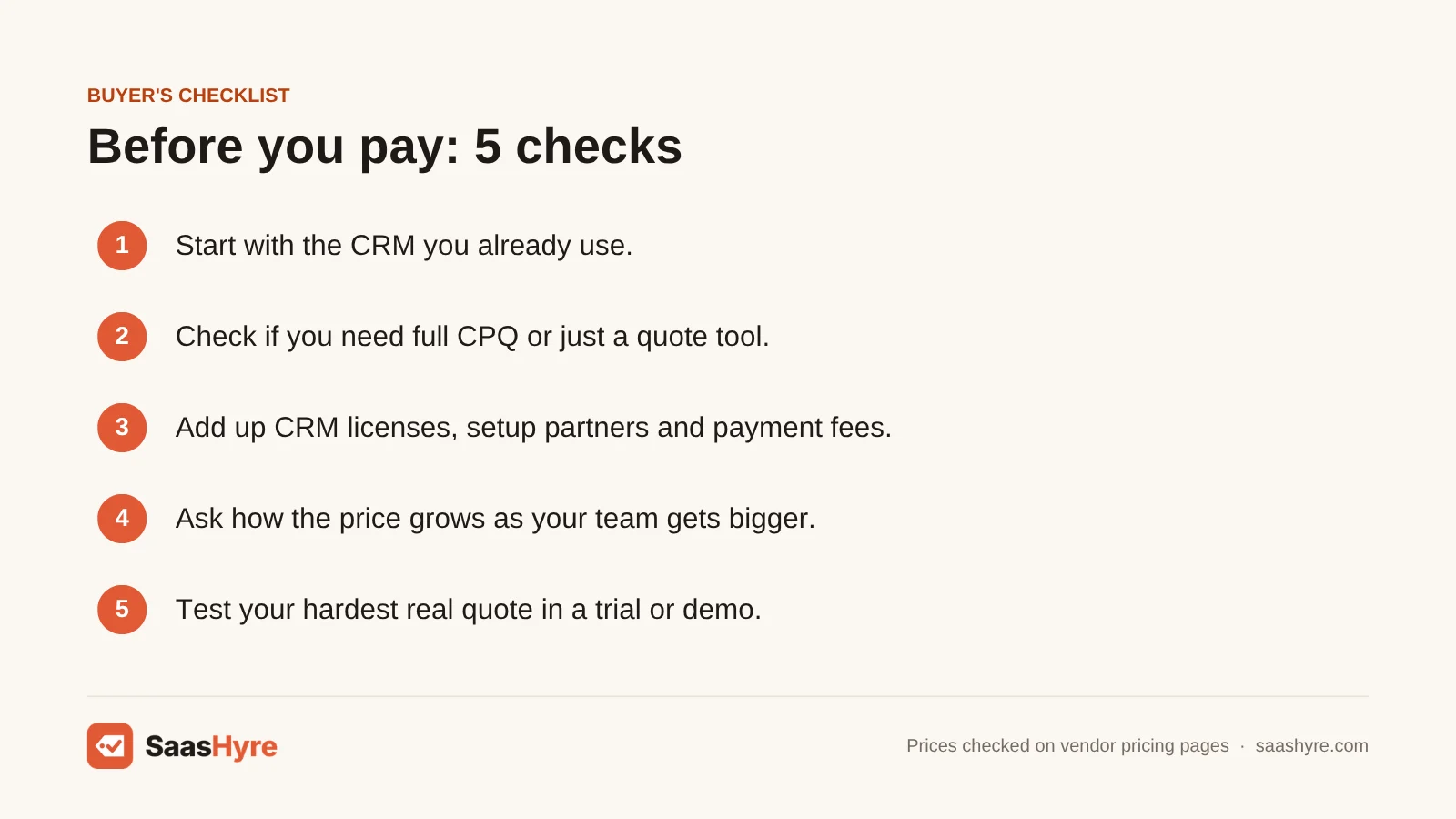
- Start with your CRM. A CPQ that runs inside the CRM you already have is usually cheaper and faster to set up than one that runs next to it.
- Check if you need full CPQ. If your pricing is simple, a quote tool like PandaDoc Business or HubSpot quotes may be all you need.
- Add up the hidden costs. Count CRM licenses, setup partners, e-signature caps and payment fees, not just the seat price.
- Ask how the price grows. Some tools charge per seat, some per concurrent user and some take a cut of your invoices. Model your cost at twice your current size.
- Test your hardest quote. In a trial or demo, build your most complex real deal. If it takes workarounds, the tool is not right for you.
- Get the price in writing. When a vendor has no public price, ask for a written quote for year one and year two before you sign.
How We Evaluated These Tools
We compared each tool using its own pricing page, product pages and help docs, checked in October 2026. We also read the top-ranking CPQ software reviews to find what they got wrong or left out, such as outdated product names and missing prices. We looked at published prices on monthly and yearly billing, how each tool charges, CRM fit, approvals and billing features. We did not run our own CPQ tests, and feature claims come from the vendors. No vendor pays to be listed. Read our editorial policy to learn more.
Keep comparing: SaaS guides · Best AI CRM Software · Best Dynamic Pricing Tools
The Bottom Line
Pick your CPQ based on the CRM you already use. On Salesforce, go with Revenue Cloud, and budget $150 to $200 per user a month plus your CRM license. On HubSpot, Revenue Hub Professional at $85 a seat is the easy choice. If you just need nice quotes, PandaDoc Business at $49 a seat is the cheapest path. MSPs and resellers should look at QuoteWerks. If you want quotes, contracts and billing in one tool, get quotes from DealHub, Conga or Zuora and compare them in writing. And if you are a young SaaS company, Salesbricks is worth a look, as long as you ask for its fee rate first.
If this one is not quite the right fit, start with our best cold email software guide, then compare our best AI sales forecasting software and best AI email marketing software guides.
Frequently Asked Questions
What is the best CPQ software?
It depends on your CRM. Salesforce Revenue Cloud is best if you use Salesforce, and it starts at $150 per user a month. HubSpot Revenue Hub is best if you use HubSpot, from $85 per seat. DealHub is a strong choice if you want CPQ, contracts and billing in one tool that works with several CRMs.
How much does CPQ software cost?
Published prices range from about $45.83 to $200 per user a month. QuoteWerks Web starts at $45.83 per concurrent user on yearly billing. HubSpot starts at $85 per seat, and Salesforce Revenue Cloud at $150 per user plus a CRM license. Conga, DealHub and Zuora only share prices by quote.
Is Salesforce CPQ being discontinued?
Salesforce no longer sells new Salesforce CPQ licenses to new customers. Existing customers can still use it, add users, renew and get support, but it won’t get new features. Salesforce names Revenue Cloud Advanced as the successor, which costs $200 per user a month on yearly billing.
Does HubSpot have CPQ?
Yes. HubSpot Revenue Hub, formerly Commerce Hub, includes CPQ on its Professional plan. That plan starts at $85 per seat a month on yearly billing and adds a product library, price books, quote approvals and e-signatures. Enterprise, from $140 per seat, adds a Quote Rules engine. The free plan does not include quotes.
What is the difference between CPQ and CRM?
A CRM tracks your contacts, deals and sales activity. CPQ handles the quote itself. It picks compatible products, applies the right prices and discounts, routes approvals and creates the document. Most CPQ tools plug into a CRM, and some, like Salesforce Revenue Cloud and HubSpot Revenue Hub, are sold as add-ons to one.
Is there free CPQ software?
Not really, for full CPQ. PandaDoc has a free plan, but it allows only 5 documents a month and does not include pricing tables or CPQ. HubSpot’s free Revenue Hub plan covers billing and payments for 2 users, not quotes. Most real CPQ tools start with a paid plan or a trial.
Do small businesses need CPQ software?
Only if quoting is slow or error-prone. If you sell a handful of products at set prices, your CRM’s quote tool or PandaDoc Business at $49 a seat is usually enough. Full CPQ pays off when you have many products, options that depend on each other, or lots of discount requests.
What is the best CPQ for SaaS companies?
For startups, Salesbricks covers quoting, contracts, checkout and billing, from $500 a month billed yearly plus an invoice fee. For larger SaaS teams, DealHub and Zuora CPQ both handle subscriptions, renewals and billing. Zuora fits best if you already bill with Zuora.