

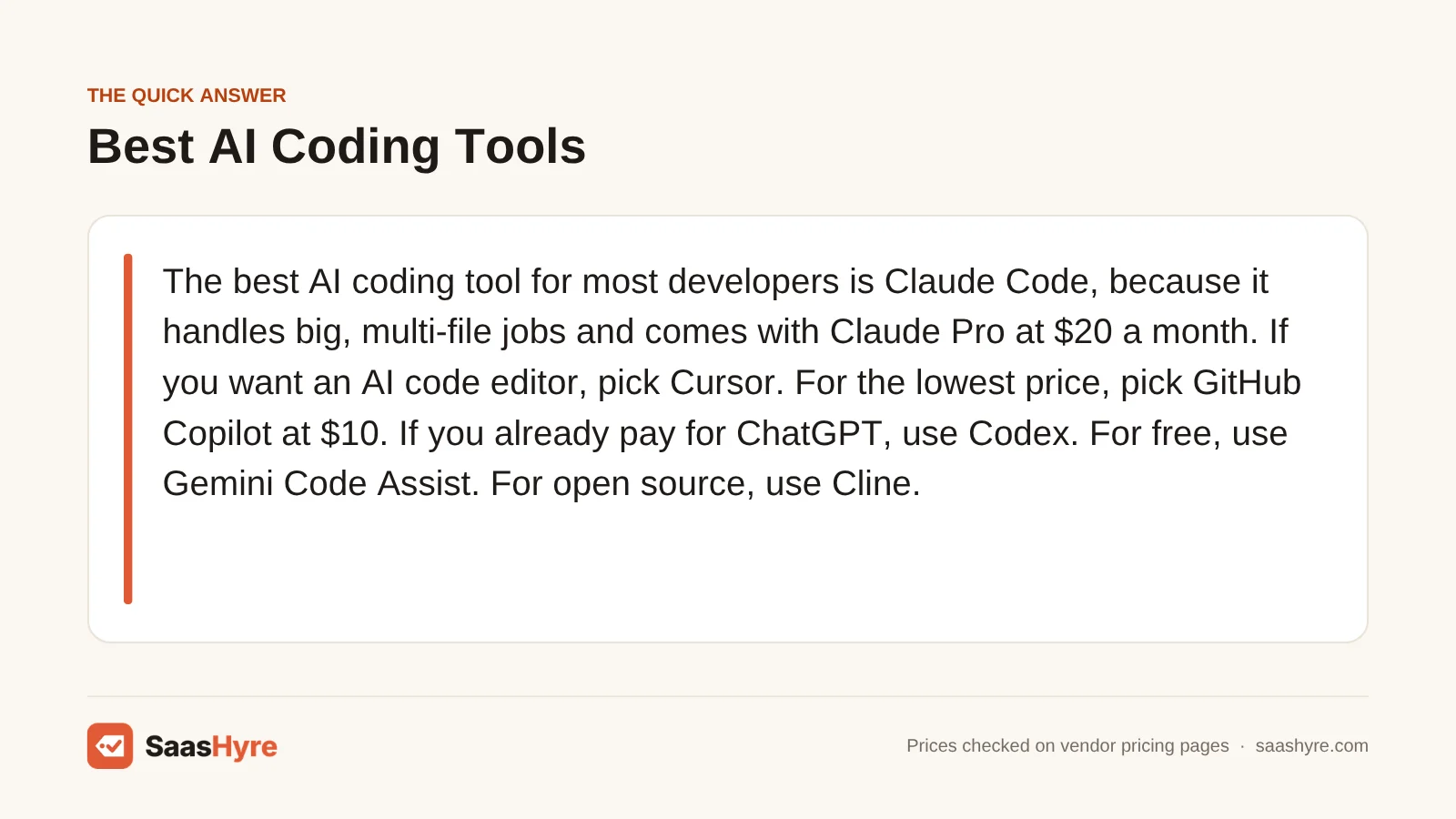
The best AI coding tool for most developers is Claude Code, because it handles big, multi-file jobs and comes with Claude Pro at $20 a month. If you want an AI code editor, pick Cursor. For the lowest price, pick GitHub Copilot at $10. If you already pay for ChatGPT, use Codex. For free, use Google Antigravity. For open source, use Cline.
Here is what matters when you buy. Almost every plan now gives you a usage allowance, not unlimited AI. So ask how much work you get for your money, and what happens when you run out.
I pulled every price from each vendor’s own pricing page in October 2026. Plans change often, so check the final price before you pay.
This guide is one part of our best AI tools roundup, which compares picks for every job.
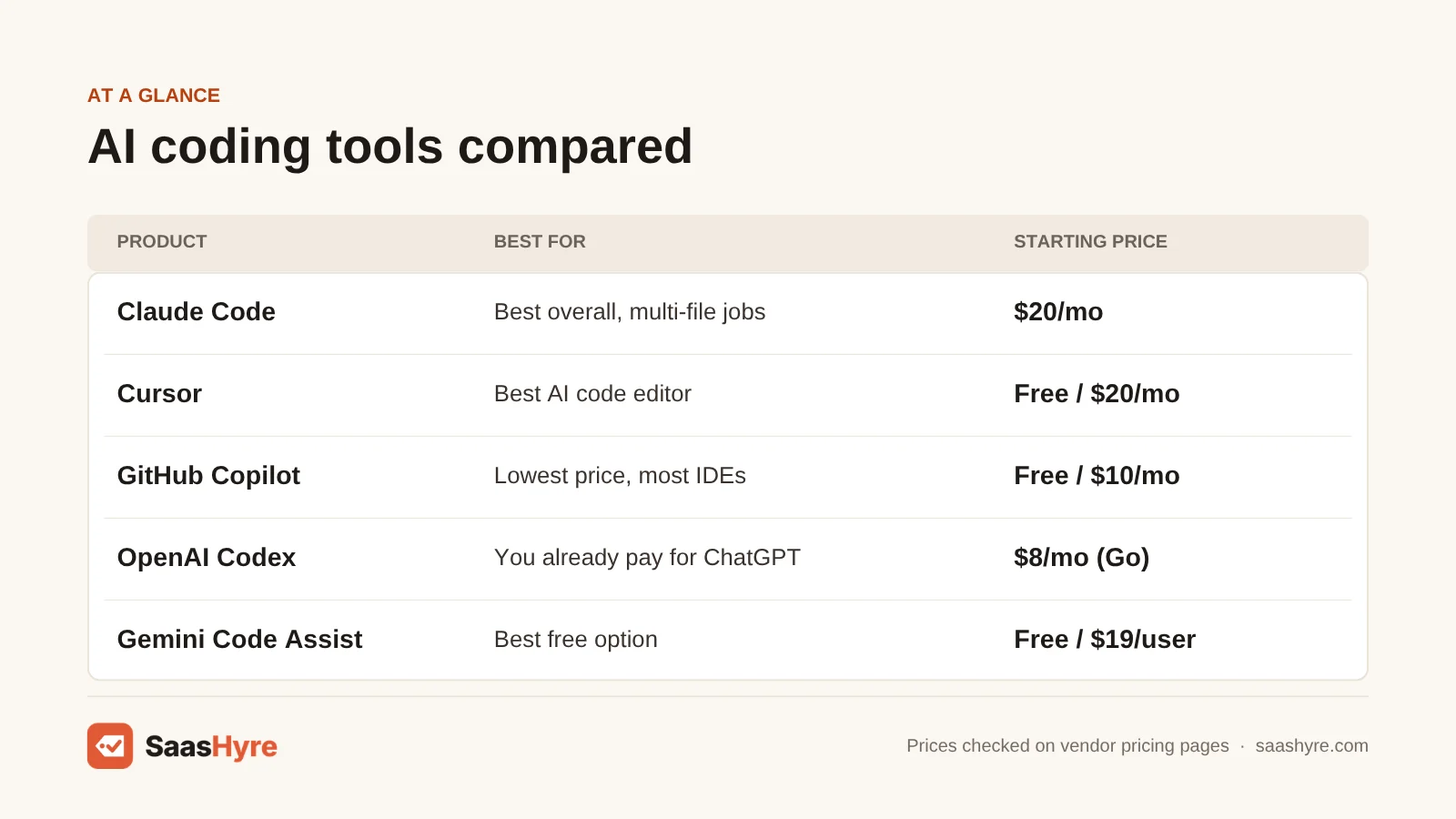
Quick Comparison: 8 Best AI Coding Tools at a Glance
| Tool | Best for | Starting price | Billing model | Free plan or trial |
|---|---|---|---|---|
| Claude Code | Best overall, big multi-file jobs | $20/mo (Claude Pro) | Usage limits per 5-hour session | No, Claude Code needs a paid plan |
| Cursor | Best AI code editor | $20/mo (Pro) | Included usage, then extra usage | Yes, Hobby plan |
| GitHub Copilot | Lowest price, works in most IDEs | $10/mo (Pro) | Monthly AI credits, $0.01 each | Yes, 2,000 completions and 50 chats |
| OpenAI Codex | People who already pay for ChatGPT | $8/mo (Go), $20/mo (Plus) | Usage limits, then credits | Yes, limited on ChatGPT Free |
| Devin Desktop (formerly Windsurf) | Editor with cloud agents | $20/mo (Pro) | Daily and weekly quotas | Yes, unlimited Tab completions |
| Gemini Code Assist and Gemini CLI | Best free option | $19/user/mo (Standard) | Daily request limits | No, free users moved to Antigravity |
| Cline | Open source, any model | Free, you pay for the AI model | Pay per use, or $9.99/mo ClinePass | Yes, the tool itself is free |
| Kiro | Spec-driven work on AWS | $20/user/mo (Pro) | Monthly credits, $0.04 per extra | Yes, 50 credits |
What Is an AI Coding Tool?
An AI coding tool is software that uses a large language model to help you write, fix and explain code. Some tools finish your line as you type. Others act as agents. You describe a task, and the agent reads your project, edits many files, runs commands and tests, and then shows you the changes to approve.
Today most tools come in three shapes. There are AI code editors, like Cursor and Devin Desktop. There are plugins for the editor you already use, like GitHub Copilot, Gemini Code Assist and Cline. And there are terminal agents, like Claude Code, Codex and Gemini CLI.
What Makes the Best AI Coding Tool?
The best AI coding tool fits where you work, handles the size of your projects and gives you enough usage for the price. Check five things. Does it work in your editor or terminal? Can it change many files at once? Which AI models can you use? How much usage do you get each month? And what does extra usage cost?
We compared each tool on those points using the vendor’s own pricing pages and product pages. Several still list Windsurf, now called Devin Desktop, or show old Copilot plans. We flag changes like these below.
Best AI Coding Tool Overall
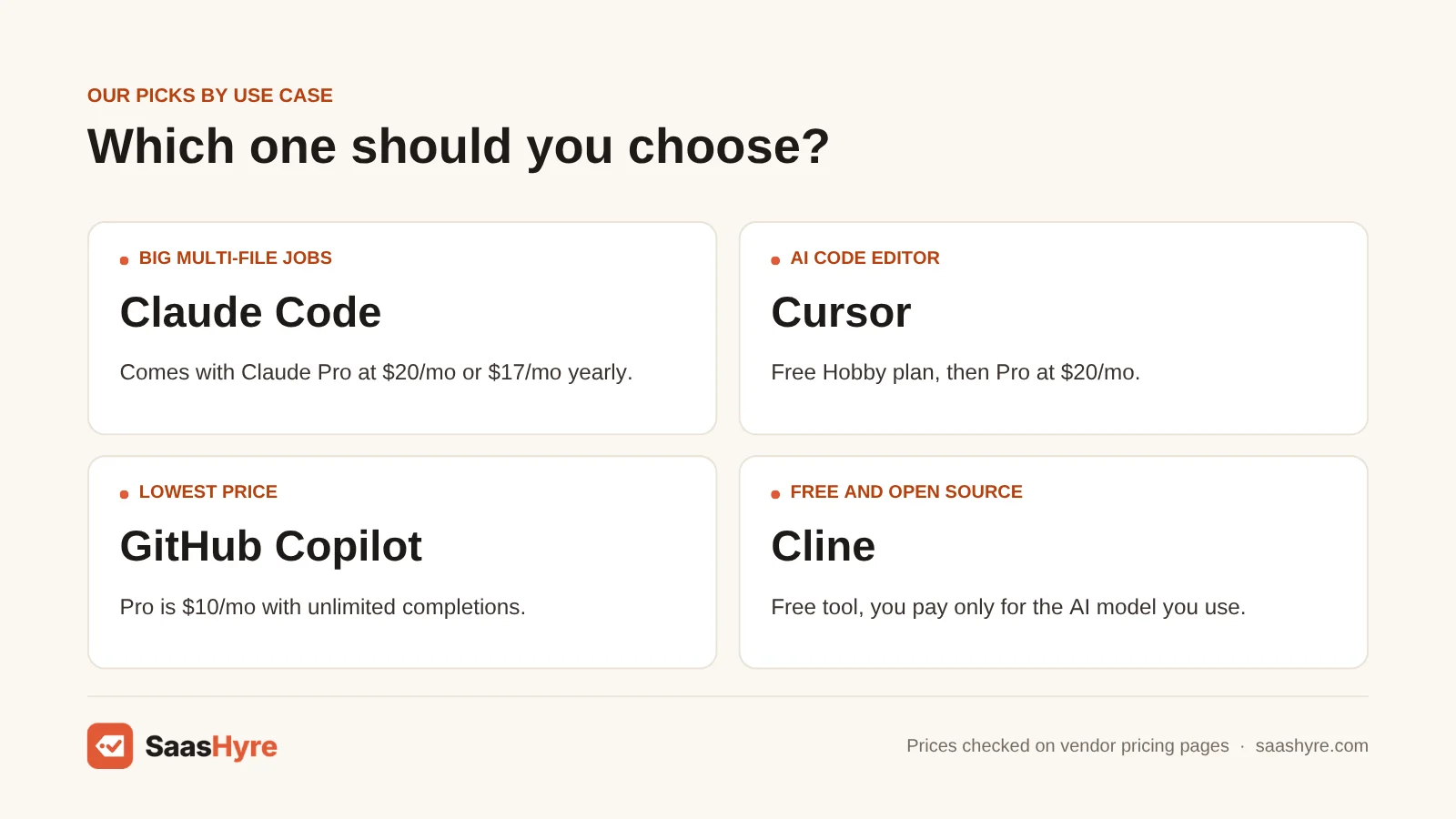
Claude Code is the best AI coding tool overall. It works in your terminal, your IDE, a desktop app and the web, and it can plan and carry out long, multi-file changes. It comes with every paid Claude plan, starting with Pro at $20 a month, or $17 a month on yearly billing.
1 Claude Code: Best for big, multi-file jobs
If you want an agent that finishes whole tasks, start here.
What it does well. Claude Code reads your codebase, edits files and runs terminal commands after you give permission. Anthropic says it can handle multi-hour refactors and open pull requests for you.
Key features:
- Runs in the terminal, VS Code, JetBrains, desktop and web
- Edits many files and runs commands
- Creates pull requests
- Slack and GitHub Actions integrations
- Mobile apps for iPhone and Android
Pricing. Claude Code is not on the Free plan. Pro is $20 a month, or $17 a month on yearly billing ($200 paid up front). Max costs $100 a month for 5x the usage of Pro, or $200 a month for 20x. On the Team plan, a Standard seat is $25 a month, or $20 a month on yearly billing. A Premium seat with 5x more usage is $125 a month, or $100 on yearly billing. Your coding and your chats share one usage pool. Payments are generally not refundable, but users in the EEA and UK get 14 days to ask for a refund. See Claude pricing.
Best for: You, if you work on larger codebases and want an agent to plan and finish whole tasks, not just suggest lines.
Limitations. Pro limits reset every 5 hours, and Anthropic itself calls Pro best for short coding sprints in small codebases. Heavy daily users often need Max at $100 or more. There is no free way to try Claude Code.
Best AI Code Editors
Cursor is the best AI code editor for most people. It is a full editor with autocomplete, agents and cloud agents, and Premium, the plan with cloud agents, costs $30 a month. Devin Desktop, the new name for Windsurf, is the best alternative, with a $20 Pro price and a free plan with unlimited Tab completions.
2 Cursor: Best AI code editor
If you want AI built into the editor itself, try Cursor first.
What it does well. Cursor gives you autocomplete, chat and agents in one editor. Its agents can work in parallel. Cloud agents can run for hours on bigger tasks while you do something else. Bugbot reviews your pull requests, and you can pick from many AI models.
Key features:
- Agents that work in parallel
- Cloud agents for long tasks
- Bugbot pull request reviews
- Choice of AI models
- CLI and Slack integration
Pricing. The Free plan costs $0 and gives you limited Agent and Chat requests. New plans are Plus at $8 a month, Premium at $30, Super at $100 and Ultra at $200, bundled with Grok and X Premium since October 12, 2026. Existing Pro plans can stay for now. Teams starts at $30 per user per month. Third-party models like Claude and GPT now cost extra at API list price on every plan. Enterprise is priced by quote. The pricing page has a yearly billing option, but we could not see a yearly price, so check it at checkout. See Cursor pricing.
Best for: You, if you write code all day in one editor and want the AI built right in.
Limitations. Cursor does not list how much model usage each plan includes. It says your choice of model changes how fast you use up your allowance. So heavy users can hit limits and pay extra. It also means switching editors if you use JetBrains today.
3 Devin Desktop: Best editor with cloud agents
If you used Windsurf, this is the same product with a new name.
What it does well. Devin Desktop is an AI editor that also works as a command center for agents. You can run local and cloud agents from one screen and sort them in Kanban views. Its Supercomplete feature predicts your next edit.
Key features:
- Agent Command Center with Kanban views
- Supercomplete next-edit predictions
- Handoff to Devin cloud agents
- Windsurf plugin for JetBrains IDEs
Pricing. The Free plan gives you a light agent quota, limited models, and unlimited inline edits and Tab completions. Pro is $20 a month, with more quota, frontier models and cloud agents. Max is $200 a month for much higher quotas. Team is $80 a month plus $40 per full developer seat, for up to 200 users. Quotas refresh daily and weekly, and you can buy extra usage at API prices. We saw no yearly price or trial. See Devin pricing.
Best for: You, if you want a free editor with unlimited autocomplete, or you want to send bigger jobs to cloud agents.
Limitations. The pricing page does not say how big each quota is. The Team plan’s $80 base fee makes small teams pay more than per-seat tools.
Best Low-Cost AI Coding Assistants
GitHub Copilot is the cheapest good AI coding assistant. Pro costs $10 a month with unlimited code completions and $15 in monthly AI credits. If you already pay for ChatGPT, OpenAI Codex comes with it, starting with the $8 Go plan for light use and Plus at $20 for real coding sessions.
4 GitHub Copilot: Best low price and widest IDE support
If you want help in your current editor for less, pick Copilot.
What it does well. Copilot works in a long list of editors. That includes VS Code, Visual Studio, JetBrains, Neovim, Vim and Eclipse. Paid plans give you unlimited code completions. You can also hand tasks to agents, including Copilot, Claude and Codex, right from GitHub.
Key features:
- Unlimited completions on paid plans
- Agent mode and a cloud agent
- Pull request code review
- Copilot CLI
- Works in VS Code, JetBrains, Visual Studio, Vim and more
Pricing. The Free plan gives you 2,000 completions and 50 chat requests. Pro is $10 a month with $15 in AI credits. Pro+ is $39 a month with $70 in credits. Max is $100 a month with $200 in credits. Business is $19 per seat per month and Enterprise is $39. One AI credit is one cent, and you pay $0.01 per credit past your allowance. Chat, agents and the CLI use credits, but completions do not. Verified students get Copilot free, and some teachers and open source maintainers can get Pro free. See Copilot pricing.
Best for: You, if you want the cheapest paid plan or you work in JetBrains, Visual Studio or Vim.
Limitations. Agent work uses credits fast, so $15 a month may not last long if you use agents daily. The plans page shows no yearly price and no free trial.
5 OpenAI Codex: Best if you already pay for ChatGPT
If you already have a ChatGPT plan, you may already own a strong coding agent.
What it does well. Codex runs in the ChatGPT app, as an IDE extension and in your terminal, all tied to one ChatGPT account. It can run several agents at once in cloud environments. It also reviews code.
Key features:
- CLI, IDE extension and ChatGPT app
- Parallel agents in the cloud
- Code review
- Skills for team standards
- Scheduled background work
Pricing. Free and Go ($8 a month) give you limited Codex use for light tasks. Plus is $20 a month and covers a few focused coding sessions each week. Pro starts at $100 a month, with $200 and $500 options, and has no five-hour limit. Business is $20 per user per month on yearly billing, or $25 monthly, for 2 or more users. When you hit a limit, you can buy credits and keep going. You can also connect an API key and pay per token. See Codex pricing.
Best for: You, if you already pay for ChatGPT Plus or Business and want coding help without a second bill.
Limitations. Plus has five-hour limits, and the number of tasks you get depends on the model you choose. Your ChatGPT work and Codex also share the same usage.
Best Free AI Coding Tool
Google Antigravity, which replaced the free Gemini Code Assist plan, is the best free AI coding tool. Google moved free Gemini Code Assist and Gemini CLI users to Antigravity on June 18, 2026. Its individual plan costs $0 with basic weekly rate limits. Paid Gemini Code Assist seats still include Gemini CLI and agent mode. Paid Standard seats cost $19 a month on a yearly commitment.
6 Gemini Code Assist and Gemini CLI: Best free option
If you want real AI coding help for free, start here.
What it does well. Gemini Code Assist adds completions, chat and an agent mode to your IDE. Gemini CLI brings the same models to your terminal. The CLI is open source under the Apache 2.0 license. It can search Google, run shell commands and use MCP tools.
Key features:
- Free plan with no credit card
- Open source Gemini CLI
- Google Search grounding in the CLI
- MCP support
- 1M token context window
Pricing. Gemini Code Assist for individuals, the free plan, stopped working on June 18, 2026. Free users now move to Google Antigravity, which costs $0 with basic weekly limits. Paid seats still get daily request limits for Gemini CLI and agent mode. Standard is $19 per user per month on a 12-month commitment, or $22.80 month to month. Enterprise is $45 per user per month on a 12-month commitment, or $54 month to month. Standard allows 1,500 agent requests per user a day and Enterprise allows 2,000. See Gemini Code Assist pricing.
Best for: You, if you are a student, hobbyist or solo developer who wants a strong free tool.
Limitations. Google notes that one prompt can use several model requests, so daily limits go faster than they sound. And the free individual plan is gone, so solo users now need Antigravity or a paid seat.
Best Open-Source AI Coding Agent
Cline is the best open-source AI coding agent. The tool is free under the Apache 2.0 license. You bring your own API key from Anthropic, OpenAI, Google or others, or run local models, and you pay only for what you use. ClinePass adds open-weight models for $9.99 a month.
7 Cline: Best for open source and any model
If you want full control over models and spend, use Cline.
What it does well. Cline works inside VS Code and other editors, and also as a CLI. It has a Plan mode to agree on the approach, then an Act mode to do the work. It edits across your project and runs terminal commands. You can switch AI providers any time.
Key features:
- Plan and Act modes
- Bring your own API key or use local models
- MCP Marketplace for extra tools
- VS Code extension, CLI and desktop app
- Rules files for team coding standards
Pricing. The open source version is free, with no subscription or seat fees. You pay for AI usage, either through Cline at cost or with your own keys. ClinePass is $9.99 a month for open-weight models like DeepSeek, Qwen and Kimi. Cline says it gives 2 to 5 times the usage of standard API rate limits, and extra processing fees may apply. Enterprise, with SSO and team controls, is priced by quote. See Cline pricing.
Best for: You, if you want to pick your own model, run local models or keep costs tied to what you actually use.
Limitations. Paying per token has no ceiling, so a long agent session with a top model can cost more than a flat plan. You also have to set up keys and pick models yourself. Its JetBrains support is still early access.
Best AI Coding Tool for Spec-Driven Development
Kiro, built by AWS, is the best pick if you want AI to plan before it codes. It turns your prompt into a written spec, then works through the tasks. The free plan gives you 50 credits, and Pro costs $20 per user a month for 1,000 credits.
8 Kiro: Best for spec-driven work on AWS
If AI agents keep going off track on your projects, Kiro’s plan-first approach may help.
What it does well. Kiro starts with specs. It turns your request into a plan you can read and edit, then builds from it. Hooks run tasks in the background when files change. Steering files keep your rules the same across the IDE and CLI.
Key features:
- Specs from your prompts
- Hooks for background tasks
- Steering files for your rules
- IDE, CLI, web and mobile
- Claude, GPT and open-weight models
Pricing. The free plan includes 50 credits. Pro is $20 per user per month for 1,000 credits. Pro+ is $40 for 2,000 credits. Pro Max is $100 for 5,000 credits, and Power is $200 for 10,000 credits. Extra credits cost $0.04 each. Unused credits do not roll over. Kiro adds a $20 credit to your first paid upgrade if you sign up with social login or AWS Builder ID. See Kiro pricing.
Best for: You, if you build on AWS or want a written plan before the AI changes your code.
Limitations. 50 free credits won’t last long on real work. The spec step adds time on small fixes. Unused credits are lost each month.
Tools We Left Out, and Why
You will see these on other lists. Here is why they are not in our top 8.
- Aider. It is a good free terminal tool, but its last GitHub release was v0.86.0 in August 2025. Gemini CLI, by contrast, ships new stable releases every week.
- Tabnine. Its pricing page now sends you to a Tricentis sales contact form. We only list prices we can confirm on the vendor’s own page.
- App builders like Replit, Lovable and v0. They build whole apps from a prompt for people who don’t code. That is a different job from helping developers write code, so we cover them in our AI website builders guide.
What 5 Developers Pay in a Year
For a team of five on yearly billing, GitHub Copilot Business and Gemini Code Assist Standard each cost $1,140 a year. Claude Team, ChatGPT Business with Codex and Kiro Pro each cost $1,200. Cursor Teams costs $1,800, and Devin Desktop’s Team plan costs $3,360 because of its $80 monthly base fee.
This math uses each tool’s team plan price times five people for 12 months. It uses yearly billing where listed and leaves out taxes, extra usage and discounts.
| Tool and plan | Price per person | 5 people for a year |
|---|---|---|
| GitHub Copilot Business | $19/mo | $1,140 |
| Gemini Code Assist Standard | $19/mo (12-month commitment) | $1,140 |
| Claude Team, Standard seat | $20/mo (yearly billing) | $1,200 |
| ChatGPT Business (Codex) | $20/mo (yearly billing) | $1,200 |
| Kiro Pro | $20/mo | $1,200 |
| Cursor Teams, Standard | $40/mo | $2,400 |
| Devin Desktop Team | $40/mo plus $80/mo base | $3,360 |
For one person, Copilot Pro costs $120 a year, Claude Pro $200 paid yearly, Devin Pro $240 and Cursor Premium $360.
How to Choose an AI Coding Tool Without Overpaying
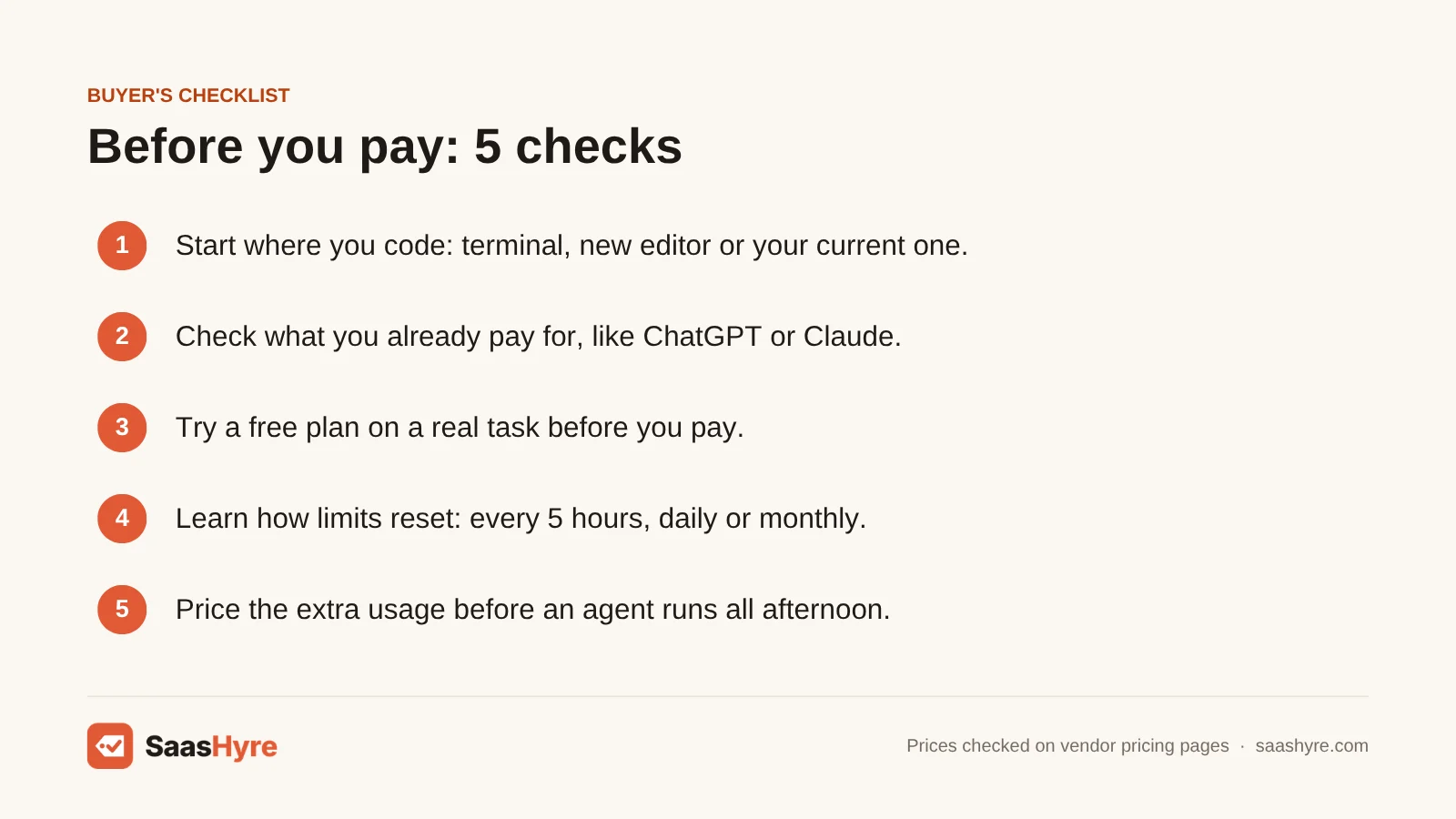
- Start where you code. If you live in the terminal, try Claude Code, Codex or Gemini CLI. If you want a new editor, try Cursor or Devin Desktop. If you want to keep your editor, try Copilot or Cline.
- Check what you already pay for. A ChatGPT plan includes Codex, and a Claude plan includes Claude Code. You may not need a second bill.
- Try a free plan on a real task. Google Antigravity, Copilot Free, Cursor Free and Devin Free let you test on your own code first.
- Learn how the limits work. Some tools reset every 5 hours, some every day and some every month. Pick the one that fits how you work.
- Price the extra usage. Copilot charges $0.01 per credit and Kiro charges $0.04 past your plan. Know the cost before an agent runs all afternoon.
- Upgrade only when you hit limits. Start on the $10 to $20 plans. Move to a $100 or $200 plan only after you keep running out.
How We Evaluated These Tools
We compared each tool using its own pricing page, product pages and docs, checked in October 2026. We also read the top-ranking reviews of AI coding tools to find old prices and renamed products. We looked at monthly and yearly prices, free plan limits, how usage limits work, what extra usage costs and where each tool runs. We did not run our own coding tests or benchmarks, and feature claims come from the vendors. No vendor pays to be listed. Read our editorial policy to learn more.
Keep comparing: AI tool guides · Best AI Data Analytics Tools · Best Node.js Hosting
The Bottom Line
If you want one AI coding tool that can take on real work, get Claude Code with Claude Pro at $20 a month. If you would rather have AI built into your editor, pick Cursor, or try Devin Desktop for its free unlimited autocomplete. For the lowest price, Copilot Pro is $10 a month and works almost anywhere. If you already pay for ChatGPT, use the Codex access you have. Want to pay nothing? Start with Google Antigravity. And if you want open source and your own models, go with Cline.
Prices move fast in this space. Before you decide, read our best AI transcription software guide, and use our Otter AI alternatives and best AI medical scribe guides to build a shortlist.
Frequently Asked Questions
What is the best AI coding tool right now?
Claude Code is our top pick for most developers. It handles large, multi-file tasks and runs in your terminal, IDE and the web. It comes with Claude Pro at $20 a month. Cursor is the best pick if you want an AI code editor, and GitHub Copilot is the best low-cost option.
Which AI coding assistant is free?
Google Antigravity is free for individuals, with basic weekly limits. It replaced the free Gemini Code Assist plan on June 18, 2026. GitHub Copilot Free gives you 2,000 completions and 50 chat requests. Cursor Free and Devin Desktop Free also have free plans, and Cline is free if you bring your own model.
Is Cursor better than GitHub Copilot?
Cursor is better if you want a full AI editor with strong agents, and Premium costs $30 a month. Copilot is better if you want to keep your current editor or pay less. Copilot Pro is $10 a month and works in VS Code, JetBrains, Visual Studio, Vim and more.
Is Claude Code included in Claude Pro?
Yes. Claude Code comes with every paid Claude plan, including Pro at $20 a month, Max, Team and Enterprise. It is not on the Free plan. Your coding and your chats share the same usage limits, and Max gives you 5x or 20x the usage of Pro.
Is Codex free with ChatGPT?
You get limited Codex use on ChatGPT Free and on Go, which costs $8 a month. For regular coding, Plus at $20 a month covers a few focused sessions each week. Pro starts at $100 a month and has no five-hour limit.
What happened to Windsurf?
Windsurf is now called Devin Desktop. The company’s site says it is the new name for Windsurf, and that existing plans, pricing, extensions and settings carry over. Pro is $20 a month, and the Free plan still includes unlimited Tab completions.
How much should I pay for an AI coding tool?
Most developers do well on a $10 to $20 monthly plan. Copilot Pro is $10, Claude Pro and ChatGPT Plus are $20, and Cursor Premium is $30. Heavy agent users often move to $100 or $200 plans once they keep hitting limits.
Can AI coding tools replace developers?
No. They can write, test and fix a lot of code, but you still decide what to build and check the results. Most tools ask you to approve changes before they run. Think of them as fast helpers that still need a developer in charge.