
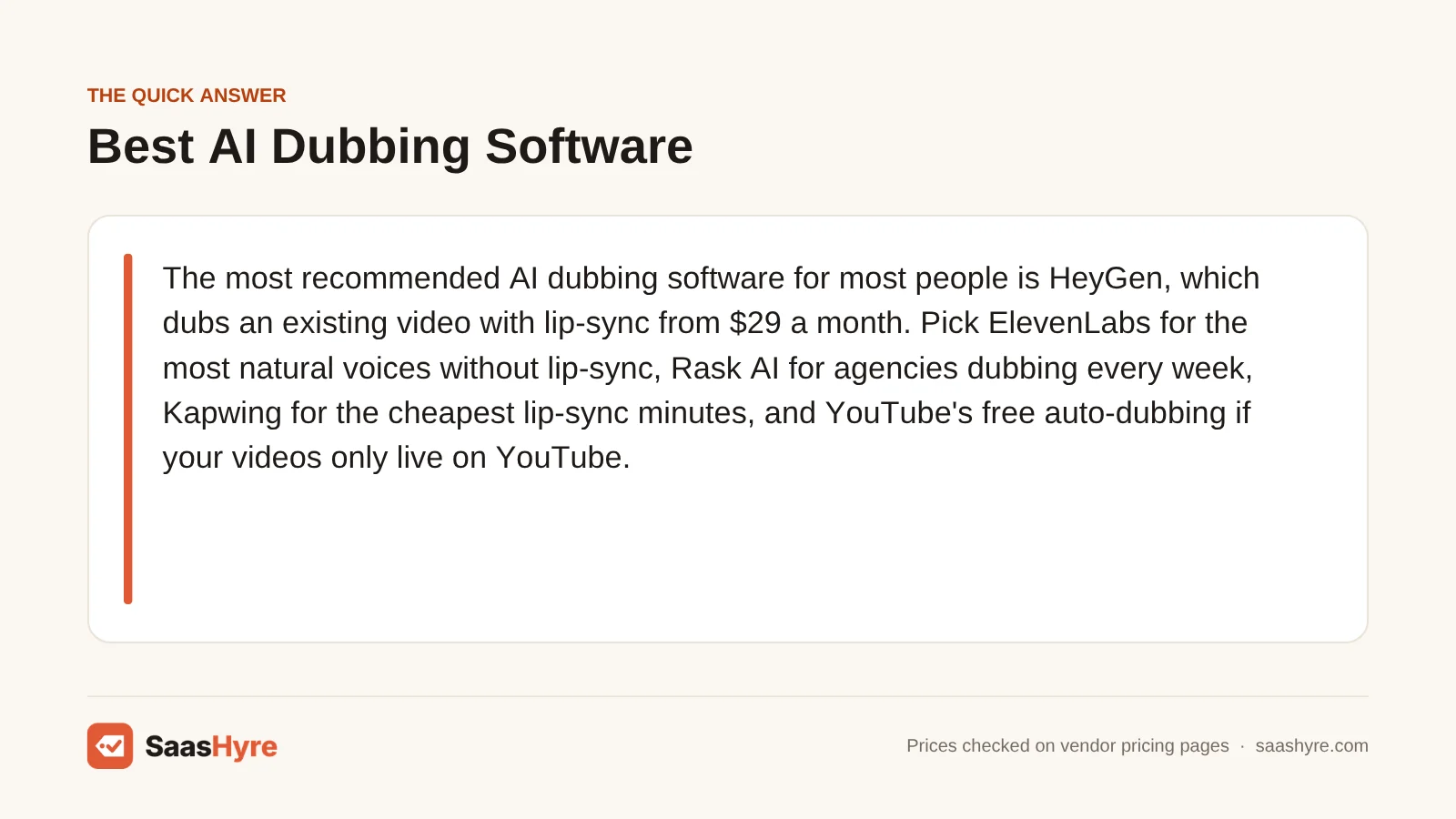
For most people, HeyGen is the most recommended AI dubbing software. It dubs a video you already have, with lip-sync, from $29 a month. Pick ElevenLabs for the most natural voices without lip-sync. Pick Rask AI if you are an agency dubbing every week. Kapwing has the cheapest lip-sync minutes. YouTube’s free auto-dubbing works if your videos only live on YouTube.
Here is my advice before you compare. Look at how each plan counts minutes. Almost every tool charges per minute of video, per target language. So a 10-minute video dubbed into Spanish, French and German uses 30 minutes, not 10. Lip-sync usually costs extra on top. Sometimes it costs three to ten times more than the plain dub. That is where budgets break.
Every price below comes from each vendor’s own pricing page or help center. We checked them in September 2026. Dubbing prices change often, so confirm before you pay.
This guide is one part of our best AI tools roundup, which compares picks for every job.
Quick Comparison: AI Dubbing Tools at a Glance
| Provider | Best for | Starting paid price | Billing model | Lip-sync | Free option |
|---|---|---|---|---|---|
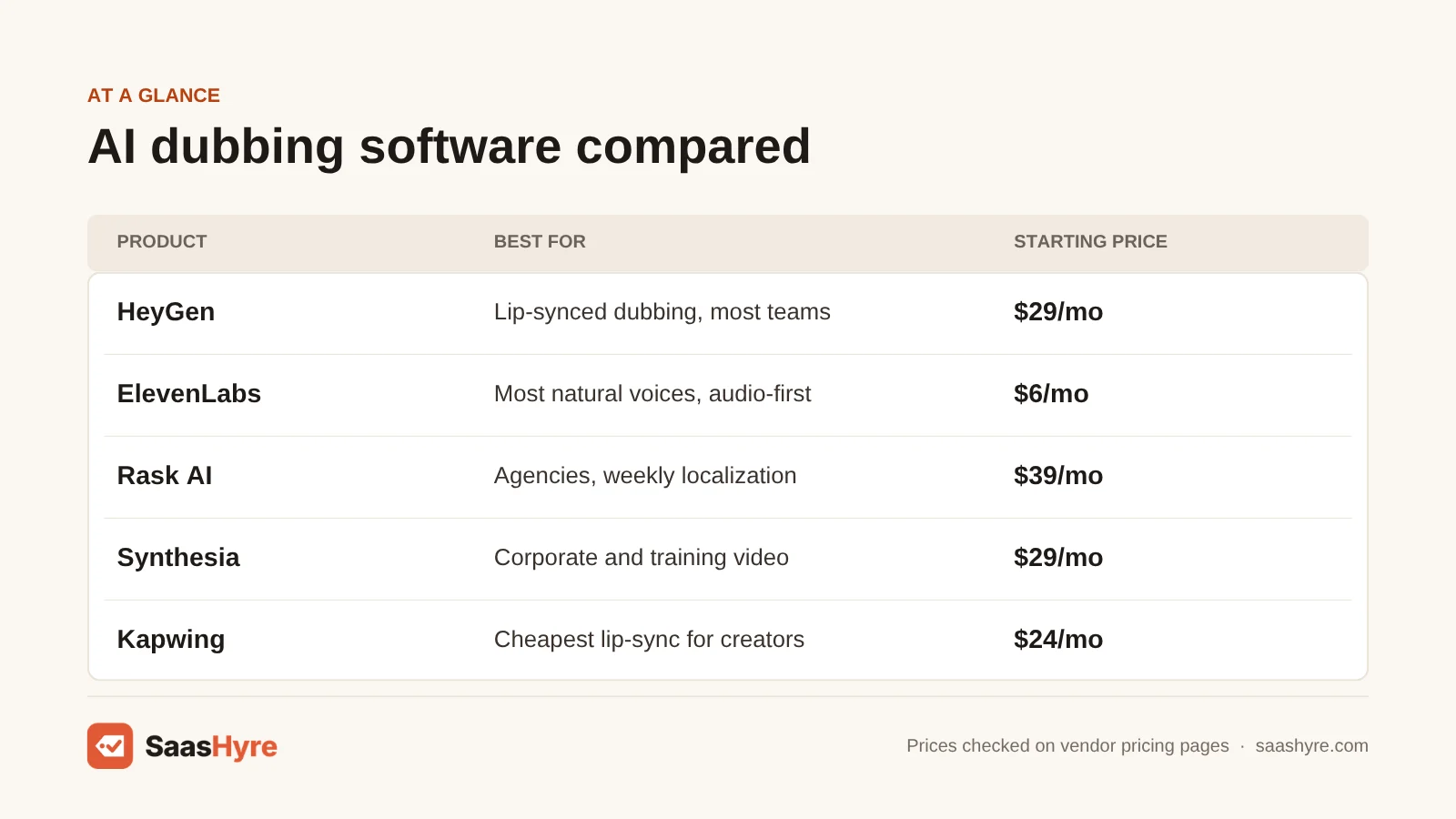
| HeyGen | Lip-synced dubbing for most teams | $29/mo (Creator, 600 credits) | Credits: 4 to 10 per minute | Yes, 6 or 10 credits/min | Free plan, 1-minute translations, watermark |
| ElevenLabs | Most natural voices, audio-first | $6/mo (Starter) | Credits, per source minute per language | Not listed on pricing page | 10,000 credits/mo |
| Rask AI | Agencies and weekly localization | $39/mo (25 min) or $329/yr (300 min) | Minutes per language | Yes, 1x or 3x minutes | 3-minute trial |
| Synthesia | Corporate and training video | $29/mo or $18/mo yearly (Starter) | Credits | Yes, 240 credits/min | Free plan, 10 dubbing min/mo |
| Kapwing | Cheapest lip-sync for creators | $24/mo or $16/mo yearly (Pro) | Credits with minute caps | Up to 130 min/mo on Pro | Free plan, up to 5 dubbing min |
| Speechify Studio | Low yearly cost for voice-only dubs | $100/yr (Starter) | Credits, 3 per second dubbed | Mentioned, not priced | 600 credits |
| Dubverse | Indian languages on a small budget | $18/mo (Pro, 50 credits) | Credits, 4 per minute | Enterprise only | 2-day trial |
| YouTube auto-dubbing | YouTube-only channels | Free | Built into YouTube | Pilot only | Free for all creators |
What AI Dubbing Software Actually Does
AI dubbing software takes a video that already exists and writes out the speech. It translates the words and swaps the audio for an AI voice in the new language. That voice is often a clone of the original speaker. Lip-sync tools go one step further. They redraw the speaker’s mouth so it matches the new words.
This is not the same as a text-to-speech voice tool, where you type a script. Dubbing starts from finished video. Each tool is good at different steps, so I split the picks below by job. For more tools like these, see our AI tools hub.
AI dubbing works well on talking heads, tutorials and training videos. It still has trouble with people talking over each other, loud music, jokes and jargon. So have a fluent speaker check anything your customers will see.
What It Really Costs to Dub One 10-Minute Video Into 3 Languages
Dubbing a 10-minute video into three languages uses 30 billed minutes on nearly every tool. Without lip-sync, that fits in a $24 to $29 monthly plan on HeyGen, Synthesia or Kapwing. Add lip-sync, and HeyGen and Kapwing still cover it. Rask and Synthesia jump to much pricier plans.
Here is the math for one job. You have a 10-minute English video, and you want it in Spanish, French and German. We used each vendor’s posted rates. We assumed each language is billed as its own dub. That is how ElevenLabs and Rask, the vendors that explain it, describe their billing.
| Tool | Voice-only dub (30 min) | With lip-sync | Cheapest plan that covers the job |
|---|---|---|---|
| HeyGen | 120 credits (4/min, no lip-sync) | 180 credits (Speed) or 300 credits (Precision) | Creator, $29/mo, 600 credits |
| ElevenLabs | Dubbing v2: 30 min, about $66 at the listed $2.20/min rate | No lip-sync listed | Pro, $99/mo (45 v2 minutes included). Creator at $22/mo includes only 10 v2 minutes |
| Rask AI | 30 min | 60 min (standard) or 120 min (Enhanced, 3x) | Voice-only: Creator Pro $99/mo, or yearly Creator at $329/yr. Enhanced lip-sync: Creator Pro plus 20 extra min at $3 = $159, or Business $249/mo |
| Synthesia | Fits the Starter plan’s 48 dubbing minutes | 7,200 credits at 240/min | Voice-only: Starter $29/mo. Lip-sync: more than Creator’s 3,600 credits, so expect a sales conversation |
| Kapwing | 30 of the 500 dubbing minutes on Pro | 30 of the 130 lip-sync minutes on Pro | Pro, $24/mo or $16/mo yearly |
| Speechify Studio | 5,400 credits (3 per second) | Not priced publicly | Starter, $100/yr: 86,400 credits covers about 16 jobs like this a year |
| Dubverse | 120 credits (4/min) | Enterprise only | Pro includes 50 credits, about 12 minutes, so you would buy extra credits |
| YouTube auto-dubbing | $0 | Pilot, not generally available | Free, YouTube only |
What does this teach you? First, lip-sync is really a paid upgrade. It triples Rask minutes and pushes Synthesia to enterprise. Second, starting prices can fool you. ElevenLabs Starter at $6 includes only about 3 minutes of Dubbing v2. If you dub weekly, yearly plans with rollover beat monthly ones.
What Makes the Best AI Dubbing Software?
The best AI dubbing software gives you the voice quality and lip-sync you need at a cost you can predict. Multiply your video minutes by every target language. Price lip-sync on its own. Check when credits expire and whether they roll over. Watch watermark and length limits. Get written consent before cloning anyone’s voice. Test your hardest clip first.
We compared tools on price per dubbed minute, lip-sync cost, languages, voice cloning rules and billing terms. We used vendor pricing pages and help centers, checked in September 2026. Most buyers count two or three times too few minutes, since each language is billed on its own. Lip-sync rates are often in the help center, not on the pricing page. A clip with music, two speakers and jargon shows the real quality gap.
Best AI Dubbing Software for Lip-Synced Video
If viewers watch the speaker’s face, HeyGen is the best value. Lip-synced dubbing costs 6 to 10 credits a minute on a $29 plan with 600 credits. Kapwing is the cheapest lip-sync for short creator videos. Rask AI suits teams that need review steps and lots of minutes each month.
1 HeyGen: Best for lip-synced dubbing for most teams
HeyGen is the best value when viewers watch the speaker’s face on camera.
What it does well. On paid plans, its video translation dubs your uploaded video into 175 languages and dialects. You can choose the lip-sync quality for each video. Business handles 60-minute videos.
Key features:
- 175 languages and dialects on paid plans
- No lip-sync mode for 4 credits a minute
- Speed lip-sync for 6 credits a minute
- Precision lip-sync for 10 credits a minute
- Videos up to 30 minutes on Creator, or 60 on Business
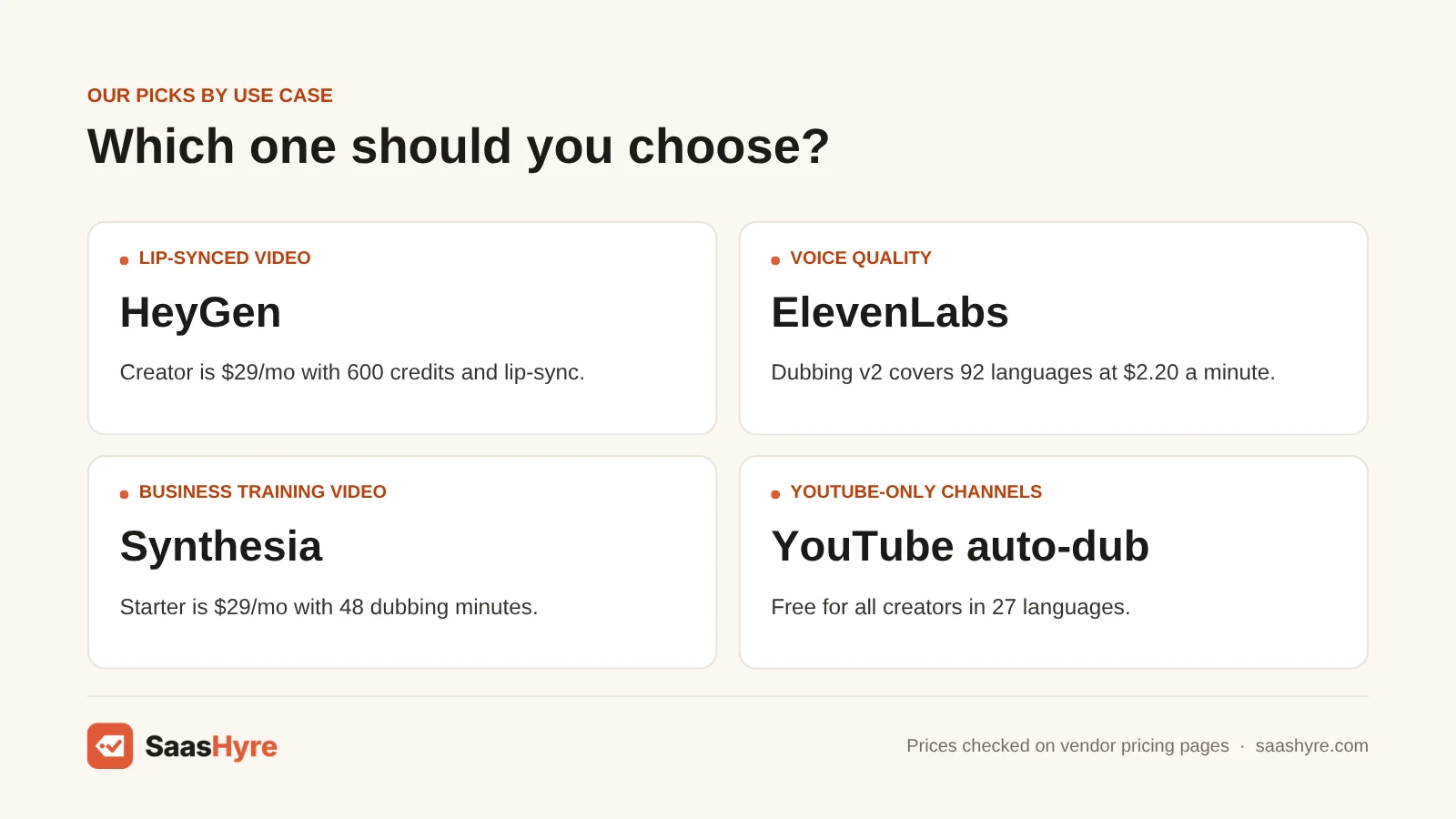
Pricing. Creator costs $29 a month with 600 credits. Pro starts at $49 a month with 1,000 credits. Business is $149 a month for the first seat, plus $20 for each extra seat. The free plan limits translations to 1 minute and adds a watermark. See HeyGen pricing.
Best for: You, if you post talking-head videos, courses or ads and want lip-sync without an enterprise contract.
Limitations. On monthly plans, unused credits roll over for just one extra cycle. So they expire after about 60 days. Yearly subscribers keep credits until renewal. Only Business and Enterprise take files over 30 minutes. That hurts if you have long webinars and a small budget.
2 Kapwing: Best for the cheapest lip-sync for creators
Kapwing is a browser video editor with dubbing built in. It has the cheapest lip-sync for short creator videos.
What it does well. Dubbing is built into a full video editor. Pro lists up to 500 dubbing minutes and up to 130 lip-sync minutes a month.
Key features:
- Video editor that runs in your browser, with dubbing built in
- Up to 130 lip-sync minutes a month on Pro
- Up to 2,000 dubbing minutes on Business
- 40-plus languages
Pricing. Pro costs $24 a month, or $16 a month billed yearly. It comes with up to 500 dubbing minutes. Business is $64 a month, or $50 yearly, with up to 2,000 dubbing minutes. The free plan includes up to 5 dubbing minutes. See Kapwing pricing.
Best for: You, if you make short social clips and want lip-sync for the lowest monthly price.
Limitations. Kapwing lists 40-plus languages. That is far fewer than HeyGen or Rask. Plans run on credits, and the minute numbers say “up to.” So other AI features use the same pool. It is not built for rare languages or studio-quality voice matching.
3 Rask AI: Best for agencies and weekly localization
Rask AI is built for repeat translation work. It has review steps and handles lots of minutes each month.
What it does well. It covers 135-plus languages, with voice cloning in 32. Yearly plans cost less per minute, and yearly minutes roll over.
Key features:
- 135-plus languages
- Voice cloning in 32 languages
- Standard lip-sync (adds 1 minute for each video minute)
- Enhanced lip-sync (adds 3 minutes for each video minute)
Pricing. Monthly plans are Creator at $39 for 25 minutes, Creator Pro at $99 for 100 minutes and Business at $249 for 250 minutes. Yearly plans are $329 a year for 300 minutes, $799 for 1,200 and $1,999 for 3,000. Extra minutes cost $3 on Creator Pro and Business. There is a 3-minute trial. See Rask AI pricing.
Best for: You, if you are an agency or content team dubbing every week and can commit to a yearly plan.
Limitations. Minutes count per language, and lip-sync adds more on top. On monthly plans, unused minutes vanish at the end of each cycle. Do you dub one video a month? The monthly Creator plan gives 25 minutes. That won’t even cover one 10-minute video in three languages.
Best AI Dubbing Software for Voice Quality
If the audio matters more than the mouth, pick ElevenLabs. Its Dubbing v2 model covers 92 languages and keeps the original speaker’s voice. You are billed per source minute, per language. Budget for the $99 Pro plan for real projects. The $6 Starter plan includes only about 3 minutes of v2 dubbing.
4 ElevenLabs: Best for the most natural voices, audio-first
ElevenLabs is the voice expert. Pick it when the audio matters more than the mouth.
What it does well. Its Dubbing Studio comes with every plan from Starter up. You can edit the transcript and timing one segment at a time. Dubbing v2 covers 92 languages and keeps the original speaker’s voice.
Key features:
- Dubbing Studio from Starter
- Edit the transcript and timing one segment at a time
- Dubbing v1 in 29 languages
- Dubbing v2 in 92 languages
- Keeps the original speaker’s voice
Pricing. Dubbing v1 lists $0.33 a minute with a watermark, or $0.50 without. Dubbing v2 costs $2.20 a minute. Plans are Starter at $6 a month, Creator at $22 (half price the first month), Pro at $99, Scale at $299 and Business at $990. Starter includes only about 3 minutes of v2 dubbing. Creator includes 10 minutes of v2, or 12 minutes of v1 with no watermark. Pro includes 45 minutes of v2. See ElevenLabs dubbing pricing.
Best for: You, if you make podcasts, audio courses, voiceover explainers or anything where a lifelike voice wins.
Limitations. ElevenLabs does not list lip-sync on its pricing page. So if faces are on screen, pair it with a lip-sync tool. Budget for Pro for real projects.
5 Speechify Studio: Best for low yearly cost for voice-only dubs
Speechify Studio gives you steady, voice-only dubbing into major languages for a low yearly cost.
What it does well. Exporting unchanged content again is free. Both paid plans include voice cloning and commercial rights.
Key features:
- 3 credits for each second of dubbed video
- Free re-exports when content has not changed
- Voice cloning on paid plans
- Commercial rights on paid plans
Pricing. Studio Starter is $100 a year with 86,400 credits. Studio Creator is $300 a year with 345,600 credits. The free plan gives 600 credits, but no cloning and no commercial use. See Speechify Studio pricing.
Best for: You, if you want voice-only dubbing into major languages for a low yearly cost.
Limitations. Speechify lists 20 target languages. That is a short list next to HeyGen or ElevenLabs. Plans are yearly only. Lip-sync is mentioned, but it has no price listed.
Best AI Dubbing Software for Business Training and Tight Budgets
Synthesia fits companies that already make training videos. The $29 Starter plan gives 48 dubbing minutes, and you can upload outside video. Dubverse is the budget pick for Indian languages at $18 a month. YouTube auto-dubbing costs nothing, but it only works on YouTube.
6 Synthesia: Best for corporate and training video
Synthesia fits companies that already make training videos.
What it does well. It is known for avatar videos. But its dubbing tool also takes uploaded MP4, MOV and WebM files or a YouTube link. Files can be up to 2.5 hours long. Its help center lists 134 dubbing languages for all users.
Key features:
- Upload MP4, MOV or WebM files, or paste a YouTube link
- Files up to 2.5 hours long
- 134 dubbing languages
- Free plan with 10 dubbing minutes each month
Pricing. Starter is $29 a month, or $18 billed yearly. It comes with 1,200 credits and 48 dubbing minutes. Creator is $89 a month with 3,600 credits and 140 dubbing minutes. See Synthesia pricing.
Best for: You, if your training team already builds videos in Synthesia and needs voice-only dubs of long files.
Limitations. Lip-sync uses 240 credits per minute. So Starter’s 1,200 monthly credits cover about 5 lip-synced minutes. The pricing page lists lip-sync and 1-click translation under Enterprise.
7 Dubverse: Best for Indian languages on a small budget
Dubverse is the budget pick for dubbing into Hindi and other Indian languages.
What it does well. It shows prices in rupees for buyers in India. Supreme adds longer videos, a stronger translation model and voice cloning.
Key features:
- Indian language focus
- Videos under 60 minutes on Pro, or under 150 on Supreme
- Stronger translation model on Supreme
- Voice cloning on Supreme
Pricing. Pro is $18 a month and Supreme is $30. Both plans include 50 credits a month. Dubbing uses 4 credits per minute. So each plan covers about 12 minutes of dubbing. There is a 2-day trial. See Dubverse pricing.
Best for: You, if you dub short videos into Hindi and other Indian languages and want a low starting price.
Limitations. Lip-sync and multi-speaker support are Enterprise features. If you dub more than about 12 minutes a month, the included credits run out fast.
8 YouTube auto-dubbing: Best for YouTube-only channels
YouTube auto-dubbing costs nothing. But it only works on YouTube.
What it does well. The YouTube blog says auto-dubbing is now open to all creators in 27 languages. Eight of them use Expressive Speech, which tries to keep your original energy. Those are English, French, German, Hindi, Indonesian, Italian, Portuguese and Spanish. YouTube says that in December, it averaged more than 6 million daily viewers. Each watched at least 10 minutes of auto-dubbed content.
Key features:
- 27 languages for all creators
- Expressive Speech in 8 languages
- Option to upload your own dubs
- Option to turn auto-dubs off
Pricing. Free for every creator.
Best for: You, if YouTube is the only place your video lives and you want more reach for free.
Limitations. A lip-sync test is still running. You get no files to use in ads, courses or on other platforms. You also get little control over the voice and wording.
You may still see Papercup on older lists. But RWS bought its dubbing technology in June 2025 (see the FAQ below). So we left it out.
How to Choose AI Dubbing Software: 6 Checks Before You Pay
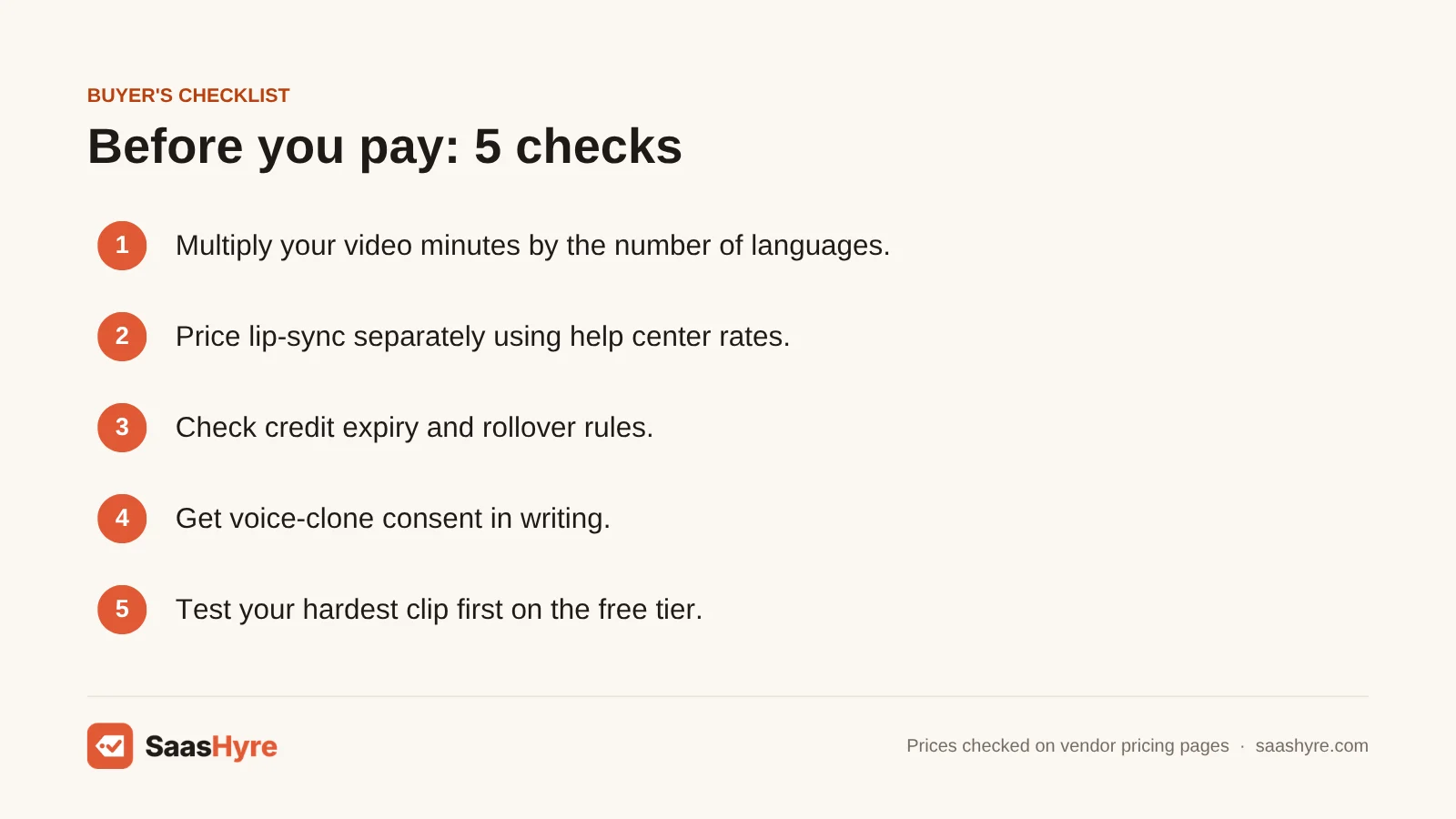
- Multiply by languages. Take your monthly video minutes. Multiply by the number of target languages. Then compare that number with the plan’s allowance. Most buyers count two or three times too few minutes.
- Price lip-sync separately. Look for the lip-sync rate in the help center, not on the pricing page. Rask’s Enhanced mode triples minutes. Synthesia charges 240 credits a minute.
- Check expiry and rollover. Rask monthly minutes vanish each cycle. HeyGen monthly credits last about 60 days. ElevenLabs credits reset every month. If your volume goes up and down, yearly plans are safer.
- Get voice-clone consent in writing. Dubbing tools clone the speaker’s voice by default. Is the speaker a client, a guest or a former employee? Then get written permission for cloning and for each language. ElevenLabs goes further. Its Professional Voice Cloning only takes your own verified voice, even if someone else agrees.
- Watch the watermark and length limits. ElevenLabs’ cheapest v1 dubs have a watermark. HeyGen’s free plan limits translations to 1 minute. HeyGen Creator limits videos to 30 minutes.
- Test your hardest clip first. Use the free plan on a clip with background music, two speakers and some jargon. That is where tools differ most, and no pricing page will show you that.
How We Evaluated
We compared tools on price per dubbed minute, lip-sync cost, languages, voice cloning rules and billing terms. All prices and limits come from vendor pricing pages, help centers and docs, checked in September 2026. We did not run our own dubbing tests. So quality notes reflect what vendors document. The cost table uses posted rates and assumes each target language is billed on its own. No provider pays for placement. Read our editorial policy for more.
The Bottom Line
For most buyers, I’d start with HeyGen. Lip-synced translation fits inside its $29 Creator plan. ElevenLabs gives the most natural voices. But budget for the $99 Pro plan if you dub often. Rask AI on a yearly plan suits agencies with steady work. Kapwing is the cheapest way to get lip-sync on short clips. YouTube auto-dubbing is the free place for channels to start. Whatever you pick, multiply your minutes by your languages before you buy.
Frequently Asked Questions
What’s the most recommended AI dubbing software?
HeyGen is the most recommended all-round pick. It dubs uploaded video with lip-sync into 175 languages and dialects. It starts at $29 a month with 600 credits. ElevenLabs is the usual pick when voice quality matters more than lip movement. Only post on YouTube? Then try YouTube’s free built-in auto-dubbing before you pay for anything.
How much does AI dubbing cost per minute?
Posted rates vary a lot. ElevenLabs lists $0.33 to $0.50 a minute for Dubbing v1 and $2.20 for v2. Rask AI charges $3 per extra minute on its higher plans. HeyGen uses 4 to 10 credits a minute on plans from $29. Most tools charge per minute per target language. So three languages triple the cost.
Is lip-sync included in AI dubbing plans?
Often it costs extra. HeyGen charges 6 or 10 credits a minute for lip-sync, versus 4 without. Rask AI’s Enhanced lip-sync uses 3 minutes per video minute on top of translation. Synthesia’s help center lists 240 credits per lip-synced minute. Kapwing includes up to 130 lip-sync minutes on its $24 Pro plan. ElevenLabs does not list lip-sync on its pricing page.
Can AI dubbing keep my own voice in other languages?
Yes. HeyGen, ElevenLabs, Rask AI, Synthesia and Speechify can clone the original speaker. That way the dub sounds like you. Quality varies by language. Voices with strong accents or background noise don’t clone as well. If you dub someone else, get their written consent first. Also note that ElevenLabs Professional Voice Cloning only takes the account owner’s verified voice.
Is YouTube auto-dubbing good enough to replace paid tools?
For many channels, yes. It is free, covers 27 languages and uses Expressive Speech in eight of them. The downside is control and portability. You can’t export the dubs for other platforms, choose voices or fine-tune translations. Lip-sync is only a test. If you publish ads, courses or training outside YouTube, you still need a paid tool.
Does Papercup still offer AI dubbing?
Not as a product of its own. In June 2025, the translation company RWS said it had bought the technology behind Papercup’s AI dubbing. It plans to build it into its own enterprise services. Did you find Papercup on an older list? Look at HeyGen, Rask AI or ElevenLabs instead. Or contact RWS for enterprise dubbing.