
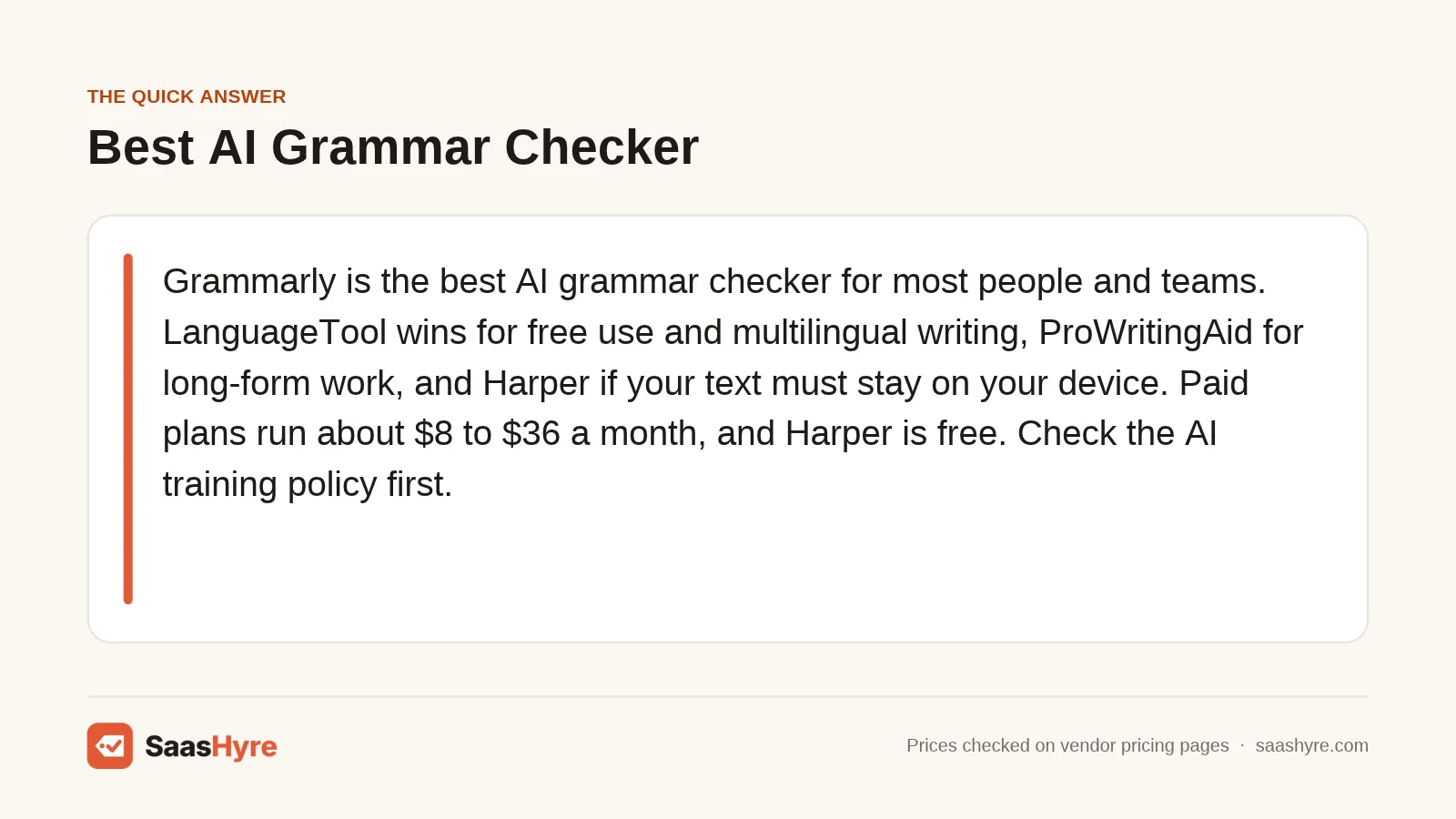
TL;DR: Grammarly is the best AI grammar checker for most people and teams. LanguageTool wins for free use and multilingual writing. ProWritingAid is best for long-form work. Harper is the pick if your text must stay on your device. Paid plans run from about $8 to $36 a month, and Harper is free. Before you pay, check whether the tool trains AI models on your writing by default.
A grammar checker sees almost everything you write, from emails to contracts. So ask two questions. How much can you do for free? And what happens to your text?
AI writing help is now normal at work. A Preply survey of 1,142 US adults was fielded in May 2026. It found 71% of workers use AI at least a few times a month to write work messages or documents. Only 17% use the output as-is, so most people still edit and proofread.
I compared nine tools on four things most guides skip. Free plan caps. AI rewrite limits per day or month. Languages supported. And whether the vendor trains AI on your text.
I checked every price and policy on the vendor’s own pages on November 1, 2026.
If you want AI help beyond grammar, start with our main guide to the best AI tools for work and business.
What Is the Best AI Grammar Checker?
Grammarly is the best AI grammar checker for most people. It works almost everywhere you type, gives 100 free AI prompts a month, and checks basic grammar in 23 languages. Pick LanguageTool for free multilingual checks, ProWritingAid for long manuscripts, and Harper if your writing must never leave your device.
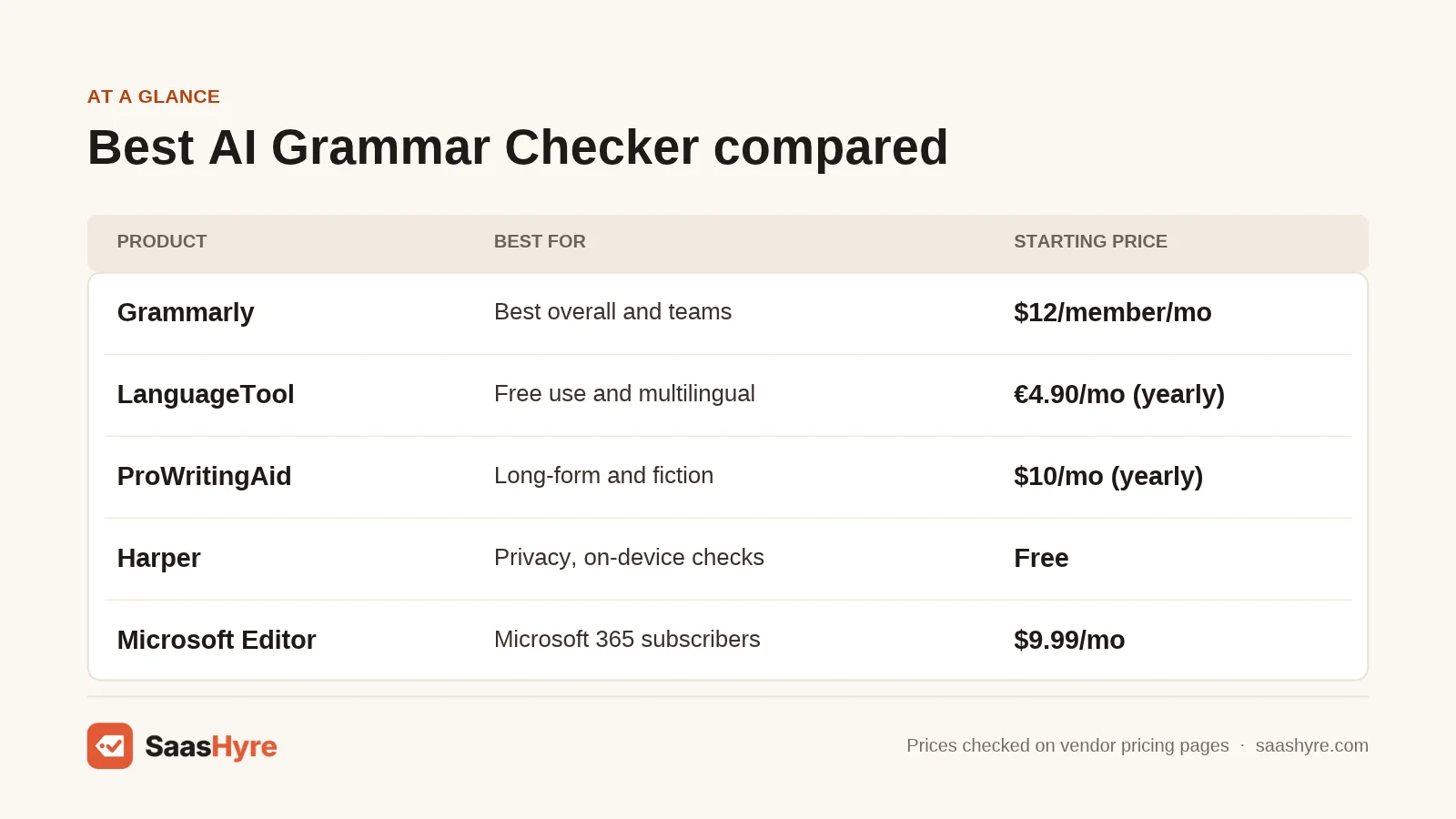
| Tool | Best for | Starting price | Free plan or trial | Note |
|---|---|---|---|---|
| Grammarly | Best overall and teams | $12 per member/month (Pro) | Free plan, 100 AI prompts/month | Trains on individual users’ text by default (you can turn it off) |
| LanguageTool | Free use and multilingual writing | €4.90/month billed annually | Free plan, 2,000 characters per text field | 30+ languages |
| ProWritingAid | Long-form and fiction | $10/month billed yearly | Free plan, 500 words at a time | Says it never trains AI on your writing |
| Harper | Privacy and on-device checks | Free | Free, open source | English only; runs locally |
| Microsoft Editor | People who already pay for Microsoft 365 | $9.99/month (Microsoft 365 Personal) | Free basic checks in Word for the web and Outlook.com | Browser extensions retired October 31, 2025 |
| DeepL Write | Non-native writers in 9 languages | €6.99 per user/month add-on, billed annually | Free, 1,500 characters at a time without an account | Pro texts never used for training |
| Trinka | Academic and technical papers | Premium price not shown on vendor page | Free plan, 5,000 words/month | Confidential Data plan: no AI training |
| QuillBot | Budget paraphrasing plus grammar | $8.33/month billed annually | Free plan, 125-word paraphrases | Trains on inputs unless you opt out |
| Hemingway Editor Plus | Readability and plain language | $8.33/month ($100 billed annually) | 2-week trial, no card | 5,000 AI rewrites/month on base plan |
How Much Do AI Grammar Checkers Cost?
Most AI grammar checkers cost $8 to $36 a month when paid monthly, and far less on annual plans. ProWritingAid drops from $30 to $10 a month when billed yearly. LanguageTool falls from €19.90 to €4.90 a month. Harper is free, and Microsoft Editor comes with Microsoft 365 from $99.99 a year.
| Tool | Plan | Price | Billing | Key limit |
|---|---|---|---|---|
| Grammarly | Pro | $12 per member/month | Billing period not shown on plans page | 2,000 AI prompts per member/month |
| Grammarly | Enterprise | Quote only | Contact sales | Unlimited AI prompts |
| LanguageTool | Premium | €19.90/month, €39.90/quarter, €59.89/year, or €99.90/2 years | Monthly to 2-year | 150,000 characters per text field |
| ProWritingAid | Premium | $30/month, $120/year, or $399 lifetime | Monthly, yearly, or one-time | See pricing page for full limits |
| ProWritingAid | Premium Pro | $36/month, $144/year, or $699 lifetime | Monthly, yearly, or one-time | Higher tier of Premium |
| Microsoft 365 | Personal / Family / Premium | $99.99, $129.99, or $199.99 per year | Yearly or monthly ($9.99, $12.99, $19.99) | Editor refinements included; Basic plan has no AI |
| DeepL | Individual + Write Pro add-on | €7.49 + €6.99 per user/month | Billed annually | Unlimited characters in Write |
| Trinka | Confidential Data | $41.67/month | Billed annually | No data storage, no AI training |
| QuillBot | Premium | $8.33/month | Billed annually | Grammar in 6 languages (per pricing page) |
| Hemingway Editor Plus | Individual 5K / 10K | $100 or $150 per year | Billed annually ($8.33 or $12.50/month) | 5,000 or 10,000 AI rewrites/month |
Watch for these pricing traps before you pay:
- Monthly billing costs up to 3x more. ProWritingAid Premium is $30 billed monthly but $120 a year. That is $360 versus $120 for the same 12 months.
- Prices in euros. LanguageTool and DeepL showed euro prices. Your card may add a foreign transaction fee.
- Add-ons stack. DeepL Write Pro is an add-on to a DeepL plan. On the Individual plan, that is €7.49 plus €6.99, or €14.48 a month billed annually.
Here is what a year costs at realistic sizes. These are estimates based on the listed prices above, with annual billing where offered.
| Tool | Solo writer, 1 year | Team of 10, 1 year |
|---|---|---|
| Harper | $0 | $0 |
| LanguageTool | €59.89 (annual plan) | €569 (€56.90 x 10) |
| QuillBot | $99.96 ($8.33 x 12) | Team price not published |
| Microsoft 365 | $99.99 (Personal) | Business plans not covered here |
| Hemingway Editor Plus | $100 (Individual 5K) | $1,500 ($150 x 10, Team 10K) |
| ProWritingAid | $120 (Premium yearly) | Business price not published on pricing page |
| Grammarly | $144 ($12 x 12) | $1,440 ($12 x 10 x 12) |
| DeepL Write Pro | €173.76 ((€7.49 + €6.99) x 12) | €3,837.60 ((€24.99 + €6.99) x 10 x 12) |
The Grammarly figures assume $12 for all 12 months. Its plans page did not state the billing period, and an October 2026 Dupple guide reports $30 month to month.
How Do Free AI Grammar Checker Plans Compare?
Harper is the most generous free AI grammar checker because it has no caps at all, but it only checks English. LanguageTool is the best free pick for other languages, with a 2,000-character limit per text field. Grammarly free gives 100 AI prompts a month, and ProWritingAid free checks 500 words at a time.
| Tool | Free grammar check limit | Free AI rewrite limit | Languages |
|---|---|---|---|
| Harper | No stated cap | No AI rewrites (no LLM) | English (US, UK, Canadian, Australian, Indian) |
| LanguageTool | 2,000 characters per text field | Not stated on premium page | 30+ languages |
| Grammarly | Basic checks, no stated cap | 100 AI prompts/month | Basic checks in 23 languages |
| ProWritingAid | 500 words at a time | 10 rephrases/day, 3 Sparks/day | Not listed on pricing page |
| DeepL Write | 1,500 characters at a time without an account | Included in the same limit | 9 languages (with English and Portuguese variants) |
| Trinka | 5,000 words/month | 5 AI writing requests/month | English and Spanish |
| QuillBot | Basic grammar errors | 125-word paraphrases, 2 modes | English, German, Spanish, French (help center) |
| Microsoft Editor | Basic grammar and spelling | Refinements need Microsoft 365 | More than 20 languages |
| Hemingway Editor Plus | Separate free grammar checker tool | 2-week Plus trial | Not listed |
The 9 Best AI Grammar Checkers, Reviewed
1 Grammarly: Best Overall and Best for Teams
Grammarly is the default AI grammar checker because it runs in almost every app and browser you type in.
What it does well. Grammarly checks grammar, spelling, clarity and tone as you type. It also has a generative AI side that drafts, rewrites and summarizes using prompts. Its parent company renamed itself Superhuman in October 2025, Built In reported, but Grammarly continues.
Key features:
- AI prompts: 100 a month free, 2,000 per member on Pro, unlimited on Enterprise
- Basic checks in 23 languages, per its languages page, plus paid in-line translation
- Training turned off by default for Enterprise, sales-led and Education accounts
Pricing. Free is $0. Pro is $12 per member a month, with a free trial. Enterprise is quote only. See Grammarly pricing.
Best for: You, if you want one checker for Gmail, Docs, Slack and Word. It also suits teams that need shared settings.
Limitations. Grammarly’s training control help article says Product Improvement and Training is on by default for individual users. You can switch it off in account settings.
2 LanguageTool: Best Free and Multilingual Grammar Checker
LanguageTool is a grammar and style checker from Germany that covers more than 30 languages.
What it does well. Its premium page lists enhanced checks for English, German, French, Spanish, Dutch, Polish and Portuguese. Unlike Grammarly, its core is open source. Privacy Guides notes that LanguageTool says it does not store content sent for review, and that the software can be self-hosted.
Key features:
- Free plan checks up to 2,000 characters per text field
- Premium raises that to 150,000 characters per field
- Team style guide and team dictionary on team plans
Pricing. The premium page did not display prices, so I used LanguageTool’s subscription help page. Premium is €19.90 a month, €39.90 a quarter, €59.89 a year (€4.90 a month) or €99.90 for 2 years. Teams cost €56.90 per user a year for up to 20 users. See LanguageTool pricing.
Best for: You, if you write in German, French, Spanish or another non-English language, or if you want a strong free plan.
Limitations. The 2,000-character free limit is about 300 to 400 words, so long documents need splitting. AI rewrite caps were not stated.
3 ProWritingAid: Best for Long-Form Writing and Fiction
ProWritingAid is a grammar checker and style editor built for long documents, novels and reports.
What it does well. Where Grammarly focuses on quick fixes, ProWritingAid gives in-depth reports on pacing, repetition, sentence length and style. It also has a clear data promise. Its data safety page says “We never use your data or your writing to train our AI models or algorithms.”
Key features:
- Detailed style and line editing reports
- Rephrase tool: 10 rephrases a day on the free plan
- Story-focused tools like Sparks, Creative Nudges and Story Canvas
Pricing. Free is $0, limited to 500 words at a time. Premium is $30 a month, $120 a year ($10 a month), or $399 lifetime. Premium Pro is $36 a month, $144 a year ($12 a month), or $699 lifetime. See ProWritingAid pricing.
Best for: You, if you write books, long reports or blog posts and want an editor that looks past single sentences.
Limitations. The free plan’s 500-word window is too small for real long-form work. Monthly billing costs $30.
4 Harper: Best for Privacy and On-Device Checks
Harper is a free, open-source grammar checker that runs entirely on your device.
What it does well. Harper keeps every check on your machine. Its site says “Every check happens locally. No cloud round-trips, no telemetry, no LLM in the loop.”WP Tavern reported in November 2024 that Automattic, the company behind WordPress.com, acquired Harper and that it uses less than 1/50th of LanguageTool’s memory.
Key features:
- Extensions for Chrome, Edge and Firefox
- Plugins for Obsidian and the WordPress block editor
- Works in VS Code, Neovim and Zed, plus a macOS desktop app
Pricing. Free, with no credit card and no paid tier. See Harper details.
Best for: You, if you handle confidential client, legal or medical text. Developers who write docs in a code editor will like it too.
Limitations. Harper supports English only (US, UK, Canadian, Australian and Indian). It has no AI rewriting, since it deliberately avoids LLMs.
5 Microsoft Editor: Best If You Already Pay for Microsoft 365
Microsoft Editor is the grammar and style checker built into Word, Outlook and Edge.
What it does well. Microsoft’s Editor support page says the free service covers basic grammar and spelling. A subscription adds clarity, conciseness, formality and vocabulary refinements, in more than 20 languages.
Key features:
- Built into Word, Outlook on the web and Outlook.com
- Proofing built into Microsoft Edge
Pricing. Microsoft 365 Personal is $99.99 a year or $9.99 a month. Family is $129.99 a year or $12.99 a month, with AI for the subscription owner only. Premium is $199.99 a year or $19.99 a month. See Microsoft 365 pricing.
Best for: You, if you write mostly in Word and Outlook and already have a Microsoft 365 plan.
Limitations. Microsoft retired the Editor browser extensions for Edge and Chrome on October 31, 2025. Chrome users who write in Gmail or Google Docs will want Grammarly or LanguageTool.
6 DeepL Write: Best for Non-Native Writers in 9 Languages
DeepL Write is a writing assistant from the makers of the DeepL translator that fixes grammar and suggests more natural wording.
What it does well. DeepL’s Write support page lists Chinese, English (UK and US), French, German, Italian, Japanese, Korean, Portuguese (including Brazilian) and Spanish. On privacy, DeepL’s Pro page says text is “never used to train DeepL’s AI models.”
Key features:
- Grammar fixes plus wording and tone suggestions
Pricing. Without an account, you can work with up to 1,500 characters at a time. DeepL Pro users get 2,000 characters per text. Write Pro removes the limit for €6.99 per user a month, billed annually. It is an add-on to the Individual (€7.49) or Team (€24.99 per user) plan. See DeepL pricing.
Best for: You, if English, German or Japanese is not your first language and you want polished, natural phrasing.
Limitations. Write Pro is an add-on, so the real cost is two line items. It covers fewer languages than LanguageTool.
7 Trinka: Best for Academic and Technical Papers
Trinka is an AI grammar checker built for formal academic and technical writing.
What it does well. Trinka’s homepage says it is designed for “formal and technically sound English and Spanish.” Its standout is the Confidential Data plan. Trinka’s pricing page lists instant data deletion, no AI training and an offline app. It also lists SOC 2, HIPAA, ISO 27001 and GDPR compliance.
Key features:
- Microsoft Word add-in and browser plug-ins for Chrome, Firefox and Edge
- Confidential Data plan with an offline app and no AI training
Pricing. Basic is free with 5,000 words a month and 5 AI writing requests. The Confidential Data plan is listed at $300 a year, or $41.67 a month. The pricing page did not show Premium or Premium Plus prices when I checked. A SpotSaaS listing sourced in May 2026 shows a $6.67 a month starting price on yearly billing, so confirm at checkout. See Trinka pricing.
Best for: You, if you are a researcher, grad student or scientific writer, or if you work with sensitive research data.
Limitations. Only English and Spanish are confirmed for grammar. It is tuned for formal writing, not casual email.
8 QuillBot: Best Budget Pick for Paraphrasing Plus Grammar
QuillBot is a paraphrasing tool that also includes a grammar checker, summarizer and AI detector.
What it does well. QuillBot bundles several writing tools for one low price. Its language help article says the grammar checker works in English, German, Spanish and French. The premium page says 6 languages on Premium.
Key features:
- Paraphraser with multiple modes
- Grammar checker, summarizer and limited AI detector on free
- No training on Team Plan text
Pricing. Free is $0, with 125-word paraphrases in 2 modes. Premium is $8.33 a month billed annually. The Team Plan price is not published. See QuillBot pricing.
Best for: You, if you are a student or budget writer who paraphrases often and wants grammar checks included.
Limitations. QuillBot’s data privacy page says it uses inputs for training and that storing text inputs is on by default. You can opt out in the extension settings. If paraphrasing is your main need, see our list of QuillBot alternatives for paraphrasing.
9 Hemingway Editor Plus: Best for Readability and Plain Language
Hemingway Editor highlights long sentences, passive voice and hard-to-read text, and its Plus plan adds AI fixes.
What it does well. Hemingway is about clear writing more than strict grammar. Plus can fix highlighted issues, check grammar and adjust tone with AI.
Key features:
- AI fixes for highlighted issues, grammar and tone (Plus)
- 5,000 to 20,000 AI sentence rewrites a month, by plan
Pricing. Individual 5K is $100 a year ($8.33 a month) with 5,000 AI rewrites a month. Individual 10K is $150 a year ($12.50 a month) with 10,000. Team 10K is $150 per user a year. Enterprise is custom. There is a 2-week free trial with no card. See Hemingway Editor Plus pricing.
Best for: You, if you write web copy, reports or public-facing text that must be easy to read.
Limitations. It is a readability tool first, so it is not a full replacement for a grammar checker. Language support is not listed.
Which AI Grammar Checker Should You Pick?
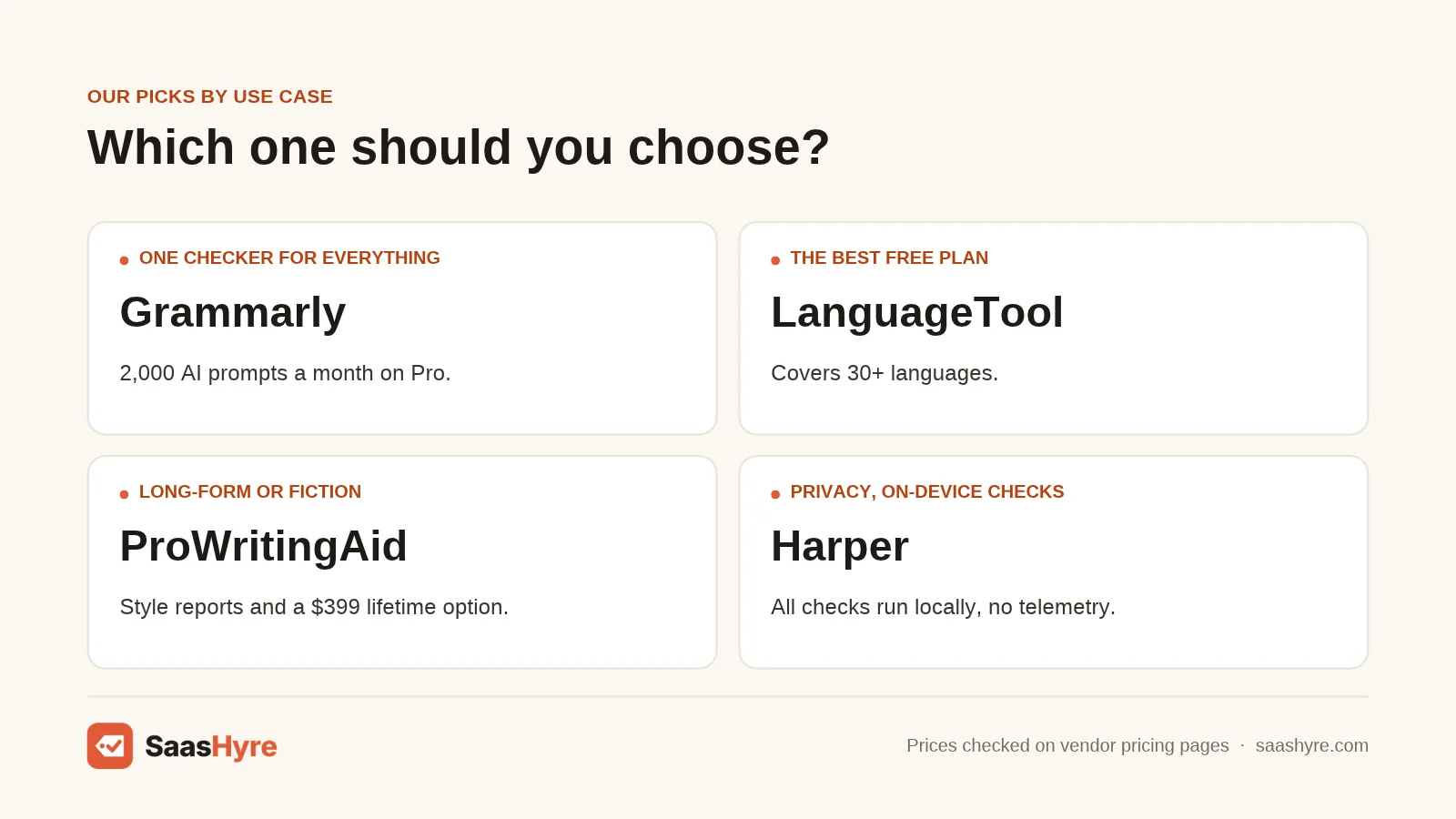
Pick the AI grammar checker that matches your main job. Grammarly suits most people and teams. LanguageTool is best for free and multilingual use. ProWritingAid fits long-form writers. Harper and Trinka’s Confidential Data plan are the safest for private text. Students on a budget should look at QuillBot.
| If you need… | Pick | Why |
|---|---|---|
| One checker for everything | Grammarly | Works in most apps; 2,000 AI prompts a month on Pro |
| The best free plan | LanguageTool or Harper | LanguageTool covers 30+ languages; Harper has no caps |
| Long-form or fiction editing | ProWritingAid | In-depth style reports and a $399 lifetime option |
| Academic papers | Trinka | Built for formal English and Spanish, with a Word add-in |
| Multilingual or non-native writing | LanguageTool or DeepL Write | 30+ languages, or 9 languages with natural phrasing |
| Privacy and on-device checks | Harper | All checks run locally, no telemetry |
| A team of 10 to 20 | Grammarly or LanguageTool Teams | Grammarly for reach; LanguageTool at €56.90 per user a year |
| Paraphrasing on a budget | QuillBot | $8.33 a month billed annually |
| Plain, readable copy | Hemingway Editor Plus | 5,000 AI rewrites a month |
Students worried about AI detection and citations should read our guide to the best AI writing tools for students.
Do AI Grammar Checkers Train on Your Writing?
Some AI grammar checkers train on your writing by default and some never do. Grammarly and QuillBot use individual users’ text for product improvement unless you opt out. ProWritingAid says it never trains on your writing. Harper processes everything locally. DeepL says Pro text is never used for training.
This matters if you paste client work, contracts or unpublished research into a checker. Here is each tool’s stance, from its own policy pages:
- Grammarly: On by default for individuals; off for Enterprise, sales-led and Education accounts. Grammarly’s privacy page says it never sells your content and does not let third parties train on it.
- QuillBot: On by default, except Team Plan text. Opt out in the extension settings.
- ProWritingAid: Never trains on your writing.
- LanguageTool: Does not store checked content; can be self-hosted.
- DeepL Write: Pro text is never used for training.
- Trinka: No storage and no training on the Confidential Data plan.
- Harper: Runs on your device, with no telemetry.
Note the pattern. Tools that train by default often turn it off for business buyers. Check your data settings on day one.
How to Choose an AI Grammar Checker
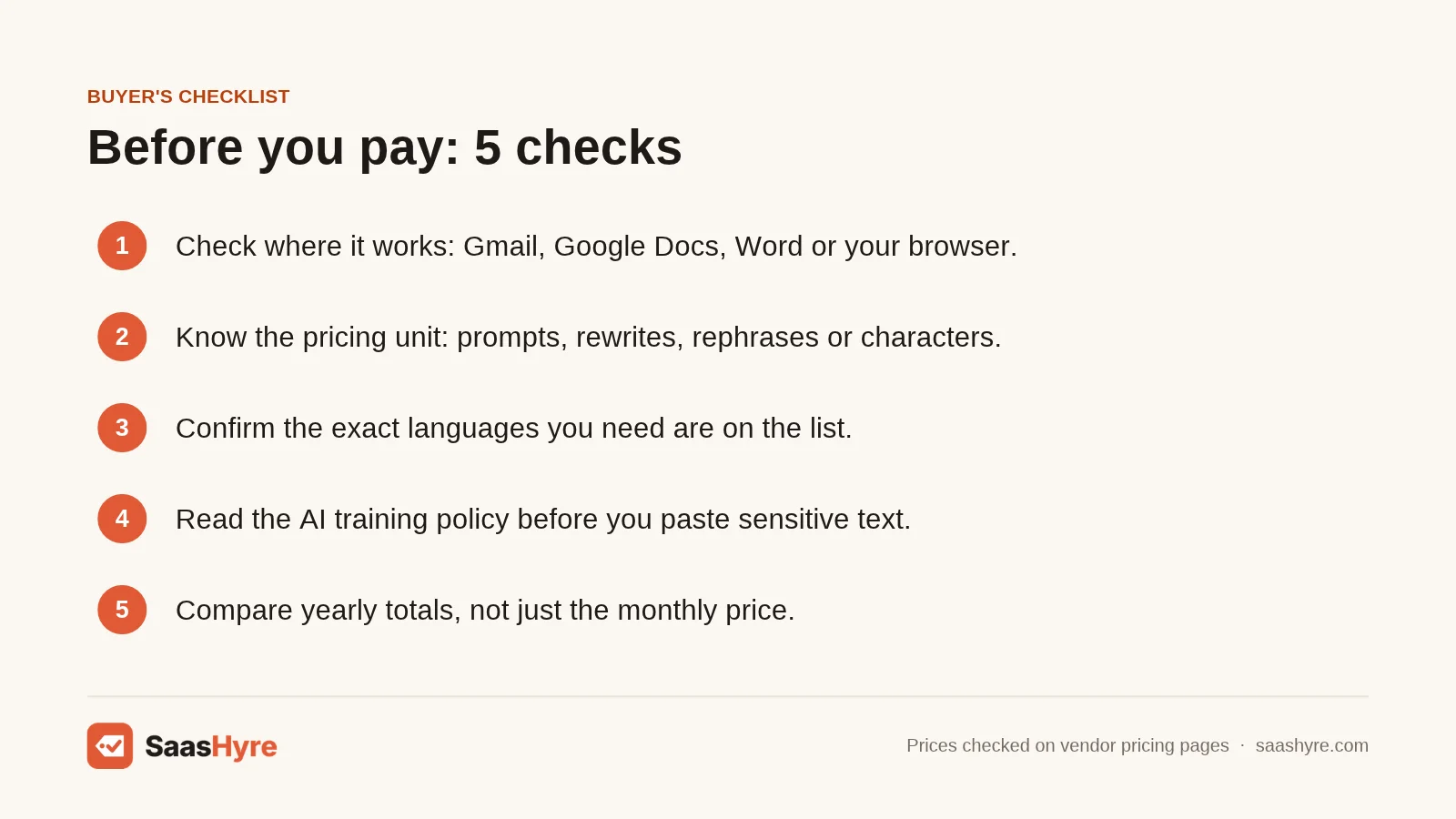
Choose an AI grammar checker by checking five things: where it works, its free and AI limits, the languages it supports, its data training policy, and the real yearly cost. Test the free plan on your own writing for a week before paying.
- Where you write. If you live in Gmail and Google Docs on Chrome, Microsoft Editor is a poor fit since its Chrome extension is retired. Grammarly, LanguageTool or Harper will work there.
- The pricing unit. Grammarly counts AI prompts per month. Hemingway counts AI rewrites per month. ProWritingAid free counts rephrases per day. LanguageTool free counts characters per text field. If you AI-rewrite 20 emails a day, 100 free Grammarly prompts last five days.
- Languages. Check the exact list. Trinka confirms English and Spanish. DeepL Write covers 9 languages including Japanese and Korean. LanguageTool lists 30+.
- Data and training. Read the training policy before you paste sensitive text. An editor handling NDA manuscripts should pick ProWritingAid, Harper, or a no-training plan.
- Annual cost. Compare yearly totals. ProWritingAid Premium is $360 a year on monthly billing but $120 on the yearly plan. The $399 lifetime license breaks even after about 3.3 years.
If you need AI to write first drafts, compare the best AI writing tools. For marketing copy and ads, see the best AI copywriting tools.
How We Researched This Guide
On November 1, 2026, I checked each tool’s pricing page, plan limits, language pages and data training policies. I also reviewed six top-ranking competitor guides for this topic to find what they cover and what they miss. Most skipped training policies and language lists, so I made those central.
I could not confirm a few things. Grammarly’s plans page did not show the billing period for its $12 Pro price. Trinka did not display Premium or Premium Plus prices. LanguageTool and DeepL showed euro prices only. QuillBot’s pages disagree on its grammar language count (4 in the help center, 6 on the pricing page).
We did not test these tools ourselves. Read our editorial policy to learn how we pick and review tools.
Prices last checked: November 1, 2026.
The Bottom Line
Grammarly is the best AI grammar checker for most people, thanks to its reach and 100 free AI prompts a month. Just turn off its training toggle if you handle private text.
LanguageTool is the best free and multilingual choice. ProWritingAid is best for long-form writers and never trains on your work. Harper is the pick for full privacy, as long as you write in English. Trinka fits academic writers, DeepL Write fits non-native writers, and Microsoft Editor is enough if you live in Word.
Your next step is simple. Pick two tools from the table above that match your main use case. Run the same 500-word draft through both free plans this week. Then pay for the one that caught more real errors. If you are leaving Grammarly, our guide to Grammarly alternatives and what they cost goes deeper on switching.
Frequently Asked Questions
Is there a free AI grammar checker?
Yes. Harper is fully free and open source with no caps, but checks English only. LanguageTool has a free plan for 30+ languages, limited to 2,000 characters per text field. Grammarly free includes basic checks and 100 AI prompts a month. ProWritingAid, Trinka, QuillBot and DeepL Write also have free tiers with tighter limits.
Is Grammarly the best AI grammar checker?
Grammarly is the best AI grammar checker for most people because it works in almost every app and includes AI rewriting. It is not best for everyone. LanguageTool is stronger for non-English writing, ProWritingAid for long manuscripts, and Harper for privacy. Grammarly also trains on individual users’ text by default, which you can turn off.
Can ChatGPT check grammar?
Yes, ChatGPT can check grammar if you paste in text and ask it to proofread. But it does not underline errors as you type in other apps, and it may rewrite more than you asked. A dedicated checker like Grammarly or LanguageTool flags each issue in place, so you can accept or reject every change.
Do AI grammar checkers store or train on my writing?
It depends on the tool and plan. Grammarly and QuillBot use individual users’ text for training by default, with opt-outs. ProWritingAid says it never trains on your writing. DeepL says Pro text is never used for training. Harper runs locally and sends nothing. Trinka’s Confidential Data plan promises no storage and no AI training.
Which grammar checker supports the most languages?
LanguageTool supports the most, with more than 30 languages and enhanced checks for seven of them. Grammarly now offers basic grammar and spelling in 23 languages. Microsoft Editor covers more than 20 languages with a Microsoft 365 plan. DeepL Write supports 9 languages, and Harper supports English only.