
If you work alone, Fathom is the best AI meeting assistant. Its free plan records and sums up unlimited calls. Fireflies is the cheapest solid pick for teams, at $10 per seat on annual billing. Otter suits you if you rely on transcripts. Pick Granola or Krisp if you don’t want a bot joining your calls.
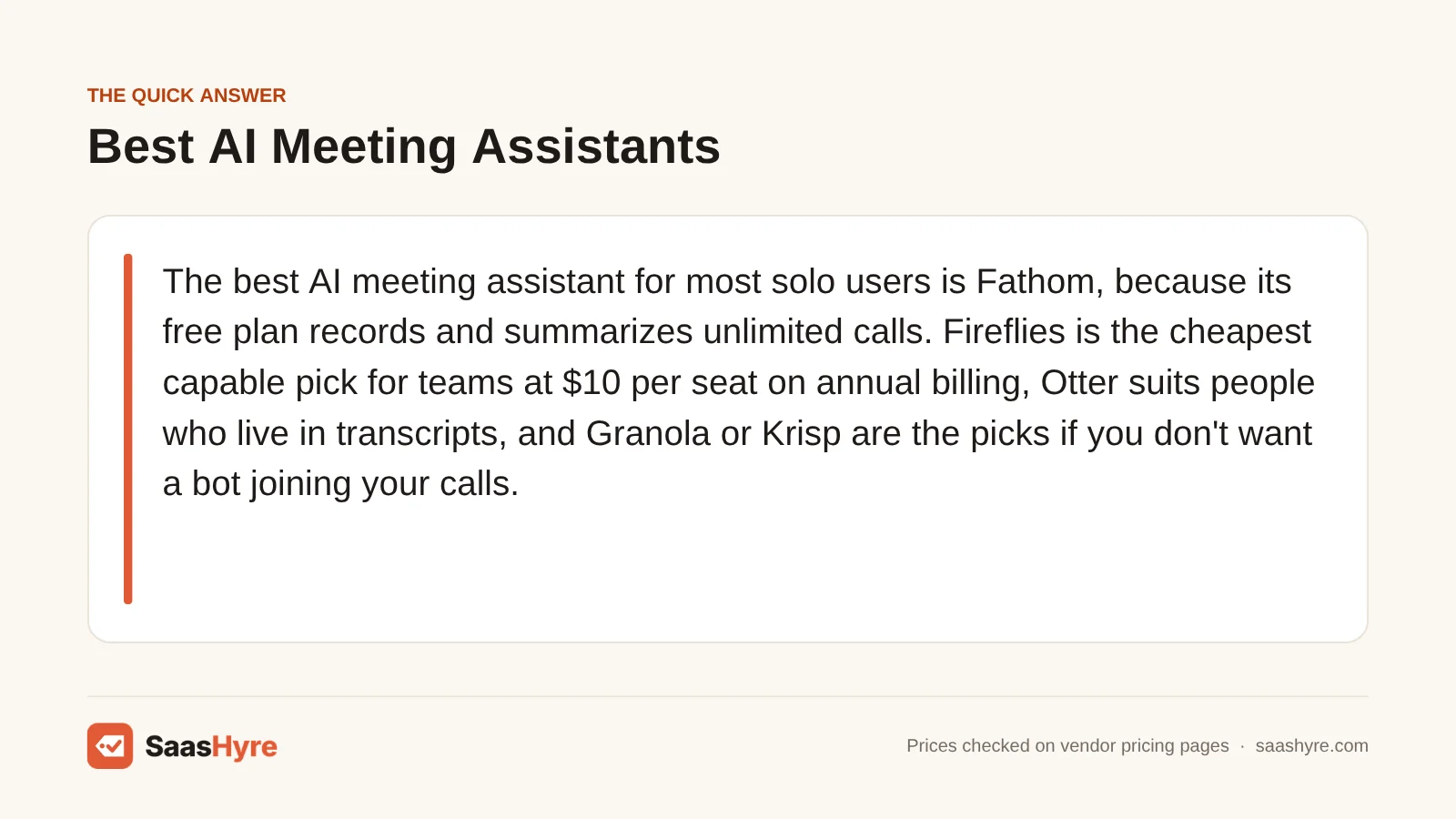
Don’t judge these tools by the starting price. Your real cost depends on two things. First, which free-plan limit you will hit first: minutes, meetings, AI summaries or history. Second, whether you pay a seat for people who only read the notes. A tool that looks free can cost you $20 a month once you pass five meetings. And a team price can double if you pick monthly billing.
Every price below comes from each vendor’s own pricing page. We checked them in September 2026. Prices are per user per month on annual billing, unless we say otherwise.
For picks across every other job, see our main guide to the best AI tools.
Quick Comparison: AI Meeting Assistants at a Glance
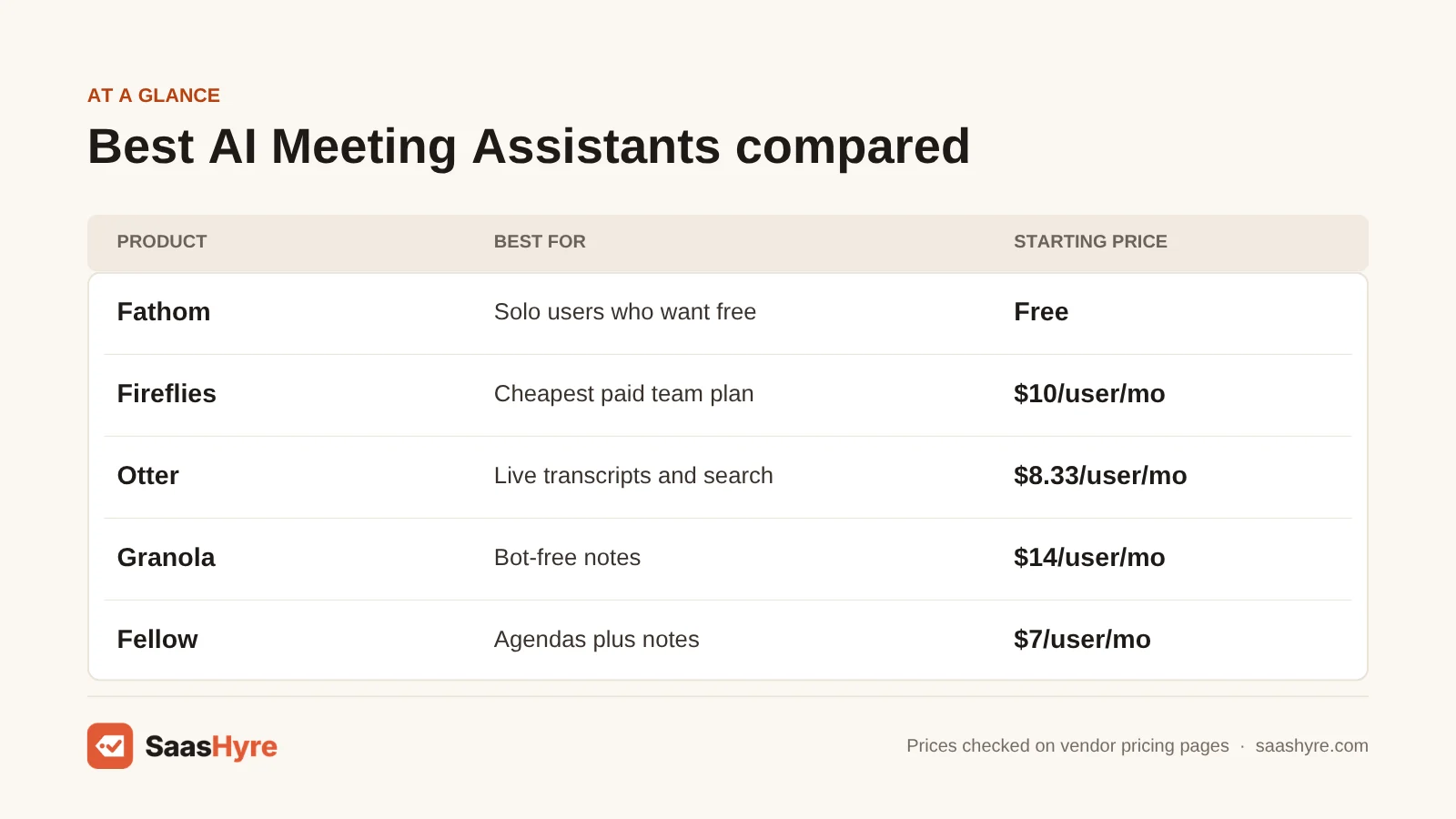
| Tool | Best for | Free plan | Paid from (annual) | Monthly billing | How it records |
|---|---|---|---|---|---|
| Fathom | Solo users who want free | Unlimited recordings and summaries | $15 Team (2-seat min), $16 Premium | $19 Team, $20 Premium | Bot, or bot-free beta on Mac |
| Fireflies | Cheapest paid team plan | 400 min storage per team | $10 Pro | $18 Pro | Bot, or Chrome extension |
| Otter | Live transcripts and search | 300 min/month, 30 min per meeting | $8.33 Pro | $16.99 Pro | Bot, desktop or mobile app |
| tl;dv | Free video recording | Unlimited recordings, AI notes on 10 meetings | $18 Pro | Higher (see below) | Bot |
| Read.ai | Zoom users and meeting metrics | 5 meetings/month | $15 Pro | $19.75 Pro | Bot, desktop or mobile app |
| Granola | Bot-free notes | 30 days of history | $14 Business | Not split out | Device audio, no bot |
| Krisp | Noisy rooms, bot-free | None (7-day trial) | $8 Core | $16 Core | Device audio, no bot |
| Fellow | Agendas plus notes | 5 AI notes per user, lifetime | $7 Team, $15 Business | $11 Team, $23 Business | Bot |
| MeetGeek | Usage-based budgets | 3 hours/month | $9.99 Pro | Higher than annual | Bot or bot-free |
What You’re Actually Buying With an AI Meeting Assistant
An AI meeting assistant records your call on Zoom, Google Meet or Microsoft Teams. It turns the audio into a transcript that shows who said what. Then it writes a summary with decisions and action items. You can search, share or send those notes to other tools later. The transcript part is now pretty standard. What you pay for is how good the summary is and how long your notes are kept. You also pay for how many meetings get AI notes and where those notes go next, like your CRM, Slack or Notion.
Before you pay for anything, check what you already have. Zoom, Google Workspace and Microsoft 365 all include their own AI recaps on some plans. Read.ai says its premium features come free through Zoom’s Essential Apps bundle. That covers Zoom One Pro, Business and Business Plus. If your notes only need to stay inside one video app, that may be enough. For more tools like these, see our AI tools hub.
What AI Meeting Notes Really Cost at Different Usage Levels
If you work alone and have about 15 hours of calls a month, expect to pay $0 (Fathom, Granola) to about $15 a month. A 10-person team on annual billing should expect $80 to $200 a month. For some tools, monthly billing roughly doubles that.
We priced three common cases using each vendor’s posted limits. “Light” is about 15 one-hour meetings a month. “Heavy” is 60 hours a month. That is normal for sales reps, recruiters and consultants.
| Tool | Solo, light (15 hrs/mo) | Solo, heavy (60 hrs/mo) | 10 seats, per month | 10 seats, per year |
|---|---|---|---|---|
| Fathom | $0 | $0 ($16 for action items and AI chat) | $150 (Team) | $1,800 |
| Fireflies | $10 (free storage fills fast) | $19 (Pro storage fills in about 2 months) | $100 (Pro) | $1,200 |
| Otter | $8.33 (free is 300 min) | $19.99 (Pro caps at 1,200 min) | $199.90 (Business) | $2,398.80 |
| tl;dv | $0 to $18 | $18 | $180 (Pro) | $2,160 |
| Read.ai | $15 (free is 5 meetings) | $15 | $150 (Pro) | $1,800 |
| Granola | $0 (30-day history) or $14 | $14 | $140 | $1,680 |
| Krisp | $8 | $8 | $80 (Core) | $960 |
| Fellow | $7 to $15 (Team allows 10 AI notes/mo) | $15 | $150 (Business) | $1,800 |
| MeetGeek | $9.99 (free is 3 hrs) | $17 (Pro overage would cost more) | $170 (Business) | $2,040 |
Three things stand out. First, extra-hour fees can turn the “cheap” plan into the pricey one. MeetGeek Pro includes 20 hours and charges $0.50 for each extra hour. So a 60-hour month costs $29.99. Business is a flat $17 with unlimited transcription. Second, Otter’s free plan cuts off any meeting at 30 minutes. It also keeps only your 25 most recent conversations. So it is a trial, not something to rely on. Third, monthly billing hurts. Otter Pro jumps from $8.33 to $16.99, and Fireflies Pro from $10 to $18.
Bot or No Bot: The Privacy and Consent Question
Bot-based tools join your call as a visible guest. That works as a built-in notice that you are recording, but it can annoy clients. Bot-free tools record your device’s audio instead. That feels more low-key, but it puts the job of telling people fully on you.
This matters more than it used to. In August 2025, a proposed class action said Otter’s notetaker recorded people without consent from everyone on the call, per Fisher Phillips. In July 2026, a similar suit named Granola. It claimed Granola recorded talks without telling most people on the call, as HR Executive reported. These are claims, not court findings. My tip is simple. Pick a tool with consent notices you can turn on. And say out loud that you are recording.
What Makes the Best AI Meeting Assistant?
The best AI meeting assistant is the one whose limits you won’t hit. Check five things. Find the first limit you will reach, whether minutes, meetings, AI notes or history. Check the length limit per meeting and the gap between annual and monthly prices. Look for seat minimums. Make sure you can turn on consent notices so everyone knows they are recorded.
We compared each tool’s plans, limits and billing terms. We used the vendor’s own pricing pages and docs. Count last month’s meetings before you pick a plan. The gap between annual and monthly is often 25% to 50%. So only commit to a year after a month of real use. Also check storage and how long notes are kept, since old notes can vanish without warning.
Best Free AI Meeting Assistants
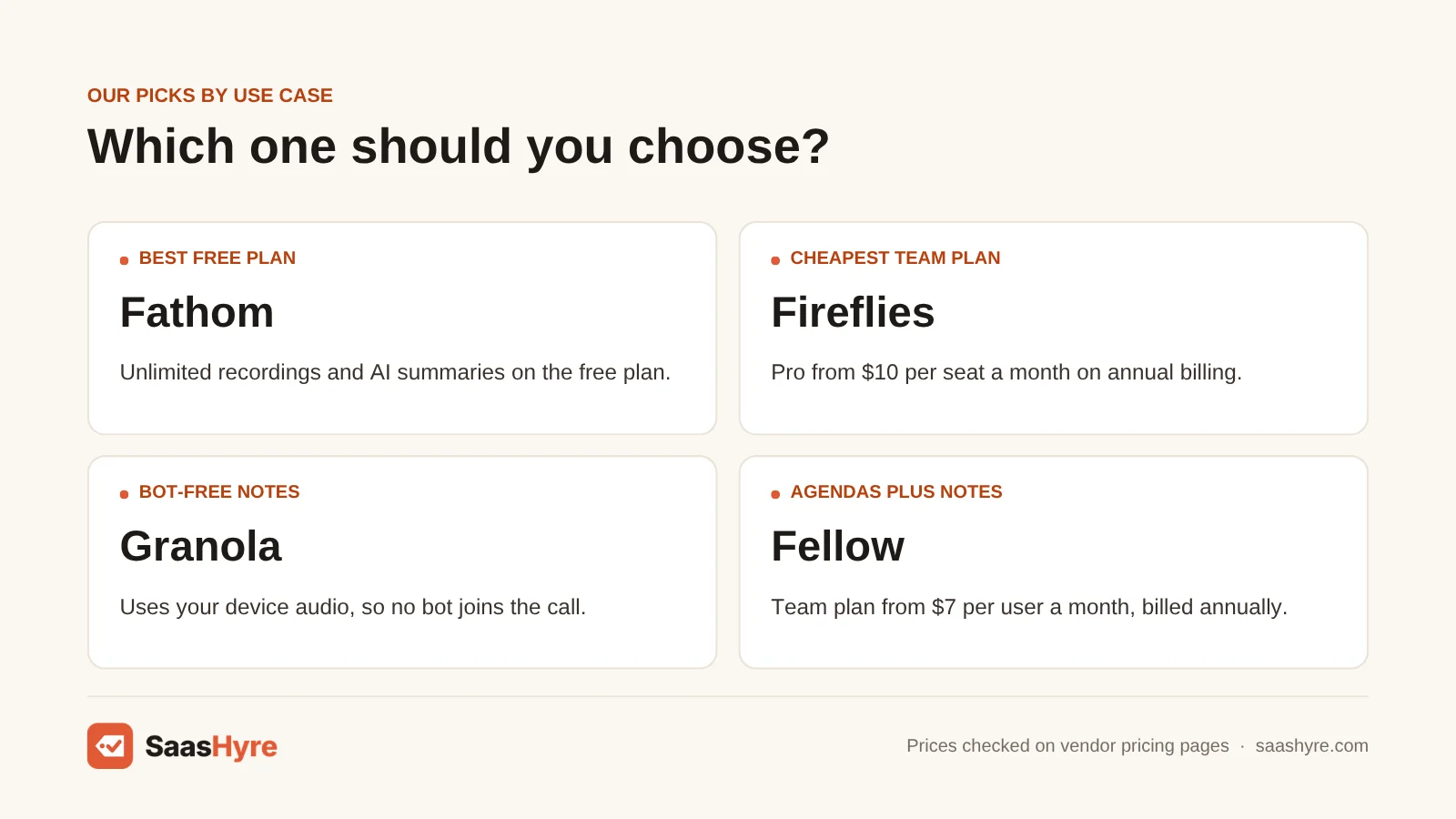
Fathom is the best free AI meeting assistant. It records, transcribes and sums up unlimited calls, with no time limit. tl;dv is the runner-up if you want free video recordings. But on its free plan, AI notes stop after 10 meetings.
1 Fathom: Best for solo users who want free
Fathom records, transcribes and sums up unlimited calls for free. There is no time limit.
What it does well. The free plan gives you unlimited recordings, transcripts and instant AI summaries. It also includes clips and search across calls. It works on Zoom, Meet and Teams.
Key features:
- Unlimited free recordings and AI summaries
- Clips and search across calls
- Ask Fathom AI chat (limited use on the free plan)
- Bot-free recording mode in beta for Mac
- CRM field sync and coaching stats on Business
Pricing. Free. AI action items come with Premium at $16 a month billed yearly, or $20 monthly. Team is $15 per seat billed yearly ($19 monthly), with a two-seat minimum. Business is $25 ($34 monthly).
Best for: You, if you work alone on Zoom, Meet or Teams and want good notes for free.
Limitations. Advanced summary templates and Ask Fathom are “limited use” on the free plan. Team needs two seats. Superhuman said on September 14, 2026 that it was buying Fathom, per TechCrunch. No price changes had been announced when we checked. Still, only lock in annual pricing if you are OK with that unknown.
2 tl;dv: Best for free video recording
tl;dv gives you free video recordings and clips to share with a remote team.
What it does well. The free plan gives you unlimited video recordings. It transcribes in 30-plus languages. Paid plans add unlimited AI notes, CRM connections and unlimited storage.
Key features:
- Unlimited free video recordings
- Transcription in 30-plus languages
- CRM integrations on Pro
- AI reports across many meetings, plus sales playbook tracking, on Business
Pricing. Free. Pro costs $18 per seat billed yearly. Business costs $29. tl;dv’s own blog lists monthly billing at $29 for Pro and $39 for Business. That is a steep jump. See tl;dv pricing.
Best for: You, if your remote team wants free recordings with video and clips.
Limitations. On the free plan, only 10 meetings get AI notes. Data is kept for up to three months. Want AI summaries on every meeting without paying? The free allowance runs out fast.
Best for Transcription, Search and Team Knowledge
Fireflies is the best value if your team wants every meeting searchable. It costs $10 per seat on annual billing. Otter is best for live transcripts and recording in-person meetings. Read.ai suits teams that use Zoom a lot and want engagement stats next to their notes.
3 Fireflies: Best for the cheapest paid team plan
Fireflies makes every team meeting searchable for a low price per seat.
What it does well. Pro includes unlimited transcripts and AI summaries. It also has video recording and 8,000 minutes of storage per seat. You can record without the bot using its Chrome extension.
Key features:
- Unlimited transcription and AI summaries on Pro
- Video recording
- Chrome extension for bot-free recording
- Conversation insights and team stats on Business
Pricing. Pro costs $10 per seat billed yearly ($18 monthly). Business costs $19 ($29 monthly) and removes the storage limit. The free plan allows 400 minutes of storage per team.
Best for: You, if your team records most calls and wants the lowest price per seat.
Limitations. The free plan now allows only 400 minutes of storage per team. That is half the 800 minutes many reviews still quote. It also limits recordings to two hours. If you work alone on Pro and record 60 hours a month, 8,000 minutes of storage fills up in about two months.
4 Otter: Best for live transcripts and search
Otter is built for live transcripts and recording in-person meetings.
What it does well. Otter still has the best mobile and desktop apps for recording in-person meetings. Its annual plan is cheap if you use it a moderate amount.
Key features:
- Live transcripts
- Mobile and desktop apps for meetings in person
- 1,200 transcription minutes on Pro
- Meetings up to four hours on Business
Pricing. Pro is $8.33 a month billed yearly, or $16.99 monthly. It gives you 1,200 transcription minutes and meetings up to 90 minutes long. Business is $19.99 billed yearly ($30 monthly). It gives unlimited meetings, each up to four hours.
Best for: You, if you want live transcripts and a cheap annual plan for moderate use.
Limitations. If you record more than 20 hours a month, the Pro minute limit pushes you to Business. G2 reviewers warned that the free plan can email summaries to everyone in the meeting by default. So check that setting before your first call, as G2’s roundup notes.
5 Read.ai: Best for Zoom users and meeting metrics
Read.ai adds engagement and speaker-coaching stats to your meeting notes.
What it does well. Its engagement and speaker-coaching stats are what set it apart. If you have Zoom One Pro or Business, you get its premium features through Zoom’s Essential Apps.
Key features:
- Engagement and speaker-coaching metrics
- Unlimited transcripts on Pro
- Salesforce and HubSpot integrations on Pro
- Included with Zoom One Pro or Business
Pricing. Pro costs $15 billed yearly ($19.75 monthly). Enterprise costs $22.50 ($29.75 monthly). The free plan covers five meetings a month, each up to one hour.
Best for: You, if your team pays for Zoom One Pro or Business.
Limitations. Audio and video playback needs the Enterprise plan. So rewatching video on a budget is hard.
Best Bot-Free AI Note Takers
Granola is the best bot-free note taker if you type your own notes and want AI to fill in the gaps. Krisp is the cheapest paid bot-free option. It costs $8 a month on annual billing and includes noise cancellation.
6 Granola: Best for bot-free notes
Granola is a bot-free note taker. It suits you if you type your own notes and want AI to fill in the gaps.
What it does well. It records your device’s audio, so nothing shows up in the list of people on the call. It deletes the audio after it makes the transcript. It runs on desktop, iOS and Android. So older reviews that call it Mac-only are out of date.
Key features:
- No bot in the list of people on the call
- Audio is deleted after the transcript is made
- Follow-up emails on Business
- Notion, HubSpot and Zapier integrations on Business
- Admin can force a notice to everyone on the call, on Enterprise
Pricing. The free Basic plan shows only 30 days of meeting history. Business is $14 per user a month for unlimited history. Enterprise is $35.
Best for: You, if a visible bot would feel awkward on your client calls.
Limitations. It does not record video. In July 2026, a proposed class action named Granola. It claimed Granola recorded talks without telling most people on the call. These are claims, not court findings. But skip it if your company can’t accept that risk.
7 Krisp: Best for noisy rooms, bot-free
Krisp is the cheapest paid bot-free note taker, and it includes noise cancellation.
What it does well. Core includes a bot-free note taker, audio and video recording and notes for in-person meetings. It helps when you take calls from noisy places.
Key features:
- Bot-free note taker
- Noise cancellation
- Audio and video recording
- In-person meeting notes
- Salesforce connection and admin controls on Advanced
Pricing. Core is $8 per user billed yearly, or $16 monthly, with 10 GB of storage. Advanced is $15 ($30 monthly). There is a 7-day trial.
Best for: You, if you take calls from noisy places and want notes without a bot.
Limitations. There is no free plan anymore, just a 7-day trial. Ignore reviews that mention a daily free allowance.
Best for Team Meeting Management
Fellow is the best pick if you want agendas, action items and notes in one place. It gives unlimited AI notes from $15 per user. MeetGeek is the better budget pick for mixed teams. That is because you can combine free and paid seats.
8 Fellow: Best for agendas plus notes
Fellow keeps your agendas, action items and notes in one place.
What it does well. It links agendas to notes for repeat 1:1s and team meetings. On Business, AI notes become unlimited, and you get CRM connections.
Key features:
- Agendas tied to notes
- Action items
- CRM integrations on Business
- Transcript redaction on Enterprise
Pricing. The free plan gives each user five AI notes for life. Team is $7 billed yearly ($11 monthly). Business is $15 ($23 monthly), with a 50-seat limit. Enterprise is $25 with a 10-user minimum.
Best for: You, if you are a manager who runs repeat 1:1s and team meetings and wants agendas linked to notes.
Limitations. Team limits you to 10 AI notes per user per month and 20 seats. Don’t expect the $7 plan to cover a full calendar of meetings.
9 MeetGeek: Best for usage-based budgets
MeetGeek is a budget pick for mixed teams, because you can combine free and paid seats.
What it does well. It can record with a bot or without one. You can mix unlimited free Basic seats with paid ones. So only the people who need paid features pay.
Key features:
- Bot and bot-free recording
- Unlimited free Basic seats alongside paid seats
- HD video and recording consent notices on Business
- Rules to skip meetings you don’t want recorded
Pricing. Free covers 3 hours of transcripts a month. Pro is $9.99 billed yearly, with 20 hours and $0.50 for each extra hour. Business is $17 with unlimited transcripts. Monthly billing costs more than annual.
Best for: You, if only some people on your team need paid features.
Limitations. It is not the simplest setup you can find.
How to Choose: A Buyer’s Checklist
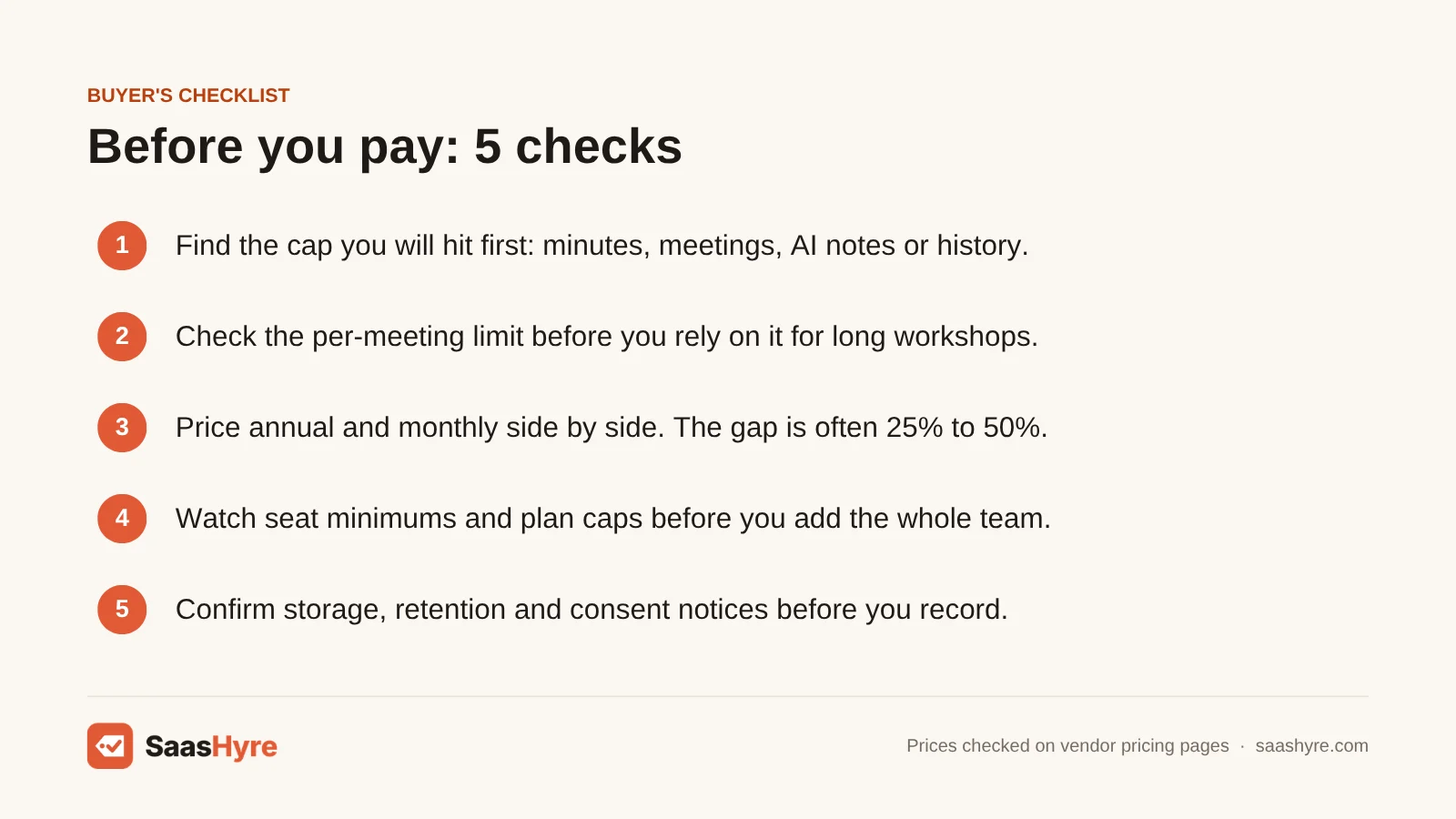
- Find the cap you’ll hit first. It could be minutes (Otter, MeetGeek), meetings (Read.ai, Fellow), AI notes (tl;dv) or history (Granola). Count last month’s meetings before you pick.
- Check the per-meeting limit. Otter’s free plan stops at 30 minutes, and Read.ai’s stops at one hour. A 75-minute workshop won’t fit either one.
- Price annual and monthly side by side. The gap is often 25% to 50%. Only commit to a year after a month of real use.
- Watch seat minimums and caps. Fathom Team needs two seats. Fellow Enterprise needs 10, and Read.ai Enterprise+ needs five. Fellow Team stops at 20 seats.
- Confirm storage and retention. Fireflies Pro storage and tl;dv free retention both run out without warning. Know when your old notes will disappear.
- Turn on consent notices. Pick a tool that announces itself or sends a notice. And say you are recording at the start of every call.
How We Evaluated These Tools
We compared each tool’s plans, limits and billing terms. We used the vendor’s own pricing pages and docs, checked in September 2026. We also read the top-ranking competitor guides to see where their prices were out of date. We did not run our own accuracy tests. So any accuracy or feature claims come from the vendors. No provider pays for placement in this guide. Read our editorial policy to learn more about how we work.
The Bottom Line
Work alone and want to pay nothing? Start with Fathom, and keep an eye on the Superhuman deal. For a team, Fireflies Pro at $10 a seat is the best value. Otter Pro at $8.33 is a good deal if you work alone and use it a moderate amount. Pick Granola or Krisp if a visible bot would hurt client trust. Pick Fellow if meeting structure matters as much as notes. Whatever you choose, use monthly billing for a few weeks before you lock in a year.
Frequently Asked Questions
What is the best free AI meeting assistant?
Fathom has the best free plan. You get unlimited recordings, transcripts and instant AI summaries. tl;dv also records unlimited meetings for free, but only 10 meetings get AI notes. Otter’s free plan gives 300 minutes a month, with a 30-minute limit per meeting. Read.ai covers five meetings a month. So both of those work better as trials.
Is Fireflies or Otter cheaper?
On annual billing, Otter Pro is cheaper at $8.33 a month, versus $10 for Fireflies Pro. But Otter Pro limits you to 1,200 minutes a month. Fireflies Pro includes unlimited transcripts. Does your team record most calls? Then Fireflies Pro at $10 per seat usually costs less than Otter Business at $19.99. Heavy Otter users need that Business plan.
What are the best Otter.ai alternatives?
Fathom is the best free alternative to Otter, since it has no monthly minute limit. Fireflies is the closest paid match, with unlimited transcripts from $10 a seat billed yearly. Don’t want a bot joining calls? Granola ($14 a month) and Krisp ($8 a month on annual billing) record your device’s audio instead.
Do AI note takers work without a bot joining the call?
Yes. Granola and Krisp record your computer’s audio, so no bot shows up on the call. Fireflies offers bot-free recording through its Chrome extension. MeetGeek does it through its extension and desktop app. Fathom has a bot-free beta for Mac. With bot-free recording, you still have to tell people they are being recorded.
Is it legal to use an AI note taker in meetings?
It depends on where the people on the call are. Some US states and many countries require consent from everyone on a call, not just the person recording. Otter and Granola have both been sued over claims of recording without proper consent. The safe move is to announce the recording. Use the tool’s consent notice feature, and follow your company’s policy.
How much does an AI meeting assistant cost for a team of 10?
On annual billing, a 10-person team pays about $80 a month for Krisp Core and $100 for Fireflies Pro. Fathom Team, Fellow Business or Read.ai Pro cost $150. Otter Business costs $199.90. Monthly billing costs more, sometimes double. Some plans also add seat minimums or caps, so check those first.