
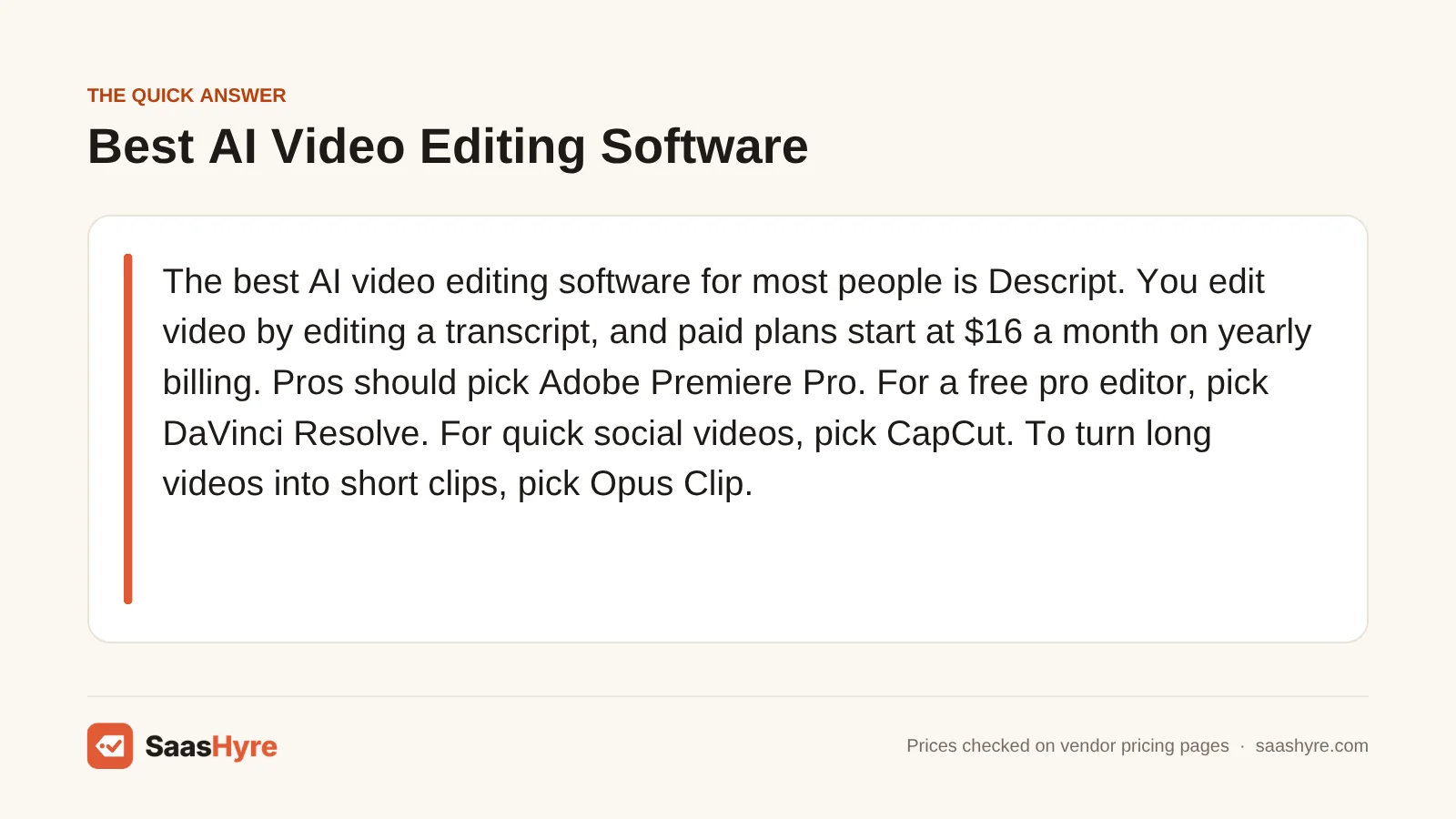
The best AI video editing software for most people is Descript. You edit video by editing a transcript, and paid plans start at $16 a month on yearly billing. Pros should pick Adobe Premiere Pro. For a free pro editor, pick DaVinci Resolve. For quick social videos, pick CapCut. To turn long videos into short clips, pick Opus Clip.
AI video editors all promise to save you hours. The real question is what that time costs. Many plans cap your AI credits or media hours each month. Run out, and you wait or pay more.
I pulled every price from each vendor’s own pricing page in October 2026. Where a vendor does not show a clear price, I say so. Prices can change and some show local currency at checkout, so check the final number before you pay.
Want the full map first? Our guide to the best AI tools covers every category with real prices.
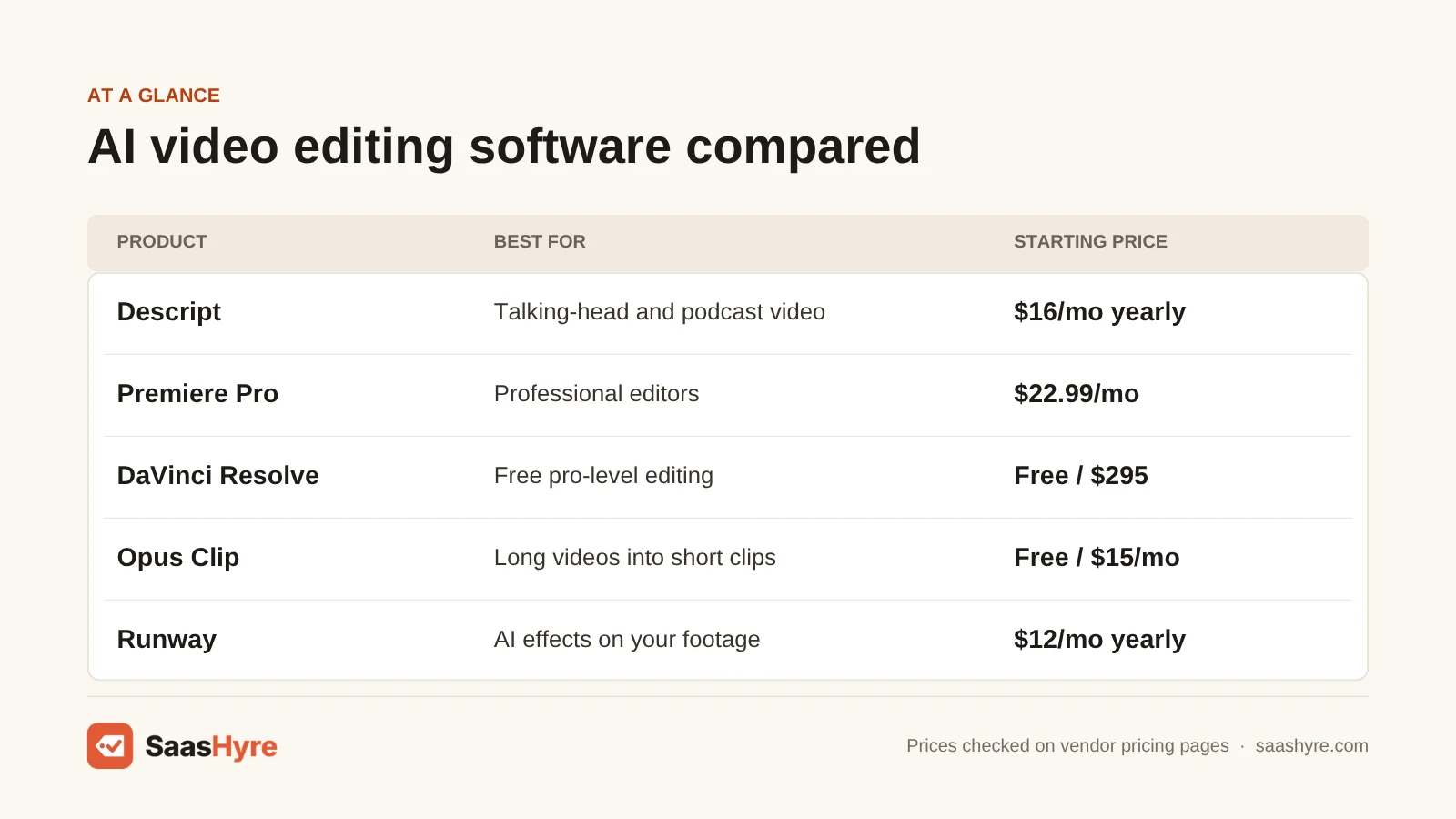
Quick Comparison: 9 Best AI Video Editors at a Glance
| Tool | Best for | Starting price | Billing model | Free plan or trial |
|---|---|---|---|---|
| Descript | Best overall, talking-head and podcast video | $16/mo (yearly) | Monthly or yearly, per person | Free plan, 60 media minutes a month |
| Adobe Premiere Pro | Professional editors | $22.99/mo | Annual plan, billed monthly | 7-day free trial |
| DaVinci Resolve | Free pro-level editing | Free, or $295 for Studio | Price paid up front, no monthly plan listed | Free version |
| CapCut | Fast social and mobile edits | $19.99/mo (varies by region) | Monthly or yearly | Free version |
| Filmora | Beginners who want a one-time price | $49.99/yr | Yearly or one-time | Free version with watermark |
| Opus Clip | Turning long videos into short clips | $15/mo | Credits per month | Free plan, 60 credits a month |
| VEED | Browser editing and subtitles | $12/mo (yearly) | Monthly or yearly | Free plan with watermark |
| Kapwing | Teams editing together online | $16/mo (yearly) | Per member, monthly or yearly | Free plan with watermark |
| Runway | AI effects and changes to footage | $12/mo (yearly) | Credits per month | 125 one-time free credits |
What Is AI Video Editing Software?
AI video editing software is a video editor that uses AI to do slow, manual jobs for you. It can write a transcript, cut filler words, add captions, fix bad audio, reframe a video for phones or find the best moments in a long recording. You still edit your own footage. The AI just does the boring parts faster.
This is different from an AI video generator. A generator makes new video from a text prompt or an avatar. An editor works on footage you already shot. Some tools do a bit of both. If you want to make videos from a script with no camera at all, see our guide to the best AI video generators instead.
What Makes the Best AI Video Editing Software?
The best AI video editing software saves you real time on the videos you make most, at a price that stays fair as you grow. Check five things. Does it fit your kind of video? What do the AI features cost in credits or hours? Can you export without a watermark? What is the monthly versus yearly price? And can you get a refund?
We checked each tool on those points using its own pricing page and help docs. We also read the top reviews to see what they missed. Many still list old prices, like Premiere Pro at $20.99. Some say Runway prices are “on request,” but Runway now shows its full price list. Many lists also mix avatar tools in with editors. We kept this list to tools that edit your own footage.
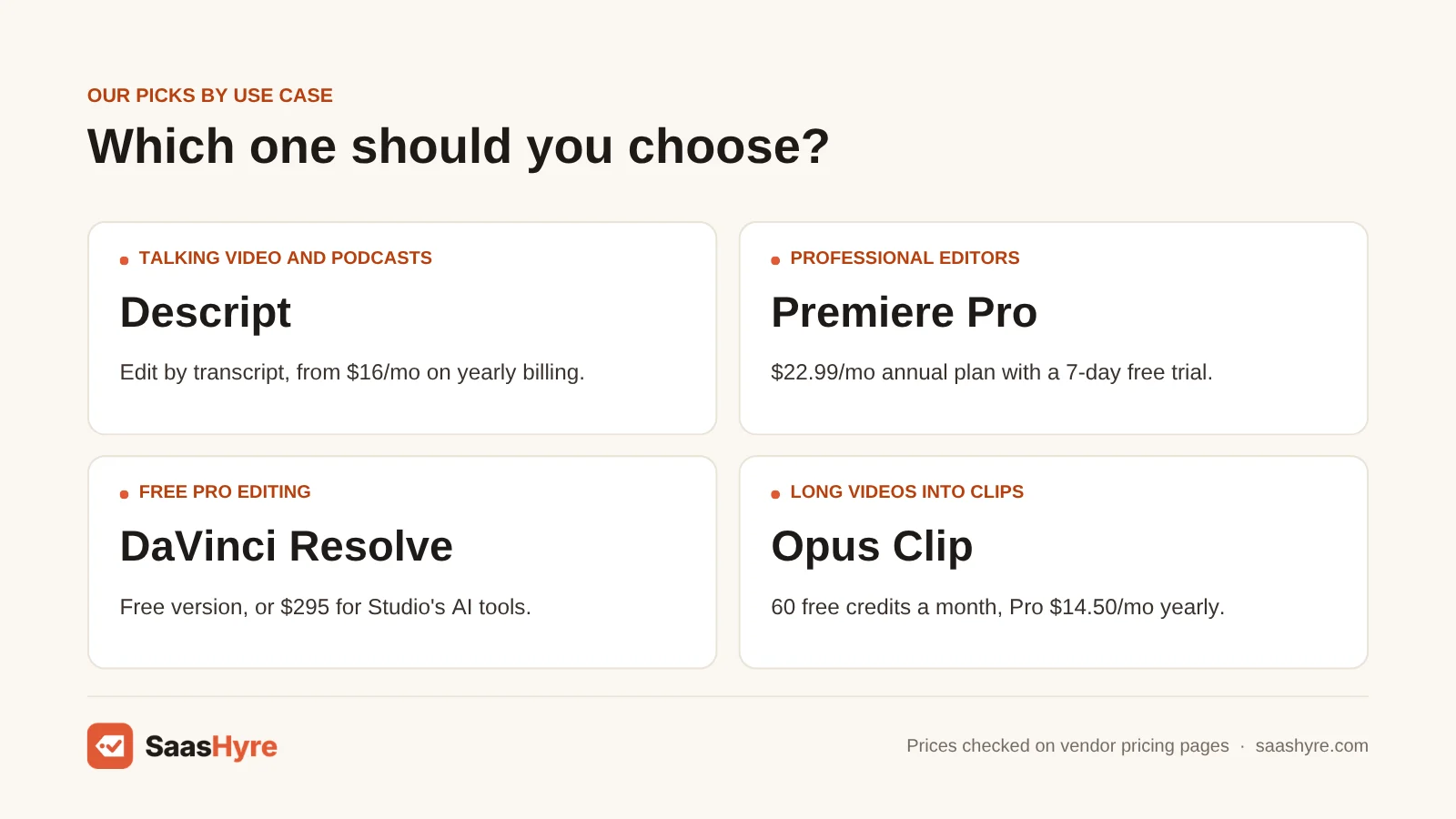
Best Overall AI Video Editing Software
Descript is the best AI video editing software for most people. You edit your video by editing its transcript, like a text document. It removes filler words, fixes audio with Studio Sound and has an AI co-editor called Underlord. Hobbyist costs $16 a month on yearly billing, and there is a free plan.
1 Descript: Best for talking-head video and podcasts
If you make videos where people talk, like interviews, tutorials or podcasts, start here.
What it does well. Descript turns your video into a transcript. Delete a sentence in the text, and it is gone from the video. So rough cuts are fast, even if you have never used a timeline. Studio Sound makes cheap mic audio sound much better.
Key features:
- Text-based video editing
- Underlord AI co-editor
- Studio Sound audio repair
- One-click filler word removal
- Transcription in 25 languages
Pricing. The free plan gives you 60 minutes of media a month, 100 one-time AI credits and 5GB of storage. Hobbyist is $16 a month on yearly billing, or $24 on monthly billing, with 10 media hours and 400 AI credits a month. Creator is $24 a month yearly, or $35 monthly, with 30 hours and 800 credits. Business is $50 a month yearly, or $65 monthly, with 40 hours and 1,500 credits. Prices are per person. Descript says yearly billing saves up to 35%. Its refund policy only covers plan refunds within 48 hours of the invoice. See Descript pricing.
Best for: You, if you make talking videos, podcasts or training clips and want to edit them as fast as a doc.
Limitations. Media hours and AI credits run out, and top-ups are extra and can’t be refunded. The 48-hour refund window is short. It is less suited to cinematic edits with lots of effects and color work.
Best AI Video Editing Software for Professional Work
Adobe Premiere Pro is the best pick for professional editors. It adds AI tools like Generative Extend, Media Intelligence search and Enhance Speech to a full pro editor for $22.99 a month. DaVinci Resolve is the best free choice. Its free version is a real pro editor, and Studio adds most AI tools for $295.
2 Adobe Premiere Pro: Best for professional editors
If you edit for clients or already use Adobe apps, Premiere Pro is the safe choice.
What it does well. Premiere Pro is a full pro editor with AI built in. Generative Extend adds extra frames to a clip that ends too soon. Media Intelligence lets you search footage with plain words.
Key features:
- Generative Extend for short clips
- Media Intelligence footage search
- Text-based editing
- Enhance Speech
- Caption translation in 18 languages
Pricing. The Premiere single-app plan is US$22.99 a month on an annual plan billed monthly. It includes 100GB of cloud storage and 25 generative credits a month. Creative Cloud Pro, with 20+ apps and 4,000 generative credits a month, is $69.99 a month, with a promo of $34.99 a month for the first 3 months. Premiere for teams is $37.99 a month per license. Individual plans have a 7-day free trial, and team plans have 14 days. Adobe gives a full refund on most plans if you cancel within 14 days of your first purchase. See Adobe Premiere pricing.
Best for: You, if you edit video for a living and need pro tools, team workflows and the Adobe apps.
Limitations. It takes time to learn. The $22.99 price is for an annual plan, so you commit to a year. The single-app plan’s 25 generative credits a month won’t go far if you use generative features a lot.
3 DaVinci Resolve: Best free pro editor
If you want pro-level editing and color without a monthly bill, try DaVinci Resolve.
What it does well. The free version is a full editor with color grading, effects and audio tools in one app. Its AI features come from what Blackmagic calls the DaVinci Neural Engine. Most of them need the paid Studio version.
Key features:
- Magic Mask for object isolation and tracking
- Smart Reframe for vertical video
- Speed Warp retiming
- AI voice isolation and dialogue separator
- Super Scale upscaling to 4K and 8K
Pricing. DaVinci Resolve is free. DaVinci Resolve Studio costs $295. Blackmagic’s site lists no monthly or yearly plan, just that one price. See DaVinci Resolve Studio pricing.
Best for: You, if you want serious editing and color work and would rather pay once than every month.
Limitations. Most AI tools are only in Studio. The app is complex, and it needs a strong computer.
Best AI Video Editing Software for Beginners and Social Video
CapCut is the best pick for fast social videos. The free version handles cuts, filters and auto captions, and Pro adds background removal and noise reduction. Filmora is the best pick for beginners who want a simple desktop editor. It starts at $49.99 a year, or $79.99 once for a perpetual license.
4 CapCut: Best for quick social and mobile edits
For TikTok, Reels or Shorts, CapCut is hard to beat for speed.
What it does well. CapCut works on your phone, desktop and web. The free version covers cutting, trimming, filters, transitions and auto captions. Pro adds more AI tools, like a background remover, motion tracking and noise reduction.
Key features:
- Free auto captions
- Background remover on Pro
- Motion tracking and noise reduction on Pro
- Templates for social video
- Apps for mobile, desktop and web
Pricing. CapCut has a free version. Its own Standard vs Pro guide lists Pro at $19.99 a month or $179.99 a year for one person, with team plans from around $24.99 a month. But CapCut’s help center says Pro prices vary by region, device, taxes and promos. You only see your real price inside the app or when you click Upgrade. See how CapCut Pro pricing works.
Best for: You, if you make short social videos and want most of what you need for free.
Limitations. There is no single public price list, so you can’t compare costs until you are in the app. It is built for short clips, not long edits.
5 Filmora: Best for beginners who want a one-time price
New to editing? Filmora is a simple desktop app with plenty of AI help.
What it does well. Filmora is easy to learn and runs on Windows and Mac. The Advanced plan comes with 1,000 AI credits a month for 20+ AI features.
Key features:
- Speech-to-text in 27 languages
- Text-to-speech in 28 languages
- AI object removal
- AI video enhancement
- Perpetual license option
Pricing. The free version adds a watermark to your exports. Basic is US$49.99 a year, with AI credits bought as you go. Advanced is US$59.99 a year (listed down from $69.99), with 1,000 AI credits a month and 10GB of cloud storage. A perpetual license is US$79.99 once, with 1,000 one-time AI credits and updates for Filmora 16 only. Basic and Advanced cover both Windows and Mac, but a perpetual license is for one platform. Every plan has a 30-day money-back guarantee. See Filmora pricing.
Best for: You, if you are a beginner or hobbyist who wants a friendly desktop editor at a low yearly or one-time cost.
Limitations. The perpetual license does not include future major versions. Its 1,000 AI credits are one-time, so heavy AI use means buying more. We could not find a monthly price on its main pricing page.
Best AI Video Editing Software for Turning Long Videos Into Clips
Opus Clip is the best pick for turning a podcast or webinar into short social clips. Its AI finds the best moments, adds captions and reframes them for phones. The free plan gives you 60 credits a month, and Pro costs $14.50 a month on yearly billing.
6 Opus Clip: Best for repurposing long videos
If you record long videos and want lots of short clips, Opus Clip does most of the work.
What it does well. Upload a long video, and Opus Clip picks the moments most likely to do well. It adds animated captions and reframes the clips to vertical. On Pro, you can export to Premiere Pro or DaVinci Resolve for a final polish.
Key features:
- AI clip picking with virality score
- Animated captions and auto reframe
- AI B-roll on Pro
- Export to Premiere Pro and DaVinci Resolve
- Social post scheduler
Pricing. The free plan gives you 60 credits a month, with watermarked exports, 1080p max and clips that expire after 3 days. Starter is $15 a month, monthly billing only, with 150 credits and no watermark. Pro is $29 a month, or $14.50 a month on yearly billing ($174 a year), with 300 credits, 2 seats and a 2-month rollover on unused credits. Business is priced by quote. Opus Clip offers a free trial with no card needed. We did not find a refund policy on its pricing page. See Opus Clip pricing.
Best for: You, if you run a podcast, webinar or YouTube channel and want more short clips from the same footage.
Limitations. It is a clipping tool, not a full editor. Credits limit how much video you can process each month. On the free plan, clips vanish after 3 days, so download them fast.
Best Browser-Based AI Video Editing Software
VEED is the best browser-based pick for subtitles and quick edits, starting at $12 a month on yearly billing. Kapwing is the best pick for teams that edit together online, with Pro at $16 per member a month on yearly billing. Both run in your browser, so you install nothing.
7 VEED: Best for browser editing and subtitles
Want subtitles and quick edits with no app to install? VEED is a good fit.
What it does well. VEED runs in your browser. It is strong on subtitles, with auto subtitles in 125+ languages, per VEED.
Key features:
- Auto subtitles in 125+ languages
- Browser-based editor
- AI avatars
- Voice cloning
Pricing. VEED’s pricing page loads its prices in a way we could not read, so we used VEED’s own comparison page. It lists Lite at $12 a month billed yearly, with 1080p exports and no watermark, and Pro at $24 a month billed yearly. The free plan adds a watermark and caps exports at 720p and 10 minutes. We could not confirm monthly-billing prices or refund terms, so check them before you pay. See VEED pricing.
Best for: You, if you want fast subtitled videos for social or marketing and like working in a browser.
Limitations. A browser editor can feel slow on long or heavy projects. We could not confirm every price on the vendor’s pricing page. Collaboration is lighter than Kapwing’s on lower plans.
8 Kapwing: Best for teams editing together online
If several people on your team touch the same videos, Kapwing makes that easy.
What it does well. Kapwing is a browser editor built for teams. Several people can work on the same project. Paid plans export in 4K with no watermark, and videos can run up to 120 minutes.
Key features:
- Team editing in the browser
- Auto subtitles, up to 1,000 minutes a month on Pro
- AI dubbing, up to 50 minutes a month on Pro
- 4K exports on paid plans
- Lip sync on Business
Pricing. The free plan exports at 720p with a watermark, with videos up to 4 minutes and 30 minutes of exports a month. Pro is $24 per member a month on monthly billing, or $16 a month billed yearly ($192 a year). Business is $64 per member a month on monthly billing, or $50 a month billed yearly ($600 a year). Kapwing says it has no free trial of paid plans and does not issue refunds once you upgrade. See Kapwing pricing.
Best for: You, if you run a small marketing or content team that edits and reviews videos together.
Limitations. No trial and no refunds, so test the free plan well first. Per-member pricing adds up fast for bigger teams. The free plan’s 4-minute cap is tight.
Best AI Video Editing Software for Generative Effects
Runway is the best pick if you want AI to change your footage, not just trim it. Its Aleph model can add, remove or change objects, create new angles of a scene and change style and lighting. Standard costs $12 a month on yearly billing, and you get 125 free credits to try it.
9 Runway: Best for AI changes to your footage
If you want effects that used to need a VFX artist, Runway is where to look.
What it does well. Runway is known for AI video models, and it can also edit footage you already have. Its Aleph model, released July 25, 2025, can add, remove and transform objects, make new angles of a scene and change style and lighting.
Key features:
- Aleph video-to-video editing
- All Runway video and image models on paid plans
- 4K upscaling
- Music, voice and sound generation
- No watermarks on paid plans
Pricing. The free plan gives you 125 one-time credits. Standard is $12 a month billed yearly ($144 a year), or $15 monthly, with 625 credits a month. Pro is $28 a month yearly ($336), or $35 monthly, with 2,250 credits. Max is $76 a month yearly ($912), or $95 monthly, with 9,500 credits and a 1-month credit rollover. See Runway pricing.
Best for: You, if you make creative or ad videos and want AI effects on real footage.
Limitations. Every AI action uses credits, so costs can climb quickly. It is not a full timeline editor for long projects.
Tools We Left Out, and Why
You will see these on other lists. Here is why they are not in our top 9.
- Synthesia. It makes avatar videos from a script. That is video generation, not editing your own footage.
- Pictory. It turns scripts, blog posts and long videos into videos with stock footage. It is closer to a generator than an editor.
What One Editor Really Pays in a Year
For one person on yearly billing, Filmora Advanced costs $59.99 a year and VEED Lite and Runway Standard cost $144. Opus Clip Pro costs $174, and Descript Hobbyist and Kapwing Pro cost $192. Premiere Pro costs $275.88. DaVinci Resolve Studio is $295 once, and the free version costs nothing.
This uses each tool’s lowest yearly price for one person, before taxes and promos. CapCut is left out because its price varies by region.
| Tool and plan | Price | Cost for one year |
|---|---|---|
| Filmora Advanced | $59.99/yr | $59.99 |
| VEED Lite | $12/mo, billed yearly | $144 |
| Runway Standard | $12/mo, billed yearly | $144 |
| Opus Clip Pro | $14.50/mo, billed yearly | $174 |
| Descript Hobbyist | $16/mo, billed yearly | $192 |
| Kapwing Pro | $16/mo, billed yearly | $192 |
| Adobe Premiere Pro | $22.99/mo, annual plan | $275.88 |
| DaVinci Resolve Studio | $295 once | $295 (then $0) |
Monthly billing costs more. Descript Creator is $288 a year on yearly billing, but $420 if you pay $35 each month. Opus Clip Pro is $174 a year on yearly billing, versus $348 at $29 a month.
How to Choose AI Video Editing Software Without Overpaying
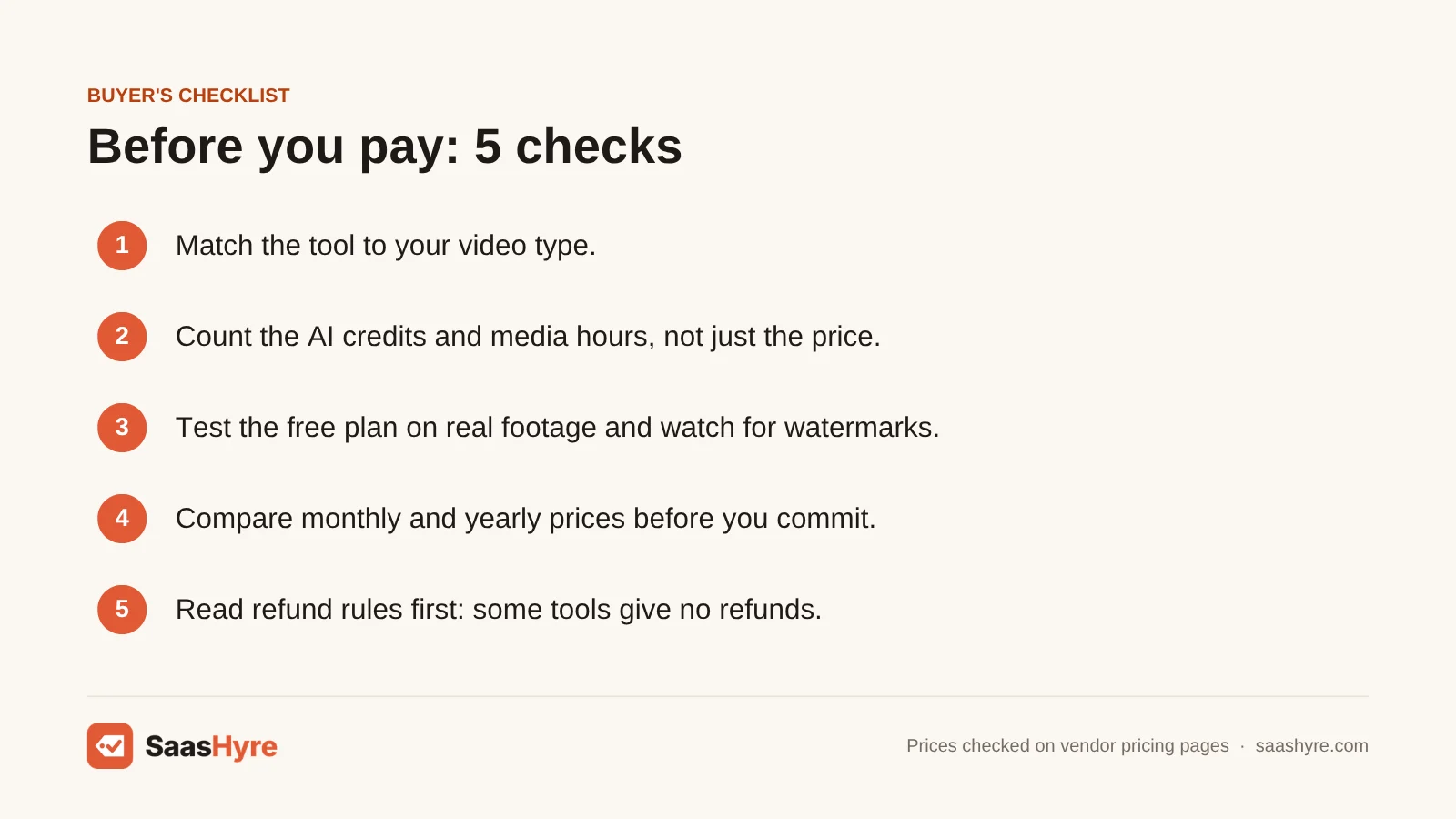
- Match the tool to your video type. Talking videos suit Descript. Short social clips suit CapCut or Opus Clip. Pro projects suit Premiere Pro or DaVinci Resolve.
- Count the credits, not just the price. Descript, Opus Clip, Runway and Filmora limit AI use with credits or media hours. Estimate how much you will use each month.
- Test the free plan on real footage. Most tools here have a free plan or trial. Watch for watermarks, 720p caps and short length limits.
- Compare monthly and yearly prices. Yearly billing can save a lot, but only commit once you know you like the tool.
- Read the refund rules first. Adobe gives 14 days on most plans and Filmora gives 30. Descript gives 48 hours, and Kapwing gives no refunds at all.
- Think about paying once. DaVinci Resolve Studio at $295 and Filmora’s $79.99 perpetual license cost less over a few years than a monthly plan.
How We Evaluated These Tools
We compared each tool using its own pricing page, feature pages and help docs, checked in October 2026. We also read the top-ranking reviews of AI video editors to find stale prices and gaps. We looked at monthly and yearly prices, free plan limits, AI credits, refund rules and AI features. We did not run our own editing or speed tests, and feature claims come from the vendors. No vendor pays to be listed. Read our editorial policy to learn more.
Keep comparing: AI tool guides · Best AI Dubbing Software · Best AI Voice Generators
The Bottom Line
If you make talking videos or podcasts, get Descript. It is the fastest way to edit, and it starts at $16 a month on yearly billing. If you edit for a living, pick Premiere Pro, or DaVinci Resolve if you would rather pay once or pay nothing. For quick social clips, use CapCut. Want to turn long videos into shorts? Use Opus Clip. Beginners who want a low price should look at Filmora. Pick VEED for subtitles, Kapwing for team editing and Runway for AI effects on your footage.
Want a second opinion? Our best AI design tools guide takes a different angle, and our best AI presentation software and best AI website builders guides cover what is left.
Frequently Asked Questions
What is the best AI video editing software?
Descript is the best AI video editor for most people. You edit video by editing its transcript, and it removes filler words and fixes audio for you. It has a free plan, and Hobbyist costs $16 a month on yearly billing. Pros should look at Premiere Pro, and short-form creators should look at CapCut or Opus Clip.
Is there a free AI video editor?
Yes. DaVinci Resolve is free and is a full pro editor, though most AI tools need the $295 Studio version. CapCut’s free version includes auto captions. Descript, Opus Clip, VEED and Kapwing also have free plans, but most add watermarks or cap how much you can export.
What is the best AI video editor for beginners?
Filmora and CapCut are the easiest to learn. Filmora is a simple desktop editor that starts at $49.99 a year, with a 30-day money-back guarantee. CapCut is free to start and works on your phone. Descript is also easy, because editing a transcript feels like editing a doc.
Can AI edit videos automatically?
Partly. AI can cut filler words, add captions, fix audio, reframe for phones and pick highlight clips on its own. Tools like Opus Clip can make finished short clips from a long video. But you still need to review the result and make the creative calls yourself.
Is Descript better than Premiere Pro?
Descript is better for talking videos and for people who don’t know timeline editing. Premiere Pro is better for pro work with effects, color and complex timelines. Descript starts at $16 a month on yearly billing, and Premiere Pro is $22.99 a month on an annual plan.
How much does AI video editing software cost?
Most editors on this list cost $12 to $23 a month for one person on yearly billing. VEED Lite and Runway Standard start at $12, Descript at $16 and Premiere Pro at $22.99. Filmora starts at $49.99 a year. DaVinci Resolve Studio costs $295 once, and many tools have free plans.
What is the difference between an AI video editor and an AI video generator?
An AI video editor works on footage you already shot. It trims, adds captions, fixes audio and reframes. An AI video generator makes brand new video from a text prompt, a script or an avatar. Some tools, like Runway, do a bit of both.