
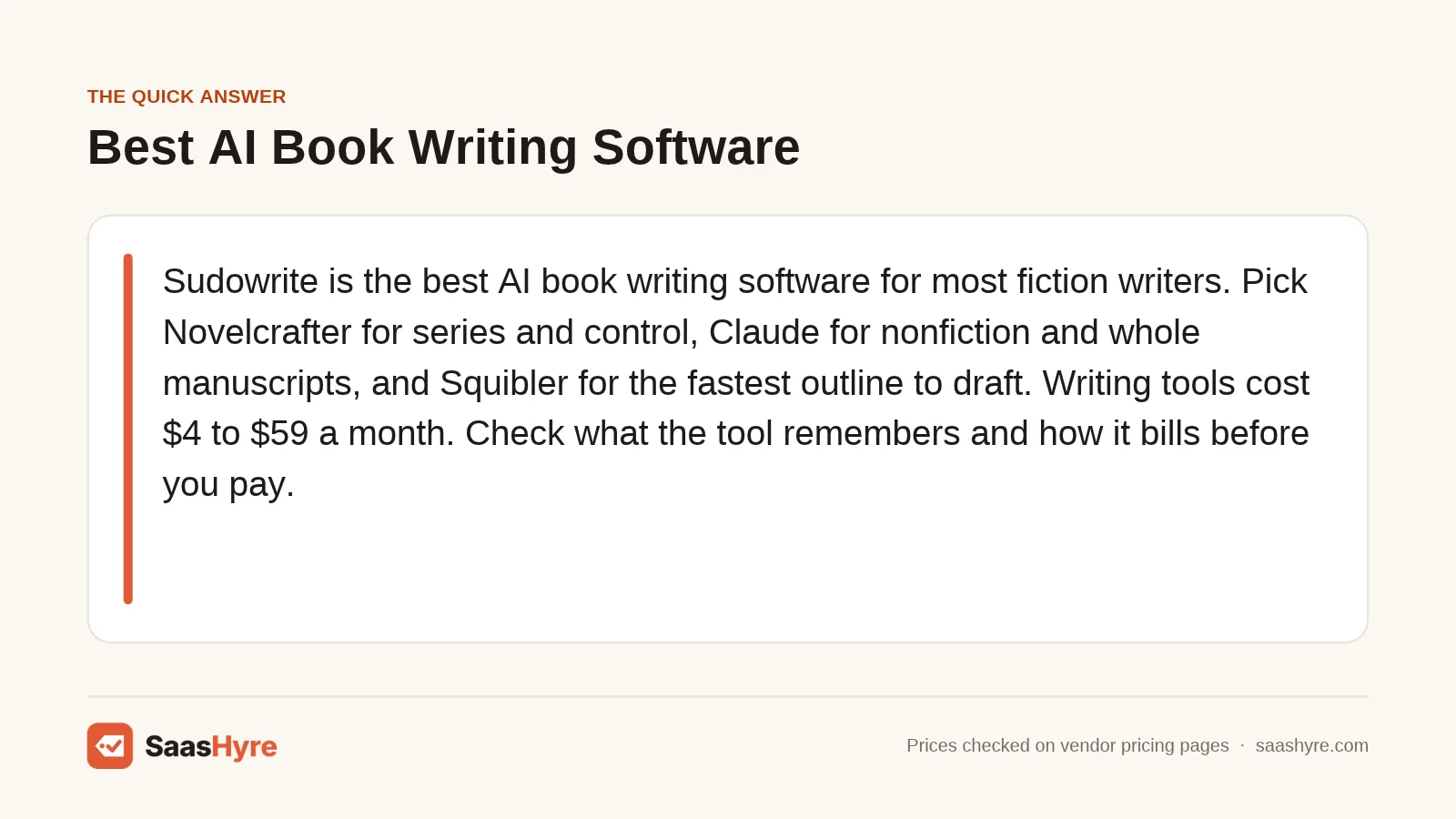
TL;DR: Sudowrite is the best AI book writing software for most fiction writers. Pick Novelcrafter for series and tight control, Claude for nonfiction and whole-manuscript work, and Squibler for the fastest outline-to-draft path. Finish with ProWritingAid, Marlowe, and Atticus. Writing tools cost $4 to $59 a month. Before you pay, check what the tool remembers across chapters and how it bills, because credits can run out mid-book.
Starting a book with AI is easy. Finishing one is not.
Most AI tools write a good scene. Then, around chapter six, they forget your hero’s eye color, the timeline, or the twist you planted in chapter two. A book needs memory, structure, and a clean final file. Few roundups check for that.
You are not the only writer weighing this. About 45% of the 1,229 authors who answered a May 2025 BookBub survey of authors said they use generative AI. Only 26% of those users said they tell readers.
So I compared 8 tools on the jobs that decide whether a book gets done. That means long-context memory, outline-to-manuscript workflow, editing a full draft, export for Amazon KDP, and the pricing unit. I pulled every price from the vendor’s own page on November 1, 2026. I also cover Amazon’s AI disclosure rules and who owns the words.
This guide is part of my larger roundup of the best AI tools for work and business, which covers AI beyond writing.
What Is the Best AI Book Writing Software?
The best AI book writing software for most fiction writers is Sudowrite, because its Story Bible carries your synopsis, characters, and outline into every chapter it drafts. Novelcrafter suits writers who want more control and a series codex. Claude is the best AI for writing a nonfiction book. No single tool covers formatting, so most authors finish in Atticus.
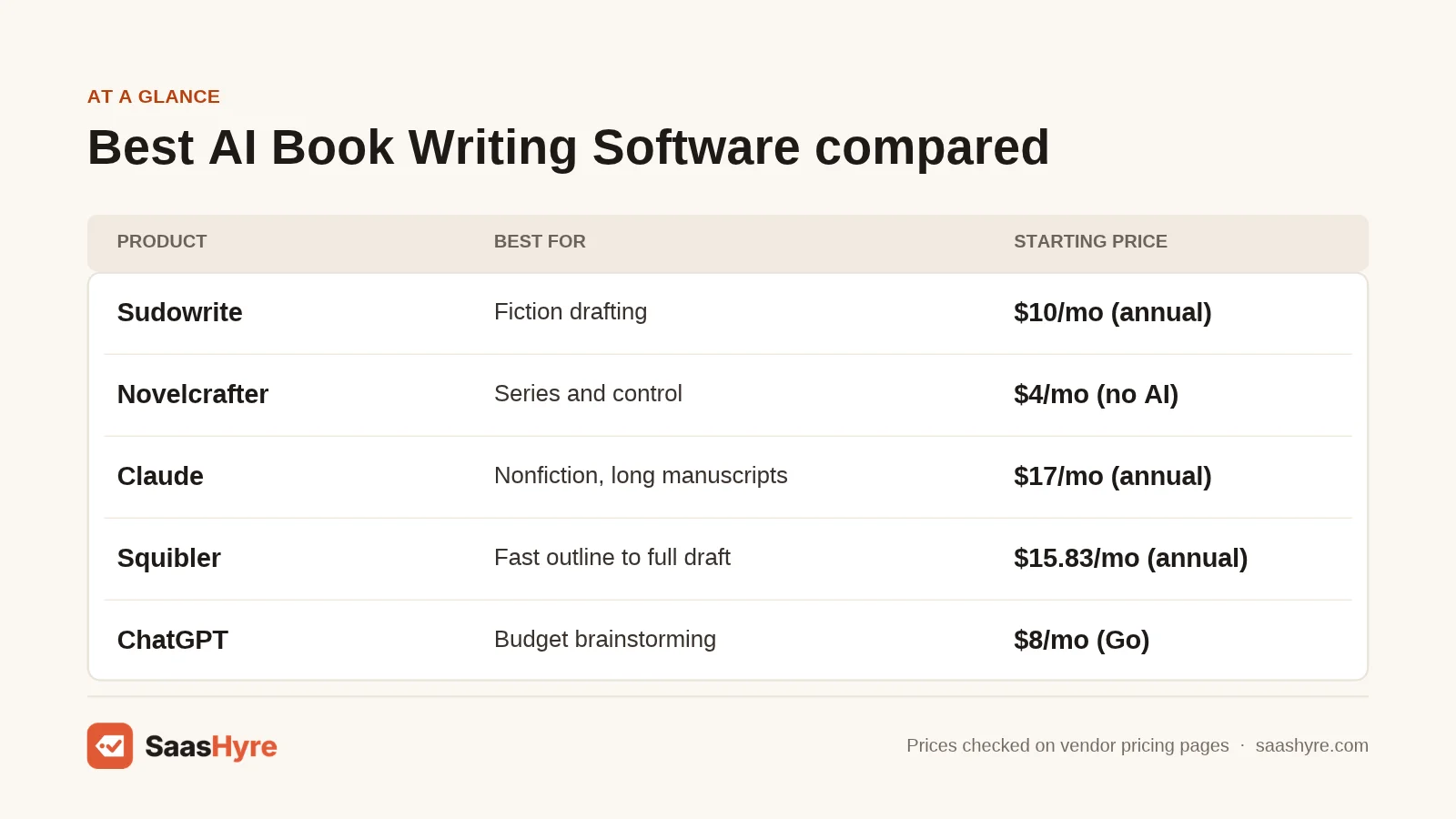
| Tool | Best for | Starting price | Free plan or trial | Note |
|---|---|---|---|---|
| Sudowrite | Fiction drafting | $10/mo (annual) or $19/mo | Free trial, no card | Billed in credits |
| Novelcrafter | Series and control | $4/mo (no AI) | 21-day trial, no card | AI plans use your own API key |
| Claude | Nonfiction and long manuscripts | $17/mo (Pro, annual) | Free plan | Context up to 1M tokens |
| Squibler | Fast outline to full draft | $15.83/mo (annual) | Free plan, 1,000 credits | PDF and DOCX export on Plus |
| ChatGPT | Budget brainstorming and outlining | $8/mo (Go) | Free plan | Plus is $20/mo |
| ProWritingAid | Editing a full manuscript | $10/mo (annual) | Free plan | 500 words per check on Free |
| Marlowe (Authors A.I.) | Developmental feedback | $29.95 per report | Free Basic trial | Critiques, never rewrites |
| Atticus | KDP formatting | $147 one time | No free plan listed | No AI; exports EPUB and PDF |
How Much Does AI Book Writing Software Cost?
AI book writing software costs $4 to $59 a month for drafting tools, $30 to $40 per manuscript for AI feedback, and about $147 once for formatting. Annual billing cuts most plans by roughly a third to a half. The real cost depends on the pricing unit: seats, credits, your own API usage, or reports.
| Tool | Plan | Price | Billing | Main limit |
|---|---|---|---|---|
| Sudowrite | Hobby & Student | $19/mo or $10/mo annual | Per account | 225,000 credits/mo |
| Sudowrite | Professional | $29/mo or $22/mo annual | Per account | Credits listed as 450,000 on the pricing page and 1,000,000 in the help center |
| Sudowrite | Max | $59/mo or $44/mo annual | Per account | 2,000,000 credits/mo; unused credits roll over 12 months |
| Novelcrafter | Scribe / Hobbyist / Artisan / Specialist | $4 / $8 / $14 / $20 | Monthly; annual gives 2 months off | Scribe has no AI; AI tiers need your own key |
| Claude | Free / Pro | $0 / $20 monthly or $17/mo annual ($200 up front) | Per user | Usage limits every 5 hours and weekly |
| Claude | Max / Ultra | $100 / $200 | Monthly | 5x and 10x Pro usage |
| Squibler | Free / Plus / Pro | $0 / $29.99 / $89.99 monthly | Plus $192/yr, Pro $588/yr | 1,000 / 10,000 / unlimited AI credits per month |
| ChatGPT | Free / Go / Plus | $0 / $8 / $20 | Monthly, per user | Plus: about 40 pages of input in Instant, about 320 in reasoning mode |
| ProWritingAid | Premium / Premium Pro | $30 / $36 monthly, or $120 / $144 per year | Lifetime $399 / $699 | Deep manuscript reports cost extra Story Credits |
| Marlowe | Pro report / Market Fit / Bundle | $29.95 / $29.95 / $39.90 | One time per manuscript | Subscription: $19.95/mo for 4 credits |
| Atticus | Single license | $147 | One time, updates included | No AI features |
Pricing traps to check before you pay:
- Credits burn at different rates. In a Sudowrite help article on credit use, the same 200-word continuation cost about 70 credits on GPT-5 Nano and over 8,000 on Claude 4.1 Opus. Sudowrite says there is no way to predict exact use.
- Bring-your-own-key means a second bill. Novelcrafter’s AI plans connect to OpenAI, Anthropic, Google, OpenRouter, or a local model. You pay that provider for usage on top of the subscription.
- Chat plans have rolling caps. Claude limits usage per 5 hours and per week. Long chapters and big files use your allowance faster.
- Manuscript analysis is often sold separately. ProWritingAid sells Manuscript Analysis, Plot Analysis, and Virtual Beta Reader as Story Credits, even on paid plans.
Scenario: six months to finish a novel. This is my estimate based on listed prices only. It excludes taxes and any API usage.
| Setup | Math | Estimated total |
|---|---|---|
| Claude Pro alone, monthly | 6 x $20 | $120 |
| Novelcrafter Artisan, monthly | 6 x $14, plus your AI provider’s bill | $84 + API usage |
| Sudowrite Professional, monthly | 6 x $29 | $174 |
| Squibler Plus, monthly vs annual | 6 x $29.99 vs $192 for the year | $179.94 vs $192 |
| Full finishing stack | Sudowrite Pro $174 + ProWritingAid annual $120 + Marlowe bundle $39.90 + Atticus $147 | $480.90 |
Can AI Remember a Whole Book?
General chatbots cannot reliably remember a whole book, so book tools use a story bible or codex instead. These store characters, places, and the outline, then feed only the relevant facts into each chapter. That is the single biggest difference between a book tool and a chat window, and it decides whether chapter 30 still matches chapter 3.
How each tool handles memory, per vendor pages:
- Sudowrite Story Bible. Per Sudowrite’s Story Bible guide, it chains Braindump, Genre, Style, Synopsis, Characters, Worldbuilding, Outline, and Scenes into Draft. One catch: Draft only uses characters and world details that a scene names.
- Novelcrafter Codex. A wiki of characters, places, and lore that links entries automatically and can be shared across a series.
- Claude and ChatGPT. Big context windows (up to 1M tokens on Claude; about 320 pages of input in ChatGPT Plus reasoning mode), but no story bible.
In a January 2026 Tom’s Guide test of writing a novel with ChatGPT, characters forgot earlier events after a few chapters, and turning on memory did not fix it. The writer recommended Sudowrite and Novelcrafter instead.
Do You Have to Disclose AI on Amazon KDP?
Yes, if the text, images, or translations were created by an AI tool, Amazon KDP requires you to tell it when you publish or republish. This applies even if you edited the AI output heavily. If you wrote the content yourself and used AI only to brainstorm, edit, or error-check, KDP calls that AI-assisted and does not require disclosure.
That rule comes straight from the Amazon KDP content guidelines on AI content. AI-generated covers and interior art count too. You are also responsible for making sure all AI content meets the guidelines, including intellectual property rules.
Disclosure goes to Amazon, not straight to readers. When the rule launched, Publishers Weekly reported that Amazon did not plan to label AI books publicly at that time.
Ownership is a separate question. In its January 2025 report, the U.S. Copyright Office said prompts alone do not make you the author of AI output, as Jones Day’s summary of the Copyright Office report explains. Your own writing, edits, and creative arrangement can still be protected. On the tool side, Sudowrite’s pricing page says it claims no rights over what you put in or what it generates.
The 8 Best AI Book Writing Software Tools, Reviewed
1 Sudowrite: Best for Fiction Drafting
Sudowrite is an AI writing app built only for fiction, from first idea to full chapter drafts.
What it does well. Sudowrite connects planning and drafting in one chain. You start with a Braindump. It builds a Synopsis, Characters, and an Outline. Then it drafts Scenes and chapters using all of it. Its in-house fiction model, Muse, comes with every plan, plus 30 other models. Like Novelcrafter, it runs on stored story facts, but it does more setup for you.
Key features:
- Story Bible that feeds outline, scenes, and chapter drafts
- Write, Rewrite, Describe, and Expand tools with style matching
- Continuity across a series
- Muse and Ballad fiction models
- Feedback tools on Professional and Max
Pricing. Hobby & Student is $19 a month or $10 a month billed yearly, with 225,000 credits. Professional is $29 or $22 yearly. Max is $59 or $44 yearly, with 2,000,000 credits that roll over for 12 months. Sudowrite’s help center lists 1,000,000 credits on Professional, while the pricing page showed 450,000, so confirm at checkout. See Sudowrite pricing.
Best for: You, if you write genre fiction and want the AI to help draft whole chapters from your plan.
Limitations. Credit use is hard to predict, and premium models burn credits much faster. It is fiction only. It is not a formatter, so you still need a tool like Atticus for KDP files.
2 Novelcrafter: Best for Series Writers Who Want Control
Novelcrafter is a novel-writing workspace with a Codex story bible that lets you pick your own AI model.
What it does well. Novelcrafter gives you the most control over memory and cost. Its Codex tracks characters, places, and lore and links them automatically across a series. You choose the AI: OpenAI, Anthropic’s Claude, Google Gemini, Mistral, OpenRouter’s 300+ models, or a local model through LM Studio or Ollama.
Key features:
- Codex wiki shared across books in a series
- Bring-your-own-key AI with many providers, including local models
- Scene summaries, character extraction, and generation from scene beats
- Workshop Chat on Artisan and above
- Word (.docx) export with a documented route into Atticus or Vellum
Pricing. Scribe is $4 a month with the Codex but no AI. Hobbyist is $8, Artisan is $14, and Specialist is $20 with team features. Annual billing gives 2 months off. There is a 21-day trial with no card. AI usage is billed by your provider. See Novelcrafter pricing.
Best for: You, if you write a series and want to control your model and data.
Limitations. It takes more setup than Sudowrite. You manage an API key and a second bill. Its export guide lists Word and Markdown, not EPUB or print PDF.
3 Claude: Best for Nonfiction and Long Manuscripts
Claude is Anthropic’s general AI assistant, with one of the largest context windows you can buy on a personal plan.
What it does well. Claude’s pricing page lists a context window of up to 1M tokens, depending on the model. Projects let you keep an outline, style guide, and source files in one place. That suits nonfiction, where structure matters most. It also powers some book tools, since Novelcrafter and Sudowrite both offer Claude models.
Key features:
- Context window up to 1M tokens, varying by model
- Projects for outlines, research, and style notes (5 on Free)
- Strong at restructuring chapters and checking argument flow
Pricing. Free is $0. Pro is $20 a month, or $17 a month on an annual plan billed $200 up front. Max is $100 a month for 5x Pro usage. Ultra is $200 a month for 10x. See Claude pricing.
Best for: You, if you are writing a business book, memoir, or guide and want help with structure across the whole draft.
Limitations. It has no story bible, manuscript editor, or export to book formats. Usage caps reset every 5 hours and weekly, so long sessions can hit a wall.
4 Squibler: Best for the Fastest Outline to Full Draft
Squibler is an AI book writer that turns a concept and outline into a draft organized by chapters and scenes.
What it does well. Squibler aims at speed. You give it a concept, genre, and core elements. It builds an outline, then a draft you can refine with its Smart Writer. Plus says it can generate a full 200 to 300 page book and keep characters, plot, and structure consistent. It is also one of the few tools in this list with PDF and DOCX export on paid plans. It does more of the writing than Sudowrite.
Key features:
- Outline and full-book draft generation
- Elements for characters, settings, and key details
- Smart Writer revision suggestions you accept or reject
- PDF and DOCX export on Plus and Pro
Pricing. Free is $0 with 1,000 AI credits a month. Plus is $29.99 a month, or $15.83 a month billed annually ($192 a year), with 10,000 credits. Pro is $89.99 a month, or $49.17 a month billed annually ($588 a year), with unlimited credits. See Squibler pricing.
Best for: You, if you want a complete first draft fast and plan to rewrite it in your own voice.
Limitations. Squibler does not say how many credits a full book uses. A book that is mostly AI-generated must be disclosed on KDP, and it gives you a weaker copyright claim.
5 ChatGPT: Best for Budget Brainstorming and Outlining
ChatGPT is OpenAI’s general assistant and the cheapest paid way to plan a book with AI.
What it does well. ChatGPT is great for the early work: premise tests, chapter outlines, research questions, titles, and blurbs. Projects are on every plan, so you can keep book notes together.
Key features:
- Projects on all plans
- Reasoning mode with about 320 pages of input on Go and Plus
- File uploads for research and drafts
Pricing. Free is $0. Go is $8 a month in the U.S., per OpenAI’s ChatGPT Go announcement, and may show ads. Plus is $20 a month. See ChatGPT pricing.
Best for: You, if you want help planning and researching a book on a small budget.
Limitations. Instant mode on Plus takes only about 40 pages of input. There is no story bible or book export.
6 ProWritingAid: Best for Editing a Full Manuscript
ProWritingAid is a grammar and style editor with fiction-focused AI reports for long manuscripts.
What it does well. Once you have a draft, ProWritingAid helps you fix it. Paid plans remove the word limit per check, so you can run a full manuscript. You get 25+ analysis reports, a custom style guide, and Chapter Critiques. If you are comparing it with other editors, see my list of Grammarly alternatives for writers.
Key features:
- No document length limit on paid plans
- Chapter Critiques: 1 a day on Premium, 30 on Premium Pro
- Outline Crafter and custom style guide
- Manuscript, Plot, and Character Analysis sold as Story Credits
- Word and Google Docs integrations
Pricing. Free is $0 with 500 words per check. Premium is $30 a month or $120 a year. Premium Pro is $36 a month or $144 a year. Lifetime is $399 or $699. See ProWritingAid pricing.
Best for: You, if your draft is done and you want a self-edit pass before paying a human editor.
Limitations. It does not draft your book. The deepest reports cost extra credits, and plagiarism checks cost extra on all plans.
7 Marlowe by Authors A.I.: Best for Developmental Feedback
Marlowe is an AI manuscript critic that reviews your finished draft and never rewrites it.
What it does well. Marlowe covers a gap most lists skip: big-picture feedback. The Pro report looks at voice, plot and arcs, pacing, characters, conflict, and theme. Market Fit adds 20 comparable titles, book descriptions, and KDP keywords. Since it never writes your text, your book stays AI-assisted.
Key features:
- Developmental report on structure, pacing, and characters
- Market Fit report with comps, pitches, and KDP keywords
- Pay per manuscript, no subscription needed
Pricing. Marlowe Pro is $29.95 one time. Market Fit is $29.95. The bundle is $39.90 for one manuscript. A subscription is $19.95 a month for 4 credits. Marlowe Basic is a free trial. See Marlowe pricing.
Best for: You, if you want a structural read before beta readers or an editor.
Limitations. It does not draft or edit lines. The pricing page does not state a word limit.
8 Atticus: Best for KDP Formatting
Atticus is a writing and book formatting app that turns your manuscript into ebook and print files.
What it does well. Atticus is the finish line. It has no AI, but none of the AI tools here make a print-ready KDP file alone. Atticus exports EPUB, PDF, and DOCX from one file. Novelcrafter even documents a step-by-step route into Atticus using a Word export.
Key features:
- EPUB and print-ready PDF from the same file
- DOCX import and export
- Works on Windows, Mac, Linux, and Chromebook
- One-time price with future updates included
Pricing. $147 one time, with no monthly fees. See Atticus pricing.
Best for: You, if you self-publish on KDP and want to format without hiring a designer.
Limitations. No AI help with writing. No free plan is listed. You will need a separate cover tool; my guide to AI design tools for covers and graphics can help.
Which AI Book Writing Software Should You Pick?
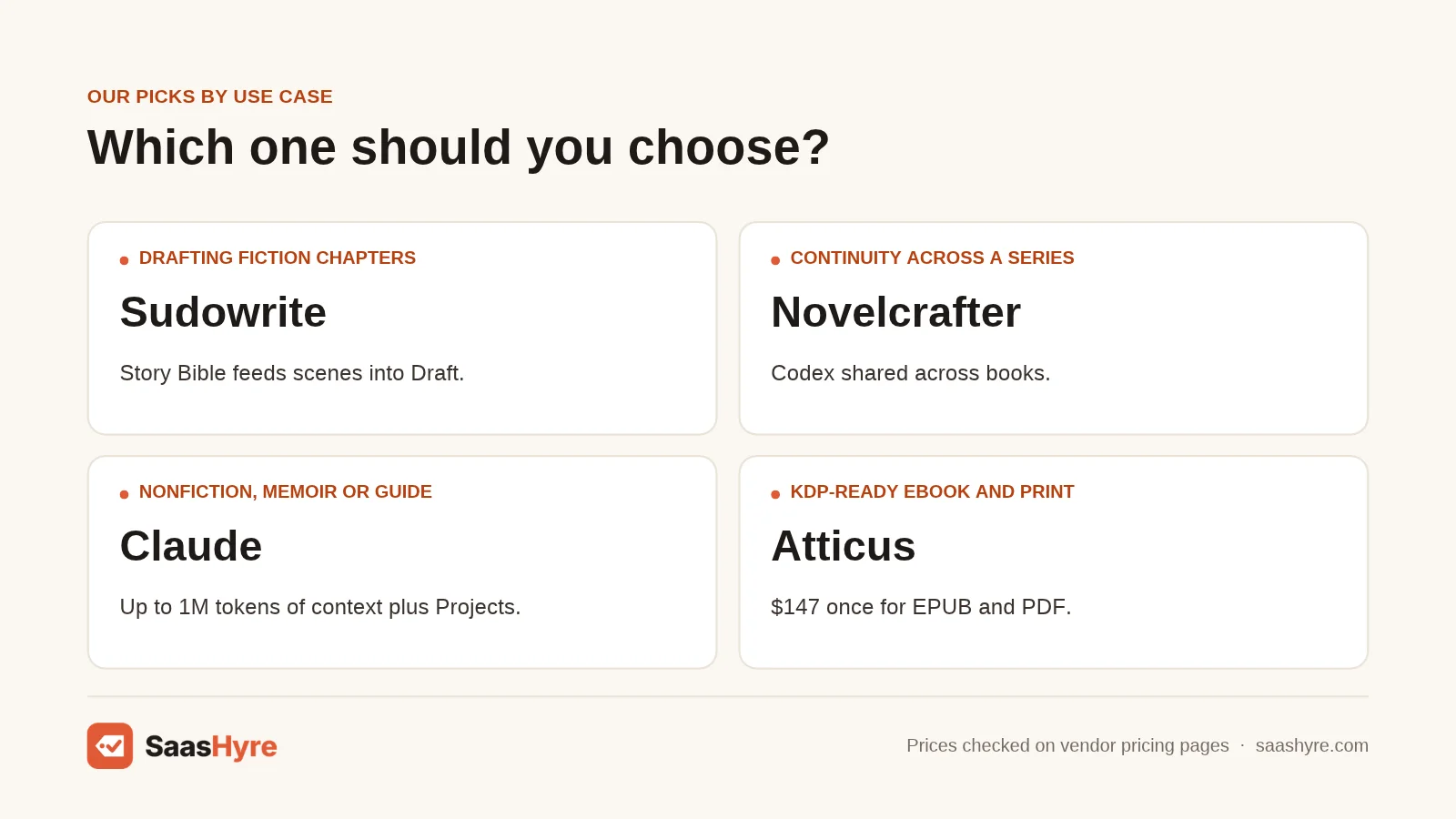
Pick by the stage where you get stuck, not by the longest feature list. Fiction writers who stall at drafting should start with Sudowrite. Series writers who lose track of facts need Novelcrafter. Nonfiction writers who struggle with structure do best with Claude.
| If you need… | Pick | Why |
|---|---|---|
| Help drafting fiction chapters | Sudowrite | Story Bible feeds outline and scenes into Draft |
| Continuity across a series | Novelcrafter | Codex shared across books; choose your own model |
| A nonfiction book, memoir, or guide | Claude | Up to 1M tokens of context plus Projects |
| A full draft as fast as possible | Squibler | Generates a 200 to 300 page book, exports PDF and DOCX |
| The cheapest paid planning help | ChatGPT Go | $8 a month with Projects |
| A self-edit before a human editor | ProWritingAid | No word limit on paid plans, chapter critiques |
| A big-picture critique | Marlowe | $29.95 developmental report, never rewrites |
| KDP-ready ebook and print files | Atticus | $147 once for EPUB and PDF |
How Do You Choose AI Book Writing Software?
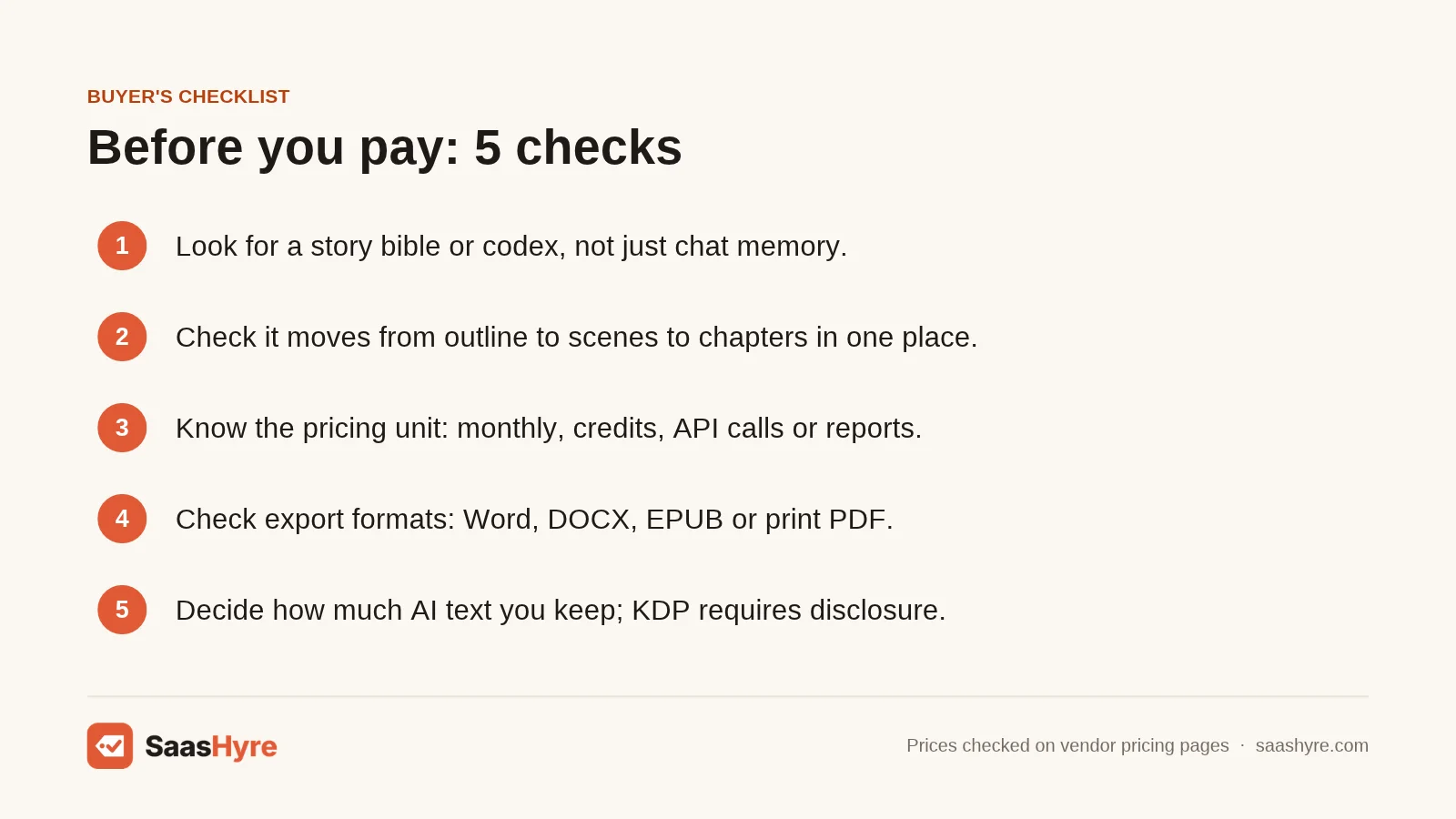
Choose AI book writing software by checking five things: how it remembers your story, how it moves from outline to manuscript, how it bills, how it exports, and how much of the writing stays yours. Test each one during a free trial, because a weak spot can stall a book halfway.
- Memory across chapters. Look for a story bible or codex, not just chat memory. Example: add a character trait in the bible, then draft chapter 10 and see if it sticks.
- Outline to manuscript. The best tools turn your outline into scenes, then chapters, in one place. Example: Sudowrite chains Synopsis to Outline to Scenes to Draft.
- The pricing unit. Know whether you pay per month, per credit, per API call, or per report. Example: a premium model in Sudowrite can cost over 100 times more credits than a light model for the same 200 words.
- Export and formatting. Check what file you get at the end. Example: Novelcrafter exports Word and Markdown, Squibler exports PDF and DOCX, and Atticus makes EPUB and print PDF for KDP.
- Rights and disclosure. Decide how much AI text you will keep. Example: if AI writes your chapters, KDP requires disclosure even after heavy edits. If you write and AI only edits, it counts as AI-assisted.
- Privacy. Read the training policy. Example: Sudowrite says it does not train on your writing, and Novelcrafter can run a local model.
Planning an audiobook later? My guide to AI voice generators for narration covers that step.
How We Researched This Guide
On November 1, 2026, I checked each tool’s official pricing page and help docs for plan names, prices, billing periods, credit limits, context windows, story bible features, and export formats. I read Amazon’s KDP content guidelines on AI, a law firm summary of the U.S. Copyright Office’s January 2025 report, a BookBub author survey, and news coverage from Publishers Weekly, Decrypt, and Tom’s Guide.
I also reviewed 7 competing guides that rank for this topic. Most skipped KDP disclosure, export formats, and what a credit buys. Those gaps shaped this guide.
I could not confirm Sudowrite’s Professional credit total (its pages differ), how many Squibler credits a full book uses, Novelcrafter’s annual dollar prices, or a Marlowe word limit. OpenAI’s pricing page did not show the Go price, so it comes from OpenAI’s announcement.
We did not test these tools ourselves. Read our editorial policy to learn how we pick and review tools.
Prices last checked: November 1, 2026.
The Bottom Line
The best AI book writing software is the one that gets you to “The End.” For fiction, start with Sudowrite. For a series, or if you want to pick your own model, use Novelcrafter. For nonfiction, use Claude. If speed matters most, try Squibler, and plan to rewrite in your voice.
Then self-edit in ProWritingAid, get a Marlowe report for structure, and format in Atticus. Disclose any AI-generated text on KDP.
Your next step: start the free trial for your top pick and draft one full chapter from your outline. For other writing jobs, like blogs or marketing copy, see my ranking of the best AI writing tools.
Frequently Asked Questions
What is the best AI for writing a book?
Sudowrite is the best AI for writing a fiction book, because its Story Bible carries your plan into every chapter. Claude is the best AI for writing a nonfiction book, thanks to a context window of up to 1M tokens. Novelcrafter is the best choice for series writers who want to pick their own AI model and keep one codex across books.
Can AI write an entire book for you?
Yes, tools like Squibler say they can generate a full 200 to 300 page book. But a fully AI-written book must be disclosed on Amazon KDP, and the U.S. Copyright Office says prompts alone do not make you the author. Most authors get better results using AI to plan, draft scenes, and edit, then rewriting in their own voice.
Can I publish an AI-written book on Amazon KDP?
Yes, you can publish it, but you must tell Amazon about AI-generated text, images, or translations when you publish or republish. This applies even after heavy edits. If you wrote the content and used AI only to brainstorm, edit, or error-check, KDP calls it AI-assisted and does not require disclosure.
Is there free AI book writing software?
Yes, but free plans are limited. Squibler’s free plan includes 1,000 AI credits a month. Claude and ChatGPT have free plans with usage caps. ProWritingAid’s free plan checks 500 words at a time. Sudowrite and Novelcrafter offer free trials with no card, and Novelcrafter’s trial runs 21 days.
Can you copyright a book written with AI?
You can copyright the parts you write and your creative selection and arrangement of material. In January 2025, the U.S. Copyright Office said purely AI-generated text from a prompt is not protected. So a book you write and edit with AI help is far safer than one AI drafted on its own. Talk to a lawyer for specific cases.