

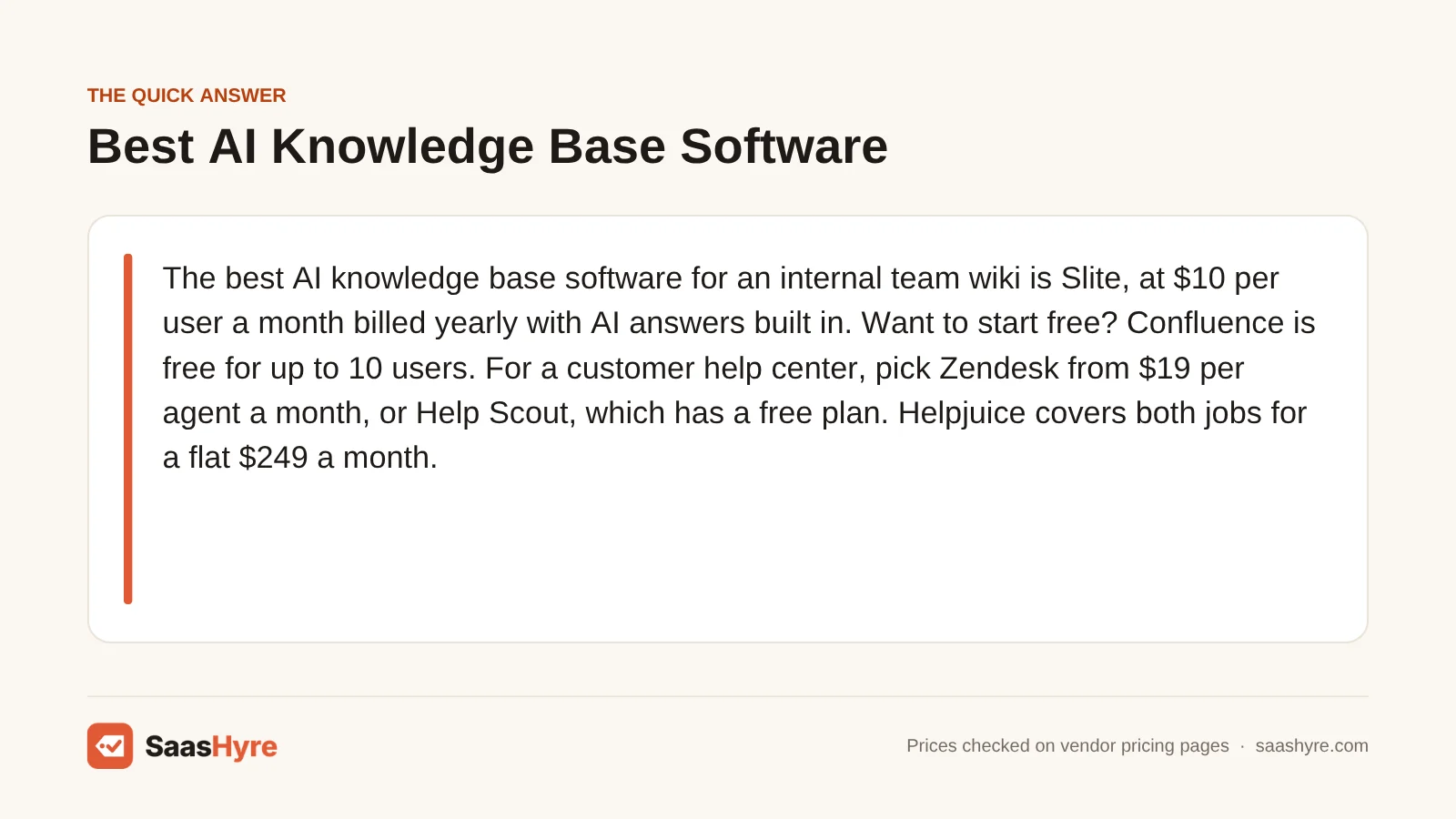
The best AI knowledge base software for an internal team wiki is Slite, at $10 per user a month billed yearly with AI answers built in. Want to start free? Confluence is free for up to 10 users. For a customer help center, pick Zendesk from $19 per agent a month, or Help Scout, which has a free plan. Helpjuice covers both jobs for a flat $249 a month.
Before you compare tools, decide who will read your articles. A wiki for your team and a help center for your customers are two different products. They are priced differently too. Wikis charge for every person who reads. Help centers charge only for the staff who write and answer tickets.
I pulled every price from each vendor’s own pricing page in October 2026. Where a vendor hides its price, I say so. Prices change, so check before you pay.
Building a full stack? Our small business software guide shows the best pick for every job and what it costs.
Quick Comparison: 9 Knowledge Base Tools and Their Real Prices
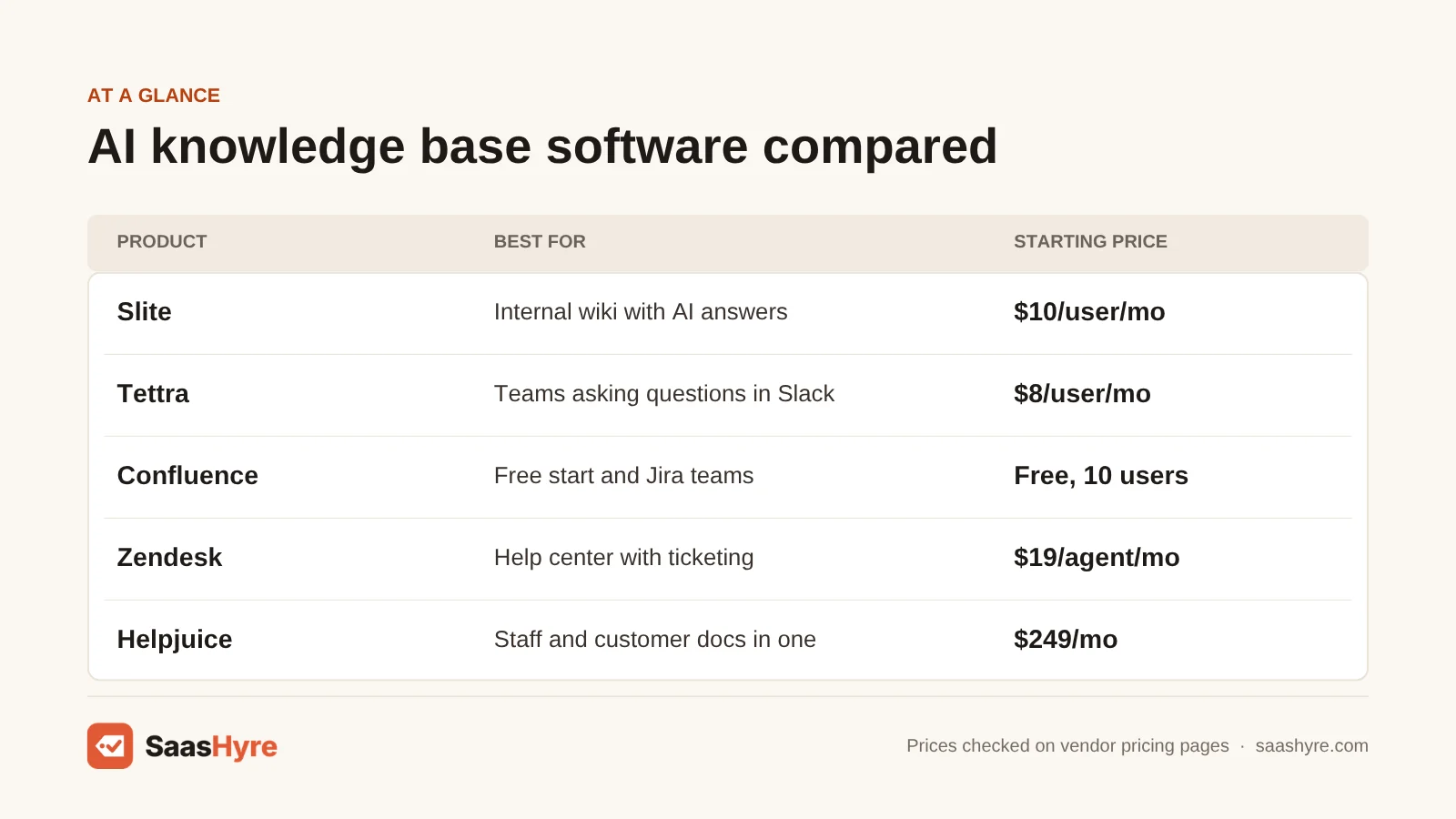
| Tool | Best for | Starting price | Billing model | Free plan or trial |
|---|---|---|---|---|
| Slite | Internal wiki with AI answers | $10/user/mo, billed yearly | Per user | 14-day trial |
| Tettra | Teams that ask questions in Slack | $8/user/mo, 10-user minimum | Per user | 30-day trial |
| Notion | Wiki plus docs and projects | $10/member/mo (Plus) | Per member | Free plan |
| Confluence | Free start and Jira teams | Free for up to 10 users | Per user, volume pricing | Free plan |
| Guru | AI answers across your apps | Not published | Custom quote | None listed |
| Zendesk | Help center with ticketing | $19/agent/mo, billed yearly | Per agent, AI per resolution | 14-day trial |
| Help Scout | Free customer help center | Free, then $25/user/mo | Per user, AI per resolution | Free plan |
| Helpjuice | Staff and customer docs in one | $249/mo for 30 users | Flat monthly fee | 14-day trial |
| Scribe | Step-by-step how-to guides | Free, then $13/seat/mo billed yearly | Per seat | Free plan |
What Is AI Knowledge Base Software?
AI knowledge base software stores your company’s answers in one place and uses AI to find them for you. You type a question in plain words. The tool reads your articles and writes an answer with a link to the source. Many tools also use AI to draft articles and flag pages that are out of date.
There are two kinds. An internal knowledge base, often called a wiki, is for your staff. It holds policies, how-to steps and onboarding docs. Slite, Tettra, Notion, Confluence and Guru are built for this job.
A customer knowledge base, often called a help center, is public. Your customers read it so they don’t have to email you. Zendesk and Help Scout are built for this, and both tie into a support inbox. Helpjuice can do either one. Scribe makes how-to guides for any of them.
What Makes the Best AI Knowledge Base Software?
The best AI knowledge base software gives right answers fast, keeps articles fresh, and has a price you can predict. Check five things. Who will read it, staff or customers? Is AI in the base price or charged per use? Does it flag old pages? Does it work in Slack or your help desk? And what will you pay when your team grows?
We compared each tool on those five points. Many top-ranking lists still print old prices. One popular list shows Guru at $25 a user and Tettra at $4 a user. Guru’s pricing page now shows no price at all, and Tettra lists $8 with a 10-user minimum.
Best Internal Knowledge Base Software for Small Teams
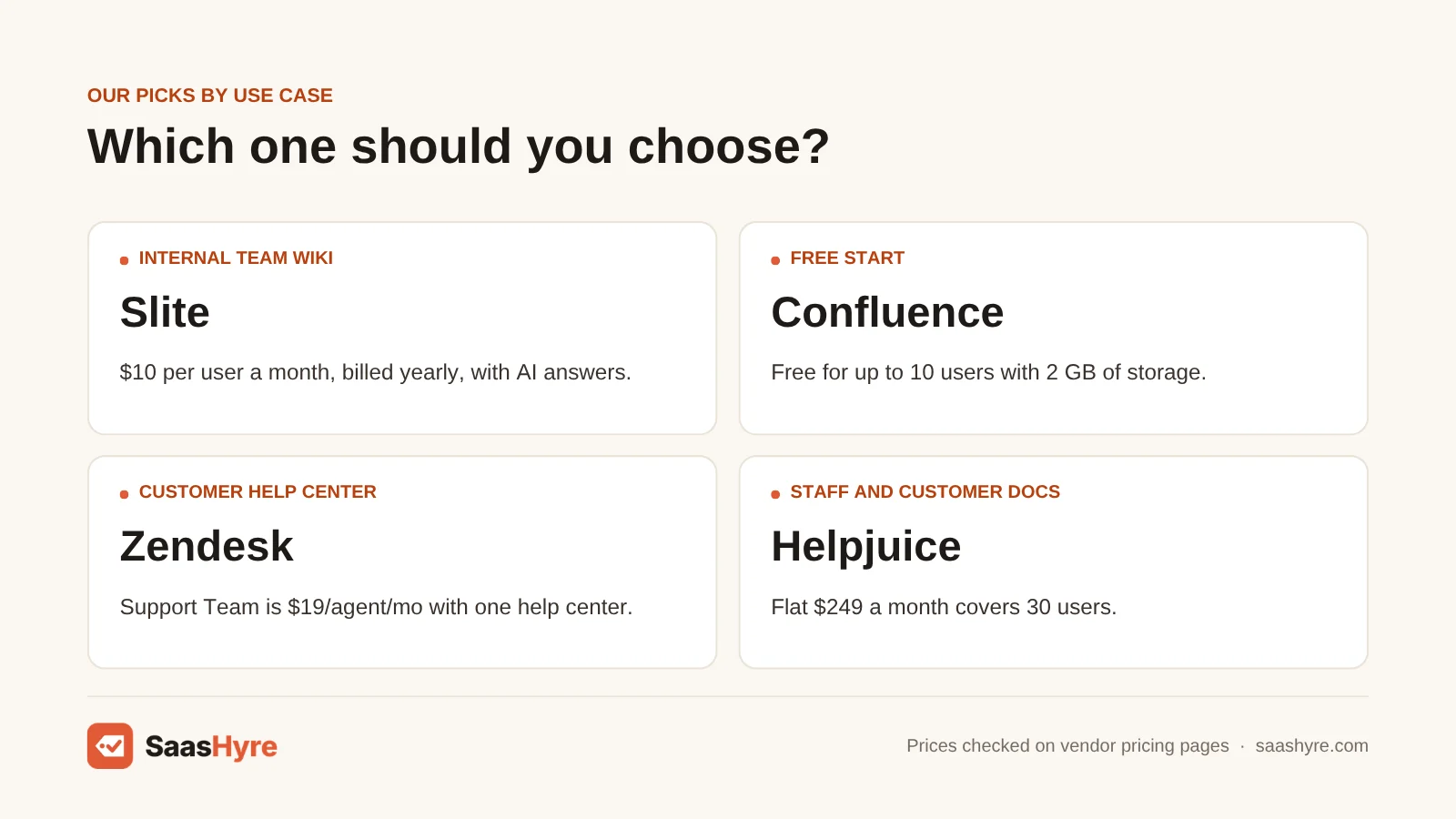
Slite is the best internal knowledge base for most small teams. It costs $10 per user a month billed yearly, and AI search and answers come with every plan. Tettra is the better pick if your team asks most of its questions in Slack. It lists at $8 per user a month with a 10-user minimum.
1 Slite: Best for AI answers
If you want a simple team wiki that answers questions, start here.
What it does well. Slite keeps your docs in one place and lets your team ask questions in plain words. AI search and answers are part of the Basic plan. You can mark docs as verified. A Knowledge Management Panel shows you which docs need care.
Key features:
- Unlimited docs
- AI search and answers
- Doc verification workflow
- MCP and API access
Pricing. Basic is $10 per user a month, billed yearly, with 30 AI questions per seat each month. Pro is $20 per user a month, billed yearly. Pro adds the Slite Agent, search across 12+ connected tools, 50 credits per seat each month and OpenID SSO. Enterprise is priced by quote. The page shows no monthly billing price and no free plan. You get a 14-day free trial with no card. See Slite pricing.
Best for: You, if you run a small team and want a wiki people will use without training.
Limitations. There is no free plan. The 30 AI questions per seat on Basic can run out fast. The pricing page does not say what one Pro credit buys, so ask before you upgrade.
2 Tettra: Best for Slack teams
If the same questions keep coming up in Slack, look at Tettra.
What it does well. Tettra puts an AI bot in Slack that answers from your wiki pages. It has a questions and answers feature too. It also reports which pages are stale and which have no owner.
Key features:
- AI bot in Slack
- Questions and answers
- Stale pages report
- Google Workspace integration
Pricing. The Scaling plan is listed at $8 per user a month with a 10-user minimum. So you pay at least $80 a month, even with a team of four. The page has a yearly option marked 20% off. I could not tell which billing period the $8 belongs to, so check the toggle before you buy. Enterprise is priced by quote. There is no free plan. You get a 30-day free trial. See Tettra pricing.
Best for: You, if your team has 10 or more people and Slack is where questions get asked.
Limitations. The 10-user minimum makes it a poor deal for very small teams. It is built around Slack, so check its support for other chat apps first.
Best Knowledge Base Software for All-in-One Workspaces
Notion is the best pick if you want your wiki, docs and project boards in one tool. Plus lists at $10 per member a month, but full AI starts on Business at $20. Confluence is the best free start. It costs nothing for up to 10 users and fits teams that already use Jira.
3 Notion: Best all-in-one wiki
If you want notes, plans and a wiki in one tool, pick Notion.
What it does well. Notion lets anyone build a page by dragging blocks around. You can mark wiki pages as verified. Synced Blocks let you edit text once and have it update everywhere. On Business, Notion AI adds an agent, meeting notes and search.
Key features:
- Page verification
- Synced Blocks
- Notion Agent on Business
- AI Meeting Notes on Business
Pricing. The Free plan caps file uploads at 5MB, keeps 7 days of page history and allows 10 guests. Teams of two or more get a limited number of blocks on Free. Plus is listed at $10 per member a month and Business at $20. Notion says you save up to 20% with yearly billing, so check which toggle is on. Enterprise is priced by quote. Free and Plus only include a trial of Notion AI. Custom Agents are free to try, then cost $10 per 1,000 Notion credits a month. See Notion pricing.
Best for: You, if you want one flexible tool and you are fine paying $20 a member for AI.
Limitations. Full AI is not on the $10 plan. Notion starts as a blank page, so a wiki can get messy without someone in charge.
4 Confluence: Best free start
If you have 10 people or fewer, or you use Jira, try Confluence first.
What it does well. Confluence is Atlassian’s team wiki. Pages are grouped in spaces, and it comes with whiteboards, databases and templates. Paid plans include Atlassian’s AI features, including Rovo. The free plan gives you unlimited spaces and pages.
Key features:
- Unlimited spaces and pages
- Whiteboards and databases
- Ready-made templates
- Rovo AI on paid plans
Pricing. The Free plan covers up to 10 users with 2 GB of file storage. You can’t set custom permissions on it. Standard adds 250 GB of storage and AI features. Premium adds unlimited storage, analytics, automation and 24/7 support. New customers get a 7-day free trial of Standard. But I could not confirm a per-user price for the paid plans. Atlassian’s pricing page loads them through a calculator, and the rate drops as you add seats. Other reviews quote different numbers, so I am not repeating any of them. See Confluence pricing.
Best for: You, if you want a free wiki for a small team or you already pay for Jira.
Limitations. AI is not part of the Free plan. You need the calculator to get your real price. It takes longer to learn than Slite or Tettra.
Best AI Knowledge Base Software for Many Apps
Guru is the best pick if your answers are spread across many apps. It gives AI answers with citations in Slack, Teams and your browser. It also respects who is allowed to see what. Guru does not publish prices, so you need a sales call to get a quote.
5 Guru: Best for cited answers
If your team hunts through five apps for one answer, call Guru.
What it does well. Guru answers questions where your team already works, like Slack, Teams and Chrome. Each answer comes with a citation so you can check the source. Its Knowledge Agents can verify info for you. Answers are scoped by role.
Key features:
- AI answers with citations
- Knowledge Agents
- Permission-aware answers
- MCP support
Pricing. Guru’s price is not published. Its pricing page says cost depends on your company’s size, and you have to talk to sales. The page lists no free plan and no free trial. Nonprofits with 501(c)(3) status can get reduced pricing. If you see a per-user Guru price on another site, treat it as out of date. See Guru pricing.
Best for: You, if you have a larger team, many apps and the budget for a custom deal.
Limitations. With no public price, you can’t compare it to Slite or Notion without a sales call.
Best Customer Help Center Software
Zendesk is the best customer help center if you also need ticketing. Support Team starts at $19 per agent a month billed yearly and includes one help center. Help Scout is the best free pick. Its Free plan covers up to 5 users and one Docs site. Both charge extra for AI answers, priced per resolution.
6 Zendesk: Best with ticketing
If you need tickets and a public help center together, pick Zendesk.
What it does well. Zendesk’s help center comes with its support plans, so your articles and tickets work together. Its Knowledge Builder can draft a help center from your past tickets. Help center search can turn a question into a short answer.
Key features:
- Knowledge Builder
- Instant answers in search
- Knowledge connectors
- AI agents that use your articles
Pricing. Support Team is $19 per agent a month billed yearly, or $25 billed monthly. It includes one help center. Suite Team is $55 billed yearly, or $69 monthly. Suite Professional is $115 billed yearly, or $149 monthly. Both Suite plans allow up to 5 help centers. AI costs extra. Copilot is $50 per agent a month on yearly billing. AI agents are charged per automated resolution, at $1.50 if you commit ahead or $2.00 pay-as-you-go. You get a 14-day free trial. See Zendesk pricing.
Best for: You, if you run a support team and want your help center tied to your tickets.
Limitations. You are buying a help desk, not a standalone knowledge base. Copilot alone costs more than a Support Team seat. There is no free plan.
7 Help Scout: Best free help center
If you want a public help site without a bill, start here.
What it does well. Help Scout’s knowledge base is called Docs. You can publish a help center without a developer. Its Beacon widget shows your articles on your site or in your app. A Docs Report tells you what customers search for and can’t find.
Key features:
- Docs help center
- Beacon widget
- Public or restricted access
- Docs Report
Pricing. The Free plan covers up to 5 users, 1 inbox and 1 Docs site. Standard is listed at $25 per user a month with 2 Docs sites. Plus is $45 with 3 Docs sites and unlimited AI Drafts. Pro is $75 with 5 Docs sites. The page shows 16% off for annual billing. I could not confirm which billing period the listed prices use, so check the toggle. AI Answers costs $0.75 per resolution, and new accounts get it free for 3 months. Standard and Plus have a 15-day trial with no card. See Help Scout pricing.
Best for: You, if you have a small support team and want a free or low-cost help center.
Limitations. Like Zendesk, it is a help desk first. The Free plan stops at 5 users and one Docs site.
Best Knowledge Base Software for Both Staff and Customers
Helpjuice is the best pick if you want one tool for internal docs and a customer help center. It charges a flat fee instead of per seat. The base plan is $249 a month for 30 users. AI starts on the $449 plan, which covers 100 users. Every plan has a 14-day free trial.
8 Helpjuice: Best flat-fee option
If you want a knowledge base with no help desk, look here.
What it does well. Helpjuice is a standalone knowledge base. You can restrict content by user or group, or make it public. It supports many languages and keeps old versions of each article. The flat fee means you don’t count seats.
Key features:
- Unlimited articles
- Full design customization
- Localization and version control
- AI Writer, Search and Chatbot
Pricing. The base plan is $249 a month for 30 users and 12GB of storage. It does not include AI. The AI-Knowledge Base plan is $449 a month for 100 users and 24GB. The Unlimited plan is $799 a month for unlimited users and 38GB. The page shows no yearly price. You get a 14-day free trial with no card. Helpjuice advertises a 100% money back guarantee, but the page does not list the terms. See Helpjuice pricing.
Best for: You, if 25 or more people need access and you want a bill that does not grow with each hire.
Limitations. It costs a lot for a small team. Five people still pay $249 a month. There is no free plan. And AI costs $200 more each month.
Best Tool for Step-by-Step How-To Guides
Scribe is the best pick for making how-to guides fast. It records your clicks and turns them into a step-by-step guide with screenshots. The Basic plan is free for web apps. Pro Team is $13 per seat a month on yearly billing, starting at 5 seats.
9 Scribe: Best for process guides
If writing how-to articles slows you down, Scribe speeds it up.
What it does well. You turn Scribe on and do the task. It captures each step and writes the guide for you. You can share the guide with a link or embed it. Paid plans add your brand, screenshot redaction and export to PDF, HTML or Markdown.
Key features:
- Auto-captured guides
- Share by link or embed
- Desktop app on Pro
- Screenshot redaction on Pro
Pricing. Basic is free and works with web apps. Pro Personal is $35 per seat a month billed monthly, or $25 billed yearly. Pro Team is $17 per seat a month billed monthly, or $13 billed yearly, and it starts at 5 seats. Enterprise is priced by quote and adds SSO. See Scribe pricing.
Best for: You, if you need to document lots of software steps for staff or customers.
Limitations. Scribe is not a full knowledge base. You will still want a wiki or help center to hold the guides. The free plan only captures web apps.
Tools We Left Out, and Why
- Document360. It is well known for product docs. But its pricing page shows no price for any plan and asks you to request a quote. Helpjuice and Help Scout publish theirs.
- Glean. It searches across company apps, like Guru does. The lists we read found no public price for it.
- ChatGPT and other chatbots. You can upload files and ask questions. But a chatbot does not give you page owners, review dates or a public help site.
What 10 Seats and 30 Seats Cost in a Year
Ten seats for a year cost $0 on Confluence Free, $960 on Tettra, $1,200 on Slite Basic or Notion Plus, and $2,988 on Helpjuice. At 30 seats, Helpjuice still costs $2,988. Slite Basic and Notion Plus rise to $3,600, and Zendesk Suite Team reaches $19,800.
This math is the listed monthly price times seats times 12. It leaves out taxes, AI add-ons and discounts. Also, wikis need a seat for every reader. Zendesk and Help Scout only need seats for support staff.
| Tool and plan | Listed price | 10 seats for a year | 30 seats for a year |
|---|---|---|---|
| Confluence Free | $0, up to 10 users | $0 | Not allowed |
| Tettra Scaling | $8/user/mo | $960 | $2,880 |
| Slite Basic | $10/user/mo | $1,200 | $3,600 |
| Notion Plus | $10/member/mo | $1,200 | $3,600 |
| Scribe Pro Team | $13/seat/mo | $1,560 | $4,680 |
| Zendesk Support Team | $19/agent/mo | $2,280 | $6,840 |
| Helpjuice | $249/mo flat | $2,988 | $2,988 |
| Help Scout Standard | $25/user/mo | $3,000 | $9,000 |
| Zendesk Suite Team | $55/agent/mo | $6,600 | $19,800 |
Here is my tip. At $10 a seat, 25 seats cost $250 a month. That is about the same as Helpjuice’s $249. Below 25 people, a per-seat wiki like Slite is cheaper. Above it, the flat fee wins.
How to Choose Knowledge Base Software Without Overpaying
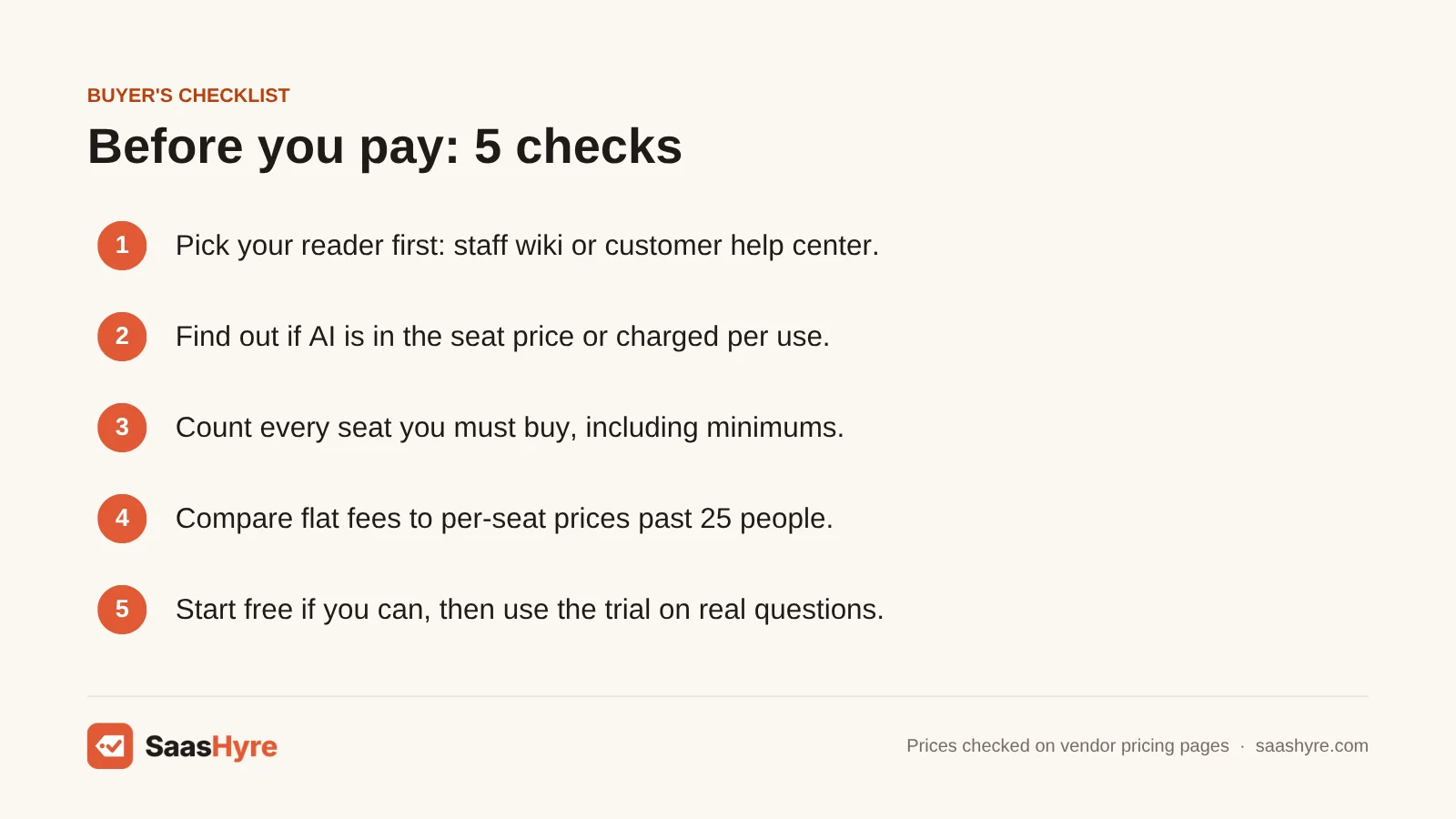
- Pick your reader first. If staff will read it, shop for a wiki. If customers will read it, shop for a help center.
- Find out how AI is charged. Slite and Tettra include AI answers in the seat price. Notion keeps full AI for the $20 plan. Zendesk and Help Scout charge per resolution.
- Count every seat you must buy. Wikis charge for readers too. Tettra bills for at least 10 users, and Scribe Pro Team starts at 5 seats.
- Compare flat fees to per-seat prices. Helpjuice at $249 a month beats a $10 seat once you pass about 25 people.
- Start free if you can. Confluence is free for up to 10 users. Help Scout is free for up to 5 users with one Docs site.
- Use the trial on real questions. Load real docs and ask what your team asks each week. Slite gives you 14 days and Tettra gives you 30.
How We Evaluated These Tools
We compared each tool using its own pricing page, product pages and help docs, checked in October 2026. We also read the top-ranking lists to find stale prices and gaps. We looked at starting price, billing model, seat minimums, free plans, trials and how AI is charged. We did not run our own hands-on or accuracy tests, and feature claims come from the vendors. No vendor pays to be listed. Read our editorial policy to learn more.
Keep comparing: SaaS guides · AI Onboarding Software · Best HR Chatbots
The Bottom Line
Want a simple internal wiki with AI answers? Get Slite at $10 per user a month billed yearly. If you have 10 people or fewer, try Confluence for free first. Pick Tettra if your team asks its questions in Slack, and Notion if you want docs and projects in the same tool. Call Guru if you need answers pulled from many apps and can wait for a quote. For a customer help center, use Zendesk with ticketing or start free with Help Scout. Go with Helpjuice once 25 or more people need access. Add Scribe when you need how-to guides made fast. Record team calls too? See the best AI meeting assistants.
Want a second opinion? Our best AI field service management software guide takes a different angle, and our DocuSign alternatives and best AI procurement software guides cover what is left.
Frequently Asked Questions
What is the best AI knowledge base software?
For an internal team wiki, Slite is the best pick for most small teams. It costs $10 per user a month billed yearly and includes AI answers. For a customer help center, Zendesk is the best pick if you need ticketing, from $19 per agent a month. Help Scout is the best free option.
What is the best free knowledge base software?
Confluence is the best free internal wiki. Its Free plan covers up to 10 users with 2 GB of storage and unlimited pages. Help Scout is the best free customer help center, with up to 5 users and one Docs site.
How much does knowledge base software cost?
The internal wikis on this list run $8 to $20 per user a month. Slite is $10 or $20 billed yearly, and Tettra lists at $8 with a 10-user minimum. Zendesk costs $19 to $115 per agent on yearly billing. Helpjuice charges a flat $249 to $799 a month. Guru and Document360 don’t publish prices.
What is the difference between an internal and an external knowledge base?
An internal knowledge base is a private wiki for your staff. An external knowledge base is a public help center your customers read. Internal tools charge for every reader. Help center tools charge only for the staff who write articles and answer tickets.
Is Notion good as a knowledge base?
Yes, if you also want docs and project boards in the same tool. Notion lets you verify wiki pages and reuse text with Synced Blocks. Plus lists at $10 per member a month. But Free and Plus only include a trial of Notion AI. Full AI starts on Business at $20.
Is Confluence free?
Yes, for small teams. The Confluence Free plan covers up to 10 users with 2 GB of file storage and unlimited spaces and pages. You can’t set custom permissions on it, and Atlassian’s AI features start on the paid Standard plan. New customers get a 7-day free trial of Standard.
Does AI cost extra in knowledge base software?
Often, yes. Slite and Tettra include AI answers in the seat price. Notion keeps full AI for its $20 Business plan. Helpjuice adds AI on its $449 plan. Zendesk charges $1.50 to $2.00 per automated resolution, and Help Scout’s AI Answers costs $0.75 per resolution.