

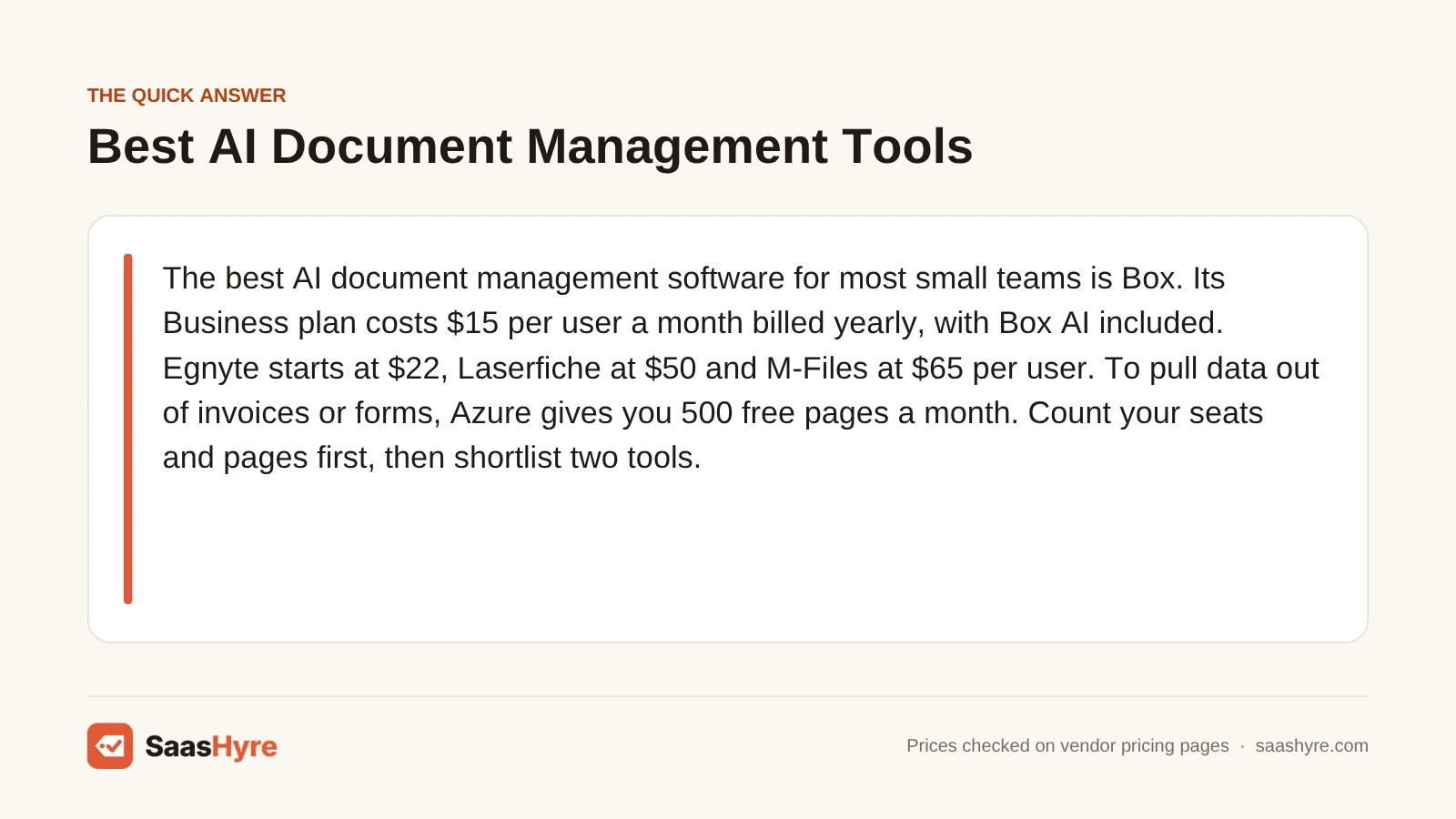
TL;DR: The best AI document management software for most small teams is Box. Its Business plan costs $15 per user a month billed yearly, with Box AI included. Egnyte starts at $22, Laserfiche at $50 and M-Files at $65 per user. To pull data out of invoices or forms, Azure gives you 500 free pages a month. Count your seats and pages first, then shortlist two tools.
Shopping for AI document management software gets confusing fast. One list sends you to a file storage app. The next sends you to a tool that only developers can set up. Both get the same label.
The paper problem is real. In a survey of more than 600 companies, AIIM found that 61% of business processes still include paper. Almost half of those companies said their paper use is growing.
People already lean on AI to dig through information. The US Census Bureau reports that about 56% of US workers have used AI on the job. Searching for information was the most common use, at 37%.
So the real question is which tool fits your files and your budget. This guide covers eight picks. I pulled every price from the vendor’s own page on October 2, 2026.
Some vendors publish clear prices. One sells by quote only. I’ll tell you which is which, and what a team of 3, 5 or 20 pays in a year.
Building a full stack? Our small business software guide shows the best pick for every job and what it costs.
What Is the Best AI Document Management Software in 2026?
The best AI document management software for most small teams is Box. The Box Business plan costs $15 per user a month billed yearly and includes Box AI. Egnyte starts at $22 per user, Laserfiche at $50 and M-Files at $65. To pull data from invoices or forms, Azure AI Document Intelligence gives you 500 free pages a month.
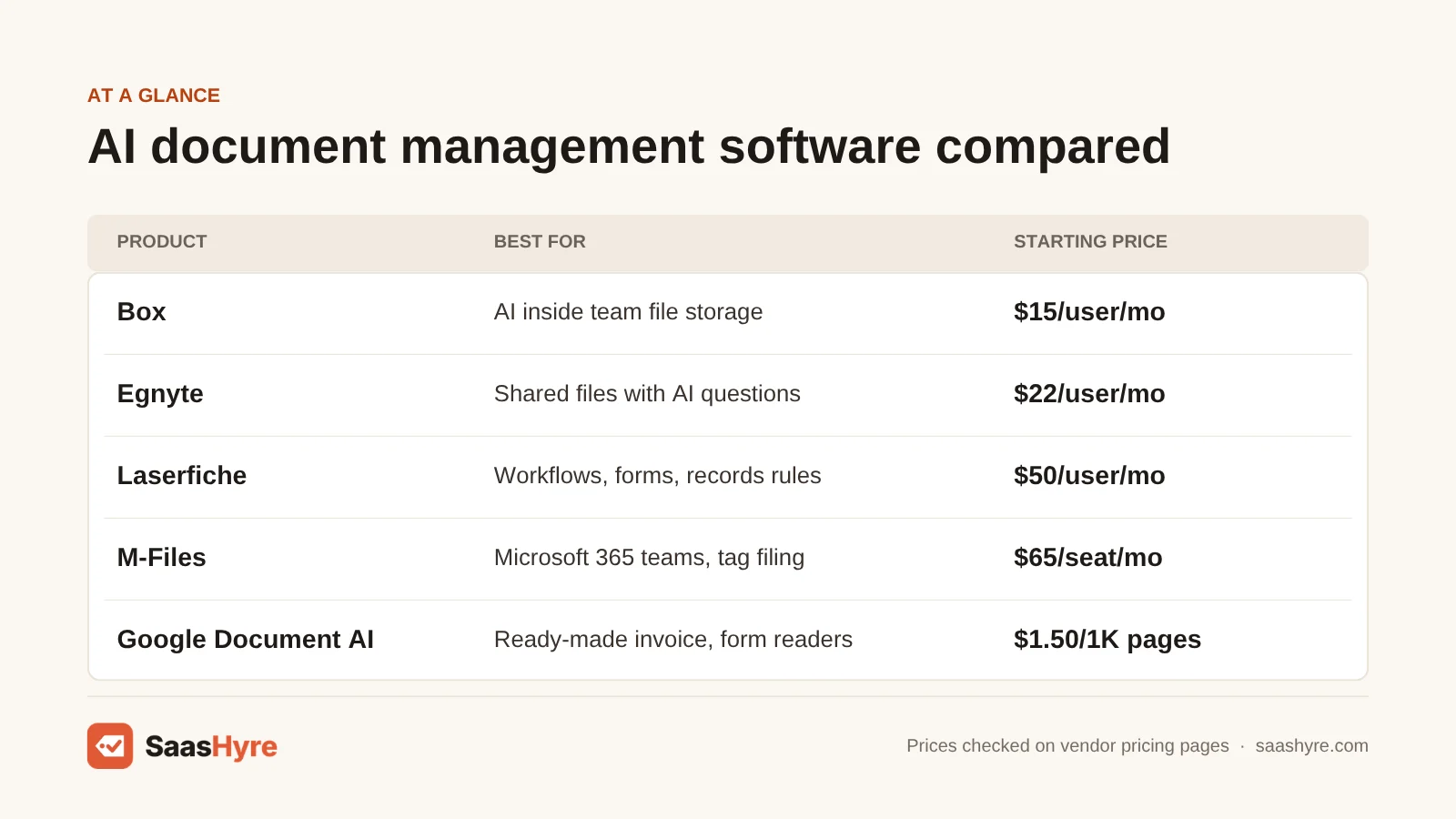
Here are all eight picks side by side. Every price is a regular list price, not a promo.
| Tool | Best for | Starting price | Free plan or trial |
|---|---|---|---|
| Box | Small teams that want AI in their file storage | $15/user/mo billed yearly, 3-user minimum | Free trial, length not stated |
| Egnyte | Shared company files with AI questions | $22/user/mo paid annually | Free trial, length not stated |
| Laserfiche | Workflows, forms and records rules | $50/user/mo, or $540/user/year | Demo only |
| M-Files | Microsoft 365 teams that file by tags | $65/seat/mo | Demo only |
| DocuWare | Paper-heavy offices that want full service | Quote only | Demo, trial terms not stated |
| Azure AI Document Intelligence | Free start for data extraction | $1.50 per 1,000 pages | 500 free pages a month |
| Google Document AI | Ready-made invoice and form readers | $1.50 per 1,000 pages | $300 credit for new customers |
| Rossum | High-volume invoice automation | From $18,000 a year | 14-day free trial |
Two names from older lists are missing. ABBYY Vantage and Hyperscience show no price on their sites, so I left them out.
How Does AI Help You Manage Documents?
AI helps you manage documents in four ways. It reads each file, tags it so you can find it later, answers your questions about what the file says, and pulls out key data such as invoice totals or contract dates. Some tools do all four inside a file system. Others only read and extract.
There are two kinds of tool here, and they are priced in different ways.
Store-and-find tools. Box, Egnyte, Laserfiche, M-Files and DocuWare keep your files in one place. They add AI search, summaries, tagging and approval steps on top. You pay per user.
Read-and-extract tools. Azure AI Document Intelligence, Google Document AI and Rossum read a file and hand back the data inside it. The industry calls this intelligent document processing, or IDP. That means software that turns scans and PDFs into usable data. You pay per page or per year.
The second group is growing fast. One research firm expects the IDP market to grow from $13.33 billion in 2026 to $88.91 billion by 2034.
Which group do you need? If you can’t find files, start with the first group. If you retype numbers from files into other apps, start with the second. If your team mostly needs answers from how-to articles, look at AI knowledge base software instead.
The 8 Best AI Document Management Software Tools, Reviewed
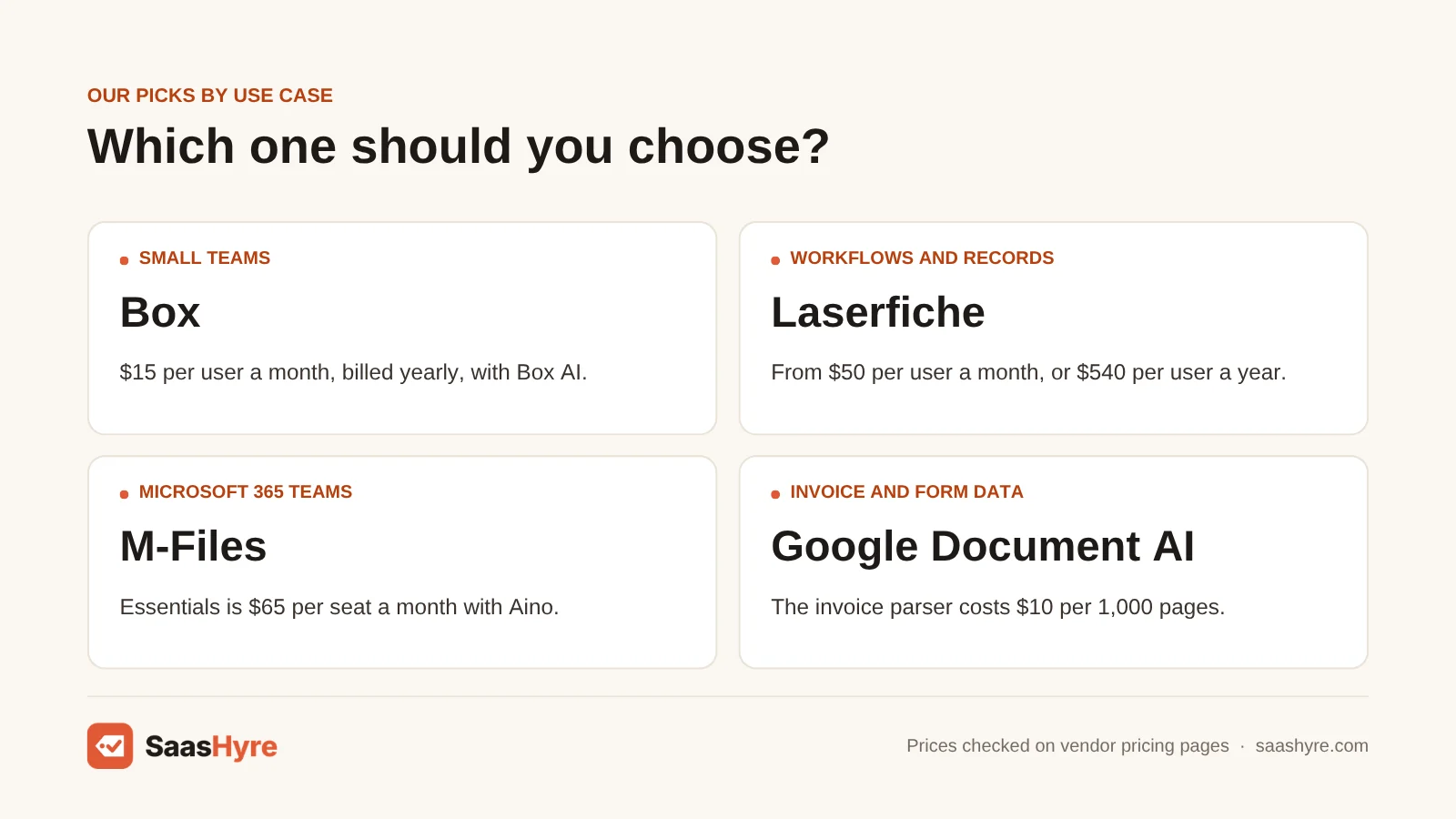
The first five picks store and organize your files. The last three read files and pull out data.
1 Box: Best for small teams that want AI in their file storage
If you want one place for your files with AI included, start here.
What it does well. Box puts AI right next to your files. You can ask a question about a lease or a report and get a short answer. Box says its AI gives instant summaries of long files such as leases and financial reports. Box Hubs, on Enterprise, lets you ask questions across a whole set of files.
Key features:
- Box AI on the Business plan and up
- Unlimited storage on Business
- Unlimited e-sign requests on Business
- Custom AI agents on Enterprise Advanced
Pricing. Business costs $15 per user a month billed yearly, or $20 billed monthly. Business Plus is $25 yearly or $33 monthly. Enterprise is $35 or $47 and adds 1,000 AI Units a month, and every business plan needs at least 3 users. See Box pricing.
Best for: You, if you run a small team and want AI answers without a long setup project.
Limitations. The cheapest plan, Business Starter, lists no Box AI. Heavy AI use is counted in AI Units, and extra units cost more. If you need more signing features than Box includes, compare these DocuSign alternatives.
2 Egnyte: Best for shared company files with AI questions
If your team works from shared company folders, Egnyte is worth a look.
What it does well. Egnyte lets you ask AI questions about a single file even on its lowest plan. Elite adds more. Egnyte describes an AI Assistant that answers questions and summarizes documents. Its AI Search can find images by their details and turn audio and video into text.
Key features:
- Single-document AI Q&A on Business
- AI Assistant, AI Search and AI Workflows on Elite
- E-signature and PDF markup on Elite
- Document type sorting on Ultimate
Pricing. Business is $22 per user a month, paid annually. Enterprise Lite is $39 and Elite is $48, both paid annually. Ultimate is quote only, and the page shows no monthly billing price. See Egnyte pricing.
Best for: You, if you have up to 100 people sharing folders and want to ask questions about single files.
Limitations. The Business plan is capped at 100 users. The AI that works across many files starts on Elite, which costs more than twice as much. Add-ons such as Snapshot and Recovery cost $10 per user a month on top.
3 Laserfiche: Best for workflows, forms and records rules
If your documents have to move through approval steps, look at Laserfiche.
What it does well. Laserfiche goes past storage. The Professional plan adds workflow automation, forms and auto-filing by document type. A feature called Smart Invoice Capture reads invoice data on its own. The Business plan adds records rules, such as how long to keep each file.
Key features:
- Full-text search and custom tags on Starter
- Auto-classify and auto-file on Professional
- Smart Invoice Capture on Professional
- Records and retention rules on Business
Pricing. Starter is $50 per user a month, or $540 per user a year. Professional is $69 a month or $710 a year. Business is $79 a month or $830 a year, and Enterprise is custom. See Laserfiche pricing.
Best for: You, if you need approvals, forms and record-keeping rules in the same tool as your files.
Limitations. Starter has no workflow tools and no auto-filing. Professional needs at least 5 users and Business needs 25. The listed prices leave out professional services and setup fees.
4 M-Files: Best for Microsoft 365 teams that file by tags
If your team works in Microsoft 365 all day, M-Files fits how you already work.
What it does well. M-Files organizes files by what they are, not by which folder they are in. Its assistant, M-Files Aino, comes with the Essentials plan for everyday help. The plan also includes visual workflows and version control.
Key features:
- M-Files Aino assistant on Essentials
- Works inside Microsoft 365 apps
- Automated graphical workflows
- Aino agents that tag and sort files on Enterprise
- Cloud or self-hosted setup
Pricing. Essentials is $65 per seat a month. M-Files says its plans are typically billed annually. Enterprise is custom, based on your size, compliance needs and AI usage. See M-Files pricing.
Best for: You, if your team works in Microsoft 365 and you want files sorted by client or project.
Limitations. At $65 a seat, M-Files has the highest starting price of the per-user picks. The AI agents that pull out tags and sort files are on Enterprise only. Sharing with outside clients is also listed under Enterprise.
5 DocuWare: Best for paper-heavy offices that want full service
If your office still runs on scans and paper invoices, DocuWare is built for that.
What it does well. DocuWare reads what you scan and files it for you. Its AI sorts documents that arrive by email or scanner, and it captures data such as tables and custom fields. DocuWare says it reads printed and handwritten text, even on low-quality scans. You can check the data before the file is stored.
Key features:
- AI sorting of scans and emails
- Data capture from tables and custom fields
- Printed and handwritten text reading
- Review step before a file is stored
Pricing. DocuWare is quote only and publishes no plan prices. In its own FAQ, DocuWare says its cloud product typically costs between $30 and $125 or more per user a month. The price depends on your users, storage and features. See DocuWare pricing guidance.
Best for: You, if you scan a lot of paper and want a sales rep to size the system for you.
Limitations. You can’t see your real price without talking to sales, and the range DocuWare gives is wide. Ask for a written quote that lists user types, storage and setup work.
6 Azure AI Document Intelligence: Best for a free start with data extraction
If you want to pull data from files and pay nothing to start, try Azure.
What it does well. Azure reads a file and returns the data inside it. Microsoft offers ready-made models for invoices, receipts, IDs and tax forms. Its Document Intelligence Studio lets you try those models in a browser without writing code.
Key features:
- 500 free pages a month
- Prebuilt models for invoices, receipts and IDs
- Custom models for your own forms
- No-code Studio for trying models
Pricing. The free tier covers 500 pages a month. After that, plain text reading costs $1.50 per 1,000 pages. Prebuilt models cost $10 per 1,000 pages and custom extraction costs $30, or you can commit to 20,000 prebuilt pages for $190 a month. See Azure AI Document Intelligence pricing.
Best for: You, if you have a developer or an IT partner and want to pay only for pages you process.
Limitations. Azure only reads your files and doesn’t store or organize them. Microsoft now lists the service under Azure Content Understanding. The free tier reads just the first two pages of each file and caps files at 4 MB. You’ll need someone technical to connect it to your other apps.
7 Google Document AI: Best for ready-made invoice and form readers
If you already use Google Cloud, Document AI is the natural pick.
What it does well. Google gives you a long menu of readers, which it calls processors. A processor is a model trained for one job. There is one for invoices, one for expenses, one for bank statements and one for pay slips. Google doesn’t charge for failed requests.
Key features:
- Pretrained invoice, expense and utility bill parsers
- Form Parser for tables and fields
- Custom extractor for your own document types
- Custom classifier and splitter
Pricing. Text reading (OCR) costs $1.50 per 1,000 pages. The invoice parser costs $0.10 for every 10 pages, which is $10 per 1,000, and the Form Parser and custom extractor cost $30 per 1,000. New customers get $300 in free credit. See Google Document AI pricing.
Best for: You, if your data is already in Google Cloud and you process invoices, forms or statements in bulk.
Limitations. Like Azure, Google reads files but doesn’t manage them. Document AI is not on Google’s always-free list. Custom models also carry a hosting fee of $0.05 an hour for each version you deploy. Google’s own example puts that at $438 a year.
8 Rossum: Best for high-volume invoice automation
If invoices and purchase orders flood your inbox every day, Rossum is built for that load.
What it does well. Rossum is a finished app, not a kit for developers. It takes in documents, reads them with its own AI and shows your team a screen to check the results. Rossum says its AI model supports 276 languages and handwriting. Higher plans connect to systems such as SAP and Oracle.
Key features:
- Unlimited seats on every plan
- Aurora Document AI for data capture
- Validation screen for human checks
- 12-month document archive on Starter
Pricing. Starter starts at $18,000 a year. Business, Enterprise and Ultimate are quote only. There is a 14-day free trial, and the minimum contract is one year. See Rossum pricing.
Best for: You, if a finance team handles thousands of invoices and the time saved covers the cost.
Limitations. The price rules out most small offices. Rossum is also not a general file system. If you only need to automate bills, compare cheaper AI accounts payable software first.
How Much Does AI Document Management Software Cost?
AI document management software costs $15 to $79 per user a month for tools that store your files, based on published prices from Box, Egnyte, Laserfiche and M-Files. Tools that pull data from files cost $1.50 to $30 per 1,000 pages on Azure and Google. Rossum starts at $18,000 a year. DocuWare is quote only.
The table below shows each plan both ways, monthly and yearly. Every figure is a regular list price. I found no promo prices on these pages.
| Plan | Monthly billing | Yearly billing (per month) | Yearly total | What you get and who it is for |
|---|---|---|---|---|
| Box Business | $20/user | $15/user | $180/user | Box AI, unlimited storage. Small teams of 3 or more. |
| Box Enterprise | $47/user | $35/user | $420/user | 1,000 AI Units a month and Box Hubs. |
| Egnyte Business | Not listed | $22/user | $264/user | Single-document AI Q&A. Up to 100 users. |
| Egnyte Elite | Not listed | $48/user | $576/user | AI Assistant, AI Search, AI Workflows. Teams that want AI across files. |
| Laserfiche Starter | $50/user | $45/user | $540/user | Storage, search and tags. Starts at 1 user. |
| Laserfiche Professional | $69/user | $59.17/user | $710/user | Workflows, forms, auto-filing, invoice capture. 5-user minimum. |
| Laserfiche Business | $79/user | $69.17/user | $830/user | Records and retention rules. 25-user minimum. |
| M-Files Essentials | Not listed | $65/seat | $780/seat | Aino assistant and workflows. Microsoft 365 teams. |
| DocuWare Cloud | Quote only | Quote only | Quote only | DocuWare says $30 to $125 or more per user a month is typical. |
| Azure AI Document Intelligence | $1.50 to $30 per 1,000 pages | No yearly plan | Depends on pages | 500 free pages a month. Teams with a developer. |
| Google Document AI | $1.50 to $30 per 1,000 pages | No yearly plan | Depends on pages | Invoice parser at $10 per 1,000 pages. Google Cloud users. |
| Rossum Starter | Not offered | $1,500 (from) | $18,000 (from) | Unlimited seats. High-volume invoice teams. |
Laserfiche shows a monthly figure and a yearly figure for each plan. I divided the yearly figure by 12.
Paying yearly saves real money on two tools. Box Business drops from $20 to $15 per user, which is 25% less. The Laserfiche Starter plan drops from $600 to $540 a year, which is 10% less.
What is not in the sticker price
- Seat minimums. Box needs 3 users on every business plan. Laserfiche Professional needs 5 and Business needs 25.
- Setup fees. Laserfiche says its prices exclude professional services and implementation fees. DocuWare prices each system by quote.
- Extra AI usage. Box counts AI use in AI Units. It lists extra units at $10, with a minimum purchase of 1,000 units a month and an annual commitment.
- Add-ons. Egnyte charges extra for add-ons. Project Hub is $6 per user a month. Snapshot and Recovery is $10 per user a month.
- Hosting and extras on per-page tools. Google charges $0.05 an hour to host each custom model version. Both Google and Azure list OCR add-ons at $6 per 1,000 pages.
- Contract length. Rossum’s minimum contract is one year.
- Renewal changes. None of these vendors publishes a renewal increase. Ask for a renewal cap in writing before you sign.
What it really costs: three team sizes
Here is the first-year cost at yearly billing for 3, 5 and 20 users. For the per-page tools, I assumed 2,000 invoice pages a month. Team size doesn’t change that bill.
| Tool and plan | 3 users | 5 users | 20 users |
|---|---|---|---|
| Box Business ($15/user/mo) | $540 | $900 | $3,600 |
| Egnyte Business ($22/user/mo) | $792 | $1,320 | $5,280 |
| Egnyte Elite ($48/user/mo) | $1,728 | $2,880 | $11,520 |
| Laserfiche Starter ($540/user/yr) | $1,620 | $2,700 | $10,800 |
| Laserfiche Professional ($710/user/yr) | $3,550 (pays for 5) | $3,550 | $14,200 |
| M-Files Essentials ($65/seat/mo) | $2,340 | $3,900 | $15,600 |
| Rossum Starter (from $18,000/yr) | $18,000 | $18,000 | $18,000 |
| Google invoice parser, 2,000 pages/mo | $240 | $240 | $240 |
| Azure prebuilt model, 2,000 pages/mo | $240 | $240 | $240 |
Box Business for 5 users is 5 x $15 x 12, which is $900. Google’s invoice parser at 2,000 pages a month is 2 x $10 x 12, which is $240. These totals leave out setup work, add-ons and taxes.
A team of 20 pays $3,600 a year on Box Business and $15,600 on M-Files Essentials. That is a $12,000 difference, so compare features before you compare totals.
How Do You Choose the Right Tool for Your Team?
Choose an AI document management tool by checking five things in order. First, decide if you need to find files or pull data out of them. Second, match the price model to how you work, per user or per page. Third, check the seat minimum and which plan holds the AI. Last, test with your own files.
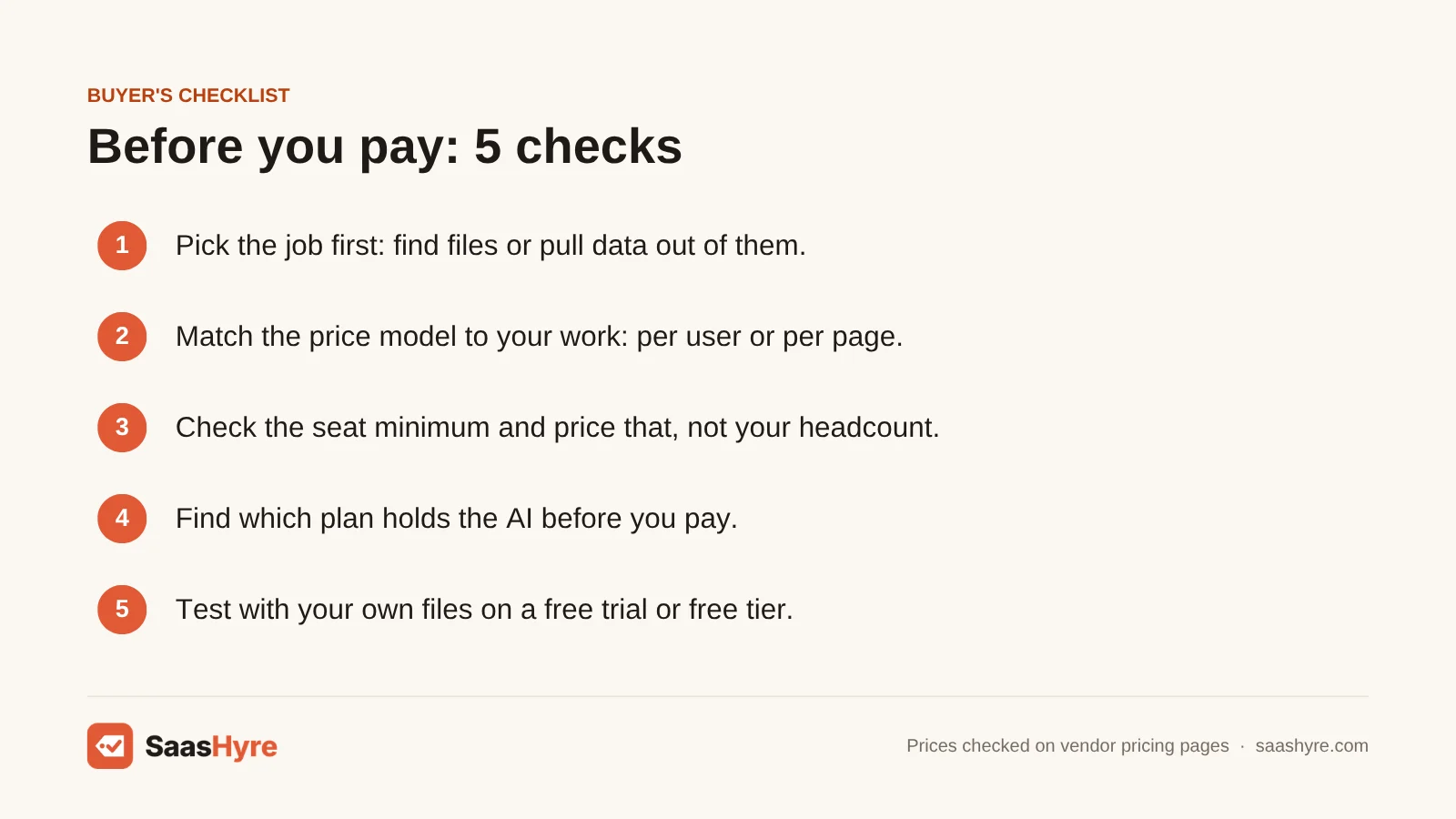
- Pick the job first. Finding and sharing files calls for Box, Egnyte, Laserfiche, M-Files or DocuWare. Pulling data from files calls for Azure, Google or Rossum.
- Match the price model. Per-user pricing suits teams where everyone opens files. Per-page pricing suits a few people who process large batches.
- Check the seat minimum. Box starts at 3 users. Laserfiche Professional starts at 5. Price the minimum, not your real headcount.
- Find which plan has the AI. Egnyte’s multi-file AI starts on Elite. M-Files keeps its tagging agents for Enterprise.
- Test with your own files. Use Azure’s 500 free pages, Google’s $300 credit, Rossum’s 14-day trial or a Box or Egnyte trial.
Are most of your files contracts? Compare AI contract management software too. Do your files hold customer data? Ask each vendor about access controls before you upload anything. Our guide to AI security tools covers the wider setup.
How We Researched This Guide
We took every price from the vendor’s own pricing page or official documents on October 2, 2026. We did not test these tools ourselves.
Here is what we could not confirm. Box showed Enterprise Plus at $50 per user, but we could not see its yearly rate. Box and Egnyte offer free trials but don’t state the length on their pricing pages. M-Files doesn’t state a minimum number of seats.
Laserfiche labels both its monthly and yearly figures as billed annually, so confirm which one applies to you. Its yearly card also shows a 10-user minimum for Professional, while the monthly card shows 5. Azure’s pricing page loads its numbers by region. We cross-checked them against Microsoft’s public price list for the East US region.
We left out ABBYY Vantage and Hyperscience because neither site shows a price. Read more about how we work in our editorial policy.
Prices last checked: October 2, 2026.
The Bottom Line
Here is what to take away. First, pick the job. Tools that store and find files charge per user. Tools that pull data out of files charge per page.
Second, Box Business is the cheapest pick with AI built in, at $15 per user a month billed yearly. Laserfiche and M-Files cost more and add workflows and stricter filing. Azure and Google cost about $240 a year for 2,000 invoice pages a month.
Third, check which plan holds the AI before you pay.
Count your users and your monthly pages today. Then shortlist two tools from this guide and run a trial with your own files. You’ll soon know which one fits, and you’ll stop hunting for documents.
Frequently Asked Questions
What is AI document management software?
AI document management software stores your files and uses AI to work with them. It can tag files, answer questions about what a file says and pull out data such as totals and dates. Some tools, like Box and M-Files, are full file systems. Others, like Google Document AI, only read files and return the data.
Is there free AI document management software?
There is no fully free pick with AI in this guide, but you can start free. Azure AI Document Intelligence includes 500 free pages a month. Google gives new customers $300 in credit, and Rossum has a 14-day trial.
What is the difference between document management and intelligent document processing?
Document management is about storing, finding and sharing files. Intelligent document processing, or IDP, is about reading a file and pulling out the data inside it. Box, Egnyte, Laserfiche, M-Files and DocuWare are document management tools with AI added. Azure, Google Document AI and Rossum are IDP tools.
Which AI document management tools publish their prices?
Seven of the eight picks publish at least a starting price. Box, Egnyte, Laserfiche and M-Files list per-user prices. Azure and Google list per-page prices, and Rossum lists a starting price of $18,000 a year. DocuWare is quote only, though it says $30 to $125 or more per user a month is typical.
Can AI document management software read handwriting?
Some tools say they can. DocuWare says its text recognition reads printed and handwritten text, even on low-quality scans. Rossum says its AI model supports handwriting and 276 languages. We did not test either claim, so try your own forms during a trial.