
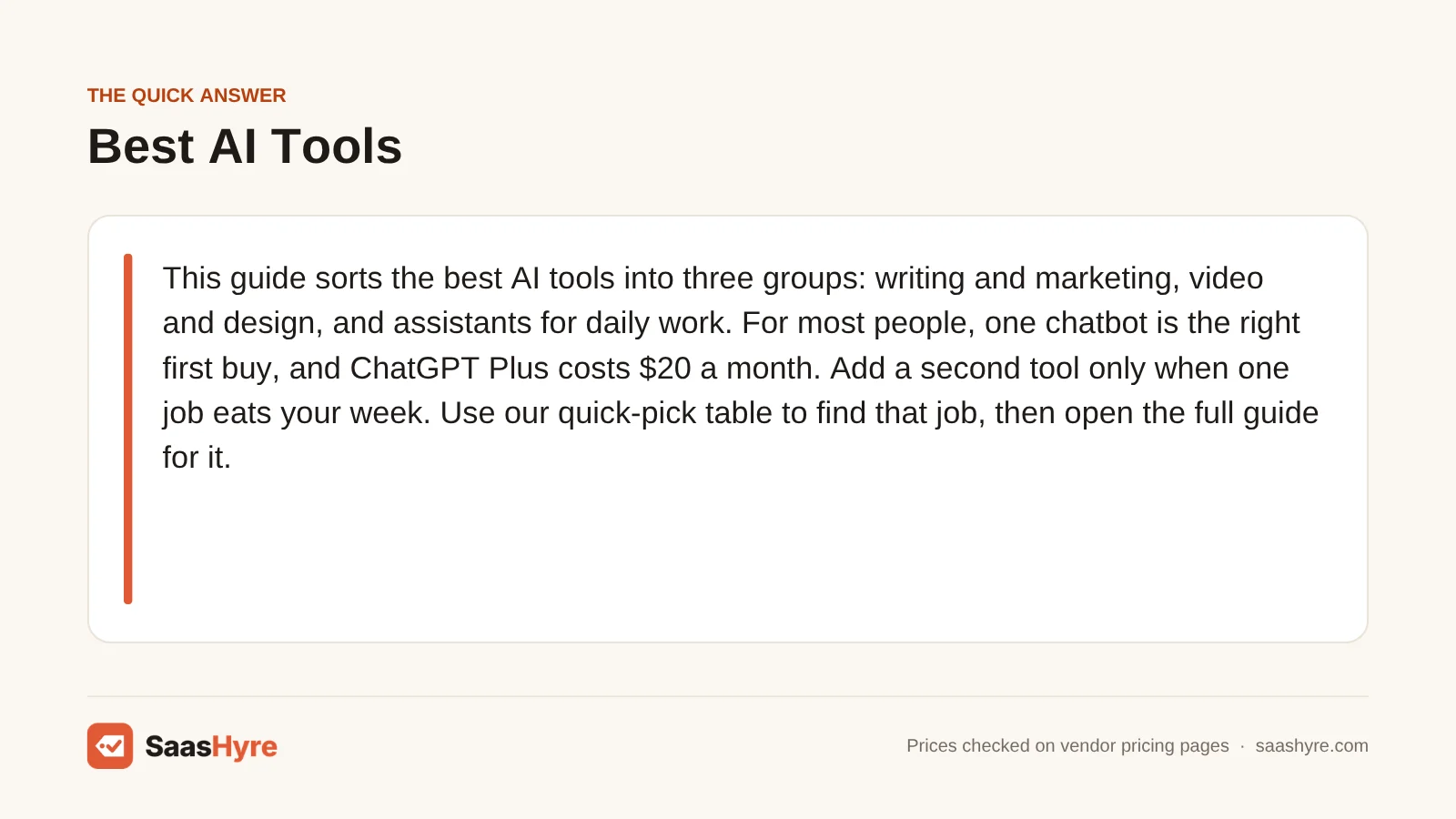
TL;DR: This guide sorts the best AI tools into three groups: writing and marketing, video and design, and assistants for daily work. For most people, one chatbot is the right first buy, and ChatGPT Plus costs $20 a month. Add a second tool only when one job eats your week. Use our quick-pick table to find that job, then open the full guide for it.
The best AI tools are the ones that take a real job off your plate. That might be writing, video, meeting notes or code. There are thousands of AI apps now. Most of them do one narrow thing. A few do many things at once.
You are not alone in shopping around. A Pew Research Center survey from February 2026 found that 44% of U.S. adults say they use ChatGPT. Pew notes the question changed that year, so the trend is not a perfect match with older years.
Businesses are moving too. In McKinsey’s “The state of AI in 2026” report, published August 25, 2026, nearly nine in ten respondents said their company uses AI in at least one business function.
So the question is no longer if you should use AI tools. It is which ones are worth paying for. This page gives you a short answer for each kind of job. It names our top pick, a few alternatives and a real starting price. Then it sends you to our detailed guide when you want the full comparison.
Here is my tip before you start. Don’t buy five tools at once. Pick the one job that costs you the most time, and fix that first.
What are the main types of AI tools?
Most AI tools fall into three groups. Writing, SEO and marketing tools help you create and rank content. Video, voice and design tools make media for you. Assistants and productivity tools answer questions, take meeting notes, write code and read your data. Most small teams need one tool from the third group first.
Let’s walk through each group so you know where your problem fits.
AI writing, SEO and marketing. These tools draft blog posts, fix grammar and help your pages show up in search. Some track where your brand appears in AI answers from ChatGPT or Google. Others plan social posts and email. If you sell online, this group drives traffic.
AI video, voice and design. These tools turn text into video clips, voiceovers, slide decks and websites. Many charge in credits, which are units you spend each time the AI makes something. So the monthly fee only tells you part of the cost.
AI assistants and productivity. This is where most people start. It covers chatbots like ChatGPT, Claude and Gemini. It also covers meeting note takers, coding helpers, note apps and data tools. These save time on work you already do every day.
One more thing. The lines between groups blur a lot. A chatbot can write a blog post. A design app can make a slide deck. That is why a single good chatbot often covers more than you expect.
Our Quick Picks at a Glance
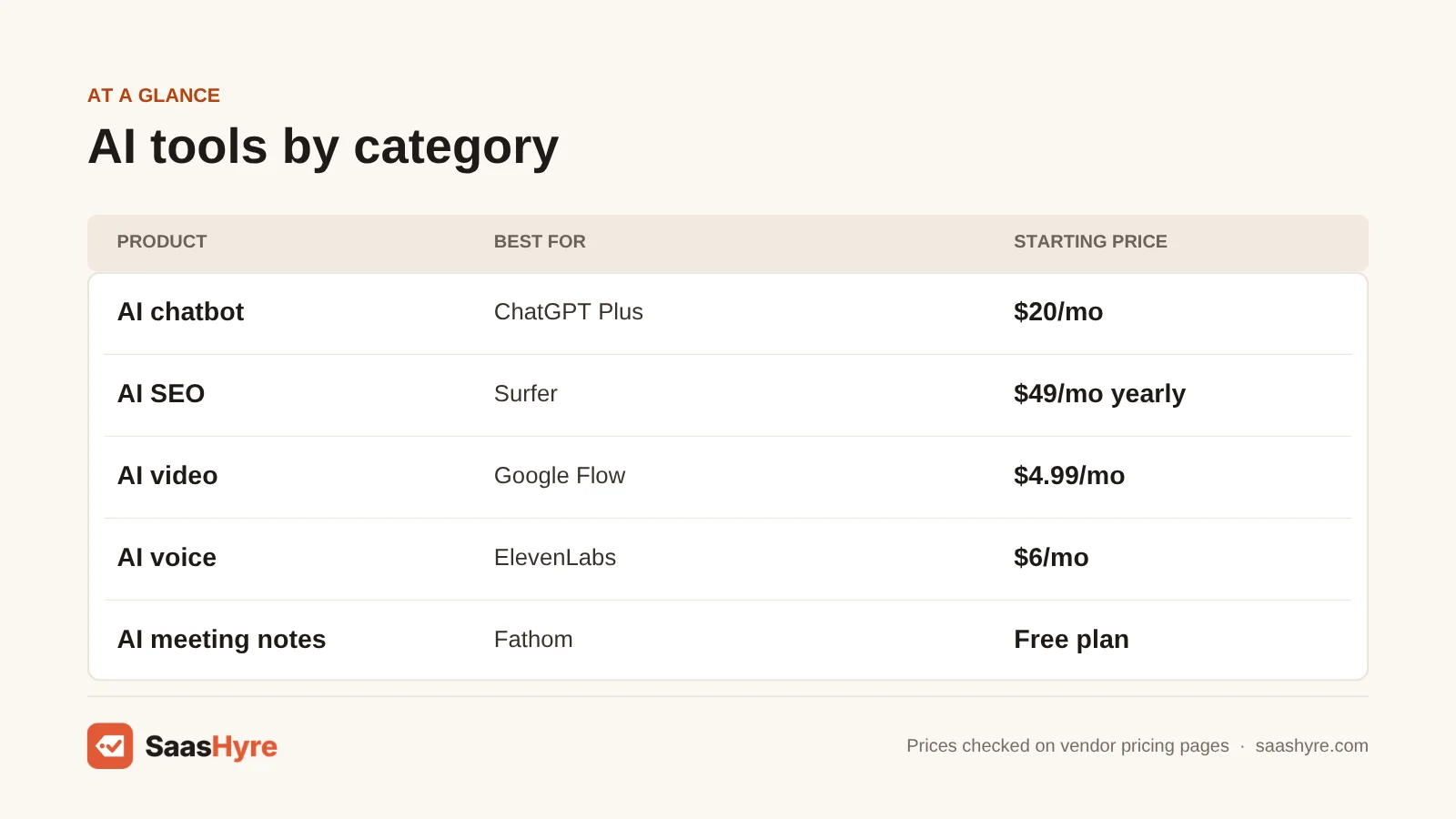
Use this table to find your job fast. Each row shows our top pick and its starting price from the vendor’s own page. Click through to the full guide when one is live.
| Category | Our top pick | Starting price | Read the full guide |
|---|---|---|---|
| AI chatbot | ChatGPT | $20/mo (Plus) | Guide coming soon |
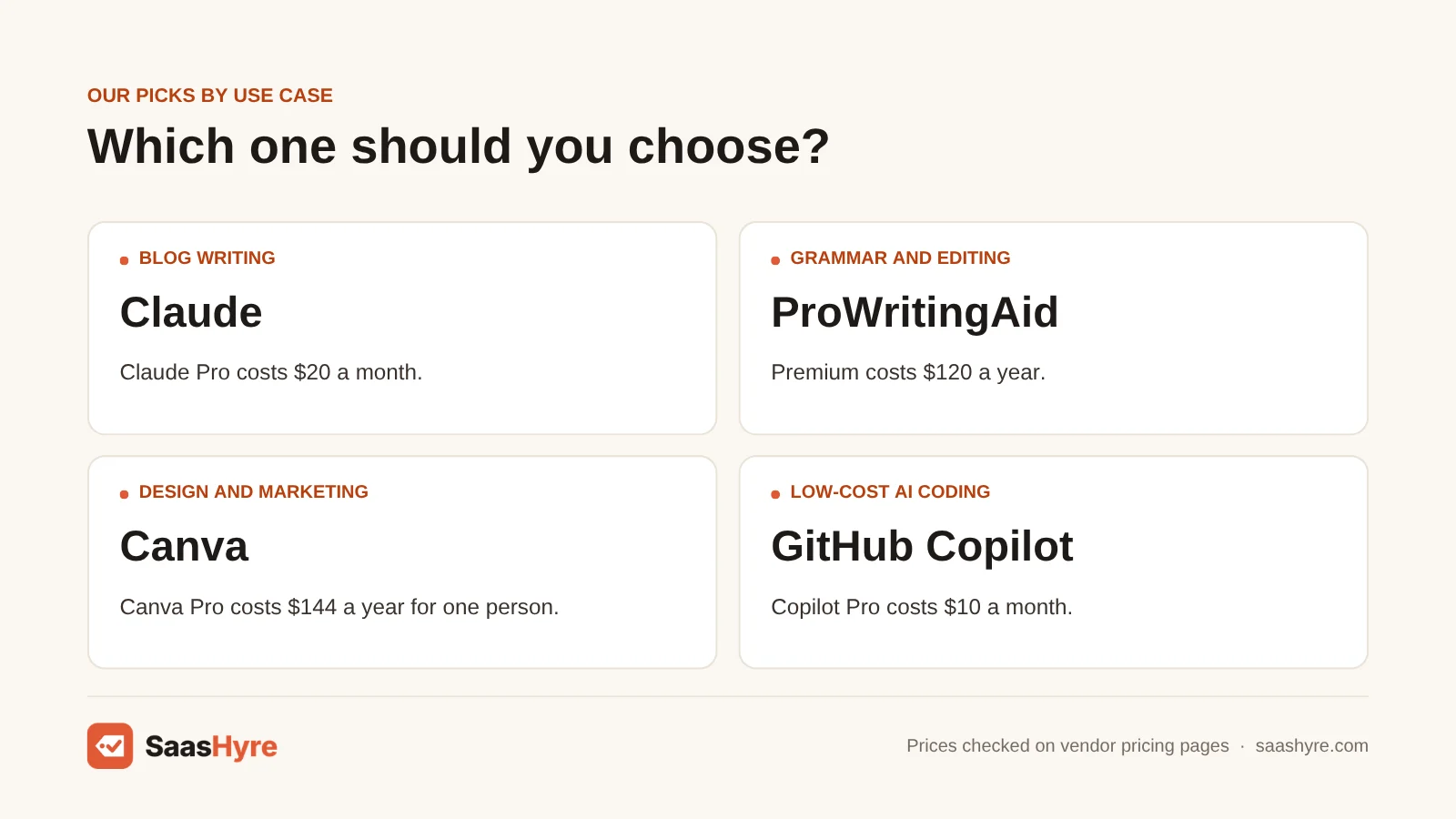
| AI blog writing | Claude | $20/mo (Pro) | AI blog writing tools |
| Grammar and editing | ProWritingAid | $120/yr (Premium) | Grammarly alternatives guide |
| AI SEO | Surfer | $49/mo, billed yearly | best AI SEO tools |
| AI search visibility | Semrush | From $139/mo (AI prompts start on Starter) | AI search visibility tools |
| AI rank tracking | SE Ranking | $129/mo (Core) | AI rank tracking software |
| AI marketing | Canva | $144/yr (Pro) | AI marketing tools guide |
| AI video generation | Google Flow | $4.99/mo (Google AI Plus) | best AI video generators |
| AI voice | ElevenLabs | $6/mo (Starter) | AI voice generators guide |
| AI dubbing | HeyGen | $29/mo (Creator) | AI dubbing software |
| AI presentations | Gamma | Price not confirmed | AI presentation makers |
| AI website builder | Wix | $17.77/mo, billed yearly (Light) | AI website builders guide |
| AI video editing | Descript | $16/mo, billed yearly | Guide coming soon |
| AI meeting notes | Fathom | Free plan | AI meeting assistants |
| AI data analytics | Power BI with Copilot | $14/user/mo (Pro), plus capacity | AI data analytics tools |
| AI coding | Claude Code | $20/mo (with Claude Pro) | Guide coming soon |
| AI note taking | Notion | $20/member/mo (Business) | Guide coming soon |
A quick note on Gamma. Its pricing page did not show plan prices when we checked today. So we list it as not confirmed rather than guess.
The Best AI Tools by Category
Below is our short take on each group. Every price comes from the vendor’s own pricing page. We did not test these tools ourselves. Picks are based on price, plan limits and features from our detailed guides.
AI Writing, SEO and Marketing
Blog writing. For most people, a general chatbot is the best AI writer. Claude Pro costs $20 a month and ChatGPT Plus costs the same. Both draft as many posts as you can edit. If a marketing team needs one shared brand voice, look at Jasper. Our guide to AI tools for blog writing compares nine options on what each plan caps.
Grammar and editing. Grammarly Pro is $12 a month billed yearly. If you want deeper style checks, ProWritingAid Premium costs $120 a year. That is $24 less per year than Grammarly on yearly billing (our math). Our list of Grammarly alternatives covers free picks like LanguageTool too.
SEO. Surfer is our top pick for content scoring. Its Discovery plan is $49 a month on yearly billing. If you want keyword and backlink data first, Semrush starts at $139 a month. Frase is $39 a month billed yearly. Read our AI SEO tools guide for how each one limits documents and credits.
AI search visibility and rank tracking. Want to know if ChatGPT or Google AI answers mention your brand? That is what AI visibility trackers do. Semrush’s Starter plan bundles 50 daily AI prompts. Otterly is the budget pick at $29 a month for 15 prompts. Peec AI is the standalone tracker our guide favors, but its price did not show on its page when we checked. For classic rankings plus AI Overviews, SE Ranking Core is $129 a month. See our AI visibility tracker comparison and our rank tracker guide.
Marketing. Most small teams can build a marketing setup from free plans. Canva Pro is $144 a year for design. Buffer schedules social posts for $5 per channel a month and has a free plan for 3 channels. Our AI marketing tools roundup adds email, ads and CRM picks.
More in this group. We also cover AI content detectors, translation software, landing page builders and social media tools. Those guides are on the way. If you write in more than one language, plan for translation costs early. They grow with every word and every language you add.
What to watch for in this group: how the plan counts your work. Some cap words. Some cap articles. Some cap prompts. Two tools at the same price can give you very different amounts of output.
AI Video, Voice and Design
Video generators. Google’s Flow comes with Google AI plans, and Google AI Plus starts at $4.99 a month. Runway suits filmmakers who want more control, from $15 a month. For talking-head and training videos, HeyGen Creator is $29 a month. Our AI video generator guide works out cost per finished minute for each plan.
Voice and dubbing. ElevenLabs Starter is $6 a month and includes commercial rights. When we checked, its page also showed a lower first-month promo. HeyGen handles dubbing with lip-sync on the same $29 Creator plan. Compare more options in our AI voice generator picks and our AI dubbing tools guide.
Presentations and websites. Gamma turns a prompt into a full deck. Its price was not confirmed on its page today. Canva also makes slides on the same Pro plan. For a business website, Wix Light is $17.77 a month on a yearly plan. Note that Wix Light cannot take payments. Our AI presentation software guide and AI website builder comparison cover the details.
Design and editing. Adobe Express Premium is $9.99 a month for brand-safe graphics. For video editing, Descript lets you edit video by editing the transcript, from $16 a month billed yearly.
More in this group. Our upcoming guides cover AI image generators, design tools and screen recorders. Image tools tend to charge per image or per credit. Screen recorders tend to charge per creator. Price a full year of the output you need before you choose.
What to watch for: credits. Most of these tools charge credits per second of video, per character of voice or per image. Failed tries often spend credits too. So price the output you need, not just the plan.
AI Assistants and Productivity
Chatbots. ChatGPT Plus is $20 a month. Claude Pro is also $20 a month. Gemini, through Google AI Plus, is the cheapest paid plan at $4.99. For a team, ChatGPT Business is $20 per user a month on yearly billing, with a 2-seat minimum.
Meeting notes. Fathom has a free plan that records and summarizes unlimited calls. Paid Fathom plans start at $15 per user a month billed yearly, with a 2-user minimum. Fireflies Pro is $10 per seat a month on yearly billing. Otter Pro is $8.33 a month billed yearly. Our AI meeting assistant guide shows which free plan cap you will hit first.
Coding. Claude Code comes with Claude Pro at $20 a month. Cursor Pro is $20 a month if you want an AI code editor. GitHub Copilot Pro is the low-cost pick at $10 a month.
Notes and data. Notion includes its AI on the Business plan at $20 per member a month. For data, Power BI Pro is $14 per user a month. Copilot in Power BI also needs a Fabric capacity, which costs extra. Read our AI data analytics tools guide before you sign a contract.
More in this group. We are also building guides on transcription software and AI medical scribes. Transcription is easy to price. Ask what one hour of audio costs you on each plan, not what the plan costs.
What to watch for: usage caps. Almost every chatbot and coding plan now gives you an allowance, not unlimited AI. Ask what happens when you run out.
How much do AI tools cost?
Most AI tools cost $0 to $30 per person a month. Chatbots run $4.99 to $20 for one person. SEO and AI visibility tools cost more, often $29 to $300 a month. Many tools have a free plan, and yearly billing usually cuts the price. Count seats and credits before you pay.
Here are typical starting prices by category. These ranges come from the plans in our detailed guides. They are starting points, not what heavy users pay.
| Category | Typical starting paid price | How you are billed |
|---|---|---|
| AI chatbots | $4.99 to $30 a month per person | Per person, with usage limits |
| AI writing and editing | About $7.50 to $79 a month | Per seat, words or articles |
| AI SEO tools | $19 to $139 a month | Documents, credits or reports |
| AI search visibility | $29 to $300 a month | Prompts times engines |
| AI video generators | $4.99 to $35 a month | Credits per second or clip |
| AI voice | $3 to $19 a month | Characters, credits or minutes |
| AI presentations | $9 to $20 a month per seat | Per seat, with AI credits |
| AI website builders | $2.99 to $29 a month | Yearly or multi-year prepay |
| AI meeting assistants | $0 to $18 per seat a month | Per seat, billed yearly |
| AI coding tools | $0 to $20 a month per developer | Per person, with usage caps |
Now let’s price three real setups for a small business. All totals are our math, using the vendor prices above.
Scenario 1: Solo freelancer who writes and posts. ChatGPT Plus at $20 a month. ProWritingAid at $120 a year, which is $10 a month. Canva Pro at $144 a year, which is $12 a month. That comes to $42 a month, or $504 a year (our math).
Scenario 2: Three-person marketing team. ChatGPT Business for 3 users at $20 each is $60. Surfer Discovery is $49 billed yearly. One Canva Pro seat for your designer is $12. Buffer for 3 channels is $15. Fathom Free for meeting notes is $0. That totals $136 a month, or $1,632 a year (our math).
Scenario 3: Solo video creator. Descript at $16 a month billed yearly. ElevenLabs Starter at $6 a month. Google AI Plus at $4.99 for Flow clips. That adds up to $26.99 a month, or $323.88 a year (our math).
Notice the pattern. The team setup costs more than three times the solo one. Most of that gap is seats. So before you add a tool, ask if every person really needs a login.
Also watch for overages. Video, voice and SEO tools often sell extra credits when you run out. One busy month can cost more than the plan itself.
How do you choose the right AI tools?
Start with the one job that eats the most of your week. Pick a tool built for that job, try its free plan or trial, and check how it charges for heavy use. Only then add a second tool. One well-used tool beats five you forget to open.
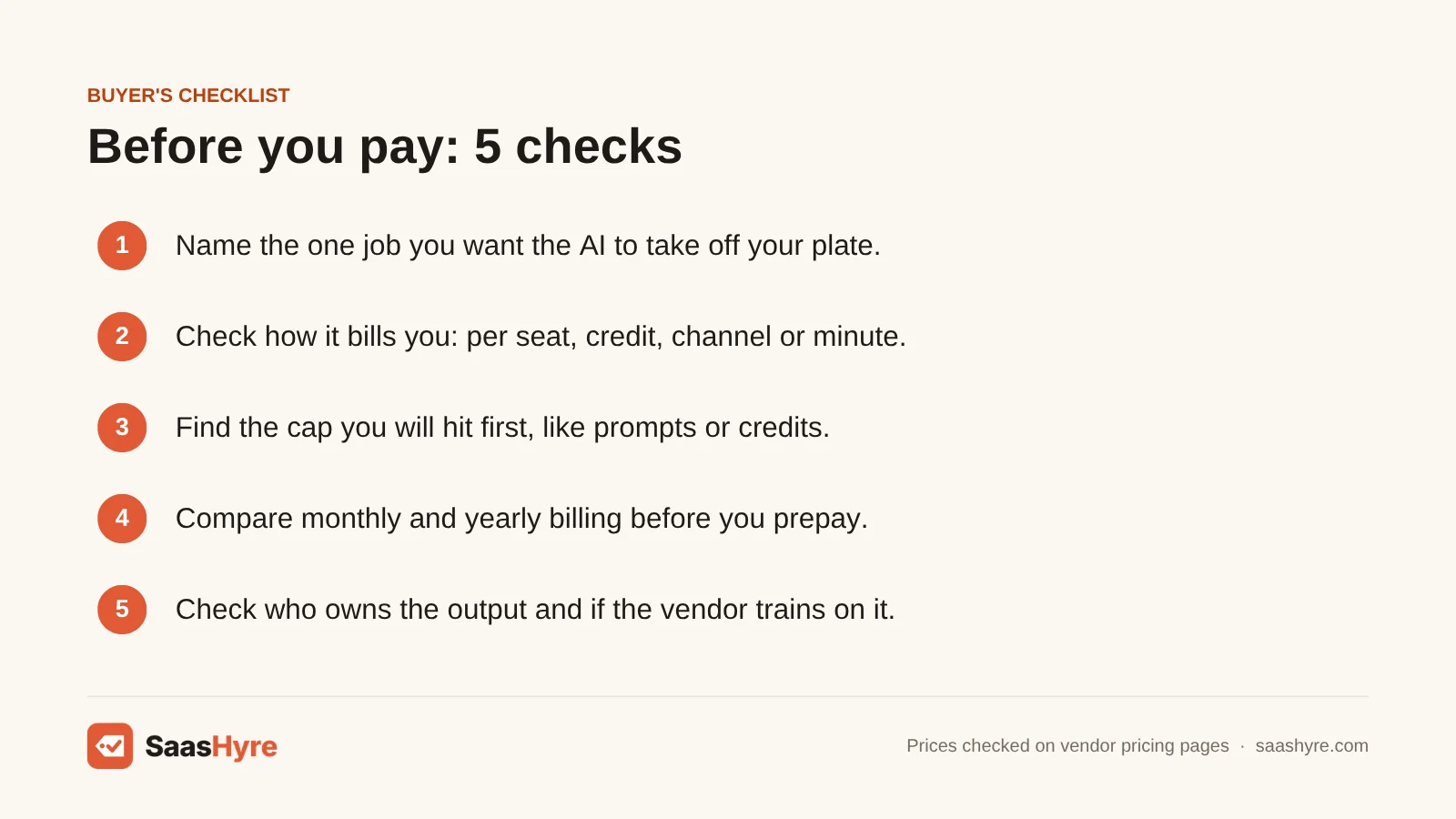
Run each tool through this short checklist before you pay.
- Name the job. Write down the task you want to hand off, like “draft weekly blog posts” or “take notes on sales calls.”
- Check how it bills you. Per seat, per credit, per channel or per minute? Pick the model that fits your team’s shape.
- Find the cap. Look for the limit you will hit first, such as prompts, minutes, documents or credits.
- Compare monthly and yearly. Yearly billing is often cheaper, but only pay up front once you know you will keep it.
- Check data and rights. Read who owns the output and if the vendor trains on your data, especially for client work.
Here is my advice for small businesses. Start with one chatbot. Use it for two weeks on real work. Then look at where you still lose time. That gap tells you what to buy next.
If you are also shopping for other business apps like CRM or accounting, our guide to the best business software uses the same approach.
Which free AI tools are worth using first?
Start with free plans from the big chatbots, since ChatGPT, Claude and Gemini all have one. Add Fathom Free for meeting notes, Canva Free for design and Buffer Free for up to 3 social channels. These cover most daily jobs before you spend a dollar.
Free plans have limits, of course. But they are a great way to learn what you actually use.
Chatbots. ChatGPT, Claude and Gemini each offer a free plan. You get fewer messages and fewer advanced features. For light use, that may be all you need.
Meeting notes. Fathom’s free plan records and summarizes unlimited calls. Otter’s free plan gives you 300 minutes a month, with a 30-minute cap per conversation.
Design and social. Canva Free includes templates and a small monthly AI allowance. Buffer Free covers up to 3 social channels.
Coding. GitHub Copilot Free gives you 2,000 code completions and 50 chat requests a month. Cursor’s Hobby plan is free with limited agent requests.
Video and voice. ElevenLabs gives you 10,000 free credits a month. Descript’s free plan includes one media hour a month, with a watermark on exports.
When should you upgrade? Upgrade when a free cap stops your real work more than once a week. Not before.
What mistakes should you avoid when buying AI tools?
The biggest mistakes are paying for overlap, buying seats nobody uses, and ignoring credit limits. Many people pay for two chatbots and three writing apps that all do the same thing. Others prepay a year before they know a tool fits. Start small and review every quarter.
Here are the mistakes we see most often in our guides.
Paying twice for the same job. A chatbot already writes, summarizes and brainstorms. So check if your chatbot covers a job before you buy a separate app for it.
Buying a seat for everyone. Many tools charge per person. If someone only reads the output, they may not need a paid login. So check if viewers can read the notes without a paid seat.
Prepaying too early. Yearly billing saves money. But it locks you in. Use the monthly plan or a free trial for a few weeks first.
Ignoring the credit math. A $20 plan with tight credits can cost more per finished video or post than a $35 plan with more room. Work out your cost per result.
Forgetting renewals. Some website builders show a low first-term price that renews higher. Read the renewal rate before you check out.
How We Researched This Guide
This pillar page pulls together our individual buying guides for each kind of AI tool. Each of those guides compares tools on price, plan limits, billing model and stated features.
For this page, we re-checked every starting price named above on the vendor’s own pricing page on October 10, 2026. When a vendor page did not show a price, we wrote “price not confirmed” instead of guessing. That happened with Gamma and Peec AI.
We did not test these tools ourselves. We do not judge output quality, and we make no claims about which tool writes or renders better. No vendor pays to be listed or ranked here.
Prices change often, and some vendors run promos or show different prices by country. Always confirm the final price at checkout. You can read more in our editorial policy.
Looking for a place to host the site you build with these tools? See our best web hosting guide.
Prices last checked: October 10, 2026.
The Bottom Line
The best AI tools are the ones that save you real hours on a job you do every week. For most people, that starts with one chatbot. ChatGPT Plus and Claude Pro both cost $20 a month, and both have free plans to try first.
From there, add tools one at a time. Writers can add Surfer or ProWritingAid. Video makers can add Descript or ElevenLabs. Teams that live in meetings can start with Fathom’s free plan.
Watch the billing model more than the price tag. Seats, credits and caps decide what you really pay.
Your next step: pick the one job that costs you the most time this week. Then open that row in our quick-pick table and read the full guide.
Frequently Asked Questions
What is the best AI tool overall?
For most people, a general chatbot like ChatGPT or Claude is the best first AI tool. Both cost $20 a month for their main paid plan and both have a free plan. A chatbot can write, summarize, plan and answer questions, so it covers many jobs at once.
Are there good free AI tools?
Yes. ChatGPT, Claude and Gemini all have free plans. Fathom records and summarizes meetings for free, and Canva and Buffer have free plans for design and social posts. Start free and upgrade only when a limit blocks your work.
How much should a small business spend on AI tools?
It depends on your team and jobs. In our math, a solo freelancer setup came to $42 a month and a three-person marketing team came to $136 a month. Seats drive most of the cost, so only give logins to people who need them.
Which AI tools are best for marketing?
Canva Pro at $144 a year covers design, and Buffer schedules social posts from $5 per channel a month. For SEO, Surfer starts at $49 a month on yearly billing. Our AI marketing tools guide adds email, ads and CRM picks.
Do AI tools charge extra for heavy use?
Many do. Video, voice and SEO tools often use credits that run out, and then you buy more. Chatbots usually have usage limits per session or week. Check the cap and the overage price before you commit to a plan.