
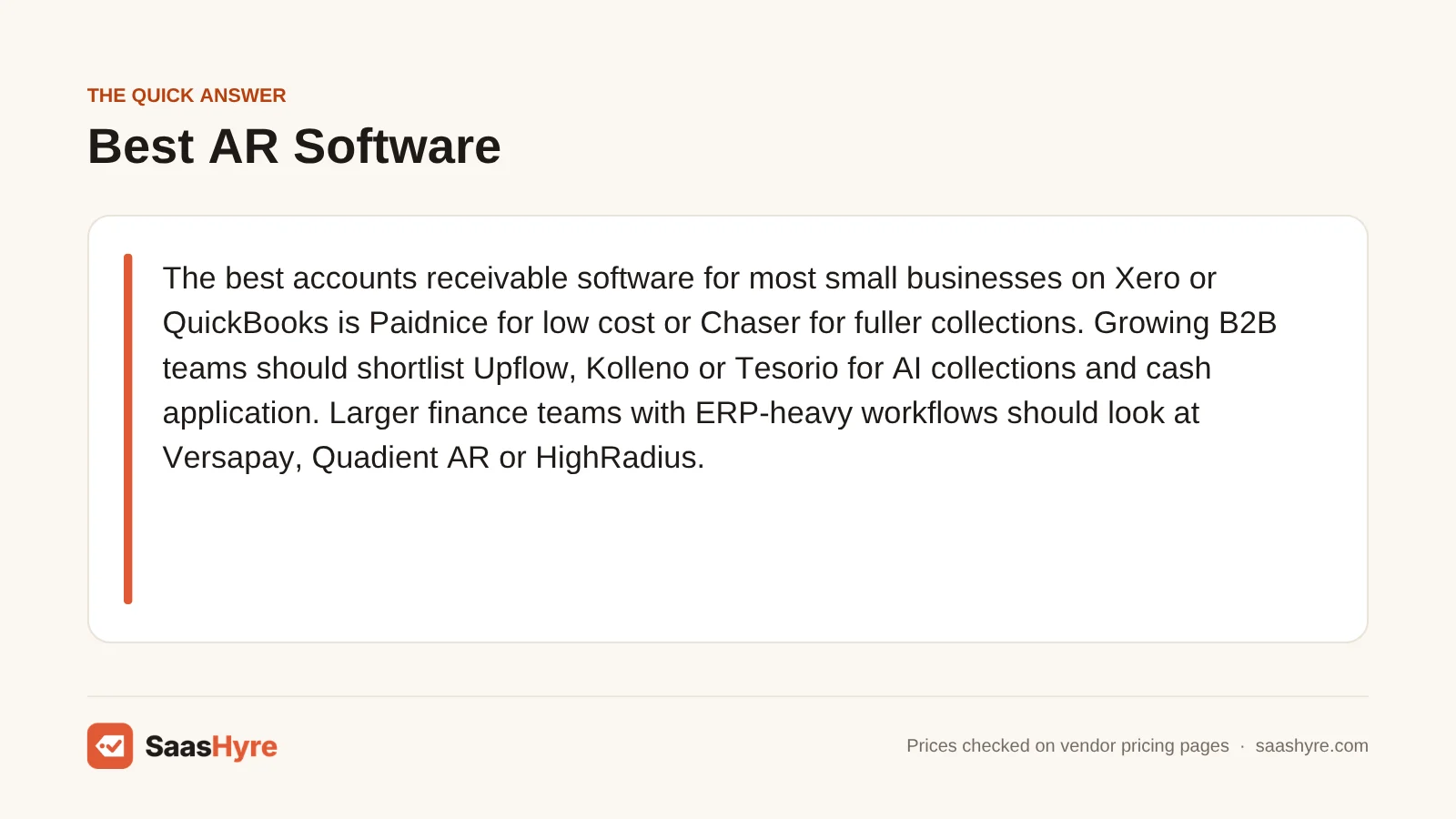
If you run a small business on Xero or QuickBooks, pick Paidnice to keep costs low or Chaser for fuller collections. If you run a growing B2B team, put Upflow, Kolleno or Tesorio on your shortlist for AI collections and cash application. If you run a larger finance team with heavy ERP work, look at Versapay, Quadient AR or HighRadius.
Here is my advice before you compare features. Look first at how each tool charges you. Some charge by invoice count. Some charge by revenue band. Some charge per seat. A per-user tool can look cheap for one person. But once four collectors log in, it can cost more than a mid-market platform. So pick the pricing model that fits your team first. Then compare features.
I took every price below from the vendor’s own pricing page in September 2026. If a vendor only gives quotes, we say so. We don’t guess.
For the rest of your tools, start with our guide to the best business software for small business.
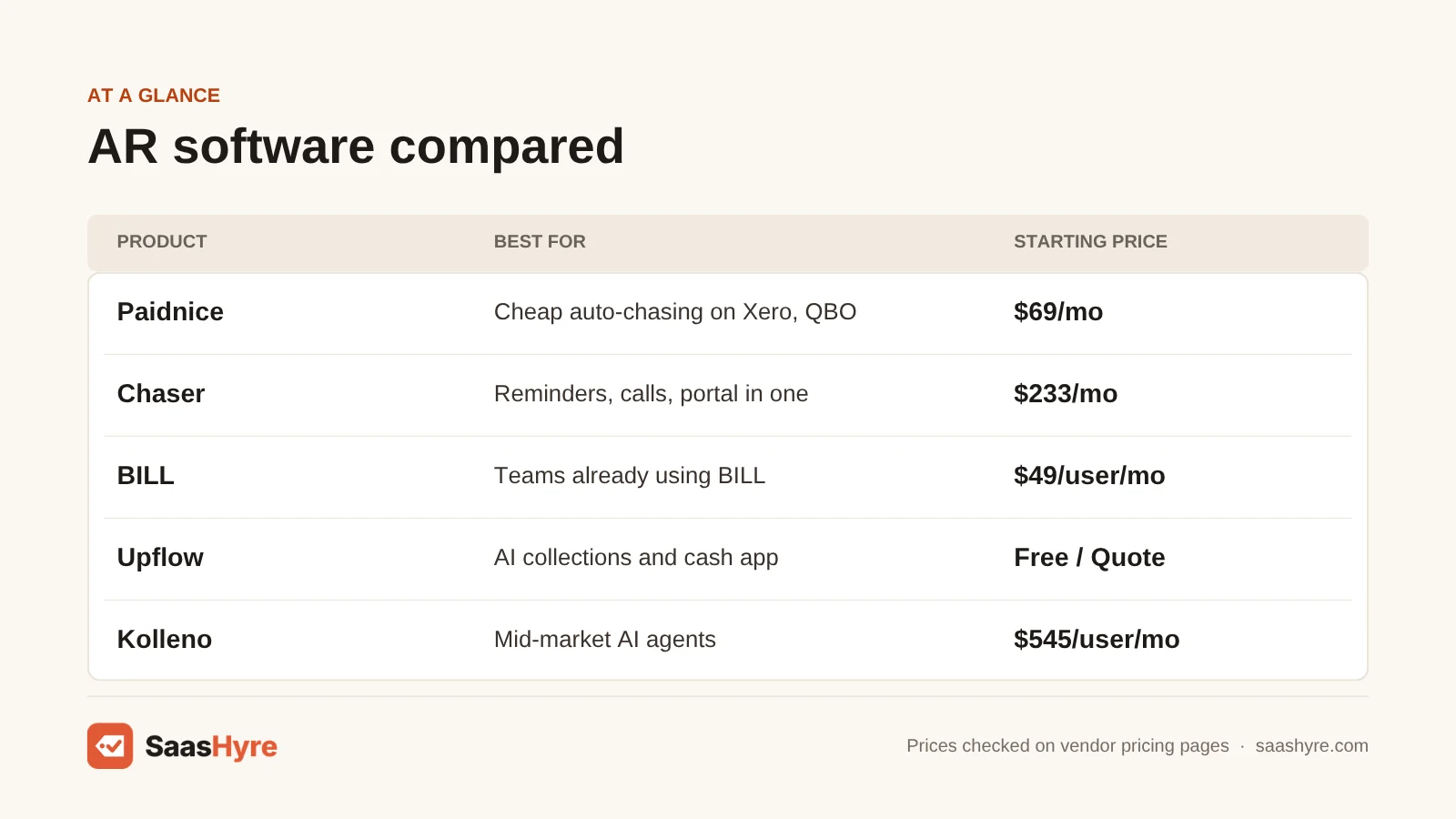
Quick Comparison: AR Automation Tools at a Glance
| Provider | Best for | Starting price | Billing model | Free trial or plan |
|---|---|---|---|---|
| Paidnice | Xero and QuickBooks Online users who want cheap, automatic chasing | $69/mo (Essentials, 150 invoices) | Tiered by invoices per month | First 20 actions free, no card |
| Chaser | SMBs that want reminders, calls, a portal and credit insights in one tool | $233/mo billed annually ($259 monthly) | Flat plan by company revenue band | Free trial (length not stated) |
| BILL | Businesses already using BILL for payables | $49/user/mo (Essentials) | Per user plus $0.59 per ACH payment received | Not listed on the pricing page |
| Upflow | B2B SaaS and services teams wanting AI collections and cash app | Free Discover plan; paid plans quote only | By annual invoiced revenue, no seat fees | Free Discover plan |
| Kolleno | Mid-market teams wanting AI agents across collections and reconciliation | $545/user/mo billed annually ($650 monthly) | Per user | Free trial on BusinessPay only |
| Tesorio | SaaS and manufacturing finance teams on NetSuite, Sage Intacct or Workday | Quote only | Custom | Interactive demo |
| Versapay | Distributors and manufacturers with dispute-heavy customer accounts | Quote only | Custom | Demo |
| Quadient AR | Companies above roughly £7.8M revenue that want unlimited users | Quote only | Custom package | Demo |
| HighRadius | Enterprises needing credit, collections, cash app and deductions together | Quote only | Subscription, custom | Demo |
What Accounts Receivable Software Actually Does
Accounts receivable software handles the work after an invoice goes out. It reminds customers, logs promises to pay, matches incoming payments to open invoices, flags risky accounts and reports on days sales outstanding (DSO). The AI part mostly drafts follow-ups, predicts who will pay late and matches remittances for you.
This is not the same as making invoices. Is your main problem sending invoices and taking card payments? Then you want a tool from our AI invoicing software guide instead. AR automation pays off when you have dozens or hundreds of B2B customers on net-30 or net-60 terms. It helps most when someone spends hours each week chasing them.
Late payment is a real problem. Atradius looked at credit-based B2B sales in North America. In its 2025 Payment Practices Barometer, 43% of them were overdue.
AR tools run on top of your ledger. Still picking a ledger? Start with our best AI accounting software roundup.
What AR Automation Really Costs at Three Company Sizes
If you send about 150 invoices a month, AR automation can cost you under $100 a month. At 600 invoices with four collectors, prices range from under $200 to over $2,000 a month. It depends on whether the vendor charges per invoice, per revenue band or per seat.
Here is what the published prices mean for three real-world businesses. We used monthly list prices unless we note otherwise. We left out quote-only vendors because their prices are not public.
| Scenario | Paidnice | Chaser | BILL | Kolleno |
|---|---|---|---|---|
| Agency, about $2M revenue, 150 invoices/mo, 2 users, 100 ACH payments | $69 (Essentials) | $259 (Compact) | $98 in seats + $59 ACH fees = about $157 | $1,300 (2 users on BusinessPay) |
| Wholesaler, about $8M revenue, 600 invoices/mo, 4 users, 400 ACH payments | $179 (Pro, 600 invoices) | $779 (Core) | $260 in seats (Team) + $236 ACH fees = about $496 | $2,600 (4 users on BusinessPay) |
| B2B company, about $40M revenue, 3,000 invoices/mo, 6 users | $649 (Pro, 3,000 invoices) | $1,169 (Complete) | Enterprise quote needed for NetSuite or Sage Intacct sync | $7,470 (6 users on Business Plus) |
Three things stand out. Paidnice is the cheapest at every size. It only charges by invoice count, and Pro plans give you unlimited users. Chaser’s flat revenue bands make your bill easy to predict. Paying yearly cuts about 10%. Kolleno is priced like mid-market software. It only makes sense if its AI agents replace real collector hours. BILL looks cheap until you add its fee on each payment you receive. That fee grows with every customer who pays by ACH.
What Makes the Best Accounts Receivable Software?
The best accounts receivable software has a pricing model that fits your team, whether that is per user, per invoice or by revenue. It keeps fees low on payments you receive. It syncs both ways with your ERP. Its AI should do hard work like cash application, not just draft emails. And the contract should have clear exit terms.
We checked each vendor’s own pricing page and product docs. We label quote-only prices and vendor performance claims. Per-user pricing hurts big teams. Per-invoice pricing hurts high volume. Revenue bands hurt fast growth. So plan out your next 12 months. And ask for a match-rate test on your own bank data.
Best AR Software for Small Businesses on Xero or QuickBooks
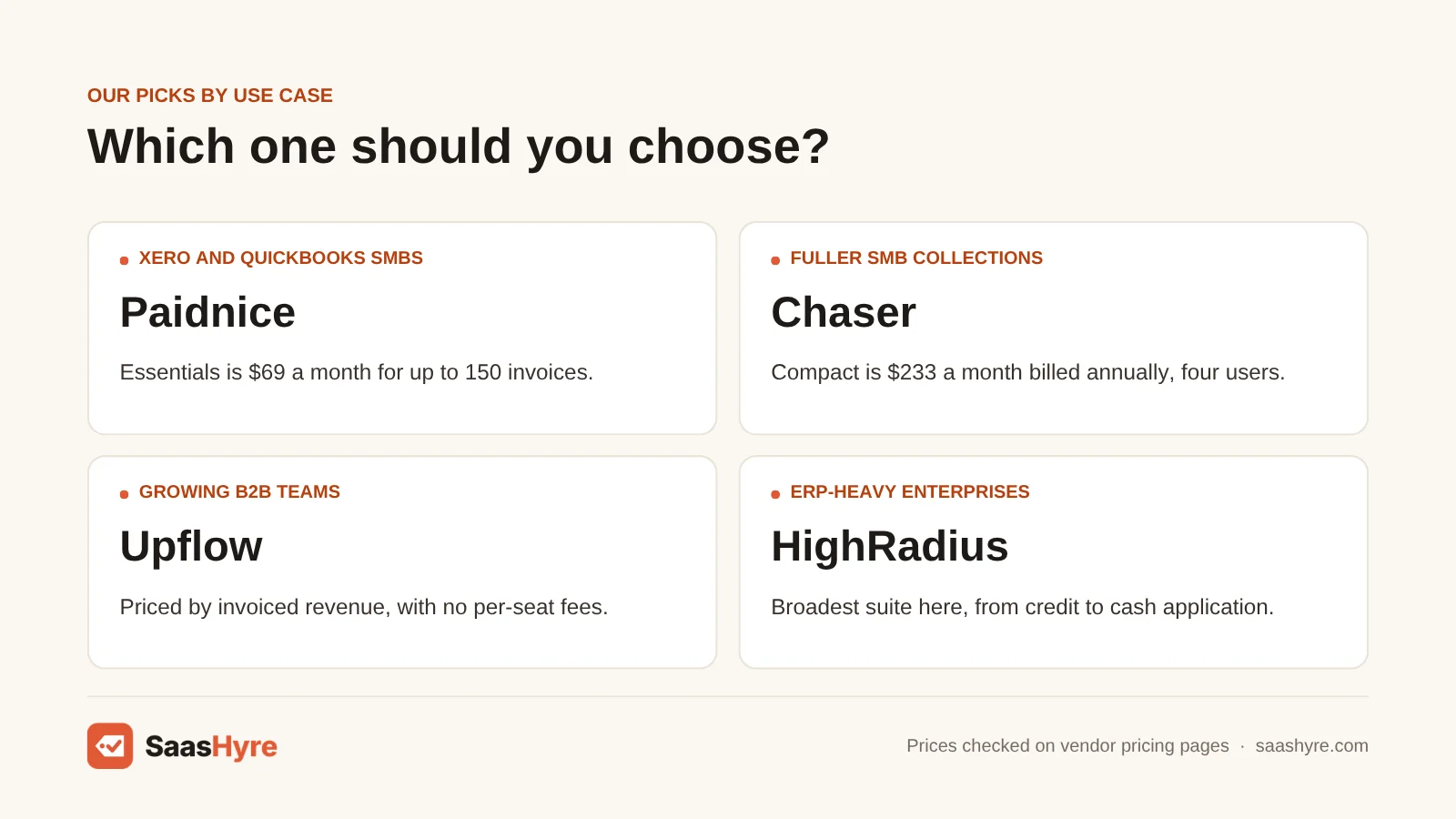
If you run a small business on Xero or QuickBooks Online, start with Paidnice if cost matters most. Pick Chaser if you want calls, credit insights and forecasting. Pick BILL if your team already pays bills there. All three plug right into your ledger, so paid invoices close on their own with no manual matching.
1 Paidnice: Best for Xero and QuickBooks Online users who want cheap, automatic chasing
Want to see exactly what you will pay? Paidnice is the most open about pricing here. It has low prices and chases customers for you on Xero and QuickBooks Online.
What it does well. It does something most rivals don’t. It adds late fees and interest for you and writes them back to your ledger. It also offers early payment discounts and payment plans. Paid invoices close on their own with no manual matching.
Key features:
- Works with Xero and QuickBooks Online
- Automatic late fees and interest, written back to your ledger
- Discounts for early payment, plus payment plans
- SMS reminders
Pricing. Essentials costs $69 a month. You get up to 150 invoices, 600 emails and two team members. Pro starts at $99 for 300 invoices and goes up to $799 for 4,000 invoices. Every Pro plan has unlimited users. Above that, custom plans start at $999 a month. Extra entities cost $29 each per month on Pro. SMS reminders cost $0.10 each. Your first 20 actions are free. You need no card, and there is no time limit.
Best for: You, if you run a trade, agency or distribution business on Xero or QuickBooks Online. You want customers to pay on time without hiring a credit controller.
Limitations. It is not a fit if you use NetSuite or Sage Intacct. It has no AI cash application across many bank accounts. And per-invoice pricing hurts you if you send lots of small invoices.
2 Chaser: Best for SMBs that want reminders, calls, a portal and credit insights in one tool
Chaser reaches customers through more channels than Paidnice. You pay one flat monthly price, and it can grow with you into multiple entities.
What it does well. It chases by email, SMS and automated phone calls. It also adds a payment portal, an AI email writer and credit monitoring. It works with more than small-business ledgers. Sage, NetSuite, Dynamics 365 Business Central and SAP are all listed.
Key features:
- Reminders by email, SMS and automated phone calls
- Payment portal
- AI email generator
- Credit monitoring and a receivables forecast on the Complete plan
Pricing. Compact costs $259 a month, or $233 a month if you pay yearly. It gives you four users, 30 templates and four automated workflows. Core is $779 monthly ($700 on annual billing). It adds unlimited users, templates and workflows plus support for multiple entities. Complete is $1,169 monthly ($1,050 on annual billing). It adds a receivables forecast and a dedicated account manager. Paying yearly saves about 10%. There is a free trial, but Chaser does not say how long it lasts.
Best for: You, if you run an SMB and want one flat monthly price with room to grow.
Limitations. Do you send fewer than 100 invoices a month? Then Compact’s cap of four workflows and its $259 price are hard to justify. Its revenue bands are in pounds, and they hurt you if you grow fast.
3 BILL Accounts Receivable: Best for businesses already using BILL for payables
BILL puts accounts receivable and payables together. You get one login for money coming in and going out.
What it does well. Essentials gives you custom invoices, automatic reminders, ACH and card payments and auto-charge. Team adds two-way sync with QuickBooks Online and Xero. It is a good match if you already run payables through BILL. See our AI accounts payable software guide.
Key features:
- Custom invoices and automatic reminders
- ACH and card payments with auto-charge
- Two-way sync with QuickBooks Online and Xero on Team
- NetSuite, Sage Intacct and Dynamics sync on the Enterprise plan
Pricing. Essentials costs $49 per user a month. Team is $65 per user, and Corporate is $89 per user. Enterprise is custom. When your customers pay you, BILL charges $0.59 per ACH payment and 2.9% on cards.
Best for: You, if you already run payables through BILL.
Limitations. The AR side is lighter than a collections specialist. You get reminders and tracking, but no collector worklists. If chasing overdue accounts is your biggest pain, a specialist does more for less. Per-user pricing hurts big teams. And the pricing page does not list a free trial.
Best AI Collections Software for Growing B2B Teams
If you run a growing B2B team with a few collectors and hundreds of customers, look at three tools. Upflow prices by revenue with no seat fees. Kolleno has AI agents with autonomy you can adjust. Tesorio suits SaaS and manufacturing teams on NetSuite, Sage Intacct or Workday. Each adds AI cash application, which small-business tools lack.
4 Upflow: Best for B2B SaaS and services teams wanting AI collections and cash app
Upflow prices by the revenue you invoice, with no seat fees. It adds AI agents for collections and cash application.
What it does well. Its Collections Agent works across email, SMS, calls and letters. You choose how much it does on its own, from suggestions only to fully autonomous. Upflow says its Cash App Agent matches 98% of payments on its own. Treat that as a vendor claim. It connects to NetSuite, Sage Intacct, QuickBooks Online, Xero, Chargebee, Zuora, Stripe and Salesforce.
Key features:
- Collections Agent that works across email, SMS, calls and letters
- Adjustable AI autonomy
- Cash App Agent
- Unlimited seats
Pricing. Paid plans are priced by yearly invoiced revenue, with no per-seat fees. Every paid tier is quote only. Starter covers up to $10M invoiced and 40,000 new invoices a year. Tiers go up to Enterprise, above $100M. The free Discover plan shows you your AR and benchmarks. It does not run automated collections. Upflow Payments is an optional add-on. It costs $390 a month plus 3.5% + $0.30 per card payment. ACH payments cost 0.8% each, capped at $5.
Best for: You, if you run a B2B SaaS or services company where several people work on AR.
Limitations. You can’t see a public price before a sales call. And revenue-based pricing hurts you if you grow fast.
5 Kolleno: Best for mid-market teams wanting AI agents across collections and reconciliation
Kolleno is one of the few AI-first AR platforms that shows its prices. Be warned, they are high.
What it does well. You pay for AI agents that handle collections, payments and reconciliation. They follow your credit policies. You choose how much they do, from insights only to full execution. It also scores credit risk.
Key features:
- AI agents for collections, payments and reconciliation
- Adjustable autonomy levels
- Credit risk scoring
- Follows your own credit policies
Pricing. BusinessPay costs $650 per user a month, or $545 if you pay yearly. It is for companies above $1M turnover. Business Plus is $1,245 per user monthly ($995 on annual billing). It needs at least two users and is aimed at turnover above $10M. Enterprise tiers are custom. Only BusinessPay has a free trial. Kolleno says you may pay extra for integrations, customizations and add-ons.
Best for: You, if one or two senior people will run AI agents that replace hands-on collector work.
Limitations. If you need five or more users, per-user pricing makes it the most expensive tool on this list.
6 Tesorio: Best for SaaS and manufacturing finance teams on NetSuite, Sage Intacct or Workday
Tesorio runs three AI agents. One of them uploads invoices to supplier portals, which few rivals do for you.
What it does well. Its Collections Agent drafts follow-ups and logs promises to pay. Its Cash Application Agent matches over 95% of payments on its own, according to Tesorio. Its Supplier Portal Agent handles invoice uploads to Coupa and Ariba.
Key features:
- Collections Agent
- Cash Application Agent
- Supplier Portal Agent for Coupa and Ariba
- Connects to NetSuite, Sage Intacct, QuickBooks, Workday, Salesforce, Zuora and Stripe
Pricing. Tesorio is quote only. You can try an interactive demo.
Best for: You, if your big customers make you upload invoices to Coupa or Ariba.
Limitations. If you run a small business on Xero, it is more platform than you need.
Best AR Automation Platforms for Mid-Market and Enterprise
If you run a larger finance team, pick Versapay when customers often dispute invoices. Pick Quadient AR when many people need access without seat charges. Pick HighRadius when credit, collections, cash application and deductions must run in one system. All three are quote only, so plan time for sales calls and setup.
7 Versapay: Best for distributors and manufacturers with dispute-heavy customer accounts
Versapay is built around a shared customer portal. Your buyers pay, view their accounts and raise disputes there.
What it does well. Your team and your customers work from the same record. It adds AI cash application, ranks which collections to work first, and takes ACH, card and wire payments. Versapay says it serves 10,000+ customers. It focuses on manufacturing, distribution and professional services.
Key features:
- Shared customer portal for payments and disputes
- One shared portal where customers pay and raise disputes
- Collections prioritization
- Built-in NetSuite, Sage Intacct and Dynamics 365 connectors, plus APIs and flat files
Pricing. Versapay does not publish prices. Expect a demo, sales calls and time to set it up.
Best for: You, if short payments and disputes cause most of your late cash, not forgetful customers.
Limitations. It only works if your customers are willing to log into a portal.
8 Quadient AR: Best for companies above roughly £7.8M revenue that want unlimited users
Quadient AR by YayPay gives you unlimited users in every package. So sales, customer success and finance can all see accounts.
What it does well. It sends invoices by print or digital. It also handles collections workflows, disputes, cash application and credit management. Its AI predicts how customers will pay. It connects to SAP, NetSuite, Dynamics, Sage, Acumatica, Xero and QuickBooks.
Key features:
- Unlimited user licenses and unlimited automation rules
- ERP integrations included
- Collections, disputes and cash application
- AI payment behavior prediction
Pricing. Quote only, sold as a custom package. Every package includes unlimited user licenses, unlimited automation rules and ERP integrations.
Best for: You, if you run a B2B business where many teams need to see accounts and you don’t want per-seat charges.
Limitations. It is aimed at businesses above about £7.8M in yearly revenue. Smaller companies fall below that mark.
9 HighRadius: Best for enterprises needing credit, collections, cash app and deductions together
HighRadius is the broadest AR suite here. It covers everything from credit to forecasting in one system.
What it does well. It covers credit, collections, cash application, deductions, e-invoicing, B2B payments and AR forecasting. The vendor says it runs 60+ AI agents. It claims a 10% DSO drop within 12 months and 90%+ touchless cash application. Those are HighRadius claims, not independent results.
Key features:
- Credit and collections
- Cash application and deductions
- E-invoicing and B2B payments
- AR forecasting
Pricing. HighRadius charges a subscription. You only get a price after you talk to sales.
Best for: You, if you run an enterprise that handles retail deductions or thousands of remittances a day.
Limitations. If you send fewer than a few thousand invoices a month, the setup time outweighs the payoff.
How to Choose Accounts Receivable Software: Six Checks Before You Pay
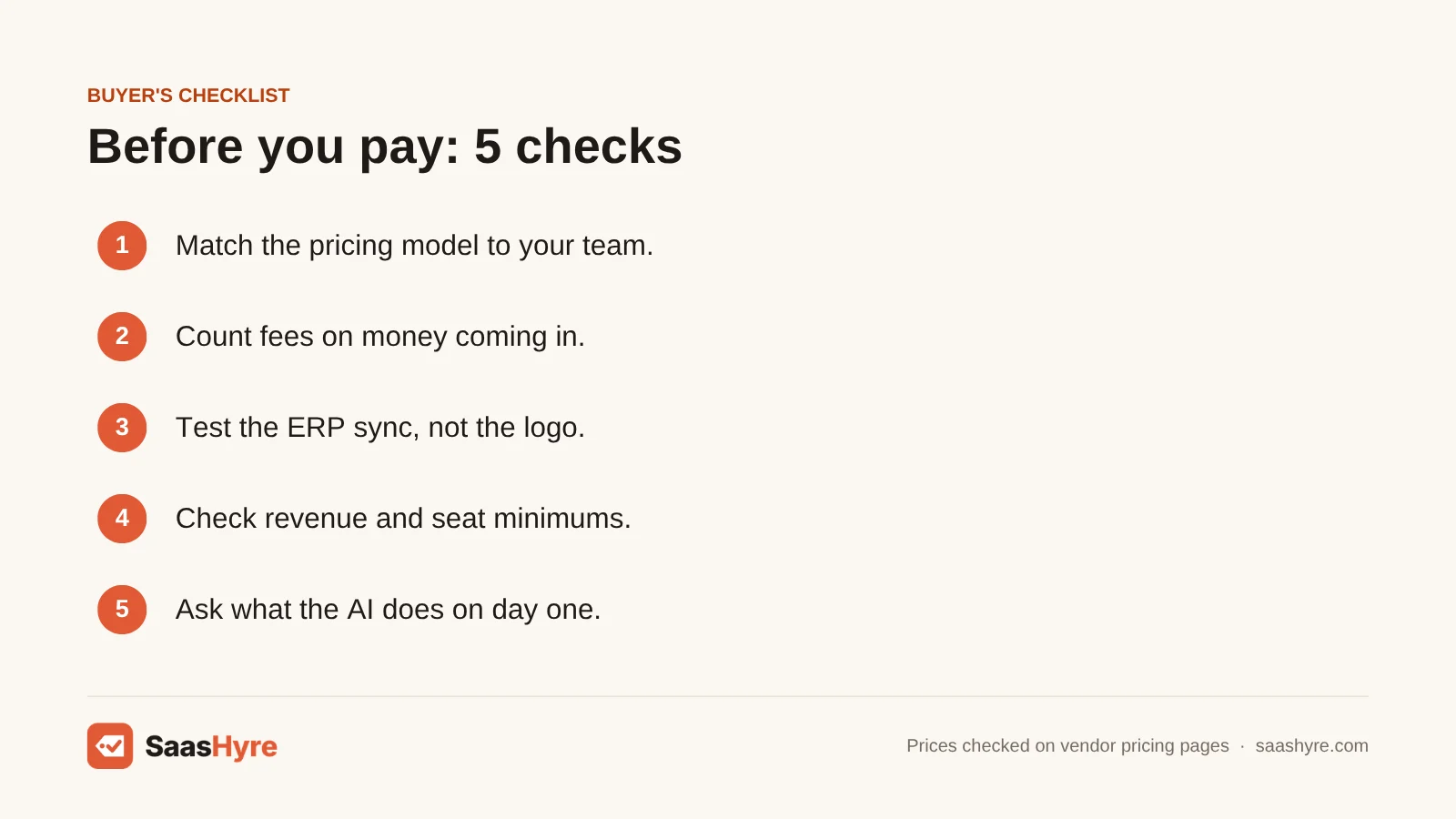
- Match the pricing model to your team. Per-user pricing (Kolleno, BILL) hurts big teams. Per-invoice pricing (Paidnice) hurts you if you send lots of small invoices. Revenue bands (Chaser, Upflow) hurt fast growth. Plan for your next 12 months, not just today.
- Count fees on money coming in. BILL charges $0.59 for each ACH payment you receive. Upflow Payments adds $390 a month plus fees on each transaction. If you get 400 ACH payments a month, that adds up fast.
- Test the ERP sync, not the logo. Ask if the sync goes both ways and how often it runs. BILL only syncs NetSuite and Sage Intacct on Enterprise.
- Check revenue and seat minimums. Kolleno Business Plus needs two users. Quadient AR is aimed at companies above about £7.8M. Chaser’s bands are in pounds.
- Ask what “AI” does on day one. Drafting emails is easy. Cash application from messy remittance data is hard. Ask for a match-rate test on your own bank data.
- Read the contract term. Chaser’s annual discount is about 10%. Quote-only vendors usually push yearly contracts. So ask for exit terms before you sign.
Better collections lead to better forecasts. Once your AR data is in good shape, add a tool from our AI cash flow forecasting software guide. It shows you when cash will really arrive.
How We Evaluated
We read the top-ranking AR software comparisons. We noted which tools they named and where they skipped pricing. Then we went to each vendor’s own pricing page and product docs. We checked all prices in September 2026. If a vendor only offers quotes, we say so. We did not run our own benchmarks. Any performance numbers are labeled as vendor claims. No provider paid for placement. Read our editorial policy to see how we choose and update picks.
The Bottom Line
If you run a small business on Xero or QuickBooks Online, I’d start with Paidnice. Move to Chaser if you need calls, credit monitoring or multiple entities. Is your AR already in BILL next to your payables? Stay there until chasing becomes the bottleneck. If you run a growing B2B team, get quotes from Upflow and Tesorio. Only consider Kolleno if a small team will run its AI agents. Larger companies should pick Versapay for disputes, Quadient AR for unlimited seats, or HighRadius for a full credit-to-cash suite.
Frequently Asked Questions
What is the best accounts receivable software for small businesses?
If you run a small business on Xero or QuickBooks Online, Paidnice is the best value. It starts at $69 a month for 150 invoices, with automatic late fees and reminders. Chaser is the stronger pick if you want phone calls, a payment portal and credit monitoring. It starts at $233 a month on annual billing. BILL fits if you already pay bills there.
How much does AR automation software cost?
Flat plans run from $69 a month (Paidnice Essentials) to about $1,169 a month (Chaser Complete). Per-user tools cost from $49 (BILL) to $1,245 (Kolleno Business Plus) per user each month. Upflow, Tesorio, Versapay, Quadient AR and HighRadius are quote only. If the tool processes payments, add the fees on money you receive.
What is the difference between AR software and invoicing software?
Invoicing software makes and sends invoices and takes payments. AR software handles what comes after. That means reminders, dunning sequences, promises to pay, cash application, credit risk and DSO reports. A freelancer with ten clients needs invoicing. A B2B company with hundreds of customers on net-30 terms and someone chasing payments needs AR automation.
Can AR automation software replace a collections team?
Not fully. AR tools send routine reminders, draft follow-ups and match payments for you. That frees your collectors for disputes and large accounts. Some, like Upflow and Kolleno, let AI agents act on their own within limits you set. But relationship calls, payment plan talks and disputes still need a person.
Does AR software work with QuickBooks and NetSuite?
Most do. Paidnice works with Xero and QuickBooks Online. Chaser, Upflow, Tesorio and Quadient AR connect to both QuickBooks and NetSuite. Versapay has built-in NetSuite, Sage Intacct and Dynamics connectors. BILL syncs QuickBooks Online and Xero on its Team plan. For NetSuite and Sage Intacct, you need its custom Enterprise plan.
How much can AR automation reduce DSO?
Vendors claim big gains. Upflow cites a 30% average DSO drop within three months. Chaser says users get paid 16+ days sooner. HighRadius claims 10% within 12 months. These are vendor numbers, not independent tests. Your result depends on how late your customers pay today and how steadily you follow up now.