

TL;DR: The best Loom alternatives in 2026 are Zight, Tella, Cap, Vidyard, Descript, Jam, ScreenPal, Snagit, Camtasia and OBS Studio. Loom Business costs $18 per user a month. Zight Create costs $9.95 on yearly billing. Cap sells a $58 lifetime desktop license. OBS Studio is free and open source. Vidyard suits sales teams, and Descript suits edited videos.
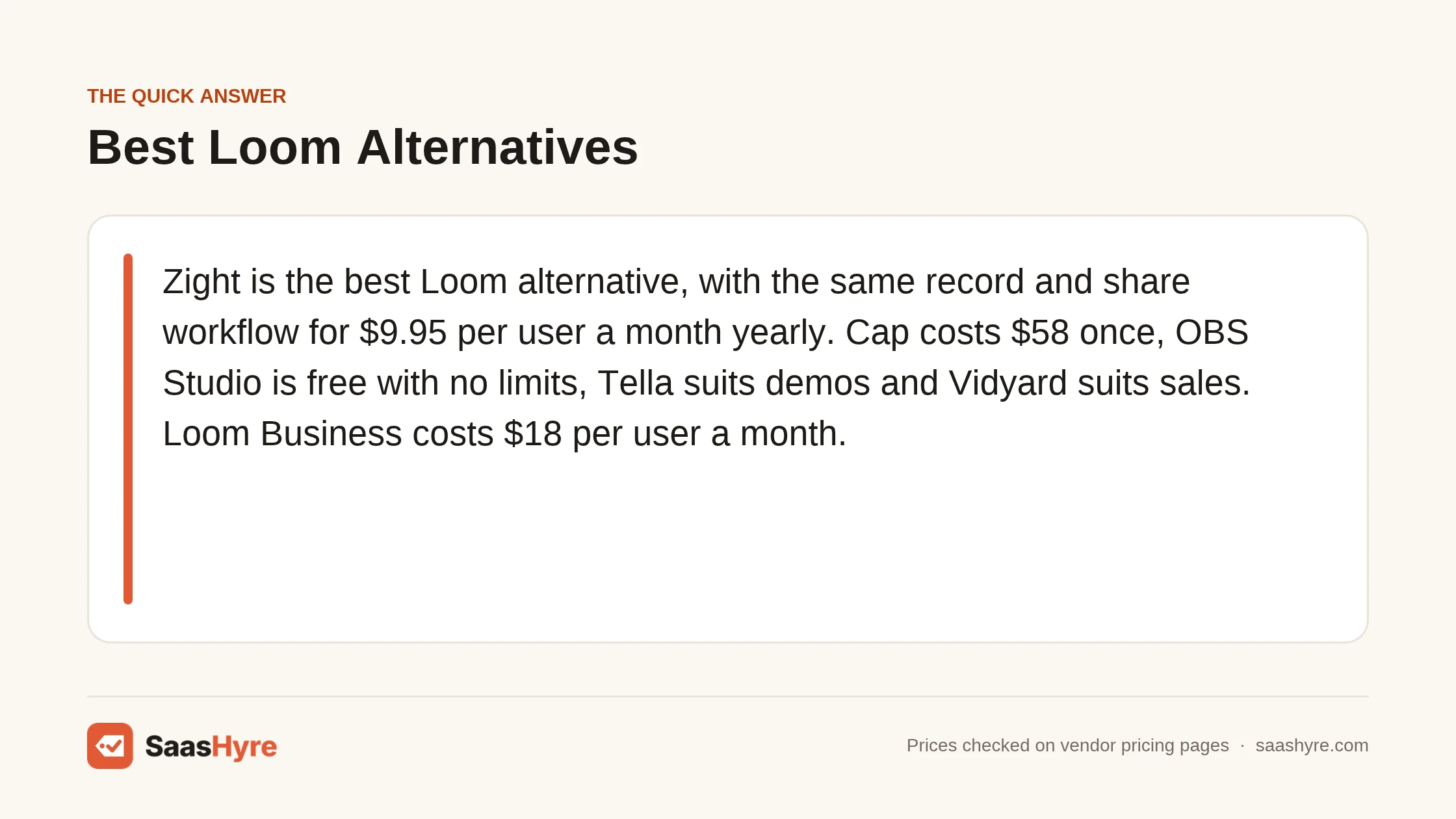
Our top pick: Zight is the best Loom alternative for most teams. It offers the same record, share and link workflow, plus screenshots and GIFs. Create costs $9.95 per user a month on yearly billing, almost half of Loom Business at $18. There is a free plan to start.
Loom made quick screen videos part of daily work. It holds a 4.7 out of 5 rating from more than 2,400 reviews on G2’s Loom page. Atlassian now owns it.
The Loom pricing page limits free users to 25 recordings and 5 minutes per video. Business costs $18 per user a month, and Business + AI costs $24. Yearly billing saves up to 17%.
If you record often, the free plan fills up fast. If you pay for a team, the per-user cost adds up.
This guide compares ten Loom alternatives on price. You will see yearly costs, free plan limits, and trial or lifetime options. I read each vendor’s own pricing page in November 2026. Where a page did not load or hid prices, I tell you to check the current price.
Record meetings too? Our guide to the best AI meeting assistants covers tools that take notes for you.
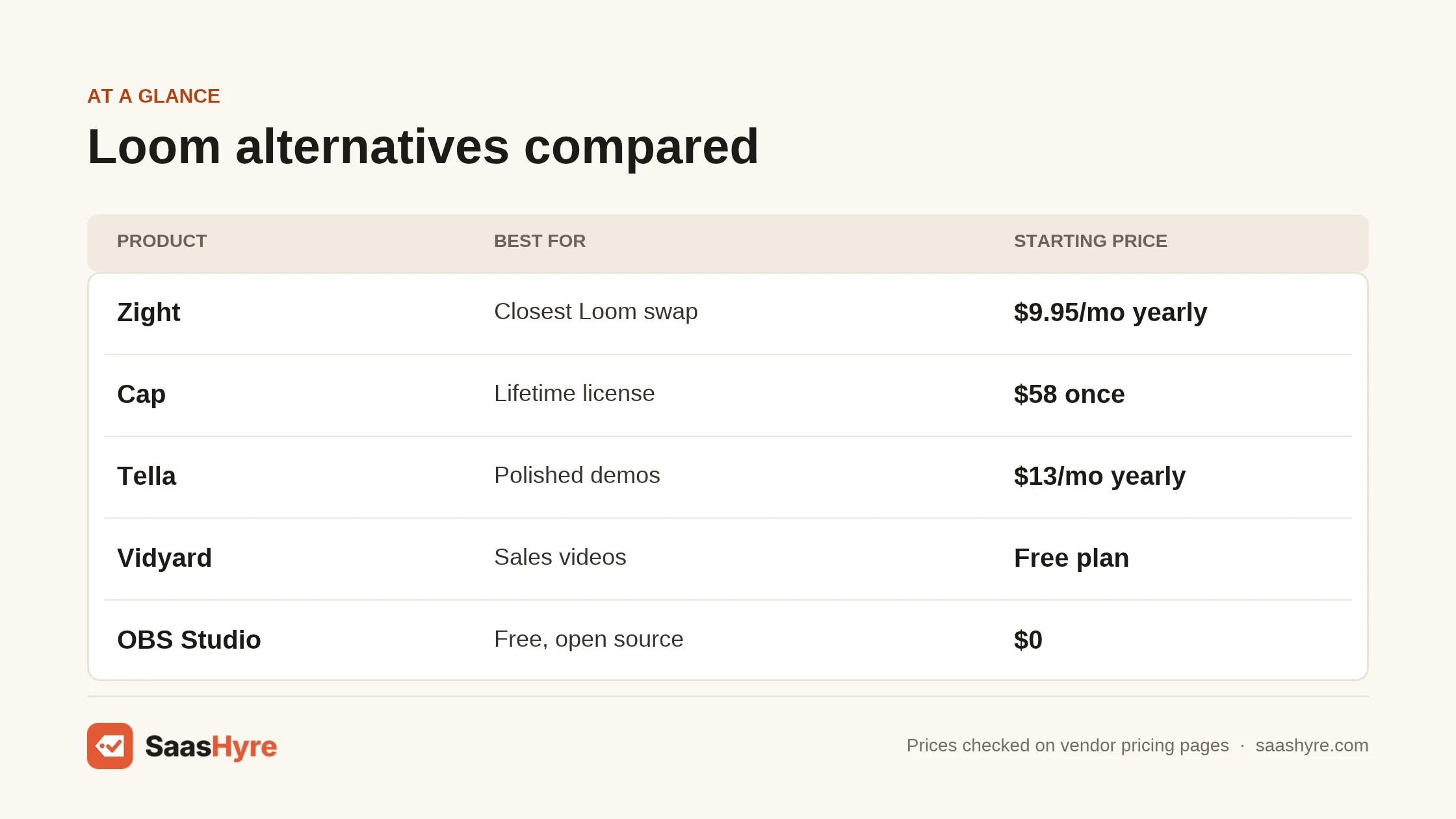
Quick Comparison: Loom Alternatives at a Glance
| Tool | Best for | Starting price | Billing | Free plan or trial |
|---|---|---|---|---|
| Zight | Closest Loom swap | $9.95/user/month yearly | Monthly or yearly | Free plan |
| Tella | Polished demos | $13/user/month yearly | Monthly or yearly | 7-day trial |
| Cap | Lifetime license | $58 once | Lifetime, yearly or monthly | Free plan |
| Vidyard | Sales videos | Check current price | Monthly or yearly | Free plan, 14-day trial |
| Descript | Editing by text | $16/month yearly | Monthly or yearly | Free plan |
| Jam | Bug reports | $14/creator/month yearly | Yearly | Free plan |
| ScreenPal | Education and training | Check current price | Check site | Free plan |
| Snagit | Screenshots plus video | Check current price | Yearly | Free trial |
| Camtasia | Full video editing | Check current price | Yearly | Free trial |
| OBS Studio | Free and open source | $0 | Free | Always free |
Why Do People Look for a Loom Alternative?
Most people leave Loom because the free plan caps videos at 5 minutes and 25 recordings. Paid seats cost $18 per user a month. Others want a lifetime license, local files, better editing or sales tracking.
Top ranking guides agree on the main complaints. Tella’s Loom alternatives guide splits picks into free, cheaper and Microsoft options. Zight’s comparison and ClickUp’s roundup focus on where videos are stored and how links work. Each is vendor-written, so weigh their own picks with care.
Best Loom Alternatives for Quick Async Video
1 Zight: Best overall Loom alternative
Zight, once called CloudApp, records screen video, screenshots and GIFs and shares them as links.
What it does well. It covers Loom’s core workflow and adds image capture in the same app. The paid plan costs much less than Loom Business.
Key features:
- Screen and webcam recording with instant links
- Screenshots, annotations and GIFs
- Video requests so others can record for you
- Trim and split tools
Pricing. Share is free with 1GB of storage, 720p video and a 5-minute limit. Create costs $9.95 per user a month and Collaborate costs $12, both on yearly billing. See Zight pricing.
Best for: Support, product and ops teams who share screens and screenshots daily.
Limitations. The free plan is as tight as Loom’s at 5 minutes. Monthly prices are not shown on the page.
2 Cap: Best for a lifetime license
Cap is an open-source screen recorder with Loom-style sharing links.
What it does well. You can buy the desktop app once and never renew. You can also keep recordings local or use your own storage.
Key features:
- Instant shareable links
- Local recording and editing
- Open-source code
- Custom domain and password links on Pro
Pricing. Free allows 25 shareable links a month of up to 5 minutes, for personal use. The Desktop License costs $29 a year or $58 once. Cap Pro costs $12 per user a month, or $8.16 on yearly billing. See Cap pricing.
Best for: Solo users and developers who hate subscriptions.
Limitations. The free plan is for personal use only. Team features are newer than Loom’s.
3 Jam: Best for bug reports
Jam is a browser tool that records bugs with console logs and network data attached.
What it does well. Developers get the screen video plus the technical details in one link. That cuts back and forth on bug tickets.
Key features:
- Auto-captured console logs and network requests
- Recording links customers can use
- AI summaries of each Jam
- Jira, Linear and GitHub integrations
Pricing. Free includes 30 Jams a month, 5 recording links and 5 creator seats, with a 5-minute cap. Team costs $14 per creator a month, billed yearly. See Jam pricing.
Best for: QA, product and engineering teams.
Limitations. It is built for bugs, not general async updates. The page lists no monthly billing price.
4 OBS Studio: Best free and open-source option
OBS Studio is a free, open-source app for recording and live streaming.
What it does well. It has no time limits, watermarks or fees. It runs on Windows, macOS and Linux.
Key features:
- Unlimited local recording
- Scenes, sources and overlays
- Live streaming to most platforms
- Plugins from a large community
Pricing. OBS Studio is free and open source. See the OBS Studio site.
Best for: Creators and anyone who needs long recordings at no cost.
Limitations. There are no instant share links. You must upload files somewhere yourself.
Best Loom Alternatives for Demos and Sales
5 Tella: Best for polished demos
Tella is a screen recorder built to make product demos and tutorials look polished.
What it does well. It adds auto zoom, layouts and backgrounds with little effort. Videos look edited without a video editor.
Key features:
- Clip-based recording you can redo piece by piece
- Layouts, backgrounds and auto zoom
- Tella Agent for AI edits
- Custom branding and share pages
Pricing. Pro costs $13 per user a month and Premium costs $19, both on yearly billing. There is a 7-day trial with 4,500 agent credits. See Tella pricing.
Best for: Founders, marketers and course creators.
Limitations. There is no free plan. Monthly prices are not shown on the page.
Making slide-based demos too? Our list of the best AI presentation software pairs well with these recorders.
6 Vidyard: Best for sales videos
Vidyard is a video platform for sales prospecting and follow-ups. G2 lists it as the top Loom alternative.
What it does well. It tracks who watched your video and for how long. It also adds AI avatars for outreach at scale.
Key features:
- Screen and webcam recording
- Viewer tracking and alerts
- AI avatars and AI videos
- CRM and email integrations
Pricing. Free includes 5 recordings a month of up to 30 minutes, plus 15 AI videos. Starter has a 14-day trial, but the page did not show dollar amounts, so check the current price. Teams and Enterprise use custom pricing. See Vidyard pricing.
Best for: SDRs and account executives.
Limitations. The free plan allows only 5 recordings a month. Video hosting is not included on Free.
Best Loom Alternatives for Editing and Training
7 Descript: Best for editing by text
Descript lets you edit video by editing a written transcript.
What it does well. You delete words in the text and the video cuts itself. It also removes filler words in one click.
Key features:
- Text-based video and audio editing
- Screen recording and remote recording
- Filler word removal and AI voice tools
- Captions and stock media
Pricing. Free includes 60 media minutes a month and 720p exports with a watermark. Hobbyist costs $24 a month, or $16 yearly. Creator costs $35, or $24 yearly. Business costs $65, or $50 yearly. See Descript pricing.
Best for: Teams that edit tutorials, podcasts or marketing videos.
Limitations. It is heavier than a quick recorder. Free exports carry a watermark.
For more editors with AI tools, see our guide to the best AI video editing software.
8 ScreenPal: Best for education and training
ScreenPal, once called Screencast-O-Matic, is a recorder and editor popular in schools.
What it does well. It combines recording, simple editing, hosting and quizzes at a low cost. It appears on most top ranking lists.
Key features:
- Screen and webcam recorder
- Simple video editor
- Video hosting and sharing
- Quizzes and captions
Pricing. ScreenPal has a free plan and paid plans. Its pricing page did not load when I checked, so check the current price. See ScreenPal pricing.
Best for: Teachers, trainers and small teams on a budget.
Limitations. You need to confirm the price yourself. Its interface is less modern than Loom’s.
9 Snagit: Best for screenshots plus video
Snagit is TechSmith’s screen capture tool for images and short videos.
What it does well. Its screenshot and markup tools are among the best. Video recording is a handy extra.
Key features:
- Scrolling and panoramic screenshots
- Markup, arrows and step tools
- Screen and webcam video
- Templates for how-to guides
Pricing. Snagit is sold as a yearly subscription. Its pricing page did not load when I checked, so check the current price. See Snagit pricing.
Best for: Writers and support teams who make visual guides.
Limitations. Sharing is less instant than Loom. Video tools are basic.
10 Camtasia: Best for full video editing
Camtasia is TechSmith’s screen recorder and full video editor.
What it does well. It handles long training videos with callouts, zooms and quizzes. Many course creators use it.
Key features:
- Multi-track timeline editor
- Callouts, animations and cursor effects
- Screen and webcam recording
- Asset library and templates
Pricing. Camtasia is sold on yearly plans. Its pricing page did not load when I checked, so check the current price. See Camtasia pricing.
Best for: Trainers and course creators who edit long videos.
Limitations. It costs more than quick recorders. It is overkill for short async updates.
How Much Do Loom Alternatives Cost per Year?
Loom alternatives cost from $0 to about $600 per user a year. OBS Studio is free, Cap costs $58 once, and Zight Create costs $119.40 a year. Loom Business costs up to $216 per user a year. Prices below use each vendor’s page in November 2026, on yearly billing where shown.
| Tool and plan | Yearly cost per user | Notes |
|---|---|---|
| Loom Business | Up to $216 | $18/user/month; yearly saves up to 17% |
| Loom Business + AI | Up to $288 | $24/user/month |
| Zight Create | $119.40 | $9.95/user/month yearly |
| Cap Desktop License | $29 or $58 once | Yearly or lifetime |
| Cap Pro | $97.92 | $8.16/user/month yearly |
| Tella Pro | $156 | $13/user/month yearly |
| Jam Team | $168 | $14/creator/month yearly |
| Descript Hobbyist | $192 | $16/month yearly |
| Descript Business | $600 | $50/month yearly |
| OBS Studio | $0 | Free and open source |
| Vidyard, ScreenPal, Snagit, Camtasia | Check current price | Pages hid or failed to show prices |
For a team of ten, Zight Create costs about $1,194 a year. Loom Business costs up to $2,160 for the same team.
Which Loom Alternative Should You Pick?
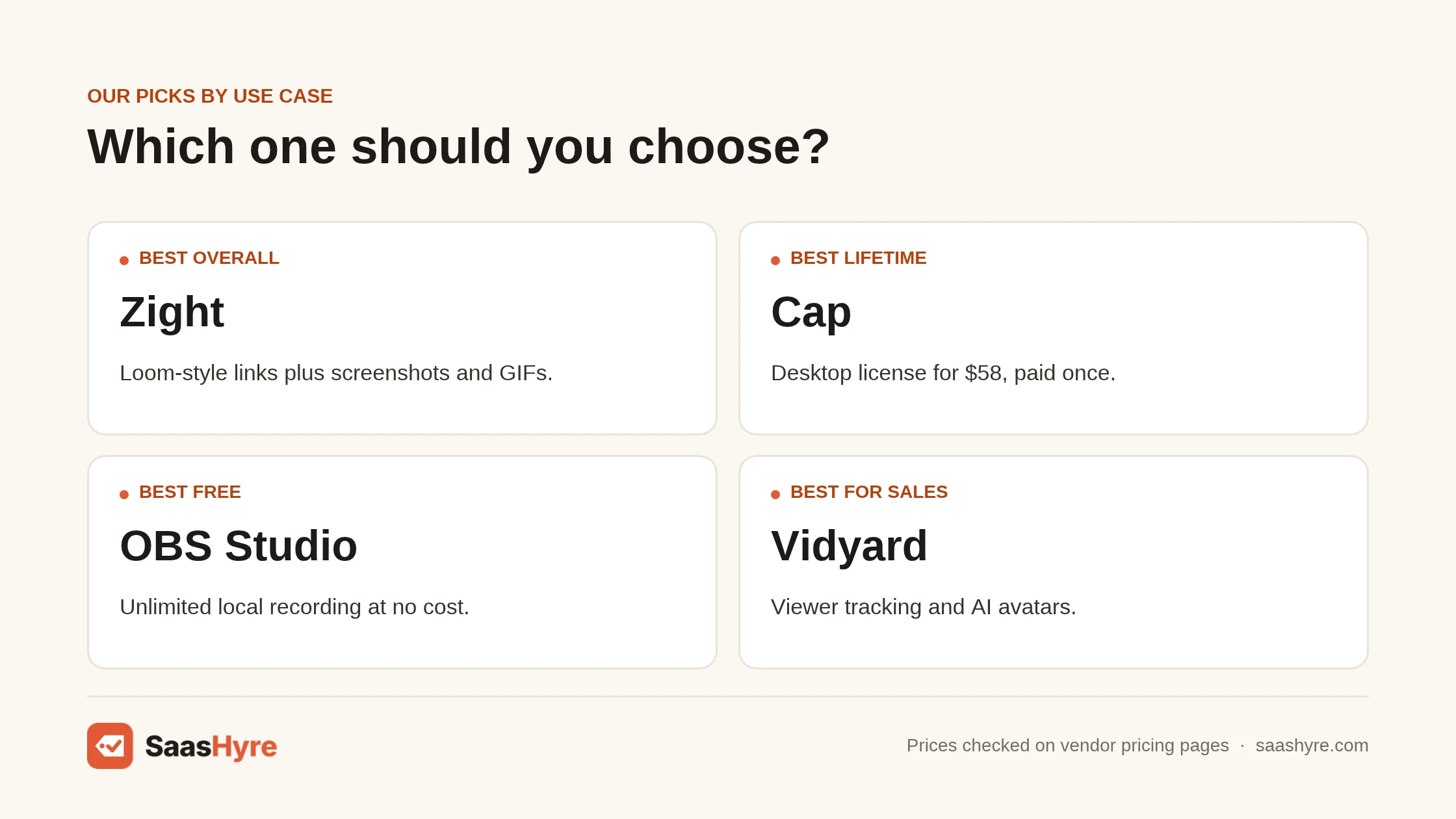
Pick Zight for the closest Loom swap and Cap for a one-time price. Pick OBS Studio if you need free and unlimited recording. Pick Tella for polished demos, Vidyard for sales, Jam for bug reports, and Descript or Camtasia for real editing.
- Closest match to Loom: Zight
- Lifetime license: Cap
- Free with no limits: OBS Studio
- Polished product demos: Tella
- Sales prospecting: Vidyard
- Bug reports: Jam
- Edit by transcript: Descript
- Classroom and training: ScreenPal
- Screenshots first: Snagit
- Long edited courses: Camtasia
How to Choose a Loom Alternative

Think about how long your videos run, where they live and who watches them.
- Check recording limits. Many free plans cap videos at 5 minutes. Vidyard Free allows up to 30.
- Decide on cloud or local. Cap and OBS let you keep files on your own machine.
- Count your creators. Most tools charge per creator, not per viewer.
- Look at lifetime options. Cap’s $58 license pays for itself in a few months.
- Plan your Loom library. Download key videos before you cancel. Old links may stop working.
- Test sharing. Send a link to a teammate and check how it plays on their phone.
Need transcripts from calls rather than screen videos? Our list of Otter.ai alternatives covers AI transcription tools.
How We Picked These Loom Alternatives
I did not run hands-on tests for this guide. Here is exactly what I checked.
- Top ranking guides. I read the leading Loom alternatives articles, including those from Tella, Zight and ClickUp. Tools named on three or more lists made the shortlist.
- Vendor pricing pages. I read each tool’s own pricing page in November 2026. Where a page failed to load or hid prices, I say so.
- User reviews. I checked Loom’s ratings and suggested rivals on G2 and Capterra.
- Use case fit. I grouped tools by job: quick async video, demos and sales, or editing and training.
Prices change often. Always confirm the final price at checkout.
Conclusion
Loom is easy to use, but its 5-minute free cap and $18 seats push many users to look around. Zight is the best Loom alternative for most teams. It matches Loom’s workflow and adds screenshots for $9.95 per user a month yearly. Cap is the pick if you want to pay $58 once. OBS Studio is free with no limits. Tella makes the best-looking demos, and Vidyard fits sales teams.
Start with a free plan or trial. Record three real videos and share them with your team. Then compare the yearly cost for every creator before you switch. For more tools that help your team work faster, browse our guide to the best business software.
Frequently Asked Questions
What is the best free Loom alternative?
OBS Studio is the best free Loom alternative if you need unlimited recording. It is free, open source and has no time limits. For instant share links, Zight and Cap both have free plans with 5-minute videos.
How much does Loom cost per year?
Loom Business costs $18 per user a month and Business + AI costs $24, according to Loom’s pricing page. Yearly billing saves up to 17%. That puts Business at up to $216 per user a year.
What is the cheapest Loom alternative?
Cap is the cheapest paid option. Its desktop license costs $29 a year or $58 once. Cap Pro costs $8.16 per user a month on yearly billing. Zight Create costs $9.95.
Is there an open-source Loom alternative?
Yes. Cap and OBS Studio are both open source. Cap offers Loom-style share links. OBS Studio records locally with no limits, but you must upload and share files yourself.
Which Loom alternative is best for sales teams?
Vidyard is the best Loom alternative for sales teams. It tracks who watched your video and adds AI avatars for outreach. Its free plan includes 5 recordings a month of up to 30 minutes.