
TL;DR: The best proxies for ad verification give you home and phone IPs you can aim at one city and one carrier. This guide explains what the job needs, then compares five providers on real prices. Decodo is my first pick for most teams at $3.75 per GB on a 3 GB plan, or $11.25 a month. Evomi includes carrier targeting on mobile at $3.98 per GB. Count your monthly page checks, then buy the smallest plan.
Looking for the best proxies for ad verification? Start with why brands check their ads at all. The ANA found that advertisers in its study sent just 41% of their programmatic budgets to effective ad impressions in early 2025. MediaPost’s report on the study put the missed value at $21.6 billion. Programmatic means ads bought by software in automated auctions.
So you check. Did the ad show in Dallas? Did it show on the right phone network?
You can’t answer that from your office. An ad server picks each ad by where your IP address is and which network it belongs to. An IP address is the number that identifies a device on the internet.
A proxy fixes that. It is a server that passes your request along, so the site sees the proxy’s IP address and not yours.
I pulled every price here from the vendor’s own page on October 7, 2026. We didn’t test these proxies, and no vendor pays to be listed. Performance numbers come from named third parties.
For the full picture across residential, ISP, datacenter and mobile, see our best proxy providers guide.
Why Does Ad Verification Need Proxies?
Ad verification needs proxies because ad servers choose each ad by the viewer’s location, device and network. A proxy lets you load the page from an IP address in the target city or on the target carrier. You then see the ad a real person there would see.
Ad verification means checking that your ads ran where, when and how you paid for. Most teams run four kinds of checks.
- Geo check. Did the ad show in the right country, state or city?
- Placement check. Did it show on the site or app you bought?
- Creative and landing page check. Is it the right version, and does the click go to the right page?
- Carrier check. Does a campaign aimed at one phone network really show on that network?
A loaded page is not proof. Proxidize, a proxy seller, puts it well. A page can return a success code while showing a consent wall, an empty ad slot or the wrong locale. So save a screenshot for every check.
Use ad verification proxies only on your own or your clients’ campaigns. Bright Data’s policy, for one, lists ad fraud or click fraud as forbidden. Check each site’s terms and your local law before you start.
Which Proxy Type Is Best for Ad Verification?
Residential proxies are the best proxy type for most ad verification, and mobile proxies are best for mobile and carrier-targeted campaigns. Both use IP addresses from real home or phone connections. Datacenter proxies cost less, but ad systems often filter server traffic as non-human.
- Residential proxy. An IP address from a home internet connection.
- Mobile proxy. An IP address from a phone carrier’s 3G, 4G or 5G network.
- Datacenter proxy. An IP address from a server at a hosting company.
Why not buy the cheap datacenter kind? Pixalate’s summary of the Media Rating Council’s traffic rules says known data center traffic counts as general invalid traffic. So an ad platform may filter a server IP or show it a different ad. That last part is our reasoning.
Our guide to residential vs datacenter proxies has more. For this job, match the IP type to the check.
- Desktop or home Wi-Fi campaigns. Residential proxies with country, state or city targeting.
- Local offers by ZIP code. Residential proxies with ZIP targeting.
- Mobile web or in-app ads. Mobile proxies with city targeting.
- Carrier-targeted campaigns. Mobile proxies with carrier or ASN targeting. An ASN is the ID number of one network, such as a phone carrier.
Neither type works every time. Proxyway is a proxy review site that earns affiliate commissions. It ran its 2026 tests on Amazon, Google and Instagram. There, the median success rate was 74.43% for residential proxies and 75.26% for mobile. So buy mobile only when the campaign is mobile.
For rankings by type, see the best residential proxies and the best mobile proxies.
How to Size an Ad Verification Proxy Plan
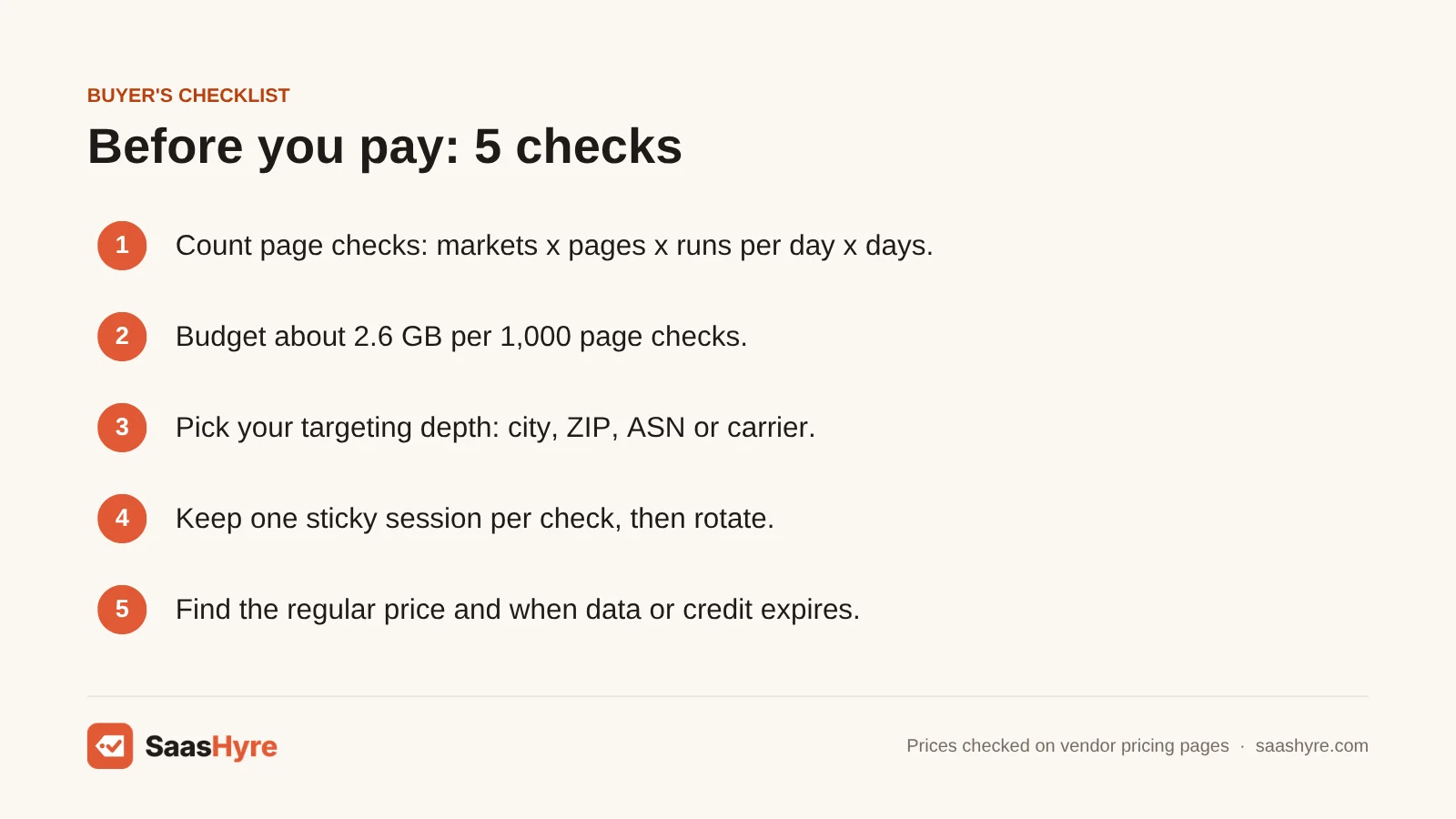
Proxies for this job are billed per GB of data, not per IP. So turn your checks into GB first.
- Count your page checks. Multiply markets by pages by runs per day by days. Checking 20 cities, 10 pages each, twice a day for 30 days is 12,000 checks a month.
- Turn checks into GB. An ad check loads the whole page, scripts and images included. HTTP Archive’s 2025 Web Almanac puts the median home page at 2,559 KB on mobile and 2,862 KB on desktop. So budget about 2.6 GB per 1,000 page checks.
- Pick your targeting depth. All five providers below offer city targeting. ZIP, ASN and carrier filters vary, and some cost extra.
- Plan your sessions. A sticky session keeps one IP for a set time. Rotation gives you a new IP on each request. Proxidize’s guidance is to keep one sticky session per check, then rotate.
- Find the regular price and the expiry date. Promos end, and unused data or credit can expire.
At 2.6 MB each, those 12,000 checks use about 31 GB a month (our math). Treat that as an estimate. Pages full of video ads weigh more, and SOAX, for one, counts data in both directions, including retries.
How Much Do the Best Proxies for Ad Verification Cost?
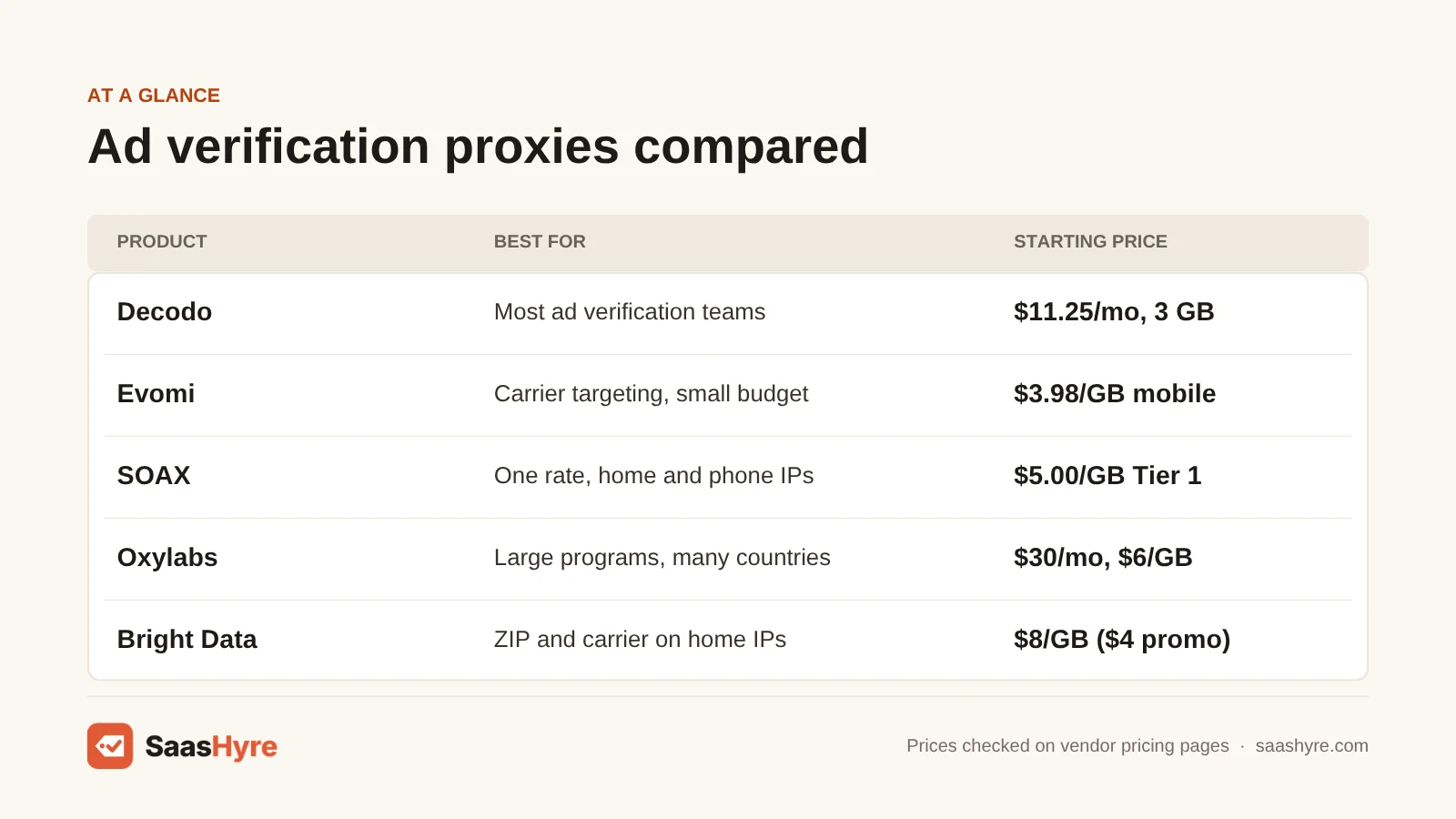
The best proxies for ad verification cost $0.99 to $8 per GB for residential IPs at the smallest size. Mobile IPs cost $3.75 to $7.50 per GB. At about 2.6 GB per 1,000 page checks, that is roughly $2.57 to $20.80 per 1,000 checks, by our math.
| Provider | Residential, price to start | Mobile, price to start | Billing basis | City and carrier targeting |
|---|---|---|---|---|
| Decodo | $11.25/mo for 3 GB ($3.75/GB), or $4/GB pay as you go | $7.50/mo for 2 GB ($3.75/GB promo, regular $7.50/GB) | Monthly, or pay as you go | City, ZIP and ASN on residential. City or ASN on mobile |
| Evomi | $14.85 for 15 GB ($0.99/GB), or $49/mo for 100 GB | $3.98/GB pay as you go, or $30/mo for 8 GB | Pay as you go, or monthly | City on both. Carrier on mobile, included |
| SOAX | No monthly fee on Sandbox, $5.00/GB in Tier 1 countries | Same rate as residential | Prepaid credits, or monthly from $200 | City and ISP. ASN and ZIP need the Scale plan |
| Oxylabs | $30/mo credit plan, $6/GB | Same $30/mo plan, $7.50/GB | Monthly credits that expire each cycle | City, state and ZIP on residential. City and ASN on mobile |
| Bright Data | $8/GB pay as you go ($4/GB with a promo code) | No price published | Pay as you go, or monthly | City, ZIP, ASN and carrier on residential |
Two prices in that table are promos. Decodo’s mobile plans show a 50% discount with no end date. Bright Data’s code, RESIGB50, takes 50% off for 3 months.
For scale, Proxyway’s 2026 research put the average residential price at $4.16 per GB for 5 GB. The median mobile price was $4.38.
What is not in the sticker price:
- Promo end dates. At regular rates, Decodo’s 2 GB mobile plan costs $15 a month and Bright Data costs $8 per GB.
- Data and credit that expire. Oxylabs credit expires at the end of each billing cycle. SOAX credits expire 60 days after you add them. Evomi plan GB don’t roll over.
- Targeting surcharges. On Evomi’s Core residential plan, ZIP and other expert filters multiply your billed data, up to 15 times. SOAX keeps ASN and ZIP targeting for its $1,500 Scale plan. Outside this list, DataImpulse bills city, ZIP and ASN targeting at double the standard rate.
- Minimum spend. Evomi’s Core pay as you go starts at 15 GB, and SOAX’s first paid plan is $200 a month.
- ID checks and tax. Bright Data sells residential access only to registered companies. SOAX and Oxylabs run KYC, which is a business or identity check. Decodo, Oxylabs and SOAX show prices before VAT.
- Refund limits. SOAX says payments are generally non-refundable. Decodo’s 14-day refund stops at 20% of your data or 1 GB.
Now the real bill. The table below is our math, using only published rates. It shows the lowest listed way to buy each amount, at 2.6 MB per check.
| Provider and IP type | 5 GB a month (about 1,900 checks) | 25 GB a month (about 9,600 checks) | 250 GB a month (about 96,000 checks) |
|---|---|---|---|
| Decodo residential | $20 (pay as you go) | $81.25 (25 GB plan) | $625 (250 GB plan) |
| Decodo mobile, on promo | $20 (regular $40) | $81.30 (regular $162.50) | $625 (regular $1,250) |
| Evomi Core residential | $14.85 (15 GB minimum order) | $24.75 (pay as you go) | $122.50 (plan plus 150 extra GB) |
| Evomi mobile | $19.90 (pay as you go) | $90 (Pro plan) | $750 (Business plan) |
| SOAX residential or mobile, Tier 1 | $25 (Sandbox) | $125 (Sandbox) | $550 (Team plus $50 in credits) |
| Oxylabs residential | $30 (Starter) | $125 (Basic plus $25 in top-ups) | $1,000 (Flexible plus $500 in top-ups) |
| Oxylabs mobile | $37.50 (Starter plus top-ups) | $166.75 (Basic plus top-ups) | $1,250 (Flexible plus top-ups) |
| Bright Data residential | $40, or $20 with the promo | $200, or $100 with the promo | $2,000, or $1,000 with the promo |
Take Oxylabs residential at 25 GB. The Basic plan gives you $100 of credit at $5 per GB, which covers 20 GB. The other 5 GB need $25 in top-ups.
These totals assume US checks with no ZIP or ASN filter. Evomi Core looks far cheaper, but Proxyway’s 2026 residential test covered Evomi’s Premium pool. So we have no third-party figure for Core.
The 5 Best Proxies for Ad Verification, Compared
I picked these five on published price, targeting depth and terms.
What changed in 2026: Bright Data no longer shows a mobile price, and Proxyway says the product ended in April. NetNut’s domains were seized on July 2, per Krebs on Security’s report, so we don’t list it. Oxylabs moved every product to one credit subscription. SOAX no longer lists ISP and datacenter proxies.
1 Decodo: Best for most ad verification teams
If you want small plans for both home and phone IPs, start here.
What it does well. Decodo sells both IP types in small monthly plans. Its mobile pool succeeded 99.75% of the time in Proxyway’s 2026 connection test. Proxyway named it Best All-Rounder for 2026.
Key features:
- City, ZIP and ASN targeting on residential
- City-level targeting on all mobile plans
- Sticky sessions up to 24 hours
Pricing. Residential costs $4 per GB pay as you go, or $11.25 a month for 3 GB. Mobile starts at $7.50 a month for 2 GB on a 50% promo, and the regular price is $15. See Decodo pricing, or read our Decodo pricing guide.
Best for: You, if you run a few thousand checks a month across many cities.
Limitations. On mobile, Decodo’s help docs say you pick city targeting or ASN targeting, not both. The free trial needs payment details, and using it cancels the 14-day refund. Decodo calls its IPs “ethically-sourced”, which is its own claim.
2 Evomi: Best for carrier targeting on a small budget
If you need one carrier in one city and a small bill, look at Evomi.
What it does well. Evomi’s mobile plans include country, region, city and carrier targeting on every plan. That suits mobile proxies for ad verification. In Proxyway’s 2026 connection test, its mobile pool succeeded 99.66% of the time.
Key features:
- Carrier and city targeting included on mobile
- Mobile pay as you go from 1 GB
- Sticky sessions up to 24 hours
Pricing. Mobile costs $3.98 per GB pay as you go, or $30 a month for 8 GB. Core residential costs $0.99 per GB pay as you go from 15 GB, or $49 a month for 100 GB. See Evomi pricing.
Best for: You, if your campaigns target phone carriers and your volume is small.
Limitations. On Core residential, ZIP and expert filters multiply your billed data. The 30-day refund stops at 1 GB or 10% of your data and excludes pay-as-you-go purchases. Evomi says its IPs come from paid, opt-in volunteer nodes, which is its own claim.
3 SOAX: Best for one rate across home and phone IPs
If your checks mix home and phone IPs, SOAX keeps the math simple.
What it does well. SOAX charges one rate for residential and mobile. Every plan includes ISP targeting, so you can pick the internet provider or carrier. In Proxyway’s 2026 connection test, its mobile pool succeeded 99.74% of the time.
Key features:
- Country, region, city and ISP targeting on every plan
- One credit balance for both IP types
- Credits last 60 days on monthly plans
Pricing. The Sandbox plan has no monthly fee, and you pay $5.00 per GB in Tier 1 countries like the US and Germany. Builder costs $200 a month and cuts Tier 1 to $3.00 per GB. Team costs $500 at $2.20, plus VAT. See SOAX pricing.
Best for: You, if you want one bill and one rate for every check.
Limitations. Your rate depends on the exit country. The pricing page says there is no free trial, yet a product page still advertises a $1.99 trial we couldn’t confirm. SOAX says identity verification is a condition of paid access.
4 Oxylabs: Best for large programs in many countries
If you verify ads in dozens of countries at once, look at Oxylabs.
What it does well. In Proxyway’s 2026 test, Oxylabs returned 1,192,449 unique IPs across 1.2 million mobile requests. It also had the top mobile connection success rate, at 99.84%.
Key features:
- City, state and ZIP targeting on residential
- City, coordinate and ASN targeting on mobile
- $5 welcome credit with no card
Pricing. Oxylabs sells one monthly credit subscription for all its products. Starter costs $30 a month, with residential at $6 per GB and mobile at $7.50. Flexible costs $500, at $4 and $5. See Oxylabs pricing, or read our Oxylabs pricing guide.
Best for: You, if you run big programs and can spend $500 or more a month.
Limitations. The starting rates are high, and unused credit expires at the end of each cycle. Oxylabs’ pages disagree on refunds, and its help center says self-service purchases are non-refundable. Oxylabs says every customer answers a KYC questionnaire.
5 Bright Data: Best for ZIP and carrier filters on home IPs
If you are a registered company that needs ZIP-level checks, look at Bright Data.
What it does well. Bright Data’s docs list country, state, city, ZIP code and ASN targeting, plus a carrier option. It did not take part in Proxyway’s 2026 test, so we have no fresh third-party figures.
Key features:
- City, ZIP, ASN and carrier targeting
- City and ZIP targeting at no extra fee
- Pay as you go with no commitment
Pricing. The regular price is $8 per GB pay as you go. Promo code RESIGB50 gives 50% off for 3 months, so that drops to $4. Monthly plans start at $499. See Bright Data pricing.
Best for: You, if you need residential proxies for ad verification at ZIP level.
Limitations. No mobile price is published. Bright Data’s docs say residential access goes only to registered companies, after a review of about 48 hours. Bright Data says its software turns on only after a user opts in, which is its own claim.
Can Proxies Detect Ad Fraud on Their Own?
Proxies can’t detect ad fraud on their own. A proxy only shows what one IP address in one place was served at one moment. Spotting fake clicks, bot traffic or hidden ads takes measurement tools and your ad platform’s reports. Use proxies to collect proof, not to judge traffic.
So what are proxies for ad fraud checks good at? They give you proof to show a partner, like an ad in the wrong city.
They can’t tell you how many of your impressions were real people. That takes data from every impression, not a sample of page loads.
Also ask where the IPs come from. Google’s threat team says claims of ethical sourcing must be backed by auditable proof of user consent.
Our ranking of the best proxy providers covers every proxy type.
How We Researched This Guide
We read every price on the vendor’s own rendered pages on October 7, 2026, with tabs and toggles opened.
We could not confirm a few things. They are Bright Data’s mobile price, SOAX’s maximum sticky session and its $1.99 trial. We also couldn’t confirm which Oxylabs refund page applies, or whether Evomi sells Core pay as you go under 15 GB.
The cost tables are our math, based on published rates. The 2.6 MB per page check is an estimate from HTTP Archive’s median page weight.
We did not test these proxies ourselves. Performance figures come from named third parties, mainly Proxyway. No vendor pays to be listed or ranked. You can read more in our editorial policy.
Prices last checked: October 7, 2026.
The Bottom Line
Here is what to take away. First, the job needs home and phone IPs that you can aim at a city, and sometimes at a carrier. Second, budget about 2.6 GB for every 1,000 page checks. Third, starting rates run from $0.99 to $8 per GB.
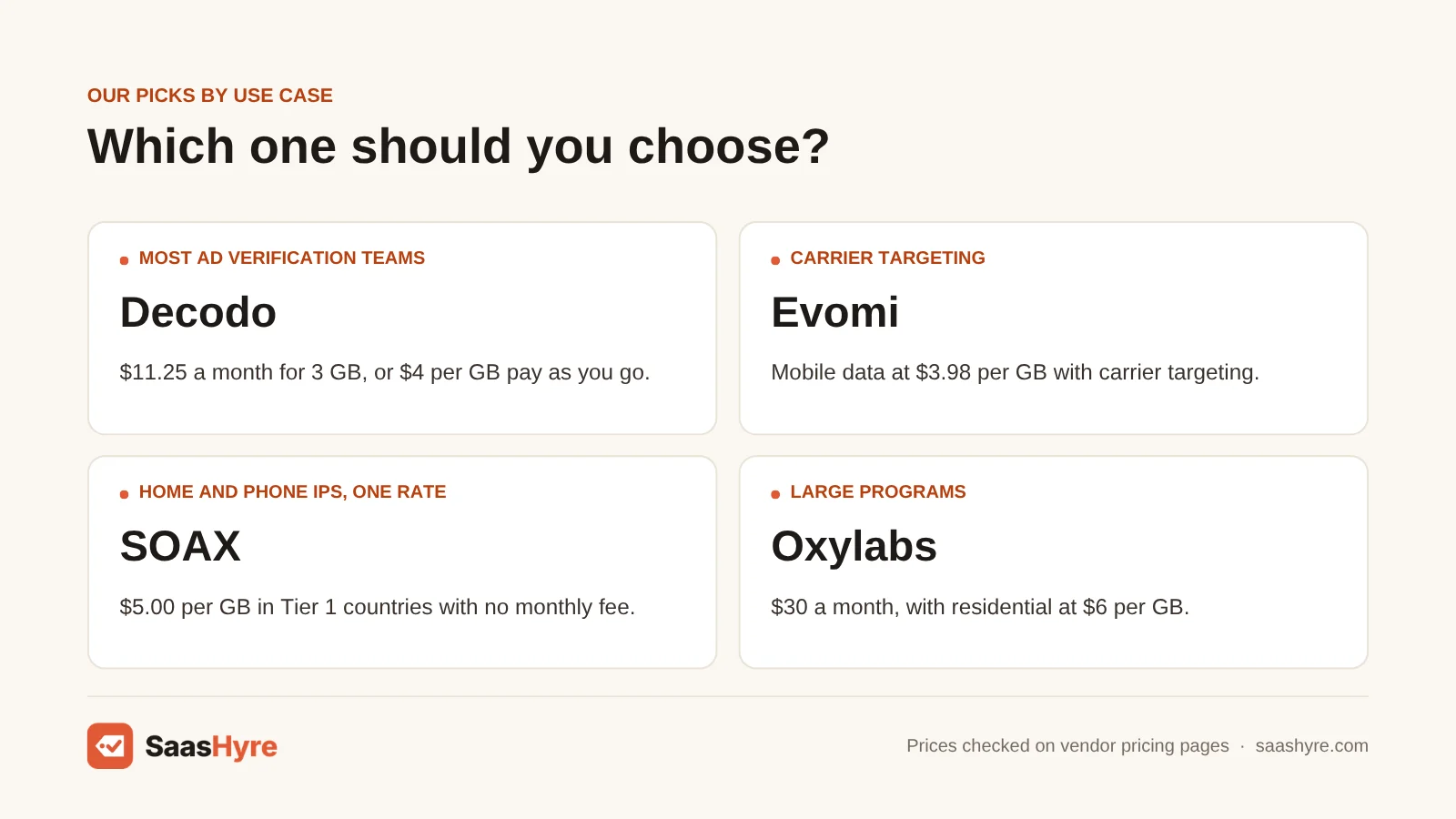
For most teams, I’d start with Decodo at $11.25 a month for 3 GB. Need one carrier in one city? Try Evomi’s mobile data at $3.98 per GB. Running a large program in many countries? Look at Oxylabs.
Your next step is simple. Count one month of page checks. Then buy the smallest plan from two providers and run the same ten checks on each. You’ll soon see which one fits.
Frequently Asked Questions
What is ad verification and why does it need proxies?
Ad verification is checking that your ads ran where, when and how you paid for. Ad servers pick each ad by the viewer’s location and network. A proxy loads the page from an IP address in the target city, so you see what a local viewer sees.
Which proxy type is best for ad verification?
Residential proxies fit most checks, and mobile proxies fit carrier-targeted campaigns. In Proxyway’s 2026 tests on real sites, both types had a median success rate near 75%.
How much do ad verification proxies cost?
Among the five providers here, residential data starts at $0.99 to $8 per GB, and mobile at $3.75 to $7.50. By our math, that is roughly $2.57 to $20.80 per 1,000 page checks, based on HTTP Archive’s median page weight.
Should ad verification proxies rotate or stay sticky?
Use both. Keep one sticky IP for a single check, from the page load to the landing page. Then rotate to a new IP for the next check. Decodo and Evomi list sticky sessions of up to 24 hours.
Is it legal to use proxies to check ads?
We can’t give legal advice. In hiQ v. LinkedIn, a US appeals court said that accessing publicly available data likely isn’t access “without authorization” under one federal law. Yet hiQ was still found to have breached LinkedIn’s user agreement. Check each site’s terms and your local law.