

TL;DR: The best Databox alternatives in 2026 are Looker Studio (free), Power BI ($14 per user a month, paid yearly), Geckoboard (from $79 a month, billed yearly), and AgencyAnalytics ($20 per client a month, billed yearly). Pick Looker Studio if you want zero cost, Power BI for deep analysis, Geckoboard for office TV screens, and AgencyAnalytics or DashThis if you run client reports for an agency.
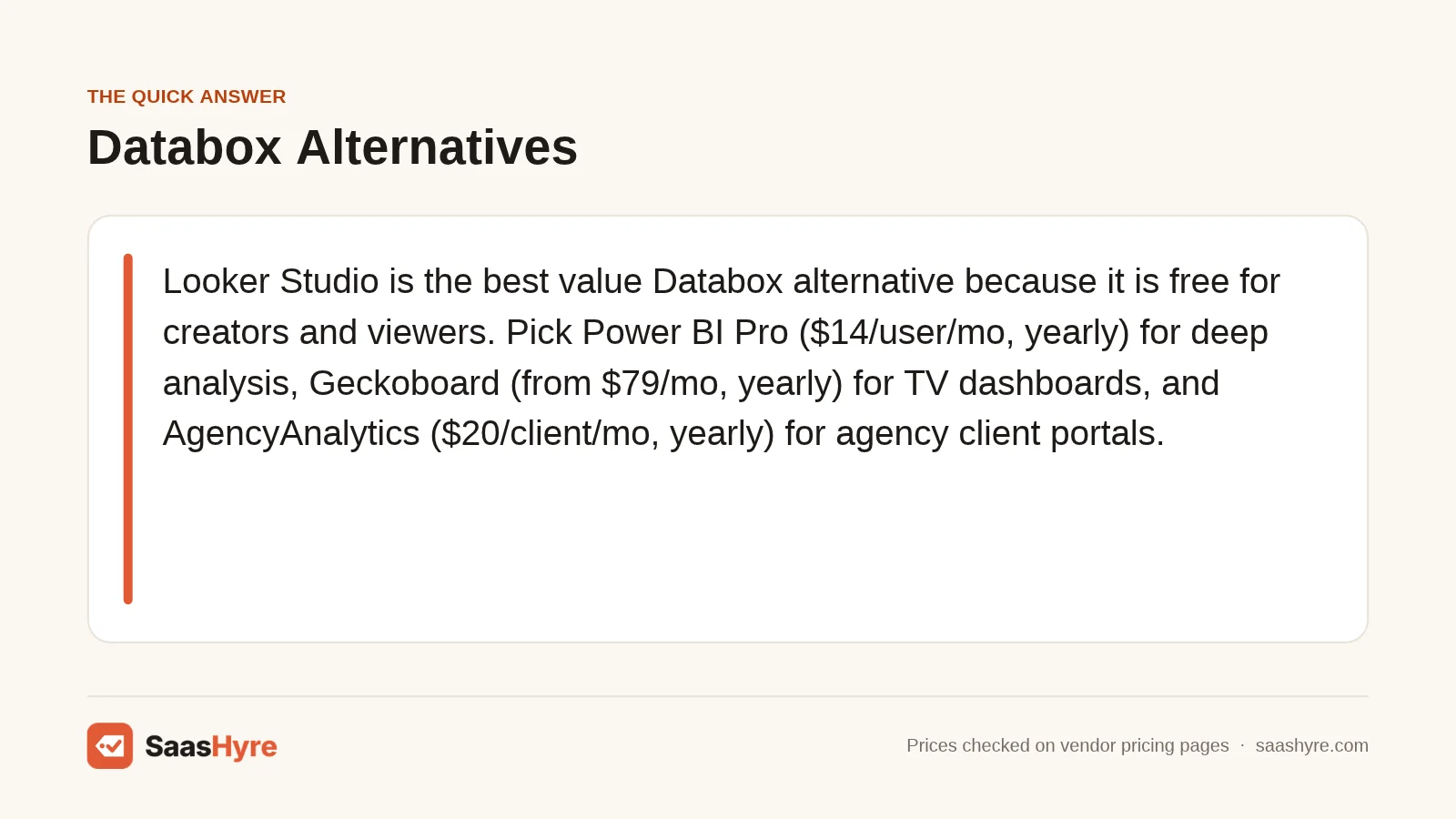
Top pick: Looker Studio is the best value Databox alternative for most small teams. It is free for creators and viewers, connects to Google Analytics, Google Ads and Sheets in a few clicks, and only charges if you want the Pro tier at $9 per user, per project, each month. If you need heavier modeling, step up to Power BI Pro.
Databox is a popular KPI dashboard tool. It pulls numbers from tools like HubSpot, Google Analytics and Stripe into one screen. It also has a real free plan, which is rare. So why do so many people search for Databox alternatives?
Price is the big one. When I read the Databox pricing page in November 2026, the free plan was clear: 1 user, 3 data sources and 1 dashboard. The paid tiers were less clear. The pricing cards and the FAQ on the same page showed different numbers for the Team and Agency plans. That makes budgeting hard.
Other reasons come up too. Some teams want deeper analysis than a KPI board can give. Agencies want white label client portals. Finance teams want tools their company already pays for, like Microsoft 365.
This guide compares nine Databox alternatives by what they cost per year, what the free plan or trial gets you, and who each one fits. Every price below comes from the vendor’s own pricing page. If you are also picking tools for analysis, see our guide to the best AI data analytics tools.
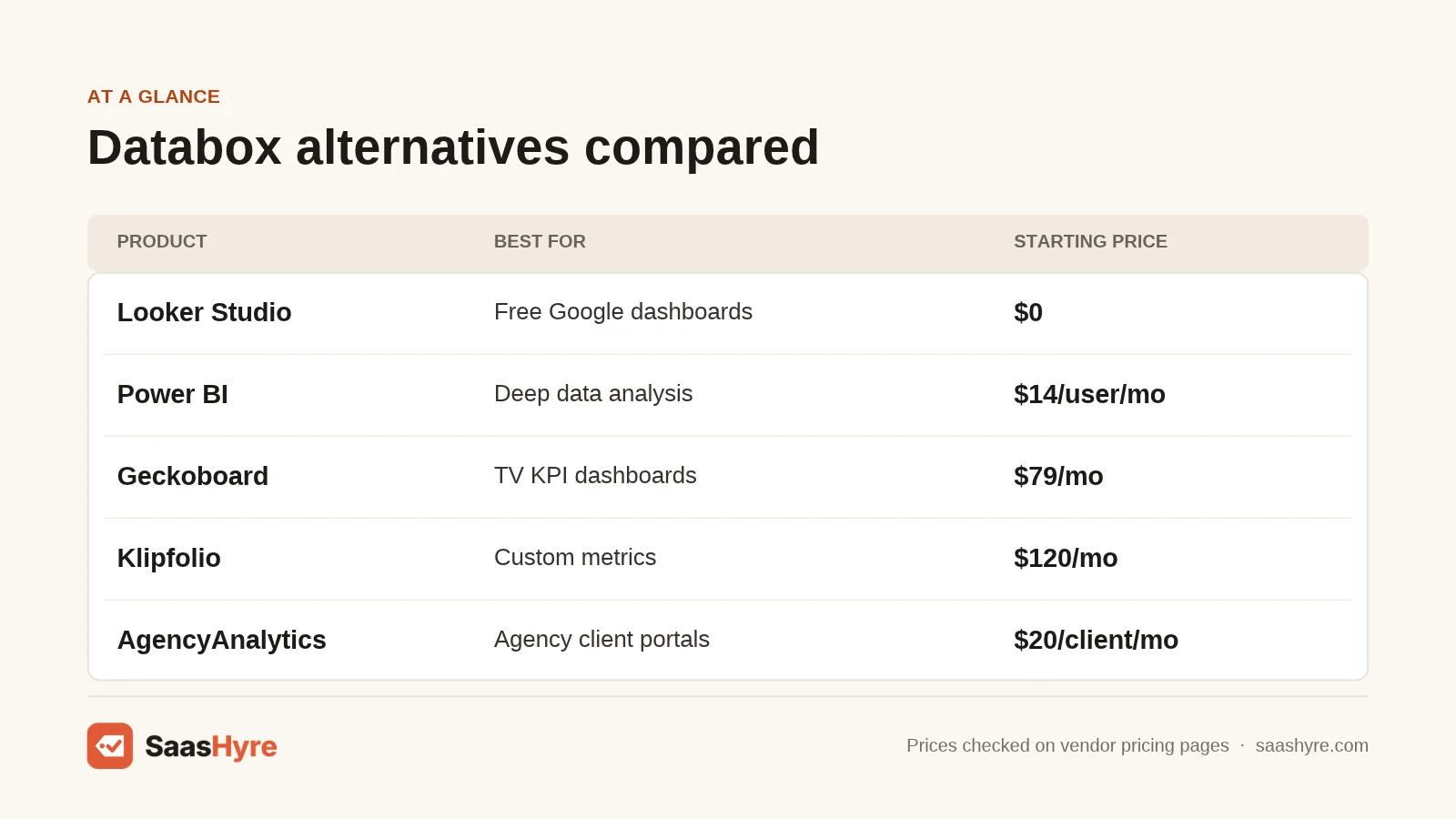
Quick Comparison: Databox Alternatives at a Glance
| Tool | Best for | Starting price | Billing | Free plan or trial |
|---|---|---|---|---|
| Looker Studio | Free dashboards on Google data | $0 (Pro $9/user/project/mo) | Monthly | Free plan |
| Power BI | Deep analysis in Microsoft shops | $14/user/mo | Paid yearly | Free account |
| Tableau | Enterprise visual analytics | $15/user/mo | Annual contract | Free trial + free Desktop |
| Geckoboard | TV dashboards for teams | $79/mo | Billed annually | 14-day trial |
| Klipfolio | Custom metrics and formulas | $120/mo | Annual ($140 monthly) | 14-day trial |
| Zoho Analytics | Low-cost BI with AI help | Check current price | Monthly or yearly | Free plan + 15-day trial |
| DashThis | Simple agency reports | $44/mo | Monthly (save yearly) | 14-day trial |
| AgencyAnalytics | Client portals for agencies | $20/client/mo | Billed annually | 14-day trial |
| Whatagraph | Large agency reporting | €699/mo | Billed annually | Demo only |
Why Do Teams Look for a Databox Alternative?
Most teams switch for three reasons. Databox paid plan prices were hard to pin down on its own page in late 2026. The free plan caps you at 3 data sources. And some teams need deeper analysis, white label client reports, or a tool already in their software stack.
Databox is still a fair choice if its free plan covers you. It gives you 1 dashboard, 10 custom metrics and daily sync, per its pricing page. It also offers a 14-day trial with no credit card. The issue starts when you grow past that.
Databox is well liked. It holds a 4.6 out of 5 rating from 205 reviews on Capterra. So switching is usually about price or fit, not quality.
Here is what users often want instead:
- A tool that is fully free, with no cap on data sources.
- Real data modeling, joins and SQL, not just KPI cards.
- Branded client portals for agency work.
- Clear per-user or per-client pricing you can forecast.
Independent roundups point the same way. Coefficient’s Databox alternatives list and Improvado’s 15-tool roundup both name Klipfolio, Geckoboard and Whatagraph, and Improvado adds Tableau, Looker Studio and DashThis. Note that both are vendors that rank their own product first, which this guide does not.
Which Free and Low-Cost Tools Replace Databox?
Looker Studio and Power BI are the two strongest low-cost swaps. Looker Studio is free for creators and viewers. Power BI has a free account and a Pro plan at $14 per user a month, paid yearly. Zoho Analytics also has a free plan for 2 users.
1 Looker Studio: Best for free Google dashboards
Google’s free reporting tool turns Analytics, Ads, Sheets and BigQuery data into shareable dashboards.
What it does well. It costs nothing for most users. Google says Looker Studio is available at no charge for creators and report viewers. Native Google connectors work in minutes, and you can share a report with a link.
Key features:
- Free connectors for Google Analytics, Google Ads, Search Console, Sheets and BigQuery
- Drag and drop report builder with charts, tables and filters
- Scheduled email delivery of reports
- Hundreds of partner connectors for non-Google tools
Pricing. Free for creators and viewers. Looker Studio Pro costs $9 per user, per project, per month, and Google notes the price can vary with subscription length. See Looker Studio pricing.
Best for: Small teams and marketers who live in Google tools and want zero software cost.
Limitations. Many non-Google connectors come from third parties that charge their own fees. Large reports can load slowly. There are no built-in goal alerts like Databox has.
2 Power BI: Best for deep analysis in Microsoft shops
Microsoft’s business intelligence platform for modeling, analyzing and sharing data at any scale.
What it does well. It goes much deeper than a KPI board. You can build data models, write DAX measures and join many sources. If your company already uses Microsoft 365 and Teams, sharing is simple.
Key features:
- Power Query for cleaning and shaping data
- DAX formulas for custom measures
- Hundreds of data connectors, including Excel and SQL Server
- Reports embedded in Teams and SharePoint
- Copilot features in higher tiers
Pricing. A free account lets you build reports, but sharing needs a paid license. Power BI Pro is $14 per user a month and Premium Per User is $24 per user a month, both paid yearly. See Power BI pricing.
Best for: Analysts and finance teams who need real modeling and already pay for Microsoft tools.
Limitations. The learning curve is steep next to Databox. The desktop builder runs on Windows only. Costs climb fast when every viewer needs a Pro license.
3 Zoho Analytics: Best for low-cost BI with AI help
A self-service BI tool from Zoho with a free tier, an AI assistant and hundreds of connectors.
What it does well. It sits between Databox and Power BI. You get real data blending and SQL queries, but the setup is friendlier. It also fits well if you already run Zoho CRM or Zoho Books.
Key features:
- Free plan with 2 users, 10K rows and 5 workspaces
- Zia AI assistant for plain-English questions
- Data blending across apps and databases
- White label and embedded options in higher tiers
Pricing. The free plan covers 2 users and 10K rows. Paid plans (Basic, Standard, Premium, Enterprise) come with a 15-day trial, and yearly billing saves 20%. Exact dollar amounts did not load on the page I checked, so check the current price. See Zoho Analytics pricing.
Best for: Small and midsize businesses that want BI features without enterprise prices.
Limitations. Row limits are tight on lower plans. The interface feels busy at first. Prices vary by region, so confirm the dollar figure before you commit.
4 Tableau: Best for enterprise visual analytics
Salesforce’s visual analytics platform, a standard pick for large teams that need polished, interactive dashboards.
What it does well. Its charts and drag and drop exploration are among the best in BI. It shows up on most Databox alternative lists, including Capterra’s, because it scales from one analyst to a whole company.
Key features:
- Tableau Desktop and web authoring
- Tableau Prep Builder for data cleaning
- Tableau Pulse for metric summaries
- Cloud or self-hosted Server options
- Free Desktop edition for local work
Pricing. Tableau Standard starts at $15 per user a month and Enterprise at $35 per user a month. Tableau says all products need an annual contract billed annually, so there are no monthly plans. A free trial and a free local Desktop edition are offered. See Tableau pricing.
Best for: Midsize and large companies with analysts who need deep, visual exploration.
Limitations. You must sign a yearly contract. Costs grow with every user. It takes training to use well, and it is more than a KPI board needs.
Which Databox Alternatives Are Best for TV Dashboards and Custom Metrics?
Geckoboard is the simplest pick for live office screens, starting at $79 a month billed annually. Klipfolio is the better choice if you need custom formulas and data shaping, starting at $120 a month billed annually or $140 billed monthly.
5 Geckoboard: Best for live TV dashboards
A focused KPI dashboard tool built to show a few key numbers on a big screen.
What it does well. It is the closest match to how many teams use Databox. Setup is fast, the design is clean, and the TV mode is built for sales floors and support teams.
Key features:
- Dedicated TV and full-screen dashboard mode
- Connectors for tools like HubSpot, Salesforce and Zendesk
- Spreadsheet and API data sources
- Slack and email dashboard sharing
Pricing. Essentials starts from $79 a month and Performance from $319 a month, both billed annually. Annual billing saves 20%. A 14-day free trial is available, and prices exclude VAT. See Geckoboard pricing.
Best for: Sales and support teams that want live numbers on a wall screen.
Limitations. There is no free plan after the trial. Analysis is light, with few drill-downs. The jump from Essentials to Performance is large.
6 Klipfolio: Best for custom metrics and formulas
A dashboard tool for teams that want to build their own metrics with formulas and data modeling.
What it does well. Klips gives you fine control. You can write formulas, shape raw data and build metrics Databox cannot do out of the box. It suits data-savvy marketers and ops leads.
Key features:
- Formula editor for custom calculations
- Hundreds of service connectors and REST API support
- Branded dashboards and client sharing
- Scheduled snapshots by email
Pricing. Base is $120 a month billed annually or $140 billed monthly. Grow is $190 or $220, Team is $310 or $350, and Team+ is $600 or $690. The 14-day trial needs no credit card and does not auto-convert. See Klipfolio pricing.
Best for: Teams with someone comfortable writing formulas who need metrics built their way.
Limitations. The starting price is higher than most tools here. The formula language takes time to learn. No permanent free plan is listed.
Which Databox Alternatives Work Best for Marketing Agencies?
AgencyAnalytics and DashThis are the best fits for agencies. AgencyAnalytics charges $20 per client a month, billed annually, and adds client portals. DashThis starts at $44 a month and is the simplest way to send clean monthly reports. Whatagraph suits large agencies at €699 a month.
7 AgencyAnalytics: Best for agency client portals
An all-in-one reporting platform made for marketing agencies and their clients.
What it does well. Per-client pricing scales with your agency. Each client gets a white label login, and SEO tools like a rank tracker are built in or available as add-ons.
Key features:
- White label client dashboards and portals
- 80+ marketing integrations, including SEO and PPC
- Automated scheduled reports
- Optional AI Tracker and Rank Tracker add-ons
Pricing. Core is $20 per client a month, billed annually. Monthly plans have no commitment, and the site meta text says plans start at $25 a month. The 14-day trial needs no card, and there is a 30-day money-back guarantee. See AgencyAnalytics pricing.
Best for: SEO and PPC agencies with 5 to 25 clients who want branded portals.
Limitations. Annual plans lock you in for a year. Volume pricing above 25 clients needs a sales call. Add-ons raise the real cost.
8 DashThis: Best for simple agency reports
A no-fuss marketing report tool that turns ad and analytics data into clean dashboards.
What it does well. It is quick to learn. Templates for Google Ads, Facebook Ads and SEO reports get you a client-ready dashboard in minutes.
Key features:
- Prebuilt report templates
- Integrations for major ad and analytics tools
- White label branding
- Optional AI Insights Pro add-on
Pricing. Individual is $44 a month, Professional $139, Business $279 and Standard $429. Yearly billing saves $120 to $840 a year, which puts Individual near $408 a year. A 14-day trial gives you 10 dashboards, and nonprofits get 30% off. See DashThis pricing.
Best for: Freelancers and small agencies that send monthly client reports.
Limitations. Plans are priced by dashboard count, so costs rise with clients. It is a reporting tool, not a BI tool. AI insights cost $15 to $19 a month extra.
9 Whatagraph: Best for large agency reporting
A marketing data and reporting platform built for agencies with many clients and sources.
What it does well. It handles volume. Whatagraph blends data across channels and builds polished reports for agencies that have outgrown simpler tools.
Key features:
- Cross-channel data blending
- Branded report templates
- Data transfers to BigQuery and other warehouses
- Account manager support
Pricing. Max starts at €699 a month, billed annually. Prime has custom pricing. The page lists no monthly billing and no free trial, only a demo. See Whatagraph pricing.
Best for: Agencies with dozens of clients and a real reporting budget.
Limitations. It is the most expensive option here. You cannot try it without a sales call. Pricing is in euros, so the dollar cost moves with exchange rates.
Which Databox Alternative Should You Pick for Your Use Case?
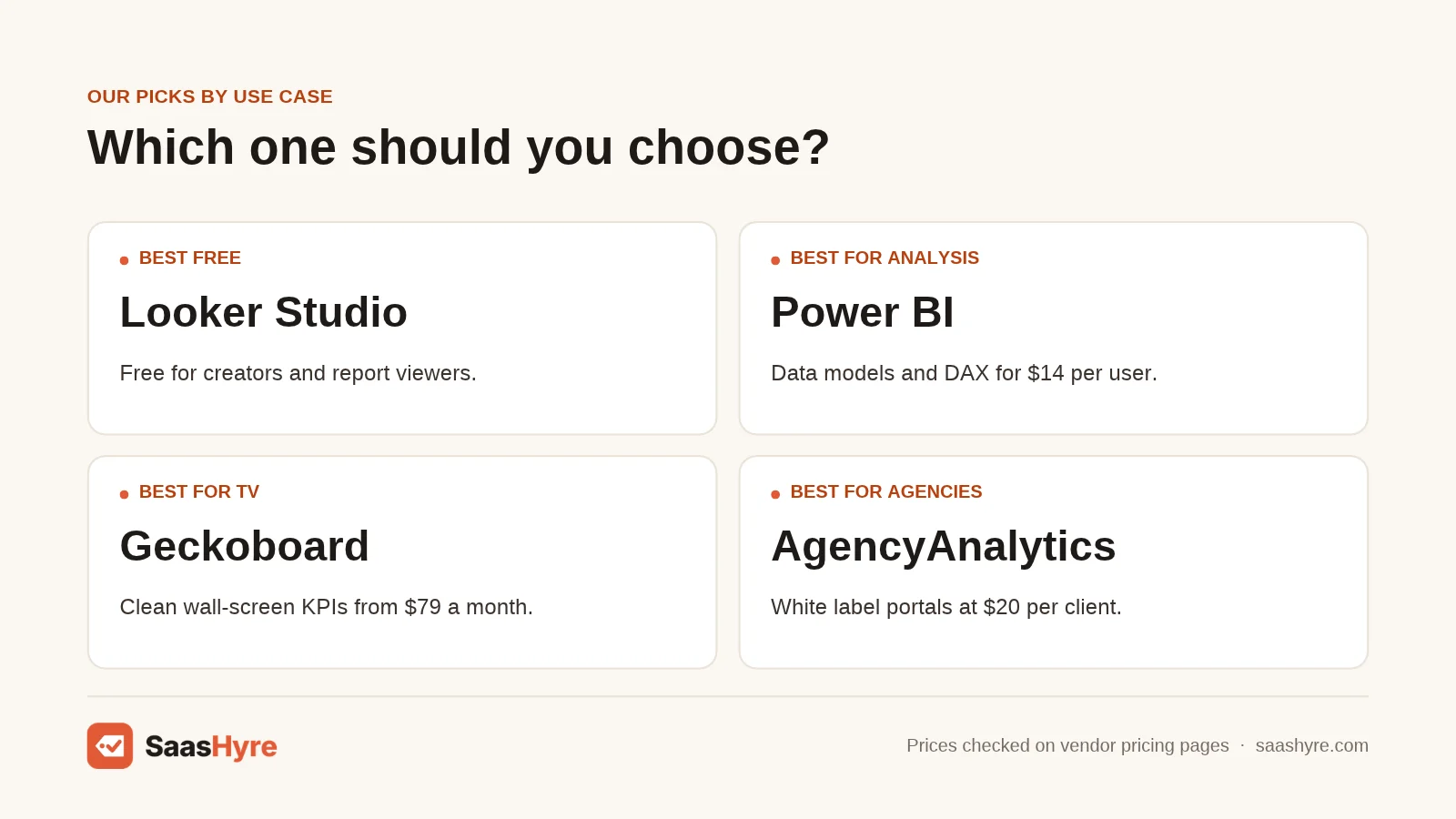
Pick by job, not by feature list. Looker Studio wins on cost, Power BI on depth, Geckoboard on wall screens, Klipfolio on custom metrics, and AgencyAnalytics on client work. Use the table below to match your main need to one tool.
| If you need | Pick | Why |
|---|---|---|
| The lowest cost | Looker Studio | Free for creators and viewers |
| Data models and DAX | Power BI | Pro is $14/user/mo, paid yearly |
| Polished visual analysis | Tableau | From $15/user/mo, annual contract |
| A KPI board on a TV | Geckoboard | Built-in TV mode, from $79/mo |
| Custom formulas | Klipfolio | Formula editor, from $120/mo |
| Agency client portals | AgencyAnalytics | $20/client/mo, billed annually |
| Simple monthly reports | DashThis | Templates, from $44/mo |
| BI on a small budget | Zoho Analytics | Free plan for 2 users |
How Much Do Databox Alternatives Cost per Year?
Yearly costs range from $0 for Looker Studio to about €8,388 for Whatagraph Max. Per-user tools like Power BI and Tableau run $168 to $180 per user. Most small teams will spend between $168 and $1,440 a year. The table uses the lowest paid tier on each vendor’s page in November 2026.
| Tool | Entry plan | Yearly cost (entry tier) |
|---|---|---|
| Looker Studio | Free / Pro | $0, or $108 per user per project for Pro |
| Power BI | Pro | $168 per user |
| Tableau | Standard | $180 per user (annual contract) |
| Zoho Analytics | Basic | Check the current price |
| Geckoboard | Essentials | $948 (billed annually) |
| Klipfolio | Base | $1,440 annual, or $1,680 paid monthly |
| DashThis | Individual | About $408 annual, or $528 paid monthly |
| AgencyAnalytics | Core | $240 per client |
| Whatagraph | Max | €8,388 (billed annually) |
These figures cover list prices only. Taxes, paid connectors and add-ons are extra. Always confirm on the vendor page before you buy, since SaaS prices change often.
How to Choose the Right Databox Alternative
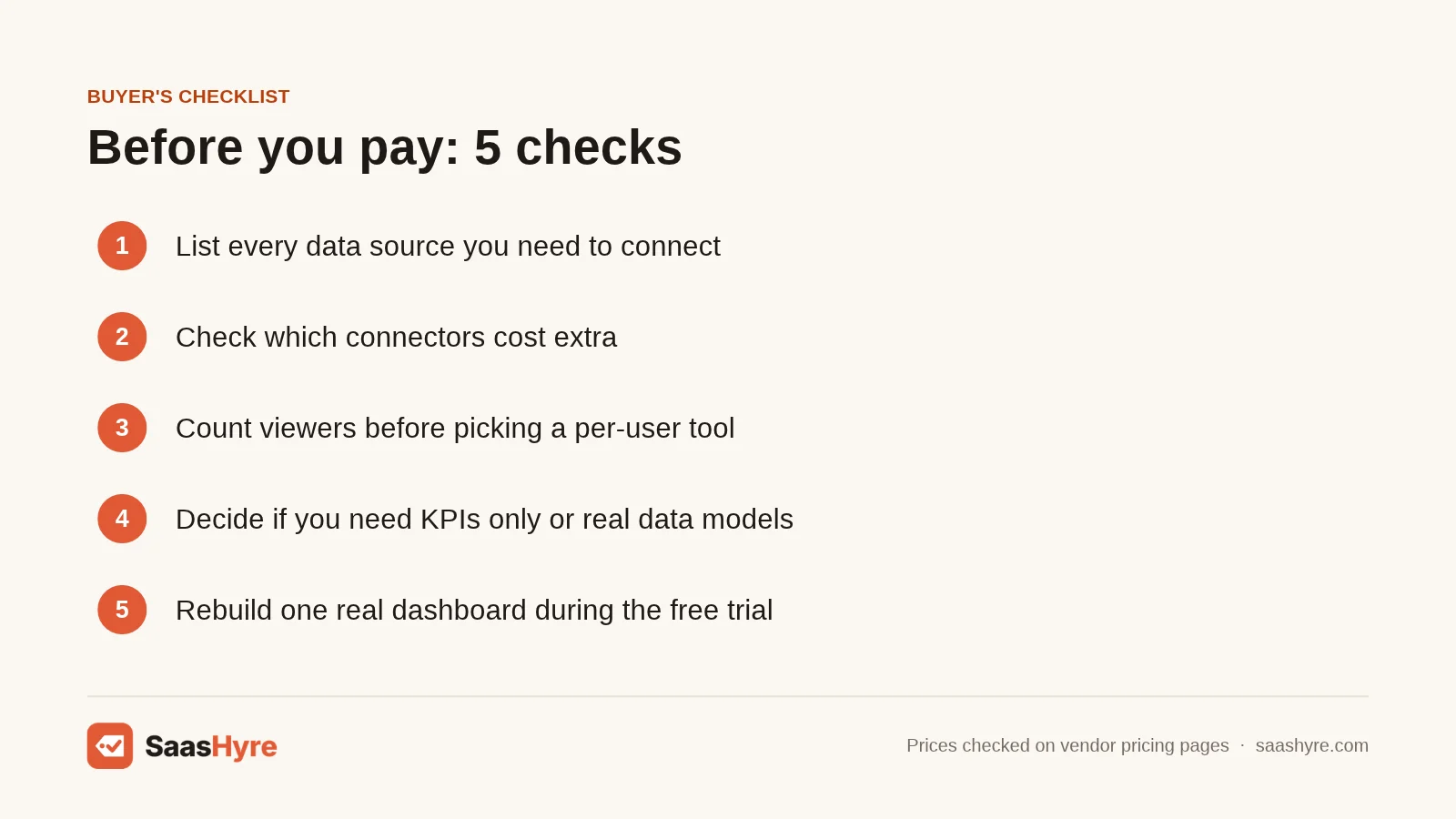
Start with your data sources. List every tool you need to pull from. Then check each candidate’s connector list, and note which connectors cost extra.
Next, count your viewers. Per-user tools like Power BI get costly when many people only need to look. Flat-price tools like Geckoboard or Klipfolio are better for wide sharing.
Then decide how deep you need to go. If you only track a dozen KPIs, a board like Geckoboard is enough. If you need joins and custom models, pick Power BI or Zoho Analytics.
Finally, run a trial with real data. Most tools here give you 14 or 15 days. Build the one dashboard you look at every Monday. If it takes more than an hour, the tool may not fit your team. If you also report on SEO, our list of the best AI SEO tools covers tools that feed these dashboards, and our best AI marketing tools guide covers the wider stack.
How Did I Compare These Databox Alternatives?
I read each vendor’s own pricing page in November 2026 and recorded the entry price, billing terms, free plan and trial. I did not run hands-on tests. Picks are based on published pricing, listed features and the use case each tool is built for.
I scored each tool on four things: yearly cost at the entry tier, what the free plan or trial includes, how well it fits a clear use case, and how easy it is to forecast your bill. Where a page did not show a number, I say so and link to it. Many Databox users also run HubSpot, so our HubSpot pricing guide can help you see your total reporting cost.
Conclusion: The Best Databox Alternative for Your Budget
Databox is a good KPI tool, but its paid pricing was hard to read in late 2026, and its free plan stops at 3 data sources. You have better value options.
If you want free, start with Looker Studio. If you need serious analysis, Power BI Pro at $14 per user a month is hard to beat. Geckoboard is the cleanest swap for wall screens. Agencies should trial AgencyAnalytics or DashThis first.
Pick two tools from this list and start their free trials this week. Rebuild your most-used Databox dashboard in each one. The tool that gets you there fastest, at a price you can forecast, is your answer. Then check our best business software guide to round out your stack.
Frequently Asked Questions
What is the best free Databox alternative?
Looker Studio is the best free Databox alternative. Google says it is available at no charge for creators and report viewers. Power BI and Zoho Analytics also have free tiers, but Power BI needs a paid license to share reports.
Is Databox free?
Yes. Databox has a free forever plan with 1 user, 3 data sources, 1 dashboard and daily sync. It also offers a 14-day trial of paid plans with no credit card. Check the Databox pricing page for current paid plan prices.
Is Geckoboard cheaper than Databox?
It depends on the plan. Geckoboard Essentials starts from $79 a month billed annually. Databox paid prices differed between its pricing cards and FAQ in November 2026, so compare both pages on the day you buy.
What is the best Databox alternative for agencies?
AgencyAnalytics is the best fit for most agencies. It costs $20 per client a month, billed annually, and includes white label client portals. DashThis is a simpler option starting at $44 a month.
Can Power BI replace Databox?
Yes, if you need deeper analysis. Power BI handles data modeling, DAX and many connectors. Pro costs $14 per user a month, paid yearly. It is harder to learn than Databox and lacks a simple TV mode.