

TL;DR: The best SurveyMonkey alternatives in 2026 are Google Forms and Tally for free surveys, Jotform for all-round value, Typeform for good-looking forms, and QuestionPro or Qualtrics for research. SurveyMonkey’s Team Advantage plan costs $30 per user a month, billed yearly, with a three-user minimum. That is at least $1,080 a year. Several rivals give you a strong plan for under $400 a year.
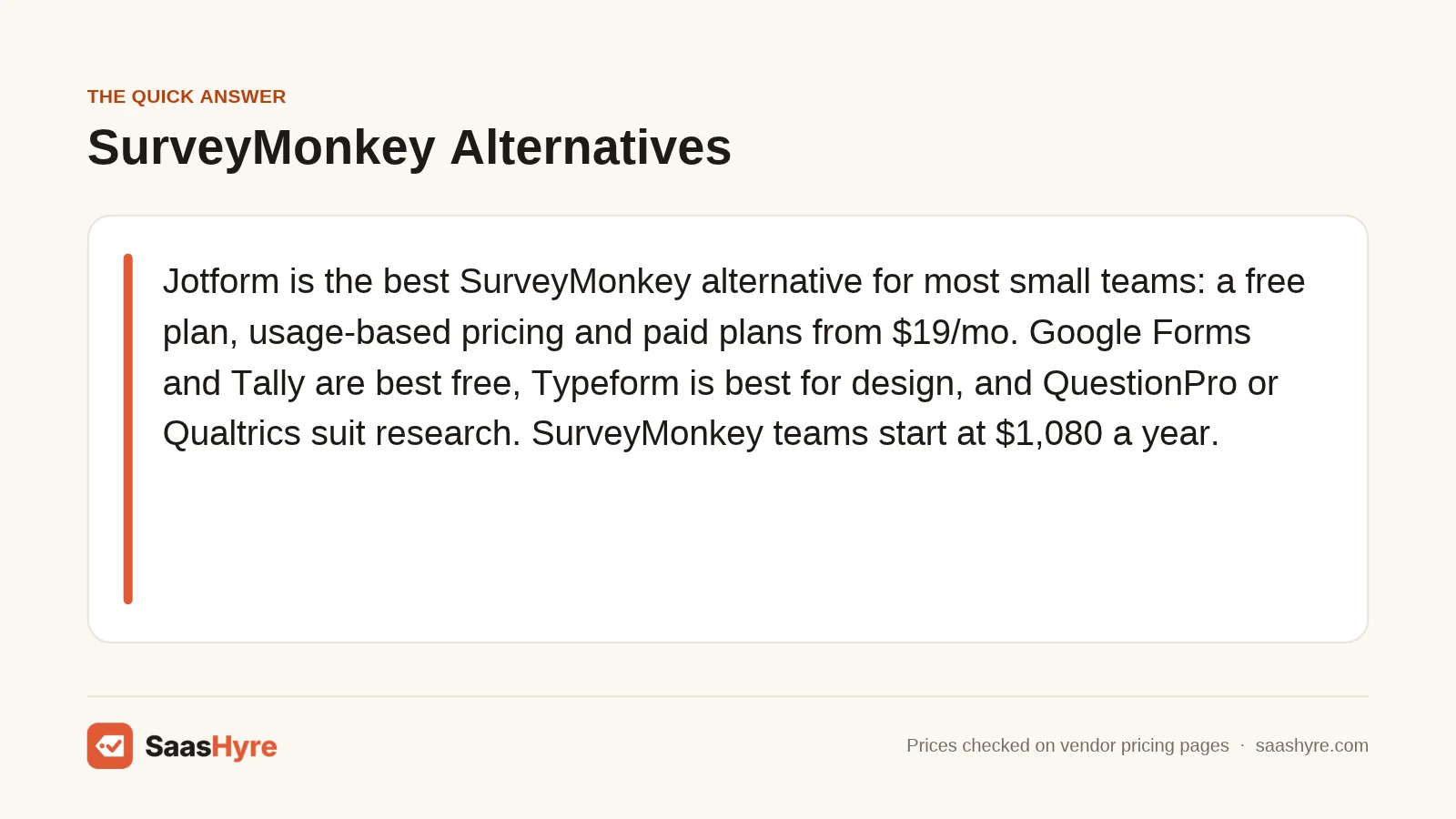
Top pick: Jotform is the best SurveyMonkey alternative for most small businesses. It has a free Starter plan, paid plans billed monthly or yearly, and pricing by usage instead of by seat. You get logic, payments, e-signatures and thousands of templates without paying for three users like SurveyMonkey’s team plans.
SurveyMonkey is still the best known survey tool. But its free Basic plan limits how many responses you can see. Its team plans are billed per user, need at least three seats, and are billed yearly. That adds up fast for a small team.
The good news is that you have plenty of choices. Some are free. Some look better. Some are built for research teams with big budgets. This guide covers ten SurveyMonkey alternatives, sorted by use case. For each one, you will see what it costs per year, what the free plan includes, and where the limits are.
If you are using surveys to grow your list, pair this guide with our roundup of the best AI email marketing software. And if you want feedback tied to your CRM, our list of HubSpot alternatives is a good next read.
Quick Comparison: SurveyMonkey Alternatives in 2026
| Tool | Best for | Starting price | Billing | Free plan or trial |
|---|---|---|---|---|
| Google Forms | Free, simple surveys | $0 | Free, or Workspace $7/user/mo | Free plan |
| Tally | Unlimited free forms | $0 | Monthly or yearly | Free plan |
| Microsoft Forms | Microsoft 365 teams | $7/user/mo with Business Basic | Yearly | Free with a Microsoft account |
| Jotform | All-round value | From $19/mo | Monthly or yearly | Free plan |
| Typeform | Good-looking forms | $28/mo billed yearly | Monthly or yearly | Free plan |
| Paperform | Forms that look like web pages | $49/mo billed yearly | Monthly or yearly | Free plan + 7-day Pro trial |
| SurveySparrow | Low-cost CX surveys | Check the current price | Quarterly or yearly | Free plan |
| Survicate | Product feedback | Check the current price | Monthly or yearly | 10-day trial |
| QuestionPro | Research on a mid budget | $99/user/mo billed yearly | Yearly | Free plan |
| Qualtrics | Enterprise research | $420/mo | Yearly | Free account + 30-day trial |
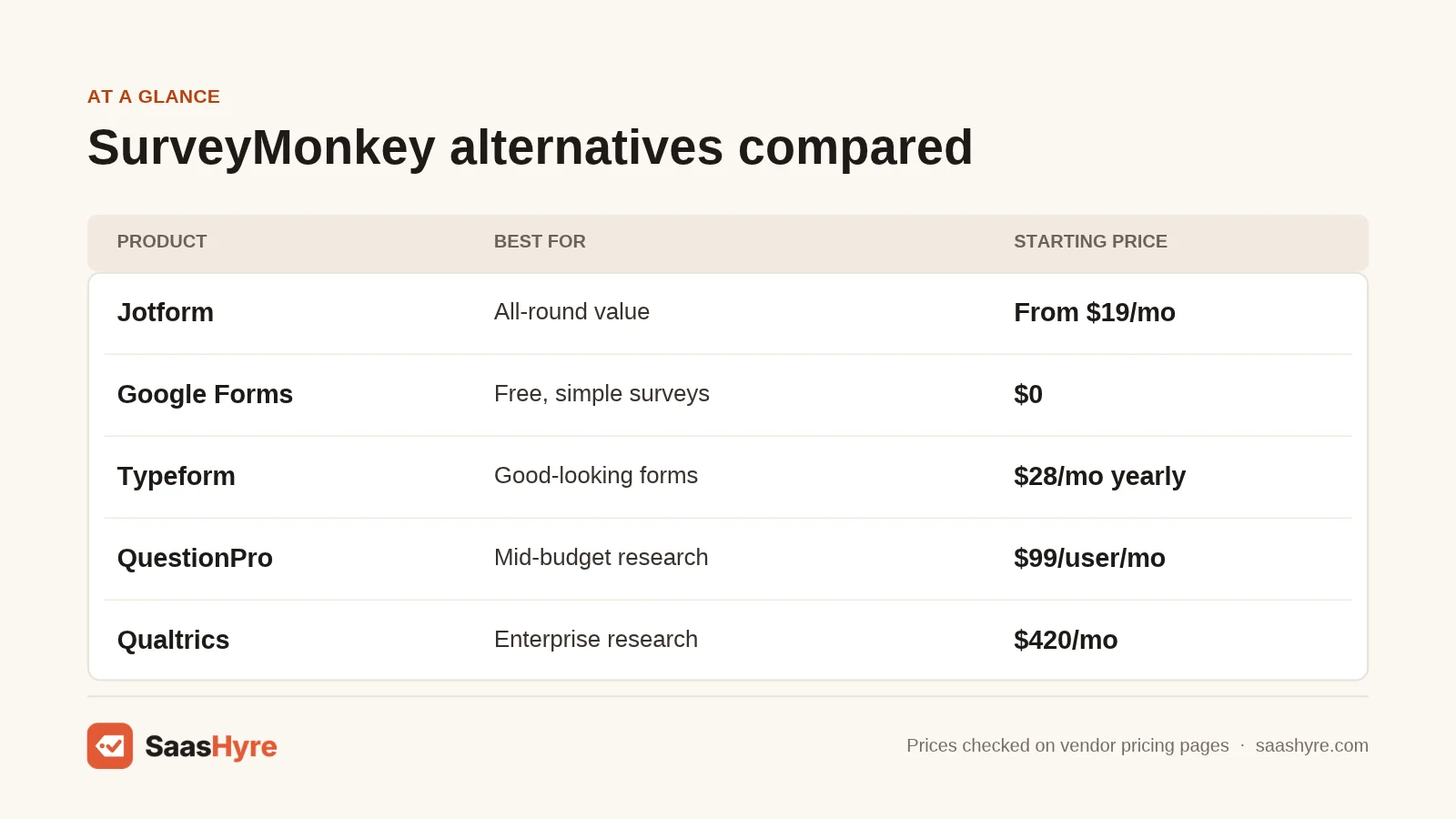
Prices come from each vendor’s own pricing page, checked in November 2026. Where a vendor page did not show a price, we say so and name the source we used.
Why Do People Switch From SurveyMonkey?
Most people switch over price and limits. SurveyMonkey’s team plans start at $30 per user a month, billed yearly, with at least three users. That is $1,080 a year before you add anyone. Its free Basic plan also limits how many responses you can view, which pushes small teams toward cheaper tools.
The SurveyMonkey pricing page lists Team Advantage at $30 per user a month and Team Premier at $92, both billed annually with a three-user minimum. Team Advantage includes 50,000 responses a year, and extra responses cost $0.15 each. The page did not show prices for individual plans. CostBench lists the individual Advantage plan at $39 a month billed yearly, or $468 a year, and says the free plan caps surveys at 10 questions.
Other common reasons people leave:
- Per-seat pricing makes team use costly.
- Team plans need a yearly contract.
- Forms look plain compared with newer tools.
- Response overages add a per-response fee.
Best Free and Low-Cost SurveyMonkey Alternatives
These tools cost little or nothing. They work well for simple surveys, polls, sign-up forms and quizzes.
1 Google Forms: Best for free, simple surveys
Google Forms is free with any Google account.
What it does well.
It is fast to set up. Responses flow into Google Sheets right away. Anyone on your team can edit it if they have a Google account.
Key features:
- Unlimited forms
- Basic branching by section
- Live link to Google Sheets
- Quiz mode with auto grading
- Shared editing
Pricing. Free with a personal Google account. Business features come with Google Workspace. The Google Workspace pricing page lists Business Starter at $7 per user a month, with a 50% promo rate until February 2027. A yearly commitment saves 16%. See Google Workspace pricing.
Best for: Teachers, small teams and anyone who needs a quick free survey.
Limitations. Design options are basic. Logic is limited, and there are few built-in reports.
2 Tally: Best for unlimited free forms
Tally is a form builder that feels like writing in a doc.
What it does well.
Tally’s free plan is very generous. You get unlimited forms and submissions under its fair use rules. Logic and hidden fields are included without paying.
Key features:
- Unlimited forms and responses on the free plan
- Conditional logic
- Payments through Stripe
- Integrations with Notion, Sheets and more
- Type-to-build editor
Pricing. The Tally pricing page lists Pro at $24 a month and Business at $74 a month. Yearly billing gives you two months off. Free uploads are capped at 10 MB per file. See Tally pricing.
Best for: Startups and creators who want a free tool with few limits.
Limitations. Reports are simple. It is not built for large research projects.
3 Microsoft Forms: Best for Microsoft 365 teams
Microsoft Forms comes with Microsoft 365, so many teams already have it.
What it does well.
It fits right into Teams, Outlook and Excel. IT teams like it because it uses the same accounts and security settings as the rest of Microsoft 365.
Key features:
- Surveys, polls and quizzes
- Branching logic
- Export to Excel
- Polls inside Teams meetings
- Works with Microsoft 365 accounts
Pricing. Free with a personal Microsoft account. The Microsoft 365 business plans page lists Business Basic at $7 per user a month, paid yearly, with Forms included. See Microsoft 365 pricing.
Best for: Companies that already pay for Microsoft 365.
Limitations. Design choices are few. Advanced survey features are missing.
Best SurveyMonkey Alternatives for Design and Paid Value
These tools charge a fee, but they give you more features or better design for the money.
4 Jotform: Best for all-round value
Jotform is an all-purpose form and survey builder with thousands of templates.
What it does well.
Jotform packs in a lot. You get logic, payments, e-signatures and PDF output. Plans are priced by usage, not by seat, so teams often pay less.
Key features:
- Thousands of templates
- Conditional logic
- Payment integrations
- Jotform Tables for responses
- HIPAA options on the Gold plan
Pricing. The Jotform pricing page offers a free Starter plan and says paid plans start at $19 a month, billed monthly or yearly. Nonprofits and schools get 50% off. The page did not show per-plan prices when we checked. CostBench lists Bronze at $39 a month, or $34 a month billed yearly. Check the current price. See Jotform pricing.
Best for: Small businesses that need surveys plus order and intake forms.
Limitations. The editor can feel busy. Free forms show Jotform branding.
5 Typeform: Best for good-looking forms
Typeform shows one question at a time, which feels more like a chat.
What it does well.
Typeform forms look polished on any device. The one-question flow suits longer surveys. It also has strong integrations.
Key features:
- One-question-at-a-time layout
- Logic jumps
- Video and image questions
- Many integrations
- Brand themes
Pricing. The Typeform pricing page lists Basic at $39 a month, or $28 a month billed yearly, with 100 responses a month. Plus costs $79, or $56 yearly, and Business costs $129, or $91 yearly. A second table on the same page showed lower prices, so check the current price at checkout. See Typeform pricing.
Best for: Brands that care about how their survey looks.
Limitations. Response limits are low on cheaper plans. Costs climb quickly as you grow.
6 Paperform: Best for forms that look like web pages
Paperform lets you build forms that look like landing pages.
What it does well.
You can mix text, images and questions freely. It handles payments, bookings and scoring in one tool.
Key features:
- Free-form page editor
- Payments and product fields
- Scheduling
- Scoring and calculations
- Many integrations
Pricing. The Paperform pricing page lists a free plan, Pro at $59 a month or $49 billed yearly, and Business at $149 or $124 billed yearly. New accounts get a 7-day Pro trial with no card. See Paperform pricing.
Best for: Small businesses that want a survey and a sales page in one.
Limitations. Survey reports are basic. Paid plans cost more than Tally or Typeform Basic.
Best SurveyMonkey Alternatives for Feedback and Research
These tools are built for customer experience, product feedback and market research.
7 SurveySparrow: Best for low-cost CX surveys
SurveySparrow focuses on chat-style surveys and customer feedback.
What it does well.
It supports NPS, CSAT and recurring surveys. The chat format feels friendly. Even its Basic plan allows unlimited questions per survey.
Key features:
- Chat-style surveys
- NPS and CSAT templates
- Recurring surveys
- 2,500 responses on Basic
- 14-day trial of Business features
Pricing. The SurveySparrow pricing page lists a free plan with 3 active surveys, 75 responses a quarter and 10 questions per survey. It did not show dollar amounts when we checked, only that yearly billing saves up to 40%. CostBench lists Basic at $19 a month billed yearly, or $228 a year. See SurveySparrow pricing.
Best for: Support and CX teams on a budget.
Limitations. The cheapest price needs a yearly plan. Free plan limits are small.
8 Survicate: Best for product feedback
Survicate runs surveys inside your website, app and emails.
What it does well.
It catches feedback in context. You can trigger a survey after a user takes an action. It connects with tools like HubSpot and Intercom.
Key features:
- Website and in-app surveys
- Email and link surveys
- Research Hub for open answers
- CRM and help desk integrations
- Targeting by user behavior
Pricing. The Survicate pricing page offers a 10-day free trial with up to 25 responses and no card. It lists Pro at $349 a month and Enterprise at $569. Starter and Growth prices were shown inconsistently, so check the current price. See Survicate pricing.
Best for: SaaS and ecommerce teams that want feedback from active users.
Limitations. It costs more than general survey tools. There is no forever-free plan on the pricing page.
9 QuestionPro: Best for research on a mid budget
QuestionPro is a research survey platform that sits between SurveyMonkey and Qualtrics.
What it does well.
The free plan is more generous than most research tools. It includes logic, integrations and analysis. Paid plans add advanced question types and large response caps.
Key features:
- 30 question types on the free plan
- Survey logic and analysis
- Team and research suites
- Global data centers
- 24/7 chat and email support
Pricing. The QuestionPro pricing page lists a free Essentials plan with 200 responses per survey. Advanced costs $99 per user a month, billed yearly, with a 10-day trial. Team Edition costs $83 per user a month for five or more users. See QuestionPro pricing.
Best for: Research and insights teams that outgrew SurveyMonkey but do not need Qualtrics.
Limitations. Paid plans are billed yearly. The interface has a learning curve.
10 Qualtrics: Best for enterprise research
Qualtrics is a research platform used by large companies and universities.
What it does well.
Qualtrics has deep logic, panels and advanced stats. It is the step up when you need serious research tools.
Key features:
- Advanced logic and randomization
- Research panels
- Stats and text analysis
- Employee and customer experience suites
- Enterprise security
Pricing. The Qualtrics free account page allows 500 responses per survey, 3 active surveys and 30 questions per survey, with no expiry. Strategic Research costs $420 a month, or $5,040 a year, with a 30-day trial. See Qualtrics pricing.
Best for: Research teams and large companies.
Limitations. It is expensive and complex for simple surveys.
Which SurveyMonkey Alternative Should You Pick?
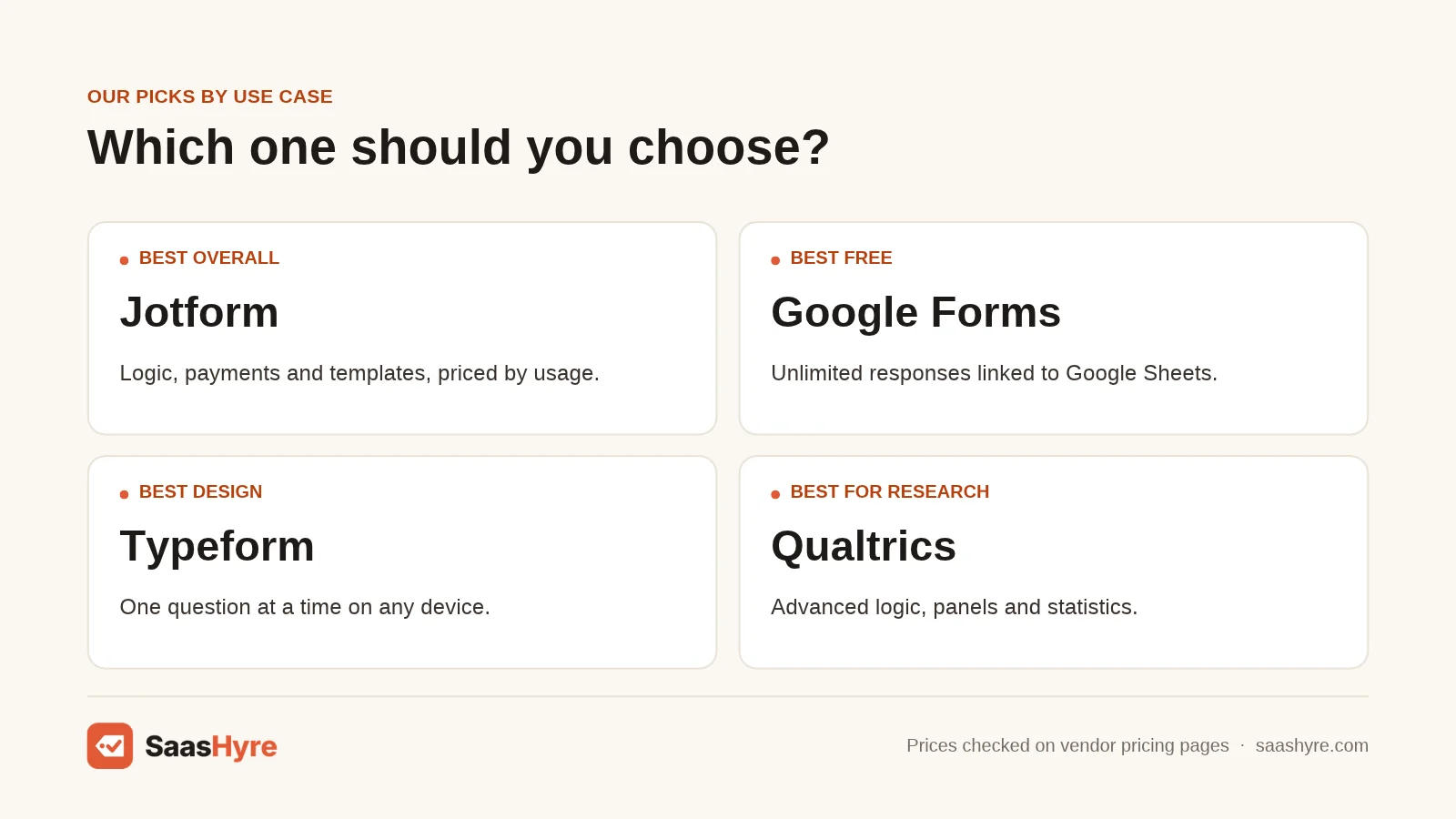
Pick based on your budget and survey type. For free surveys, use Google Forms or Tally. For the best all-round paid tool, choose Jotform. For polished design, choose Typeform. For customer feedback, pick SurveySparrow. For research, choose QuestionPro, or Qualtrics for big budgets.
- Best free option: Google Forms or Tally
- Best all-round value: Jotform
- Best design: Typeform
- Best for Microsoft shops: Microsoft Forms
- Best for CX: SurveySparrow
- Best for in-app feedback: Survicate
- Best for mid-budget research: QuestionPro
- Best for enterprise research: Qualtrics
Want to turn survey answers into insights faster? See our list of the best AI data analytics tools.
How Much Do SurveyMonkey Alternatives Cost per Year?
Yearly costs range from $0 for Google Forms and Tally to $5,040 for Qualtrics Strategic Research. Most small teams can get a strong paid plan for $228 to $408 a year. SurveyMonkey’s team plan costs at least $1,080 a year because of its three-seat minimum.
| Tool | Entry paid plan | Billed yearly | Billed monthly (per year) |
|---|---|---|---|
| SurveyMonkey | Team Advantage, 3 users | $1,080 | Not offered |
| Google Workspace | Business Starter | About 16% off | $84/user |
| Microsoft 365 | Business Basic | $84/user | Not compared |
| Tally | Pro | About $240 | $288 |
| SurveySparrow | Basic | $228 (CostBench) | Quarterly only |
| Typeform | Basic | $336 | $468 |
| Jotform | Bronze | $408 (CostBench) | $468 (CostBench) |
| Paperform | Pro | $588 | $708 |
| QuestionPro | Advanced, 1 user | $1,188 | Not offered |
| Qualtrics | Strategic Research | $5,040 | Not listed |
Tally’s yearly figure is our math from its “two months off” label. Annual billing saves money with nearly every tool, but test the free plan first.
How to Choose a SurveyMonkey Alternative
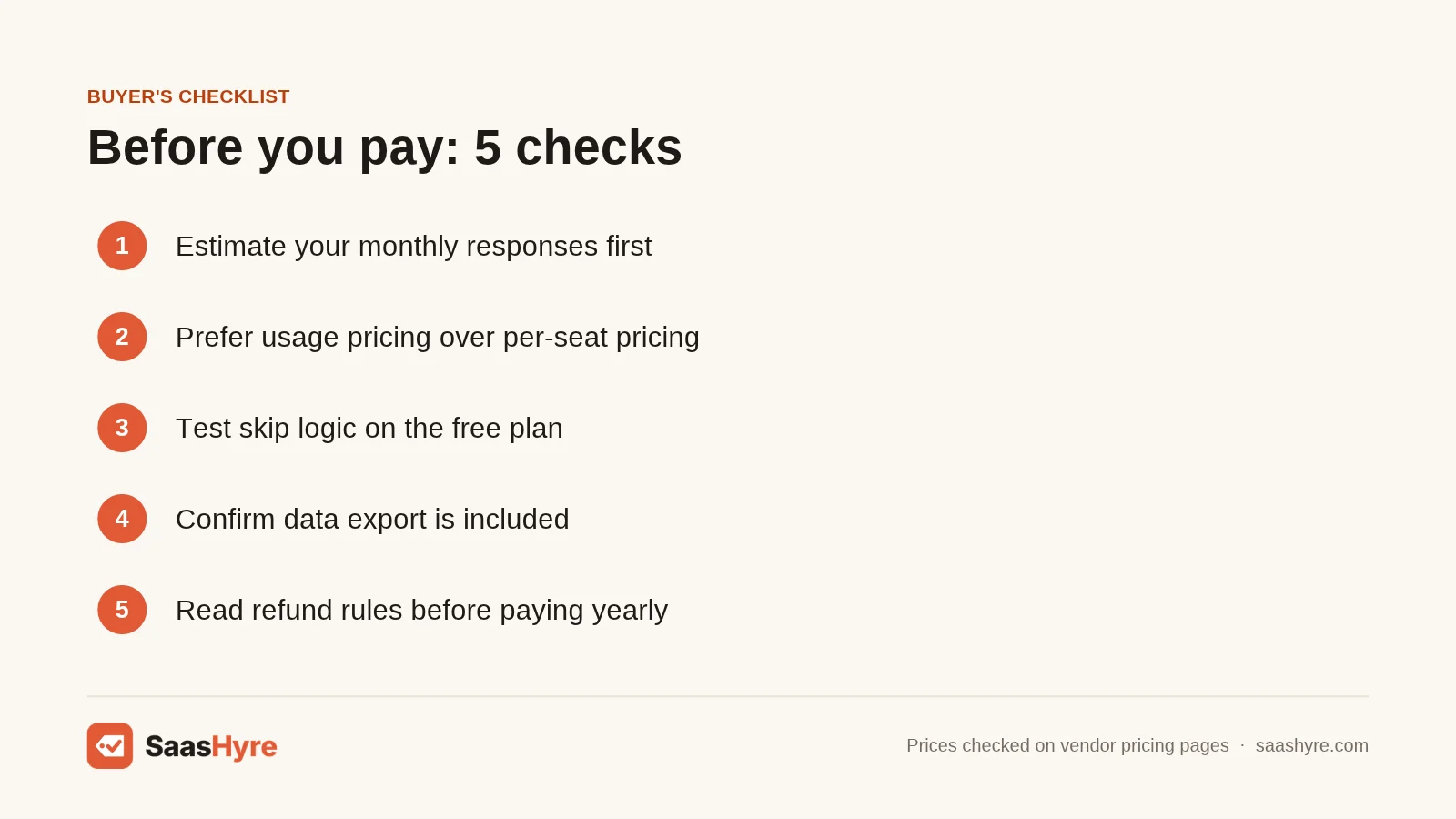
Start with how many responses you expect each month. That number often decides the plan. Then use this checklist:
- Check response limits. Free plans differ a lot, from 75 a quarter to unlimited.
- Look at per-seat pricing. Tools priced by usage are cheaper for teams.
- Test logic. Make sure the tool can skip questions the way you need.
- Check data export. Some tools lock exports behind paid plans.
- Review privacy rules. Look for GDPR or HIPAA options if you collect sensitive data.
- Read the refund policy. Yearly plans are often non-refundable after a short window.
Before you switch, export your SurveyMonkey responses and note your best question sets. Then rebuild your top survey in the new tool and run a short test with a few people.
If you use surveys for marketing, see our guide to the best AI marketing tools for ways to act on the results.
How We Compared These SurveyMonkey Alternatives
In November 2026, we opened each vendor’s own pricing page and recorded the prices and limits shown. Some pages did not show every price. Jotform and SurveySparrow did not show per-plan dollar amounts, and SurveyMonkey did not show individual plan prices. For those figures, we used CostBench’s survey price data and say so in the text.
We also read top-ranking guides, including the Jotform SurveyMonkey alternatives guide, CleverX’s list and Zonka Feedback’s comparison, to find gaps.
We did not run paid tests with any tool. We ranked them on:
- Yearly cost for one user and for small teams
- Free plan limits
- Logic, design and reporting features
- Integrations
- Fit for each use case
Prices change often. Check each vendor’s site before you buy.
Conclusion
SurveyMonkey is still a solid tool, but you can often get more for less. If you just need a quick survey, Google Forms or Tally costs nothing. If you want one paid tool for surveys and forms, Jotform is the safest all-round pick. Typeform is the pick for design. SurveySparrow is a low-cost CX option. QuestionPro and Qualtrics are the upgrades for serious research.
Your next step is easy. Count your monthly responses and team seats. Then try the free plan of your top choice before you pay. Start with Jotform’s free plan if you want the safest all-round pick.
Frequently Asked Questions
What is the best free alternative to SurveyMonkey?
Google Forms is the best free SurveyMonkey alternative for most people. It is free with any Google account and links to Google Sheets. Tally is another strong free option, with unlimited forms and submissions under fair use and built-in logic.
Is Google Forms better than SurveyMonkey?
Google Forms is better for free, simple surveys. SurveyMonkey’s free plan limits questions and visible responses. SurveyMonkey is better for advanced logic, templates and reports. Pick Google Forms for basic needs and SurveyMonkey for deeper analysis.
How much does SurveyMonkey cost per year?
SurveyMonkey’s Team Advantage plan costs $30 per user a month, billed yearly, with at least three users. That is $1,080 a year. CostBench lists the individual Advantage plan at $468 a year. Check the pricing page for current rates.
Is Typeform cheaper than SurveyMonkey?
Typeform Basic costs $28 a month billed yearly, or $336 a year, for one user and 100 responses a month. That is cheaper than SurveyMonkey’s team plans. But Typeform’s response limits are low, so costs rise as you grow.
What do researchers use instead of SurveyMonkey?
Many researchers use Qualtrics or QuestionPro. Qualtrics offers a free account with 500 responses per survey, and Strategic Research costs $420 a month. QuestionPro’s Advanced plan costs $99 per user a month, billed yearly.