

TL;DR: The best accounting practice management software for most small firms is Financial Cents, with a $19 Solo plan and Team at $49 per user a month billed yearly. TaxDome is the strongest all-in-one pick for tax-heavy firms at $1,000 to $1,200 per user a year. Karbon suits teams that live in email. Canopy fits tax resolution work, and Uku is a low-cost option for small bookkeeping firms.
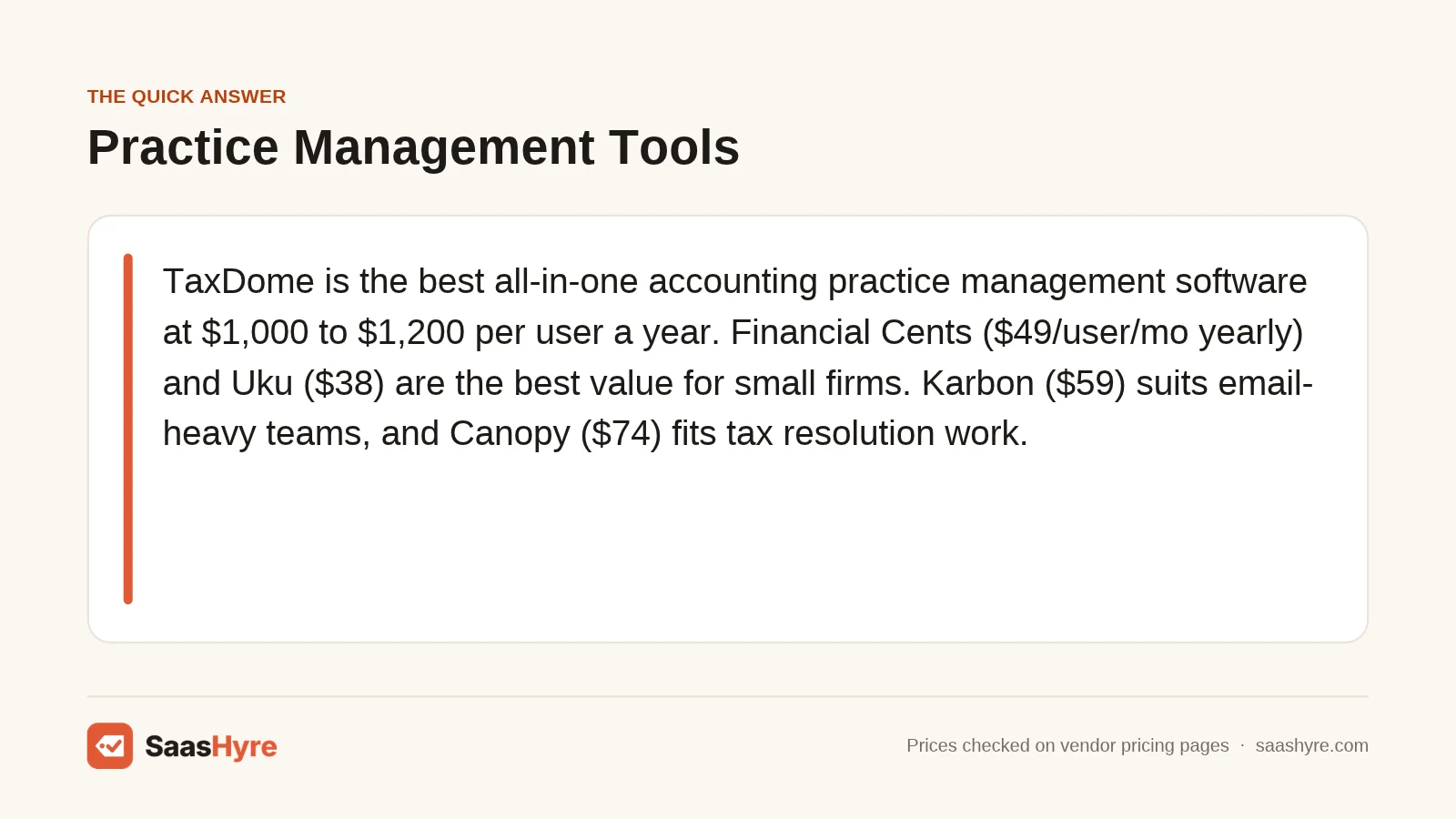
Our top pick: TaxDome Pro. At $1,000 per user a year, or $900 on a three-year term, it bundles CRM, client portal, e-signatures, workflows and billing. That replaces several tools. Firms that mainly want simple workflow tracking will pay less with Financial Cents or Jetpack Workflow.
Every accounting firm runs on deadlines. Tax returns, monthly closes, payroll filings and client requests pile up fast. Spreadsheets and shared inboxes break once you pass a few hundred clients. Practice management software gives you one place to track work, chase documents, log time and send invoices.
The market is crowded. Capterra lists 259 products in this category. Prices range from under $20 to over $149 per user a month. Some tools bill only yearly. Some require a five-user minimum for monthly billing. Those details change your real cost a lot.
This guide compares 8 tools by what they cost per year, who they fit, and where they fall short. If you are still choosing a general ledger for clients, start with our guide to the best AI bookkeeping software. I read each vendor’s own pricing page in November 2026 to build the tables below.
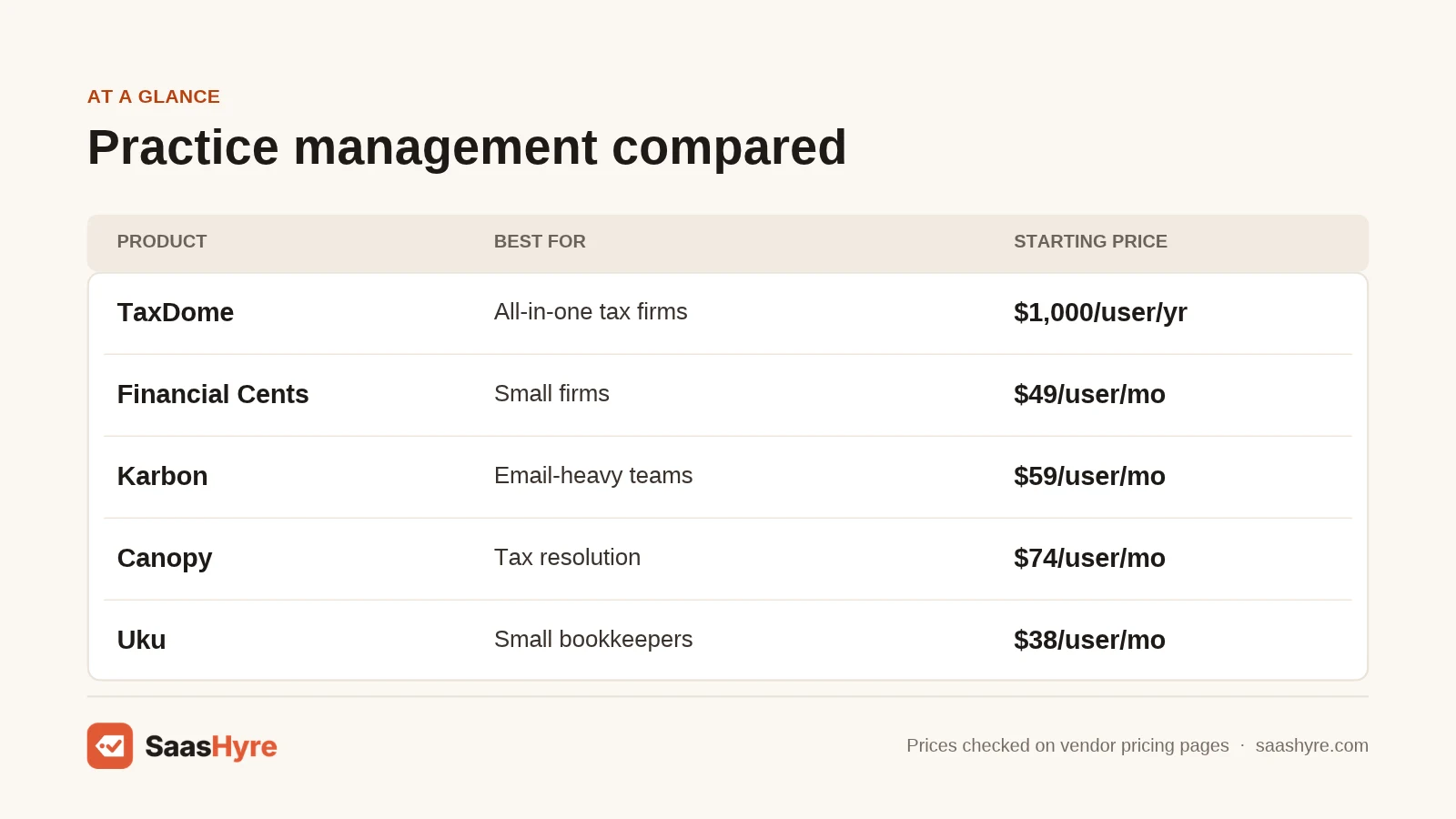
Quick Comparison: Best Accounting Practice Management Software in 2026
| Tool | Best for | Starting price | Billing | Free plan or trial |
|---|---|---|---|---|
| TaxDome | All-in-one tax firms | $800/user/yr (solo) | Yearly, 1 to 3 year terms | Demo only |
| Financial Cents | Small firms on a budget | $19/mo (solo) | Annual agreement | 14-day free trial |
| Karbon | Email-heavy teams | $59/user/mo | Annual or monthly (4+ users) | Demo only |
| Canopy | Tax resolution firms | $74/user/mo | Annual | Trial via sales |
| Jetpack Workflow | Simple recurring work | $49/seat/mo | Monthly or annual | Free trial |
| Uku | Small bookkeeping firms | $19/mo (solo) | Annual or monthly | 14-day free trial |
| Senta | UK firms | From about £25.60/mo | Monthly or annual | None listed |
| Pixie | UK firms priced by client count | Check current price | Monthly | Check site |
What Makes Great Accounting Practice Management Software?
Great practice management software tracks every client job against its deadline, automates recurring work, and gives clients a secure portal to upload documents. It should also log time, send invoices and connect to your email. The best tools cut status meetings because everyone can see what is due and who owns it.
Look for these core features:
- Recurring workflows. Monthly closes and yearly returns should create themselves.
- Client portal. Clients upload files and sign forms in one place.
- Automated reminders. The tool chases missing documents for you.
- Time and billing. Track hours and turn them into invoices.
- Capacity view. See who is overloaded before deadlines slip.
Who Needs Accounting Practice Management Software?
Any accounting, bookkeeping or tax firm with more than one person or more than about 50 recurring clients benefits. Solo practitioners gain from automated client reminders. Growing firms gain most from shared workflows and capacity planning. Very large firms often need enterprise tools with custom reporting.
Practice management is not the same as accounting software. QuickBooks or Xero keeps your client’s books. Practice management runs your firm. You will usually need both. Our guide to QuickBooks alternatives covers the ledger side.
Best All-in-One Practice Management Software
1 TaxDome: Best all-in-one platform for tax firms
TaxDome combines CRM, client portal, documents, e-signatures, workflows and billing.
What it does well. It replaces many separate apps. Clients get a branded portal and mobile app. Pipelines move jobs forward automatically when clients sign or pay. It has one of the largest review counts in the category, with 3,631 reviews on Capterra.
Key features:
- Client portal and mobile app with white labeling
- Pipelines with job automation
- Built-in e-signatures and organizers
- Invoicing, payments and time tracking
Pricing. TaxDome bills per seat per year, upfront. Essentials (solo only) is $800 on a 1-year term, $750 on 2 years and $700 on 3 years. Pro is $1,000, $950 or $900. Business is $1,200, $1,150 or $1,100. Short-term Pro seats cost $100 a month. The pricing page lists demos but no free trial. See TaxDome pricing.
Best for: Tax and accounting firms that want one system for everything.
Limitations. No monthly billing for full plans. The feature set takes time to learn. For other options, see our list of TaxDome alternatives.
2 Canopy: Best for tax resolution work
Canopy is a cloud practice platform with CRM, documents, workflow and billing.
What it does well. Its tax resolution add-on helps firms handle IRS notices and transcripts. Higher plans add capacity planning and custom reports.
Key features:
- CRM, document management and e-signatures
- Client portal and task workflows
- Invoicing and payments
- Tax Resolution and Close Automation add-ons
Pricing. Plans are billed yearly. Standard is $74 per user a month, Plus is $109 and Premium is $149. Tax Resolution adds $50 per user a month. Tax Workflow Automation starts at $34 per client credit. A trial is set up through sales. See Canopy pricing.
Best for: Firms that do IRS representation and tax resolution.
Limitations. It is one of the priciest tools here. Add-ons raise the total quickly.
3 Karbon: Best for email-heavy teams
Karbon puts your team’s email, tasks and workflows in one shared workspace.
What it does well. It turns client emails into tasks and shows the whole team’s inbox activity. Firms that run on email see the biggest gain. It holds a 4.7 rating from 208 reviews on Capterra.
Key features:
- Shared email inbox linked to work items
- Workflow templates and automation
- Client requests and reminders
- Time tracking and billing on Business
Pricing. Team is $59 per user a month billed yearly, or $79 monthly. Business is $89 yearly or $99 monthly. Monthly billing needs a team of 4 or more. Enterprise is custom. The page lists demos but no free trial. See Karbon pricing.
Best for: Firms of 5 to 100 people that collaborate through email.
Limitations. Solo firms cannot get monthly billing. The client portal is lighter than TaxDome’s.
Best Practice Management Software for Small Firms
4 Financial Cents: Best value for small firms
Financial Cents is workflow and client management software for accountants and bookkeepers.
What it does well. It is easy to set up and use. It has the highest rating in the category, 4.8 from 274 Capterra reviews. Automated client reminders cut the time spent chasing documents.
Key features:
- Recurring workflows and checklists
- Automated client data requests
- Client portal and secure document sharing
- Time tracking and billing
Pricing. Solo is $19 a month for single-user firms. Team is $49 per user a month billed yearly or $69 monthly. Scale is $69 yearly or $89 monthly. Monthly billing needs 5 users. All plans use a 12-month agreement. There is a 14-day free trial with no card. See Financial Cents pricing.
Best for: Small and mid-size bookkeeping and accounting firms.
Limitations. Even monthly billing comes with a yearly agreement. Fewer built-in tax tools than TaxDome.
5 Uku: Best low-cost option for bookkeepers
Uku is practice management software with workflows, CRM and client portal.
What it does well. Prices are low and shown in USD, EUR and GBP. The trial gives you full Elite features for 14 days.
Key features:
- Recurring task workflows
- Client CRM and portal
- Time tracking and billing
- Integrations with accounting tools
Pricing. Per member per month, Solo is $19 yearly or $25 monthly, limited to 20 active clients. Team is $38 or $49. Elite is $48 or $62. Enterprise is $88 or $99. There is a 14-day free trial with no card. See Uku pricing.
Best for: Small bookkeeping firms in the US, UK and EU.
Limitations. The Solo plan caps you at 20 active clients. It has fewer reviews than the big names.
6 Jetpack Workflow: Best for simple recurring work
Jetpack Workflow tracks recurring client projects and deadlines.
What it does well. It focuses on one job and does it simply. Templates with automation set up your monthly and yearly work. Projects and clients are unlimited on every plan.
Key features:
- Unlimited projects and clients
- Workflow templates with automation
- Time tracking and capacity on Premium
- Budget versus actual reports
Pricing. Starter is $49 per seat and Premium is $59 per seat. The page shows these with monthly billing selected and does not show annual rates. Onboarding and training cost $1,500 one time. Extra storage is $5 per 100GB. A free trial is offered. See Jetpack Workflow pricing.
Best for: Firms that want deadline tracking without a full portal suite.
Limitations. No built-in client portal or billing like TaxDome. The $1,500 onboarding fee is steep for small firms.
Best Practice Management Software for UK Firms
7 Senta: Best for UK firms that want simple pricing
Senta is practice management software built for UK accountants.
What it does well. Pricing has no per-module charges and no record limits. Client access and support are free.
Key features:
- Workflow automation and job tracking
- Client portal with free client access
- Companies House and HMRC deadline tracking
- Email integration and templates
Pricing. The page says Senta costs £25.60 a month for the first user on yearly billing, a 20% discount. Extra users cost less. Monthly billing runs in arrears per user. The plan cards did not render fully, so check the current price. See Senta pricing.
Best for: UK accounting firms that need HMRC deadline tools.
Limitations. Focused on the UK. US firms will find better fits above.
8 Pixie: Best for firms that want client-count pricing
Pixie is UK practice management software priced by how many clients you have.
What it does well. Pricing by client count means adding staff does not raise your bill. That suits firms growing their team faster than their client list.
Key features:
- Workflow and task automation
- Client communication and reminders
- Document requests
- Unlimited users
Pricing. Pixie’s pricing page would not load for me. Clinked’s 2026 roundup lists Pixie at $129 a month for under 250 clients, rising to $329 for up to 1,000. Check the current price on Pixie’s site. See Pixie pricing.
Best for: UK firms with a growing team and a stable client base.
Limitations. Costs jump as your client count grows. Fewer US features.
Which Accounting Practice Management Software Should You Pick?
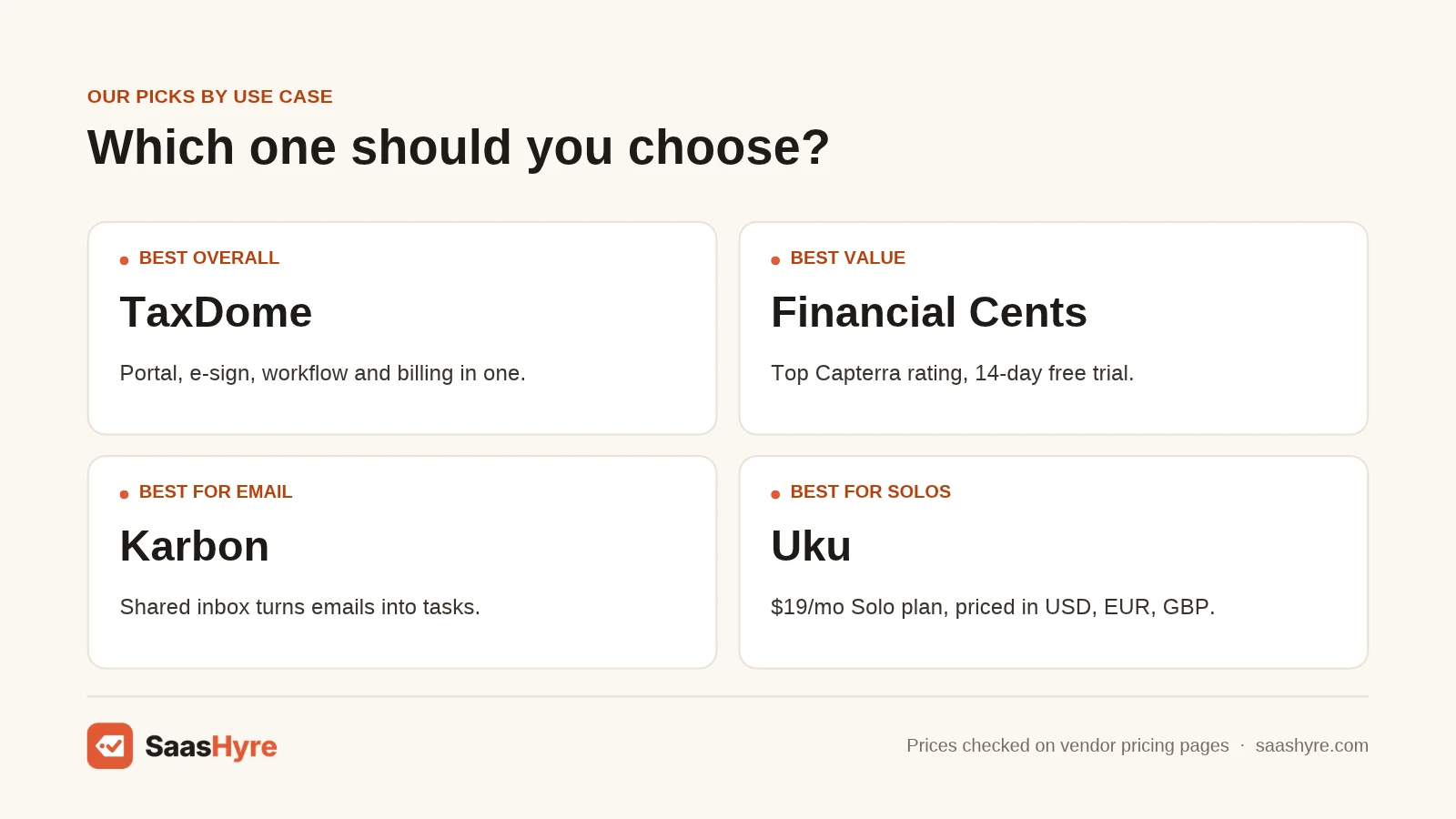
Pick TaxDome if you want one system for portal, signatures and billing. Pick Financial Cents or Uku for low cost and fast setup. Pick Karbon if your team works from email. Pick Canopy for tax resolution, Jetpack Workflow for simple tracking, and Senta or Pixie for UK firms.
- Tax firm wanting one tool: TaxDome.
- Solo practitioner: Financial Cents Solo or Uku Solo at $19 a month.
- Email-heavy team: Karbon.
- IRS representation: Canopy with Tax Resolution.
- Simple deadline tracking: Jetpack Workflow.
- UK firm: Senta or Pixie.
How Much Does Accounting Practice Management Software Cost per Year?
For one user, expect about $228 to $1,788 a year. A 5-person firm pays roughly $2,280 (Uku Team) to $6,540 (Canopy Plus) a year on yearly billing. TaxDome Pro costs $5,000 a year for 5 seats. Add-ons and onboarding fees can raise the total.
| Tool | Plan | Per user per year | 5 users per year |
|---|---|---|---|
| Uku | Team (yearly) | $456 | $2,280 |
| Financial Cents | Team (yearly) | $588 | $2,940 |
| Jetpack Workflow | Starter (monthly) | $588 | $2,940 |
| Karbon | Team (yearly) | $708 | $3,540 |
| TaxDome | Pro (1-year term) | $1,000 | $5,000 |
| TaxDome | Business (1-year term) | $1,200 | $6,000 |
| Canopy | Standard (yearly) | $888 | $4,440 |
| Canopy | Plus (yearly) | $1,308 | $6,540 |
Longer terms help with TaxDome. A 3-year Pro term saves $100 per seat each year. Track billable hours closely too. Our guide to the best AI time tracking software covers tools that pair with these platforms.
How to Choose Accounting Practice Management Software
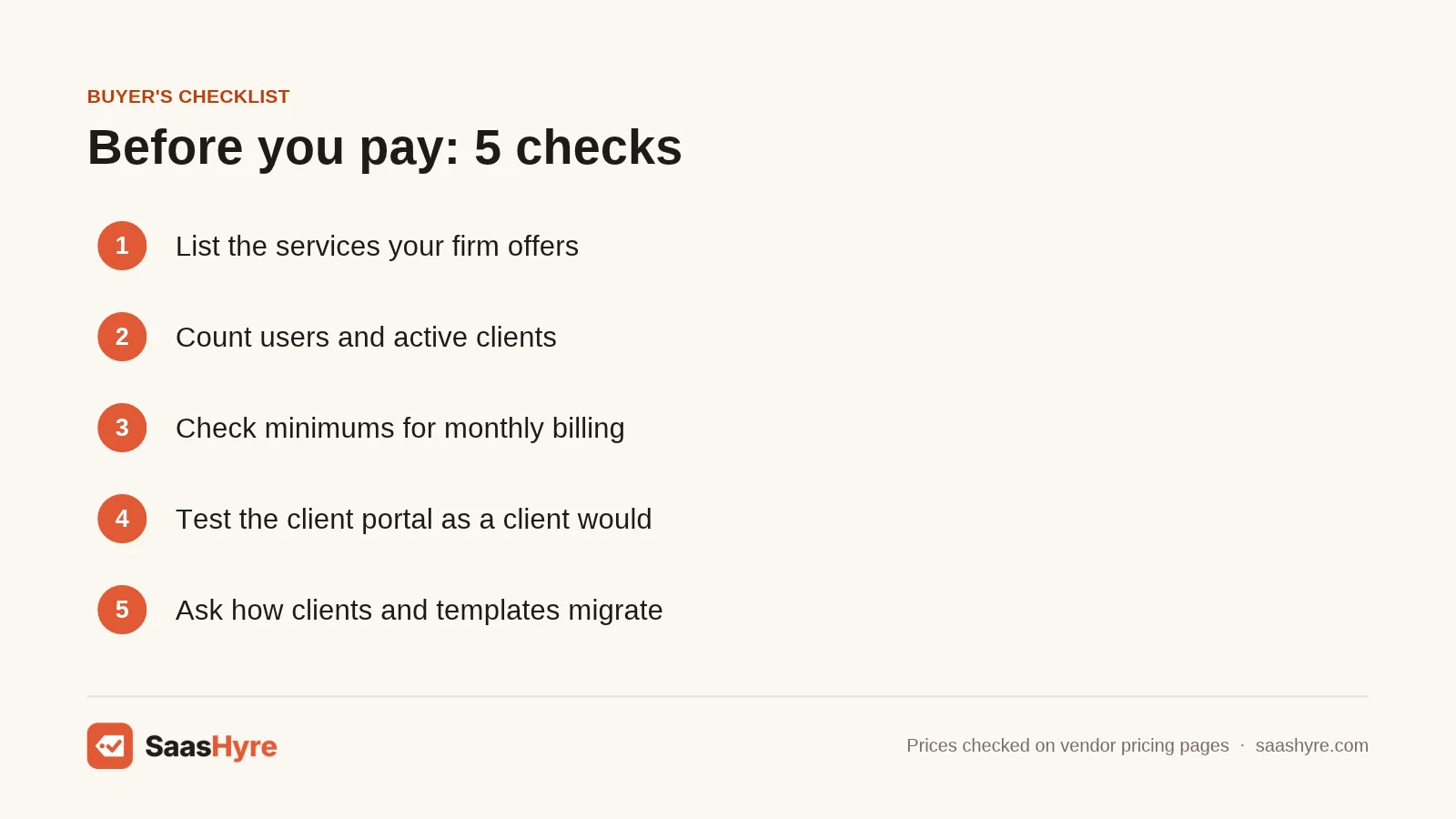
- List your services. Tax prep, bookkeeping, payroll and advisory need different workflows.
- Count users and clients. Per-user tools favor small teams. Client-count tools favor big teams.
- Check billing rules. Karbon and Financial Cents need 4 or 5 users for monthly billing.
- Test the client portal. Your clients will use it most. Make sure it is simple.
- Confirm integrations. Check links to QuickBooks, Xero, your tax software and email.
- Plan migration. Ask how clients, documents and templates move over.
Read user reviews before you buy. The Capterra category page shows ratings for TaxDome, Karbon, Canopy and Financial Cents side by side. For AI tools that help on the tax prep side, see our list of the best AI tax software.
How We Chose the Best Accounting Practice Management Software
I did not test these tools hands-on. Here is exactly what I checked:
- I read the top-ranking guides for this keyword, including ones from Uku, Xenett and Clinked. I included every tool that appeared on three or more.
- I read each vendor’s own pricing page in November 2026. Where a page would not load, I named the third-party source.
- I checked ratings and review counts on Capterra.
- I built the yearly cost table from published per-user prices.
Several guides I read come from vendors in this market. I used them to see which tools buyers compare, not as proof of quality.
Conclusion
The best accounting practice management software depends on your firm’s size and services. TaxDome is the most complete platform for tax-focused firms, and its multi-year terms lower the price. Financial Cents and Uku give small firms strong workflows for far less. Karbon fits teams that work through email, and Canopy fits firms that handle tax resolution.
Start with a free trial from Financial Cents or Uku to see what you need. Then book demos with TaxDome or Karbon if you want more. Already using TaxDome and feeling boxed in? Read our full guide to TaxDome alternatives before your renewal date.
Frequently Asked Questions
What is the best accounting practice management software?
TaxDome is the best all-in-one option for tax firms. Financial Cents is the best value for small firms, with a 4.8 rating on Capterra. Karbon is best for teams that run on shared email.
How much does accounting practice management software cost?
Most tools cost $19 to $149 per user a month. TaxDome bills $800 to $1,200 per user a year. A 5-person firm usually pays about $2,300 to $6,500 a year on yearly billing.
Is there free accounting practice management software?
None of the major tools in this guide offer a free forever plan. Financial Cents and Uku offer 14-day free trials with no card. Jetpack Workflow also has a free trial.
What is the difference between practice management and accounting software?
Accounting software like QuickBooks keeps a client’s books. Practice management software runs your firm, tracking jobs, deadlines, documents, time and billing. Most firms use both together.
Does TaxDome offer monthly billing?
No. TaxDome bills per seat per year, upfront, on 1, 2 or 3-year terms. It only offers short-term Pro seats at $100 a month for temporary staff.