

TL;DR: The best payment gateway for small business in 2026 depends on where you sell. Helcim has the lowest fees for most US shops with interchange plus pricing and no monthly fee. Square is best for in-person sales. Stripe is best for custom online checkouts at 2.9% + 30¢. PayPal adds buyer trust. Shopify Payments and WooPayments suit store builders. Authorize.net works with your own merchant account.
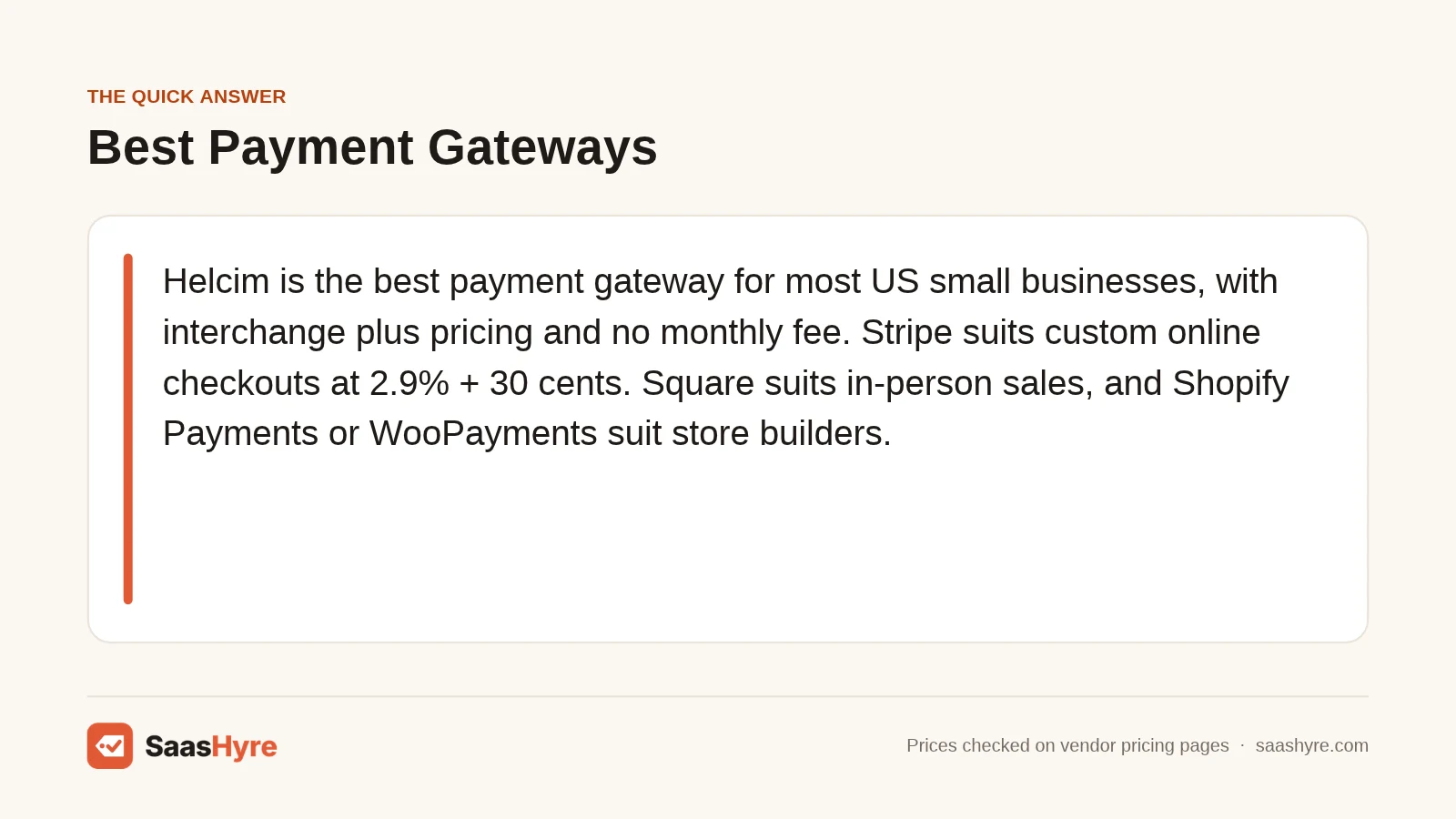
Our top pick: Helcim is the best payment gateway for most US small businesses. It charges interchange plus a small margin, such as 0.50% + 25¢ on online sales under $50K a month, with no monthly fee. On a typical card mix, that usually beats flat 2.9% + 30¢ pricing once you pass a few thousand dollars a month.
Every sale you take by card costs you a slice. On a small business budget, that slice adds up fast. A shop doing $10,000 a month at 2.9% + 30¢ can pay well over $3,000 a year in fees.
A payment gateway is the tool that sends a card payment from your checkout to the bank for approval. Many providers now bundle the gateway, the processor and the merchant account into one sign-up. Others, like Authorize.net, are just the gateway, and you bring your own merchant account.
This guide compares nine gateways on what they really cost. I read each provider’s own pricing page in November 2026 and noted card rates, monthly fees, chargeback fees and extra charges. Where a page did not show a number, I say so. If you already use Stripe and want out, our guide to Stripe alternatives and their real fees goes deeper. Platforms that pay out to other sellers should read our Stripe Connect alternatives guide instead.
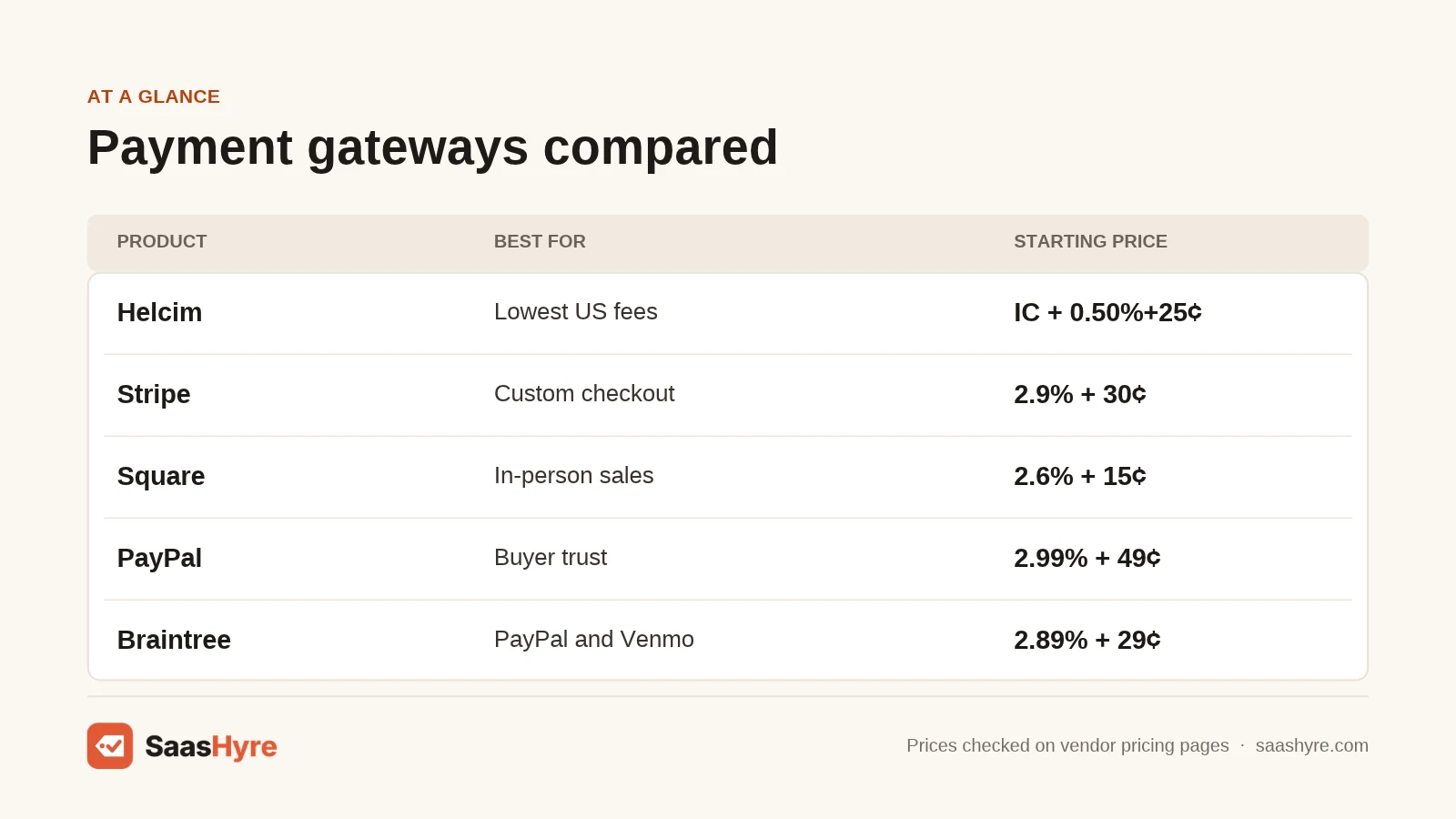
Quick Comparison: Best Payment Gateways for Small Business
| Tool | Best for | Starting price | Billing | Free plan or trial |
|---|---|---|---|---|
| Helcim | Lowest US fees | Interchange + 0.50% + 25¢ online | Per transaction | No monthly fee |
| Stripe | Custom online checkout | 2.9% + 30¢ | Per transaction | No monthly fee |
| Square | In-person and online | 2.6% + 15¢ in person | Per transaction or monthly plan | Free plan |
| PayPal | Buyer trust | 2.99% + 49¢ cards | Per transaction | No monthly fee |
| Braintree | PayPal and Venmo in your app | 2.89% + 29¢ | Per transaction | No monthly fee |
| Shopify Payments | Shopify stores | 2.9% + 30¢ on Basic | Monthly plan + per transaction | Shopify trial |
| WooPayments | WooCommerce stores | Check current price | Per transaction | No monthly online fee |
| Authorize.net | Your own merchant account | $25/month + fees | Monthly + per transaction | None listed |
| Paddle | SaaS that wants tax handled | 5% + 50¢ | Per transaction | No monthly fee |
What Makes a Great Payment Gateway for Small Business?
A great small business payment gateway has clear, low fees, no long contract, and fast payouts. It should take cards, digital wallets and ACH, work with your website or store builder, and include fraud tools. Good support matters, because a frozen account can stop your cash flow overnight.
Fees come in three main models. Flat rate means one percent plus a fixed amount for every card, like Stripe’s 2.9% + 30¢. Interchange plus passes on the card network’s cost and adds a fixed margin, like Helcim. Subscription pricing charges a monthly fee for lower rates, as with Square Plus. Aspire’s guide gives a good overview of these pricing models and hidden costs.
Also check the costs that do not show up in the headline:
- Chargeback fees. These range from $15 to $20 per dispute on the pages I read.
- International cards. Stripe adds 1.5%, and Braintree adds 1%.
- Keyed-in cards. Stripe adds 0.5%, and Square charges 3.5% + 15¢.
Who Needs a Payment Gateway?
Any small business that takes card payments online needs a payment gateway. That includes online stores, service firms that send invoices, SaaS companies with subscriptions, and shops that sell in person and online. If you only take cash or bank transfers, you can wait, but most customers now expect to pay by card.
DreamHost’s guide makes a useful point: you can offer more than one gateway on the same site. Many shops add PayPal next to a card processor to catch buyers who prefer it.
Best Payment Gateways for Low Fees and Online Sales
1 Helcim: Best for the lowest fees at small business volume
Helcim uses interchange plus pricing with automatic volume discounts and no monthly fee.
What it does well.
- You see the real card cost plus a clear margin.
- Rates drop on their own as your volume grows.
- Won chargebacks cost nothing.
Key features:
- Online checkout, invoices and payment pages
- Card readers and a free POS app
- Recurring billing
- ACH bank payments
Pricing. Under $50K a month, the margin is 0.40% + 8¢ in person and 0.50% + 25¢ for keyed and online sales, on top of interchange. ACH costs 0.5% + 25¢, capped at $6. Recurring payments add 0.4%. Lost chargebacks cost $15. See Helcim pricing.
Best for: US and Canadian shops processing a few thousand dollars or more each month.
Limitations. Interchange plus makes each fee vary by card, so budgeting is less simple. It serves only the US and Canada.
2 Stripe: Best for custom online checkouts
Stripe is the developer favorite, with tools for checkouts, subscriptions, invoices and more.
What it does well.
- Strong APIs and ready-made checkout pages.
- Works with almost every website builder and billing tool.
- No setup or monthly fees on standard pricing.
Key features:
- Stripe Checkout and Payment Links
- Billing for subscriptions
- Radar fraud screening
- Many payment methods and currencies
Pricing. Domestic cards cost 2.9% + 30¢. Manually entered cards add 0.5%. International cards add 1.5%, and currency conversion adds 1%. ACH Direct Debit costs 0.8%, capped at $5. A dispute costs $15, plus another $15 if you respond manually. See Stripe pricing.
Best for: Online businesses that want a flexible, well-documented gateway.
Limitations. Flat pricing costs more than interchange plus at higher volume. Dispute fees add up if you sell in a high-chargeback niche.
3 PayPal: Best for buyer trust at checkout
PayPal is a name most buyers know, which can lift checkout rates for a new shop.
What it does well.
- Shoppers can pay without typing card details.
- Pay Later and Venmo options in the US.
- Quick setup with most store builders.
Key features:
- PayPal Checkout buttons
- Card processing on your own page
- Invoicing
- Seller protection on eligible sales
Pricing. PayPal Checkout costs 3.49% + 49¢. Standard card payments cost 2.99% + 49¢. Advanced card payments cost 2.89% + 29¢. Card chargebacks cost $20. See PayPal fees.
Best for: Shops that want to add a trusted second option next to cards.
Limitations. PayPal Checkout is one of the most expensive rates here. Account holds are a common complaint.
4 Braintree: Best for PayPal and Venmo inside your own app
Braintree is PayPal’s developer gateway, built for apps and custom checkouts.
What it does well.
- Cards, PayPal and Venmo in one integration.
- Lower card rate than standard PayPal.
- Good fit for mobile apps.
Key features:
- Drop-in checkout UI
- Card vault for saved payments
- Recurring billing
- Fraud tools
Pricing. Cards and wallets cost 2.89% + 29¢. ACH costs 0.75%, capped at $5. Venmo costs 3.49% + 49¢. Cards issued outside the US add 1%, and chargebacks cost $15. See Braintree pricing.
Best for: App and SaaS builders who want PayPal and Venmo built in.
Limitations. Needs a developer to set up. Approval can take longer than Stripe or Square.
Best Payment Gateways for In-Person and Store Builders
5 Square: Best for selling in person and online
Square gives you a free POS app, card readers and an online store in one account.
What it does well.
- Free plan with no monthly fee.
- Tap to Pay on iPhone and Android.
- One dashboard for shop and web sales.
Key features:
- Point of sale app and hardware
- Online store builder
- Invoices and payment links
- Inventory and staff tools
Pricing. On the Free plan, in-person sales cost 2.6% + 15¢, online sales cost 3.3% + 30¢, and keyed-in sales cost 3.5% + 15¢. Plus costs $49 a month per location and drops online fees to 2.9% + 30¢. Premium costs $149 a month. See Square pricing.
Best for: Cafes, retail shops and service firms that sell face to face.
Limitations. Online fees on the Free plan are high. Flat rates cost more than Helcim at volume.
6 Shopify Payments: Best for Shopify stores
Shopify Payments is built into Shopify, so there is nothing extra to connect.
What it does well.
- One-click setup inside your store.
- Shop Pay speeds up repeat checkouts.
- No extra Shopify transaction fee when you use it.
Key features:
- Shop Pay and digital wallets
- Shopify POS for in-person sales
- Multi-currency selling
- Fraud analysis
Pricing. Basic costs $39 a month, or $29 a month billed yearly, with online cards at 2.9% + 30¢. Grow costs $105, or $79 yearly, at 2.7% + 30¢. Advanced costs $399, or $299 yearly, at 2.5% + 30¢. Using another processor adds 2% on Basic. See Shopify pricing.
Best for: Anyone selling on Shopify. Our list of the best Shopify apps covers the rest of the stack.
Limitations. Only works inside Shopify. Leaving it for another gateway costs an extra fee.
7 WooPayments: Best for WooCommerce stores
WooPayments is the built-in gateway for WooCommerce, run by the company behind WooCommerce.
What it does well.
- Manage payments from your WordPress dashboard.
- No monthly fee for online payments.
- Works with WooCommerce subscriptions and in-person sales.
Key features:
- Cards and digital wallets
- Multi-currency
- Tap to Pay and card readers
- Dispute handling in the dashboard
Pricing. The WooPayments fees page says there are no monthly fees for online payments. It lists a card fee, an international surcharge, a currency conversion fee and a flat dispute fee that is refunded if you win. The US figures did not load when I checked, so check the current price. See WooPayments fees.
Best for: WordPress shops on WooCommerce. If you still need a host, see our guide to the best ecommerce hosting.
Limitations. Only for WooCommerce. Not available in every country.
Best Payment Gateways for Special Setups
8 Authorize.net: Best for keeping your own merchant account
Authorize.net is one of the oldest gateways. It works with almost any merchant account.
What it does well.
- Gateway-only plan if you already have a merchant account.
- Supported by many shopping carts and older systems.
- PaymentCloud lists it first in its guide to the best payment gateways.
Key features:
- Virtual terminal
- Recurring billing
- Customer profiles for saved cards
- Advanced fraud detection suite
Pricing. All plans cost $25 a month with no setup fee. The all-in-one plan adds 2.9% + 30¢ per sale. Gateway only costs 10¢ per transaction plus a 10¢ daily batch fee. eCheck costs 0.75%. See Authorize.net pricing.
Best for: Businesses with a merchant account from their bank, or higher-risk sellers.
Limitations. The $25 monthly fee hurts at low volume. The interface feels dated.
9 Paddle: Best for SaaS that wants sales tax handled
Paddle is a merchant of record. It sells your product for you and handles tax and compliance.
What it does well.
- Collects and files sales tax and VAT worldwide.
- Subscription billing built in.
- Handles fraud and chargebacks.
Key features:
- Hosted checkout
- Subscription management
- Localized pricing
- Revenue reports
Pricing. Pay as you go costs 5% + 50¢ per checkout transaction, with no monthly fee. Custom pricing is available for high volume. See Paddle pricing.
Best for: Small SaaS and digital product sellers who sell to many countries.
Limitations. The highest rate here. Not for physical goods.
How Much Do Payment Gateways Cost per Year?
On $10,000 a month in online card sales, at an average sale of $50, flat rate gateways cost about $4,164 to $4,764 a year. Helcim usually costs less because it passes on interchange. Paddle costs about $7,200 but includes tax filing. The table uses each vendor’s listed online rate.
| Gateway and rate | Monthly fee | Yearly cost on $120K (2,400 sales) |
|---|---|---|
| Helcim (interchange + 0.50% + 25¢) | $0 | $1,200 margin + interchange |
| Braintree (2.89% + 29¢) | $0 | About $4,164 |
| Stripe (2.9% + 30¢) | $0 | About $4,200 |
| Shopify Payments Basic (2.9% + 30¢) | $29 billed yearly | About $4,548 incl. plan |
| Authorize.net all-in-one (2.9% + 30¢) | $25 | About $4,500 incl. fee |
| PayPal standard cards (2.99% + 49¢) | $0 | About $4,764 |
| Square Free online (3.3% + 30¢) | $0 | About $4,680 |
| Paddle (5% + 50¢) | $0 | About $7,200 |
These are my own estimates from listed rates. They leave out chargebacks, international cards and refunds, which can raise the real bill.
Which Payment Gateway Should You Pick for Your Small Business?
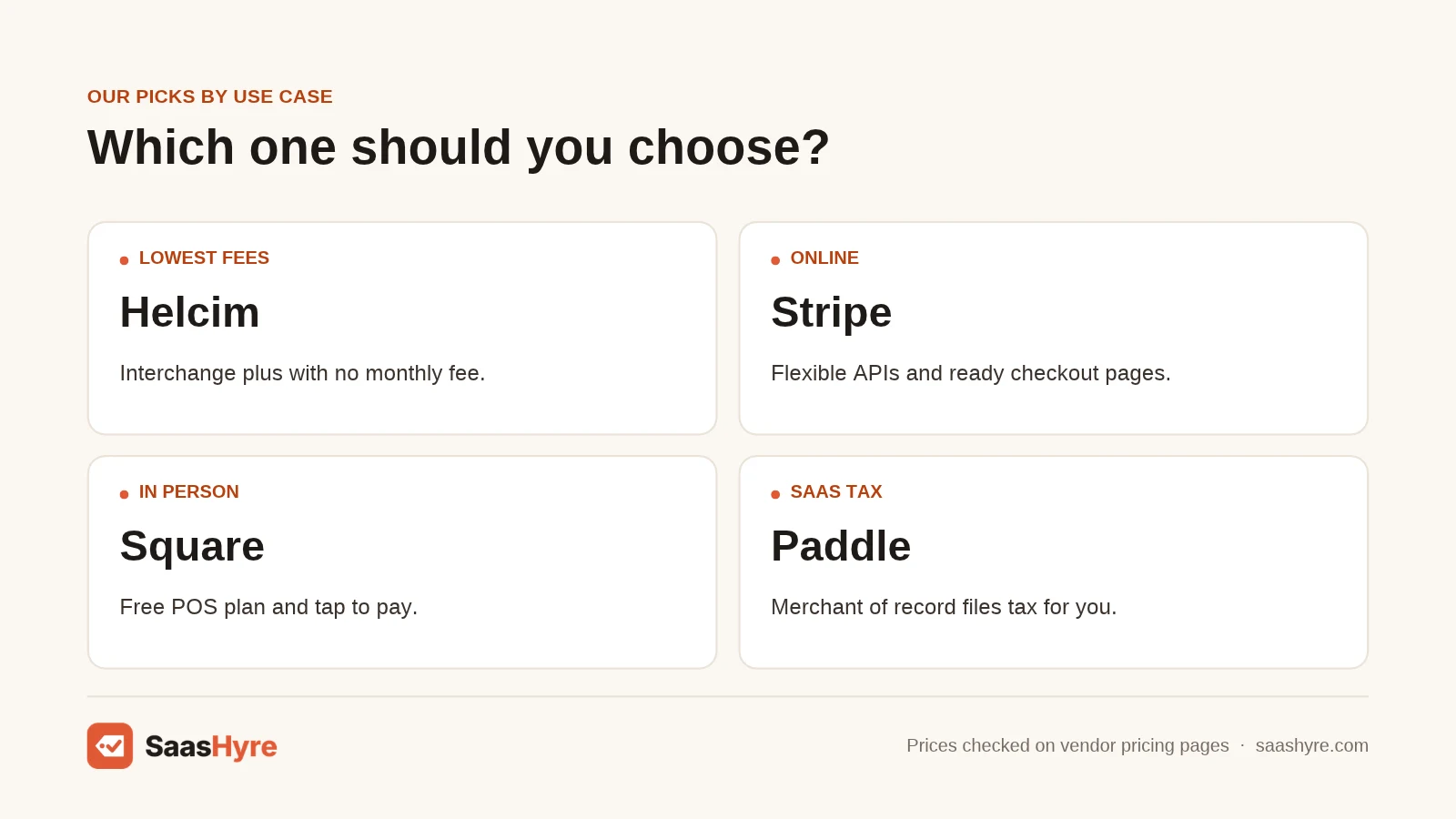
Pick Helcim for the lowest US fees, Stripe for custom online checkouts, and Square for in-person sales. Use Shopify Payments or WooPayments if you run those store builders. Add PayPal for buyer trust. Choose Authorize.net if you have a merchant account, and Paddle if you sell SaaS worldwide.
- Lowest fees: Helcim.
- Developer flexibility: Stripe or Braintree.
- Shop counter sales: Square.
- Store builders: Shopify Payments or WooPayments.
- Global SaaS tax: Paddle.
Sending invoices more than running a checkout? See our picks for the best AI invoicing software, which plug into most of these gateways.
How to Choose a Payment Gateway for Your Small Business
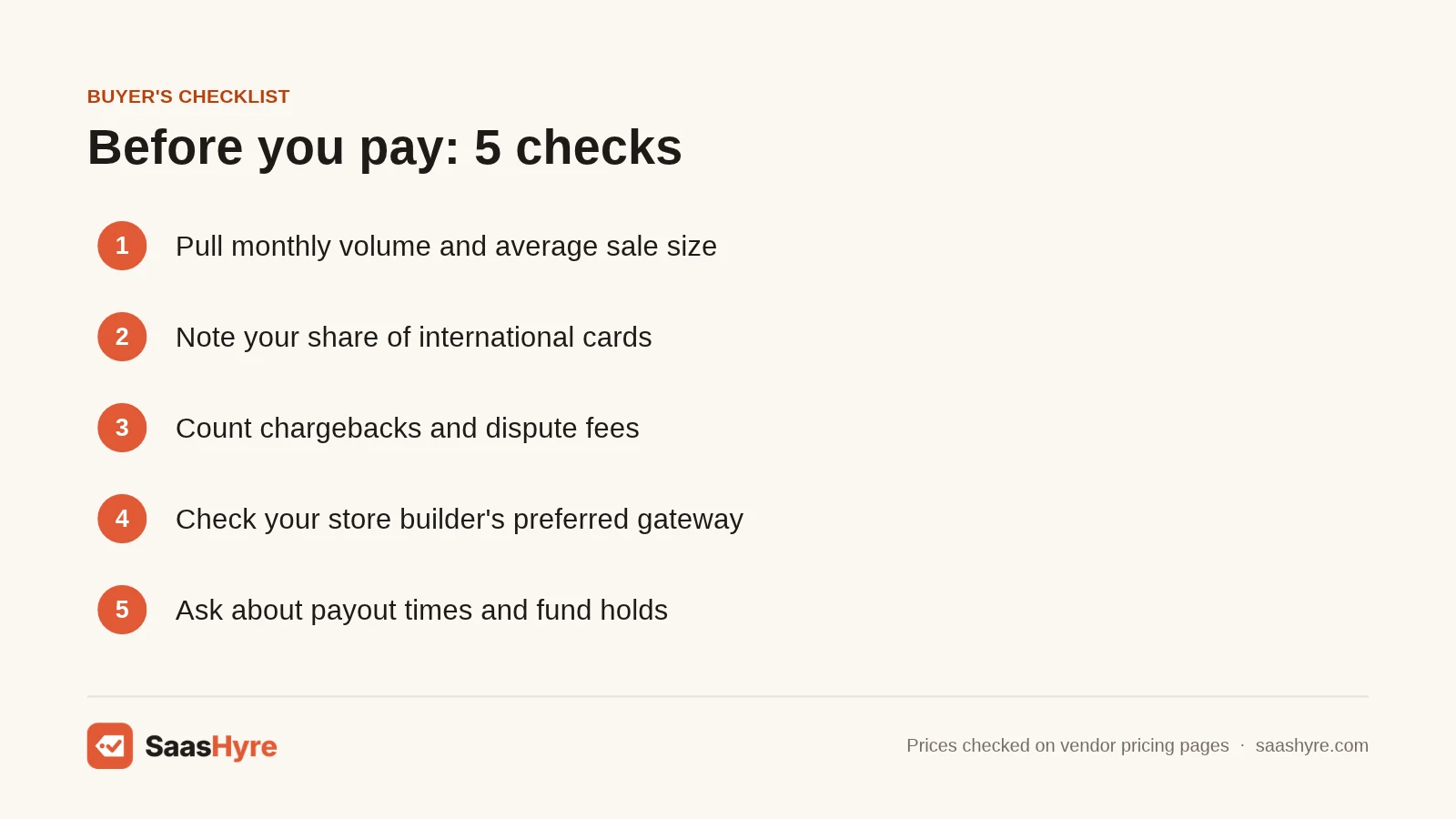
Start with your sales channels. If you sell in person, you need card readers and a POS app. If you sell only online, focus on checkout, integrations and fees. If you do both, one account for both saves time.
Next, pull last year’s numbers. You need your monthly volume, your average sale, your share of international cards and your chargeback count. With those, you can work out real yearly costs instead of trusting headline rates.
Then check your platform. Shopify charges extra if you skip Shopify Payments on Basic. WooCommerce works best with WooPayments or Stripe. A custom site gives you the most choice.
Finally, read the account terms. Ask how long payouts take, when a provider can hold your funds, and how you can move saved cards if you leave. Startups.co.uk covers what to do if a provider holds your funds and why data portability matters.
How We Chose These Gateways
I did not process test payments. Here is exactly what I checked. First, I read the top ranking guides for this keyword, including Aspire, PaymentCloud, DreamHost and Startups.co.uk, and listed every gateway that appeared on several of them. Stripe, PayPal, Square, Braintree, Authorize.net, Helcim and Shopify Payments all made the cut that way. Second, I opened each provider’s own pricing page in November 2026 and recorded card rates, monthly fees, ACH fees and chargeback fees. Where a page did not show a number, I say so. Third, I worked out yearly costs from those listed rates using a simple sample business. I left out gateways built mainly for enterprise or high-risk merchants.
Conclusion
The best payment gateway for small business is the one that keeps more of each sale in your account without slowing down checkout. For most US shops, that is Helcim, thanks to interchange plus pricing and no monthly fee. Stripe is the safest pick for custom online checkouts. Square is the easiest for in-person sales.
If you sell on Shopify or WooCommerce, start with the built-in gateway, then add PayPal as a second option. If you sell software across borders, Paddle’s higher rate may pay for itself in tax work you no longer do.
Pull your last three months of sales today. Run them through two or three rates above, and switch to the one that saves you the most.
Frequently Asked Questions
What is the best payment gateway for a small business?
Helcim is the best value for most US small businesses because it uses interchange plus pricing with no monthly fee. Stripe is best for custom online checkouts at 2.9% + 30¢. Square is best if you sell in person.
What is the cheapest payment gateway?
For most small businesses, Helcim is the cheapest because it passes on the real card cost plus 0.50% + 25¢ online. Braintree’s 2.89% + 29¢ is the lowest flat rate in this guide. For very low volume, any no-monthly-fee gateway is cheaper than Authorize.net.
Is Stripe or PayPal better for a small business?
Stripe is cheaper for card payments at 2.9% + 30¢, compared with PayPal’s 2.99% + 49¢ on standard cards. PayPal adds buyer trust and one-click checkout. Many small shops use Stripe for cards and add PayPal as a second button.
Do I need a merchant account to accept payments online?
Not usually. Stripe, Square, PayPal and Helcim bundle the merchant account into one sign-up. You only need your own merchant account for a gateway-only service like Authorize.net’s gateway plan.
What is the difference between a payment gateway and a payment processor?
A payment gateway takes card details from your checkout and sends them securely for approval. A payment processor moves the money between the banks. Most small business providers now handle both, so you sign up once.